Skip to comparison
versus.deals
Menu
Browse versus.deals
MONITORS · YOUR NEXT FACE-OFF

MSI G274QPF-QD vs MSI G321Q

Real specs. Clear sources.Exact models · UK & US buying links

Compared products

YOUR FIRST CHOICE

MSI G274QPF-QD

27-inch · 2560 × 1440 · 170 Hz · MSI global specification
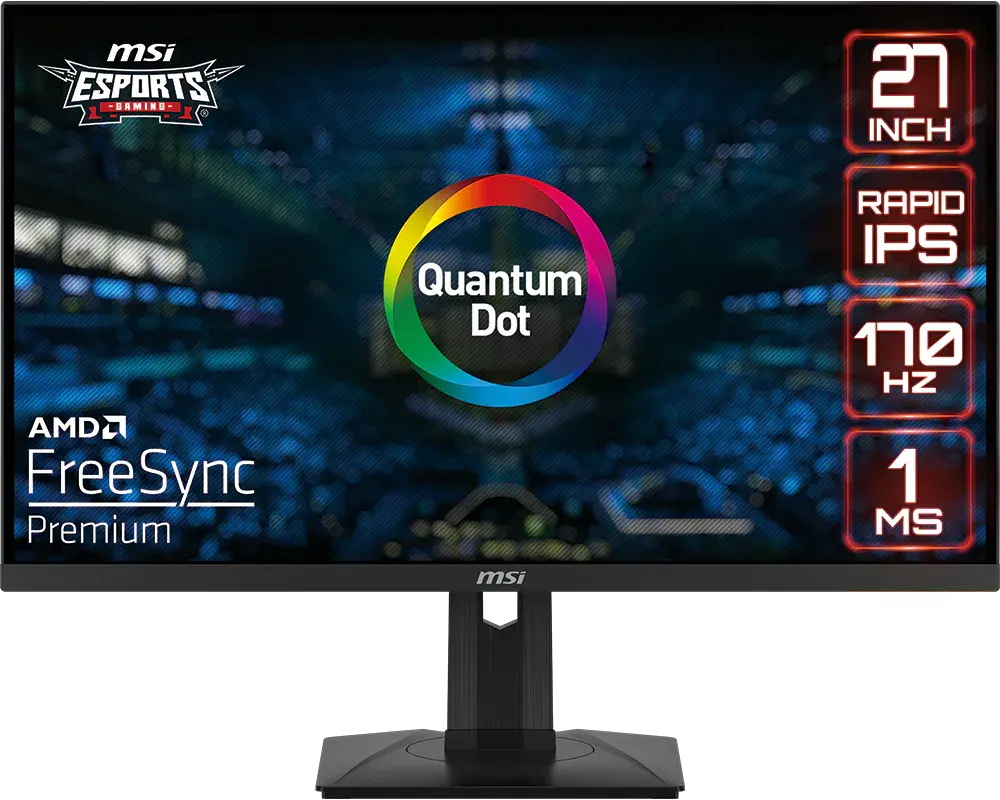
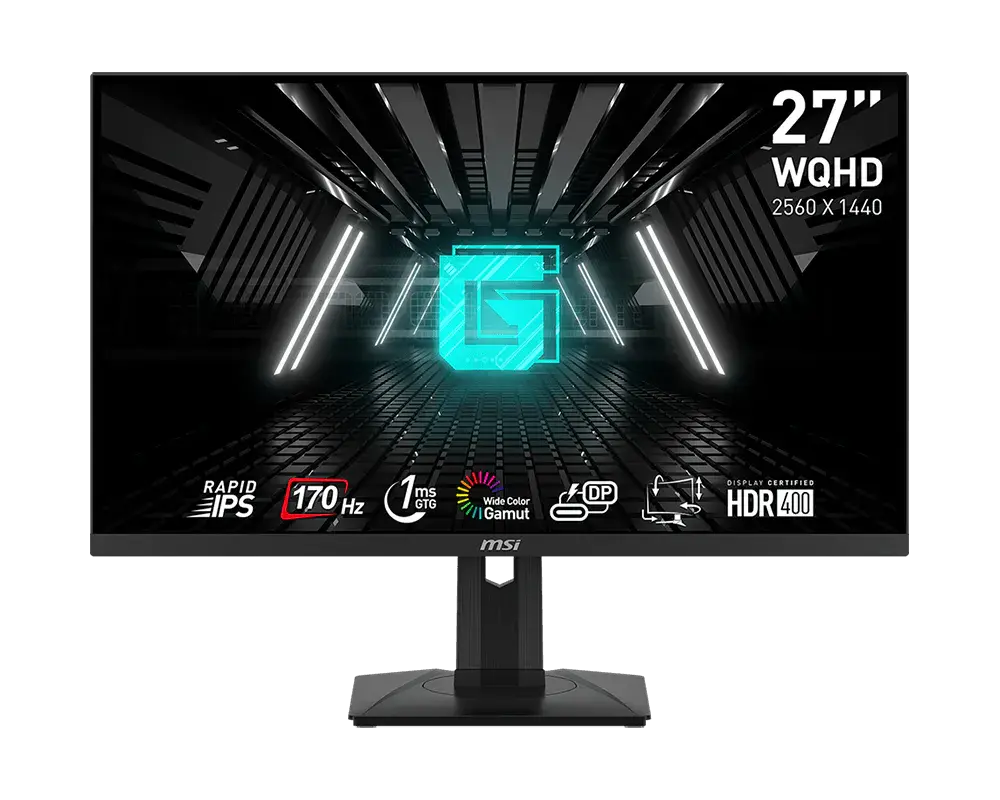
MSI G274QPF-QD monitor on its supplied stand, official front view with manufacturer sample screen artwork
Exact model & source notes

A 27-inch 2560 × 1440 Quantum Dot Rapid IPS monitor with USB-C video and up to 15 W charging. Native refresh reaches 170 Hz over DisplayPort or USB-C with DP OverClocking enabled; the default is 165 Hz and HDMI reaches 144 Hz.

Specifications checked 11 Sept 2026.

Amazon links open search results. Check the exact variant, current price and availability with the retailer.

Manufacturer specifications

WHICH SUITS YOU?

Choose the G274QPF-QD for

  • Higher stated refresh rate: 170 Hz vs 165 Hz
  • Smaller stated screen diagonal: 27 in vs 31.5 in
  • USB-C connection: Yes vs No

Choose the G321Q for

  • Larger stated screen diagonal: 31.5 in vs 27 in
Built from verified specifications that differ. Not a rating or a recommendation.
See the 21 verified differences
THE CONTENDER

MSI G321Q

31.5-inch · 2560 × 1440 · 170 Hz · MSI global specification

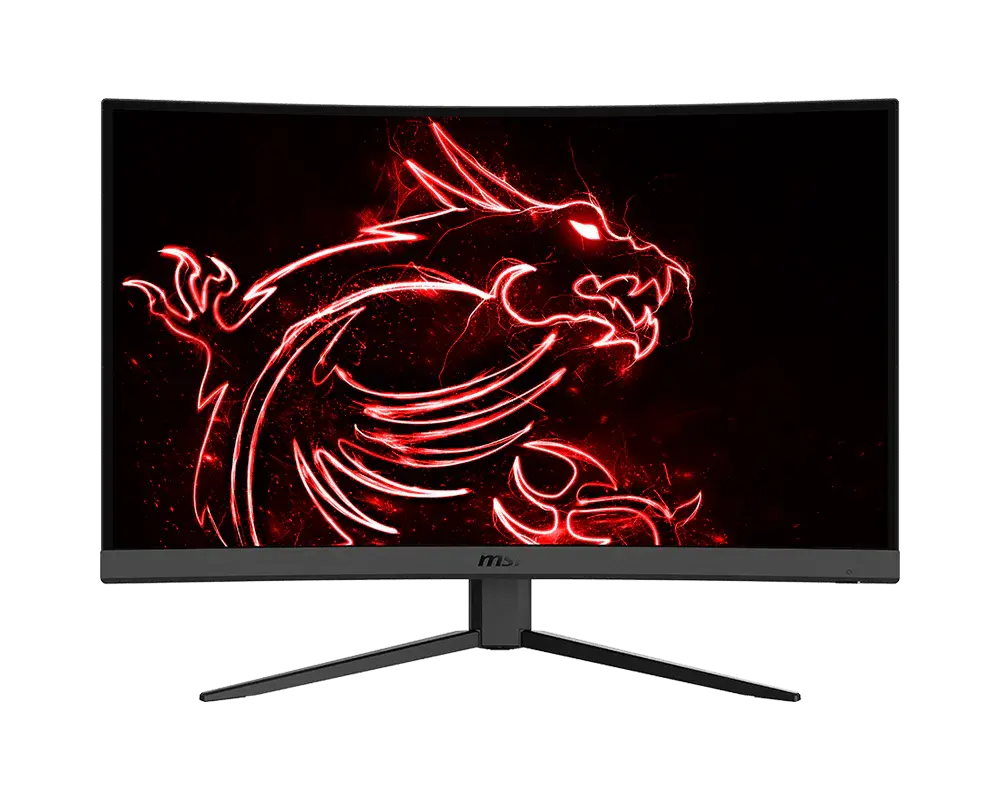
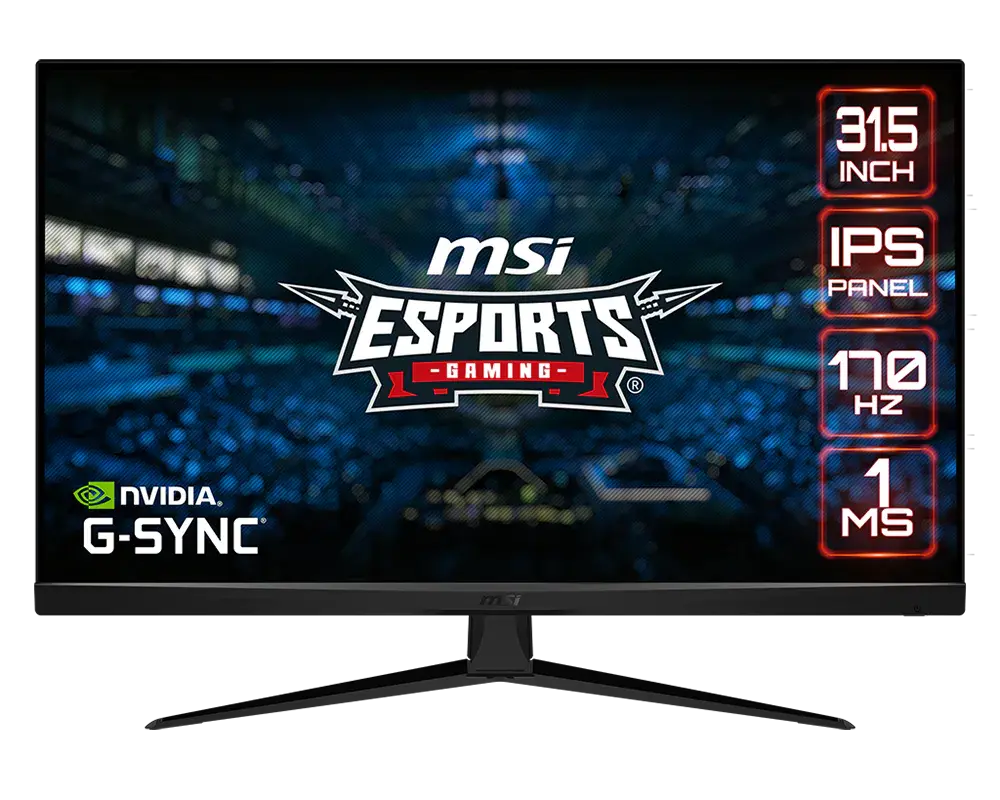
MSI G321Q monitor on its supplied stand, official front view with manufacturer sample screen artwork
Exact model & source notes

31.5-inch flat IPS monitor with 2560 × 1440 resolution, DisplayPort overclock up to 170 Hz and HDMI up to 144 Hz. The supplied stand tilts but does not adjust in height, swivel or pivot.

Specifications checked 11 Sept 2026.

Amazon links open search results. Check the exact variant, current price and availability with the retailer.

Manufacturer specifications

G274QPF-QD UK & US retailers

UK & US price history: no verified listing yet

G321Q UK & US retailers

UK & US price history: no verified listing yet

Search links open retailer results, not a matched listing; eBay listings are checked daily. As an Amazon Associate I earn from qualifying purchases. As an eBay Partner, we may be compensated if you make a purchase.

THE DIFFERENCES, MADE VISIBLE

Visual facts

Differences first. Select a topic for its graphic, sources and conditions.

How to read this comparison
  • Manufacturer facts for the exact models shown. Not a quality rating or a test result.
  • “Different” means the known values differ, not that one is better.
  • Missing or conflicting evidence is marked and never counts as a difference. Source chips hold each fact’s sources and conditions.
SPECIFICATIONS SIDE BY SIDE7 topics
SELECTED TOPIC
01 / 07

Panel technology

Check the exact configuration and source conditions for your use.

MSI G274QPF-QDRapid IPS LCD with Quantum Dot

Manufacturer specification

MSI G321QIPS LCD

Manufacturer specification

Explore the full specifications

Match the monitor to the connection. Refresh limits depend on the input, cable and source device. Confirm the exact regional ports, stand adjustment and mount. Manufacturer response-time methods such as MPRT and GtG are different; neither the image nor these figures establish an independent motion or colour-quality test.

WHAT CHANGES BETWEEN THEM?

Key differences

Full specifications ↓

21 verified differences, most decision-relevant first. 7 are also drawn in Visual facts above. Missing information stays separate.

Refresh rate

In Visual facts
MSI G274QPF-QD170 Hz
MSI G321Q165 Hz
Sources
MSI G274QPF-QD

Manufacturer specification · At 2560 × 1440 over DisplayPort or USB-C with DP OverClocking on; default 165 Hz. HDMI supports up to 144 Hz. Needs a compatible source and cable; lower the rate if overclocking causes errors.

MSI G274QPF-QD — exact model specificationsMSI G274QPF-QD exact user guide V1.0 (September 2022)
MSI G321Q

Manufacturer specification · English manual p. 24: 170 Hz maximum, default 165 Hz. DisplayPort overclock must be enabled for 170 Hz; HDMI native maximum 144 Hz remains separate.

MSI G321Q / MAG321QR-QD — English user guide v1.1

Check the exact configuration and source conditions for your use.

Inputs and versions

In Visual facts
MSI G274QPF-QD1 × DisplayPort 1.4; 2 × HDMI 2.0b; USB-C DisplayPort Alt Mode with up to 15 W Power Delivery; headphone output
MSI G321Q1 × DisplayPort; 2 × HDMI 2.0b; headphone output
Sources
MSI G274QPF-QD

Manufacturer specification · DisplayPort and USB-C support native 170 Hz with DP OverClocking on; HDMI reaches 144 Hz. USB-C charging is up to 15 W; there is no USB data hub.

MSI G274QPF-QD — exact model specifications
MSI G321Q

MSI's video-port specification says DisplayPort 1.4 but the connection diagram caption says 1.2a. · Manufacturer specification · Input counts and types.

MSI G321Q — exact model specifications

Check the exact configuration and source conditions for your use.

Show 15 more verified differences

Height-adjustable stand

In Visual facts
MSI G274QPF-QDYes
MSI G321QNo
Sources
MSI G321Q

Manufacturer specification · The exact datasheet lists height adjustment N/A.

MSI G321Q — exact model specifications

Compare the supplied stand and mounting requirements. These affect positioning and desk fit; they do not establish panel quality. Check any separately stated limits or conflicting dimensions.

Stand adjustment

MSI G274QPF-QDTilt −5° to +20°; swivel −45° to +45°; pivot −90° to +90°; height travel 0–130 mm
MSI G321QTilt −5° to +20°; no height, swivel or pivot adjustment
Sources
MSI G321Q

Manufacturer specification · Exact tilt and N/A adjustment rows; third-party VESA stand capability is separate.

MSI G321Q — exact model specifications

Compare the supplied stand and mounting requirements. These affect positioning and desk fit; they do not establish panel quality. Check any separately stated limits or conflicting dimensions.

VESA mounting pattern

MSI G274QPF-QD75 × 75 mm
MSI G321Q100 × 100 mm
Sources
MSI G274QPF-QD

Manufacturer specification

MSI G274QPF-QD — exact model specifications
MSI G321Q

Manufacturer specification

MSI G321Q — exact model specifications

Compare the supplied stand and mounting requirements. These affect positioning and desk fit; they do not establish panel quality. Check any separately stated limits or conflicting dimensions.

Published package contents

MSI G274QPF-QDMonitor, quick-start guide, stand and base with screws, external power supply and power cord; HDMI and DisplayPort cables optional
MSI G321QMonitor, stand/base with screws, external supply, power cord, wall-mount screws and quick-start guide; DisplayPort/HDMI cables optional
Sources
MSI G274QPF-QD

Manufacturer specification · Check the exact local bundle; package contents can vary by country.

MSI G274QPF-QD exact user guide V1.0 (September 2022)
MSI G321Q

Manufacturer specification · The manual lists country-dependent contents; the USB upstream cable belongs to other models with USB ports. Check the seller's box.

MSI G321Q / MAG321QR-QD — English user guide v1.1

Check the exact configuration and source conditions for your use.

Selectable picture presets

MSI G274QPF-QDGaming: Premium Color, User, FPS, Racing, RTS, RPG; Professional: Eco, User, Anti-Blue, Movie, Office, sRGB, Adobe RGB, Display P3
MSI G321QGame: User, FPS, Racing, RTS, RPG; Pro: Eco, User, Anti-Blue, Movie, Office, sRGB
Sources
MSI G274QPF-QD

Manufacturer specification

MSI G274QPF-QD exact user guide V1.0 (September 2022)
MSI G321Q

Manufacturer specification · Manual pp. 16 and 19. Premium Color and additional colour/calibration presets belong to MAG321QR-QD, not G321Q.

MSI G321Q / MAG321QR-QD — English user guide v1.1

Check the exact configuration and source conditions for your use.

Supplied power arrangement

MSI G274QPF-QDExternal adapter: 65 W, 19 V / 3.42 A; AC input: 100–240 V, 50/60 Hz
MSI G321QExternal 19 V / 3.42 A adapter; AC 100–240 V, 50/60 Hz
Sources
MSI G321Q

Manufacturer specification · Adapter rating, not the monitor's power use.

MSI G321Q — exact model specifications

Check the exact configuration and source conditions for your use.

Published signal frequency

MSI G274QPF-QD90.9–242.4 kHz horizontal; 48–170 Hz vertical
MSI G321Q72.6–245.5 kHz horizontal / 48–170 Hz vertical
Sources
MSI G274QPF-QD

Manufacturer specification

MSI G274QPF-QD — exact model specifications
MSI G321Q

Manufacturer specification · Published signal range; not guaranteed full range for every input.

MSI G321Q — exact model specifications

Check the exact configuration and source conditions for your use.

Stand depth

MSI G274QPF-QD196.5 mm
MSI G321Q249.5 mm
Sources
MSI G274QPF-QD

MSI lists 196.48 mm. · Manufacturer specification · Manufacturer dimensions with stand, reordered width × depth × height where required. Stand depth is not panel thickness and excludes additional cable clearance.

MSI G274QPF-QD — exact model specifications
MSI G321Q

Manufacturer specification · Manufacturer dimensions with stand, shown width × height × depth. Stand depth is not panel thickness and excludes additional cable clearance.

MSI G321Q — exact model specifications

A size or weight trade-off; it does not establish the better product.

Dimensions with stand

MSI G274QPF-QD613.5 × 402.1–532.1 × 196.5 mm (width × height × depth, with stand)
MSI G321Q716.2 × 503.4 × 249.5 mm (width × height × depth, with stand)
Sources
MSI G274QPF-QD

MSI's specification page and datasheet list 613.49 × 196.48 × 402.08 mm (W × D × H); the V1.0 manual lists 613.49 × 532.08 × 196.48 mm (W × H × D). The 130 mm difference equals the stand's 0–130 mm height travel, so the datasheet gives the lowest and the manual the highest stand position; MSI does not label which. · Manufacturer specification · Manufacturer dimensions with the supplied stand; allow extra room for cables and stand movement. The height range shows the stand's lowest and highest positions.

MSI G274QPF-QD — exact model specificationsMSI G274QPF-QD exact user guide V1.0 (September 2022)MSI G274QPF-QD — current specification page
MSI G321Q

Manufacturer specification · Manufacturer dimensions with stand, shown width × height × depth. Stand depth is not panel thickness and excludes additional cable clearance.

MSI G321Q — exact model specifications

A size or weight trade-off; it does not establish the better product.

Dimensions without stand

MSI G274QPF-QD613.5 × 362.5 × 69.7 mm (width × height × depth)
MSI G321Q716.2 × 428.5 × 62 mm (width × height × depth)
Sources
MSI G274QPF-QD

MSI lists 613.5 × 69.74 × 362.46 mm (width × depth × height). · Manufacturer specification

MSI G274QPF-QD — exact model specifications
MSI G321Q

Manufacturer specification · Manufacturer dimensions explicitly without stand; mounting and cable clearance are extra.

MSI G321Q — exact model specifications

A size or weight trade-off; it does not establish the better product.

Missing or non-comparable evidence (29)

Native-resolution input limits

MSI G274QPF-QDDisplayPort and USB-C: 2560 × 1440 up to 170 Hz with DP OverClocking; HDMI: 2560 × 1440 up to 144 Hz
MSI G321QNot verified
Sources
MSI G274QPF-QD

Manufacturer specification · Default maximum 165 Hz; 170 Hz requires DP OverClocking ON and a compatible device/cable. PBP has a separate 1280 × 1440 at 60 Hz input mode.

MSI G274QPF-QD — exact model specificationsMSI G274QPF-QD exact user guide V1.0 (September 2022)
MSI G321Q

No source recorded for this side.

Evidence is missing or conflicting on at least one side. This is not a verified difference.

USB-C charging

MSI G274QPF-QD15 W
MSI G321QNot verified
Sources
MSI G274QPF-QD

Manufacturer specification · Maximum charging output, not the monitor’s power consumption. Compatible device and cable required.

MSI G274QPF-QD — exact model specifications
MSI G321Q

No source recorded for this side.

Evidence is missing or conflicting on at least one side. This is not a verified difference.

Built-in speakers

MSI G274QPF-QDNot verified
MSI G321QNot verified
Sources
MSI G274QPF-QD

MSI's datasheet and user guide do not say whether speakers are built in. · Manufacturer specification

MSI G274QPF-QD — exact model specificationsMSI G274QPF-QD exact user guide V1.0 (September 2022)
MSI G321Q

Only a headphone output is listed; MSI does not say whether speakers are built in. · Manufacturer specification · Only a headphone output is listed; MSI does not say whether speakers are built in.

MSI G321Q — exact model specifications

Evidence is missing or conflicting on at least one side. This is not a verified difference.

Headphone output

MSI G274QPF-QDNot verified
MSI G321QYes
Sources
MSI G274QPF-QD

No source recorded for this side.

MSI G321Q

Manufacturer specification · One headphone output; MSI does not list speakers.

MSI G321Q — exact model specifications

Evidence is missing or conflicting on at least one side. This is not a verified difference.

Picture-in-picture / picture-by-picture

MSI G274QPF-QDYes
MSI G321QNot supported
Sources
MSI G274QPF-QD

Manufacturer specification · HDR disables PIP/PBP. Enabling PIP/PBP locks response-time adjustment, switches MPRT and Adaptive-Sync off, and disables/locks HDMI CEC. PBP input timing is 1280 × 1440 at 60 Hz; input/aspect restrictions apply.

MSI G274QPF-QD — exact model specificationsMSI G274QPF-QD exact user guide V1.0 (September 2022)
MSI G321Q

Manufacturer specification · Datasheet PIP/PBP N/A.

MSI G321Q — exact model specifications

The recorded units or formats differ. These values are not ranked.

Declared colour-gamut figures

MSI G274QPF-QDConflicting evidence
MSI G321QAdobe RGB 90% / DCI-P3 93% / sRGB 123% (CIE 1976)
Sources
MSI G274QPF-QD

MSI's datasheet lists Adobe RGB 93%, DCI-P3 95%, sRGB 150%; the V1.0 manual lists DCI-P3 98%, sRGB 154% (both CIE 1976). · Manufacturer specification

MSI G274QPF-QD — exact model specificationsMSI G274QPF-QD exact user guide V1.0 (September 2022)
MSI G321Q

Manufacturer specification · CIE 1976 basis; percentages above 100% are relative volume, not coverage.

MSI G321Q — exact model specifications

Evidence is missing or conflicting on at least one side. This is not a verified difference.

Advertised console mode

MSI G274QPF-QDNot verified
MSI G321QPS5 1440p optimisation with VRR; HDMI 1080p/1440p at 120 Hz; HDMI 2160p input up to 60 Hz
Sources
MSI G274QPF-QD

No source recorded for this side.

MSI G321Q

Manufacturer specification · Exact marketing lists PS5 1440p VRR. Manual pp. 26–27 separately lists HDMI 1080p/1440p at 120 Hz and 2160p 30/50/60 Hz input timings. The physical panel remains 2560 × 1440; accepting a 4K input is not native 4K display. Confirm device/firmware/VRR mode combination.

MSI G321Q — exact model specificationsMSI G321Q — official specMSI G321Q — official overviewMSI G321Q / MAG321QR-QD — English user guide v1.1

Evidence is missing or conflicting on at least one side. This is not a verified difference.

DisplayPort version

MSI G274QPF-QDNot verified
MSI G321QConflicting evidence
Sources
MSI G274QPF-QD

No source recorded for this side.

MSI G321Q

Conflicting manufacturer table and connection-diagram labels; no version selected. · Manufacturer specification · MSI's web specification and datasheet video table say DisplayPort 1.4; the datasheet diagram and English manual (p. 10) say 1.2a. One input, with the 170 Hz overclocked mode.

MSI G321Q — exact model specificationsMSI G321Q — official specMSI G321Q / MAG321QR-QD — English user guide v1.1

Evidence is missing or conflicting on at least one side. This is not a verified difference.

Dynamic contrast claim

MSI G274QPF-QD100000000:1
MSI G321QNot verified
Sources
MSI G274QPF-QD

Manufacturer specification

MSI G274QPF-QD — exact model specifications
MSI G321Q

No source recorded for this side.

Evidence is missing or conflicting on at least one side. This is not a verified difference.

Gross shipping weight

MSI G274QPF-QDConflicting evidence
MSI G321Q8.8 kg
Sources
MSI G274QPF-QD

MSI datasheet gives 8 kg gross; V1.0 manual gives 8.1 kg gross. Package basis is not resolved. · Manufacturer specification

MSI G274QPF-QD — exact model specificationsMSI G274QPF-QD exact user guide V1.0 (September 2022)
MSI G321Q

Manufacturer specification · Manual p. 25 G321Q gross row; not product-only mass.

MSI G321Q / MAG321QR-QD — English user guide v1.1

Evidence is missing or conflicting on at least one side. This is not a verified difference.

HDMI 2160p input timings

MSI G274QPF-QD2160p at 30 Hz or 60 Hz
MSI G321QNot verified
Sources
MSI G274QPF-QD

Manufacturer specification · Accepted HDMI timing is not native 4K resolution or 4K 120 Hz support.

MSI G274QPF-QD exact user guide V1.0 (September 2022)
MSI G321Q

No source recorded for this side.

Evidence is missing or conflicting on at least one side. This is not a verified difference.

Picture-by-picture input timing

MSI G274QPF-QD1280 × 1440 at 60 Hz per input
MSI G321QNot verified
Sources
MSI G274QPF-QD

Manufacturer specification

MSI G274QPF-QD exact user guide V1.0 (September 2022)
MSI G321Q

No source recorded for this side.

Evidence is missing or conflicting on at least one side. This is not a verified difference.

Measured operating power consumption

MSI G274QPF-QDNot verified
MSI G321QNot verified
Sources
MSI G274QPF-QD

MSI lists a 65 W adapter rating and 15 W USB-C charging output but no typical operating wattage. · Manufacturer specification

MSI G274QPF-QD — exact model specificationsMSI G274QPF-QD exact user guide V1.0 (September 2022)
MSI G321Q

MSI lists an adapter rating but no typical operating wattage. · Manufacturer specification · MSI lists an adapter rating but no typical operating wattage.

MSI G321Q — exact model specifications

Evidence is missing or conflicting on at least one side. This is not a verified difference.

Quantum Dot colour layer

MSI G274QPF-QDYes
MSI G321QNot verified
Sources
MSI G274QPF-QD

Manufacturer specification · Manufacturer colour-layer description.

MSI G274QPF-QD — exact model specifications
MSI G321Q

No source recorded for this side.

Evidence is missing or conflicting on at least one side. This is not a verified difference.

Overclocked refresh rate

MSI G274QPF-QDNot verified
MSI G321Q170 Hz
Sources
MSI G274QPF-QD

No source recorded for this side.

MSI G321Q

Manufacturer specification · DisplayPort: up to 170 Hz with overclocking; HDMI: up to 144 Hz, at native 2560 × 1440. The source, cable and selected mode must support the signal.

MSI G321Q — exact model specifications

Evidence is missing or conflicting on at least one side. This is not a verified difference.

Reported net weight

MSI G274QPF-QDNot verified
MSI G321Q6.8 kg
Sources
MSI G274QPF-QD

No source recorded for this side.

MSI G321Q

Manufacturer specification · Manual p. 25 (G321Q column); MSI does not say whether the stand is included.

MSI G321Q / MAG321QR-QD — English user guide v1.1

Evidence is missing or conflicting on at least one side. This is not a verified difference.

Rated grey-to-grey response

MSI G274QPF-QDNot verified
MSI G321Q4 ms
Sources
MSI G274QPF-QD

No source recorded for this side.

MSI G321Q

Manufacturer specification · Specification row p. 24: 4 ms GtG, separate from 1 ms MPRT.

MSI G321Q / MAG321QR-QD — English user guide v1.1

Evidence is missing or conflicting on at least one side. This is not a verified difference.

Response method and claim

MSI G274QPF-QD1 ms GtG
MSI G321Q1 ms MPRT
Sources
MSI G274QPF-QD

Manufacturer specification · GtG, MPRT and input lag are different measures.

MSI G274QPF-QD — exact model specifications
MSI G321Q

Manufacturer specification · GtG, MPRT and input lag are different measures.

MSI G321Q — exact model specifications

One source states less detail or a rounded figure. This is not a verified difference; check the exact configuration.

Stand height travel

MSI G274QPF-QD130 mm
MSI G321QNot verified
Sources
MSI G274QPF-QD

Manufacturer specification · Adjustment travel, separate from assembled monitor height.

MSI G274QPF-QD — exact model specifications
MSI G321Q

No source recorded for this side.

Evidence is missing or conflicting on at least one side. This is not a verified difference.

Maximum USB-C refresh at native resolution

MSI G274QPF-QD170 Hz
MSI G321QNot verified
Sources
MSI G274QPF-QD

Manufacturer specification · At 2560 × 1440 with DP OverClocking on and a compatible source and cable; default 165 Hz.

MSI G274QPF-QD exact user guide V1.0 (September 2022)
MSI G321Q

No source recorded for this side.

Evidence is missing or conflicting on at least one side. This is not a verified difference.

VESA screw specification

MSI G274QPF-QDNot verified
MSI G321QM4 × 10 mm; 0.7 mm thread pitch
Sources
MSI G274QPF-QD

No source recorded for this side.

MSI G321Q

Manufacturer specification · Manual p. 25 supplies plate 100 × 100 mm and screw dimensions; follow installation instructions and mount-specific clearance.

MSI G321Q / MAG321QR-QD — English user guide v1.1

Evidence is missing or conflicting on at least one side. This is not a verified difference.

Weight without stand

MSI G274QPF-QD4.05 kg
MSI G321QNot verified
Sources
MSI G274QPF-QD

Manufacturer specification · Manufacturer bare-monitor mass; stand removed.

MSI G274QPF-QD — exact model specifications
MSI G321Q

No source recorded for this side.

Evidence is missing or conflicting on at least one side. This is not a verified difference.

Weight with stand

MSI G274QPF-QDConflicting evidence
MSI G321QNot verified
Sources
MSI G274QPF-QD

MSI's datasheet gives 6.05 kg net; the V1.0 manual gives 6.0 kg net. · Manufacturer specification

MSI G274QPF-QD — exact model specificationsMSI G274QPF-QD exact user guide V1.0 (September 2022)
MSI G321Q

The manual (p. 25) lists 6.8 kg net and 8.8 kg gross without saying whether the stand is included. · Manufacturer specification · The manual (p. 25) lists 6.8 kg net and 8.8 kg gross without saying whether the stand is included.

MSI G321Q — exact model specificationsMSI G321Q / MAG321QR-QD — English user guide v1.1

Evidence is missing or conflicting on at least one side. This is not a verified difference.

22 shared fields have the same recorded value.

WHAT EACH CHOICE ASKS OF YOU

What it brings and what to check

MSI G274QPF-QD

What it brings

What to check

MSI G321Q

What it brings

  • It reaches 170 Hz over DisplayPort at 2560 × 1440 with G-SYNC Compatible and FreeSync Premium support, and the IPS panel covers 123% sRGB (CIE 1976).
  • PS5 1440p optimisation with VRR, 120 Hz console input over HDMI, Night Vision and Smart Crosshair are included, with a 100 × 100 mm VESA pattern for an arm.

What to check

COMPARE THE DETAILS

Full specifications

How we verify
72 of 72 specifications Sources in each row
Source-backed specifications for MSI G274QPF-QD and MSI G321Q
SpecificationMSI G274QPF-QDMSI G321Q
Screen diagonalDifferent
Sources
MSI G274QPF-QD

Manufacturer specification · Manufacturer panel diagonal; rounded size printed on marketing imagery may differ.

MSI G274QPF-QD — exact model specifications
MSI G321Q

Manufacturer specification · Manufacturer panel diagonal; rounded size printed on marketing imagery may differ.

MSI G321Q — exact model specifications
27 in31.5 in
Native resolution
Sources
MSI G274QPF-QD

Manufacturer specification

MSI G274QPF-QD — exact model specifications
MSI G321Q

Manufacturer specification

MSI G321Q — exact model specifications
2560 × 14402560 × 1440
Panel technologyDifferent
Sources
MSI G274QPF-QD

Manufacturer specification

MSI G274QPF-QD — exact model specifications
MSI G321Q

Manufacturer specification

MSI G321Q — exact model specifications
Rapid IPS LCD with Quantum DotIPS LCD
Aspect ratio
Sources
MSI G274QPF-QD

Manufacturer specification

MSI G274QPF-QD — exact model specifications
MSI G321Q

Manufacturer specification

MSI G321Q — exact model specifications
16:916:9
Declared brightness
Sources
MSI G274QPF-QD

Manufacturer specification · SDR typical brightness, not HDR peak.

MSI G274QPF-QD — exact model specifications
MSI G321Q

Manufacturer specification · SDR typical brightness, not HDR peak.

MSI G321Q — exact model specifications
300 cd/m²300 cd/m²
Static contrast claimDifferent
Sources
MSI G274QPF-QD

Manufacturer specification · Static contrast.

MSI G274QPF-QD — exact model specifications
MSI G321Q

Manufacturer specification · Static contrast.

MSI G321Q — exact model specifications
1000:11200:1
Colour depth
Sources
MSI G274QPF-QD

Manufacturer specification · Manufacturer panel basis; FRC is not native 10-bit.

MSI G274QPF-QD — exact model specificationsMSI G274QPF-QD exact user guide V1.0 (September 2022)
MSI G321Q

Manufacturer specification · Where FRC is listed, the panel uses frame-rate control to reach the stated depth.

MSI G321Q — exact model specifications
8-bit + FRC8-bit + FRC
HDR supportDifferent
Sources
MSI G274QPF-QD

Manufacturer specification · Certification listed by MSI.

MSI G274QPF-QD — exact model specifications
MSI G321Q

Manufacturer specification · HDR Ready as described by MSI; not a DisplayHDR certification.

MSI G321Q — exact model specifications
VESA DisplayHDR 400HDR Ready
Active display areaDifferent
Sources
MSI G274QPF-QD

Manufacturer specification

MSI G274QPF-QD — exact model specifications
MSI G321Q

Manufacturer specification · Panel active area, not chassis dimensions.

MSI G321Q — exact model specifications
597.6 × 336.15 mm (horizontal × vertical)698.112 × 392.688 mm (horizontal × vertical)
Pixel pitchDifferent
Sources
MSI G274QPF-QD

Manufacturer specification

MSI G274QPF-QD — exact model specifications
MSI G321Q

Manufacturer specification · Manufacturer-reported pitch.

MSI G321Q — exact model specifications
0.2331 × 0.2331 mm (horizontal × vertical)0.272 × 0.272 mm (horizontal × vertical)
Screen shape
Sources
MSI G321Q

Manufacturer specification · Exact panel curvature row.

MSI G321Q — exact model specifications
FlatFlat
Declared HDR peak brightness
Sources
MSI G274QPF-QD

Manufacturer specification · Manufacturer HDR peak; test window and duration not stated.

MSI G274QPF-QD — exact model specificationsMSI G274QPF-QD exact user guide V1.0 (September 2022)
MSI G321Q

No source recorded.

400 cd/m²Not provided
Dynamic contrast claim
Sources
MSI G274QPF-QD

Manufacturer specification

MSI G274QPF-QD — exact model specifications
MSI G321Q

No source recorded.

100000000:1Not provided
Declared viewing angles
Sources
178° horizontal / 178° vertical178° horizontal / 178° vertical
Declared colour-gamut figures
Sources
MSI G274QPF-QD

MSI's datasheet lists Adobe RGB 93%, DCI-P3 95%, sRGB 150%; the V1.0 manual lists DCI-P3 98%, sRGB 154% (both CIE 1976). · Manufacturer specification

MSI G274QPF-QD — exact model specificationsMSI G274QPF-QD exact user guide V1.0 (September 2022)
MSI G321Q

Manufacturer specification · CIE 1976 basis; percentages above 100% are relative volume, not coverage.

MSI G321Q — exact model specifications
Conflicting sourcesAdobe RGB 90% / DCI-P3 93% / sRGB 123% (CIE 1976)
Quantum Dot colour layer
Sources
MSI G274QPF-QD

Manufacturer specification · Manufacturer colour-layer description.

MSI G274QPF-QD — exact model specifications
MSI G321Q

No source recorded.

YesNot provided
Screen surface
Sources
MSI G321Q

Manufacturer specification · Manufacturer surface description.

MSI G321Q — exact model specifications
Anti-glareAnti-glare
Displayable colours
Sources
MSI G321Q

Manufacturer specification · FRC-assisted count, not native 10-bit panel depth.

MSI G321Q — exact model specifications
1.07 billion1.07 billion (8-bit + FRC)
HDR signal support
Sources
MSI G274QPF-QD

Manufacturer specification · HDR greys out Night Vision, MPRT, Low Blue Light, HDCR, brightness, contrast, colour-temperature and PIP/PBP controls.

MSI G274QPF-QD — exact model specificationsMSI G274QPF-QD exact user guide V1.0 (September 2022)
MSI G321Q

No source recorded.

YesNot provided
Selectable picture presetsDifferent
Sources
MSI G274QPF-QD

Manufacturer specification

MSI G274QPF-QD exact user guide V1.0 (September 2022)
MSI G321Q

Manufacturer specification · Manual pp. 16 and 19. Premium Color and additional colour/calibration presets belong to MAG321QR-QD, not G321Q.

MSI G321Q / MAG321QR-QD — English user guide v1.1
Gaming: Premium Color, User, FPS, Racing, RTS, RPG; Professional: Eco, User, Anti-Blue, Movie, Office, sRGB, Adobe RGB, Display P3Game: User, FPS, Racing, RTS, RPG; Pro: Eco, User, Anti-Blue, Movie, Office, sRGB
sRGB picture preset
Sources
MSI G274QPF-QD

Manufacturer specification

MSI G274QPF-QD exact user guide V1.0 (September 2022)
MSI G321Q

Manufacturer specification · Pro Mode lists sRGB for this model (p. 19). Adobe RGB, Display P3 and Calibration 1–3 modes are marked only for MAG321QR-QD. Preset availability is not calibrated gamut accuracy.

MSI G321Q / MAG321QR-QD — English user guide v1.1
YesYes
Refresh rateDifferent
Sources
MSI G274QPF-QD

Manufacturer specification · At 2560 × 1440 over DisplayPort or USB-C with DP OverClocking on; default 165 Hz. HDMI supports up to 144 Hz. Needs a compatible source and cable; lower the rate if overclocking causes errors.

MSI G274QPF-QD — exact model specificationsMSI G274QPF-QD exact user guide V1.0 (September 2022)
MSI G321Q

Manufacturer specification · English manual p. 24: 170 Hz maximum, default 165 Hz. DisplayPort overclock must be enabled for 170 Hz; HDMI native maximum 144 Hz remains separate.

MSI G321Q / MAG321QR-QD — English user guide v1.1
170 Hz165 Hz
Adaptive-Sync
Sources
MSI G274QPF-QD

Manufacturer specification · Enabling Adaptive-Sync disables MPRT and resets PIP/PBP off and 1:1 size to Auto. The QD manual marks the latter two settings adjustable. Device and input restrictions apply.

MSI G274QPF-QD — exact model specificationsMSI G274QPF-QD exact user guide V1.0 (September 2022)
MSI G321Q

Manufacturer specification · The exact specification names NVIDIA G-SYNC Compatible and AMD FreeSync Premium. This confirms adaptive-sync capability, not every console/GPU/input combination.

MSI G321Q — exact model specifications
YesYes
Response method and claim
Sources
MSI G274QPF-QD

Manufacturer specification · GtG, MPRT and input lag are different measures.

MSI G274QPF-QD — exact model specifications
MSI G321Q

Manufacturer specification · GtG, MPRT and input lag are different measures.

MSI G321Q — exact model specifications
1 ms GtG1 ms MPRT
Named variable-refresh technology
Sources
MSI G274QPF-QD

Manufacturer specification · Manufacturer-listed technology; needs a compatible source, input and driver.

MSI G274QPF-QD — exact model specifications
MSI G321Q

Manufacturer specification · Operation depends on the source, connection and selected mode.

MSI G321Q — exact model specifications
AMD FreeSync Premium; NVIDIA G-SYNC CompatibleNVIDIA G-SYNC Compatible; AMD FreeSync Premium
Published signal frequencyDifferent
Sources
MSI G274QPF-QD

Manufacturer specification

MSI G274QPF-QD — exact model specifications
MSI G321Q

Manufacturer specification · Published signal range; not guaranteed full range for every input.

MSI G321Q — exact model specifications
90.9–242.4 kHz horizontal; 48–170 Hz vertical72.6–245.5 kHz horizontal / 48–170 Hz vertical
Declared variable-refresh range
Sources
MSI G274QPF-QD

Manufacturer specification

MSI G274QPF-QD — exact model specifications
MSI G321Q

Manufacturer specification · Adaptive-Sync activation range; input and source limits apply.

MSI G321Q — exact model specifications
48–170 Hz48–170 Hz
Native-resolution input limits
Sources
MSI G274QPF-QD

Manufacturer specification · Default maximum 165 Hz; 170 Hz requires DP OverClocking ON and a compatible device/cable. PBP has a separate 1280 × 1440 at 60 Hz input mode.

MSI G274QPF-QD — exact model specificationsMSI G274QPF-QD exact user guide V1.0 (September 2022)
MSI G321Q

No source recorded.

DisplayPort and USB-C: 2560 × 1440 up to 170 Hz with DP OverClocking; HDMI: 2560 × 1440 up to 144 HzNot provided
Maximum HDMI refresh at native resolution
Sources
MSI G321Q

Manufacturer specification · 2560 × 1440 over HDMI; the 170 Hz overclock applies to DisplayPort.

MSI G321Q — exact model specifications
144 Hz144 Hz
Maximum USB-C refresh at native resolution
Sources
MSI G274QPF-QD

Manufacturer specification · At 2560 × 1440 with DP OverClocking on and a compatible source and cable; default 165 Hz.

MSI G274QPF-QD exact user guide V1.0 (September 2022)
MSI G321Q

No source recorded.

170 HzNot provided
MPRT motion-blur-reduction mode
Sources
MSI G274QPF-QD

Manufacturer specification · Available above 85 Hz; HDR disables it. MPRT locks response-time/brightness controls, disables Adaptive-Sync and HDCR, and resets PIP/PBP off and 1:1 size to Auto. The latter two are marked adjustable in the QD manual.

MSI G274QPF-QD exact user guide V1.0 (September 2022)
MSI G321Q

Manufacturer specification · Manual pp. 15–16: MPRT needs a refresh rate above 85 Hz, cannot run with Adaptive-Sync or HDR, and locks brightness and response controls.

MSI G321Q / MAG321QR-QD — English user guide v1.1
YesYes
Simultaneous MPRT and Adaptive-Sync
Sources
MSI G274QPF-QD

Manufacturer specification

MSI G274QPF-QD exact user guide V1.0 (September 2022)
MSI G321Q

Manufacturer specification · English manual pp. 16, 18 and 20: enabling MPRT disables adaptive sync and HDCR; enabling adaptive sync disables MPRT. MPRT requires refresh above 85 Hz and locks brightness/response-time settings. HDR disables MPRT.

MSI G321Q / MAG321QR-QD — English user guide v1.1
NoNo
Claimed MPRT
Sources
MSI G274QPF-QD

Manufacturer specification · Blur-reduction mode figure.

MSI G274QPF-QD exact user guide V1.0 (September 2022)
MSI G321Q

Manufacturer specification · Blur-reduction (MPRT) figure, not GtG or input lag.

MSI G321Q — exact model specifications
1 ms1 ms
Overclocked refresh rate
Sources
MSI G274QPF-QD

No source recorded.

MSI G321Q

Manufacturer specification · DisplayPort: up to 170 Hz with overclocking; HDMI: up to 144 Hz, at native 2560 × 1440. The source, cable and selected mode must support the signal.

MSI G321Q — exact model specifications
Not provided170 Hz
Rated grey-to-grey response
Sources
MSI G274QPF-QD

No source recorded.

MSI G321Q

Manufacturer specification · Specification row p. 24: 4 ms GtG, separate from 1 ms MPRT.

MSI G321Q / MAG321QR-QD — English user guide v1.1
Not provided4 ms
Inputs and versionsDifferent
Sources
MSI G274QPF-QD

Manufacturer specification · DisplayPort and USB-C support native 170 Hz with DP OverClocking on; HDMI reaches 144 Hz. USB-C charging is up to 15 W; there is no USB data hub.

MSI G274QPF-QD — exact model specifications
MSI G321Q

MSI's video-port specification says DisplayPort 1.4 but the connection diagram caption says 1.2a. · Manufacturer specification · Input counts and types.

MSI G321Q — exact model specifications
1 × DisplayPort 1.4; 2 × HDMI 2.0b; USB-C DisplayPort Alt Mode with up to 15 W Power Delivery; headphone output1 × DisplayPort; 2 × HDMI 2.0b; headphone output
USB-C charging
Sources
MSI G274QPF-QD

Manufacturer specification · Maximum charging output, not the monitor’s power consumption. Compatible device and cable required.

MSI G274QPF-QD — exact model specifications
MSI G321Q

No source recorded.

15 WNot provided
USB-C connectionDifferent
Sources
MSI G321Q

Manufacturer specification · USB ports are explicitly N/A in the exact datasheet; video ports are HDMI and DisplayPort.

MSI G321Q — exact model specifications
YesNo
USB hub
Sources
MSI G321Q

Manufacturer specification · USB ports are explicitly N/A.

MSI G321Q — exact model specifications
NoNo
Picture-in-picture / picture-by-picture
Sources
MSI G274QPF-QD

Manufacturer specification · HDR disables PIP/PBP. Enabling PIP/PBP locks response-time adjustment, switches MPRT and Adaptive-Sync off, and disables/locks HDMI CEC. PBP input timing is 1280 × 1440 at 60 Hz; input/aspect restrictions apply.

MSI G274QPF-QD — exact model specificationsMSI G274QPF-QD exact user guide V1.0 (September 2022)
MSI G321Q

Manufacturer specification · Datasheet PIP/PBP N/A.

MSI G321Q — exact model specifications
YesNot supported
HDMI CEC
Sources
MSI G274QPF-QD

Manufacturer specification · Compatible CEC device required. Power coordination can reset Game/Pro modes; PIP/PBP disables and locks CEC.

MSI G274QPF-QD exact user guide V1.0 (September 2022)
MSI G321Q

Manufacturer specification · Manual pp. 8–10 and 23 identify CEC on HDMI connector 7 (the first HDMI input), with automatic power behaviour for supported CEC devices. No support is asserted for every input or HDMI 2.1 bandwidth.

MSI G321Q / MAG321QR-QD — English user guide v1.1
YesYes
Picture-by-picture input timing
Sources
MSI G274QPF-QD

Manufacturer specification

MSI G274QPF-QD exact user guide V1.0 (September 2022)
MSI G321Q

No source recorded.

1280 × 1440 at 60 Hz per inputNot provided
HDMI 2160p input timings
Sources
MSI G274QPF-QD

Manufacturer specification · Accepted HDMI timing is not native 4K resolution or 4K 120 Hz support.

MSI G274QPF-QD exact user guide V1.0 (September 2022)
MSI G321Q

No source recorded.

2160p at 30 Hz or 60 HzNot provided
Headphone output
Sources
MSI G274QPF-QD

No source recorded.

MSI G321Q

Manufacturer specification · One headphone output; MSI does not list speakers.

MSI G321Q — exact model specifications
Not providedYes
Advertised console mode
Sources
MSI G274QPF-QD

No source recorded.

MSI G321Q

Manufacturer specification · Exact marketing lists PS5 1440p VRR. Manual pp. 26–27 separately lists HDMI 1080p/1440p at 120 Hz and 2160p 30/50/60 Hz input timings. The physical panel remains 2560 × 1440; accepting a 4K input is not native 4K display. Confirm device/firmware/VRR mode combination.

MSI G321Q — exact model specificationsMSI G321Q — official specMSI G321Q — official overviewMSI G321Q / MAG321QR-QD — English user guide v1.1
Not providedPS5 1440p optimisation with VRR; HDMI 1080p/1440p at 120 Hz; HDMI 2160p input up to 60 Hz
Dimensions with standDifferent
Sources
MSI G274QPF-QD

MSI's specification page and datasheet list 613.49 × 196.48 × 402.08 mm (W × D × H); the V1.0 manual lists 613.49 × 532.08 × 196.48 mm (W × H × D). The 130 mm difference equals the stand's 0–130 mm height travel, so the datasheet gives the lowest and the manual the highest stand position; MSI does not label which. · Manufacturer specification · Manufacturer dimensions with the supplied stand; allow extra room for cables and stand movement. The height range shows the stand's lowest and highest positions.

MSI G274QPF-QD — exact model specificationsMSI G274QPF-QD exact user guide V1.0 (September 2022)MSI G274QPF-QD — current specification page
MSI G321Q

Manufacturer specification · Manufacturer dimensions with stand, shown width × height × depth. Stand depth is not panel thickness and excludes additional cable clearance.

MSI G321Q — exact model specifications
613.5 × 402.1–532.1 × 196.5 mm (width × height × depth, with stand)716.2 × 503.4 × 249.5 mm (width × height × depth, with stand)
Stand depthDifferent
Sources
MSI G274QPF-QD

MSI lists 196.48 mm. · Manufacturer specification · Manufacturer dimensions with stand, reordered width × depth × height where required. Stand depth is not panel thickness and excludes additional cable clearance.

MSI G274QPF-QD — exact model specifications
MSI G321Q

Manufacturer specification · Manufacturer dimensions with stand, shown width × height × depth. Stand depth is not panel thickness and excludes additional cable clearance.

MSI G321Q — exact model specifications
196.5 mm249.5 mm
VESA mounting patternDifferent
Sources
MSI G274QPF-QD

Manufacturer specification

MSI G274QPF-QD — exact model specifications
MSI G321Q

Manufacturer specification

MSI G321Q — exact model specifications
75 × 75 mm100 × 100 mm
Stand height travel
Sources
MSI G274QPF-QD

Manufacturer specification · Adjustment travel, separate from assembled monitor height.

MSI G274QPF-QD — exact model specifications
MSI G321Q

No source recorded.

130 mmNot provided
Stand adjustmentDifferent
Sources
MSI G321Q

Manufacturer specification · Exact tilt and N/A adjustment rows; third-party VESA stand capability is separate.

MSI G321Q — exact model specifications
Tilt −5° to +20°; swivel −45° to +45°; pivot −90° to +90°; height travel 0–130 mmTilt −5° to +20°; no height, swivel or pivot adjustment
Height-adjustable standDifferent
Sources
MSI G321Q

Manufacturer specification · The exact datasheet lists height adjustment N/A.

MSI G321Q — exact model specifications
YesNo
Swivelling standDifferent
Sources
MSI G321Q

Manufacturer specification · The exact datasheet lists swivel N/A.

MSI G321Q — exact model specifications
YesNo
Portrait pivotDifferent
Sources
MSI G321Q

Manufacturer specification · The exact datasheet lists pivot N/A.

MSI G321Q — exact model specifications
YesNo
Kensington lock provision
Sources
MSI G321Q

Manufacturer specification · Lock slot only; no lock included.

MSI G321Q — exact model specifications
YesYes
Weight without stand
Sources
MSI G274QPF-QD

Manufacturer specification · Manufacturer bare-monitor mass; stand removed.

MSI G274QPF-QD — exact model specifications
MSI G321Q

No source recorded.

4.05 kgNot provided
Gross shipping weight
Sources
MSI G274QPF-QD

MSI datasheet gives 8 kg gross; V1.0 manual gives 8.1 kg gross. Package basis is not resolved. · Manufacturer specification

MSI G274QPF-QD — exact model specificationsMSI G274QPF-QD exact user guide V1.0 (September 2022)
MSI G321Q

Manufacturer specification · Manual p. 25 G321Q gross row; not product-only mass.

MSI G321Q / MAG321QR-QD — English user guide v1.1
Conflicting sources8.8 kg
Dimensions without standDifferent
Sources
MSI G274QPF-QD

MSI lists 613.5 × 69.74 × 362.46 mm (width × depth × height). · Manufacturer specification

MSI G274QPF-QD — exact model specifications
MSI G321Q

Manufacturer specification · Manufacturer dimensions explicitly without stand; mounting and cable clearance are extra.

MSI G321Q — exact model specifications
613.5 × 362.5 × 69.7 mm (width × height × depth)716.2 × 428.5 × 62 mm (width × height × depth)
Published package contentsDifferent
Sources
MSI G274QPF-QD

Manufacturer specification · Check the exact local bundle; package contents can vary by country.

MSI G274QPF-QD exact user guide V1.0 (September 2022)
MSI G321Q

Manufacturer specification · The manual lists country-dependent contents; the USB upstream cable belongs to other models with USB ports. Check the seller's box.

MSI G321Q / MAG321QR-QD — English user guide v1.1
Monitor, quick-start guide, stand and base with screws, external power supply and power cord; HDMI and DisplayPort cables optionalMonitor, stand/base with screws, external supply, power cord, wall-mount screws and quick-start guide; DisplayPort/HDMI cables optional
VESA screw specification
Sources
MSI G274QPF-QD

No source recorded.

MSI G321Q

Manufacturer specification · Manual p. 25 supplies plate 100 × 100 mm and screw dimensions; follow installation instructions and mount-specific clearance.

MSI G321Q / MAG321QR-QD — English user guide v1.1
Not providedM4 × 10 mm; 0.7 mm thread pitch
Reported net weight
Sources
MSI G274QPF-QD

No source recorded.

MSI G321Q

Manufacturer specification · Manual p. 25 (G321Q column); MSI does not say whether the stand is included.

MSI G321Q / MAG321QR-QD — English user guide v1.1
Not provided6.8 kg
Supplied power arrangementDifferent
Sources
MSI G321Q

Manufacturer specification · Adapter rating, not the monitor's power use.

MSI G321Q — exact model specifications
External adapter: 65 W, 19 V / 3.42 A; AC input: 100–240 V, 50/60 HzExternal 19 V / 3.42 A adapter; AC 100–240 V, 50/60 Hz
On-screen controls
Sources
MSI G321Q

Manufacturer specification · Manual pp. 13–14 and 21: directional OSD control with configurable shortcuts. The Macro Key belongs to MAG321QR-QD, not the G321Q rear-panel diagram.

MSI G321Q — exact model specificationsMSI G321Q / MAG321QR-QD — English user guide v1.1
5-way joystick with custom shortcuts5-way joystick with custom shortcuts
Night Vision
Sources
MSI G274QPF-QD

Manufacturer specification · Dark-scene picture processing; not available with HDR.

MSI G274QPF-QD — exact model specificationsMSI G274QPF-QD exact user guide V1.0 (September 2022)
MSI G321Q

Manufacturer specification · Dark-area adjustment.

MSI G321Q — official overview
YesYes
Screen Assistance overlay
Sources
MSI G274QPF-QD

Manufacturer specification

MSI G274QPF-QD exact user guide V1.0 (September 2022)
MSI G321Q

Manufacturer specification · Selectable OSD overlays (manual pp. 17–18).

MSI G321Q / MAG321QR-QD — English user guide v1.1
YesSmart Crosshair; refresh-rate overlay; alarm clock
Low Blue Light mode
Sources
MSI G274QPF-QD

Manufacturer specification · Changes colour temperature warmer; Anti-Blue forces it on and HDR greys out the control.

MSI G274QPF-QD exact user guide V1.0 (September 2022)
MSI G321Q

Manufacturer specification · The manual (p. 19) says Low Blue Light shifts colour temperature toward yellow and is forced on in Anti-Blue mode; HDR greys it out (p. 15).

MSI G321Q / MAG321QR-QD — English user guide v1.1
YesYes
Manufacturer Flicker Free declaration
Sources
MSI G274QPF-QD

Manufacturer specification · Flicker-free operation does not apply with MPRT on.

MSI G274QPF-QD exact user guide V1.0 (September 2022)
MSI G321Q

Manufacturer specification · The manual (p. 31) says it does not apply with MPRT on.

MSI G321Q — official overviewMSI G321Q / MAG321QR-QD — English user guide v1.1
YesYes
Show unverified (6)Not verified, not provided or conflicting for both products. Kept for completeness; never counted as a difference.
Specifications without verified values for either product
Weight with stand
Sources
MSI G274QPF-QD

MSI's datasheet gives 6.05 kg net; the V1.0 manual gives 6.0 kg net. · Manufacturer specification

MSI G274QPF-QD — exact model specificationsMSI G274QPF-QD exact user guide V1.0 (September 2022)
MSI G321Q

The manual (p. 25) lists 6.8 kg net and 8.8 kg gross without saying whether the stand is included. · Manufacturer specification · The manual (p. 25) lists 6.8 kg net and 8.8 kg gross without saying whether the stand is included.

MSI G321Q — exact model specificationsMSI G321Q / MAG321QR-QD — English user guide v1.1
Conflicting sourcesNot listed by the manufacturer
Measured operating power consumption
Sources
MSI G274QPF-QD

MSI lists a 65 W adapter rating and 15 W USB-C charging output but no typical operating wattage. · Manufacturer specification

MSI G274QPF-QD — exact model specificationsMSI G274QPF-QD exact user guide V1.0 (September 2022)
MSI G321Q

MSI lists an adapter rating but no typical operating wattage. · Manufacturer specification · MSI lists an adapter rating but no typical operating wattage.

MSI G321Q — exact model specifications
Not providedNot listed by the manufacturer
Built-in speakers
Sources
MSI G274QPF-QD

MSI's datasheet and user guide do not say whether speakers are built in. · Manufacturer specification

MSI G274QPF-QD — exact model specificationsMSI G274QPF-QD exact user guide V1.0 (September 2022)
MSI G321Q

Only a headphone output is listed; MSI does not say whether speakers are built in. · Manufacturer specification · Only a headphone output is listed; MSI does not say whether speakers are built in.

MSI G321Q — exact model specifications
Not providedNot listed by the manufacturer
Built-in KVM
Sources
MSI G274QPF-QD

MSI's datasheet and user guide do not list a KVM switch. · Manufacturer specification

MSI G274QPF-QD — exact model specificationsMSI G274QPF-QD exact user guide V1.0 (September 2022)
MSI G321Q

No source recorded.

Not providedNot provided
HDMI VRR
Sources
MSI G274QPF-QD

MSI's datasheet and user guide do not list HDMI VRR. · Manufacturer specification

MSI G274QPF-QD — exact model specificationsMSI G274QPF-QD exact user guide V1.0 (September 2022)
MSI G321Q

No source recorded.

Not providedNot provided
DisplayPort version
Sources
MSI G274QPF-QD

No source recorded.

MSI G321Q

Conflicting manufacturer table and connection-diagram labels; no version selected. · Manufacturer specification · MSI's web specification and datasheet video table say DisplayPort 1.4; the datasheet diagram and English manual (p. 10) say 1.2a. One input, with the 170 Hz overclocked mode.

MSI G321Q — exact model specificationsMSI G321Q — official specMSI G321Q / MAG321QR-QD — English user guide v1.1
Not providedConflicting sources
FIND YOUR CONTENDERS

More products

Closest monitors to this pair by shared key specifications. Not a popularity ranking.

See all 1749 monitors

Each record represents an explicitly checked model and configuration. Original import: 5 Sept 2026; this is not its verification date. This is not a list of current offers or a popularity ranking.