Skip to comparison
versus.deals
Menu
Browse versus.deals
MONITORS · YOUR NEXT FACE-OFF

ASUS TUF Gaming VG27AQ vs ASUS ProArt Display PA278CV

Real specs. Clear sources.Exact models · UK & US buying links

Compared products

YOUR FIRST CHOICE

ASUS TUF Gaming VG27AQ

VG27AQ · 27-inch IPS · Canadian specification
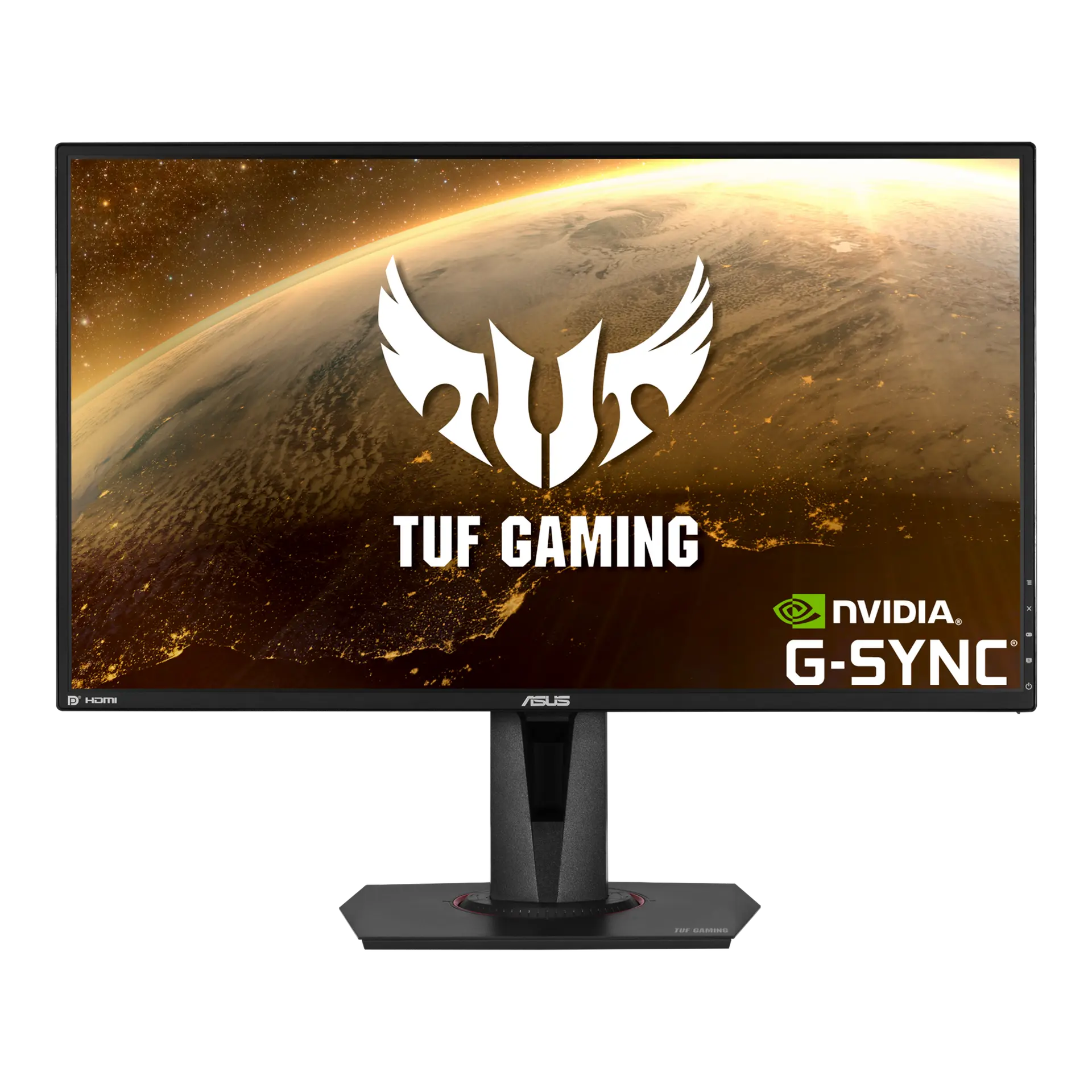
ASUS TUF Gaming VG27AQ monitor with its rectangular adjustable stand and the manufacturer's TUF Gaming screen artwork.
Exact model & source notes

A 27-inch QHD (2560 × 1440) IPS gaming monitor with up to 165 Hz over DisplayPort, a 1 ms MPRT rating, ELMB Sync and G-SYNC Compatible Adaptive-Sync. Its stand adjusts for height, swivel and portrait pivot; HDMI tops out at 144 Hz.

Specifications checked 12 Sept 2026.

Amazon links open search results. Check the exact variant, current price and availability with the retailer.

Manufacturer specifications

WHAT DIFFERS
165 HzMaximum refresh rate75 Hz
Manufacturer response-time claim1 ms MPRT5 ms GtG
211 mmDepth with stand228 mm
3 of 9 verified differences, in the order listed below. Not a rating.
See the 9 verified differences
THE CONTENDER

ASUS ProArt Display PA278CV

UK specification

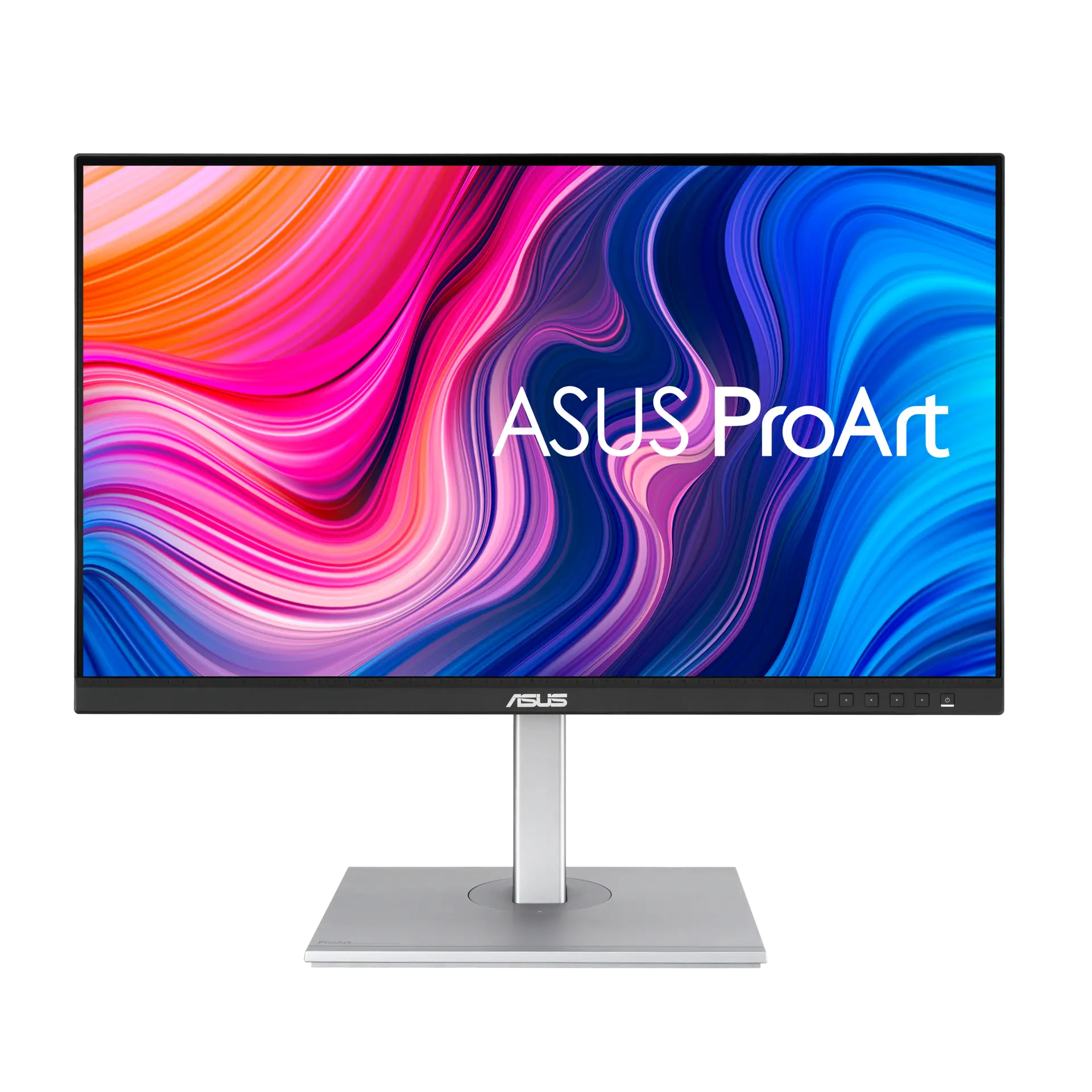
ASUS ProArt Display PA278CV monitor from the front on its silver height-adjustable stand, with ProArt screen artwork.
Exact model & source notes

A 27-inch 2560 × 1440 IPS ProArt monitor for creative professionals, with 100% sRGB and 100% Rec. 709 claims, a ΔE < 2 Calman Verified claim, USB-C with DisplayPort Alt Mode and 65 W power delivery, a four-port USB hub and a 150 mm height-adjustable stand.

Specifications checked 26 Sept 2026.

Amazon links open search results. Check the exact variant, current price and availability with the retailer.

Manufacturer specifications

TUF Gaming VG27AQ UK & US retailers

UK & US price history: no verified listing yet

ProArt Display PA278CV UK & US retailers

UK & US price history: no verified listing yet

Search links open retailer results, not a matched listing; eBay listings are checked daily. As an Amazon Associate I earn from qualifying purchases. As an eBay Partner, we may be compensated if you make a purchase.

THE DIFFERENCES, MADE VISIBLE

Visual facts

Differences first. Select a topic for its graphic, sources and conditions.

How to read this comparison
  • Manufacturer facts for the exact models shown. Not a quality rating or a test result.
  • “Different” means the known values differ, not that one is better.
  • Missing or conflicting evidence is marked and never counts as a difference. Source chips hold each fact’s sources and conditions.
SPECIFICATIONS SIDE BY SIDE8 topics
SELECTED TOPIC
01 / 08

Max refresh

Maximum manufacturer-listed refresh rate, not measured motion clarity. The port-specific limits below matter; HDMI and DisplayPort can support different modes.

ASUS TUF Gaming VG27AQ165 Hz

Manufacturer specification · 165 Hz needs DisplayPort overclocking and a compatible graphics card; ASUS does not guarantee overclocking performance. HDMI is limited to 144 Hz.

ASUS ProArt Display PA278CV75 Hz

Manufacturer specification · ASUS lists a 46–75 Hz vertical signal-frequency range on HDMI and DisplayPort; the Adaptive-Sync range is 48–75 Hz.

Explore the full specifications

Match the monitor to the connection. Refresh limits depend on the input, cable and source device. Confirm the exact regional ports, stand adjustment and mount. Manufacturer response-time methods such as MPRT and GtG are different; neither the image nor these figures establish an independent motion or colour-quality test.

WHAT CHANGES BETWEEN THEM?

Key differences

Full specifications ↓

9 verified differences, most decision-relevant first. 7 are also drawn in Visual facts above. Missing information stays separate.

Maximum refresh rate

In Visual facts
ASUS TUF Gaming VG27AQ165 Hz
ASUS ProArt Display PA278CV75 Hz
Sources
ASUS TUF Gaming VG27AQ

Manufacturer specification · 165 Hz needs DisplayPort overclocking and a compatible graphics card; ASUS does not guarantee overclocking performance. HDMI is limited to 144 Hz.

ASUS TUF Gaming VG27AQ — manufacturer specificationsASUS VG27AQ — Canadian product features and stand controls
ASUS ProArt Display PA278CV

Manufacturer specification · ASUS lists a 46–75 Hz vertical signal-frequency range on HDMI and DisplayPort; the Adaptive-Sync range is 48–75 Hz.

ASUS UK — ProArt Display PA278CV technical specificationsASUS UK — ProArt Display PA278CV product page and gallery

Check the exact configuration and source conditions for your use.

Video inputs

In Visual facts
ASUS TUF Gaming VG27AQ1 × DisplayPort; 2 × HDMI
ASUS ProArt Display PA278CV1 × USB-C (DisplayPort Alt Mode, 65 W power delivery); 1 × DisplayPort 1.2 input; 1 × DisplayPort 1.2 daisy-chain (MST) output; 1 × HDMI 1.4; headphone output
Sources
ASUS TUF Gaming VG27AQ

Manufacturer specification · The Canadian specification lists one DisplayPort 1.2 input and two HDMI 2.0 inputs. It does not specify an HDMI letter revision or headphone output in the retained I/O table. DisplayPort version is also recorded separately.

ASUS TUF Gaming VG27AQ — manufacturer specifications
ASUS ProArt Display PA278CV

Manufacturer specification · The technical table lists “DisplayPort 1.2 x 2 (Daisy Chain)”; the datasheet port diagram labels one DisplayPort 1.2 “In” and the other “Out (MST)”, and the user manual lists one DisplayPort input and one daisy-chain DisplayPort output.

ASUS UK — ProArt Display PA278CV technical specificationsASUS UK — ProArt Display PA278CV datasheet (PDF)ASUS — PA278CV Series user guide (English, PDF)

Check the exact configuration and source conditions for your use.

GameVisual picture modes

In Visual facts
ASUS TUF Gaming VG27AQRacing; MOBA; Cinema; RTS/RPG; FPS; sRGB; Scenery
ASUS ProArt Display PA278CVStandard; sRGB; DCI-P3; Rec.709; Scenery; Reading; Darkroom; Rapid Rendering; User mode 1; User mode 2
Sources
ASUS TUF Gaming VG27AQ

Manufacturer specification · Selectable picture presets.

ASUS VG27AQ — Canadian product features and stand controls
ASUS ProArt Display PA278CV

Manufacturer specification · The technical table and datasheet list these 10 ProArt Preset modes; the user manual says ProArt Preset contains 11 sub-functions, adding an HDR mode (see hdr_support).

ASUS UK — ProArt Display PA278CV technical specificationsASUS UK — ProArt Display PA278CV datasheet (PDF)ASUS — PA278CV Series user guide (English, PDF)

Check the exact configuration and source conditions for your use.

Manufacturer response-time claim

In Visual facts
ASUS TUF Gaming VG27AQ1 ms MPRT
ASUS ProArt Display PA278CV5 ms GtG
Sources
ASUS TUF Gaming VG27AQ

Manufacturer specification · Motion-picture response time with ELMB; not grey-to-grey or input lag.

ASUS TUF Gaming VG27AQ — manufacturer specificationsASUS VG27AQ — Canadian product features and stand controls
ASUS ProArt Display PA278CV

Manufacturer specification

ASUS UK — ProArt Display PA278CV technical specifications

Check the exact configuration and source conditions for your use.

Depth with stand

In Visual facts
ASUS TUF Gaming VG27AQ211 mm
ASUS ProArt Display PA278CV228 mm
Sources
ASUS TUF Gaming VG27AQ

Manufacturer specification · Front-to-back depth with the supplied stand; allow separate clearance for cables.

ASUS TUF Gaming VG27AQ — manufacturer specifications
ASUS ProArt Display PA278CV

Manufacturer specification · Front-to-back depth with the supplied stand; allow cable clearance.

ASUS UK — ProArt Display PA278CV technical specifications

A size or weight trade-off; it does not establish the better product.

Stand height travel

In Visual facts
ASUS TUF Gaming VG27AQ130 mm
ASUS ProArt Display PA278CV150 mm
Sources
ASUS ProArt Display PA278CV

Manufacturer specification · Adjustment travel, not overall assembled height.

ASUS UK — ProArt Display PA278CV technical specifications

Compare the supplied stand and mounting requirements. These affect positioning and desk fit; they do not establish panel quality. Check any separately stated limits or conflicting dimensions.

Show 3 more verified differences

Dimensions with stand

ASUS TUF Gaming VG27AQ620 × 507 × 211 mm (width × height × depth, with stand)
ASUS ProArt Display PA278CV615 × 524 × 228 mm (width × height × depth, with stand)
Sources
ASUS TUF Gaming VG27AQ

Manufacturer specification · Manufacturer estimate for this regional specification; dimensions may vary by region.

ASUS TUF Gaming VG27AQ — manufacturer specifications
ASUS ProArt Display PA278CV

Manufacturer specification · Converted from ASUS’s centimetre figures; ASUS labels dimensions as estimates that vary by region. The datasheet and user manual give the height range with stand as 374–524 mm.

ASUS UK — ProArt Display PA278CV technical specificationsASUS UK — ProArt Display PA278CV datasheet (PDF)ASUS — PA278CV Series user guide (English, PDF)

A size or weight trade-off; it does not establish the better product.

Dimensions without stand

ASUS TUF Gaming VG27AQ620 × 363 × 66 mm (width × height × depth)
ASUS ProArt Display PA278CV615 × 372 × 54 mm (width × height × depth)
Sources
ASUS TUF Gaming VG27AQ

Manufacturer specification · Converted directly from the manufacturer’s 62.00 × 36.30 × 6.60 cm. Estimated regional dimensions.

ASUS TUF Gaming VG27AQ — manufacturer specifications
ASUS ProArt Display PA278CV

Manufacturer specification

ASUS UK — ProArt Display PA278CV technical specifications

A size or weight trade-off; it does not establish the better product.

Missing or non-comparable evidence (50)

Native-resolution input limits

ASUS TUF Gaming VG27AQDisplayPort: up to 165 Hz with overclocking; HDMI: up to 144 Hz
ASUS ProArt Display PA278CVNot verified
Sources
ASUS TUF Gaming VG27AQ

Manufacturer specification · These limits refer to 2560 × 1440. Input, GPU and enabled settings determine the usable mode.

ASUS TUF Gaming VG27AQ — manufacturer specificationsASUS VG27AQ — Canadian product features and stand controls
ASUS ProArt Display PA278CV

No source recorded for this side.

Evidence is missing or conflicting on at least one side. This is not a verified difference.

Maximum HDMI refresh

ASUS TUF Gaming VG27AQNot verified
ASUS ProArt Display PA278CV75 Hz
Sources
ASUS TUF Gaming VG27AQ

No source recorded for this side.

ASUS ProArt Display PA278CV

Manufacturer specification

ASUS UK — ProArt Display PA278CV technical specifications

Evidence is missing or conflicting on at least one side. This is not a verified difference.

USB-C charging

ASUS TUF Gaming VG27AQNot verified
ASUS ProArt Display PA278CV65 W
Sources
ASUS TUF Gaming VG27AQ

No source recorded for this side.

ASUS ProArt Display PA278CV

Manufacturer specification · The user manual lists output profiles of 5V/3A, 9V/3A, 12V/3A, 15V/3A and 20V/3.25A; a USB-C to USB-A connection only enables the USB Type-A ports.

ASUS UK — ProArt Display PA278CV technical specificationsASUS — PA278CV Series user guide (English, PDF)

Evidence is missing or conflicting on at least one side. This is not a verified difference.

USB hub

ASUS TUF Gaming VG27AQNot verified
ASUS ProArt Display PA278CVYes
Sources
ASUS TUF Gaming VG27AQ

No source recorded for this side.

ASUS ProArt Display PA278CV

Manufacturer specification

ASUS UK — ProArt Display PA278CV technical specifications

Evidence is missing or conflicting on at least one side. This is not a verified difference.

HDR signal support

ASUS TUF Gaming VG27AQHDR10
ASUS ProArt Display PA278CVConflicting evidence
Sources
ASUS TUF Gaming VG27AQ

Manufacturer specification · HDR10 input with selectable HDR modes.

ASUS TUF Gaming VG27AQ — manufacturer specifications
ASUS ProArt Display PA278CV

ASUS sources disagree: the user manual’s ProArt Preset list includes an HDR mode that “Contains two HDR modes (PQ Optimized and PQ Clip)”, while the UK technical table has no HDR row, the product-page datasheet lists ProArt Preset as “10 modes” with no HDR mode, and the product page makes no HDR claim. No HDR format or certification is stated. · Manufacturer specification

ASUS UK — ProArt Display PA278CV technical specificationsASUS UK — ProArt Display PA278CV product page and galleryASUS UK — ProArt Display PA278CV datasheet (PDF)ASUS — PA278CV Series user guide (English, PDF)

Evidence is missing or conflicting on at least one side. This is not a verified difference.

Swivel adjustment

ASUS TUF Gaming VG27AQNot verified
ASUS ProArt Display PA278CVYes
Sources
ASUS TUF Gaming VG27AQ

No source recorded for this side.

ASUS ProArt Display PA278CV

Manufacturer specification

ASUS UK — ProArt Display PA278CV technical specifications

Evidence is missing or conflicting on at least one side. This is not a verified difference.

Stand adjustment

ASUS TUF Gaming VG27AQNot verified
ASUS ProArt Display PA278CVTilt −5° to +35°; swivel ±45°; pivot ±90°; height travel 150 mm
Sources
ASUS TUF Gaming VG27AQ

No source recorded for this side.

ASUS ProArt Display PA278CV

Manufacturer specification

ASUS UK — ProArt Display PA278CV technical specifications

Evidence is missing or conflicting on at least one side. This is not a verified difference.

Speaker rating

ASUS TUF Gaming VG27AQNot verified
ASUS ProArt Display PA278CV2 × 2 W
Sources
ASUS TUF Gaming VG27AQ

No source recorded for this side.

ASUS ProArt Display PA278CV

Manufacturer specification

ASUS UK — ProArt Display PA278CV technical specifications

Evidence is missing or conflicting on at least one side. This is not a verified difference.

Headphone output

ASUS TUF Gaming VG27AQNot verified
ASUS ProArt Display PA278CVYes
Sources
ASUS TUF Gaming VG27AQ

The retained Canadian I/O specification lists video inputs but does not establish whether a headphone output is present. · Manufacturer specification · Omission from this source is not evidence that the connection is absent.

ASUS TUF Gaming VG27AQ — manufacturer specifications
ASUS ProArt Display PA278CV

Manufacturer specification

ASUS UK — ProArt Display PA278CV technical specifications

Evidence is missing or conflicting on at least one side. This is not a verified difference.

Declared variable-refresh range

ASUS TUF Gaming VG27AQNot verified
ASUS ProArt Display PA278CV48–75 Hz
Sources
ASUS TUF Gaming VG27AQ

No source recorded for this side.

ASUS ProArt Display PA278CV

Manufacturer specification · Adaptive-Sync range from the product page, datasheet and user manual. The technical table’s vertical signal-frequency ranges (HDMI and DisplayPort 46–75 Hz) are input ranges, recorded under refresh_rate.

ASUS UK — ProArt Display PA278CV technical specificationsASUS UK — ProArt Display PA278CV product page and galleryASUS UK — ProArt Display PA278CV datasheet (PDF)ASUS — PA278CV Series user guide (English, PDF)

Evidence is missing or conflicting on at least one side. This is not a verified difference.

Backlight technology

ASUS TUF Gaming VG27AQLED
ASUS ProArt Display PA278CVNot verified
Sources
ASUS TUF Gaming VG27AQ

Manufacturer specification

ASUS TUF Gaming VG27AQ — manufacturer specifications
ASUS ProArt Display PA278CV

No source recorded for this side.

Evidence is missing or conflicting on at least one side. This is not a verified difference.

Listed accessories

ASUS TUF Gaming VG27AQNot verified
ASUS ProArt Display PA278CVWelcome card; warranty card; USB-C cable; quick start guide; power cord; HDMI cable; colour pre-calibration report
Sources
ASUS TUF Gaming VG27AQ

No source recorded for this side.

ASUS ProArt Display PA278CV

Manufacturer specification · UK technical-table list; ASUS says accessories vary by region. The US list additionally names a DisplayPort cable; the datasheet marks the USB-C, HDMI, DisplayPort and USB-C to USB-A cables as optional, and the user manual also lists a cable holder.

ASUS UK — ProArt Display PA278CV technical specificationsASUS USA — ProArt Display PA278CV technical specificationsASUS UK — ProArt Display PA278CV datasheet (PDF)ASUS — PA278CV Series user guide (English, PDF)

Evidence is missing or conflicting on at least one side. This is not a verified difference.

Colour-accuracy claim

ASUS TUF Gaming VG27AQNot verified
ASUS ProArt Display PA278CVΔE < 2; Calman Verified; colour pre-calibration report supplied
Sources
ASUS TUF Gaming VG27AQ

No source recorded for this side.

ASUS ProArt Display PA278CV

Manufacturer specification · Manufacturer claim; test conditions not stated.

ASUS UK — ProArt Display PA278CV technical specifications

Evidence is missing or conflicting on at least one side. This is not a verified difference.

Colour controls

ASUS TUF Gaming VG27AQNot verified
ASUS ProArt Display PA278CV6-axis colour adjustment (R, G, B, C, M, Y); gamma 1.8/2.0/2.2/2.4/2.6; 5 colour-temperature modes
Sources
ASUS TUF Gaming VG27AQ

No source recorded for this side.

ASUS ProArt Display PA278CV

Manufacturer specification · ProArt Palette controls. The user manual lists the colour-temperature modes as 9300K, 6500K, 5500K, 5000K and P3-Theater (P3-Theater only in DCI-P3 Mode); the product page also describes two-point greyscale sliders for all six colours.

ASUS UK — ProArt Display PA278CV technical specificationsASUS UK — ProArt Display PA278CV product page and galleryASUS — PA278CV Series user guide (English, PDF)

Evidence is missing or conflicting on at least one side. This is not a verified difference.

Native colour depth / FRC

ASUS TUF Gaming VG27AQNot verified
ASUS ProArt Display PA278CVNot verified
Sources
ASUS TUF Gaming VG27AQ

ASUS lists 16.7 million colours but does not state native panel depth or FRC. · Manufacturer specification

ASUS TUF Gaming VG27AQ — manufacturer specifications
ASUS ProArt Display PA278CV

ASUS lists 16.7 million colours but does not state native panel bit depth or FRC use. · Manufacturer specification

ASUS UK — ProArt Display PA278CV technical specifications

Evidence is missing or conflicting on at least one side. This is not a verified difference.

Declared colour-gamut figures

ASUS TUF Gaming VG27AQNot verified
ASUS ProArt Display PA278CVsRGB 100%; Rec. 709 100%
Sources
ASUS TUF Gaming VG27AQ

No source recorded for this side.

ASUS ProArt Display PA278CV

Manufacturer specification · The technical table lists sRGB 100%; the product page and datasheet state 100% sRGB and 100% Rec. 709. DCI-P3 is described only as “support” without a figure. ASUS does not state the CIE basis.

ASUS UK — ProArt Display PA278CV technical specificationsASUS UK — ProArt Display PA278CV product page and galleryASUS UK — ProArt Display PA278CV datasheet (PDF)

Evidence is missing or conflicting on at least one side. This is not a verified difference.

Daisy chaining

ASUS TUF Gaming VG27AQNot verified
ASUS ProArt Display PA278CVDisplayPort MST daisy chain, up to 4 monitors
Sources
ASUS TUF Gaming VG27AQ

No source recorded for this side.

ASUS ProArt Display PA278CV

Manufacturer specification · The user manual says daisy chaining needs DisplayPort Stream set to DisplayPort 1.2 and Auto Source Detection off, and states the four-monitor figure for a 2560 × 1440@30Hz input source with no USB-C device connected.

ASUS UK — ProArt Display PA278CV technical specificationsASUS UK — ProArt Display PA278CV product page and galleryASUS UK — ProArt Display PA278CV datasheet (PDF)ASUS — PA278CV Series user guide (English, PDF)

Evidence is missing or conflicting on at least one side. This is not a verified difference.

Declared standby limits

ASUS TUF Gaming VG27AQNot verified
ASUS ProArt Display PA278CVPower saving: <0.5 W; off: 0 W
Sources
ASUS TUF Gaming VG27AQ

No source recorded for this side.

ASUS ProArt Display PA278CV

Manufacturer specification

ASUS UK — ProArt Display PA278CV technical specifications

Evidence is missing or conflicting on at least one side. This is not a verified difference.

DisplayPort version

ASUS TUF Gaming VG27AQ1.2
ASUS ProArt Display PA278CVNot verified
Sources
ASUS TUF Gaming VG27AQ

Manufacturer specification · One DisplayPort 1.2 input; the refresh limits and overclocking note above still apply.

ASUS TUF Gaming VG27AQ — manufacturer specifications
ASUS ProArt Display PA278CV

No source recorded for this side.

Evidence is missing or conflicting on at least one side. This is not a verified difference.

Dynamic contrast claim

ASUS TUF Gaming VG27AQNot verified
ASUS ProArt Display PA278CV100,000,000:1
Sources
ASUS TUF Gaming VG27AQ

No source recorded for this side.

ASUS ProArt Display PA278CV

Manufacturer specification · ASUS Smart Contrast Ratio (ASCR) maximum; not comparable with the 1000:1 typical static contrast.

ASUS UK — ProArt Display PA278CV datasheet (PDF)ASUS — PA278CV Series user guide (English, PDF)

Evidence is missing or conflicting on at least one side. This is not a verified difference.

Simultaneous blur reduction and Adaptive-Sync

ASUS TUF Gaming VG27AQYes
ASUS ProArt Display PA278CVNot verified
Sources
ASUS TUF Gaming VG27AQ

Manufacturer specification · ASUS ELMB Sync allows blur reduction and G-SYNC Compatible variable refresh together.

ASUS TUF Gaming VG27AQ — manufacturer specificationsASUS VG27AQ — Canadian product features and stand controls
ASUS ProArt Display PA278CV

No source recorded for this side.

Evidence is missing or conflicting on at least one side. This is not a verified difference.

Listed viewing-comfort features

ASUS TUF Gaming VG27AQFlicker-free; Low Blue Light
ASUS ProArt Display PA278CVNot verified
Sources
ASUS TUF Gaming VG27AQ

Manufacturer specification · Manufacturer-listed features and TÜV labels. This is not medical advice or proof that every blur-reduction mode is flicker-free.

ASUS TUF Gaming VG27AQ — manufacturer specifications
ASUS ProArt Display PA278CV

No source recorded for this side.

Evidence is missing or conflicting on at least one side. This is not a verified difference.

Flicker-free declaration

ASUS TUF Gaming VG27AQNot verified
ASUS ProArt Display PA278CVYes
Sources
ASUS TUF Gaming VG27AQ

No source recorded for this side.

ASUS ProArt Display PA278CV

Manufacturer specification

ASUS UK — ProArt Display PA278CV technical specifications

Evidence is missing or conflicting on at least one side. This is not a verified difference.

Gross shipping weight

ASUS TUF Gaming VG27AQNot verified
ASUS ProArt Display PA278CV10.9 kg
Sources
ASUS TUF Gaming VG27AQ

No source recorded for this side.

ASUS ProArt Display PA278CV

Manufacturer specification

ASUS UK — ProArt Display PA278CV technical specifications

Evidence is missing or conflicting on at least one side. This is not a verified difference.

Listed cables and power accessories

ASUS TUF Gaming VG27AQDisplayPort cable; HDMI cable; power cord; power adapter
ASUS ProArt Display PA278CVNot verified
Sources
ASUS TUF Gaming VG27AQ

Manufacturer specification · ASUS says accessories vary by region; check the seller's box contents.

ASUS TUF Gaming VG27AQ — manufacturer specifications
ASUS ProArt Display PA278CV

No source recorded for this side.

Evidence is missing or conflicting on at least one side. This is not a verified difference.

Vertical input-frequency ranges

ASUS TUF Gaming VG27AQDisplayPort: 48–165 Hz; HDMI: 48–144 Hz
ASUS ProArt Display PA278CVNot verified
Sources
ASUS TUF Gaming VG27AQ

Manufacturer specification · Input signal ranges; source device support varies.

ASUS TUF Gaming VG27AQ — manufacturer specifications
ASUS ProArt Display PA278CV

No source recorded for this side.

Evidence is missing or conflicting on at least one side. This is not a verified difference.

AC input

ASUS TUF Gaming VG27AQ100–240 V, 50/60 Hz
ASUS ProArt Display PA278CVNot verified
Sources
ASUS TUF Gaming VG27AQ

Manufacturer specification

ASUS TUF Gaming VG27AQ — manufacturer specifications
ASUS ProArt Display PA278CV

No source recorded for this side.

Evidence is missing or conflicting on at least one side. This is not a verified difference.

Kensington lock slot

ASUS TUF Gaming VG27AQNot verified
ASUS ProArt Display PA278CVYes
Sources
ASUS TUF Gaming VG27AQ

No source recorded for this side.

ASUS ProArt Display PA278CV

Manufacturer specification

ASUS UK — ProArt Display PA278CV technical specifications

Evidence is missing or conflicting on at least one side. This is not a verified difference.

Portrait pivot range

ASUS TUF Gaming VG27AQConflicting evidence
ASUS ProArt Display PA278CVNot verified
Sources
ASUS TUF Gaming VG27AQ

ASUS's technical table lists 0–90° counterclockwise; its product overview lists +90° to −90°. · Manufacturer specification

ASUS TUF Gaming VG27AQ — manufacturer specificationsASUS VG27AQ — Canadian product features and stand controls
ASUS ProArt Display PA278CV

No source recorded for this side.

Evidence is missing or conflicting on at least one side. This is not a verified difference.

Pixel density

ASUS TUF Gaming VG27AQNot verified
ASUS ProArt Display PA278CV109 ppi
Sources
ASUS TUF Gaming VG27AQ

No source recorded for this side.

ASUS ProArt Display PA278CV

Manufacturer specification

ASUS UK — ProArt Display PA278CV technical specifications

Evidence is missing or conflicting on at least one side. This is not a verified difference.

Published power consumption

ASUS TUF Gaming VG27AQ<27 W
ASUS ProArt Display PA278CVConflicting evidence
Sources
ASUS TUF Gaming VG27AQ

Manufacturer specification · ASUS gives no brightness or test-mode basis for this figure.

ASUS TUF Gaming VG27AQ — manufacturer specifications
ASUS ProArt Display PA278CV

ASUS sources disagree: the UK and US technical tables give “Power Consumption : 15.18 W” and the product-page datasheet gives “Power On (Typical): <15.18W*”, while the user manual gives “Power On: < 21.28 W** (Typ.)”. The datasheet and manual both say the figure is measured at a screen brightness of 200 nits without audio, USB or card-reader connection. No single typical figure is assigned; not a measured running cost. · Manufacturer specification

ASUS UK — ProArt Display PA278CV technical specificationsASUS UK — ProArt Display PA278CV datasheet (PDF)ASUS — PA278CV Series user guide (English, PDF)

Evidence is missing or conflicting on at least one side. This is not a verified difference.

Power input

ASUS TUF Gaming VG27AQNot verified
ASUS ProArt Display PA278CVAC input 100–240 V, 50/60 Hz
Sources
ASUS TUF Gaming VG27AQ

No source recorded for this side.

ASUS ProArt Display PA278CV

Manufacturer specification

ASUS UK — ProArt Display PA278CV technical specifications

Evidence is missing or conflicting on at least one side. This is not a verified difference.

QuickFit Virtual Scale overlays

ASUS TUF Gaming VG27AQNot verified
ASUS ProArt Display PA278CVPaper sizes (A4, B5); ruler; alignment grid
Sources
ASUS TUF Gaming VG27AQ

No source recorded for this side.

ASUS ProArt Display PA278CV

Manufacturer specification · On-screen overlays for previewing documents or photos at actual size without printing.

ASUS UK — ProArt Display PA278CV technical specificationsASUS UK — ProArt Display PA278CV product page and galleryASUS UK — ProArt Display PA278CV datasheet (PDF)

Evidence is missing or conflicting on at least one side. This is not a verified difference.

Regional configuration

ASUS TUF Gaming VG27AQNot verified
ASUS ProArt Display PA278CVUK ASUS specification. The US ASUS technical page lists the same specification figures; its accessory list additionally names a DisplayPort cable.
Sources
ASUS TUF Gaming VG27AQ

No source recorded for this side.

Evidence is missing or conflicting on at least one side. This is not a verified difference.

Declared grey-to-grey response

ASUS TUF Gaming VG27AQNot verified
ASUS ProArt Display PA278CV5 ms
Sources
ASUS TUF Gaming VG27AQ

No source recorded for this side.

ASUS ProArt Display PA278CV

Manufacturer specification · Manufacturer claim; not a measured response or input-lag result.

ASUS UK — ProArt Display PA278CV technical specifications

Evidence is missing or conflicting on at least one side. This is not a verified difference.

Screen shape

ASUS TUF Gaming VG27AQFlat
ASUS ProArt Display PA278CVNot verified
Sources
ASUS TUF Gaming VG27AQ

Manufacturer specification · Rigid flat screen shown in the exact-model manufacturer gallery.

ASUS VG27AQ — Canadian product features and stand controls
ASUS ProArt Display PA278CV

No source recorded for this side.

Evidence is missing or conflicting on at least one side. This is not a verified difference.

Speaker output

ASUS TUF Gaming VG27AQ2 × 2 W
ASUS ProArt Display PA278CVNot verified
Sources
ASUS TUF Gaming VG27AQ

Manufacturer specification · Rated output.

ASUS TUF Gaming VG27AQ — manufacturer specifications
ASUS ProArt Display PA278CV

No source recorded for this side.

Evidence is missing or conflicting on at least one side. This is not a verified difference.

Published sRGB gamut

ASUS TUF Gaming VG27AQConflicting evidence
ASUS ProArt Display PA278CVNot verified
Sources
ASUS TUF Gaming VG27AQ

The Canadian technical table lists 100% sRGB, while the same model overview lists 99%. The measurement standard is not stated in these passages; no single percentage or colour-accuracy ranking is assigned. · Manufacturer specification

ASUS TUF Gaming VG27AQ — manufacturer specificationsASUS VG27AQ — Canadian product features and stand controls
ASUS ProArt Display PA278CV

No source recorded for this side.

Evidence is missing or conflicting on at least one side. This is not a verified difference.

Published standby power

ASUS TUF Gaming VG27AQ<0.5 W
ASUS ProArt Display PA278CVNot verified
Sources
ASUS TUF Gaming VG27AQ

Manufacturer specification · Standby power.

ASUS TUF Gaming VG27AQ — manufacturer specifications
ASUS ProArt Display PA278CV

No source recorded for this side.

Evidence is missing or conflicting on at least one side. This is not a verified difference.

USB data connections

ASUS TUF Gaming VG27AQNot verified
ASUS ProArt Display PA278CVUSB hub with 4 × USB 3.2 Gen 1 Type-A
Sources
ASUS TUF Gaming VG27AQ

No source recorded for this side.

ASUS ProArt Display PA278CV

Manufacturer specification

ASUS UK — ProArt Display PA278CV technical specifications

Evidence is missing or conflicting on at least one side. This is not a verified difference.

Weight without stand

ASUS TUF Gaming VG27AQ3.5 kg
ASUS ProArt Display PA278CVConflicting evidence
Sources
ASUS TUF Gaming VG27AQ

Manufacturer specification · Manufacturer estimate, with regional variation noted by ASUS.

ASUS TUF Gaming VG27AQ — manufacturer specifications
ASUS ProArt Display PA278CV

ASUS sources disagree: the UK technical table and datasheet give 5.8 kg, while the user manual gives “5.9 kg (without stand)”. · Manufacturer specification

ASUS UK — ProArt Display PA278CV technical specificationsASUS UK — ProArt Display PA278CV datasheet (PDF)ASUS — PA278CV Series user guide (English, PDF)

Evidence is missing or conflicting on at least one side. This is not a verified difference.

LCD Zero Bright Dot (ZBD) warranty

ASUS TUF Gaming VG27AQNot verified
ASUS ProArt Display PA278CV3 years
Sources
ASUS TUF Gaming VG27AQ

No source recorded for this side.

ASUS ProArt Display PA278CV

Manufacturer specification · Technical-table row “LCD ZBD Warranty : Yes(3 yr)”. ASUS’s Zero Bright Dot programme covers bright-dot sub-pixel defects (permanently “on”); dark dots are not included, and exclusions apply. It is not a general panel or product warranty, and these pages do not state the overall product warranty period. The programme description comes from an ASUS USA support article.

ASUS UK — ProArt Display PA278CV technical specificationsASUS USA support — Zero Bright Dot programme

Evidence is missing or conflicting on at least one side. This is not a verified difference.

Weight with stand

ASUS TUF Gaming VG27AQ5.8 kg
ASUS ProArt Display PA278CVConflicting evidence
Sources
ASUS TUF Gaming VG27AQ

Manufacturer specification · Net weight including the stand; manufacturer estimate, with regional variation noted by ASUS.

ASUS TUF Gaming VG27AQ — manufacturer specifications
ASUS ProArt Display PA278CV

ASUS sources disagree: the UK technical table (“Net Weight : 8.7 kg”) and the datasheet (“Net Weight (Esti.) : 8.7 kg”) give 8.7 kg, while the user manual gives “8.8 kg (Net)”. All three list a separate without-stand weight, and all are estimates. · Manufacturer specification

ASUS UK — ProArt Display PA278CV technical specificationsASUS UK — ProArt Display PA278CV datasheet (PDF)ASUS — PA278CV Series user guide (English, PDF)

Evidence is missing or conflicting on at least one side. This is not a verified difference.

16 shared fields have the same recorded value.

WHAT EACH CHOICE ASKS OF YOU

What it brings and what to check

ASUS TUF Gaming VG27AQ

What it brings

  • The stand supports 130 mm height travel, swivel and portrait pivot, with a 100 × 100 mm VESA pattern for an alternative mount.
  • ELMB Sync runs ASUS's blur reduction together with Adaptive-Sync, and the monitor is G-SYNC Compatible. ASUS lists vertical input-signal ranges of 48–165 Hz over DisplayPort and 48–144 Hz over HDMI; 165 Hz requires compatible DisplayPort overclocking.
  • The 2560 × 1440 IPS panel accepts HDR10 and is rated at 350 cd/m² typical brightness with 178° viewing angles, and two 2 W speakers are built in.

What to check

ASUS ProArt Display PA278CV

What it brings

What to check

COMPARE THE DETAILS

Full specifications

How we verify
75 of 75 specifications Sources in each row
Source-backed specifications for ASUS TUF Gaming VG27AQ and ASUS ProArt Display PA278CV
SpecificationASUS TUF Gaming VG27AQASUS ProArt Display PA278CV
Screen diagonal
Sources
ASUS TUF Gaming VG27AQ

Manufacturer specification

ASUS TUF Gaming VG27AQ — manufacturer specifications
ASUS ProArt Display PA278CV

Manufacturer specification

ASUS UK — ProArt Display PA278CV technical specifications
27 in27 in
Native resolution
Sources
ASUS TUF Gaming VG27AQ

Manufacturer specification

ASUS TUF Gaming VG27AQ — manufacturer specifications
ASUS ProArt Display PA278CV

Manufacturer specification

ASUS UK — ProArt Display PA278CV technical specifications
2560 × 14402560 × 1440
Panel technology
Sources
ASUS TUF Gaming VG27AQ

Manufacturer specification

ASUS TUF Gaming VG27AQ — manufacturer specifications
ASUS ProArt Display PA278CV

Manufacturer specification

ASUS UK — ProArt Display PA278CV technical specifications
IPS LCDIPS LCD
Typical brightness
Sources
ASUS TUF Gaming VG27AQ

Manufacturer specification · Manufacturer typical brightness.

ASUS TUF Gaming VG27AQ — manufacturer specifications
ASUS ProArt Display PA278CV

Manufacturer specification · Typical SDR brightness.

ASUS UK — ProArt Display PA278CV technical specifications
350 cd/m²350 cd/m²
Aspect ratio
Sources
ASUS TUF Gaming VG27AQ

Manufacturer specification

ASUS TUF Gaming VG27AQ — manufacturer specifications
ASUS ProArt Display PA278CV

Manufacturer specification

ASUS UK — ProArt Display PA278CV technical specifications
16:916:9
Backlight technology
Sources
ASUS TUF Gaming VG27AQ

Manufacturer specification

ASUS TUF Gaming VG27AQ — manufacturer specifications
ASUS ProArt Display PA278CV

No source recorded.

LEDNot provided
Screen shape
Sources
ASUS TUF Gaming VG27AQ

Manufacturer specification · Rigid flat screen shown in the exact-model manufacturer gallery.

ASUS VG27AQ — Canadian product features and stand controls
ASUS ProArt Display PA278CV

No source recorded.

FlatNot provided
Screen surface
Sources
ASUS TUF Gaming VG27AQ

Manufacturer specification

ASUS TUF Gaming VG27AQ — manufacturer specifications
ASUS ProArt Display PA278CV

Manufacturer specification

ASUS UK — ProArt Display PA278CV technical specifications
Anti-glareAnti-glare
Active display area
Sources
ASUS TUF Gaming VG27AQ

Manufacturer specification

ASUS TUF Gaming VG27AQ — manufacturer specifications
ASUS ProArt Display PA278CV

Manufacturer specification

ASUS UK — ProArt Display PA278CV technical specifications
596.74 × 335.66 mm (horizontal × vertical)596.7 × 335.7 mm (horizontal × vertical)
Pixel pitch
Sources
ASUS TUF Gaming VG27AQ

Manufacturer specification · Rounded pitch.

ASUS TUF Gaming VG27AQ — manufacturer specifications
ASUS ProArt Display PA278CV

Manufacturer specification

ASUS UK — ProArt Display PA278CV technical specifications
0.233 mm0.233 mm
Typical contrast ratio
Sources
ASUS TUF Gaming VG27AQ

Manufacturer specification · Typical static contrast, not dynamic contrast.

ASUS TUF Gaming VG27AQ — manufacturer specifications
ASUS ProArt Display PA278CV

Manufacturer specification

ASUS UK — ProArt Display PA278CV technical specifications
1000:11000:1
Displayable colours
Sources
ASUS TUF Gaming VG27AQ

Manufacturer specification · ASUS does not state native panel bit depth or FRC use.

ASUS TUF Gaming VG27AQ — manufacturer specifications
ASUS ProArt Display PA278CV

Manufacturer specification

ASUS UK — ProArt Display PA278CV technical specifications
16.7 million16.7 million
HDR signal support
Sources
ASUS TUF Gaming VG27AQ

Manufacturer specification · HDR10 input with selectable HDR modes.

ASUS TUF Gaming VG27AQ — manufacturer specifications
ASUS ProArt Display PA278CV

ASUS sources disagree: the user manual’s ProArt Preset list includes an HDR mode that “Contains two HDR modes (PQ Optimized and PQ Clip)”, while the UK technical table has no HDR row, the product-page datasheet lists ProArt Preset as “10 modes” with no HDR mode, and the product page makes no HDR claim. No HDR format or certification is stated. · Manufacturer specification

ASUS UK — ProArt Display PA278CV technical specificationsASUS UK — ProArt Display PA278CV product page and galleryASUS UK — ProArt Display PA278CV datasheet (PDF)ASUS — PA278CV Series user guide (English, PDF)
HDR10Conflicting sources
Viewing angles (H / V)
Sources
ASUS TUF Gaming VG27AQ

Manufacturer specification · ASUS specifies viewing angles at a contrast ratio of at least 10:1.

ASUS TUF Gaming VG27AQ — manufacturer specifications
ASUS ProArt Display PA278CV

Manufacturer specification · At contrast ratio ≥ 10:1.

ASUS UK — ProArt Display PA278CV technical specifications
178° / 178°178° horizontal / 178° vertical
GameVisual picture modesDifferent
Sources
ASUS TUF Gaming VG27AQ

Manufacturer specification · Selectable picture presets.

ASUS VG27AQ — Canadian product features and stand controls
ASUS ProArt Display PA278CV

Manufacturer specification · The technical table and datasheet list these 10 ProArt Preset modes; the user manual says ProArt Preset contains 11 sub-functions, adding an HDR mode (see hdr_support).

ASUS UK — ProArt Display PA278CV technical specificationsASUS UK — ProArt Display PA278CV datasheet (PDF)ASUS — PA278CV Series user guide (English, PDF)
Racing; MOBA; Cinema; RTS/RPG; FPS; sRGB; SceneryStandard; sRGB; DCI-P3; Rec.709; Scenery; Reading; Darkroom; Rapid Rendering; User mode 1; User mode 2
Dynamic contrast claim
Sources
ASUS TUF Gaming VG27AQ

No source recorded.

ASUS ProArt Display PA278CV

Manufacturer specification · ASUS Smart Contrast Ratio (ASCR) maximum; not comparable with the 1000:1 typical static contrast.

ASUS UK — ProArt Display PA278CV datasheet (PDF)ASUS — PA278CV Series user guide (English, PDF)
Not provided100,000,000:1
Declared colour-gamut figures
Sources
ASUS TUF Gaming VG27AQ

No source recorded.

ASUS ProArt Display PA278CV

Manufacturer specification · The technical table lists sRGB 100%; the product page and datasheet state 100% sRGB and 100% Rec. 709. DCI-P3 is described only as “support” without a figure. ASUS does not state the CIE basis.

ASUS UK — ProArt Display PA278CV technical specificationsASUS UK — ProArt Display PA278CV product page and galleryASUS UK — ProArt Display PA278CV datasheet (PDF)
Not providedsRGB 100%; Rec. 709 100%
Colour-accuracy claim
Sources
ASUS TUF Gaming VG27AQ

No source recorded.

ASUS ProArt Display PA278CV

Manufacturer specification · Manufacturer claim; test conditions not stated.

ASUS UK — ProArt Display PA278CV technical specifications
Not providedΔE < 2; Calman Verified; colour pre-calibration report supplied
Colour controls
Sources
ASUS TUF Gaming VG27AQ

No source recorded.

ASUS ProArt Display PA278CV

Manufacturer specification · ProArt Palette controls. The user manual lists the colour-temperature modes as 9300K, 6500K, 5500K, 5000K and P3-Theater (P3-Theater only in DCI-P3 Mode); the product page also describes two-point greyscale sliders for all six colours.

ASUS UK — ProArt Display PA278CV technical specificationsASUS UK — ProArt Display PA278CV product page and galleryASUS — PA278CV Series user guide (English, PDF)
Not provided6-axis colour adjustment (R, G, B, C, M, Y); gamma 1.8/2.0/2.2/2.4/2.6; 5 colour-temperature modes
Maximum refresh rateDifferent
Sources
ASUS TUF Gaming VG27AQ

Manufacturer specification · 165 Hz needs DisplayPort overclocking and a compatible graphics card; ASUS does not guarantee overclocking performance. HDMI is limited to 144 Hz.

ASUS TUF Gaming VG27AQ — manufacturer specificationsASUS VG27AQ — Canadian product features and stand controls
ASUS ProArt Display PA278CV

Manufacturer specification · ASUS lists a 46–75 Hz vertical signal-frequency range on HDMI and DisplayPort; the Adaptive-Sync range is 48–75 Hz.

ASUS UK — ProArt Display PA278CV technical specificationsASUS UK — ProArt Display PA278CV product page and gallery
165 Hz75 Hz
Native-resolution input limits
Sources
ASUS TUF Gaming VG27AQ

Manufacturer specification · These limits refer to 2560 × 1440. Input, GPU and enabled settings determine the usable mode.

ASUS TUF Gaming VG27AQ — manufacturer specificationsASUS VG27AQ — Canadian product features and stand controls
ASUS ProArt Display PA278CV

No source recorded.

DisplayPort: up to 165 Hz with overclocking; HDMI: up to 144 HzNot provided
Manufacturer response-time claimDifferent
Sources
ASUS TUF Gaming VG27AQ

Manufacturer specification · Motion-picture response time with ELMB; not grey-to-grey or input lag.

ASUS TUF Gaming VG27AQ — manufacturer specificationsASUS VG27AQ — Canadian product features and stand controls
ASUS ProArt Display PA278CV

Manufacturer specification

ASUS UK — ProArt Display PA278CV technical specifications
1 ms MPRT5 ms GtG
Claimed MPRT
Sources
ASUS TUF Gaming VG27AQ

Manufacturer specification · ELMB motion-picture response; a different measure from GtG.

ASUS TUF Gaming VG27AQ — manufacturer specificationsASUS VG27AQ — Canadian product features and stand controls
ASUS ProArt Display PA278CV

No source recorded.

1 msNot provided
Adaptive-Sync
Sources
ASUS TUF Gaming VG27AQ

Manufacturer specification

ASUS TUF Gaming VG27AQ — manufacturer specifications
ASUS ProArt Display PA278CV

Manufacturer specification · Adaptive-Sync over 48–75 Hz (product page, datasheet and user manual); the manual says DisplayPort Stream must be set to DisplayPort 1.2 to activate it.

ASUS UK — ProArt Display PA278CV technical specificationsASUS UK — ProArt Display PA278CV product page and galleryASUS UK — ProArt Display PA278CV datasheet (PDF)ASUS — PA278CV Series user guide (English, PDF)
YesYes
Listed sync technology
Sources
ASUS TUF Gaming VG27AQ

Manufacturer specification · G-SYNC Compatible classification.

ASUS TUF Gaming VG27AQ — manufacturer specificationsASUS VG27AQ — Canadian product features and stand controls
ASUS ProArt Display PA278CV

No source recorded.

G-SYNC CompatibleNot provided
Simultaneous blur reduction and Adaptive-Sync
Sources
ASUS TUF Gaming VG27AQ

Manufacturer specification · ASUS ELMB Sync allows blur reduction and G-SYNC Compatible variable refresh together.

ASUS TUF Gaming VG27AQ — manufacturer specificationsASUS VG27AQ — Canadian product features and stand controls
ASUS ProArt Display PA278CV

No source recorded.

YesNot provided
Vertical input-frequency ranges
Sources
ASUS TUF Gaming VG27AQ

Manufacturer specification · Input signal ranges; source device support varies.

ASUS TUF Gaming VG27AQ — manufacturer specifications
ASUS ProArt Display PA278CV

No source recorded.

DisplayPort: 48–165 Hz; HDMI: 48–144 HzNot provided
Declared grey-to-grey response
Sources
ASUS TUF Gaming VG27AQ

No source recorded.

ASUS ProArt Display PA278CV

Manufacturer specification · Manufacturer claim; not a measured response or input-lag result.

ASUS UK — ProArt Display PA278CV technical specifications
Not provided5 ms
Declared variable-refresh range
Sources
ASUS TUF Gaming VG27AQ

No source recorded.

ASUS ProArt Display PA278CV

Manufacturer specification · Adaptive-Sync range from the product page, datasheet and user manual. The technical table’s vertical signal-frequency ranges (HDMI and DisplayPort 46–75 Hz) are input ranges, recorded under refresh_rate.

ASUS UK — ProArt Display PA278CV technical specificationsASUS UK — ProArt Display PA278CV product page and galleryASUS UK — ProArt Display PA278CV datasheet (PDF)ASUS — PA278CV Series user guide (English, PDF)
Not provided48–75 Hz
Maximum HDMI refresh
Sources
ASUS TUF Gaming VG27AQ

No source recorded.

ASUS ProArt Display PA278CV

Manufacturer specification

ASUS UK — ProArt Display PA278CV technical specifications
Not provided75 Hz
Video inputsDifferent
Sources
ASUS TUF Gaming VG27AQ

Manufacturer specification · The Canadian specification lists one DisplayPort 1.2 input and two HDMI 2.0 inputs. It does not specify an HDMI letter revision or headphone output in the retained I/O table. DisplayPort version is also recorded separately.

ASUS TUF Gaming VG27AQ — manufacturer specifications
ASUS ProArt Display PA278CV

Manufacturer specification · The technical table lists “DisplayPort 1.2 x 2 (Daisy Chain)”; the datasheet port diagram labels one DisplayPort 1.2 “In” and the other “Out (MST)”, and the user manual lists one DisplayPort input and one daisy-chain DisplayPort output.

ASUS UK — ProArt Display PA278CV technical specificationsASUS UK — ProArt Display PA278CV datasheet (PDF)ASUS — PA278CV Series user guide (English, PDF)
1 × DisplayPort; 2 × HDMI1 × USB-C (DisplayPort Alt Mode, 65 W power delivery); 1 × DisplayPort 1.2 input; 1 × DisplayPort 1.2 daisy-chain (MST) output; 1 × HDMI 1.4; headphone output
Built-in speakers
Sources
ASUS TUF Gaming VG27AQ

Manufacturer specification

ASUS TUF Gaming VG27AQ — manufacturer specifications
ASUS ProArt Display PA278CV

Manufacturer specification

ASUS UK — ProArt Display PA278CV technical specifications
YesYes
Speaker output
Sources
ASUS TUF Gaming VG27AQ

Manufacturer specification · Rated output.

ASUS TUF Gaming VG27AQ — manufacturer specifications
ASUS ProArt Display PA278CV

No source recorded.

2 × 2 WNot provided
USB-C connection
Sources
ASUS TUF Gaming VG27AQ

ASUS lists DisplayPort and HDMI inputs only and does not mention USB-C. · Manufacturer specification

ASUS TUF Gaming VG27AQ — manufacturer specifications
ASUS ProArt Display PA278CV

Manufacturer specification

ASUS UK — ProArt Display PA278CV technical specifications
Not providedYes
DisplayPort version
Sources
ASUS TUF Gaming VG27AQ

Manufacturer specification · One DisplayPort 1.2 input; the refresh limits and overclocking note above still apply.

ASUS TUF Gaming VG27AQ — manufacturer specifications
ASUS ProArt Display PA278CV

No source recorded.

1.2Not provided
Headphone output
Sources
ASUS TUF Gaming VG27AQ

The retained Canadian I/O specification lists video inputs but does not establish whether a headphone output is present. · Manufacturer specification · Omission from this source is not evidence that the connection is absent.

ASUS TUF Gaming VG27AQ — manufacturer specifications
ASUS ProArt Display PA278CV

Manufacturer specification

ASUS UK — ProArt Display PA278CV technical specifications
Not listed by the manufacturerYes
Speaker rating
Sources
ASUS TUF Gaming VG27AQ

No source recorded.

ASUS ProArt Display PA278CV

Manufacturer specification

ASUS UK — ProArt Display PA278CV technical specifications
Not provided2 × 2 W
USB-C charging
Sources
ASUS TUF Gaming VG27AQ

No source recorded.

ASUS ProArt Display PA278CV

Manufacturer specification · The user manual lists output profiles of 5V/3A, 9V/3A, 12V/3A, 15V/3A and 20V/3.25A; a USB-C to USB-A connection only enables the USB Type-A ports.

ASUS UK — ProArt Display PA278CV technical specificationsASUS — PA278CV Series user guide (English, PDF)
Not provided65 W
USB hub
Sources
ASUS TUF Gaming VG27AQ

No source recorded.

ASUS ProArt Display PA278CV

Manufacturer specification

ASUS UK — ProArt Display PA278CV technical specifications
Not providedYes
USB data connections
Sources
ASUS TUF Gaming VG27AQ

No source recorded.

ASUS ProArt Display PA278CV

Manufacturer specification

ASUS UK — ProArt Display PA278CV technical specifications
Not providedUSB hub with 4 × USB 3.2 Gen 1 Type-A
Daisy chaining
Sources
ASUS TUF Gaming VG27AQ

No source recorded.

ASUS ProArt Display PA278CV

Manufacturer specification · The user manual says daisy chaining needs DisplayPort Stream set to DisplayPort 1.2 and Auto Source Detection off, and states the four-monitor figure for a 2560 × 1440@30Hz input source with no USB-C device connected.

ASUS UK — ProArt Display PA278CV technical specificationsASUS UK — ProArt Display PA278CV product page and galleryASUS UK — ProArt Display PA278CV datasheet (PDF)ASUS — PA278CV Series user guide (English, PDF)
Not providedDisplayPort MST daisy chain, up to 4 monitors
HDCP
Sources
ASUS TUF Gaming VG27AQ

No source recorded.

Not providedHDCP 1.4
Dimensions with standDifferent
Sources
ASUS TUF Gaming VG27AQ

Manufacturer specification · Manufacturer estimate for this regional specification; dimensions may vary by region.

ASUS TUF Gaming VG27AQ — manufacturer specifications
ASUS ProArt Display PA278CV

Manufacturer specification · Converted from ASUS’s centimetre figures; ASUS labels dimensions as estimates that vary by region. The datasheet and user manual give the height range with stand as 374–524 mm.

ASUS UK — ProArt Display PA278CV technical specificationsASUS UK — ProArt Display PA278CV datasheet (PDF)ASUS — PA278CV Series user guide (English, PDF)
620 × 507 × 211 mm (width × height × depth, with stand)615 × 524 × 228 mm (width × height × depth, with stand)
Weight with stand
Sources
ASUS TUF Gaming VG27AQ

Manufacturer specification · Net weight including the stand; manufacturer estimate, with regional variation noted by ASUS.

ASUS TUF Gaming VG27AQ — manufacturer specifications
ASUS ProArt Display PA278CV

ASUS sources disagree: the UK technical table (“Net Weight : 8.7 kg”) and the datasheet (“Net Weight (Esti.) : 8.7 kg”) give 8.7 kg, while the user manual gives “8.8 kg (Net)”. All three list a separate without-stand weight, and all are estimates. · Manufacturer specification

ASUS UK — ProArt Display PA278CV technical specificationsASUS UK — ProArt Display PA278CV datasheet (PDF)ASUS — PA278CV Series user guide (English, PDF)
5.8 kgConflicting sources
Depth with standDifferent
Sources
ASUS TUF Gaming VG27AQ

Manufacturer specification · Front-to-back depth with the supplied stand; allow separate clearance for cables.

ASUS TUF Gaming VG27AQ — manufacturer specifications
ASUS ProArt Display PA278CV

Manufacturer specification · Front-to-back depth with the supplied stand; allow cable clearance.

ASUS UK — ProArt Display PA278CV technical specifications
211 mm228 mm
Height-adjustable stand
Sources
YesYes
Stand height travelDifferent
Sources
ASUS ProArt Display PA278CV

Manufacturer specification · Adjustment travel, not overall assembled height.

ASUS UK — ProArt Display PA278CV technical specifications
130 mm150 mm
Tilt rangeDifferent
Sources
−5° to +33°−5° to +35°
Swivel range
Sources
ASUS ProArt Display PA278CV

No source recorded.

−90° to +90°Not provided
Portrait pivot
Sources
ASUS TUF Gaming VG27AQ

Manufacturer specification · Pivot supported; ASUS's pages give different ranges.

ASUS TUF Gaming VG27AQ — manufacturer specificationsASUS VG27AQ — Canadian product features and stand controls
ASUS ProArt Display PA278CV

Manufacturer specification

ASUS UK — ProArt Display PA278CV technical specifications
YesYes
VESA mounting pattern
Sources
ASUS TUF Gaming VG27AQ

Manufacturer specification · Check the arm's load rating and screw requirements.

ASUS TUF Gaming VG27AQ — manufacturer specifications
ASUS ProArt Display PA278CV

Manufacturer specification

ASUS UK — ProArt Display PA278CV technical specifications
100 × 100 mm100 × 100 mm
Weight without stand
Sources
ASUS TUF Gaming VG27AQ

Manufacturer specification · Manufacturer estimate, with regional variation noted by ASUS.

ASUS TUF Gaming VG27AQ — manufacturer specifications
ASUS ProArt Display PA278CV

ASUS sources disagree: the UK technical table and datasheet give 5.8 kg, while the user manual gives “5.9 kg (without stand)”. · Manufacturer specification

ASUS UK — ProArt Display PA278CV technical specificationsASUS UK — ProArt Display PA278CV datasheet (PDF)ASUS — PA278CV Series user guide (English, PDF)
3.5 kgConflicting sources
Dimensions without standDifferent
Sources
ASUS TUF Gaming VG27AQ

Manufacturer specification · Converted directly from the manufacturer’s 62.00 × 36.30 × 6.60 cm. Estimated regional dimensions.

ASUS TUF Gaming VG27AQ — manufacturer specifications
ASUS ProArt Display PA278CV

Manufacturer specification

ASUS UK — ProArt Display PA278CV technical specifications
620 × 363 × 66 mm (width × height × depth)615 × 372 × 54 mm (width × height × depth)
Listed cables and power accessories
Sources
ASUS TUF Gaming VG27AQ

Manufacturer specification · ASUS says accessories vary by region; check the seller's box contents.

ASUS TUF Gaming VG27AQ — manufacturer specifications
ASUS ProArt Display PA278CV

No source recorded.

DisplayPort cable; HDMI cable; power cord; power adapterNot provided
Swivel adjustment
Sources
ASUS TUF Gaming VG27AQ

No source recorded.

ASUS ProArt Display PA278CV

Manufacturer specification

ASUS UK — ProArt Display PA278CV technical specifications
Not providedYes
Stand adjustment
Sources
ASUS TUF Gaming VG27AQ

No source recorded.

ASUS ProArt Display PA278CV

Manufacturer specification

ASUS UK — ProArt Display PA278CV technical specifications
Not providedTilt −5° to +35°; swivel ±45°; pivot ±90°; height travel 150 mm
Kensington lock slot
Sources
ASUS TUF Gaming VG27AQ

No source recorded.

ASUS ProArt Display PA278CV

Manufacturer specification

ASUS UK — ProArt Display PA278CV technical specifications
Not providedYes
Gross shipping weight
Sources
ASUS TUF Gaming VG27AQ

No source recorded.

ASUS ProArt Display PA278CV

Manufacturer specification

ASUS UK — ProArt Display PA278CV technical specifications
Not provided10.9 kg
Listed accessories
Sources
ASUS TUF Gaming VG27AQ

No source recorded.

ASUS ProArt Display PA278CV

Manufacturer specification · UK technical-table list; ASUS says accessories vary by region. The US list additionally names a DisplayPort cable; the datasheet marks the USB-C, HDMI, DisplayPort and USB-C to USB-A cables as optional, and the user manual also lists a cable holder.

ASUS UK — ProArt Display PA278CV technical specificationsASUS USA — ProArt Display PA278CV technical specificationsASUS UK — ProArt Display PA278CV datasheet (PDF)ASUS — PA278CV Series user guide (English, PDF)
Not providedWelcome card; warranty card; USB-C cable; quick start guide; power cord; HDMI cable; colour pre-calibration report
Published power consumption
Sources
ASUS TUF Gaming VG27AQ

Manufacturer specification · ASUS gives no brightness or test-mode basis for this figure.

ASUS TUF Gaming VG27AQ — manufacturer specifications
ASUS ProArt Display PA278CV

ASUS sources disagree: the UK and US technical tables give “Power Consumption : 15.18 W” and the product-page datasheet gives “Power On (Typical): <15.18W*”, while the user manual gives “Power On: < 21.28 W** (Typ.)”. The datasheet and manual both say the figure is measured at a screen brightness of 200 nits without audio, USB or card-reader connection. No single typical figure is assigned; not a measured running cost. · Manufacturer specification

ASUS UK — ProArt Display PA278CV technical specificationsASUS UK — ProArt Display PA278CV datasheet (PDF)ASUS — PA278CV Series user guide (English, PDF)
<27 WConflicting sources
Published standby power
Sources
ASUS TUF Gaming VG27AQ

Manufacturer specification · Standby power.

ASUS TUF Gaming VG27AQ — manufacturer specifications
ASUS ProArt Display PA278CV

No source recorded.

<0.5 WNot provided
AC input
Sources
ASUS TUF Gaming VG27AQ

Manufacturer specification

ASUS TUF Gaming VG27AQ — manufacturer specifications
ASUS ProArt Display PA278CV

No source recorded.

100–240 V, 50/60 HzNot provided
Declared standby limits
Sources
ASUS TUF Gaming VG27AQ

No source recorded.

ASUS ProArt Display PA278CV

Manufacturer specification

ASUS UK — ProArt Display PA278CV technical specifications
Not providedPower saving: <0.5 W; off: 0 W
Power input
Sources
ASUS TUF Gaming VG27AQ

No source recorded.

ASUS ProArt Display PA278CV

Manufacturer specification

ASUS UK — ProArt Display PA278CV technical specifications
Not providedAC input 100–240 V, 50/60 Hz
On-screen gaming tools
Sources
ASUS TUF Gaming VG27AQ

Manufacturer specification · Named ASUS game functions.

ASUS TUF Gaming VG27AQ — manufacturer specificationsASUS VG27AQ — Canadian product features and stand controls
ASUS ProArt Display PA278CV

No source recorded.

GamePlus; Shadow Boost; Trace Free; GameFast InputNot provided
Listed viewing-comfort features
Sources
ASUS TUF Gaming VG27AQ

Manufacturer specification · Manufacturer-listed features and TÜV labels. This is not medical advice or proof that every blur-reduction mode is flicker-free.

ASUS TUF Gaming VG27AQ — manufacturer specifications
ASUS ProArt Display PA278CV

No source recorded.

Flicker-free; Low Blue LightNot provided
Flicker-free declaration
Sources
ASUS TUF Gaming VG27AQ

No source recorded.

ASUS ProArt Display PA278CV

Manufacturer specification

ASUS UK — ProArt Display PA278CV technical specifications
Not providedYes
Low Blue Light mode
Sources
ASUS TUF Gaming VG27AQ

No source recorded.

ASUS ProArt Display PA278CV

Manufacturer specification · ASUS Ultra-Low Blue Light with four blue-light filter settings (product page).

ASUS UK — ProArt Display PA278CV technical specificationsASUS UK — ProArt Display PA278CV product page and gallery
Not providedYes
Pixel density
Sources
ASUS TUF Gaming VG27AQ

No source recorded.

ASUS ProArt Display PA278CV

Manufacturer specification

ASUS UK — ProArt Display PA278CV technical specifications
Not provided109 ppi
QuickFit Virtual Scale overlays
Sources
ASUS TUF Gaming VG27AQ

No source recorded.

ASUS ProArt Display PA278CV

Manufacturer specification · On-screen overlays for previewing documents or photos at actual size without printing.

ASUS UK — ProArt Display PA278CV technical specificationsASUS UK — ProArt Display PA278CV product page and galleryASUS UK — ProArt Display PA278CV datasheet (PDF)
Not providedPaper sizes (A4, B5); ruler; alignment grid
LCD Zero Bright Dot (ZBD) warranty
Sources
ASUS TUF Gaming VG27AQ

No source recorded.

ASUS ProArt Display PA278CV

Manufacturer specification · Technical-table row “LCD ZBD Warranty : Yes(3 yr)”. ASUS’s Zero Bright Dot programme covers bright-dot sub-pixel defects (permanently “on”); dark dots are not included, and exclusions apply. It is not a general panel or product warranty, and these pages do not state the overall product warranty period. The programme description comes from an ASUS USA support article.

ASUS UK — ProArt Display PA278CV technical specificationsASUS USA support — Zero Bright Dot programme
Not provided3 years
Regional configuration
Sources
ASUS TUF Gaming VG27AQ

No source recorded.

Not providedUK ASUS specification. The US ASUS technical page lists the same specification figures; its accessory list additionally names a DisplayPort cable.
Show unverified (3)Not verified, not provided or conflicting for both products. Kept for completeness; never counted as a difference.
Specifications without verified values for either product
Native colour depth / FRC
Sources
ASUS TUF Gaming VG27AQ

ASUS lists 16.7 million colours but does not state native panel depth or FRC. · Manufacturer specification

ASUS TUF Gaming VG27AQ — manufacturer specifications
ASUS ProArt Display PA278CV

ASUS lists 16.7 million colours but does not state native panel bit depth or FRC use. · Manufacturer specification

ASUS UK — ProArt Display PA278CV technical specifications
Not providedNot listed by the manufacturer
Published sRGB gamut
Sources
ASUS TUF Gaming VG27AQ

The Canadian technical table lists 100% sRGB, while the same model overview lists 99%. The measurement standard is not stated in these passages; no single percentage or colour-accuracy ranking is assigned. · Manufacturer specification

ASUS TUF Gaming VG27AQ — manufacturer specificationsASUS VG27AQ — Canadian product features and stand controls
ASUS ProArt Display PA278CV

No source recorded.

Conflicting sourcesNot provided
Portrait pivot range
Sources
ASUS TUF Gaming VG27AQ

ASUS's technical table lists 0–90° counterclockwise; its product overview lists +90° to −90°. · Manufacturer specification

ASUS TUF Gaming VG27AQ — manufacturer specificationsASUS VG27AQ — Canadian product features and stand controls
ASUS ProArt Display PA278CV

No source recorded.

Conflicting sourcesNot provided
FIND YOUR CONTENDERS

More products

Closest monitors to this pair by shared key specifications. Not a popularity ranking.

See all 1749 monitors

Each record represents an explicitly checked model and configuration. Original import: 5 Sept 2026; this is not its verification date. This is not a list of current offers or a popularity ranking.