Skip to comparison
versus.deals
Menu
Browse versus.deals
MOTHERBOARDS · YOUR NEXT FACE-OFF

MSI MAG B860 TOMAHAWK WIFI vs MSI PRO Z890-A WIFI

Real specs. Clear sources.Exact models · UK & US buying links

Compared products

YOUR FIRST CHOICE

MSI MAG B860 TOMAHAWK WIFI

LGA 1851 · DDR5 · ATX · MSI global specification
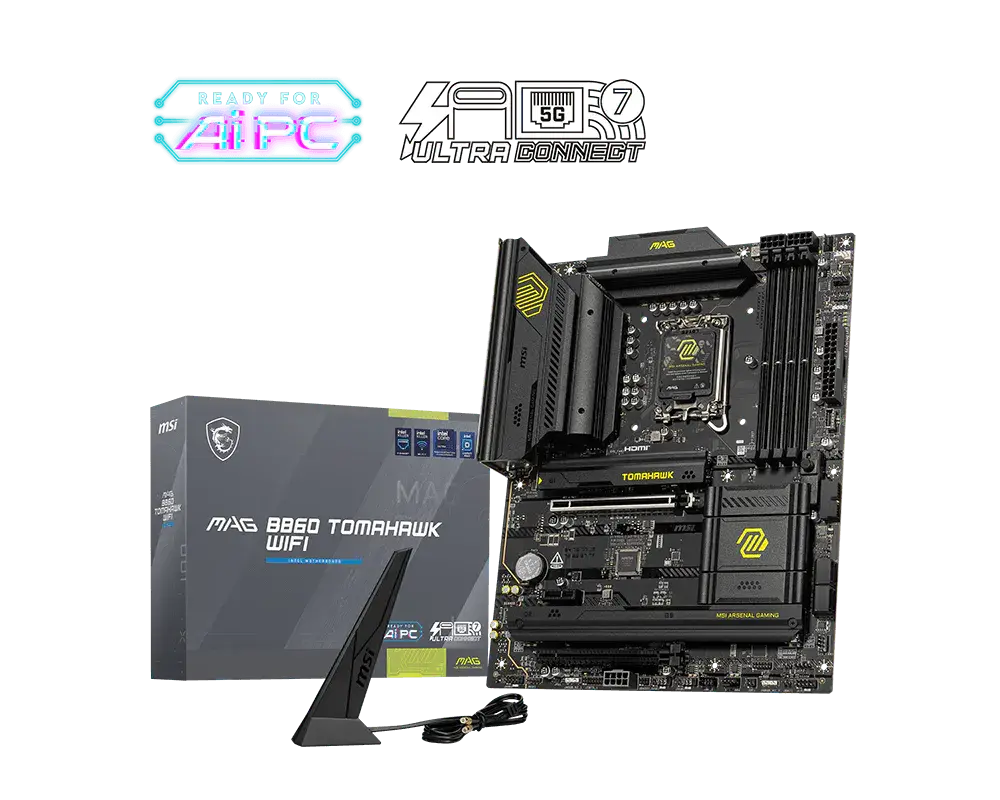
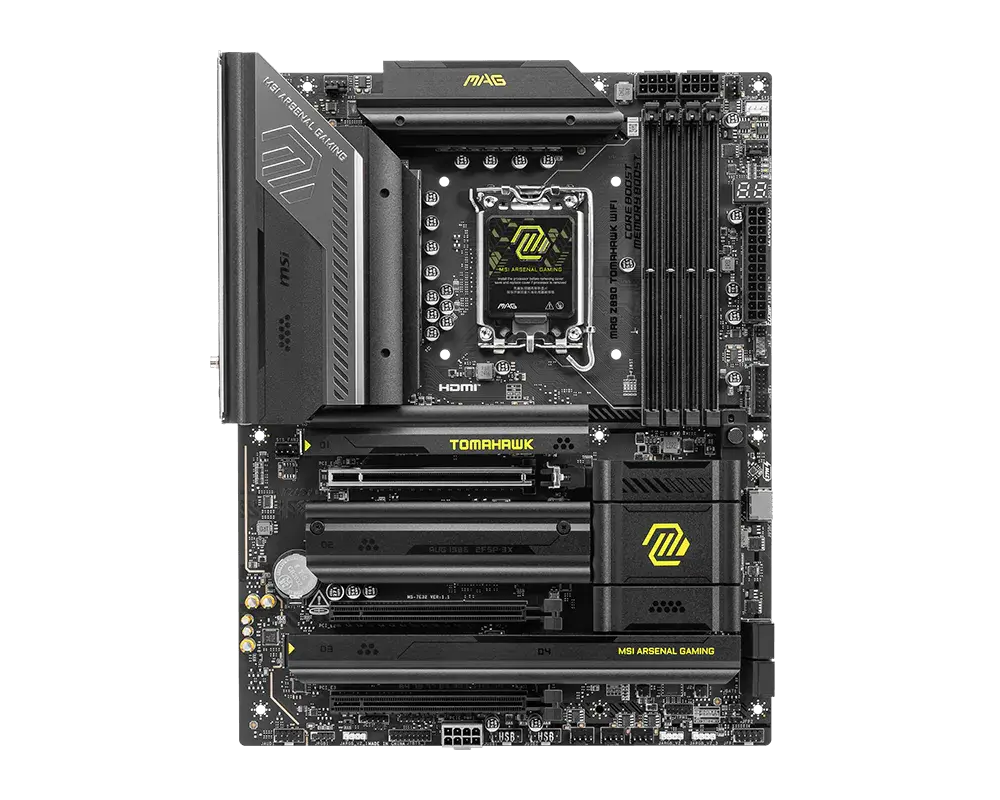
MSI MAG B860 TOMAHAWK WIFI motherboard and manufacturer packaging with the exact model name visible
Exact model & source notes

An ATX Intel B860 motherboard for Core Ultra (Series 2) processors: four DDR5 slots rated up to DDR5-9200+ (OC), a PCIe 5.0 x16 graphics slot, three M.2 slots (one PCIe 5.0 x4), a rear Thunderbolt 4 port, Intel Killer 5 Gb Ethernet and Wi-Fi 7.

Specifications checked 8 Sept 2026.

Amazon links open search results. Check the exact variant, current price and availability with the retailer.

Manufacturer specifications

WHAT DIFFERS
ChipsetIntel B860Intel Z890
3M.2 storage slots4
2 of 7 verified differences, in the order listed below. Not a rating.
See the 7 verified differences
THE CONTENDER

MSI PRO Z890-A WIFI

LGA 1851 · DDR5 · ATX · MSI global specification

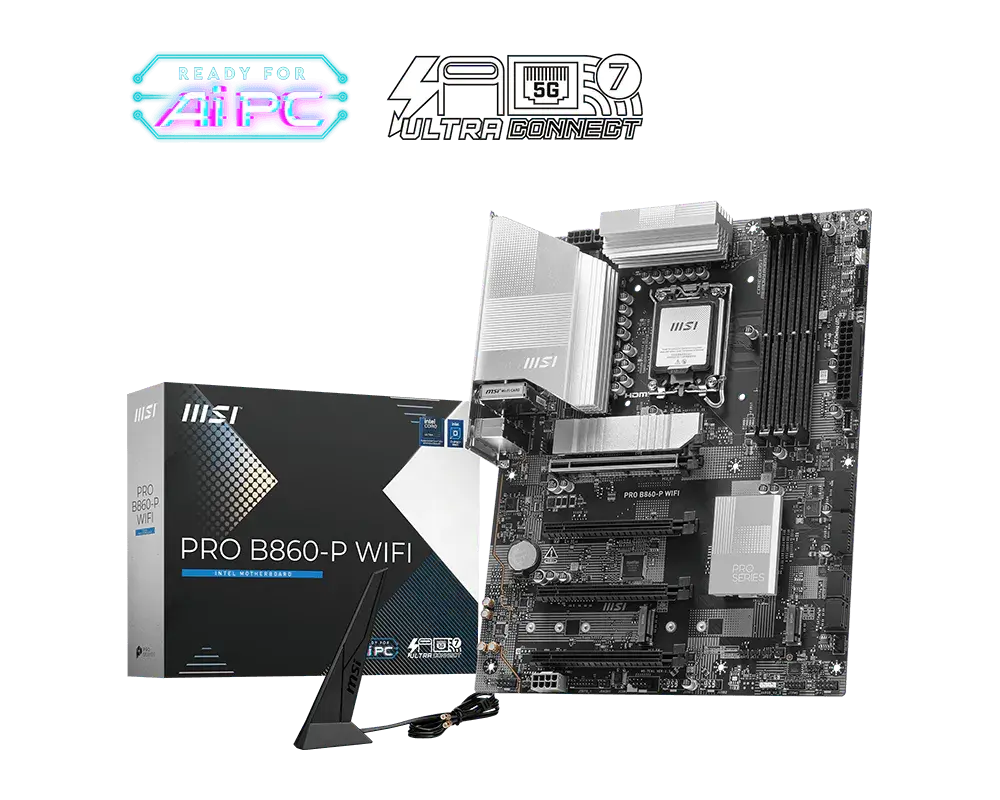
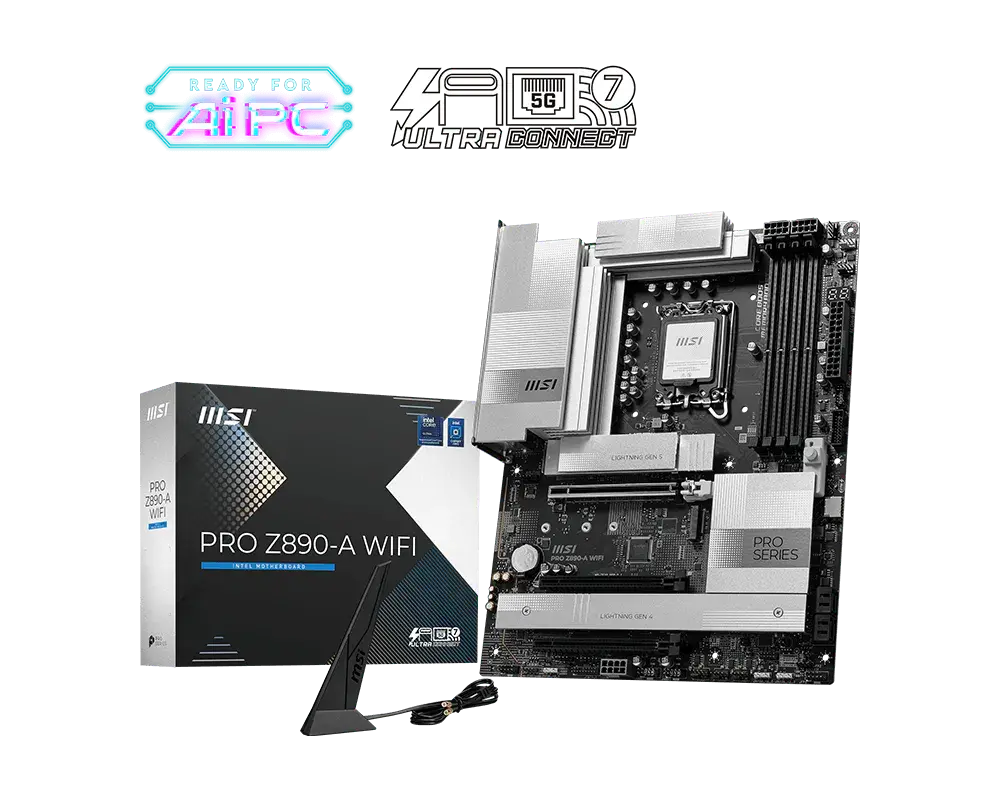
MSI PRO Z890-A WIFI motherboard and manufacturer packaging with the exact model name visible
Exact model & source notes

An ATX Intel Z890 motherboard for Core Ultra (Series 2) processors: four DDR5 slots rated up to DDR5-9200+ (OC), a PCIe 5.0 x16 graphics slot, four M.2 slots (one PCIe 5.0 x4), two rear Thunderbolt 4 ports, Realtek 5 Gb Ethernet and Wi-Fi 7.

Specifications checked 8 Sept 2026.

Amazon links open search results. Check the exact variant, current price and availability with the retailer.

Manufacturer specifications

MAG B860 TOMAHAWK WIFI UK & US retailers

UK & US price history: no verified listing yet

PRO Z890-A WIFI UK & US retailers

UK & US price history: no verified listing yet

Search links open retailer results, not a matched listing; eBay listings are checked daily. As an Amazon Associate I earn from qualifying purchases. As an eBay Partner, we may be compensated if you make a purchase.

THE DIFFERENCES, MADE VISIBLE

Visual facts

Differences first. Select a topic for its graphic, sources and conditions.

How to read this comparison
  • Manufacturer facts for the exact models shown. Not a quality rating or a test result.
  • “Different” means the known values differ, not that one is better.
  • Missing or conflicting evidence is marked and never counts as a difference. Source chips hold each fact’s sources and conditions.
SPECIFICATIONS SIDE BY SIDE8 topics
SELECTED TOPIC
01 / 08

Chipset

Different hardware. A chip name or generation does not quantify real-world performance.

MSI MAG B860 TOMAHAWK WIFIIntel B860

Manufacturer specification

MSI PRO Z890-A WIFIIntel Z890

Manufacturer specification

Explore the full specifications

Plan the complete platform. Check the exact CPU-support list, required BIOS and memory validation before buying. PCIe generations and lane allocations can change with the processor. A socket match or slot count is not a guarantee that every component works together at its highest advertised setting.

WHAT CHANGES BETWEEN THEM?

Key differences

Full specifications ↓

7 verified differences, most decision-relevant first. All are also drawn in Visual facts above. Missing information stays separate.

Storage interfaces

In Visual facts
MSI MAG B860 TOMAHAWK WIFI1 × M.2 PCIe 5.0 x4; 2 × M.2 PCIe 4.0 x4; 4 × SATA 6 Gb/s
MSI PRO Z890-A WIFI1 × M.2 PCIe 5.0 x4; 3 × M.2 PCIe 4.0 x4; M2_4 also supports SATA; 4 × SATA 6 Gb/s
Sources
MSI MAG B860 TOMAHAWK WIFI

M.2_1 connects to the CPU; M.2_2 and M.2_3 connect to the chipset. · Manufacturer specification · M.2_1 accepts 2280/2260, M.2_2 22110/2280/2260 and M.2_3 2280/2260/2242 drives. Installing a 22110 SSD in M2_2 limits M2_3 to 2242/2260 SSDs. MSI refers to the manual for M.2 heatsink restrictions.

MSI MAG B860 TOMAHAWK WIFI — exact model specificationsMSI MAG B860 TOMAHAWK WIFI — current detailed specification and slot restrictions
MSI PRO Z890-A WIFI

MSI labels the slots M.2_1 to M.2_4. M.2_1 and M.2_2 connect to the CPU; M.2_3 and M.2_4 connect to the chipset. · Manufacturer specification · Check the exact slot protocol, supported module length and lane allocation before installation.

MSI PRO Z890-A WIFI — exact model specifications

Check the exact configuration and source conditions for your use.

M.2 storage slots

In Visual facts
MSI MAG B860 TOMAHAWK WIFI3
MSI PRO Z890-A WIFI4
Sources
MSI MAG B860 TOMAHAWK WIFI

Manufacturer specification · Storage M.2 positions only (the Key-E Wi-Fi slot is separate). Installing a 22110 SSD in M2_2 limits M2_3 to 2242/2260 SSDs.

MSI MAG B860 TOMAHAWK WIFI — exact model specificationsMSI MAG B860 TOMAHAWK WIFI — current detailed specification and slot restrictions
MSI PRO Z890-A WIFI

Manufacturer specification · Storage M.2 positions; bandwidth and protocol are specified separately.

MSI PRO Z890-A WIFI — exact model specifications

Check the exact configuration and source conditions for your use.

Expansion slots and electrical links

In Visual facts
MSI MAG B860 TOMAHAWK WIFI1 × PCIe 5.0 x16; 1 × PCIe 4.0 x4; 1 × PCIe 4.0 x1
MSI PRO Z890-A WIFI1 × PCIe 5.0 x16; 2 × PCIe 4.0 x4
Sources
MSI MAG B860 TOMAHAWK WIFI

PCI_E1 (x16) connects to the CPU; PCI_E2 (x1) and PCI_E3 (x4) connect to the chipset. · Manufacturer specification · PCI_E3 runs at x2 when a PCIe device is installed in PCI_E2. MSI's pages describe the slot lengths differently (two x16-length slots and one x1 slot on the specification page, three x16-length slots in the datasheet); check product photos before relying on a full-length second slot.

MSI MAG B860 TOMAHAWK WIFI — exact model specificationsMSI MAG B860 TOMAHAWK WIFI — current detailed specification and slot restrictions
MSI PRO Z890-A WIFI

PCI_E1 connects to the CPU; PCI_E2 and PCI_E3 connect to the chipset. All three are x16-length slots. · Manufacturer specification · Electrical link widths, not a guarantee of the installed system’s performance.

MSI PRO Z890-A WIFI — current detailed specification and slot restrictions

Check the exact configuration and source conditions for your use.

Network interfaces

In Visual facts
MSI MAG B860 TOMAHAWK WIFIIntel Killer E5000 5 Gb Ethernet; Intel Killer BE1750x Wi-Fi 7; Bluetooth 5.4
MSI PRO Z890-A WIFIRealtek 8126 5 Gb Ethernet; Intel Wi-Fi 7; Bluetooth 5.4
Sources
MSI MAG B860 TOMAHAWK WIFI

MSI's datasheet names the Ethernet controller Killer E5000B; the specification page calls it Killer E5000. Both give 5 Gb/s. · Manufacturer specification · MSI states Wi-Fi 7 will be ready in Windows 11 SV3 and Bluetooth 5.4 depends on Microsoft's Windows 11 plan; 6 GHz band support depends on country regulations. Compatible router and drivers required.

MSI MAG B860 TOMAHAWK WIFI — exact model specificationsMSI MAG B860 TOMAHAWK WIFI — current detailed specification and slot restrictions
MSI PRO Z890-A WIFI

Manufacturer specification · Wireless features require compatible OS, driver and router. 6 GHz availability depends on regional rules.

MSI PRO Z890-A WIFI — exact model specifications

Check the exact configuration and source conditions for your use.

Onboard audio hardware

In Visual facts
MSI MAG B860 TOMAHAWK WIFIRealtek ALC897 codec; 7.1-channel
MSI PRO Z890-A WIFIRealtek ALC1220P codec; 7.1-channel
Sources
MSI MAG B860 TOMAHAWK WIFI

Manufacturer specification · Manufacturer-listed onboard audio hardware (7.1-channel, S/PDIF output), not a measured sound-quality result.

MSI MAG B860 TOMAHAWK WIFI — current detailed specification and slot restrictions
MSI PRO Z890-A WIFI

Manufacturer specification · Manufacturer-listed onboard audio hardware, not a measured sound-quality result. Where alternatives are listed, no particular unseen controller revision is promised.

MSI PRO Z890-A WIFI — current detailed specification and slot restrictions

Check the exact configuration and source conditions for your use.

Show 1 more verified difference

Thunderbolt ports

In Visual facts
MSI MAG B860 TOMAHAWK WIFI1 × Thunderbolt 4 USB-C; up to 40 Gb/s; up to 15 W charging
MSI PRO Z890-A WIFI2 × Thunderbolt 4 USB-C; up to 40 Gb/s; up to 15 W (5 V / 3 A) charging
Sources
MSI MAG B860 TOMAHAWK WIFI

Manufacturer specification · Thunderbolt devices and suitable cables required; USB4/USB 3 modes can have different limits.

MSI MAG B860 TOMAHAWK WIFI — exact model specifications
MSI PRO Z890-A WIFI

Manufacturer specification · Both ports are on the rear panel. Up to 40 Gb/s with Thunderbolt devices, 20 Gb/s with USB4 devices and 10 Gb/s with USB 3.2 devices; actual operation depends on the connected device and cable.

MSI PRO Z890-A WIFI — exact model specificationsMSI PRO Z890-A WIFI — current detailed specification and slot restrictions

Check the exact configuration and source conditions for your use.

Missing or non-comparable evidence (15)

Rear Flash BIOS button

MSI MAG B860 TOMAHAWK WIFINot verified
MSI PRO Z890-A WIFIYes
Sources
MSI MAG B860 TOMAHAWK WIFI

No source recorded for this side.

MSI PRO Z890-A WIFI

Manufacturer specification · The rear-panel list and datasheet connection legend explicitly list a Flash BIOS Button. CPU-free recovery procedure and USB preparation require the board manual.

MSI PRO Z890-A WIFI — exact model specificationsMSI PRO Z890-A WIFI — current detailed specification and slot restrictions

Evidence is missing or conflicting on at least one side. This is not a verified difference.

Rear Clear CMOS button

MSI MAG B860 TOMAHAWK WIFIYes
MSI PRO Z890-A WIFINot verified
Sources
MSI MAG B860 TOMAHAWK WIFI

Manufacturer specification · Listed rear-panel control; follow the board manual before resetting firmware settings.

MSI MAG B860 TOMAHAWK WIFI — exact model specificationsMSI MAG B860 TOMAHAWK WIFI — current detailed specification and slot restrictions
MSI PRO Z890-A WIFI

No source recorded for this side.

Evidence is missing or conflicting on at least one side. This is not a verified difference.

Diagnostic indicators

MSI MAG B860 TOMAHAWK WIFINot verified
MSI PRO Z890-A WIFI4 EZ Debug LEDs; 1 EZ Digit Debug LED
Sources
MSI MAG B860 TOMAHAWK WIFI

No source recorded for this side.

MSI PRO Z890-A WIFI

Manufacturer specification · Diagnostic indicators are not proof that a fault will be automatically repaired.

MSI PRO Z890-A WIFI — current detailed specification and slot restrictions

Evidence is missing or conflicting on at least one side. This is not a verified difference.

Motherboard display outputs

MSI MAG B860 TOMAHAWK WIFIHDMI 2.1 FRL (up to 8K 60 Hz); DisplayPort 1.4 (up to 4K 60 Hz); Thunderbolt 4 USB-C with DisplayPort 2.1 UHBR20 (up to 4K 120 Hz / 8K 60 Hz)
MSI PRO Z890-A WIFINot verified
Sources
MSI MAG B860 TOMAHAWK WIFI

Manufacturer specification · Requires processor integrated graphics; MSI states graphics specifications vary with the installed CPU. Discrete GPU outputs are separate.

MSI MAG B860 TOMAHAWK WIFI — exact model specificationsMSI MAG B860 TOMAHAWK WIFI — current detailed specification and slot restrictions
MSI PRO Z890-A WIFI

No source recorded for this side.

Evidence is missing or conflicting on at least one side. This is not a verified difference.

Cooling headers

MSI MAG B860 TOMAHAWK WIFINot verified
MSI PRO Z890-A WIFI1 CPU fan; 1 combo pump/system fan; 6 system fan headers
Sources
MSI MAG B860 TOMAHAWK WIFI

No source recorded for this side.

MSI PRO Z890-A WIFI

Manufacturer specification · Board headers, not included fans or a statement of their current limits.

MSI PRO Z890-A WIFI — current detailed specification and slot restrictions

Evidence is missing or conflicting on at least one side. This is not a verified difference.

Rear Flash BIOS button

MSI MAG B860 TOMAHAWK WIFIYes
MSI PRO Z890-A WIFINot verified
Sources
MSI MAG B860 TOMAHAWK WIFI

Manufacturer specification · Listed rear-panel control with a dedicated USB 2.0 Flash BIOS port; follow exact-board firmware instructions. Button presence does not establish the installed BIOS or CPU support.

MSI MAG B860 TOMAHAWK WIFI — exact model specificationsMSI MAG B860 TOMAHAWK WIFI — current detailed specification and slot restrictions
MSI PRO Z890-A WIFI

No source recorded for this side.

Evidence is missing or conflicting on at least one side. This is not a verified difference.

Processor-dependent display outputs

MSI MAG B860 TOMAHAWK WIFINot verified
MSI PRO Z890-A WIFI1 HDMI 2.1 (FRL); 2 Thunderbolt 4 Type-C DisplayPort outputs (DisplayPort 2.1 UHBR20): up to 4K 120 Hz / 8K 60 Hz
Sources
MSI MAG B860 TOMAHAWK WIFI

No source recorded for this side.

MSI PRO Z890-A WIFI

Manufacturer specification · These outputs require a processor with integrated graphics; graphics specifications vary with the installed CPU. MSI's specification page gives HDMI a 4K 120 Hz maximum while its datasheet quotes 8K 60 Hz for HDMI 2.1 FRL; check the manual if you need 8K over HDMI.

MSI PRO Z890-A WIFI — exact model specificationsMSI PRO Z890-A WIFI — current detailed specification and slot restrictions

Evidence is missing or conflicting on at least one side. This is not a verified difference.

Lane-sharing restrictions

MSI MAG B860 TOMAHAWK WIFIPCI_E3 runs at x2 when a PCIe device is installed in PCI_E2.
MSI PRO Z890-A WIFINot verified
Sources
MSI MAG B860 TOMAHAWK WIFI

Manufacturer specification · Exact manufacturer restrictions; inspect the complete manual when planning simultaneous devices.

MSI MAG B860 TOMAHAWK WIFI — current detailed specification and slot restrictions
MSI PRO Z890-A WIFI

No source recorded for this side.

Evidence is missing or conflicting on at least one side. This is not a verified difference.

NVMe RAID modes

MSI MAG B860 TOMAHAWK WIFINot verified
MSI PRO Z890-A WIFIRAID 0/1/5/10
Sources
MSI MAG B860 TOMAHAWK WIFI

MSI lists RAID modes for SATA drives only; NVMe RAID support is not stated. · Manufacturer specification · Check the manual or BIOS documentation before relying on NVMe arrays.

MSI MAG B860 TOMAHAWK WIFI — current detailed specification and slot restrictions
MSI PRO Z890-A WIFI

Manufacturer specification · Listed M.2 NVMe controller modes require compatible drives and array setup.

MSI PRO Z890-A WIFI — current detailed specification and slot restrictions

Evidence is missing or conflicting on at least one side. This is not a verified difference.

Primary expansion-slot link

MSI MAG B860 TOMAHAWK WIFINot verified
MSI PRO Z890-A WIFIPCI_E1: CPU PCIe 5.0 up to x16
Sources
MSI MAG B860 TOMAHAWK WIFI

No source recorded for this side.

MSI PRO Z890-A WIFI

Manufacturer specification · The stated PCI_E1 electrical link is separate from M.2 storage links. It does not establish the lane allocation of every expansion slot or measured GPU performance.

MSI PRO Z890-A WIFI — exact model specificationsMSI PRO Z890-A WIFI — current detailed specification and slot restrictions

Evidence is missing or conflicting on at least one side. This is not a verified difference.

PCIe release button

MSI MAG B860 TOMAHAWK WIFIYes
MSI PRO Z890-A WIFINot verified
Sources
MSI MAG B860 TOMAHAWK WIFI

Manufacturer specification · MSI EZ PCIe Release operates the graphics-card slot latch. This is an installation control, not a PCIe bandwidth or gaming-performance measurement.

MSI MAG B860 TOMAHAWK WIFI — exact model specifications
MSI PRO Z890-A WIFI

No source recorded for this side.

Evidence is missing or conflicting on at least one side. This is not a verified difference.

Tool-less M.2 heatsink handling

MSI MAG B860 TOMAHAWK WIFIYes
MSI PRO Z890-A WIFINot verified
Sources
MSI MAG B860 TOMAHAWK WIFI

Manufacturer specification · MSI describes tool-less SSD and Shield Frozr installation/removal under EZ M.2 Shield Frozr II. This does not establish measured cooling effectiveness or compatibility with every SSD heatsink.

MSI MAG B860 TOMAHAWK WIFI — exact model specifications
MSI PRO Z890-A WIFI

No source recorded for this side.

Evidence is missing or conflicting on at least one side. This is not a verified difference.

USB port and header capacity

MSI MAG B860 TOMAHAWK WIFINot verified
MSI PRO Z890-A WIFI2 × Thunderbolt 4 40 Gb/s (2 Type-C); 1 × USB 20 Gb/s (1 Type-C); 4 × USB 10 Gb/s (3 Type-A + 1 Type-C); 6 × USB 5 Gb/s (6 Type-A); 4 × USB 2.0
Sources
MSI MAG B860 TOMAHAWK WIFI

No source recorded for this side.

MSI PRO Z890-A WIFI

Manufacturer specification · Manufacturer combined port/header totals; these are not all rear-panel sockets. Use the connection diagram and manual to locate them.

MSI PRO Z890-A WIFI — exact model specifications

Evidence is missing or conflicting on at least one side. This is not a verified difference.

Front USB header capacity

MSI MAG B860 TOMAHAWK WIFINot verified
MSI PRO Z890-A WIFI4 USB 2.0; 2 USB 5 Gb/s Type-A; 1 USB 20 Gb/s Type-C (USB PD 27 W)
Sources
MSI MAG B860 TOMAHAWK WIFI

No source recorded for this side.

MSI PRO Z890-A WIFI

Manufacturer specification · Manufacturer-listed front connectivity requires compatible case ports and cabling. These are not additional rear-panel sockets.

MSI PRO Z890-A WIFI — current detailed specification and slot restrictions

Evidence is missing or conflicting on at least one side. This is not a verified difference.

Rear USB ports

MSI MAG B860 TOMAHAWK WIFINot verified
MSI PRO Z890-A WIFI4 USB 5 Gb/s Type-A; 3 USB 10 Gb/s Type-A; 1 USB 10 Gb/s Type-C; 2 Thunderbolt 4 (40 Gb/s) Type-C
Sources
MSI MAG B860 TOMAHAWK WIFI

No source recorded for this side.

MSI PRO Z890-A WIFI

Manufacturer specification · Rear port inventory only. Rated interface rates are not simultaneous measured throughput; Thunderbolt 4 ports run 20 Gb/s with USB4 devices and 10 Gb/s with USB 3.2 devices.

MSI PRO Z890-A WIFI — current detailed specification and slot restrictions

Evidence is missing or conflicting on at least one side. This is not a verified difference.

8 shared fields have the same recorded value.

WHAT EACH CHOICE ASKS OF YOU

What it brings and what to check

MSI MAG B860 TOMAHAWK WIFI

What it brings

What to check

  • Installing a card in PCI_E2 drops PCI_E3 to x2, and a 22110 SSD in M2_2 limits M2_3 to 2242/2260 drives.

MSI PRO Z890-A WIFI

What it brings

What to check

COMPARE THE DETAILS

Full specifications

How we verify
30 of 30 specifications Sources in each row
Source-backed specifications for MSI MAG B860 TOMAHAWK WIFI and MSI PRO Z890-A WIFI
SpecificationMSI MAG B860 TOMAHAWK WIFIMSI PRO Z890-A WIFI
CPU socket
Sources
MSI MAG B860 TOMAHAWK WIFI

Manufacturer specification

MSI MAG B860 TOMAHAWK WIFI — exact model specifications
MSI PRO Z890-A WIFI

Manufacturer specification

MSI PRO Z890-A WIFI — exact model specifications
LGA 1851LGA 1851
ChipsetDifferent
Sources
MSI MAG B860 TOMAHAWK WIFI

Manufacturer specification

MSI MAG B860 TOMAHAWK WIFI — exact model specifications
MSI PRO Z890-A WIFI

Manufacturer specification

MSI PRO Z890-A WIFI — exact model specifications
Intel B860Intel Z890
Form factor
Sources
ATX; 304.8 × 243.84 mmATX; 304.8 × 243.84 mm
CPU support / BIOS source
Sources
MSI MAG B860 TOMAHAWK WIFI

Manufacturer specification · Check MSI's exact CPU support list and its required BIOS. Family support does not confirm the firmware installed on a retail board.

MSI MAG B860 TOMAHAWK WIFI — exact model specifications
MSI PRO Z890-A WIFI

Manufacturer specification · Check MSI's exact CPU support list and its required BIOS. Family support does not confirm the firmware installed on a retail board.

MSI PRO Z890-A WIFI — exact model specifications
Intel Core Ultra (Series 2)Intel Core Ultra (Series 2)
Rear Flash BIOS button
Sources
MSI MAG B860 TOMAHAWK WIFI

No source recorded.

MSI PRO Z890-A WIFI

Manufacturer specification · The rear-panel list and datasheet connection legend explicitly list a Flash BIOS Button. CPU-free recovery procedure and USB preparation require the board manual.

MSI PRO Z890-A WIFI — exact model specificationsMSI PRO Z890-A WIFI — current detailed specification and slot restrictions
Not providedYes
Memory type, slots and limit
Sources
MSI MAG B860 TOMAHAWK WIFI

MSI specifies Intel XMP 3.0. The overclocked speed is MSI's 1DPC 1R maximum; MSI lists 1DPC 2R up to 7200+, 2DPC 1R up to 6400+ and 2DPC 2R up to 5600+ MT/s. · Manufacturer specification · CPU, BIOS and validated DIMM population determine supported capacity and speeds; MSI states compatibility and speeds vary with CPU and memory configuration. DDR4 and DDR5 are not interchangeable.

MSI MAG B860 TOMAHAWK WIFI — current detailed specification and slot restrictions
MSI PRO Z890-A WIFI

MSI specifies Intel XMP 3.0. The overclocked speed is MSI's 1DPC 1R maximum; MSI lists 1DPC 2R up to 7200+, 2DPC 1R up to 6400+ and 2DPC 2R up to 5600+ MT/s. · Manufacturer specification · CPU, BIOS and validated DIMM population determine supported capacity and speeds. DDR4 and DDR5 are not interchangeable.

MSI PRO Z890-A WIFI — current detailed specification and slot restrictions
4 DDR5 DIMM slots; dual channel; up to 256 GB; up to DDR5-9200+ (OC); Intel XMP; non-ECC unbuffered; CUDIMM support4 DDR5 DIMM slots; dual channel; up to 256 GB; up to DDR5-9200+ (OC); Intel XMP; non-ECC unbuffered; CUDIMM support
Maximum listed memory
Sources
MSI MAG B860 TOMAHAWK WIFI

Manufacturer specification · Manufacturer capacity ceiling; CPU, BIOS and module validation apply.

MSI MAG B860 TOMAHAWK WIFI — current detailed specification and slot restrictions
MSI PRO Z890-A WIFI

Manufacturer specification · Manufacturer capacity ceiling; CPU, BIOS and module validation apply.

MSI PRO Z890-A WIFI — current detailed specification and slot restrictions
256 GB256 GB
DIMM slots
Sources
MSI MAG B860 TOMAHAWK WIFI

Manufacturer specification · Physical DDR5 DIMM positions; not a capacity or speed guarantee.

MSI MAG B860 TOMAHAWK WIFI — exact model specifications
MSI PRO Z890-A WIFI

Manufacturer specification · Physical DDR5 DIMM positions; not a capacity or speed guarantee.

MSI PRO Z890-A WIFI — exact model specifications
44
Storage interfacesDifferent
Sources
MSI MAG B860 TOMAHAWK WIFI

M.2_1 connects to the CPU; M.2_2 and M.2_3 connect to the chipset. · Manufacturer specification · M.2_1 accepts 2280/2260, M.2_2 22110/2280/2260 and M.2_3 2280/2260/2242 drives. Installing a 22110 SSD in M2_2 limits M2_3 to 2242/2260 SSDs. MSI refers to the manual for M.2 heatsink restrictions.

MSI MAG B860 TOMAHAWK WIFI — exact model specificationsMSI MAG B860 TOMAHAWK WIFI — current detailed specification and slot restrictions
MSI PRO Z890-A WIFI

MSI labels the slots M.2_1 to M.2_4. M.2_1 and M.2_2 connect to the CPU; M.2_3 and M.2_4 connect to the chipset. · Manufacturer specification · Check the exact slot protocol, supported module length and lane allocation before installation.

MSI PRO Z890-A WIFI — exact model specifications
1 × M.2 PCIe 5.0 x4; 2 × M.2 PCIe 4.0 x4; 4 × SATA 6 Gb/s1 × M.2 PCIe 5.0 x4; 3 × M.2 PCIe 4.0 x4; M2_4 also supports SATA; 4 × SATA 6 Gb/s
M.2 storage slotsDifferent
Sources
MSI MAG B860 TOMAHAWK WIFI

Manufacturer specification · Storage M.2 positions only (the Key-E Wi-Fi slot is separate). Installing a 22110 SSD in M2_2 limits M2_3 to 2242/2260 SSDs.

MSI MAG B860 TOMAHAWK WIFI — exact model specificationsMSI MAG B860 TOMAHAWK WIFI — current detailed specification and slot restrictions
MSI PRO Z890-A WIFI

Manufacturer specification · Storage M.2 positions; bandwidth and protocol are specified separately.

MSI PRO Z890-A WIFI — exact model specifications
34
SATA ports
Sources
MSI MAG B860 TOMAHAWK WIFI

Manufacturer specification · SATA 6 Gb/s connectors, not supplied drives or power cables. MSI lists no SATA lane-sharing restriction on the specification page.

MSI MAG B860 TOMAHAWK WIFI — exact model specificationsMSI MAG B860 TOMAHAWK WIFI — current detailed specification and slot restrictions
MSI PRO Z890-A WIFI

Manufacturer specification · SATA 6 Gb/s connectors; check lane sharing and drive power.

MSI PRO Z890-A WIFI — exact model specifications
44
SATA RAID modes
Sources
MSI MAG B860 TOMAHAWK WIFI

Manufacturer specification · MSI lists these modes for SATA storage devices; check the manual and BIOS configuration before building an array.

MSI MAG B860 TOMAHAWK WIFI — current detailed specification and slot restrictions
MSI PRO Z890-A WIFI

Manufacturer specification · Listed SATA controller modes require compatible drives and array setup. They do not establish NVMe RAID or a data protection guarantee.

MSI PRO Z890-A WIFI — current detailed specification and slot restrictions
RAID 0/1/5/10RAID 0/1/5/10
NVMe RAID modes
Sources
MSI MAG B860 TOMAHAWK WIFI

MSI lists RAID modes for SATA drives only; NVMe RAID support is not stated. · Manufacturer specification · Check the manual or BIOS documentation before relying on NVMe arrays.

MSI MAG B860 TOMAHAWK WIFI — current detailed specification and slot restrictions
MSI PRO Z890-A WIFI

Manufacturer specification · Listed M.2 NVMe controller modes require compatible drives and array setup.

MSI PRO Z890-A WIFI — current detailed specification and slot restrictions
Not listed by the manufacturerRAID 0/1/5/10
Tool-less M.2 heatsink handling
Sources
MSI MAG B860 TOMAHAWK WIFI

Manufacturer specification · MSI describes tool-less SSD and Shield Frozr installation/removal under EZ M.2 Shield Frozr II. This does not establish measured cooling effectiveness or compatibility with every SSD heatsink.

MSI MAG B860 TOMAHAWK WIFI — exact model specifications
MSI PRO Z890-A WIFI

No source recorded.

YesNot provided
Expansion slots and electrical linksDifferent
Sources
MSI MAG B860 TOMAHAWK WIFI

PCI_E1 (x16) connects to the CPU; PCI_E2 (x1) and PCI_E3 (x4) connect to the chipset. · Manufacturer specification · PCI_E3 runs at x2 when a PCIe device is installed in PCI_E2. MSI's pages describe the slot lengths differently (two x16-length slots and one x1 slot on the specification page, three x16-length slots in the datasheet); check product photos before relying on a full-length second slot.

MSI MAG B860 TOMAHAWK WIFI — exact model specificationsMSI MAG B860 TOMAHAWK WIFI — current detailed specification and slot restrictions
MSI PRO Z890-A WIFI

PCI_E1 connects to the CPU; PCI_E2 and PCI_E3 connect to the chipset. All three are x16-length slots. · Manufacturer specification · Electrical link widths, not a guarantee of the installed system’s performance.

MSI PRO Z890-A WIFI — current detailed specification and slot restrictions
1 × PCIe 5.0 x16; 1 × PCIe 4.0 x4; 1 × PCIe 4.0 x11 × PCIe 5.0 x16; 2 × PCIe 4.0 x4
Lane-sharing restrictions
Sources
MSI MAG B860 TOMAHAWK WIFI

Manufacturer specification · Exact manufacturer restrictions; inspect the complete manual when planning simultaneous devices.

MSI MAG B860 TOMAHAWK WIFI — current detailed specification and slot restrictions
MSI PRO Z890-A WIFI

No source recorded.

PCI_E3 runs at x2 when a PCIe device is installed in PCI_E2.Not provided
PCIe release button
Sources
MSI MAG B860 TOMAHAWK WIFI

Manufacturer specification · MSI EZ PCIe Release operates the graphics-card slot latch. This is an installation control, not a PCIe bandwidth or gaming-performance measurement.

MSI MAG B860 TOMAHAWK WIFI — exact model specifications
MSI PRO Z890-A WIFI

No source recorded.

YesNot provided
Primary expansion-slot link
Sources
MSI MAG B860 TOMAHAWK WIFI

No source recorded.

MSI PRO Z890-A WIFI

Manufacturer specification · The stated PCI_E1 electrical link is separate from M.2 storage links. It does not establish the lane allocation of every expansion slot or measured GPU performance.

MSI PRO Z890-A WIFI — exact model specificationsMSI PRO Z890-A WIFI — current detailed specification and slot restrictions
Not providedPCI_E1: CPU PCIe 5.0 up to x16
Thunderbolt portsDifferent
Sources
MSI MAG B860 TOMAHAWK WIFI

Manufacturer specification · Thunderbolt devices and suitable cables required; USB4/USB 3 modes can have different limits.

MSI MAG B860 TOMAHAWK WIFI — exact model specifications
MSI PRO Z890-A WIFI

Manufacturer specification · Both ports are on the rear panel. Up to 40 Gb/s with Thunderbolt devices, 20 Gb/s with USB4 devices and 10 Gb/s with USB 3.2 devices; actual operation depends on the connected device and cable.

MSI PRO Z890-A WIFI — exact model specificationsMSI PRO Z890-A WIFI — current detailed specification and slot restrictions
1 × Thunderbolt 4 USB-C; up to 40 Gb/s; up to 15 W charging2 × Thunderbolt 4 USB-C; up to 40 Gb/s; up to 15 W (5 V / 3 A) charging
Onboard audio hardwareDifferent
Sources
MSI MAG B860 TOMAHAWK WIFI

Manufacturer specification · Manufacturer-listed onboard audio hardware (7.1-channel, S/PDIF output), not a measured sound-quality result.

MSI MAG B860 TOMAHAWK WIFI — current detailed specification and slot restrictions
MSI PRO Z890-A WIFI

Manufacturer specification · Manufacturer-listed onboard audio hardware, not a measured sound-quality result. Where alternatives are listed, no particular unseen controller revision is promised.

MSI PRO Z890-A WIFI — current detailed specification and slot restrictions
Realtek ALC897 codec; 7.1-channelRealtek ALC1220P codec; 7.1-channel
Motherboard display outputs
Sources
MSI MAG B860 TOMAHAWK WIFI

Manufacturer specification · Requires processor integrated graphics; MSI states graphics specifications vary with the installed CPU. Discrete GPU outputs are separate.

MSI MAG B860 TOMAHAWK WIFI — exact model specificationsMSI MAG B860 TOMAHAWK WIFI — current detailed specification and slot restrictions
MSI PRO Z890-A WIFI

No source recorded.

HDMI 2.1 FRL (up to 8K 60 Hz); DisplayPort 1.4 (up to 4K 60 Hz); Thunderbolt 4 USB-C with DisplayPort 2.1 UHBR20 (up to 4K 120 Hz / 8K 60 Hz)Not provided
Processor-dependent display outputs
Sources
MSI MAG B860 TOMAHAWK WIFI

No source recorded.

MSI PRO Z890-A WIFI

Manufacturer specification · These outputs require a processor with integrated graphics; graphics specifications vary with the installed CPU. MSI's specification page gives HDMI a 4K 120 Hz maximum while its datasheet quotes 8K 60 Hz for HDMI 2.1 FRL; check the manual if you need 8K over HDMI.

MSI PRO Z890-A WIFI — exact model specificationsMSI PRO Z890-A WIFI — current detailed specification and slot restrictions
Not provided1 HDMI 2.1 (FRL); 2 Thunderbolt 4 Type-C DisplayPort outputs (DisplayPort 2.1 UHBR20): up to 4K 120 Hz / 8K 60 Hz
Rear USB ports
Sources
MSI MAG B860 TOMAHAWK WIFI

No source recorded.

MSI PRO Z890-A WIFI

Manufacturer specification · Rear port inventory only. Rated interface rates are not simultaneous measured throughput; Thunderbolt 4 ports run 20 Gb/s with USB4 devices and 10 Gb/s with USB 3.2 devices.

MSI PRO Z890-A WIFI — current detailed specification and slot restrictions
Not provided4 USB 5 Gb/s Type-A; 3 USB 10 Gb/s Type-A; 1 USB 10 Gb/s Type-C; 2 Thunderbolt 4 (40 Gb/s) Type-C
Front USB header capacity
Sources
MSI MAG B860 TOMAHAWK WIFI

No source recorded.

MSI PRO Z890-A WIFI

Manufacturer specification · Manufacturer-listed front connectivity requires compatible case ports and cabling. These are not additional rear-panel sockets.

MSI PRO Z890-A WIFI — current detailed specification and slot restrictions
Not provided4 USB 2.0; 2 USB 5 Gb/s Type-A; 1 USB 20 Gb/s Type-C (USB PD 27 W)
USB port and header capacity
Sources
MSI MAG B860 TOMAHAWK WIFI

No source recorded.

MSI PRO Z890-A WIFI

Manufacturer specification · Manufacturer combined port/header totals; these are not all rear-panel sockets. Use the connection diagram and manual to locate them.

MSI PRO Z890-A WIFI — exact model specifications
Not provided2 × Thunderbolt 4 40 Gb/s (2 Type-C); 1 × USB 20 Gb/s (1 Type-C); 4 × USB 10 Gb/s (3 Type-A + 1 Type-C); 6 × USB 5 Gb/s (6 Type-A); 4 × USB 2.0
Network interfacesDifferent
Sources
MSI MAG B860 TOMAHAWK WIFI

MSI's datasheet names the Ethernet controller Killer E5000B; the specification page calls it Killer E5000. Both give 5 Gb/s. · Manufacturer specification · MSI states Wi-Fi 7 will be ready in Windows 11 SV3 and Bluetooth 5.4 depends on Microsoft's Windows 11 plan; 6 GHz band support depends on country regulations. Compatible router and drivers required.

MSI MAG B860 TOMAHAWK WIFI — exact model specificationsMSI MAG B860 TOMAHAWK WIFI — current detailed specification and slot restrictions
MSI PRO Z890-A WIFI

Manufacturer specification · Wireless features require compatible OS, driver and router. 6 GHz availability depends on regional rules.

MSI PRO Z890-A WIFI — exact model specifications
Intel Killer E5000 5 Gb Ethernet; Intel Killer BE1750x Wi-Fi 7; Bluetooth 5.4Realtek 8126 5 Gb Ethernet; Intel Wi-Fi 7; Bluetooth 5.4
Rear Flash BIOS button
Sources
MSI MAG B860 TOMAHAWK WIFI

Manufacturer specification · Listed rear-panel control with a dedicated USB 2.0 Flash BIOS port; follow exact-board firmware instructions. Button presence does not establish the installed BIOS or CPU support.

MSI MAG B860 TOMAHAWK WIFI — exact model specificationsMSI MAG B860 TOMAHAWK WIFI — current detailed specification and slot restrictions
MSI PRO Z890-A WIFI

No source recorded.

YesNot provided
Rear Clear CMOS button
Sources
MSI MAG B860 TOMAHAWK WIFI

Manufacturer specification · Listed rear-panel control; follow the board manual before resetting firmware settings.

MSI MAG B860 TOMAHAWK WIFI — exact model specificationsMSI MAG B860 TOMAHAWK WIFI — current detailed specification and slot restrictions
MSI PRO Z890-A WIFI

No source recorded.

YesNot provided
Cooling headers
Sources
MSI MAG B860 TOMAHAWK WIFI

No source recorded.

MSI PRO Z890-A WIFI

Manufacturer specification · Board headers, not included fans or a statement of their current limits.

MSI PRO Z890-A WIFI — current detailed specification and slot restrictions
Not provided1 CPU fan; 1 combo pump/system fan; 6 system fan headers
Diagnostic indicators
Sources
MSI MAG B860 TOMAHAWK WIFI

No source recorded.

MSI PRO Z890-A WIFI

Manufacturer specification · Diagnostic indicators are not proof that a fault will be automatically repaired.

MSI PRO Z890-A WIFI — current detailed specification and slot restrictions
Not provided4 EZ Debug LEDs; 1 EZ Digit Debug LED
FIND YOUR CONTENDERS

More products

Closest motherboards to this pair by shared key specifications. Not a popularity ranking.

See all 617 motherboards
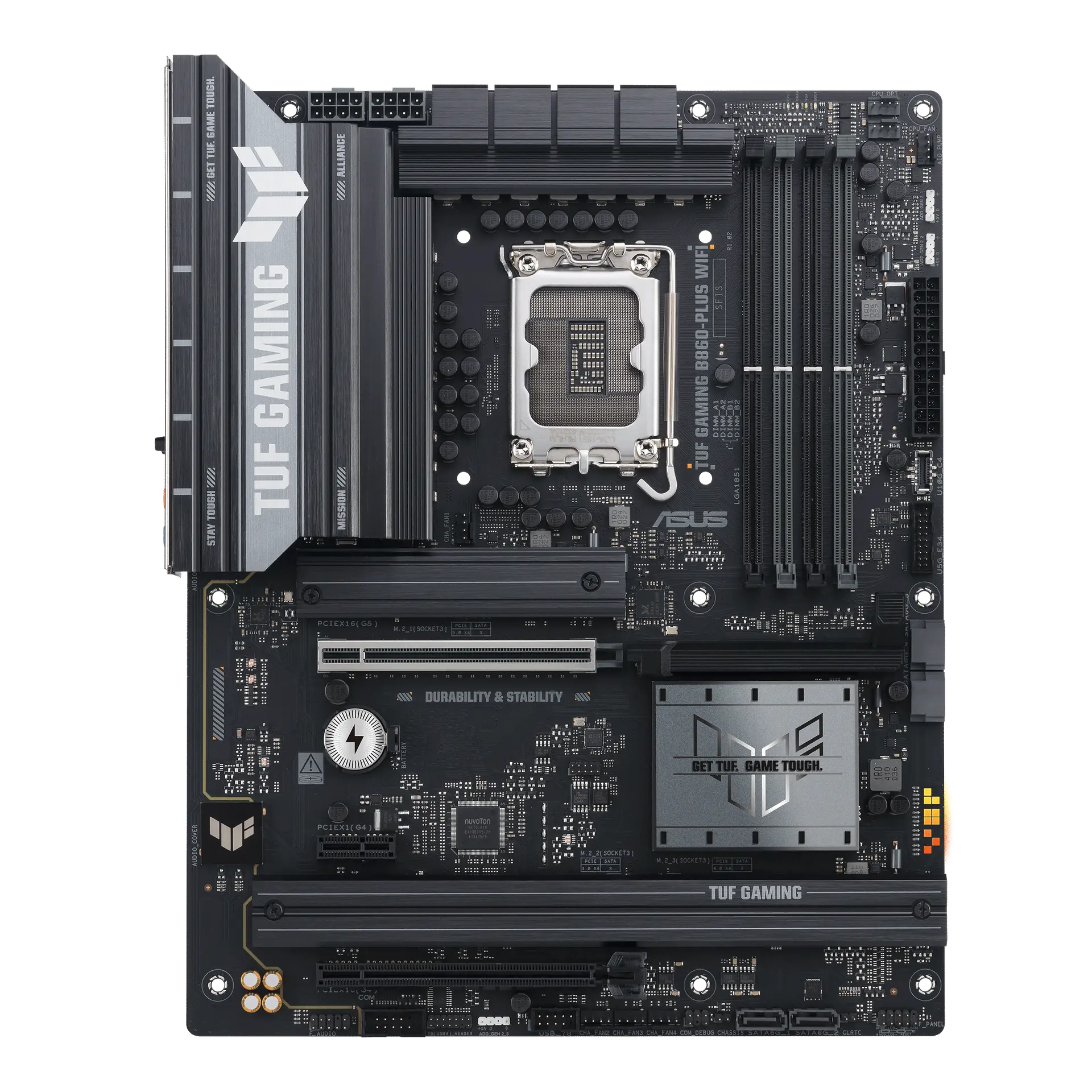
ASUS TUF GAMING B860-PLUS WIFI motherboard, official front view showing its exact board layout, processor socket, memory slots and heatsinks.

ASUS TUF GAMING B860-PLUS WIFI

Maximum memory
256 GB
DIMM slots
4 slots
M.2 slots
3 slots
Prices & product profile
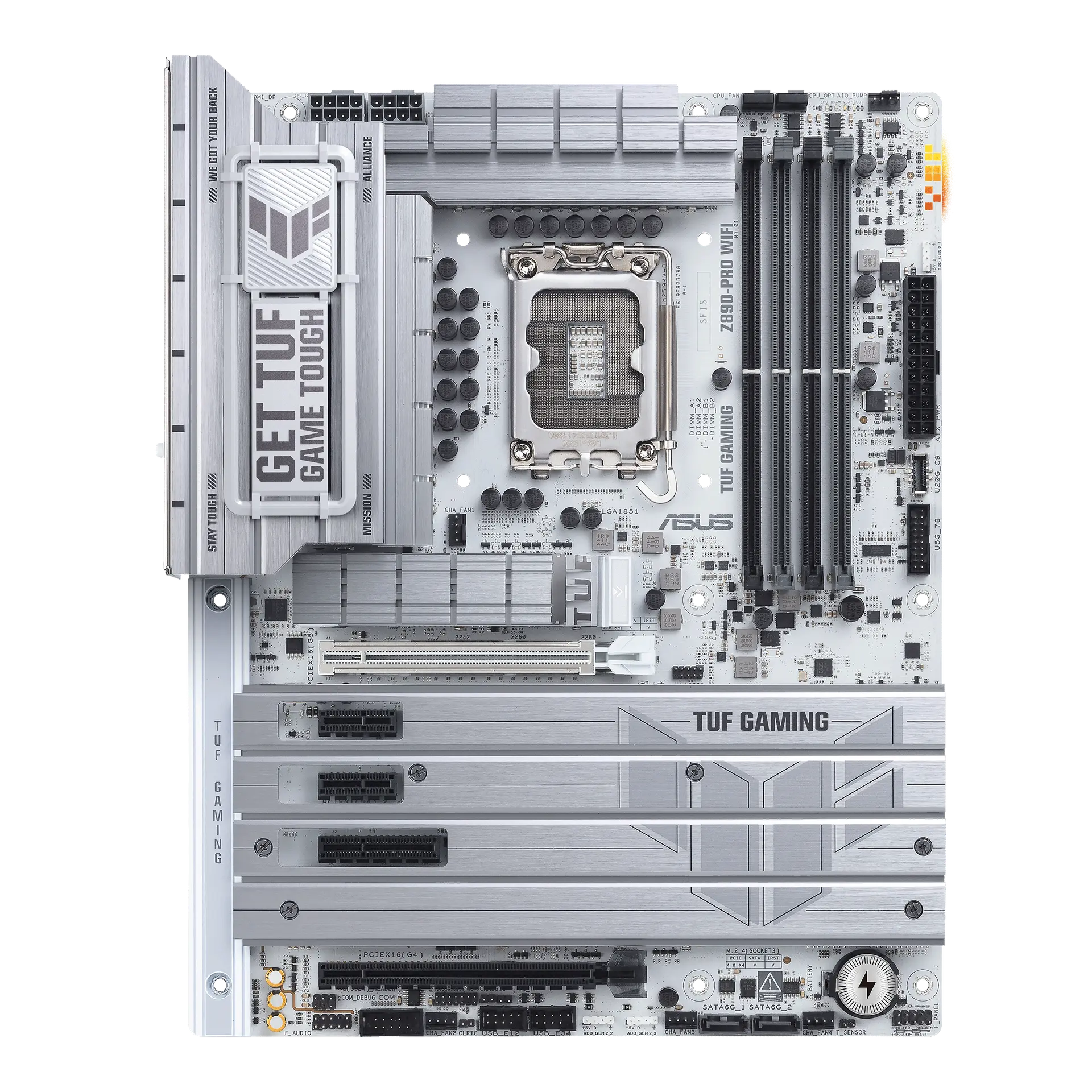
ASUS TUF GAMING Z890-PRO WIFI motherboard, official front view showing its exact board layout, processor socket, memory slots and heatsinks.

ASUS TUF GAMING Z890-PRO WIFI

Maximum memory
256 GB
DIMM slots
4 slots
M.2 slots
4 slots
Prices & product profile

Each record represents an explicitly checked model and configuration. Original import: 5 Sept 2026; this is not its verification date. This is not a list of current offers or a popularity ranking.