Skip to comparison
versus.deals
Menu
Browse versus.deals
MONITORS · YOUR NEXT FACE-OFF

MSI G272QPF E2 vs MSI G274QPF

Real specs. Clear sources.Exact models · UK & US buying links

Compared products

YOUR FIRST CHOICE

MSI G272QPF E2

27-inch · 2560 × 1440 · 180 Hz · exact MSI global configuration
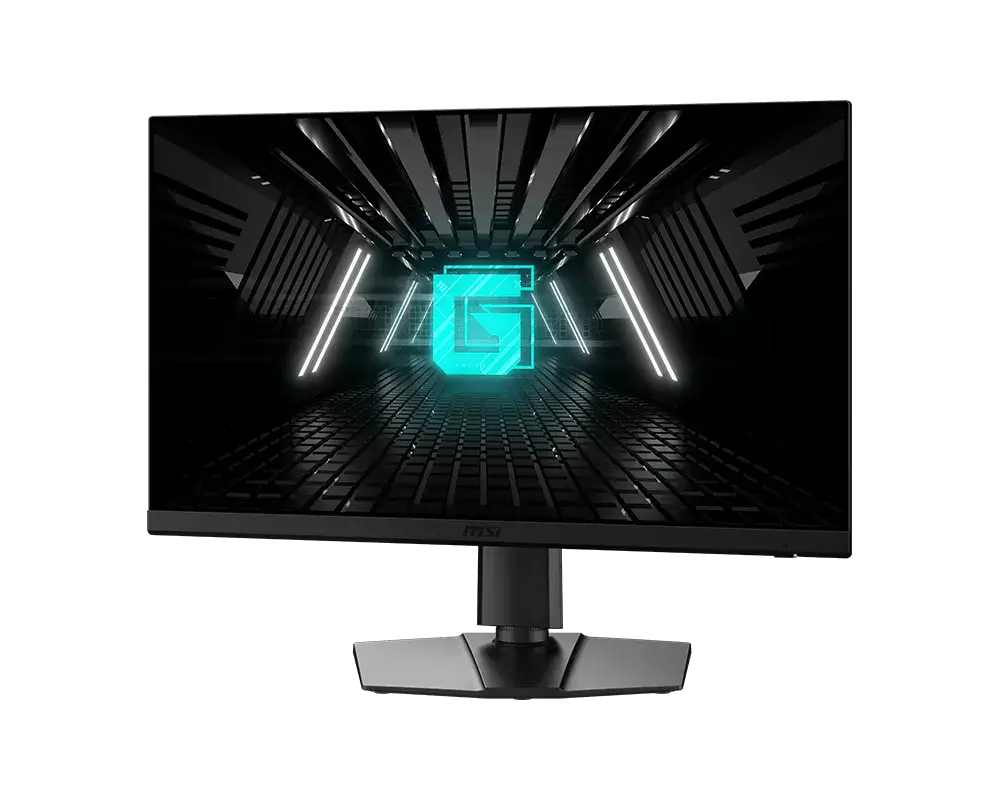
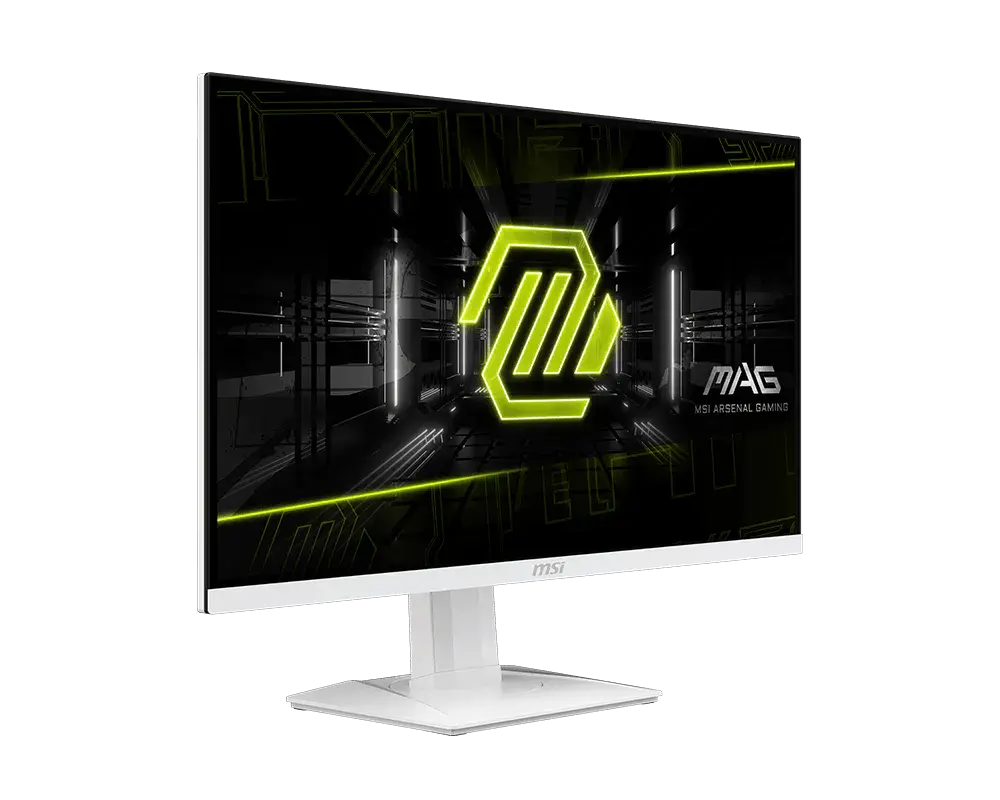
MSI G272QPF E2: one monitor with its supplied stand, shown from the front at an angle
Exact model & source notes

A 27-inch QHD Rapid IPS monitor with up to 180 Hz over DisplayPort, HDMI VRR and a stand with 130 mm height travel, swivel and portrait pivot. HDMI tops out at 144 Hz.

Specifications checked 11 Sept 2026.

Amazon links open search results. Check the exact variant, current price and availability with the retailer.

Manufacturer specifications

WHICH SUITS YOU?

Choose the G272QPF E2 for

  • Higher stated refresh rate: 180 Hz vs 170 Hz

Choose the G274QPF for

  • USB-C connection: Yes vs No
  • Picture-in-picture / picture-by-picture: Yes vs No
  • Smaller stated stand depth: 196.5 mm vs 228 mm
Built from verified specifications that differ. Not a rating or a recommendation.
See the 17 verified differences
THE CONTENDER

MSI G274QPF

27-inch · 2560 × 1440 · 170 Hz · MSI global specification

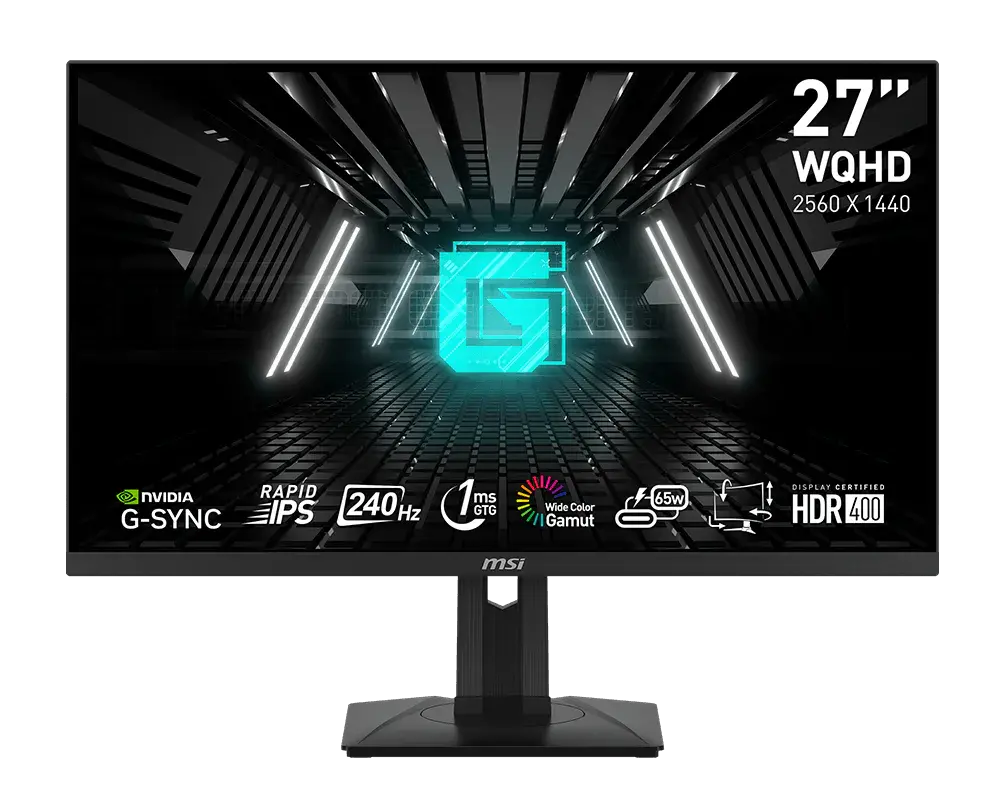
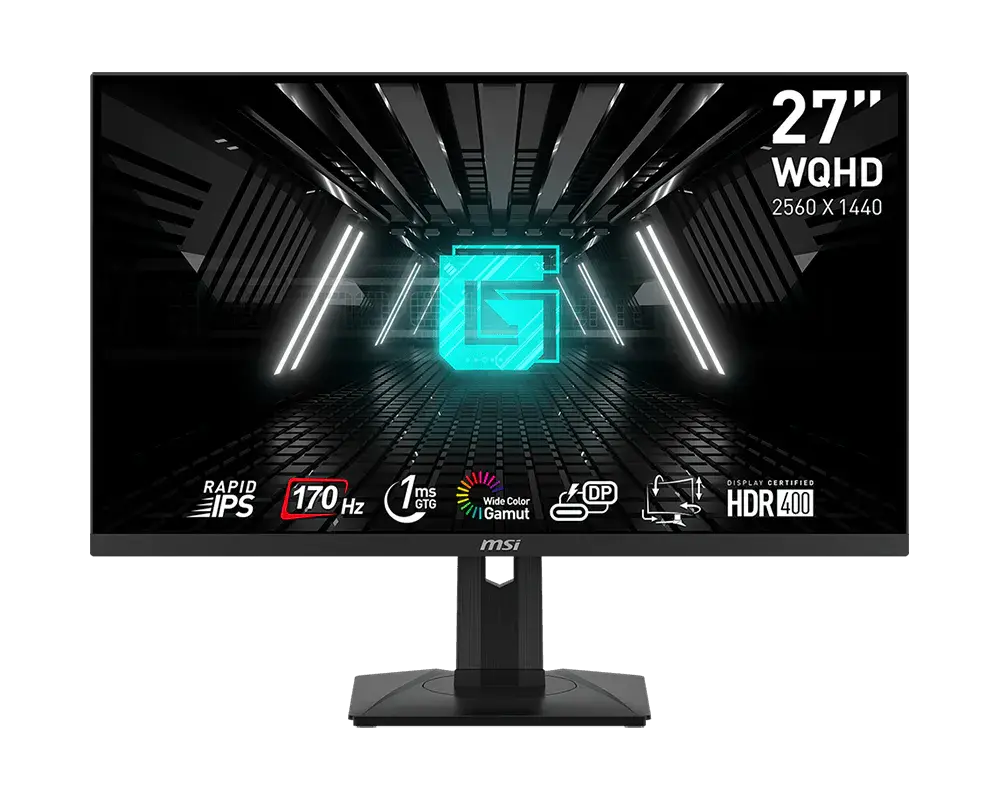
MSI G274QPF monitor on its supplied stand, official front view with manufacturer sample screen artwork
Exact model & source notes

A 27-inch 2560 × 1440 Rapid IPS monitor with USB-C video and up to 15 W charging. Native refresh reaches 170 Hz over DisplayPort or USB-C with DP OverClocking enabled; the default is 165 Hz and HDMI reaches 144 Hz.

Specifications checked 11 Sept 2026.

Amazon links open search results. Check the exact variant, current price and availability with the retailer.

Manufacturer specifications

G272QPF E2 UK & US retailers

UK & US price history: no verified listing yet

G274QPF UK & US retailers

UK & US price history: no verified listing yet

Search links open retailer results, not a matched listing; eBay listings are checked daily. As an Amazon Associate I earn from qualifying purchases. As an eBay Partner, we may be compensated if you make a purchase.

THE DIFFERENCES, MADE VISIBLE

Visual facts

Differences first. Select a topic for its graphic, sources and conditions.

How to read this comparison
  • Manufacturer facts for the exact models shown. Not a quality rating or a test result.
  • “Different” means the known values differ, not that one is better.
  • Missing or conflicting evidence is marked and never counts as a difference. Source chips hold each fact’s sources and conditions.
SPECIFICATIONS SIDE BY SIDE8 topics
SELECTED TOPIC
01 / 08

Max refresh

Maximum manufacturer-listed refresh rate, not measured motion clarity. The port-specific limits below matter; HDMI and DisplayPort can support different modes.

MSI G272QPF E2180 Hz

Manufacturer specification · Up to 180 Hz at 2560 × 1440 through DisplayPort; HDMI is limited to 144 Hz.

MSI G274QPF170 Hz

Manufacturer specification · At 2560 × 1440 over DisplayPort or USB-C with DP OverClocking on; default 165 Hz. HDMI supports up to 144 Hz. Needs a compatible source and cable; lower the rate if overclocking causes errors.

Explore the full specifications

Match the monitor to the connection. Refresh limits depend on the input, cable and source device. Confirm the exact regional ports, stand adjustment and mount. Manufacturer response-time methods such as MPRT and GtG are different; neither the image nor these figures establish an independent motion or colour-quality test.

WHAT CHANGES BETWEEN THEM?

Key differences

Full specifications ↓

17 verified differences, most decision-relevant first. 7 are also drawn in Visual facts above. Missing information stays separate.

Refresh rate

In Visual facts
MSI G272QPF E2180 Hz
MSI G274QPF170 Hz
Sources
MSI G272QPF E2

Manufacturer specification · Up to 180 Hz at 2560 × 1440 through DisplayPort; HDMI is limited to 144 Hz.

MSI G272QPF E2 — exact model datasheetMSI G272QPF E2 (3CD3) user guide, V1.1 October 2024
MSI G274QPF

Manufacturer specification · At 2560 × 1440 over DisplayPort or USB-C with DP OverClocking on; default 165 Hz. HDMI supports up to 144 Hz. Needs a compatible source and cable; lower the rate if overclocking causes errors.

MSI G274QPF — exact model specificationsMSI G274QPF exact user guide V1.0 (June 2023)

Check the exact configuration and source conditions for your use.

Native-resolution input limits

In Visual facts
MSI G272QPF E2DisplayPort: up to 180 Hz; HDMI: up to 144 Hz
MSI G274QPFDisplayPort and USB-C: 2560 × 1440 up to 170 Hz with DP OverClocking; HDMI: 2560 × 1440 up to 144 Hz
Sources
MSI G272QPF E2

Manufacturer specification · 2560 × 1440 with a compatible source and cable. Accepted video timings and alternative aspect ratios are listed separately.

MSI G272QPF E2 — exact model datasheetMSI G272QPF E2 (3CD3) user guide, V1.1 October 2024
MSI G274QPF

Manufacturer specification · Default maximum 165 Hz; 170 Hz requires DP OverClocking ON and a compatible device/cable. PBP has a separate 1280 × 1440 at 60 Hz input mode.

MSI G274QPF — exact model specificationsMSI G274QPF exact user guide V1.0 (June 2023)

Check the exact input, signal mode, source and cable. A connector version or supported timing does not guarantee every console mode, VRR setting or game frame rate.

Inputs and versions

In Visual facts
MSI G272QPF E21 × DisplayPort 1.4 (HBR2); 2 × HDMI 2.0b; headphone output
MSI G274QPF1 × DisplayPort 1.4a; 2 × HDMI 2.0b; USB-C DisplayPort Alt Mode with up to 15 W Power Delivery; headphone output
Sources
MSI G272QPF E2

Manufacturer specification · Up to 180 Hz at 2560 × 1440 through DisplayPort; HDMI is limited to 144 Hz.

MSI G272QPF E2 — exact model datasheetMSI G272QPF E2 (3CD3) user guide, V1.1 October 2024
MSI G274QPF

Manufacturer specification · DisplayPort and USB-C support native 170 Hz with DP OverClocking on; HDMI reaches 144 Hz. USB-C charging is up to 15 W; there is no USB data hub.

MSI G274QPF — exact model specifications

Check the exact configuration and source conditions for your use.

Stand adjustment

In Visual facts
MSI G272QPF E2Tilt −5° to +20°; swivel ±30°; pivot ±90°; height travel 130 mm
MSI G274QPFTilt −5° to +20°; swivel −45° to +45°; pivot −90° to +90°; height travel 0–130 mm
Sources

Compare the supplied stand and mounting requirements. These affect positioning and desk fit; they do not establish panel quality. Check any separately stated limits or conflicting dimensions.

Show 11 more verified differences

Picture-in-picture / picture-by-picture

MSI G272QPF E2No
MSI G274QPFYes
Sources
MSI G272QPF E2

Manufacturer specification · Exact documented global configuration; external accessories are separate.

MSI G272QPF E2 — exact model datasheet
MSI G274QPF

Manufacturer specification · HDR disables PIP/PBP. Enabling PIP/PBP locks response-time adjustment, switches MPRT and Adaptive-Sync off, and disables/locks HDMI CEC. It also disables and locks DP OverClocking. PBP input timing is 1280 × 1440 at 60 Hz; input/aspect restrictions apply.

MSI G274QPF — exact model specificationsMSI G274QPF exact user guide V1.0 (June 2023)

Check the exact configuration and source conditions for your use.

Published package contents

MSI G272QPF E2Monitor, stand/base and mounting screws, external adapter, power cord and DisplayPort cable
MSI G274QPFMonitor, quick-start guide, stand and base with screws, external power supply and power cord; HDMI and DisplayPort cables optional
Sources
MSI G272QPF E2

Manufacturer specification · Check the seller's box; the manual does not promise an HDMI cable.

MSI G272QPF E2 (3CD3) user guide, V1.1 October 2024
MSI G274QPF

Manufacturer specification · Check the exact local bundle; package contents can vary by country.

MSI G274QPF exact user guide V1.0 (June 2023)

Check the exact configuration and source conditions for your use.

Declared colour-gamut figures

MSI G272QPF E2Adobe RGB 90%; DCI-P3 94%; sRGB 125% (CIE 1976)
MSI G274QPFAdobe RGB 96% / DCI-P3 93% / sRGB 121% (CIE 1976)
Sources
MSI G272QPF E2

Manufacturer specification · Manufacturer CIE 1976 gamut figures.

MSI G272QPF E2 — exact model datasheetMSI G272QPF E2 (3CD3) user guide, V1.1 October 2024
MSI G274QPF

Manufacturer specification · Manufacturer gamut figures; percentages above 100% are relative volume.

MSI G274QPF — exact model specificationsMSI G274QPF exact user guide V1.0 (June 2023)

Check the exact configuration and source conditions for your use.

Supplied power arrangement

MSI G272QPF E2External 20 V 2.25 A adapter (45 W rating); 100–240 V 50/60 Hz input
MSI G274QPFExternal adapter: 65 W, 19 V / 3.42 A; AC input: 100–240 V, 50/60 Hz
Sources
MSI G272QPF E2

Manufacturer specification · Adapter rating, not the monitor's power use.

MSI G272QPF E2 — exact model datasheetMSI G272QPF E2 (3CD3) user guide, V1.1 October 2024

Check the exact configuration and source conditions for your use.

Stand depth

MSI G272QPF E2228 mm
MSI G274QPF196.5 mm
Sources
MSI G272QPF E2

Manufacturer specification · Manufacturer assembled dimensions with stand, ordered width × depth × height. Stand depth excludes additional cable clearance; this is not panel thickness.

MSI G272QPF E2 — exact model datasheetMSI G272QPF E2 (3CD3) user guide, V1.1 October 2024
MSI G274QPF

MSI lists 196.48 mm. · Manufacturer specification · Manufacturer dimensions with stand, shown width × height × depth. Stand depth is not panel thickness and excludes additional cable clearance.

MSI G274QPF — exact model specifications

A size or weight trade-off; it does not establish the better product.

Dimensions with stand

MSI G272QPF E2613 × 409–539 × 228 mm (width × height × depth, with stand)
MSI G274QPF613.5 × 402.1–532.1 × 196.5 mm (width × height × depth, with stand)
Sources
MSI G272QPF E2

MSI's specification page and global datasheet give 613 × 228 × 539 mm (W × D × H); the V1.1 manual and UK specification sheet give 613 × 228 × 409 mm. The 130 mm difference equals the stand's 0–130 mm height travel, so one pair gives the highest and the other the lowest stand position; MSI does not label which. · Manufacturer specification · Manufacturer dimensions with the supplied stand; allow extra room for cables and stand movement. The height range shows the stand's lowest and highest positions.

MSI G272QPF E2 — manufacturer specificationsMSI G272QPF E2 — exact model datasheetMSI G272QPF E2 (3CD3) user guide, V1.1 October 2024MSI G272QPF E2 UK specification — 9S6-3CD39T-016
MSI G274QPF

MSI's datasheet lists 613.49 × 196.48 × 402.08 mm (W × D × H) and the V1.0 manual 613.49 × 402.08 × 196.48 mm (W × H × D). Both state 0–130 mm height adjustment, so 402.08 mm is the lowest stand position and the highest is 402.08 + 130 = 532.08 mm; MSI does not print the raised height for this model. · Manufacturer specification · Manufacturer dimensions with the supplied stand; allow extra room for cables and stand movement. The height range shows the stand's lowest and highest positions.

MSI G274QPF — exact model specificationsMSI G274QPF exact user guide V1.0 (June 2023)

A size or weight trade-off; it does not establish the better product.

Dimensions without stand

MSI G272QPF E2613 × 61 × 369 mm (width × depth × height)
MSI G274QPF613.5 × 362.5 × 69.7 mm (width × height × depth)
Sources
MSI G272QPF E2

Manufacturer specification

MSI G272QPF E2 — exact model datasheet
MSI G274QPF

MSI lists 613.5 × 362.46 × 69.74 mm (width × height × depth). · Manufacturer specification

MSI G274QPF — exact model specifications

A size or weight trade-off; it does not establish the better product.

Small physical differences (1)

Weight with stand

MSI G272QPF E26.3 kg
MSI G274QPF6.05 kg
Sources
MSI G272QPF E2

Manufacturer specification · Net assembled monitor, excluding carton; the stand remains included.

MSI G272QPF E2 — exact model datasheetMSI G272QPF E2 (3CD3) user guide, V1.1 October 2024
MSI G274QPF

Manufacturer specification · Net monitor with supplied stand; packaging excluded.

MSI G274QPF — exact model specificationsMSI G274QPF exact user guide V1.0 (June 2023)

A size or weight trade-off; it does not establish the better product.

Missing or non-comparable evidence (30)

USB-C charging

MSI G272QPF E2Not verified
MSI G274QPF15 W
Sources
MSI G272QPF E2

No source recorded for this side.

MSI G274QPF

Manufacturer specification · Maximum charging output, not the monitor’s power consumption. Compatible device and cable required.

MSI G274QPF — exact model specifications

Evidence is missing or conflicting on at least one side. This is not a verified difference.

sRGB picture preset

MSI G272QPF E2Not verified
MSI G274QPFYes
Sources
MSI G272QPF E2

No source recorded for this side.

MSI G274QPF

Manufacturer specification

MSI G274QPF exact user guide V1.0 (June 2023)

Evidence is missing or conflicting on at least one side. This is not a verified difference.

Built-in speakers

MSI G272QPF E2Not verified
MSI G274QPFNot verified
Sources
MSI G272QPF E2

MSI does not say whether speakers are built in; a headphone socket is listed. · Manufacturer specification

MSI G272QPF E2 — exact model datasheetMSI G272QPF E2 (3CD3) user guide, V1.1 October 2024
MSI G274QPF

MSI's datasheet and user guide do not say whether speakers are built in. · Manufacturer specification

MSI G274QPF — exact model specificationsMSI G274QPF exact user guide V1.0 (June 2023)

Evidence is missing or conflicting on at least one side. This is not a verified difference.

Automatic Smart Crosshair

MSI G272QPF E2Yes
MSI G274QPFNot verified
Sources
MSI G272QPF E2

Manufacturer specification · On-screen aiming aid that picks its colour automatically.

MSI G272QPF E2 (3CD3) user guide, V1.1 October 2024
MSI G274QPF

No source recorded for this side.

Evidence is missing or conflicting on at least one side. This is not a verified difference.

16:10 input mode

MSI G272QPF E22560 × 1600: up to 120 Hz over HDMI; up to 144 Hz over DisplayPort
MSI G274QPFNot verified
Sources
MSI G272QPF E2

Manufacturer specification · Optional input scaling on the native 2560 × 1440 panel. HDR and HDMI VRR are unavailable in this mode.

MSI G272QPF E2 (3CD3) user guide, V1.1 October 2024
MSI G274QPF

No source recorded for this side.

Evidence is missing or conflicting on at least one side. This is not a verified difference.

Published video timing support

MSI G272QPF E21080p at 60/120 Hz on HDMI or DisplayPort; 2160p at 30/50/60 Hz on HDMI
MSI G274QPFNot verified
Sources
MSI G272QPF E2

Manufacturer specification · 2160p is an accepted input signal, scaled to the QHD panel; no 4K 120 Hz support is listed.

MSI G272QPF E2 (3CD3) user guide, V1.1 October 2024
MSI G274QPF

No source recorded for this side.

Evidence is missing or conflicting on at least one side. This is not a verified difference.

Dynamic contrast claim

MSI G272QPF E2Not verified
MSI G274QPF100000000:1
Sources
MSI G272QPF E2

No source recorded for this side.

MSI G274QPF

Manufacturer specification

MSI G274QPF — exact model specifications

Evidence is missing or conflicting on at least one side. This is not a verified difference.

Manufacturer eye-comfort features

MSI G272QPF E2Low Blue Light; Flicker Free with MPRT off
MSI G274QPFNot verified
Sources
MSI G272QPF E2

Manufacturer specification · Manufacturer-reported certifications and mode restrictions.

MSI G272QPF E2 (3CD3) user guide, V1.1 October 2024
MSI G274QPF

No source recorded for this side.

Evidence is missing or conflicting on at least one side. This is not a verified difference.

Manufacturer Flicker Free declaration

MSI G272QPF E2Not verified
MSI G274QPFYes
Sources
MSI G272QPF E2

No source recorded for this side.

MSI G274QPF

Manufacturer specification · Flicker-free operation does not apply with MPRT on.

MSI G274QPF exact user guide V1.0 (June 2023)

Evidence is missing or conflicting on at least one side. This is not a verified difference.

On-screen gaming tools

MSI G272QPF E2Smart Crosshair; refresh-rate display; alarm timer
MSI G274QPFNot verified
Sources
MSI G272QPF E2

Manufacturer specification · OSD tools are not performance measurements; the displayed refresh rate follows the operating system signal.

MSI G272QPF E2 (3CD3) user guide, V1.1 October 2024
MSI G274QPF

No source recorded for this side.

Evidence is missing or conflicting on at least one side. This is not a verified difference.

HDMI 2160p input timings

MSI G272QPF E2Not verified
MSI G274QPF2160p at 30 Hz or 60 Hz
Sources
MSI G272QPF E2

No source recorded for this side.

MSI G274QPF

Manufacturer specification · Accepted HDMI timing is not native 4K resolution or 4K 120 Hz support.

MSI G274QPF exact user guide V1.0 (June 2023)

Evidence is missing or conflicting on at least one side. This is not a verified difference.

Low Blue Light mode

MSI G272QPF E2Not verified
MSI G274QPFYes
Sources
MSI G272QPF E2

No source recorded for this side.

MSI G274QPF

Manufacturer specification · Changes colour temperature warmer; Anti-Blue forces it on and HDR greys out the control.

MSI G274QPF exact user guide V1.0 (June 2023)

Evidence is missing or conflicting on at least one side. This is not a verified difference.

Picture-by-picture input timing

MSI G272QPF E2Not verified
MSI G274QPF1280 × 1440 at 60 Hz per input
Sources
MSI G272QPF E2

No source recorded for this side.

MSI G274QPF

Manufacturer specification

MSI G274QPF exact user guide V1.0 (June 2023)

Evidence is missing or conflicting on at least one side. This is not a verified difference.

Pixel pitch

MSI G272QPF E2Not verified
MSI G274QPF0.2331 × 0.2331 mm (horizontal × vertical)
Sources
MSI G272QPF E2

No source recorded for this side.

MSI G274QPF

Manufacturer specification

MSI G274QPF — exact model specifications

Evidence is missing or conflicting on at least one side. This is not a verified difference.

Measured operating power consumption

MSI G272QPF E2Not verified
MSI G274QPFNot verified
Sources
MSI G272QPF E2

No source recorded for this side.

MSI G274QPF

MSI lists a 65 W adapter rating and 15 W USB-C charging output but no typical operating wattage. · Manufacturer specification

MSI G274QPF — exact model specificationsMSI G274QPF exact user guide V1.0 (June 2023)

Evidence is missing or conflicting on at least one side. This is not a verified difference.

Quantum Dot colour layer

MSI G272QPF E2Not verified
MSI G274QPFNot verified
Sources
MSI G272QPF E2

No source recorded for this side.

MSI G274QPF

MSI does not list Quantum Dot for this model (the G274QPF-QD is the Quantum Dot version). · Manufacturer specification

MSI G274QPF — exact model specifications

Evidence is missing or conflicting on at least one side. This is not a verified difference.

Response method and claim

MSI G272QPF E2Conflicting evidence
MSI G274QPF1 ms GtG
Sources
MSI G272QPF E2

MSI's global datasheet claims 1 ms GtG. The UK sheet for 9S6-3CD39T-016 advertises 1 ms GtG on page 1 but lists 5 ms GTG and a separate 1 ms MPRT in its page 2 table. · Manufacturer specification · GtG, MPRT and input lag are different measures.

MSI G272QPF E2 — exact model datasheetMSI G272QPF E2 UK specification — 9S6-3CD39T-016
MSI G274QPF

Manufacturer specification · GtG, MPRT and input lag are different measures.

MSI G274QPF — exact model specifications

Evidence is missing or conflicting on at least one side. This is not a verified difference.

Screen Assistance overlay

MSI G272QPF E2Not verified
MSI G274QPFYes
Sources
MSI G272QPF E2

No source recorded for this side.

MSI G274QPF

Manufacturer specification

MSI G274QPF exact user guide V1.0 (June 2023)

Evidence is missing or conflicting on at least one side. This is not a verified difference.

Published signal frequency

MSI G272QPF E2Not verified
MSI G274QPF90.9–242.4 kHz horizontal; 48–170 Hz vertical
Sources
MSI G272QPF E2

No source recorded for this side.

MSI G274QPF

Manufacturer specification

MSI G274QPF — exact model specifications

Evidence is missing or conflicting on at least one side. This is not a verified difference.

Maximum USB-C refresh at native resolution

MSI G272QPF E2Not verified
MSI G274QPF170 Hz
Sources
MSI G272QPF E2

No source recorded for this side.

MSI G274QPF

Manufacturer specification · At 2560 × 1440 with DP OverClocking on and a compatible source and cable; default 165 Hz.

MSI G274QPF exact user guide V1.0 (June 2023)

Evidence is missing or conflicting on at least one side. This is not a verified difference.

VESA screw guidance

MSI G272QPF E2M4 × 10 mm; 0.7 mm pitch
MSI G274QPFNot verified
Sources
MSI G272QPF E2

Manufacturer specification · 100 × 100 mm pattern; check the bracket and arm load requirements.

MSI G272QPF E2 (3CD3) user guide, V1.1 October 2024
MSI G274QPF

No source recorded for this side.

Evidence is missing or conflicting on at least one side. This is not a verified difference.

Active display area

MSI G272QPF E2Not verified
MSI G274QPF596.736 × 335.664 mm (horizontal × vertical)
Sources
MSI G272QPF E2

No source recorded for this side.

MSI G274QPF

Manufacturer specification

MSI G274QPF — exact model specifications

Evidence is missing or conflicting on at least one side. This is not a verified difference.

24 shared fields have the same recorded value.

WHAT EACH CHOICE ASKS OF YOU

What it brings and what to check

MSI G272QPF E2

What it brings

What to check

MSI G274QPF

What it brings

What to check

COMPARE THE DETAILS

Full specifications

How we verify
72 of 72 specifications Sources in each row
Source-backed specifications for MSI G272QPF E2 and MSI G274QPF
SpecificationMSI G272QPF E2MSI G274QPF
Screen diagonal
Sources
MSI G272QPF E2

Manufacturer specification · Active screen diagonal. Screens with different aspect ratios have different usable areas at the same diagonal.

MSI G272QPF E2 — exact model datasheetMSI G272QPF E2 (3CD3) user guide, V1.1 October 2024
MSI G274QPF

Manufacturer specification · Manufacturer panel diagonal; rounded size printed on marketing imagery may differ.

MSI G274QPF — exact model specifications
27 in27 in
Native resolution
Sources
2560 × 14402560 × 1440
Panel technology
Sources
Rapid IPS LCDRapid IPS LCD
Aspect ratio
Sources
16:916:9
Declared brightnessDifferent
Sources
MSI G272QPF E2

Manufacturer specification · Manufacturer brightness figure; not HDR peak.

MSI G272QPF E2 — exact model datasheetMSI G272QPF E2 (3CD3) user guide, V1.1 October 2024
MSI G274QPF

Manufacturer specification · SDR typical brightness, not HDR peak.

MSI G274QPF — exact model specifications
300 cd/m²400 cd/m²
Static contrast claimDifferent
Sources
MSI G274QPF

Manufacturer specification · Static contrast.

MSI G274QPF — exact model specifications
1200:11000:1
Colour depth
Sources
MSI G272QPF E2

Manufacturer specification · Where FRC is listed, the panel uses frame-rate control to reach the stated colour depth.

MSI G272QPF E2 — exact model datasheetMSI G272QPF E2 (3CD3) user guide, V1.1 October 2024
MSI G274QPF

Manufacturer specification · Manufacturer panel basis; FRC is not native 10-bit.

MSI G274QPF — exact model specificationsMSI G274QPF exact user guide V1.0 (June 2023)
8-bit + FRC8-bit + FRC
FlatFlat
HDR supportDifferent
Sources
MSI G272QPF E2

Manufacturer specification · HDR Ready input support; not a DisplayHDR certification.

MSI G272QPF E2 — exact model datasheetMSI G272QPF E2 (3CD3) user guide, V1.1 October 2024
MSI G274QPF

Manufacturer specification · Certification listed by MSI.

MSI G274QPF — exact model specifications
HDR ReadyVESA DisplayHDR 400
HDR signal support
Sources
MSI G272QPF E2

Manufacturer specification · HDR Ready input support. HDR disables Night Vision, MPRT, Low Blue Light, HDCR and several image controls.

MSI G272QPF E2 — exact model datasheetMSI G272QPF E2 (3CD3) user guide, V1.1 October 2024
MSI G274QPF

Manufacturer specification · HDR greys out Night Vision, MPRT, Low Blue Light, HDCR, brightness, contrast, colour-temperature and PIP/PBP controls.

MSI G274QPF — exact model specificationsMSI G274QPF exact user guide V1.0 (June 2023)
YesYes
16:10 input mode
Sources
MSI G272QPF E2

Manufacturer specification · Optional input scaling on the native 2560 × 1440 panel. HDR and HDMI VRR are unavailable in this mode.

MSI G272QPF E2 (3CD3) user guide, V1.1 October 2024
MSI G274QPF

No source recorded.

2560 × 1600: up to 120 Hz over HDMI; up to 144 Hz over DisplayPortNot provided
Declared colour-gamut figuresDifferent
Sources
MSI G272QPF E2

Manufacturer specification · Manufacturer CIE 1976 gamut figures.

MSI G272QPF E2 — exact model datasheetMSI G272QPF E2 (3CD3) user guide, V1.1 October 2024
MSI G274QPF

Manufacturer specification · Manufacturer gamut figures; percentages above 100% are relative volume.

MSI G274QPF — exact model specificationsMSI G274QPF exact user guide V1.0 (June 2023)
Adobe RGB 90%; DCI-P3 94%; sRGB 125% (CIE 1976)Adobe RGB 96% / DCI-P3 93% / sRGB 121% (CIE 1976)
178° / 178°178° horizontal / 178° vertical
Anti-glareAnti-glare
Selectable picture presets
Sources
MSI G272QPF E2

Manufacturer specification · HDR and CEC can change the available controls or selected preset.

MSI G272QPF E2 (3CD3) user guide, V1.1 October 2024
MSI G274QPF

Manufacturer specification

MSI G274QPF exact user guide V1.0 (June 2023)
Gaming: User, FPS, Racing, RTS, RPG; Professional: Eco, User, Anti-Blue, Movie, Office, sRGBGaming: User, FPS, Racing, RTS, RPG; Professional: Eco, User, Anti-Blue, Movie, Office, sRGB
Active display area
Sources
MSI G272QPF E2

No source recorded.

MSI G274QPF

Manufacturer specification

MSI G274QPF — exact model specifications
Not provided596.736 × 335.664 mm (horizontal × vertical)
Pixel pitch
Sources
MSI G272QPF E2

No source recorded.

MSI G274QPF

Manufacturer specification

MSI G274QPF — exact model specifications
Not provided0.2331 × 0.2331 mm (horizontal × vertical)
Declared HDR peak brightness
Sources
MSI G272QPF E2

No source recorded.

MSI G274QPF

Manufacturer specification · Manufacturer HDR peak; test window and duration not stated.

MSI G274QPF — exact model specificationsMSI G274QPF exact user guide V1.0 (June 2023)
Not provided400 cd/m²
Dynamic contrast claim
Sources
MSI G272QPF E2

No source recorded.

MSI G274QPF

Manufacturer specification

MSI G274QPF — exact model specifications
Not provided100000000:1
Displayable colours
Sources
MSI G272QPF E2

No source recorded.

Not provided1.07 billion
sRGB picture preset
Sources
MSI G272QPF E2

No source recorded.

MSI G274QPF

Manufacturer specification

MSI G274QPF exact user guide V1.0 (June 2023)
Not providedYes
Refresh rateDifferent
Sources
MSI G272QPF E2

Manufacturer specification · Up to 180 Hz at 2560 × 1440 through DisplayPort; HDMI is limited to 144 Hz.

MSI G272QPF E2 — exact model datasheetMSI G272QPF E2 (3CD3) user guide, V1.1 October 2024
MSI G274QPF

Manufacturer specification · At 2560 × 1440 over DisplayPort or USB-C with DP OverClocking on; default 165 Hz. HDMI supports up to 144 Hz. Needs a compatible source and cable; lower the rate if overclocking causes errors.

MSI G274QPF — exact model specificationsMSI G274QPF exact user guide V1.0 (June 2023)
180 Hz170 Hz
Response method and claim
Sources
MSI G272QPF E2

MSI's global datasheet claims 1 ms GtG. The UK sheet for 9S6-3CD39T-016 advertises 1 ms GtG on page 1 but lists 5 ms GTG and a separate 1 ms MPRT in its page 2 table. · Manufacturer specification · GtG, MPRT and input lag are different measures.

MSI G272QPF E2 — exact model datasheetMSI G272QPF E2 UK specification — 9S6-3CD39T-016
MSI G274QPF

Manufacturer specification · GtG, MPRT and input lag are different measures.

MSI G274QPF — exact model specifications
Conflicting sources1 ms GtG
Adaptive-Sync
Sources
MSI G272QPF E2

Manufacturer specification · Needs a compatible source and input. Enabling Adaptive-Sync disables MPRT; HDMI VRR is unavailable in 16:10 screen mode.

MSI G272QPF E2 — exact model datasheetMSI G272QPF E2 (3CD3) user guide, V1.1 October 2024
MSI G274QPF

Manufacturer specification · Enabling Adaptive-Sync disables MPRT and resets PIP/PBP off and 1:1 size to Auto. Device and input restrictions apply.

MSI G274QPF — exact model specificationsMSI G274QPF exact user guide V1.0 (June 2023)
YesYes
Named variable-refresh technology
Sources
MSI G272QPF E2

Manufacturer specification · AMD FreeSync as listed by MSI; needs a compatible source.

MSI G272QPF E2 — exact model datasheetMSI G272QPF E2 official feature inventory
MSI G274QPF

Manufacturer specification · Manufacturer-listed technology; needs a compatible source, input and driver.

MSI G274QPF — exact model specifications
AMD FreeSyncAMD FreeSync
Native-resolution input limitsDifferent
Sources
MSI G272QPF E2

Manufacturer specification · 2560 × 1440 with a compatible source and cable. Accepted video timings and alternative aspect ratios are listed separately.

MSI G272QPF E2 — exact model datasheetMSI G272QPF E2 (3CD3) user guide, V1.1 October 2024
MSI G274QPF

Manufacturer specification · Default maximum 165 Hz; 170 Hz requires DP OverClocking ON and a compatible device/cable. PBP has a separate 1280 × 1440 at 60 Hz input mode.

MSI G274QPF — exact model specificationsMSI G274QPF exact user guide V1.0 (June 2023)
DisplayPort: up to 180 Hz; HDMI: up to 144 HzDisplayPort and USB-C: 2560 × 1440 up to 170 Hz with DP OverClocking; HDMI: 2560 × 1440 up to 144 Hz
Maximum HDMI refresh at native resolution
Sources
MSI G272QPF E2

Manufacturer specification · Native 2560 × 1440 over HDMI 2.0b.

MSI G272QPF E2 — exact model datasheetMSI G272QPF E2 (3CD3) user guide, V1.1 October 2024
144 Hz144 Hz
Declared variable-refresh rangeDifferent
Sources
MSI G272QPF E2

Manufacturer specification · Manufacturer-listed range; HDMI is capped lower at native resolution.

MSI G272QPF E2 — exact model datasheet
MSI G274QPF

Manufacturer specification

MSI G274QPF — exact model specifications
48–180 Hz48–170 Hz
Motion-picture response claim
Sources
MSI G272QPF E2

Manufacturer specification · Blur-reduction (MPRT) figure; not input lag or average GtG.

MSI G272QPF E2 (3CD3) user guide, V1.1 October 2024
MSI G274QPF

Manufacturer specification · Blur-reduction mode figure.

MSI G274QPF exact user guide V1.0 (June 2023)
1 ms1 ms
MPRT blur reduction
Sources
MSI G272QPF E2

Manufacturer specification · Only above 85 Hz; disables Adaptive-Sync and HDCR and locks response-time/brightness controls. Unavailable with HDR input.

MSI G272QPF E2 (3CD3) user guide, V1.1 October 2024
MSI G274QPF

Manufacturer specification · Available above 85 Hz; HDR disables it. MPRT locks response-time/brightness controls, disables Adaptive-Sync and HDCR, and resets PIP/PBP off and 1:1 size to Auto.

MSI G274QPF exact user guide V1.0 (June 2023)
YesYes
MPRT with Adaptive-Sync
Sources
MSI G272QPF E2

Manufacturer specification · These modes cannot run together.

MSI G272QPF E2 (3CD3) user guide, V1.1 October 2024
MSI G274QPF

Manufacturer specification

MSI G274QPF exact user guide V1.0 (June 2023)
NoNo
HDMI VRR
Sources
MSI G272QPF E2

Manufacturer specification · Follows the Adaptive-Sync setting; unavailable in 16:10 screen mode.

MSI G272QPF E2 (3CD3) user guide, V1.1 October 2024
MSI G274QPF

MSI's datasheet and user guide do not list HDMI VRR. · Manufacturer specification

MSI G274QPF — exact model specificationsMSI G274QPF exact user guide V1.0 (June 2023)
YesNot provided
Published signal frequency
Sources
MSI G272QPF E2

No source recorded.

MSI G274QPF

Manufacturer specification

MSI G274QPF — exact model specifications
Not provided90.9–242.4 kHz horizontal; 48–170 Hz vertical
Maximum USB-C refresh at native resolution
Sources
MSI G272QPF E2

No source recorded.

MSI G274QPF

Manufacturer specification · At 2560 × 1440 with DP OverClocking on and a compatible source and cable; default 165 Hz.

MSI G274QPF exact user guide V1.0 (June 2023)
Not provided170 Hz
Inputs and versionsDifferent
Sources
MSI G272QPF E2

Manufacturer specification · Up to 180 Hz at 2560 × 1440 through DisplayPort; HDMI is limited to 144 Hz.

MSI G272QPF E2 — exact model datasheetMSI G272QPF E2 (3CD3) user guide, V1.1 October 2024
MSI G274QPF

Manufacturer specification · DisplayPort and USB-C support native 170 Hz with DP OverClocking on; HDMI reaches 144 Hz. USB-C charging is up to 15 W; there is no USB data hub.

MSI G274QPF — exact model specifications
1 × DisplayPort 1.4 (HBR2); 2 × HDMI 2.0b; headphone output1 × DisplayPort 1.4a; 2 × HDMI 2.0b; USB-C DisplayPort Alt Mode with up to 15 W Power Delivery; headphone output
USB-C connectionDifferent
Sources
MSI G272QPF E2

Manufacturer specification · Exact documented global configuration; external accessories are separate.

MSI G272QPF E2 — exact model datasheet
NoYes
USB hub
Sources
MSI G272QPF E2

Manufacturer specification · Exact documented global configuration; external accessories are separate.

MSI G272QPF E2 — exact model datasheet
NoNo
Picture-in-picture / picture-by-pictureDifferent
Sources
MSI G272QPF E2

Manufacturer specification · Exact documented global configuration; external accessories are separate.

MSI G272QPF E2 — exact model datasheet
MSI G274QPF

Manufacturer specification · HDR disables PIP/PBP. Enabling PIP/PBP locks response-time adjustment, switches MPRT and Adaptive-Sync off, and disables/locks HDMI CEC. It also disables and locks DP OverClocking. PBP input timing is 1280 × 1440 at 60 Hz; input/aspect restrictions apply.

MSI G274QPF — exact model specificationsMSI G274QPF exact user guide V1.0 (June 2023)
NoYes
HDMI CEC
Sources
MSI G272QPF E2

Manufacturer specification · Use the CEC-marked HDMI connector and a compatible device. Linked power and automatic picture-preset changes are distinct from VRR.

MSI G272QPF E2 (3CD3) user guide, V1.1 October 2024
MSI G274QPF

Manufacturer specification · Compatible CEC device required. Power coordination can reset Game/Pro modes; PIP/PBP disables and locks CEC.

MSI G274QPF exact user guide V1.0 (June 2023)
YesYes
Published video timing support
Sources
MSI G272QPF E2

Manufacturer specification · 2160p is an accepted input signal, scaled to the QHD panel; no 4K 120 Hz support is listed.

MSI G272QPF E2 (3CD3) user guide, V1.1 October 2024
MSI G274QPF

No source recorded.

1080p at 60/120 Hz on HDMI or DisplayPort; 2160p at 30/50/60 Hz on HDMINot provided
USB-C charging
Sources
MSI G272QPF E2

No source recorded.

MSI G274QPF

Manufacturer specification · Maximum charging output, not the monitor’s power consumption. Compatible device and cable required.

MSI G274QPF — exact model specifications
Not provided15 W
Picture-by-picture input timing
Sources
MSI G272QPF E2

No source recorded.

MSI G274QPF

Manufacturer specification

MSI G274QPF exact user guide V1.0 (June 2023)
Not provided1280 × 1440 at 60 Hz per input
HDMI 2160p input timings
Sources
MSI G272QPF E2

No source recorded.

MSI G274QPF

Manufacturer specification · Accepted HDMI timing is not native 4K resolution or 4K 120 Hz support.

MSI G274QPF exact user guide V1.0 (June 2023)
Not provided2160p at 30 Hz or 60 Hz
Dimensions with standDifferent
Sources
MSI G272QPF E2

MSI's specification page and global datasheet give 613 × 228 × 539 mm (W × D × H); the V1.1 manual and UK specification sheet give 613 × 228 × 409 mm. The 130 mm difference equals the stand's 0–130 mm height travel, so one pair gives the highest and the other the lowest stand position; MSI does not label which. · Manufacturer specification · Manufacturer dimensions with the supplied stand; allow extra room for cables and stand movement. The height range shows the stand's lowest and highest positions.

MSI G272QPF E2 — manufacturer specificationsMSI G272QPF E2 — exact model datasheetMSI G272QPF E2 (3CD3) user guide, V1.1 October 2024MSI G272QPF E2 UK specification — 9S6-3CD39T-016
MSI G274QPF

MSI's datasheet lists 613.49 × 196.48 × 402.08 mm (W × D × H) and the V1.0 manual 613.49 × 402.08 × 196.48 mm (W × H × D). Both state 0–130 mm height adjustment, so 402.08 mm is the lowest stand position and the highest is 402.08 + 130 = 532.08 mm; MSI does not print the raised height for this model. · Manufacturer specification · Manufacturer dimensions with the supplied stand; allow extra room for cables and stand movement. The height range shows the stand's lowest and highest positions.

MSI G274QPF — exact model specificationsMSI G274QPF exact user guide V1.0 (June 2023)
613 × 409–539 × 228 mm (width × height × depth, with stand)613.5 × 402.1–532.1 × 196.5 mm (width × height × depth, with stand)
Stand depthDifferent
Sources
MSI G272QPF E2

Manufacturer specification · Manufacturer assembled dimensions with stand, ordered width × depth × height. Stand depth excludes additional cable clearance; this is not panel thickness.

MSI G272QPF E2 — exact model datasheetMSI G272QPF E2 (3CD3) user guide, V1.1 October 2024
MSI G274QPF

MSI lists 196.48 mm. · Manufacturer specification · Manufacturer dimensions with stand, shown width × height × depth. Stand depth is not panel thickness and excludes additional cable clearance.

MSI G274QPF — exact model specifications
228 mm196.5 mm
VESA mounting patternDifferent
Sources
100 × 100 mm75 × 75 mm
Tilt −5° to +20°; swivel ±30°; pivot ±90°; height travel 130 mmTilt −5° to +20°; swivel −45° to +45°; pivot −90° to +90°; height travel 0–130 mm
Dimensions without standDifferent
Sources
MSI G272QPF E2

Manufacturer specification

MSI G272QPF E2 — exact model datasheet
MSI G274QPF

MSI lists 613.5 × 362.46 × 69.74 mm (width × height × depth). · Manufacturer specification

MSI G274QPF — exact model specifications
613 × 61 × 369 mm (width × depth × height)613.5 × 362.5 × 69.7 mm (width × height × depth)
Stand height travel
Sources
MSI G272QPF E2

Manufacturer specification · Listed adjustment travel, separate from the overall assembled height.

MSI G272QPF E2 — exact model datasheetMSI G272QPF E2 (3CD3) user guide, V1.1 October 2024
MSI G274QPF

Manufacturer specification · Adjustment travel, separate from assembled monitor height.

MSI G274QPF — exact model specifications
130 mm130 mm
Height-adjustable stand
Sources
MSI G272QPF E2

Manufacturer specification · Supplied G272QPF E2 stand; an optional arm is not assumed.

MSI G272QPF E2 — exact model datasheetMSI G272QPF E2 (3CD3) user guide, V1.1 October 2024
YesYes
Swivelling stand
Sources
MSI G272QPF E2

Manufacturer specification · Supplied G272QPF E2 stand; an optional arm is not assumed.

MSI G272QPF E2 — exact model datasheetMSI G272QPF E2 (3CD3) user guide, V1.1 October 2024
YesYes
Portrait pivot
Sources
MSI G272QPF E2

Manufacturer specification · Supplied G272QPF E2 stand; an optional arm is not assumed.

MSI G272QPF E2 — exact model datasheetMSI G272QPF E2 (3CD3) user guide, V1.1 October 2024
YesYes
Weight with standDifferent
Sources
MSI G272QPF E2

Manufacturer specification · Net assembled monitor, excluding carton; the stand remains included.

MSI G272QPF E2 — exact model datasheetMSI G272QPF E2 (3CD3) user guide, V1.1 October 2024
MSI G274QPF

Manufacturer specification · Net monitor with supplied stand; packaging excluded.

MSI G274QPF — exact model specificationsMSI G274QPF exact user guide V1.0 (June 2023)
6.3 kg6.05 kg
Weight without stand
Sources
MSI G272QPF E2

MSI does not list the bare monitor weight for this configuration. · Manufacturer specification

MSI G272QPF E2 — exact model datasheetMSI G272QPF E2 (3CD3) user guide, V1.1 October 2024
MSI G274QPF

Manufacturer specification · Manufacturer bare-monitor mass; stand removed.

MSI G274QPF — exact model specifications
Not provided4.05 kg
VESA screw guidance
Sources
MSI G272QPF E2

Manufacturer specification · 100 × 100 mm pattern; check the bracket and arm load requirements.

MSI G272QPF E2 (3CD3) user guide, V1.1 October 2024
MSI G274QPF

No source recorded.

M4 × 10 mm; 0.7 mm pitchNot provided
Published package contentsDifferent
Sources
MSI G272QPF E2

Manufacturer specification · Check the seller's box; the manual does not promise an HDMI cable.

MSI G272QPF E2 (3CD3) user guide, V1.1 October 2024
MSI G274QPF

Manufacturer specification · Check the exact local bundle; package contents can vary by country.

MSI G274QPF exact user guide V1.0 (June 2023)
Monitor, stand/base and mounting screws, external adapter, power cord and DisplayPort cableMonitor, quick-start guide, stand and base with screws, external power supply and power cord; HDMI and DisplayPort cables optional
Kensington lock provision
Sources
MSI G272QPF E2

No source recorded.

Not providedYes
Gross shipping weight
Sources
MSI G272QPF E2

No source recorded.

MSI G274QPF

Manufacturer specification · Gross shipping figure, not bare or assembled monitor mass.

MSI G274QPF — exact model specificationsMSI G274QPF exact user guide V1.0 (June 2023)
Not provided8 kg
Supplied power arrangementDifferent
Sources
MSI G272QPF E2

Manufacturer specification · Adapter rating, not the monitor's power use.

MSI G272QPF E2 — exact model datasheetMSI G272QPF E2 (3CD3) user guide, V1.1 October 2024
External 20 V 2.25 A adapter (45 W rating); 100–240 V 50/60 Hz inputExternal adapter: 65 W, 19 V / 3.42 A; AC input: 100–240 V, 50/60 Hz
Night Vision
Sources
MSI G272QPF E2

Manufacturer specification · Shadow-brightness processing; HDR disables it. An A.I. Night Vision preset is not the separate A.I. Vision feature.

MSI G272QPF E2 (3CD3) user guide, V1.1 October 2024MSI G272QPF E2 official feature inventory
MSI G274QPF

Manufacturer specification · Dark-scene picture processing; not available with HDR.

MSI G274QPF — exact model specificationsMSI G274QPF exact user guide V1.0 (June 2023)
YesYes
Automatic Smart Crosshair
Sources
MSI G272QPF E2

Manufacturer specification · On-screen aiming aid that picks its colour automatically.

MSI G272QPF E2 (3CD3) user guide, V1.1 October 2024
MSI G274QPF

No source recorded.

YesNot provided
Manufacturer eye-comfort features
Sources
MSI G272QPF E2

Manufacturer specification · Manufacturer-reported certifications and mode restrictions.

MSI G272QPF E2 (3CD3) user guide, V1.1 October 2024
MSI G274QPF

No source recorded.

Low Blue Light; Flicker Free with MPRT offNot provided
On-screen controls
Sources
5-way joystick with custom shortcuts5-way joystick with custom shortcuts
On-screen gaming tools
Sources
MSI G272QPF E2

Manufacturer specification · OSD tools are not performance measurements; the displayed refresh rate follows the operating system signal.

MSI G272QPF E2 (3CD3) user guide, V1.1 October 2024
MSI G274QPF

No source recorded.

Smart Crosshair; refresh-rate display; alarm timerNot provided
Screen Assistance overlay
Sources
MSI G272QPF E2

No source recorded.

MSI G274QPF

Manufacturer specification

MSI G274QPF exact user guide V1.0 (June 2023)
Not providedYes
Low Blue Light mode
Sources
MSI G272QPF E2

No source recorded.

MSI G274QPF

Manufacturer specification · Changes colour temperature warmer; Anti-Blue forces it on and HDR greys out the control.

MSI G274QPF exact user guide V1.0 (June 2023)
Not providedYes
Manufacturer Flicker Free declaration
Sources
MSI G272QPF E2

No source recorded.

MSI G274QPF

Manufacturer specification · Flicker-free operation does not apply with MPRT on.

MSI G274QPF exact user guide V1.0 (June 2023)
Not providedYes
Show unverified (5)Not verified, not provided or conflicting for both products. Kept for completeness; never counted as a difference.
Specifications without verified values for either product
Built-in speakers
Sources
MSI G272QPF E2

MSI does not say whether speakers are built in; a headphone socket is listed. · Manufacturer specification

MSI G272QPF E2 — exact model datasheetMSI G272QPF E2 (3CD3) user guide, V1.1 October 2024
MSI G274QPF

MSI's datasheet and user guide do not say whether speakers are built in. · Manufacturer specification

MSI G274QPF — exact model specificationsMSI G274QPF exact user guide V1.0 (June 2023)
Not providedNot provided
A.I. Vision
Sources
MSI G272QPF E2

MSI does not list A.I. Vision for this model; A.I. Night Vision and Smart Crosshair are separate features. · Manufacturer specification

MSI G272QPF E2 (3CD3) user guide, V1.1 October 2024MSI G272QPF E2 official feature inventory
MSI G274QPF

No source recorded.

Not providedNot provided
Quantum Dot colour layer
Sources
MSI G272QPF E2

No source recorded.

MSI G274QPF

MSI does not list Quantum Dot for this model (the G274QPF-QD is the Quantum Dot version). · Manufacturer specification

MSI G274QPF — exact model specifications
Not providedNot provided
Measured operating power consumption
Sources
MSI G272QPF E2

No source recorded.

MSI G274QPF

MSI lists a 65 W adapter rating and 15 W USB-C charging output but no typical operating wattage. · Manufacturer specification

MSI G274QPF — exact model specificationsMSI G274QPF exact user guide V1.0 (June 2023)
Not providedNot provided
Built-in KVM
Sources
MSI G272QPF E2

No source recorded.

MSI G274QPF

MSI's datasheet and user guide do not list a KVM switch. · Manufacturer specification

MSI G274QPF — exact model specificationsMSI G274QPF exact user guide V1.0 (June 2023)
Not providedNot provided
FIND YOUR CONTENDERS

More products

Closest monitors to this pair by shared key specifications. Not a popularity ranking.

See all 1749 monitors

Each record represents an explicitly checked model and configuration. Original import: 5 Sept 2026; this is not its verification date. This is not a list of current offers or a popularity ranking.