Skip to comparison
versus.deals
Menu
Browse versus.deals
MICE · YOUR NEXT FACE-OFF

Logitech PRO X3 SUPERSTRIKE vs ASUS ROG Keris II Origin

Real specs. Clear sources.Exact models · UK & US buying links

Compared products

YOUR FIRST CHOICE

Logitech PRO X3 SUPERSTRIKE

Midnight Black · 910-007879 · UK manufacturer configuration
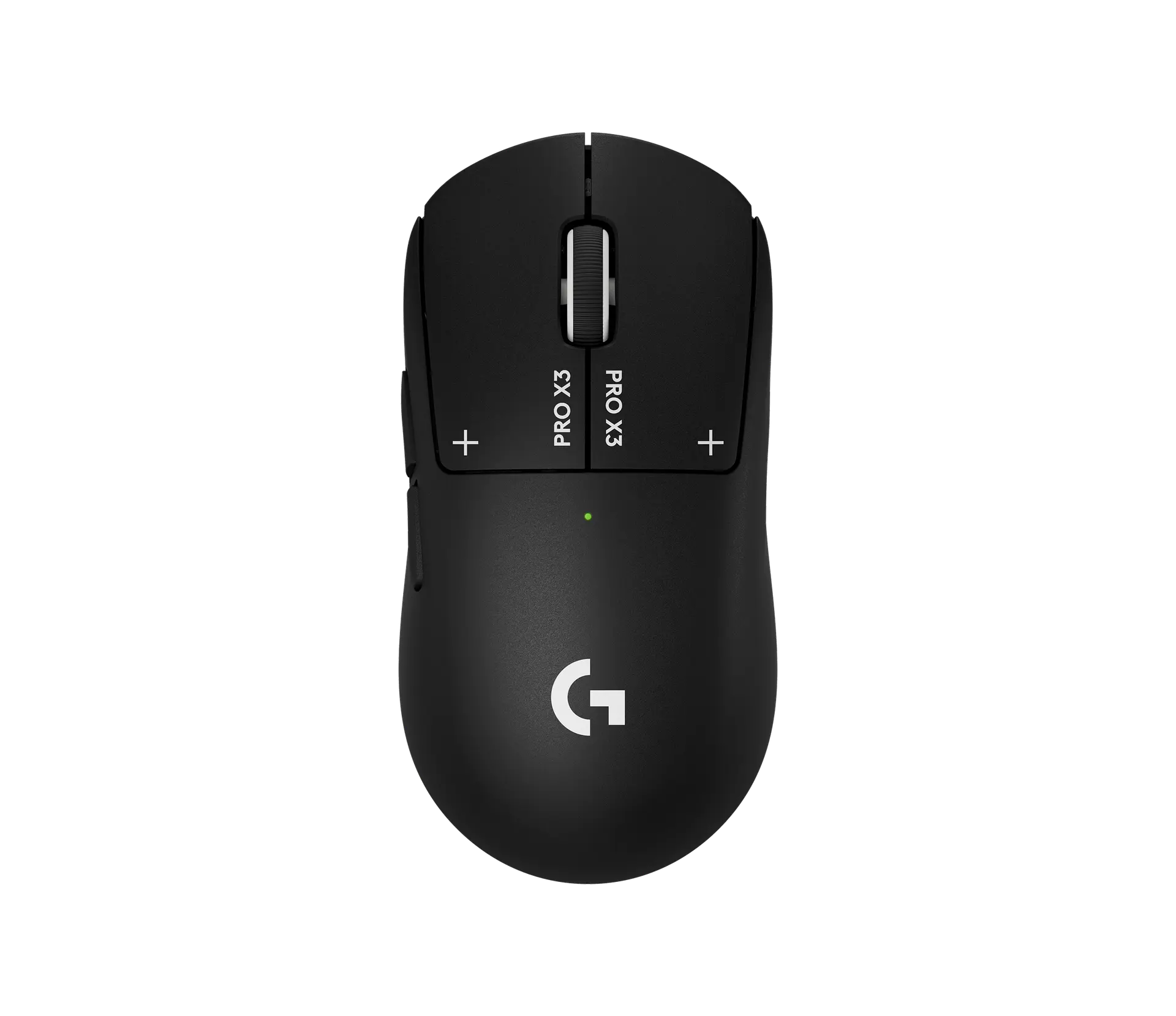
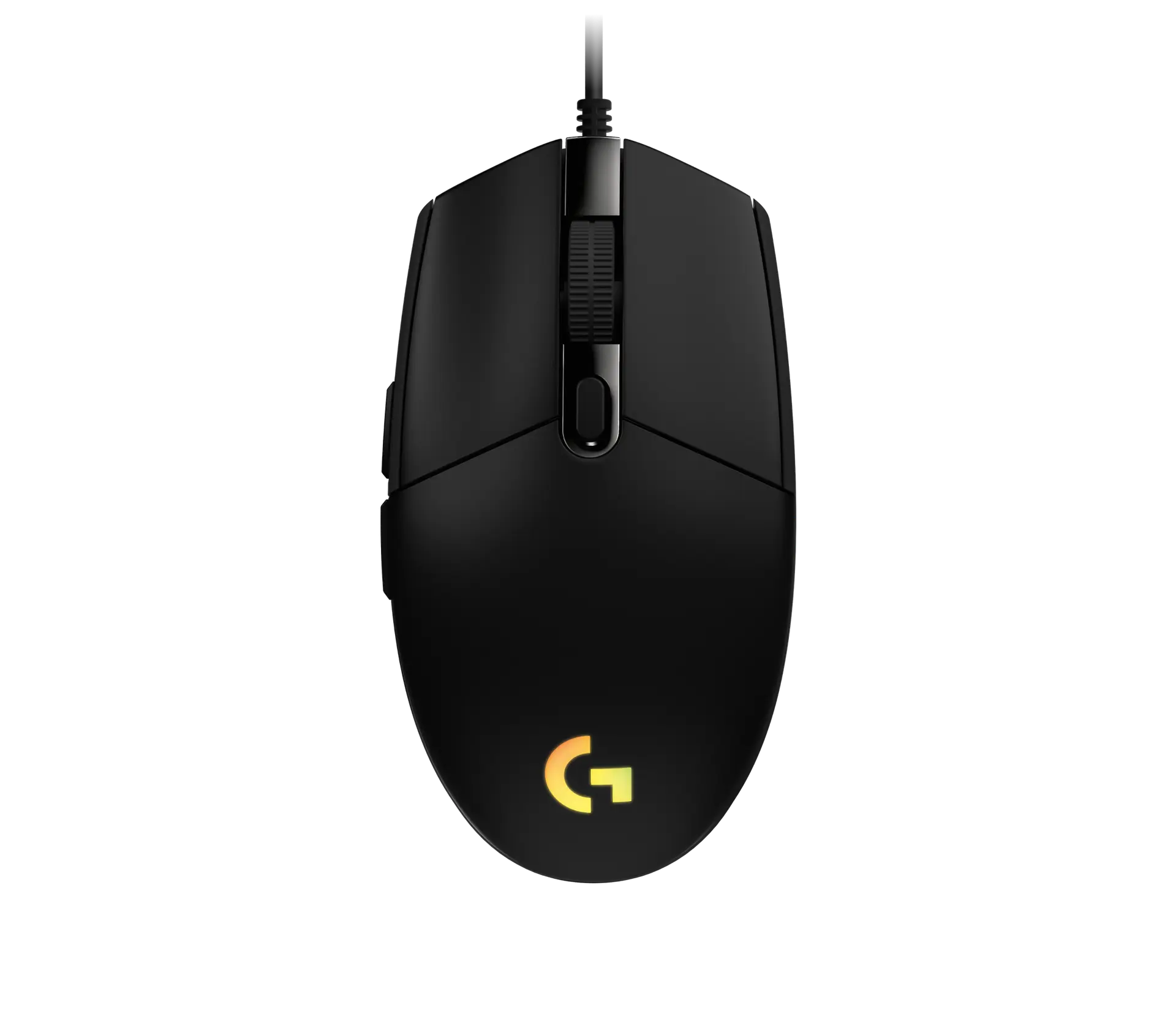
Logitech PRO X3 SUPERSTRIKE wireless gaming mouse in Midnight Black, top view showing the PRO X3 labels on the main buttons, green status light and G logo
Exact model & source notes

The Logitech PRO X3 SUPERSTRIKE keeps the inductive, haptic main-button system of the PRO X2 SUPERSTRIKE and adds a new NxLOGI chipset, a HERO 2 48K sensor, 8 kHz reporting both wirelessly and wired, and a stated 61 g UK weight.

Specifications checked 27 Sept 2026.

Amazon links open search results. Check the exact variant, current price and availability with the retailer.

Manufacturer specifications

WHICH SUITS YOU?

Choose the Logitech PRO X3 SUPERSTRIKE for

  • Higher stated maximum report rate (LIGHTSPEED): 8,000 Hz vs 1,000 Hz

Choose the ASUS ROG Keris II Origin for

  • More stated listed controls: 6 vs 5
Built from verified specifications that differ. Not a rating or a recommendation.
See the 12 verified differences
THE CONTENDER

ASUS ROG Keris II Origin

Black · P722 · UK manufacturer configuration

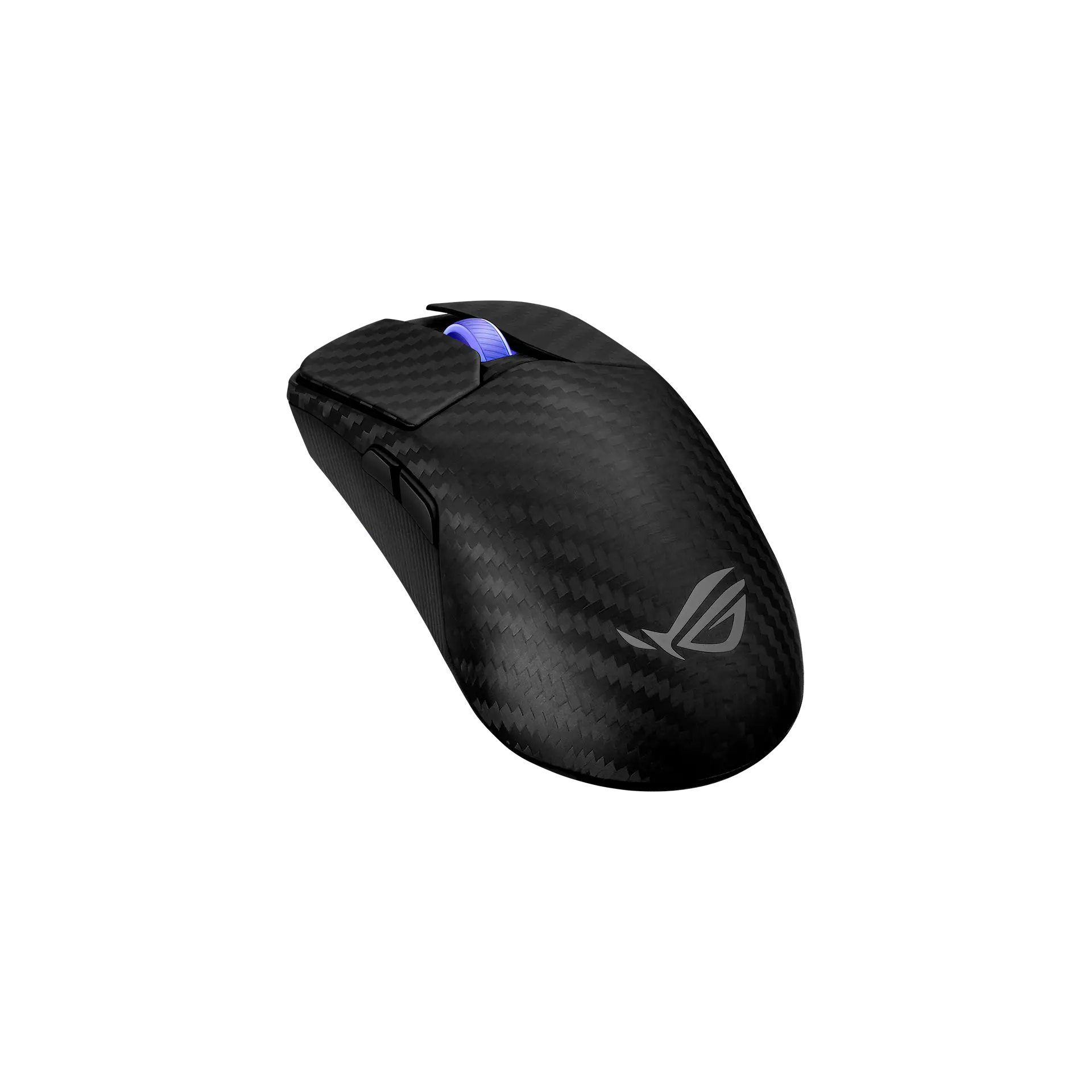
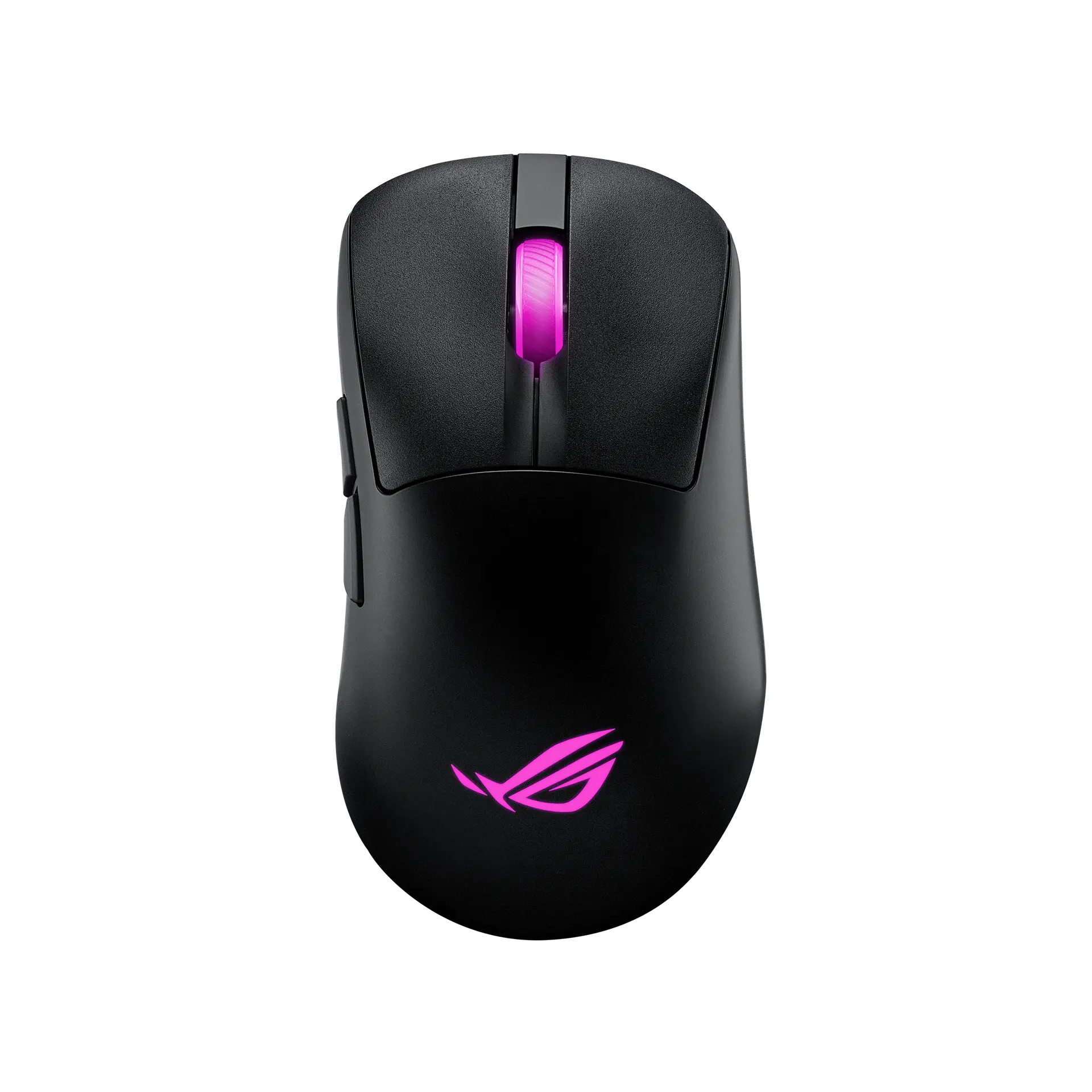
ASUS ROG Keris II Origin wireless mouse in black, top view showing the magenta-lit scroll wheel and ROG logo and the left side buttons
Exact model & source notes

The ROG Keris II Origin is ASUS's 65 g right-handed ergonomic wireless mouse with 3-zone RGB lighting, the 42,000 DPI ROG AimPoint Pro sensor, swappable ROG Micro Switches II and tri-mode connectivity.

Specifications checked 27 Sept 2026.

Amazon links open search results. Check the exact variant, current price and availability with the retailer.

Manufacturer specifications

Logitech PRO X3 SUPERSTRIKE UK & US retailers

UK & US price history: no verified listing yet

ASUS ROG Keris II Origin UK & US retailers

UK & US price history: no verified listing yet

Search links open retailer results, not a matched listing; eBay listings are checked daily. As an Amazon Associate I earn from qualifying purchases. As an eBay Partner, we may be compensated if you make a purchase.

THE DIFFERENCES, MADE VISIBLE

Visual facts

Differences first. Select a topic for its graphic, sources and conditions.

How to read this comparison
  • Manufacturer facts for the exact models shown. Not a quality rating or a test result.
  • “Different” means the known values differ, not that one is better.
  • Missing or conflicting evidence is marked and never counts as a difference. Source chips hold each fact’s sources and conditions.
SPECIFICATIONS SIDE BY SIDE7 topics
SELECTED TOPIC
01 / 07

Connections

Check the exact configuration and source conditions for your use.

Logitech PRO X3 SUPERSTRIKELIGHTSPEED 2 wireless (USB receiver) or wired USB-C

Manufacturer specification · Logitech lists LIGHTSPEED 2 wireless with a USB receiver in an extension adapter and a wired USB-C mode; no Bluetooth is listed.

ASUS ROG Keris II Origin2.4 GHz RF wireless (ROG Omni Receiver), Bluetooth 5.1 or wired USB 2.0 (USB-C to USB-A ROG Paracord)

Manufacturer specification · ASUS lists 2.4GHz RF, Bluetooth and wired USB, with a bundled ROG Omni Receiver. ASUS's quick start guide describes pairing Bluetooth mode to additional host devices (max. 3).

Explore the full specifications

Choose the grip, then check the connection. Left-side thumb controls are not a mirrored left-handed layout. Check the receiver or USB connection, battery requirements and your preferred shape. DPI is tracking resolution, not an accuracy score; no gaming winner is inferred.

WHAT CHANGES BETWEEN THEM?

Key differences

Full specifications ↓

12 verified differences, most decision-relevant first. 6 are also drawn in Visual facts above. Missing information stays separate.

Connections

In Visual facts
Logitech PRO X3 SUPERSTRIKELIGHTSPEED 2 wireless (USB receiver) or wired USB-C
ASUS ROG Keris II Origin2.4 GHz RF wireless (ROG Omni Receiver), Bluetooth 5.1 or wired USB 2.0 (USB-C to USB-A ROG Paracord)
Sources
Logitech PRO X3 SUPERSTRIKE

Manufacturer specification · Logitech lists LIGHTSPEED 2 wireless with a USB receiver in an extension adapter and a wired USB-C mode; no Bluetooth is listed.

Logitech G PRO X3 SUPERSTRIKE — Logitech G UK product pageLogitech G PRO X3 SUPERSTRIKE — Logitech G US product pageSpecification - PRO X3 SUPERSTRIKE — Logitech Support
ASUS ROG Keris II Origin

Manufacturer specification · ASUS lists 2.4GHz RF, Bluetooth and wired USB, with a bundled ROG Omni Receiver. ASUS's quick start guide describes pairing Bluetooth mode to additional host devices (max. 3).

ROG Keris II Origin Gaming Mouse — ASUS ROG UK tech specsROG Keris II Origin Gaming Mouse — ASUS ROG UK product overview and footnotesROG Keris II Origin Gaming Mouse — ASUS ROG USA tech specsROG Keris II Origin Quick Start Guide Q26018, first edition March 2025 — ASUS download PDF

Check the exact configuration and source conditions for your use.

Sensor model / type

In Visual facts
Logitech PRO X3 SUPERSTRIKEHERO 2 48K
ASUS ROG Keris II OriginROG AimPoint Pro optical sensor
Sources
Logitech PRO X3 SUPERSTRIKE

Manufacturer specification · Logitech's support specification names the optical sensor HERO 2 48K; the product pages name it HERO 2 with a tracking resolution of 100 – 48,000 DPI (feature copy: up to 48,000 DPI).

Logitech G PRO X3 SUPERSTRIKE — Logitech G UK product pageLogitech G PRO X3 SUPERSTRIKE — Logitech G US product pageSpecification - PRO X3 SUPERSTRIKE — Logitech Support
ASUS ROG Keris II Origin

Manufacturer specification · ASUS's sensor name, with track-on-glass technology. The supplier is not stated.

ROG Keris II Origin Gaming Mouse — ASUS ROG UK product overview and footnotes

Sensor settings and manufacturer tracking limits describe capabilities, not independently measured accuracy or gaming performance. Preserve each test surface and software condition.

Listed controls

In Visual facts
Logitech PRO X3 SUPERSTRIKE5
ASUS ROG Keris II Origin6
Sources
Logitech PRO X3 SUPERSTRIKE

Manufacturer specification · Logitech's product pages list 5 buttons; the setup guide's Mouse features list names them: Left Click, Right Click, Middle Click/Scroll, Browser Forward and Browser Back.

Logitech G PRO X3 SUPERSTRIKE — Logitech G UK product pageLogitech G PRO X3 SUPERSTRIKE — Logitech G US product pagePRO X3 SUPERSTRIKE Setup Guide (Americas edition, English section) — Logitech download PDF
ASUS ROG Keris II Origin

ASUS's web pages give no button count. Versus counts the buttons labelled in the quick start guide's "Mouse features" diagram (left-click, right-click, forward, backward and DPI) plus the scroll-wheel click, which the guide uses in its key combinations. The separately labelled pairing button, a connection control, is not counted. · Calculated from cited specifications

ROG Keris II Origin Quick Start Guide Q26018, first edition March 2025 — ASUS download PDF

Physical clicks, programmable wheel actions and optional side buttons can produce different counts. Read each configuration; a larger count does not establish better control or programmability.

Hand orientation

In Visual facts
Logitech PRO X3 SUPERSTRIKESide buttons on the left only; Logitech does not state a hand orientation
ASUS ROG Keris II OriginRight-handed ergonomic shape; side buttons on the left
Sources
Logitech PRO X3 SUPERSTRIKE

Manufacturer specification · The setup guide lists Browser Forward and Browser Back side buttons; the official left and right profile views on Logitech's product page show them on the left side only. Not a grip or comfort test.

PRO X3 SUPERSTRIKE Setup Guide (Americas edition, English section) — Logitech download PDF
ASUS ROG Keris II Origin

Manufacturer specification · ASUS files the model under Ergonomic Right-Handed mice and describes a right-side ring-finger ledge; the official views show the side buttons on the left. Not a grip or comfort test.

ROG Keris II Origin Gaming Mouse — ASUS ROG UK tech specsROG Keris II Origin Gaming Mouse — ASUS ROG UK product overview and footnotes

Check the exact configuration and source conditions for your use.

Main button switches

In Visual facts
Logitech PRO X3 SUPERSTRIKEHaptic Inductive Trigger System (HITS)
ASUS ROG Keris II OriginROG Micro Switch II in ROG Push-Fit Switch Socket II
Sources
Logitech PRO X3 SUPERSTRIKE

Manufacturer specification · Logitech says HITS replaces traditional microswitches. For both main keys it offers 10 actuation points, 5 rapid-trigger reset points and six Click Haptics intensity options (the setup guide: ten actuation point steps, five rapid trigger steps and six strength values including 0 (OFF)), set in G HUB.

Logitech G PRO X3 SUPERSTRIKE — Logitech G UK product pageLogitech G PRO X3 SUPERSTRIKE — Logitech G US product pageSpecification - PRO X3 SUPERSTRIKE — Logitech SupportPRO X3 SUPERSTRIKE Setup Guide (Americas edition, English section) — Logitech download PDF
ASUS ROG Keris II Origin

Manufacturer specification · ASUS says the sockets accept 3-pin mechanical and 5-pin optical switches; two spare ROG Micro Switches II and a switch clip are in the box.

ROG Keris II Origin Gaming Mouse — ASUS ROG UK tech specsROG Keris II Origin Gaming Mouse — ASUS ROG UK product overview and footnotesROG Keris II Origin Gaming Mouse — ASUS ROG USA tech specs

Switch actuation and button tensioning describe different parts of a click mechanism. Read the documented technology; its name alone does not establish latency, durability or feel.

Maximum report rate (LIGHTSPEED)

In Visual facts
Logitech PRO X3 SUPERSTRIKE8000 Hz
ASUS ROG Keris II Origin1000 Hz
Sources
Logitech PRO X3 SUPERSTRIKE

Manufacturer specification · Logitech lists 8000 Hz (0.125 ms) over LIGHTSPEED with the supplied receiver; report rate is set in G HUB.

Logitech G PRO X3 SUPERSTRIKE — Logitech G UK product pageLogitech G PRO X3 SUPERSTRIKE — Logitech G US product pageSpecification - PRO X3 SUPERSTRIKE — Logitech Support
ASUS ROG Keris II Origin

Manufacturer specification · The quick start guide's polling-rate options without the booster stop at 1000 Hz (500 and 1000 Hz not supported over Bluetooth); 2000 Hz and above need the ROG Polling Rate Booster.

ROG Keris II Origin Quick Start Guide Q26018, first edition March 2025 — ASUS download PDF

Check the connection and receiver: supplied, wired and optional-accessory limits can differ. Report frequency is not measured click latency, and maximum battery life may use another setting.

Show 6 more verified differences

Customisation software

Logitech PRO X3 SUPERSTRIKELogitech G HUB
ASUS ROG Keris II OriginArmoury Crate; Gear Link (web browser)
Sources
ASUS ROG Keris II Origin

Manufacturer specification · ASUS lists Armoury Crate in the specification table and promotes browser-based setup with Gear Link on the overview.

ROG Keris II Origin Gaming Mouse — ASUS ROG UK tech specsROG Keris II Origin Gaming Mouse — ASUS ROG UK product overview and footnotes

Stored profiles, sensitivity settings and software assignments are different capabilities. An unspecified profile count is not zero; check the software and firmware conditions.

Battery

Logitech PRO X3 SUPERSTRIKERechargeable; about 135 hours of constant motion
ASUS ROG Keris II Origin2.4 GHz RF: up to 127 hours (lighting off) or 82 hours (default lighting); Bluetooth: up to 192 hours (lighting off) or 91 hours (default lighting)
Sources
Logitech PRO X3 SUPERSTRIKE

Manufacturer specification · Logitech's constant-motion rating (the product page says 135+ hours); battery capacity and test settings are not stated.

Logitech G PRO X3 SUPERSTRIKE — Logitech G UK product pageSpecification - PRO X3 SUPERSTRIKE — Logitech Support
ASUS ROG Keris II Origin

Manufacturer specification · ASUS rates the 2.4 GHz RF figures at a 1000 Hz polling rate. Its overview footnote gives the Bluetooth figures at 1000 Hz as well, but ASUS's quick start guide marks 500 Hz and 1000 Hz as not supported over Bluetooth, so the polling rate behind the Bluetooth figures is unresolved.

ROG Keris II Origin Gaming Mouse — ASUS ROG UK product overview and footnotesROG Keris II Origin Quick Start Guide Q26018, first edition March 2025 — ASUS download PDF

Manufacturer claims for the stated mode and equipment. Read each test condition; this is not measured everyday battery life.

Listed package

Logitech PRO X3 SUPERSTRIKEMouse; USB-A to USB-C charging/data cable; USB LIGHTSPEED adapter; receiver extension adapter; optional grip tape; optional aperture door with PTFE foot; cleaning cloth; user manual
ASUS ROG Keris II OriginMouse; wireless receiver; USB dongle extender; micro-switch clip; 2 ROG Micro Switches II; mouse grip tape set; 2 replaceable mouse feet; 2-metre ROG Paracord; warranty booklet; quick start guide; ROG sticker; thank-you card
Sources
Logitech PRO X3 SUPERSTRIKE

Manufacturer specification · Manufacturer box contents. Check the seller's listing.

Specification - PRO X3 SUPERSTRIKE — Logitech Support
ASUS ROG Keris II Origin

Manufacturer specification · Manufacturer box contents; the ROG Polling Rate Booster is not included. ASUS says grip tape and mouse feet are consumables not covered by warranty. Check the seller's listing.

ROG Keris II Origin Gaming Mouse — ASUS ROG UK tech specsROG Keris II Origin Gaming Mouse — ASUS ROG UK product overview and footnotesROG Keris II Origin Gaming Mouse — ASUS ROG USA tech specs

Check the exact configuration and source conditions for your use.

Maximum tracking resolution

Logitech PRO X3 SUPERSTRIKE48000 DPI
ASUS ROG Keris II Origin42000 DPI
Sources
Logitech PRO X3 SUPERSTRIKE

Manufacturer specification · Logitech's figure; DPI is set in G HUB.

Specification - PRO X3 SUPERSTRIKE — Logitech Support

Sensor settings and manufacturer tracking limits describe capabilities, not independently measured accuracy or gaming performance. Preserve each test surface and software condition.

Dimensions

Logitech PRO X3 SUPERSTRIKE125 × 63.5 × 40 mm (length × width × height)
ASUS ROG Keris II Origin121 × 67 × 42 mm (length × width × height)
Sources
Logitech PRO X3 SUPERSTRIKE

Manufacturer specification · Logitech lists height 125 mm, width 63.5 mm and depth 40 mm; as in other Logitech records in this catalogue, Logitech's height is the front-to-back length and its depth is the mouse's height.

Specification - PRO X3 SUPERSTRIKE — Logitech Support
ASUS ROG Keris II Origin

Manufacturer specification · Mouse body as listed by ASUS.

ROG Keris II Origin Gaming Mouse — ASUS ROG UK tech specsROG Keris II Origin Gaming Mouse — ASUS ROG USA tech specs

A size or weight trade-off; it does not establish the better product.

Small physical differences (1)
Configuration & compatibility details (1)

Listed compatibility

Logitech PRO X3 SUPERSTRIKEWindows 10, Windows 11 or later; Windows or macOS with a USB 2.0 (or higher) port
ASUS ROG Keris II OriginWindows 10; Windows 11
Sources
Logitech PRO X3 SUPERSTRIKE

Manufacturer specification · Logitech's OS support line, transcribed as listed; it ends with "(Optional)" without explanation.

Specification - PRO X3 SUPERSTRIKE — Logitech Support

These descriptions or measurements differ. Wording alone does not establish a different capability; check the exact configuration.

Missing or non-comparable evidence (16)

On-mouse adjustments

Logitech PRO X3 SUPERSTRIKENot verified
ASUS ROG Keris II OriginDPI On-The-Scroll; polling rate; lift-off distance (Low / High); hardware reset
Sources
Logitech PRO X3 SUPERSTRIKE

No source recorded for this side.

Evidence is missing or conflicting on at least one side. This is not a verified difference.

Maximum report rate (wired)

Logitech PRO X3 SUPERSTRIKE8000 Hz
ASUS ROG Keris II OriginNot verified
Sources
ASUS ROG Keris II Origin

No source recorded for this side.

Evidence is missing or conflicting on at least one side. This is not a verified difference.

Maximum report rate with optional accessory

Logitech PRO X3 SUPERSTRIKENot verified
ASUS ROG Keris II Origin8000 Hz
Sources
Logitech PRO X3 SUPERSTRIKE

No source recorded for this side.

ASUS ROG Keris II Origin

Manufacturer specification · With the ROG Polling Rate Booster, which ASUS says is sold separately and not included; ASUS lists 8000 Hz for both USB and 2.4 GHz RF with the booster.

ROG Keris II Origin Gaming Mouse — ASUS ROG UK tech specsROG Keris II Origin Gaming Mouse — ASUS ROG UK product overview and footnotesROG Keris II Origin Gaming Mouse — ASUS ROG USA tech specsROG Keris II Origin Quick Start Guide Q26018, first edition March 2025 — ASUS download PDF

Evidence is missing or conflicting on at least one side. This is not a verified difference.

Onboard profile capacity

Logitech PRO X3 SUPERSTRIKENot verified
ASUS ROG Keris II Origin5 profiles
Sources
Logitech PRO X3 SUPERSTRIKE

No source recorded for this side.

ASUS ROG Keris II Origin

Manufacturer specification · Profiles 1–5 cycled with a hotkey, per the quick start guide.

ROG Keris II Origin Quick Start Guide Q26018, first edition March 2025 — ASUS download PDF

Evidence is missing or conflicting on at least one side. This is not a verified difference.

Wireless charging support

Logitech PRO X3 SUPERSTRIKELogitech POWERPLAY
ASUS ROG Keris II OriginNot verified
Sources
Logitech PRO X3 SUPERSTRIKE

Manufacturer specification · Needs a POWERPLAY charging system, sold separately; a POWERPLAY aperture door is in the box. Generation-2 compatibility is not stated on these pages.

Logitech G PRO X3 SUPERSTRIKE — Logitech G UK product pageLogitech G PRO X3 SUPERSTRIKE — Logitech G US product page
ASUS ROG Keris II Origin

No source recorded for this side.

Evidence is missing or conflicting on at least one side. This is not a verified difference.

Lighting

Logitech PRO X3 SUPERSTRIKENot verified
ASUS ROG Keris II Origin3-zone RGB: ROG logo, scroll wheel and side markings (Aura Sync)
Sources
Logitech PRO X3 SUPERSTRIKE

No source recorded for this side.

ASUS ROG Keris II Origin

Manufacturer specification · Each zone is individually programmable; pre-cut grip tape lets the lighting show through, per ASUS.

ROG Keris II Origin Gaming Mouse — ASUS ROG UK tech specsROG Keris II Origin Gaming Mouse — ASUS ROG UK product overview and footnotesROG Keris II Origin Gaming Mouse — ASUS ROG USA tech specs

Evidence is missing or conflicting on at least one side. This is not a verified difference.

Cable length

Logitech PRO X3 SUPERSTRIKE1.8 m USB-A to USB-C
ASUS ROG Keris II Origin2 m
Sources
Logitech PRO X3 SUPERSTRIKE

Manufacturer specification · Charging/data cable, per Logitech.

Specification - PRO X3 SUPERSTRIKE — Logitech Support
ASUS ROG Keris II Origin

Manufacturer specification · Included ROG Paracord (USB Type-C to Type-A).

ROG Keris II Origin Gaming Mouse — ASUS ROG UK tech specsROG Keris II Origin Gaming Mouse — ASUS ROG USA tech specs

The recorded units or formats differ. These values are not ranked.

Charging

Logitech PRO X3 SUPERSTRIKEUSB-C, or POWERPLAY wireless charging (sold separately)
ASUS ROG Keris II OriginNot verified
Sources
Logitech PRO X3 SUPERSTRIKE

Manufacturer specification · POWERPLAY requires the separately sold charging system; an optional aperture door is included.

Logitech G PRO X3 SUPERSTRIKE — Logitech G UK product pageLogitech G PRO X3 SUPERSTRIKE — Logitech G US product page
ASUS ROG Keris II Origin

No source recorded for this side.

Evidence is missing or conflicting on at least one side. This is not a verified difference.

DPI presets

Logitech PRO X3 SUPERSTRIKENot verified
ASUS ROG Keris II Origin4 settings
Sources
Logitech PRO X3 SUPERSTRIKE

No source recorded for this side.

ASUS ROG Keris II Origin

Manufacturer specification · DPI 1–4 default to 400 / 800 / 1600 (default) / 3200 DPI and can be customised in Armoury Crate or with DPI On-The-Scroll.

ROG Keris II Origin Quick Start Guide Q26018, first edition March 2025 — ASUS download PDF

Evidence is missing or conflicting on at least one side. This is not a verified difference.

Button surface

Logitech PRO X3 SUPERSTRIKENot verified
ASUS ROG Keris II OriginPBT
Sources
Logitech PRO X3 SUPERSTRIKE

No source recorded for this side.

ASUS ROG Keris II Origin

Manufacturer specification · ASUS says the buttons have a durable PBT surface.

ROG Keris II Origin Gaming Mouse — ASUS ROG UK product overview and footnotes

Evidence is missing or conflicting on at least one side. This is not a verified difference.

ROG Omni Receiver support

Logitech PRO X3 SUPERSTRIKENot verified
ASUS ROG Keris II OriginYes
Sources
Logitech PRO X3 SUPERSTRIKE

No source recorded for this side.

ASUS ROG Keris II Origin

Manufacturer specification · ASUS says the bundled Omni Receiver supports multiple-device wireless connections with a single receiver.

ROG Keris II Origin Gaming Mouse — ASUS ROG UK product overview and footnotes

Evidence is missing or conflicting on at least one side. This is not a verified difference.

Claimed main-switch durability

Logitech PRO X3 SUPERSTRIKENot verified
ASUS ROG Keris II Origin100 million clicks
Sources
Logitech PRO X3 SUPERSTRIKE

No source recorded for this side.

ASUS ROG Keris II Origin

Manufacturer specification · ASUS's lifespan rating for the ROG Micro Switch II.

ROG Keris II Origin Gaming Mouse — ASUS ROG UK product overview and footnotes

Evidence is missing or conflicting on at least one side. This is not a verified difference.

Published maximum acceleration

Logitech PRO X3 SUPERSTRIKEGreater than 90 G
ASUS ROG Keris II OriginNot verified
Sources
Logitech PRO X3 SUPERSTRIKE

Manufacturer specification · Tested by Logitech on a G640 Gaming Mouse Pad (product pages); Logitech's support table lists 90 G without the 'greater than' qualifier.

Logitech G PRO X3 SUPERSTRIKE — Logitech G UK product pageLogitech G PRO X3 SUPERSTRIKE — Logitech G US product pageSpecification - PRO X3 SUPERSTRIKE — Logitech Support
ASUS ROG Keris II Origin

No source recorded for this side.

Evidence is missing or conflicting on at least one side. This is not a verified difference.

Published tracking speed

Logitech PRO X3 SUPERSTRIKEGreater than 930 IPS
ASUS ROG Keris II OriginNot verified
Sources
Logitech PRO X3 SUPERSTRIKE

Manufacturer specification · Tested by Logitech on a G640 Gaming Mouse Pad (product pages); Logitech's support table lists 930 IPS without the 'greater than' qualifier.

Logitech G PRO X3 SUPERSTRIKE — Logitech G UK product pageLogitech G PRO X3 SUPERSTRIKE — Logitech G US product pageSpecification - PRO X3 SUPERSTRIKE — Logitech Support
ASUS ROG Keris II Origin

No source recorded for this side.

Evidence is missing or conflicting on at least one side. This is not a verified difference.

Weight

Logitech PRO X3 SUPERSTRIKE61 g
ASUS ROG Keris II Origin65 g
Sources
Logitech PRO X3 SUPERSTRIKE

Manufacturer specification · The UK product page states 61 g; Logitech's support table lists 61 g (EU) and 59 g (Global), and the US page states 59 g (2.08 oz). Logitech does not explain the regional difference or state a cable basis.

Logitech G PRO X3 SUPERSTRIKE — Logitech G UK product pageLogitech G PRO X3 SUPERSTRIKE — Logitech G US product pageSpecification - PRO X3 SUPERSTRIKE — Logitech Support
ASUS ROG Keris II Origin

Manufacturer specification · ASUS states a 65-gram design without stating whether the cable or receiver is included; the spec table has no weight row.

ROG Keris II Origin Gaming Mouse — ASUS ROG UK product overview and footnotes

The manufacturer sources do not establish the same cable weighing basis. Both published masses remain visible with their conditions, but are not ranked.

2 shared fields have the same recorded value.

WHAT EACH CHOICE ASKS OF YOU

What it brings and what to check

Logitech PRO X3 SUPERSTRIKE

What it brings

  • Logitech lists 8000 Hz reporting over both LIGHTSPEED and the USB-C cable, with 100 to 48,000 DPI, 930 IPS and 90 G sensor ratings.
  • Rated battery life is about 135 hours of constant motion, which Logitech says is 45 hours more per charge than the PRO X2 SUPERSTRIKE; it also charges from USB-C or a separately sold POWERPLAY system.

What to check

ASUS ROG Keris II Origin

What it brings

  • Push-Fit Switch Socket II takes 3-pin mechanical and 5-pin optical switches, and two spare ROG Micro Switches II come in the box.
  • ASUS rates the battery at up to 127 hours on 2.4 GHz at 1000 Hz and up to 192 hours on Bluetooth, both with lighting off, and lists five onboard profiles and individually programmable 3-zone RGB.

What to check

COMPARE THE DETAILS

Full specifications

How we verify
32 of 32 specifications Sources in each row
Source-backed specifications for Logitech PRO X3 SUPERSTRIKE and ASUS ROG Keris II Origin
SpecificationLogitech PRO X3 SUPERSTRIKEASUS ROG Keris II Origin
WeightDifferent
Sources
Logitech PRO X3 SUPERSTRIKE

Manufacturer specification · The UK product page states 61 g; Logitech's support table lists 61 g (EU) and 59 g (Global), and the US page states 59 g (2.08 oz). Logitech does not explain the regional difference or state a cable basis.

Logitech G PRO X3 SUPERSTRIKE — Logitech G UK product pageLogitech G PRO X3 SUPERSTRIKE — Logitech G US product pageSpecification - PRO X3 SUPERSTRIKE — Logitech Support
ASUS ROG Keris II Origin

Manufacturer specification · ASUS states a 65-gram design without stating whether the cable or receiver is included; the spec table has no weight row.

ROG Keris II Origin Gaming Mouse — ASUS ROG UK product overview and footnotes
61 g65 g
DimensionsDifferent
Sources
Logitech PRO X3 SUPERSTRIKE

Manufacturer specification · Logitech lists height 125 mm, width 63.5 mm and depth 40 mm; as in other Logitech records in this catalogue, Logitech's height is the front-to-back length and its depth is the mouse's height.

Specification - PRO X3 SUPERSTRIKE — Logitech Support
ASUS ROG Keris II Origin

Manufacturer specification · Mouse body as listed by ASUS.

ROG Keris II Origin Gaming Mouse — ASUS ROG UK tech specsROG Keris II Origin Gaming Mouse — ASUS ROG USA tech specs
125 × 63.5 × 40 mm (length × width × height)121 × 67 × 42 mm (length × width × height)
Body lengthDifferent
Sources
Logitech PRO X3 SUPERSTRIKE

Manufacturer specification · Logitech's listed height (front-to-back in its top-view convention).

Specification - PRO X3 SUPERSTRIKE — Logitech Support
ASUS ROG Keris II Origin

Manufacturer specification

ROG Keris II Origin Gaming Mouse — ASUS ROG UK tech specs
125 mm121 mm
Body widthDifferent
Sources
Logitech PRO X3 SUPERSTRIKE

Manufacturer specification · Overall width, not grip width.

Specification - PRO X3 SUPERSTRIKE — Logitech Support
ASUS ROG Keris II Origin

Manufacturer specification · ASUS's listed width; ASUS does not state the measurement basis.

ROG Keris II Origin Gaming Mouse — ASUS ROG UK tech specs
63.5 mm67 mm
Hand orientationDifferent
Sources
Logitech PRO X3 SUPERSTRIKE

Manufacturer specification · The setup guide lists Browser Forward and Browser Back side buttons; the official left and right profile views on Logitech's product page show them on the left side only. Not a grip or comfort test.

PRO X3 SUPERSTRIKE Setup Guide (Americas edition, English section) — Logitech download PDF
ASUS ROG Keris II Origin

Manufacturer specification · ASUS files the model under Ergonomic Right-Handed mice and describes a right-side ring-finger ledge; the official views show the side buttons on the left. Not a grip or comfort test.

ROG Keris II Origin Gaming Mouse — ASUS ROG UK tech specsROG Keris II Origin Gaming Mouse — ASUS ROG UK product overview and footnotes
Side buttons on the left only; Logitech does not state a hand orientationRight-handed ergonomic shape; side buttons on the left
Glide feet
Sources
Logitech PRO X3 SUPERSTRIKE

No source recorded.

Not provided100% PTFE; 2 replaceable mouse feet included
Sensor model / typeDifferent
Sources
Logitech PRO X3 SUPERSTRIKE

Manufacturer specification · Logitech's support specification names the optical sensor HERO 2 48K; the product pages name it HERO 2 with a tracking resolution of 100 – 48,000 DPI (feature copy: up to 48,000 DPI).

Logitech G PRO X3 SUPERSTRIKE — Logitech G UK product pageLogitech G PRO X3 SUPERSTRIKE — Logitech G US product pageSpecification - PRO X3 SUPERSTRIKE — Logitech Support
ASUS ROG Keris II Origin

Manufacturer specification · ASUS's sensor name, with track-on-glass technology. The supplier is not stated.

ROG Keris II Origin Gaming Mouse — ASUS ROG UK product overview and footnotes
HERO 2 48KROG AimPoint Pro optical sensor
Maximum tracking resolutionDifferent
Sources
48000 DPI42000 DPI
Minimum sensitivity
Sources
Logitech PRO X3 SUPERSTRIKE

Manufacturer specification · Logitech's listed minimum.

Specification - PRO X3 SUPERSTRIKE — Logitech Support
ASUS ROG Keris II Origin

Manufacturer specification · ASUS's quick start guide gives the resolution as 100 DPI to 42000 DPI.

ROG Keris II Origin Quick Start Guide Q26018, first edition March 2025 — ASUS download PDF
100 DPI100 DPI
Maximum report rate (LIGHTSPEED)Different
Sources
Logitech PRO X3 SUPERSTRIKE

Manufacturer specification · Logitech lists 8000 Hz (0.125 ms) over LIGHTSPEED with the supplied receiver; report rate is set in G HUB.

Logitech G PRO X3 SUPERSTRIKE — Logitech G UK product pageLogitech G PRO X3 SUPERSTRIKE — Logitech G US product pageSpecification - PRO X3 SUPERSTRIKE — Logitech Support
ASUS ROG Keris II Origin

Manufacturer specification · The quick start guide's polling-rate options without the booster stop at 1000 Hz (500 and 1000 Hz not supported over Bluetooth); 2000 Hz and above need the ROG Polling Rate Booster.

ROG Keris II Origin Quick Start Guide Q26018, first edition March 2025 — ASUS download PDF
8000 Hz1000 Hz
Maximum report rate (wired)
Sources
ASUS ROG Keris II Origin

No source recorded.

8000 HzNot provided
Published tracking speed
Sources
Logitech PRO X3 SUPERSTRIKE

Manufacturer specification · Tested by Logitech on a G640 Gaming Mouse Pad (product pages); Logitech's support table lists 930 IPS without the 'greater than' qualifier.

Logitech G PRO X3 SUPERSTRIKE — Logitech G UK product pageLogitech G PRO X3 SUPERSTRIKE — Logitech G US product pageSpecification - PRO X3 SUPERSTRIKE — Logitech Support
ASUS ROG Keris II Origin

No source recorded.

Greater than 930 IPSNot provided
Published maximum acceleration
Sources
Logitech PRO X3 SUPERSTRIKE

Manufacturer specification · Tested by Logitech on a G640 Gaming Mouse Pad (product pages); Logitech's support table lists 90 G without the 'greater than' qualifier.

Logitech G PRO X3 SUPERSTRIKE — Logitech G UK product pageLogitech G PRO X3 SUPERSTRIKE — Logitech G US product pageSpecification - PRO X3 SUPERSTRIKE — Logitech Support
ASUS ROG Keris II Origin

No source recorded.

Greater than 90 GNot provided
DPI presets
Sources
Logitech PRO X3 SUPERSTRIKE

No source recorded.

ASUS ROG Keris II Origin

Manufacturer specification · DPI 1–4 default to 400 / 800 / 1600 (default) / 3200 DPI and can be customised in Armoury Crate or with DPI On-The-Scroll.

ROG Keris II Origin Quick Start Guide Q26018, first edition March 2025 — ASUS download PDF
Not provided4 settings
Maximum report rate with optional accessory
Sources
Logitech PRO X3 SUPERSTRIKE

No source recorded.

ASUS ROG Keris II Origin

Manufacturer specification · With the ROG Polling Rate Booster, which ASUS says is sold separately and not included; ASUS lists 8000 Hz for both USB and 2.4 GHz RF with the booster.

ROG Keris II Origin Gaming Mouse — ASUS ROG UK tech specsROG Keris II Origin Gaming Mouse — ASUS ROG UK product overview and footnotesROG Keris II Origin Gaming Mouse — ASUS ROG USA tech specsROG Keris II Origin Quick Start Guide Q26018, first edition March 2025 — ASUS download PDF
Not provided8000 Hz
On-mouse adjustments
Sources
Logitech PRO X3 SUPERSTRIKE

No source recorded.

Not providedDPI On-The-Scroll; polling rate; lift-off distance (Low / High); hardware reset
Listed controlsDifferent
Sources
Logitech PRO X3 SUPERSTRIKE

Manufacturer specification · Logitech's product pages list 5 buttons; the setup guide's Mouse features list names them: Left Click, Right Click, Middle Click/Scroll, Browser Forward and Browser Back.

Logitech G PRO X3 SUPERSTRIKE — Logitech G UK product pageLogitech G PRO X3 SUPERSTRIKE — Logitech G US product pagePRO X3 SUPERSTRIKE Setup Guide (Americas edition, English section) — Logitech download PDF
ASUS ROG Keris II Origin

ASUS's web pages give no button count. Versus counts the buttons labelled in the quick start guide's "Mouse features" diagram (left-click, right-click, forward, backward and DPI) plus the scroll-wheel click, which the guide uses in its key combinations. The separately labelled pairing button, a connection control, is not counted. · Calculated from cited specifications

ROG Keris II Origin Quick Start Guide Q26018, first edition March 2025 — ASUS download PDF
56
Main button switchesDifferent
Sources
Logitech PRO X3 SUPERSTRIKE

Manufacturer specification · Logitech says HITS replaces traditional microswitches. For both main keys it offers 10 actuation points, 5 rapid-trigger reset points and six Click Haptics intensity options (the setup guide: ten actuation point steps, five rapid trigger steps and six strength values including 0 (OFF)), set in G HUB.

Logitech G PRO X3 SUPERSTRIKE — Logitech G UK product pageLogitech G PRO X3 SUPERSTRIKE — Logitech G US product pageSpecification - PRO X3 SUPERSTRIKE — Logitech SupportPRO X3 SUPERSTRIKE Setup Guide (Americas edition, English section) — Logitech download PDF
ASUS ROG Keris II Origin

Manufacturer specification · ASUS says the sockets accept 3-pin mechanical and 5-pin optical switches; two spare ROG Micro Switches II and a switch clip are in the box.

ROG Keris II Origin Gaming Mouse — ASUS ROG UK tech specsROG Keris II Origin Gaming Mouse — ASUS ROG UK product overview and footnotesROG Keris II Origin Gaming Mouse — ASUS ROG USA tech specs
Haptic Inductive Trigger System (HITS)ROG Micro Switch II in ROG Push-Fit Switch Socket II
Claimed main-switch durability
Sources
Logitech PRO X3 SUPERSTRIKE

No source recorded.

ASUS ROG Keris II Origin

Manufacturer specification · ASUS's lifespan rating for the ROG Micro Switch II.

ROG Keris II Origin Gaming Mouse — ASUS ROG UK product overview and footnotes
Not provided100 million clicks
ConnectionsDifferent
Sources
Logitech PRO X3 SUPERSTRIKE

Manufacturer specification · Logitech lists LIGHTSPEED 2 wireless with a USB receiver in an extension adapter and a wired USB-C mode; no Bluetooth is listed.

Logitech G PRO X3 SUPERSTRIKE — Logitech G UK product pageLogitech G PRO X3 SUPERSTRIKE — Logitech G US product pageSpecification - PRO X3 SUPERSTRIKE — Logitech Support
ASUS ROG Keris II Origin

Manufacturer specification · ASUS lists 2.4GHz RF, Bluetooth and wired USB, with a bundled ROG Omni Receiver. ASUS's quick start guide describes pairing Bluetooth mode to additional host devices (max. 3).

ROG Keris II Origin Gaming Mouse — ASUS ROG UK tech specsROG Keris II Origin Gaming Mouse — ASUS ROG UK product overview and footnotesROG Keris II Origin Gaming Mouse — ASUS ROG USA tech specsROG Keris II Origin Quick Start Guide Q26018, first edition March 2025 — ASUS download PDF
LIGHTSPEED 2 wireless (USB receiver) or wired USB-C2.4 GHz RF wireless (ROG Omni Receiver), Bluetooth 5.1 or wired USB 2.0 (USB-C to USB-A ROG Paracord)
BatteryDifferent
Sources
Logitech PRO X3 SUPERSTRIKE

Manufacturer specification · Logitech's constant-motion rating (the product page says 135+ hours); battery capacity and test settings are not stated.

Logitech G PRO X3 SUPERSTRIKE — Logitech G UK product pageSpecification - PRO X3 SUPERSTRIKE — Logitech Support
ASUS ROG Keris II Origin

Manufacturer specification · ASUS rates the 2.4 GHz RF figures at a 1000 Hz polling rate. Its overview footnote gives the Bluetooth figures at 1000 Hz as well, but ASUS's quick start guide marks 500 Hz and 1000 Hz as not supported over Bluetooth, so the polling rate behind the Bluetooth figures is unresolved.

ROG Keris II Origin Gaming Mouse — ASUS ROG UK product overview and footnotesROG Keris II Origin Quick Start Guide Q26018, first edition March 2025 — ASUS download PDF
Rechargeable; about 135 hours of constant motion2.4 GHz RF: up to 127 hours (lighting off) or 82 hours (default lighting); Bluetooth: up to 192 hours (lighting off) or 91 hours (default lighting)
Charging
Sources
Logitech PRO X3 SUPERSTRIKE

Manufacturer specification · POWERPLAY requires the separately sold charging system; an optional aperture door is included.

Logitech G PRO X3 SUPERSTRIKE — Logitech G UK product pageLogitech G PRO X3 SUPERSTRIKE — Logitech G US product page
ASUS ROG Keris II Origin

No source recorded.

USB-C, or POWERPLAY wireless charging (sold separately)Not provided
Wireless charging support
Sources
Logitech PRO X3 SUPERSTRIKE

Manufacturer specification · Needs a POWERPLAY charging system, sold separately; a POWERPLAY aperture door is in the box. Generation-2 compatibility is not stated on these pages.

Logitech G PRO X3 SUPERSTRIKE — Logitech G UK product pageLogitech G PRO X3 SUPERSTRIKE — Logitech G US product page
ASUS ROG Keris II Origin

No source recorded.

Logitech POWERPLAYNot provided
Cable length
Sources
Logitech PRO X3 SUPERSTRIKE

Manufacturer specification · Charging/data cable, per Logitech.

Specification - PRO X3 SUPERSTRIKE — Logitech Support
ASUS ROG Keris II Origin

Manufacturer specification · Included ROG Paracord (USB Type-C to Type-A).

ROG Keris II Origin Gaming Mouse — ASUS ROG UK tech specsROG Keris II Origin Gaming Mouse — ASUS ROG USA tech specs
1.8 m USB-A to USB-C2 m
Onboard memory
Sources
Logitech PRO X3 SUPERSTRIKE

Manufacturer specification · Logitech says advanced features require G HUB; it does not state an onboard profile count.

Specification - PRO X3 SUPERSTRIKE — Logitech Support
ASUS ROG Keris II Origin

Manufacturer specification · The quick start guide describes switching between 5 onboard profiles; ASUS notes onboard memory does not support macros and Windows shortcuts.

ROG Keris II Origin Gaming Mouse — ASUS ROG UK product overview and footnotesROG Keris II Origin Quick Start Guide Q26018, first edition March 2025 — ASUS download PDF
YesYes
Customisation softwareDifferent
Sources
ASUS ROG Keris II Origin

Manufacturer specification · ASUS lists Armoury Crate in the specification table and promotes browser-based setup with Gear Link on the overview.

ROG Keris II Origin Gaming Mouse — ASUS ROG UK tech specsROG Keris II Origin Gaming Mouse — ASUS ROG UK product overview and footnotes
Logitech G HUBArmoury Crate; Gear Link (web browser)
Onboard profile capacity
Sources
Logitech PRO X3 SUPERSTRIKE

No source recorded.

ASUS ROG Keris II Origin

Manufacturer specification · Profiles 1–5 cycled with a hotkey, per the quick start guide.

ROG Keris II Origin Quick Start Guide Q26018, first edition March 2025 — ASUS download PDF
Not provided5 profiles
Lighting
Sources
Logitech PRO X3 SUPERSTRIKE

No source recorded.

ASUS ROG Keris II Origin

Manufacturer specification · Each zone is individually programmable; pre-cut grip tape lets the lighting show through, per ASUS.

ROG Keris II Origin Gaming Mouse — ASUS ROG UK tech specsROG Keris II Origin Gaming Mouse — ASUS ROG UK product overview and footnotesROG Keris II Origin Gaming Mouse — ASUS ROG USA tech specs
Not provided3-zone RGB: ROG logo, scroll wheel and side markings (Aura Sync)
Listed compatibilityDifferent
Sources
Logitech PRO X3 SUPERSTRIKE

Manufacturer specification · Logitech's OS support line, transcribed as listed; it ends with "(Optional)" without explanation.

Specification - PRO X3 SUPERSTRIKE — Logitech Support
Windows 10, Windows 11 or later; Windows or macOS with a USB 2.0 (or higher) portWindows 10; Windows 11
Listed packageDifferent
Sources
Logitech PRO X3 SUPERSTRIKE

Manufacturer specification · Manufacturer box contents. Check the seller's listing.

Specification - PRO X3 SUPERSTRIKE — Logitech Support
ASUS ROG Keris II Origin

Manufacturer specification · Manufacturer box contents; the ROG Polling Rate Booster is not included. ASUS says grip tape and mouse feet are consumables not covered by warranty. Check the seller's listing.

ROG Keris II Origin Gaming Mouse — ASUS ROG UK tech specsROG Keris II Origin Gaming Mouse — ASUS ROG UK product overview and footnotesROG Keris II Origin Gaming Mouse — ASUS ROG USA tech specs
Mouse; USB-A to USB-C charging/data cable; USB LIGHTSPEED adapter; receiver extension adapter; optional grip tape; optional aperture door with PTFE foot; cleaning cloth; user manualMouse; wireless receiver; USB dongle extender; micro-switch clip; 2 ROG Micro Switches II; mouse grip tape set; 2 replaceable mouse feet; 2-metre ROG Paracord; warranty booklet; quick start guide; ROG sticker; thank-you card
ROG Omni Receiver support
Sources
Logitech PRO X3 SUPERSTRIKE

No source recorded.

ASUS ROG Keris II Origin

Manufacturer specification · ASUS says the bundled Omni Receiver supports multiple-device wireless connections with a single receiver.

ROG Keris II Origin Gaming Mouse — ASUS ROG UK product overview and footnotes
Not providedYes
Button surface
Sources
Logitech PRO X3 SUPERSTRIKE

No source recorded.

ASUS ROG Keris II Origin

Manufacturer specification · ASUS says the buttons have a durable PBT surface.

ROG Keris II Origin Gaming Mouse — ASUS ROG UK product overview and footnotes
Not providedPBT
FIND YOUR CONTENDERS

More products

Closest mice to this pair by shared key specifications. Not a popularity ranking.

See all 62 mice

Each record represents an explicitly checked model and configuration. Original import: 5 Sept 2026; this is not its verification date. This is not a list of current offers or a popularity ranking.