Skip to comparison
versus.deals
Menu
Browse versus.deals
MONITORS · YOUR NEXT FACE-OFF

ASUS ProArt Display PA278CV vs Dell 27 Plus S2725DSM

Real specs. Clear sources.Exact models · UK & US buying links

Compared products

YOUR FIRST CHOICE

ASUS ProArt Display PA278CV

UK specification
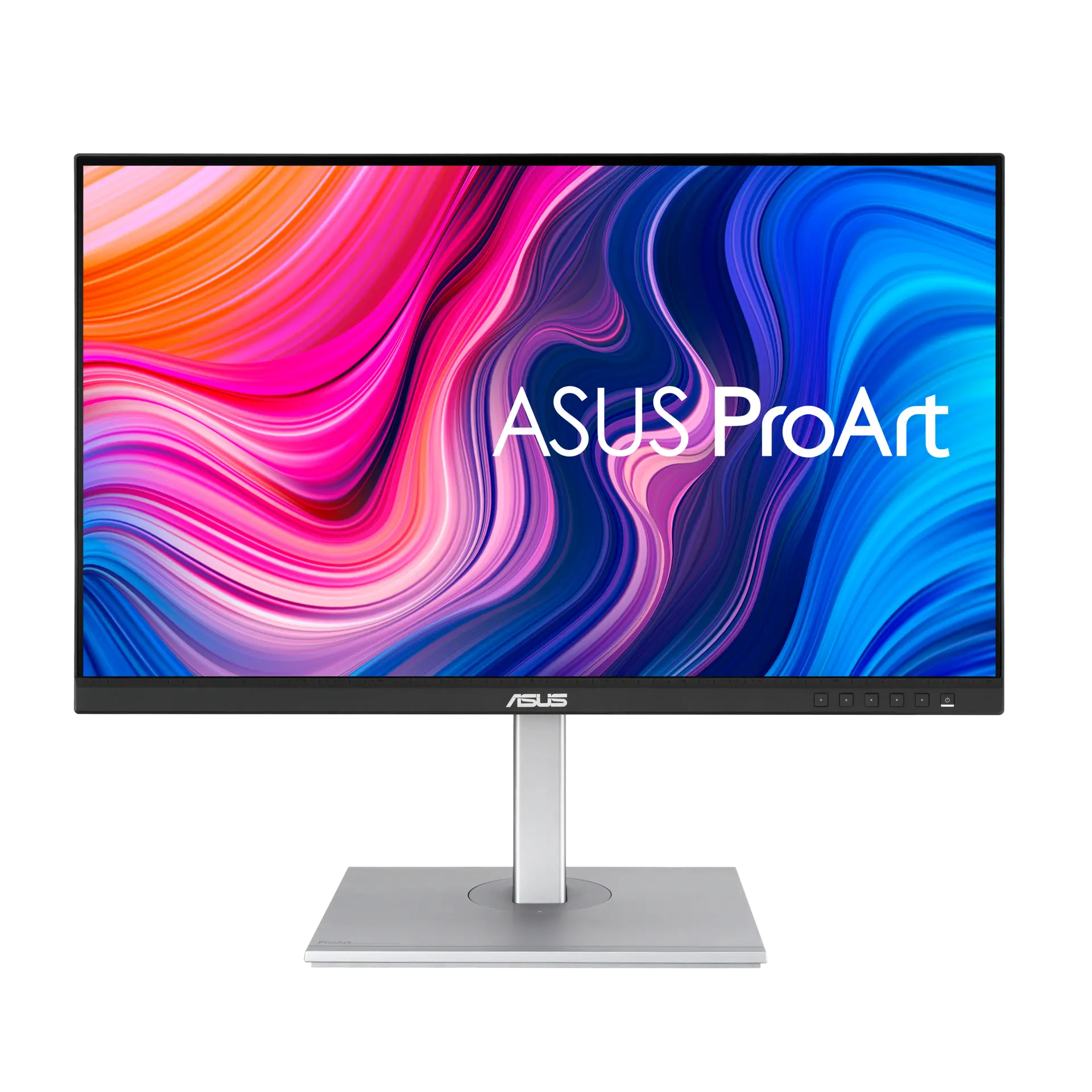
ASUS ProArt Display PA278CV monitor from the front on its silver height-adjustable stand, with ProArt screen artwork.
Exact model & source notes

A 27-inch 2560 × 1440 IPS ProArt monitor for creative professionals, with 100% sRGB and 100% Rec. 709 claims, a ΔE < 2 Calman Verified claim, USB-C with DisplayPort Alt Mode and 65 W power delivery, a four-port USB hub and a 150 mm height-adjustable stand.

Specifications checked 26 Sept 2026.

Amazon links open search results. Check the exact variant, current price and availability with the retailer.

Manufacturer specifications

WHICH SUITS YOU?

Choose the ASUS ProArt Display PA278CV for

  • USB-C connection: Yes vs No
  • USB hub: Yes vs No
  • Headphone output: Yes vs No

Choose the Dell 27 Plus S2725DSM for

  • Higher stated refresh rate: 144 Hz vs 75 Hz
  • Smaller stated depth with stand: 201.83 mm vs 228 mm
Built from verified specifications that differ. Not a rating or a recommendation.
See the 21 verified differences
THE CONTENDER

Dell 27 Plus S2725DSM

UK specification (Dell UK manufacturer part VWPNT, Ash White)

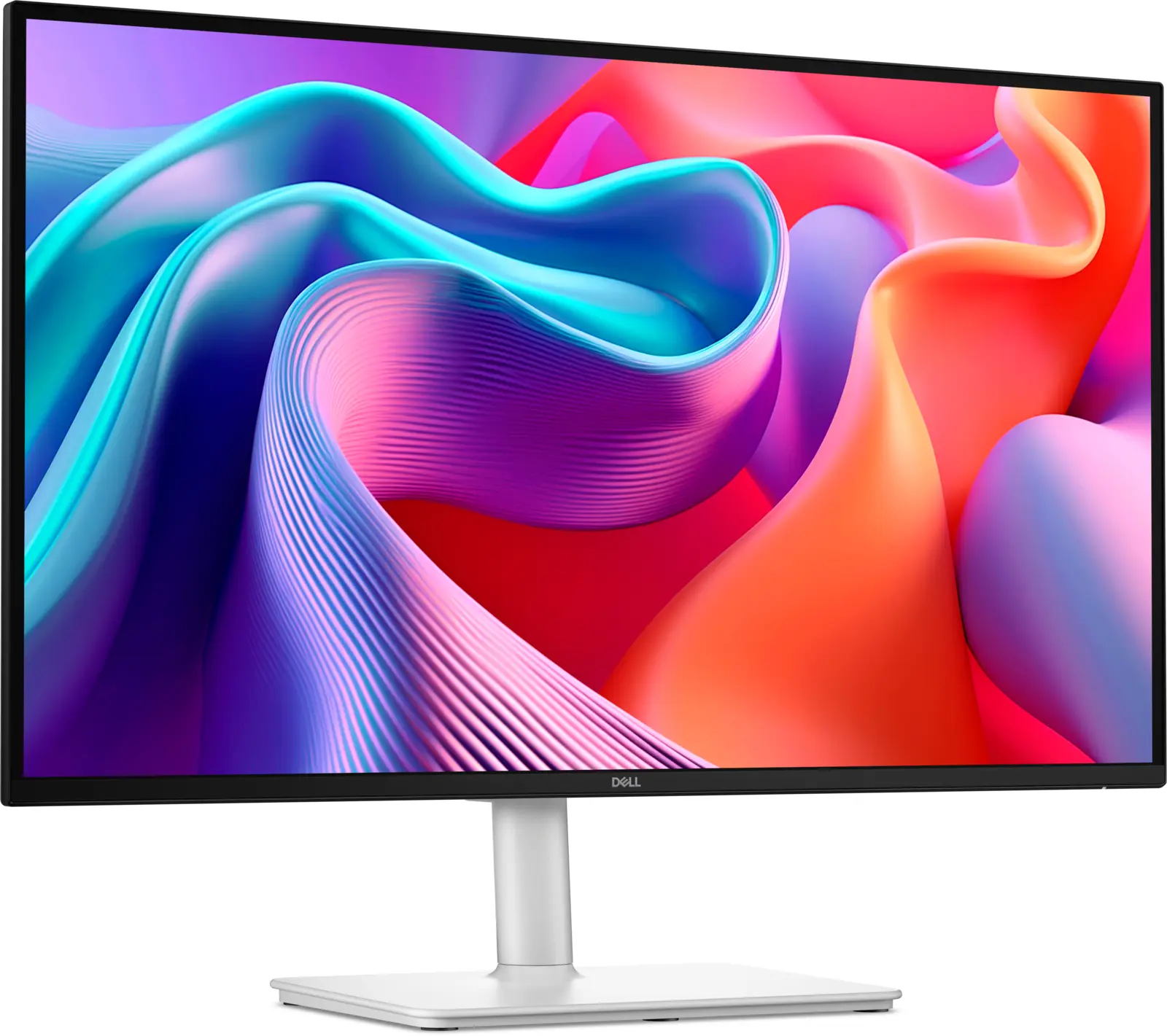
Dell 27 Plus S2725DSM monitor, front-left angled view on its light-coloured height-adjustable stand, with abstract colourful artwork on screen.
Exact model & source notes

A 27-inch 2560 × 1440 IPS monitor rated at 144 Hz with AMD FreeSync, dual 3 W speakers and a stand that adjusts for height, tilt, swivel and pivot. Its inputs are one HDMI and one DisplayPort 1.4.

Specifications checked 26 Sept 2026.

Amazon links open search results. Check the exact variant, current price and availability with the retailer.

Manufacturer specifications

ASUS ProArt Display PA278CV UK & US retailers

UK & US price history: no verified listing yet

Dell 27 Plus S2725DSM UK & US retailers

UK & US price history: no verified listing yet

Search links open retailer results, not a matched listing; eBay listings are checked daily. As an Amazon Associate I earn from qualifying purchases. As an eBay Partner, we may be compensated if you make a purchase.

THE DIFFERENCES, MADE VISIBLE

Visual facts

Differences first. Select a topic for its graphic, sources and conditions.

How to read this comparison
  • Manufacturer facts for the exact models shown. Not a quality rating or a test result.
  • “Different” means the known values differ, not that one is better.
  • Missing or conflicting evidence is marked and never counts as a difference. Source chips hold each fact’s sources and conditions.
SPECIFICATIONS SIDE BY SIDE8 topics
SELECTED TOPIC
01 / 08

Max refresh

Maximum manufacturer-listed refresh rate, not measured motion clarity. The port-specific limits below matter; HDMI and DisplayPort can support different modes.

ASUS ProArt Display PA278CV75 Hz

Manufacturer specification · ASUS lists a 46–75 Hz vertical signal-frequency range on HDMI and DisplayPort; the Adaptive-Sync range is 48–75 Hz.

Explore the full specifications

Match the monitor to the connection. Refresh limits depend on the input, cable and source device. Confirm the exact regional ports, stand adjustment and mount. Manufacturer response-time methods such as MPRT and GtG are different; neither the image nor these figures establish an independent motion or colour-quality test.

WHAT CHANGES BETWEEN THEM?

Key differences

Full specifications ↓

21 verified differences, most decision-relevant first. 7 are also drawn in Visual facts above. Missing information stays separate.

Refresh rate

In Visual facts
ASUS ProArt Display PA278CV75 Hz
Dell 27 Plus S2725DSM144 Hz
Sources
ASUS ProArt Display PA278CV

Manufacturer specification · ASUS lists a 46–75 Hz vertical signal-frequency range on HDMI and DisplayPort; the Adaptive-Sync range is 48–75 Hz.

ASUS UK — ProArt Display PA278CV technical specificationsASUS UK — ProArt Display PA278CV product page and gallery

Check the exact configuration and source conditions for your use.

Inputs and versions

In Visual facts
ASUS ProArt Display PA278CV1 × USB-C (DisplayPort Alt Mode, 65 W power delivery); 1 × DisplayPort 1.2 input; 1 × DisplayPort 1.2 daisy-chain (MST) output; 1 × HDMI 1.4; headphone output
Dell 27 Plus S2725DSM1 × HDMI (HDCP 1.4; up to 2560 × 1440 at 144 Hz, VRR as specified in HDMI 2.1, TMDS); 1 × DisplayPort 1.4 (HDCP 1.4)
Sources
ASUS ProArt Display PA278CV

Manufacturer specification · The technical table lists “DisplayPort 1.2 x 2 (Daisy Chain)”; the datasheet port diagram labels one DisplayPort 1.2 “In” and the other “Out (MST)”, and the user manual lists one DisplayPort input and one daisy-chain DisplayPort output.

ASUS UK — ProArt Display PA278CV technical specificationsASUS UK — ProArt Display PA278CV datasheet (PDF)ASUS — PA278CV Series user guide (English, PDF)
Dell 27 Plus S2725DSM

Manufacturer specification · The complete port list has no USB ports and no audio output.

Dell UK — Dell 27 Plus QHD Monitor S2725DSM product page and tech specs

Check the exact configuration and source conditions for your use.

Stand adjustment

In Visual facts
ASUS ProArt Display PA278CVTilt −5° to +35°; swivel ±45°; pivot ±90°; height travel 150 mm
Dell 27 Plus S2725DSMHeight 110 mm; tilt −5° to +21°; swivel ±30°; pivot ±90°
Sources
ASUS ProArt Display PA278CV

Manufacturer specification

ASUS UK — ProArt Display PA278CV technical specifications

Compare the supplied stand and mounting requirements. These affect positioning and desk fit; they do not establish panel quality. Check any separately stated limits or conflicting dimensions.

Show 15 more verified differences

Headphone output

In Visual facts
ASUS ProArt Display PA278CVYes
Dell 27 Plus S2725DSMNo
Sources
ASUS ProArt Display PA278CV

Manufacturer specification

ASUS UK — ProArt Display PA278CV technical specifications
Dell 27 Plus S2725DSM

Manufacturer specification · Dell’s rear-view port list (power connector, security lock slot, stand lock, HDMI, DisplayPort and built-in speakers) contains no audio jack.

Dell UK — Dell 27 Plus QHD Monitor S2725DSM product page and tech specs

Check the actual speakers and audio connectors. Speaker wattage is not measured loudness or sound quality, and a line input is not a headphone output.

Listed accessories

ASUS ProArt Display PA278CVWelcome card; warranty card; USB-C cable; quick start guide; power cord; HDMI cable; colour pre-calibration report
Dell 27 Plus S2725DSMStand; power cable; HDMI cable (1.8 m); QR card; safety/regulatory information
Sources
ASUS ProArt Display PA278CV

Manufacturer specification · UK technical-table list; ASUS says accessories vary by region. The US list additionally names a DisplayPort cable; the datasheet marks the USB-C, HDMI, DisplayPort and USB-C to USB-A cables as optional, and the user manual also lists a cable holder.

ASUS UK — ProArt Display PA278CV technical specificationsASUS USA — ProArt Display PA278CV technical specificationsASUS UK — ProArt Display PA278CV datasheet (PDF)ASUS — PA278CV Series user guide (English, PDF)
Dell 27 Plus S2725DSM

Manufacturer specification · Dell UK labels the included HDMI cable “HDMI 1.4” in the tech table and “HDMI 2.1 (TMDS)” in the Cables included section; the cable’s rating is left unresolved.

Dell UK — Dell 27 Plus QHD Monitor S2725DSM product page and tech specs

Check the exact configuration and source conditions for your use.

Declared colour-gamut figures

ASUS ProArt Display PA278CVsRGB 100%; Rec. 709 100%
Dell 27 Plus S2725DSM99% sRGB (CIE 1931)
Sources
ASUS ProArt Display PA278CV

Manufacturer specification · The technical table lists sRGB 100%; the product page and datasheet state 100% sRGB and 100% Rec. 709. DCI-P3 is described only as “support” without a figure. ASUS does not state the CIE basis.

ASUS UK — ProArt Display PA278CV technical specificationsASUS UK — ProArt Display PA278CV product page and galleryASUS UK — ProArt Display PA278CV datasheet (PDF)

Check the exact configuration and source conditions for your use.

Regional configuration

ASUS ProArt Display PA278CVUK ASUS specification. The US ASUS technical page lists the same specification figures; its accessory list additionally names a DisplayPort cable.
Dell 27 Plus S2725DSMDell UK lists manufacturer part VWPNT (Ash White), country of origin China, energy class E and a 3-year limited warranty with 3-year Advanced Exchange Service and Premium Panel Exchange. Dell US lists manufacturer part GTT45, country of origin Vietnam and a 1-year limited warranty with 1-year Advanced Exchange Service and Premium Panel Exchange. Both pages show the same Dell part 7mpww5, GTIN 884116691419, panel, 144 Hz, port, stand and power rows (US in imperial units) and ENERGY STAR 8.0. Both name FreeSync in the tech table (UK “FreeSync”, US “AMD FreeSync”) and AMD FreeSync in the feature text; the US colour row adds “8-bit”.
Sources

Declared grey-to-grey response

ASUS ProArt Display PA278CV5 ms
Dell 27 Plus S2725DSM4 ms
Sources
ASUS ProArt Display PA278CV

Manufacturer specification · Manufacturer claim; not a measured response or input-lag result.

ASUS UK — ProArt Display PA278CV technical specifications
Dell 27 Plus S2725DSM

Manufacturer specification · Fastest GtG claim, in Extreme mode. Dell also lists 5 ms GtG (Fast) and 8 ms GtG, the last without naming a mode. Manufacturer claim, not a measurement.

Dell UK — Dell 27 Plus QHD Monitor S2725DSM product page and tech specsDell US — Dell 27 Plus QHD Monitor S2725DSM product page and tech specs

Check the exact configuration and source conditions for your use.

Response method and claim

ASUS ProArt Display PA278CV5 ms GtG
Dell 27 Plus S2725DSM1 ms MPRT; 4 ms GtG (Extreme); 5 ms GtG (Fast); 8 ms GtG
Sources
ASUS ProArt Display PA278CV

Manufacturer specification

ASUS UK — ProArt Display PA278CV technical specifications
Dell 27 Plus S2725DSM

Manufacturer specification · Manufacturer claims. Dell names the Extreme and Fast modes for the 4 ms and 5 ms GtG figures and gives no mode name for the 8 ms GtG figure.

Dell UK — Dell 27 Plus QHD Monitor S2725DSM product page and tech specsDell US — Dell 27 Plus QHD Monitor S2725DSM product page and tech specs

Check the exact configuration and source conditions for your use.

Stand height travel

ASUS ProArt Display PA278CV150 mm
Dell 27 Plus S2725DSM110 mm
Sources
ASUS ProArt Display PA278CV

Manufacturer specification · Adjustment travel, not overall assembled height.

ASUS UK — ProArt Display PA278CV technical specifications

Compare the supplied stand and mounting requirements. These affect positioning and desk fit; they do not establish panel quality. Check any separately stated limits or conflicting dimensions.

Dimensions with stand

ASUS ProArt Display PA278CV615 × 524 × 228 mm (width × height × depth, with stand)
Dell 27 Plus S2725DSM611.34 × 500.13 × 201.83 mm (width × height × depth, with stand at maximum height)
Sources
ASUS ProArt Display PA278CV

Manufacturer specification · Converted from ASUS’s centimetre figures; ASUS labels dimensions as estimates that vary by region. The datasheet and user manual give the height range with stand as 374–524 mm.

ASUS UK — ProArt Display PA278CV technical specificationsASUS UK — ProArt Display PA278CV datasheet (PDF)ASUS — PA278CV Series user guide (English, PDF)
Dell 27 Plus S2725DSM

Manufacturer specification · Height at full stand extension; Dell lists 390.13 mm compressed.

Dell UK — Dell 27 Plus QHD Monitor S2725DSM product page and tech specs

A size or weight trade-off; it does not establish the better product.

Missing or non-comparable evidence (26)

USB-C charging

ASUS ProArt Display PA278CV65 W
Dell 27 Plus S2725DSMNot verified
Sources
ASUS ProArt Display PA278CV

Manufacturer specification · The user manual lists output profiles of 5V/3A, 9V/3A, 12V/3A, 15V/3A and 20V/3.25A; a USB-C to USB-A connection only enables the USB Type-A ports.

ASUS UK — ProArt Display PA278CV technical specificationsASUS — PA278CV Series user guide (English, PDF)
Dell 27 Plus S2725DSM

No source recorded for this side.

Evidence is missing or conflicting on at least one side. This is not a verified difference.

HDR support

ASUS ProArt Display PA278CVConflicting evidence
Dell 27 Plus S2725DSMNot verified
Sources
ASUS ProArt Display PA278CV

ASUS sources disagree: the user manual’s ProArt Preset list includes an HDR mode that “Contains two HDR modes (PQ Optimized and PQ Clip)”, while the UK technical table has no HDR row, the product-page datasheet lists ProArt Preset as “10 modes” with no HDR mode, and the product page makes no HDR claim. No HDR format or certification is stated. · Manufacturer specification

ASUS UK — ProArt Display PA278CV technical specificationsASUS UK — ProArt Display PA278CV product page and galleryASUS UK — ProArt Display PA278CV datasheet (PDF)ASUS — PA278CV Series user guide (English, PDF)
Dell 27 Plus S2725DSM

No source recorded for this side.

Evidence is missing or conflicting on at least one side. This is not a verified difference.

Named adaptive-sync technology

ASUS ProArt Display PA278CVNot verified
Dell 27 Plus S2725DSMAMD FreeSync; HDMI VRR
Sources
ASUS ProArt Display PA278CV

No source recorded for this side.

Dell 27 Plus S2725DSM

Manufacturer specification · Dell does not name a FreeSync tier or G-SYNC Compatible listing.

Dell UK — Dell 27 Plus QHD Monitor S2725DSM product page and tech specsDell US — Dell 27 Plus QHD Monitor S2725DSM product page and tech specs

Evidence is missing or conflicting on at least one side. This is not a verified difference.

Declared variable-refresh range

ASUS ProArt Display PA278CV48–75 Hz
Dell 27 Plus S2725DSMNot verified
Sources
ASUS ProArt Display PA278CV

Manufacturer specification · Adaptive-Sync range from the product page, datasheet and user manual. The technical table’s vertical signal-frequency ranges (HDMI and DisplayPort 46–75 Hz) are input ranges, recorded under refresh_rate.

ASUS UK — ProArt Display PA278CV technical specificationsASUS UK — ProArt Display PA278CV product page and galleryASUS UK — ProArt Display PA278CV datasheet (PDF)ASUS — PA278CV Series user guide (English, PDF)
Dell 27 Plus S2725DSM

No source recorded for this side.

Evidence is missing or conflicting on at least one side. This is not a verified difference.

Speaker sound profiles

ASUS ProArt Display PA278CVNot verified
Dell 27 Plus S2725DSMFive preset sound profiles plus a user-created profile
Sources
ASUS ProArt Display PA278CV

No source recorded for this side.

Dell 27 Plus S2725DSM

Manufacturer specification · For the built-in dual 3 W speakers, as described in Dell’s feature text; Dell does not name the profiles on the product page.

Dell UK — Dell 27 Plus QHD Monitor S2725DSM product page and tech specsDell US — Dell 27 Plus QHD Monitor S2725DSM product page and tech specs

Evidence is missing or conflicting on at least one side. This is not a verified difference.

Colour-accuracy claim

ASUS ProArt Display PA278CVΔE < 2; Calman Verified; colour pre-calibration report supplied
Dell 27 Plus S2725DSMNot verified
Sources
ASUS ProArt Display PA278CV

Manufacturer specification · Manufacturer claim; test conditions not stated.

ASUS UK — ProArt Display PA278CV technical specifications
Dell 27 Plus S2725DSM

No source recorded for this side.

Evidence is missing or conflicting on at least one side. This is not a verified difference.

Colour controls

ASUS ProArt Display PA278CV6-axis colour adjustment (R, G, B, C, M, Y); gamma 1.8/2.0/2.2/2.4/2.6; 5 colour-temperature modes
Dell 27 Plus S2725DSMNot verified
Sources
ASUS ProArt Display PA278CV

Manufacturer specification · ProArt Palette controls. The user manual lists the colour-temperature modes as 9300K, 6500K, 5500K, 5000K and P3-Theater (P3-Theater only in DCI-P3 Mode); the product page also describes two-point greyscale sliders for all six colours.

ASUS UK — ProArt Display PA278CV technical specificationsASUS UK — ProArt Display PA278CV product page and galleryASUS — PA278CV Series user guide (English, PDF)
Dell 27 Plus S2725DSM

No source recorded for this side.

Evidence is missing or conflicting on at least one side. This is not a verified difference.

Native colour depth / FRC

ASUS ProArt Display PA278CVNot verified
Dell 27 Plus S2725DSM8-bit
Sources
ASUS ProArt Display PA278CV

ASUS lists 16.7 million colours but does not state native panel bit depth or FRC use. · Manufacturer specification

ASUS UK — ProArt Display PA278CV technical specifications

Evidence is missing or conflicting on at least one side. This is not a verified difference.

Daisy chaining

ASUS ProArt Display PA278CVDisplayPort MST daisy chain, up to 4 monitors
Dell 27 Plus S2725DSMNot verified
Sources
ASUS ProArt Display PA278CV

Manufacturer specification · The user manual says daisy chaining needs DisplayPort Stream set to DisplayPort 1.2 and Auto Source Detection off, and states the four-monitor figure for a 2560 × 1440@30Hz input source with no USB-C device connected.

ASUS UK — ProArt Display PA278CV technical specificationsASUS UK — ProArt Display PA278CV product page and galleryASUS UK — ProArt Display PA278CV datasheet (PDF)ASUS — PA278CV Series user guide (English, PDF)
Dell 27 Plus S2725DSM

No source recorded for this side.

Evidence is missing or conflicting on at least one side. This is not a verified difference.

Dynamic contrast claim

ASUS ProArt Display PA278CV100,000,000:1
Dell 27 Plus S2725DSMNot verified
Sources
ASUS ProArt Display PA278CV

Manufacturer specification · ASUS Smart Contrast Ratio (ASCR) maximum; not comparable with the 1000:1 typical static contrast.

ASUS UK — ProArt Display PA278CV datasheet (PDF)ASUS — PA278CV Series user guide (English, PDF)
Dell 27 Plus S2725DSM

No source recorded for this side.

Evidence is missing or conflicting on at least one side. This is not a verified difference.

ENERGY STAR listing

ASUS ProArt Display PA278CVNot verified
Dell 27 Plus S2725DSMYes
Sources
ASUS ProArt Display PA278CV

No source recorded for this side.

Dell 27 Plus S2725DSM

Manufacturer specification · Dell lists “Energy Efficiency Certification: ENERGY STAR 8.0” on both the UK and US pages.

Dell UK — Dell 27 Plus QHD Monitor S2725DSM product page and tech specsDell US — Dell 27 Plus QHD Monitor S2725DSM product page and tech specs

Evidence is missing or conflicting on at least one side. This is not a verified difference.

Eye-comfort certification

ASUS ProArt Display PA278CVNot verified
Dell 27 Plus S2725DSMTÜV-certified, 4-star Eye Comfort rating
Sources
ASUS ProArt Display PA278CV

No source recorded for this side.

Dell 27 Plus S2725DSM

Manufacturer specification · Dell tech table: “Eye Comfort Certification: Yes; Eye Comfort Rating: 4 Star”; feature text: “4-star TÜV-certified display”. Listed on both the UK and US pages.

Dell UK — Dell 27 Plus QHD Monitor S2725DSM product page and tech specsDell US — Dell 27 Plus QHD Monitor S2725DSM product page and tech specs

Evidence is missing or conflicting on at least one side. This is not a verified difference.

Gross shipping weight

ASUS ProArt Display PA278CV10.9 kg
Dell 27 Plus S2725DSMNot verified
Sources
ASUS ProArt Display PA278CV

Manufacturer specification

ASUS UK — ProArt Display PA278CV technical specifications
Dell 27 Plus S2725DSM

No source recorded for this side.

Evidence is missing or conflicting on at least one side. This is not a verified difference.

ProArt presets

ASUS ProArt Display PA278CVStandard; sRGB; DCI-P3; Rec.709; Scenery; Reading; Darkroom; Rapid Rendering; User mode 1; User mode 2
Dell 27 Plus S2725DSMNot verified
Sources
ASUS ProArt Display PA278CV

Manufacturer specification · The technical table and datasheet list these 10 ProArt Preset modes; the user manual says ProArt Preset contains 11 sub-functions, adding an HDR mode (see hdr_support).

ASUS UK — ProArt Display PA278CV technical specificationsASUS UK — ProArt Display PA278CV datasheet (PDF)ASUS — PA278CV Series user guide (English, PDF)
Dell 27 Plus S2725DSM

No source recorded for this side.

Evidence is missing or conflicting on at least one side. This is not a verified difference.

Pixel density

ASUS ProArt Display PA278CV109 ppi
Dell 27 Plus S2725DSMNot verified
Sources
ASUS ProArt Display PA278CV

Manufacturer specification

ASUS UK — ProArt Display PA278CV technical specifications
Dell 27 Plus S2725DSM

No source recorded for this side.

Evidence is missing or conflicting on at least one side. This is not a verified difference.

Typical operating power consumption

ASUS ProArt Display PA278CVConflicting evidence
Dell 27 Plus S2725DSM21.4 W
Sources
ASUS ProArt Display PA278CV

ASUS sources disagree: the UK and US technical tables give “Power Consumption : 15.18 W” and the product-page datasheet gives “Power On (Typical): <15.18W*”, while the user manual gives “Power On: < 21.28 W** (Typ.)”. The datasheet and manual both say the figure is measured at a screen brightness of 200 nits without audio, USB or card-reader connection. No single typical figure is assigned; not a measured running cost. · Manufacturer specification

ASUS UK — ProArt Display PA278CV technical specificationsASUS UK — ProArt Display PA278CV datasheet (PDF)ASUS — PA278CV Series user guide (English, PDF)

Evidence is missing or conflicting on at least one side. This is not a verified difference.

QuickFit Virtual Scale overlays

ASUS ProArt Display PA278CVPaper sizes (A4, B5); ruler; alignment grid
Dell 27 Plus S2725DSMNot verified
Sources
ASUS ProArt Display PA278CV

Manufacturer specification · On-screen overlays for previewing documents or photos at actual size without printing.

ASUS UK — ProArt Display PA278CV technical specificationsASUS UK — ProArt Display PA278CV product page and galleryASUS UK — ProArt Display PA278CV datasheet (PDF)
Dell 27 Plus S2725DSM

No source recorded for this side.

Evidence is missing or conflicting on at least one side. This is not a verified difference.

USB data connections

ASUS ProArt Display PA278CVUSB hub with 4 × USB 3.2 Gen 1 Type-A
Dell 27 Plus S2725DSMNot verified
Sources
ASUS ProArt Display PA278CV

Manufacturer specification

ASUS UK — ProArt Display PA278CV technical specifications
Dell 27 Plus S2725DSM

No source recorded for this side.

Evidence is missing or conflicting on at least one side. This is not a verified difference.

Warranty

ASUS ProArt Display PA278CVNot verified
Dell 27 Plus S2725DSMUK: 3-year limited warranty with 3-year Advanced Exchange Service and Premium Panel Exchange; US: 1-year limited warranty with 1-year Advanced Exchange Service and Premium Panel Exchange
Sources
ASUS ProArt Display PA278CV

No source recorded for this side.

Dell 27 Plus S2725DSM

Manufacturer specification · Terms differ by region as listed on the Dell UK and Dell US pages.

Dell UK — Dell 27 Plus QHD Monitor S2725DSM product page and tech specsDell US — Dell 27 Plus QHD Monitor S2725DSM product page and tech specs

Evidence is missing or conflicting on at least one side. This is not a verified difference.

Weight without stand

ASUS ProArt Display PA278CVConflicting evidence
Dell 27 Plus S2725DSM4.34 kg
Sources
ASUS ProArt Display PA278CV

ASUS sources disagree: the UK technical table and datasheet give 5.8 kg, while the user manual gives “5.9 kg (without stand)”. · Manufacturer specification

ASUS UK — ProArt Display PA278CV technical specificationsASUS UK — ProArt Display PA278CV datasheet (PDF)ASUS — PA278CV Series user guide (English, PDF)

Evidence is missing or conflicting on at least one side. This is not a verified difference.

LCD Zero Bright Dot (ZBD) warranty

ASUS ProArt Display PA278CV3 years
Dell 27 Plus S2725DSMNot verified
Sources
ASUS ProArt Display PA278CV

Manufacturer specification · Technical-table row “LCD ZBD Warranty : Yes(3 yr)”. ASUS’s Zero Bright Dot programme covers bright-dot sub-pixel defects (permanently “on”); dark dots are not included, and exclusions apply. It is not a general panel or product warranty, and these pages do not state the overall product warranty period. The programme description comes from an ASUS USA support article.

ASUS UK — ProArt Display PA278CV technical specificationsASUS USA support — Zero Bright Dot programme
Dell 27 Plus S2725DSM

No source recorded for this side.

Evidence is missing or conflicting on at least one side. This is not a verified difference.

Active display area

ASUS ProArt Display PA278CV596.7 × 335.7 mm (horizontal × vertical)
Dell 27 Plus S2725DSMNot verified
Sources
ASUS ProArt Display PA278CV

Manufacturer specification

ASUS UK — ProArt Display PA278CV technical specifications
Dell 27 Plus S2725DSM

No source recorded for this side.

Evidence is missing or conflicting on at least one side. This is not a verified difference.

Weight with stand

ASUS ProArt Display PA278CVConflicting evidence
Dell 27 Plus S2725DSM6.39 kg
Sources
ASUS ProArt Display PA278CV

ASUS sources disagree: the UK technical table (“Net Weight : 8.7 kg”) and the datasheet (“Net Weight (Esti.) : 8.7 kg”) give 8.7 kg, while the user manual gives “8.8 kg (Net)”. All three list a separate without-stand weight, and all are estimates. · Manufacturer specification

ASUS UK — ProArt Display PA278CV technical specificationsASUS UK — ProArt Display PA278CV datasheet (PDF)ASUS — PA278CV Series user guide (English, PDF)
Dell 27 Plus S2725DSM

Manufacturer specification · Dell’s dimensions section says the figure includes stand and cables.

Dell UK — Dell 27 Plus QHD Monitor S2725DSM product page and tech specs

Evidence is missing or conflicting on at least one side. This is not a verified difference.

18 shared fields have the same recorded value.

WHAT EACH CHOICE ASKS OF YOU

What it brings and what to check

ASUS ProArt Display PA278CV

What it brings

What to check

Dell 27 Plus S2725DSM

What it brings

  • The stand offers 110 mm of height travel, −5° to +21° tilt, ±30° swivel and ±90° pivot.
  • Dual 3 W speakers are built in, and the 144 Hz QHD panel supports AMD FreeSync and HDMI VRR with a 1 ms MPRT claim.
  • Dell lists 21.4 W operating power, ENERGY STAR 8.0 and a 4-star TÜV eye-comfort certification. The UK listing carries a three-year warranty with Advanced Exchange; the US listing carries one year.

What to check

  • There is no USB hub, USB-C or headphone/audio output, so laptop single-cable docking and wired headphones are not supported.
  • The IPS panel is rated at 99% sRGB (CIE 1931), with 8-bit colour on the US listing, and neither Dell page lists HDR support.
  • Only one HDMI and one DisplayPort input are provided, and HDCP is listed at version 1.4.
COMPARE THE DETAILS

Full specifications

How we verify
66 of 66 specifications Sources in each row
Source-backed specifications for ASUS ProArt Display PA278CV and Dell 27 Plus S2725DSM
SpecificationASUS ProArt Display PA278CVDell 27 Plus S2725DSM
Screen diagonal
Sources
ASUS ProArt Display PA278CV

Manufacturer specification

ASUS UK — ProArt Display PA278CV technical specifications
27 in27 in
Native resolution
Sources
ASUS ProArt Display PA278CV

Manufacturer specification

ASUS UK — ProArt Display PA278CV technical specifications
2560 × 14402560 × 1440
Panel technology
Sources
ASUS ProArt Display PA278CV

Manufacturer specification

ASUS UK — ProArt Display PA278CV technical specifications
IPS LCDIPS LCD
Aspect ratio
Sources
ASUS ProArt Display PA278CV

Manufacturer specification

ASUS UK — ProArt Display PA278CV technical specifications
16:916:9
Active display area
Sources
ASUS ProArt Display PA278CV

Manufacturer specification

ASUS UK — ProArt Display PA278CV technical specifications
Dell 27 Plus S2725DSM

No source recorded.

596.7 × 335.7 mm (horizontal × vertical)Not provided
Screen surfaceDifferent
Sources
ASUS ProArt Display PA278CV

Manufacturer specification

ASUS UK — ProArt Display PA278CV technical specifications
Anti-glareAnti-glare, 3H hardness
Pixel pitch
Sources
ASUS ProArt Display PA278CV

Manufacturer specification

ASUS UK — ProArt Display PA278CV technical specifications
0.233 mm0.2331 mm
Typical brightness
Sources
ASUS ProArt Display PA278CV

Manufacturer specification · Typical SDR brightness.

ASUS UK — ProArt Display PA278CV technical specifications
Dell 27 Plus S2725DSM

Manufacturer specification · Dell “Brightness” row for this SDR IPS monitor; not labelled typical on this page.

Dell UK — Dell 27 Plus QHD Monitor S2725DSM product page and tech specs
350 cd/m²350 cd/m²
Static contrast claimDifferent
Sources
ASUS ProArt Display PA278CV

Manufacturer specification

ASUS UK — ProArt Display PA278CV technical specifications
1000:11500:1 (native)
Dynamic contrast claim
Sources
ASUS ProArt Display PA278CV

Manufacturer specification · ASUS Smart Contrast Ratio (ASCR) maximum; not comparable with the 1000:1 typical static contrast.

ASUS UK — ProArt Display PA278CV datasheet (PDF)ASUS — PA278CV Series user guide (English, PDF)
Dell 27 Plus S2725DSM

No source recorded.

100,000,000:1Not provided
16.7 million16.7 million
Declared colour-gamut figuresDifferent
Sources
ASUS ProArt Display PA278CV

Manufacturer specification · The technical table lists sRGB 100%; the product page and datasheet state 100% sRGB and 100% Rec. 709. DCI-P3 is described only as “support” without a figure. ASUS does not state the CIE basis.

ASUS UK — ProArt Display PA278CV technical specificationsASUS UK — ProArt Display PA278CV product page and galleryASUS UK — ProArt Display PA278CV datasheet (PDF)
sRGB 100%; Rec. 709 100%99% sRGB (CIE 1931)
Declared viewing angles
Sources
ASUS ProArt Display PA278CV

Manufacturer specification · At contrast ratio ≥ 10:1.

ASUS UK — ProArt Display PA278CV technical specifications
178° horizontal / 178° vertical178° horizontal / 178° vertical
Native colour depth / FRC
Sources
ASUS ProArt Display PA278CV

ASUS lists 16.7 million colours but does not state native panel bit depth or FRC use. · Manufacturer specification

ASUS UK — ProArt Display PA278CV technical specifications
Not listed by the manufacturer8-bit
Colour-accuracy claim
Sources
ASUS ProArt Display PA278CV

Manufacturer specification · Manufacturer claim; test conditions not stated.

ASUS UK — ProArt Display PA278CV technical specifications
Dell 27 Plus S2725DSM

No source recorded.

ΔE < 2; Calman Verified; colour pre-calibration report suppliedNot provided
ProArt presets
Sources
ASUS ProArt Display PA278CV

Manufacturer specification · The technical table and datasheet list these 10 ProArt Preset modes; the user manual says ProArt Preset contains 11 sub-functions, adding an HDR mode (see hdr_support).

ASUS UK — ProArt Display PA278CV technical specificationsASUS UK — ProArt Display PA278CV datasheet (PDF)ASUS — PA278CV Series user guide (English, PDF)
Dell 27 Plus S2725DSM

No source recorded.

Standard; sRGB; DCI-P3; Rec.709; Scenery; Reading; Darkroom; Rapid Rendering; User mode 1; User mode 2Not provided
Colour controls
Sources
ASUS ProArt Display PA278CV

Manufacturer specification · ProArt Palette controls. The user manual lists the colour-temperature modes as 9300K, 6500K, 5500K, 5000K and P3-Theater (P3-Theater only in DCI-P3 Mode); the product page also describes two-point greyscale sliders for all six colours.

ASUS UK — ProArt Display PA278CV technical specificationsASUS UK — ProArt Display PA278CV product page and galleryASUS — PA278CV Series user guide (English, PDF)
Dell 27 Plus S2725DSM

No source recorded.

6-axis colour adjustment (R, G, B, C, M, Y); gamma 1.8/2.0/2.2/2.4/2.6; 5 colour-temperature modesNot provided
Screen shape
Sources
ASUS ProArt Display PA278CV

No source recorded.

Not providedFlat
Refresh rateDifferent
Sources
ASUS ProArt Display PA278CV

Manufacturer specification · ASUS lists a 46–75 Hz vertical signal-frequency range on HDMI and DisplayPort; the Adaptive-Sync range is 48–75 Hz.

ASUS UK — ProArt Display PA278CV technical specificationsASUS UK — ProArt Display PA278CV product page and gallery
75 Hz144 Hz
Response method and claimDifferent
Sources
ASUS ProArt Display PA278CV

Manufacturer specification

ASUS UK — ProArt Display PA278CV technical specifications
Dell 27 Plus S2725DSM

Manufacturer specification · Manufacturer claims. Dell names the Extreme and Fast modes for the 4 ms and 5 ms GtG figures and gives no mode name for the 8 ms GtG figure.

Dell UK — Dell 27 Plus QHD Monitor S2725DSM product page and tech specsDell US — Dell 27 Plus QHD Monitor S2725DSM product page and tech specs
5 ms GtG1 ms MPRT; 4 ms GtG (Extreme); 5 ms GtG (Fast); 8 ms GtG
Declared grey-to-grey responseDifferent
Sources
ASUS ProArt Display PA278CV

Manufacturer specification · Manufacturer claim; not a measured response or input-lag result.

ASUS UK — ProArt Display PA278CV technical specifications
Dell 27 Plus S2725DSM

Manufacturer specification · Fastest GtG claim, in Extreme mode. Dell also lists 5 ms GtG (Fast) and 8 ms GtG, the last without naming a mode. Manufacturer claim, not a measurement.

Dell UK — Dell 27 Plus QHD Monitor S2725DSM product page and tech specsDell US — Dell 27 Plus QHD Monitor S2725DSM product page and tech specs
5 ms4 ms
Adaptive sync
Sources
ASUS ProArt Display PA278CV

Manufacturer specification · Adaptive-Sync over 48–75 Hz (product page, datasheet and user manual); the manual says DisplayPort Stream must be set to DisplayPort 1.2 to activate it.

ASUS UK — ProArt Display PA278CV technical specificationsASUS UK — ProArt Display PA278CV product page and galleryASUS UK — ProArt Display PA278CV datasheet (PDF)ASUS — PA278CV Series user guide (English, PDF)
YesYes
Declared variable-refresh range
Sources
ASUS ProArt Display PA278CV

Manufacturer specification · Adaptive-Sync range from the product page, datasheet and user manual. The technical table’s vertical signal-frequency ranges (HDMI and DisplayPort 46–75 Hz) are input ranges, recorded under refresh_rate.

ASUS UK — ProArt Display PA278CV technical specificationsASUS UK — ProArt Display PA278CV product page and galleryASUS UK — ProArt Display PA278CV datasheet (PDF)ASUS — PA278CV Series user guide (English, PDF)
Dell 27 Plus S2725DSM

No source recorded.

48–75 HzNot provided
Maximum HDMI refreshDifferent
Sources
ASUS ProArt Display PA278CV

Manufacturer specification

ASUS UK — ProArt Display PA278CV technical specifications
75 Hz144 Hz
Declared MPRT
Sources
ASUS ProArt Display PA278CV

No source recorded.

Not provided1 ms
Named adaptive-sync technology
Sources
ASUS ProArt Display PA278CV

No source recorded.

Dell 27 Plus S2725DSM

Manufacturer specification · Dell does not name a FreeSync tier or G-SYNC Compatible listing.

Dell UK — Dell 27 Plus QHD Monitor S2725DSM product page and tech specsDell US — Dell 27 Plus QHD Monitor S2725DSM product page and tech specs
Not providedAMD FreeSync; HDMI VRR
Inputs and versionsDifferent
Sources
ASUS ProArt Display PA278CV

Manufacturer specification · The technical table lists “DisplayPort 1.2 x 2 (Daisy Chain)”; the datasheet port diagram labels one DisplayPort 1.2 “In” and the other “Out (MST)”, and the user manual lists one DisplayPort input and one daisy-chain DisplayPort output.

ASUS UK — ProArt Display PA278CV technical specificationsASUS UK — ProArt Display PA278CV datasheet (PDF)ASUS — PA278CV Series user guide (English, PDF)
Dell 27 Plus S2725DSM

Manufacturer specification · The complete port list has no USB ports and no audio output.

Dell UK — Dell 27 Plus QHD Monitor S2725DSM product page and tech specs
1 × USB-C (DisplayPort Alt Mode, 65 W power delivery); 1 × DisplayPort 1.2 input; 1 × DisplayPort 1.2 daisy-chain (MST) output; 1 × HDMI 1.4; headphone output1 × HDMI (HDCP 1.4; up to 2560 × 1440 at 144 Hz, VRR as specified in HDMI 2.1, TMDS); 1 × DisplayPort 1.4 (HDCP 1.4)
Built-in speakers
Sources
ASUS ProArt Display PA278CV

Manufacturer specification

ASUS UK — ProArt Display PA278CV technical specifications
YesYes
Speaker ratingDifferent
Sources
ASUS ProArt Display PA278CV

Manufacturer specification

ASUS UK — ProArt Display PA278CV technical specifications
2 × 2 W2 × 3 W
Headphone outputDifferent
Sources
ASUS ProArt Display PA278CV

Manufacturer specification

ASUS UK — ProArt Display PA278CV technical specifications
Dell 27 Plus S2725DSM

Manufacturer specification · Dell’s rear-view port list (power connector, security lock slot, stand lock, HDMI, DisplayPort and built-in speakers) contains no audio jack.

Dell UK — Dell 27 Plus QHD Monitor S2725DSM product page and tech specs
YesNo
USB-C connectionDifferent
Sources
ASUS ProArt Display PA278CV

Manufacturer specification

ASUS UK — ProArt Display PA278CV technical specifications
YesNo
USB-C charging
Sources
ASUS ProArt Display PA278CV

Manufacturer specification · The user manual lists output profiles of 5V/3A, 9V/3A, 12V/3A, 15V/3A and 20V/3.25A; a USB-C to USB-A connection only enables the USB Type-A ports.

ASUS UK — ProArt Display PA278CV technical specificationsASUS — PA278CV Series user guide (English, PDF)
Dell 27 Plus S2725DSM

No source recorded.

65 WNot provided
USB hubDifferent
Sources
ASUS ProArt Display PA278CV

Manufacturer specification

ASUS UK — ProArt Display PA278CV technical specifications
YesNo
USB data connections
Sources
ASUS ProArt Display PA278CV

Manufacturer specification

ASUS UK — ProArt Display PA278CV technical specifications
Dell 27 Plus S2725DSM

No source recorded.

USB hub with 4 × USB 3.2 Gen 1 Type-ANot provided
Daisy chaining
Sources
ASUS ProArt Display PA278CV

Manufacturer specification · The user manual says daisy chaining needs DisplayPort Stream set to DisplayPort 1.2 and Auto Source Detection off, and states the four-monitor figure for a 2560 × 1440@30Hz input source with no USB-C device connected.

ASUS UK — ProArt Display PA278CV technical specificationsASUS UK — ProArt Display PA278CV product page and galleryASUS UK — ProArt Display PA278CV datasheet (PDF)ASUS — PA278CV Series user guide (English, PDF)
Dell 27 Plus S2725DSM

No source recorded.

DisplayPort MST daisy chain, up to 4 monitorsNot provided
HDCP 1.4HDCP 1.4
Speaker sound profiles
Sources
ASUS ProArt Display PA278CV

No source recorded.

Dell 27 Plus S2725DSM

Manufacturer specification · For the built-in dual 3 W speakers, as described in Dell’s feature text; Dell does not name the profiles on the product page.

Dell UK — Dell 27 Plus QHD Monitor S2725DSM product page and tech specsDell US — Dell 27 Plus QHD Monitor S2725DSM product page and tech specs
Not providedFive preset sound profiles plus a user-created profile
Dimensions with standDifferent
Sources
ASUS ProArt Display PA278CV

Manufacturer specification · Converted from ASUS’s centimetre figures; ASUS labels dimensions as estimates that vary by region. The datasheet and user manual give the height range with stand as 374–524 mm.

ASUS UK — ProArt Display PA278CV technical specificationsASUS UK — ProArt Display PA278CV datasheet (PDF)ASUS — PA278CV Series user guide (English, PDF)
Dell 27 Plus S2725DSM

Manufacturer specification · Height at full stand extension; Dell lists 390.13 mm compressed.

Dell UK — Dell 27 Plus QHD Monitor S2725DSM product page and tech specs
615 × 524 × 228 mm (width × height × depth, with stand)611.34 × 500.13 × 201.83 mm (width × height × depth, with stand at maximum height)
Depth with standDifferent
Sources
ASUS ProArt Display PA278CV

Manufacturer specification · Front-to-back depth with the supplied stand; allow cable clearance.

ASUS UK — ProArt Display PA278CV technical specifications
228 mm201.83 mm
Dimensions without standDifferent
Sources
ASUS ProArt Display PA278CV

Manufacturer specification

ASUS UK — ProArt Display PA278CV technical specifications
615 × 372 × 54 mm (width × height × depth)611.3 × 356 × 58.9 mm (width × height × depth)
Height-adjustable stand
Sources
ASUS ProArt Display PA278CV

Manufacturer specification

ASUS UK — ProArt Display PA278CV technical specifications
YesYes
Stand height travelDifferent
Sources
ASUS ProArt Display PA278CV

Manufacturer specification · Adjustment travel, not overall assembled height.

ASUS UK — ProArt Display PA278CV technical specifications
150 mm110 mm
Tilt rangeDifferent
Sources
ASUS ProArt Display PA278CV

Manufacturer specification

ASUS UK — ProArt Display PA278CV technical specifications
−5° to +35°−5° to +21°
Swivel adjustment
Sources
ASUS ProArt Display PA278CV

Manufacturer specification

ASUS UK — ProArt Display PA278CV technical specifications
Dell 27 Plus S2725DSM

Manufacturer specification · Dell’s table reads “30 ° to 30 °”; the feature text says bi-directionally up to 30°, i.e. ±30°.

Dell UK — Dell 27 Plus QHD Monitor S2725DSM product page and tech specs
YesYes
Portrait pivot
Sources
ASUS ProArt Display PA278CV

Manufacturer specification

ASUS UK — ProArt Display PA278CV technical specifications
YesYes
Stand adjustmentDifferent
Sources
ASUS ProArt Display PA278CV

Manufacturer specification

ASUS UK — ProArt Display PA278CV technical specifications
Tilt −5° to +35°; swivel ±45°; pivot ±90°; height travel 150 mmHeight 110 mm; tilt −5° to +21°; swivel ±30°; pivot ±90°
VESA mounting pattern
Sources
ASUS ProArt Display PA278CV

Manufacturer specification

ASUS UK — ProArt Display PA278CV technical specifications
100 × 100 mm100 × 100 mm
Kensington lock slot
Sources
ASUS ProArt Display PA278CV

Manufacturer specification

ASUS UK — ProArt Display PA278CV technical specifications
YesYes
Weight with stand
Sources
ASUS ProArt Display PA278CV

ASUS sources disagree: the UK technical table (“Net Weight : 8.7 kg”) and the datasheet (“Net Weight (Esti.) : 8.7 kg”) give 8.7 kg, while the user manual gives “8.8 kg (Net)”. All three list a separate without-stand weight, and all are estimates. · Manufacturer specification

ASUS UK — ProArt Display PA278CV technical specificationsASUS UK — ProArt Display PA278CV datasheet (PDF)ASUS — PA278CV Series user guide (English, PDF)
Dell 27 Plus S2725DSM

Manufacturer specification · Dell’s dimensions section says the figure includes stand and cables.

Dell UK — Dell 27 Plus QHD Monitor S2725DSM product page and tech specs
Conflicting sources6.39 kg
Weight without stand
Sources
ASUS ProArt Display PA278CV

ASUS sources disagree: the UK technical table and datasheet give 5.8 kg, while the user manual gives “5.9 kg (without stand)”. · Manufacturer specification

ASUS UK — ProArt Display PA278CV technical specificationsASUS UK — ProArt Display PA278CV datasheet (PDF)ASUS — PA278CV Series user guide (English, PDF)
Conflicting sources4.34 kg
Gross shipping weight
Sources
ASUS ProArt Display PA278CV

Manufacturer specification

ASUS UK — ProArt Display PA278CV technical specifications
Dell 27 Plus S2725DSM

No source recorded.

10.9 kgNot provided
Listed accessoriesDifferent
Sources
ASUS ProArt Display PA278CV

Manufacturer specification · UK technical-table list; ASUS says accessories vary by region. The US list additionally names a DisplayPort cable; the datasheet marks the USB-C, HDMI, DisplayPort and USB-C to USB-A cables as optional, and the user manual also lists a cable holder.

ASUS UK — ProArt Display PA278CV technical specificationsASUS USA — ProArt Display PA278CV technical specificationsASUS UK — ProArt Display PA278CV datasheet (PDF)ASUS — PA278CV Series user guide (English, PDF)
Dell 27 Plus S2725DSM

Manufacturer specification · Dell UK labels the included HDMI cable “HDMI 1.4” in the tech table and “HDMI 2.1 (TMDS)” in the Cables included section; the cable’s rating is left unresolved.

Dell UK — Dell 27 Plus QHD Monitor S2725DSM product page and tech specs
Welcome card; warranty card; USB-C cable; quick start guide; power cord; HDMI cable; colour pre-calibration reportStand; power cable; HDMI cable (1.8 m); QR card; safety/regulatory information
Typical operating power consumption
Sources
ASUS ProArt Display PA278CV

ASUS sources disagree: the UK and US technical tables give “Power Consumption : 15.18 W” and the product-page datasheet gives “Power On (Typical): <15.18W*”, while the user manual gives “Power On: < 21.28 W** (Typ.)”. The datasheet and manual both say the figure is measured at a screen brightness of 200 nits without audio, USB or card-reader connection. No single typical figure is assigned; not a measured running cost. · Manufacturer specification

ASUS UK — ProArt Display PA278CV technical specificationsASUS UK — ProArt Display PA278CV datasheet (PDF)ASUS — PA278CV Series user guide (English, PDF)
Conflicting sources21.4 W
Declared standby limitsDifferent
Sources
ASUS ProArt Display PA278CV

Manufacturer specification

ASUS UK — ProArt Display PA278CV technical specifications
Power saving: <0.5 W; off: 0 WMaximum 65 W; standby 300 mW; off mode 300 mW
Power inputDifferent
Sources
ASUS ProArt Display PA278CV

Manufacturer specification

ASUS UK — ProArt Display PA278CV technical specifications
AC input 100–240 V, 50/60 Hz100–240 V AC input
UK energy class
Sources
ASUS ProArt Display PA278CV

No source recorded.

Not providedE
Flicker-free declaration
Sources
ASUS ProArt Display PA278CV

Manufacturer specification

ASUS UK — ProArt Display PA278CV technical specifications
YesYes
Low Blue Light mode
Sources
ASUS ProArt Display PA278CV

Manufacturer specification · ASUS Ultra-Low Blue Light with four blue-light filter settings (product page).

ASUS UK — ProArt Display PA278CV technical specificationsASUS UK — ProArt Display PA278CV product page and gallery
YesYes
Eye-comfort certification
Sources
ASUS ProArt Display PA278CV

No source recorded.

Dell 27 Plus S2725DSM

Manufacturer specification · Dell tech table: “Eye Comfort Certification: Yes; Eye Comfort Rating: 4 Star”; feature text: “4-star TÜV-certified display”. Listed on both the UK and US pages.

Dell UK — Dell 27 Plus QHD Monitor S2725DSM product page and tech specsDell US — Dell 27 Plus QHD Monitor S2725DSM product page and tech specs
Not providedTÜV-certified, 4-star Eye Comfort rating
Pixel density
Sources
ASUS ProArt Display PA278CV

Manufacturer specification

ASUS UK — ProArt Display PA278CV technical specifications
Dell 27 Plus S2725DSM

No source recorded.

109 ppiNot provided
QuickFit Virtual Scale overlays
Sources
ASUS ProArt Display PA278CV

Manufacturer specification · On-screen overlays for previewing documents or photos at actual size without printing.

ASUS UK — ProArt Display PA278CV technical specificationsASUS UK — ProArt Display PA278CV product page and galleryASUS UK — ProArt Display PA278CV datasheet (PDF)
Dell 27 Plus S2725DSM

No source recorded.

Paper sizes (A4, B5); ruler; alignment gridNot provided
LCD Zero Bright Dot (ZBD) warranty
Sources
ASUS ProArt Display PA278CV

Manufacturer specification · Technical-table row “LCD ZBD Warranty : Yes(3 yr)”. ASUS’s Zero Bright Dot programme covers bright-dot sub-pixel defects (permanently “on”); dark dots are not included, and exclusions apply. It is not a general panel or product warranty, and these pages do not state the overall product warranty period. The programme description comes from an ASUS USA support article.

ASUS UK — ProArt Display PA278CV technical specificationsASUS USA support — Zero Bright Dot programme
Dell 27 Plus S2725DSM

No source recorded.

3 yearsNot provided
UK ASUS specification. The US ASUS technical page lists the same specification figures; its accessory list additionally names a DisplayPort cable.Dell UK lists manufacturer part VWPNT (Ash White), country of origin China, energy class E and a 3-year limited warranty with 3-year Advanced Exchange Service and Premium Panel Exchange. Dell US lists manufacturer part GTT45, country of origin Vietnam and a 1-year limited warranty with 1-year Advanced Exchange Service and Premium Panel Exchange. Both pages show the same Dell part 7mpww5, GTIN 884116691419, panel, 144 Hz, port, stand and power rows (US in imperial units) and ENERGY STAR 8.0. Both name FreeSync in the tech table (UK “FreeSync”, US “AMD FreeSync”) and AMD FreeSync in the feature text; the US colour row adds “8-bit”.
ENERGY STAR listing
Sources
ASUS ProArt Display PA278CV

No source recorded.

Dell 27 Plus S2725DSM

Manufacturer specification · Dell lists “Energy Efficiency Certification: ENERGY STAR 8.0” on both the UK and US pages.

Dell UK — Dell 27 Plus QHD Monitor S2725DSM product page and tech specsDell US — Dell 27 Plus QHD Monitor S2725DSM product page and tech specs
Not providedYes
Warranty
Sources
ASUS ProArt Display PA278CV

No source recorded.

Dell 27 Plus S2725DSM

Manufacturer specification · Terms differ by region as listed on the Dell UK and Dell US pages.

Dell UK — Dell 27 Plus QHD Monitor S2725DSM product page and tech specsDell US — Dell 27 Plus QHD Monitor S2725DSM product page and tech specs
Not providedUK: 3-year limited warranty with 3-year Advanced Exchange Service and Premium Panel Exchange; US: 1-year limited warranty with 1-year Advanced Exchange Service and Premium Panel Exchange
Show unverified (1)Not verified, not provided or conflicting for both products. Kept for completeness; never counted as a difference.
Specifications without verified values for either product
HDR support
Sources
ASUS ProArt Display PA278CV

ASUS sources disagree: the user manual’s ProArt Preset list includes an HDR mode that “Contains two HDR modes (PQ Optimized and PQ Clip)”, while the UK technical table has no HDR row, the product-page datasheet lists ProArt Preset as “10 modes” with no HDR mode, and the product page makes no HDR claim. No HDR format or certification is stated. · Manufacturer specification

ASUS UK — ProArt Display PA278CV technical specificationsASUS UK — ProArt Display PA278CV product page and galleryASUS UK — ProArt Display PA278CV datasheet (PDF)ASUS — PA278CV Series user guide (English, PDF)
Dell 27 Plus S2725DSM

No source recorded.

Conflicting sourcesNot provided
FIND YOUR CONTENDERS

More products

Closest monitors to this pair by shared key specifications. Not a popularity ranking.

See all 1749 monitors
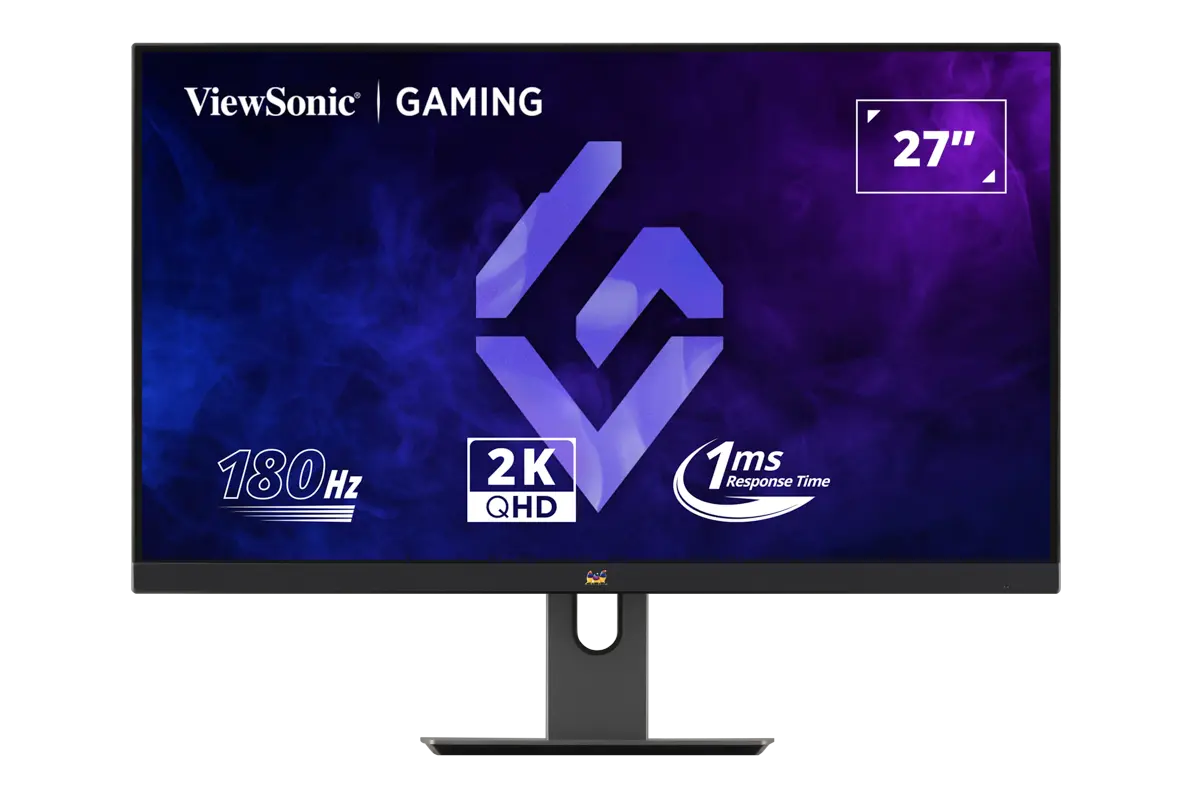
ViewSonic VX2758A-2K-PRO-2 — exact-model official product image.

ViewSonic VX2758A-2K-PRO-2

Max refresh
180 Hz
Screen diagonal
27 in
Stand depth
214 mm
Prices & product profile

Each record represents an explicitly checked model and configuration. Original import: 5 Sept 2026; this is not its verification date. This is not a list of current offers or a popularity ranking.