Skip to comparison
versus.deals
Menu
Browse versus.deals
MONITORS · YOUR NEXT FACE-OFF

MSI Modern MD272P vs MSI PRO MP273A

Real specs. Clear sources.Exact models · UK & US buying links

Compared products

YOUR FIRST CHOICE

MSI Modern MD272P

27 in · 1920 × 1080 · 75 Hz · MSI global model with supplied stand
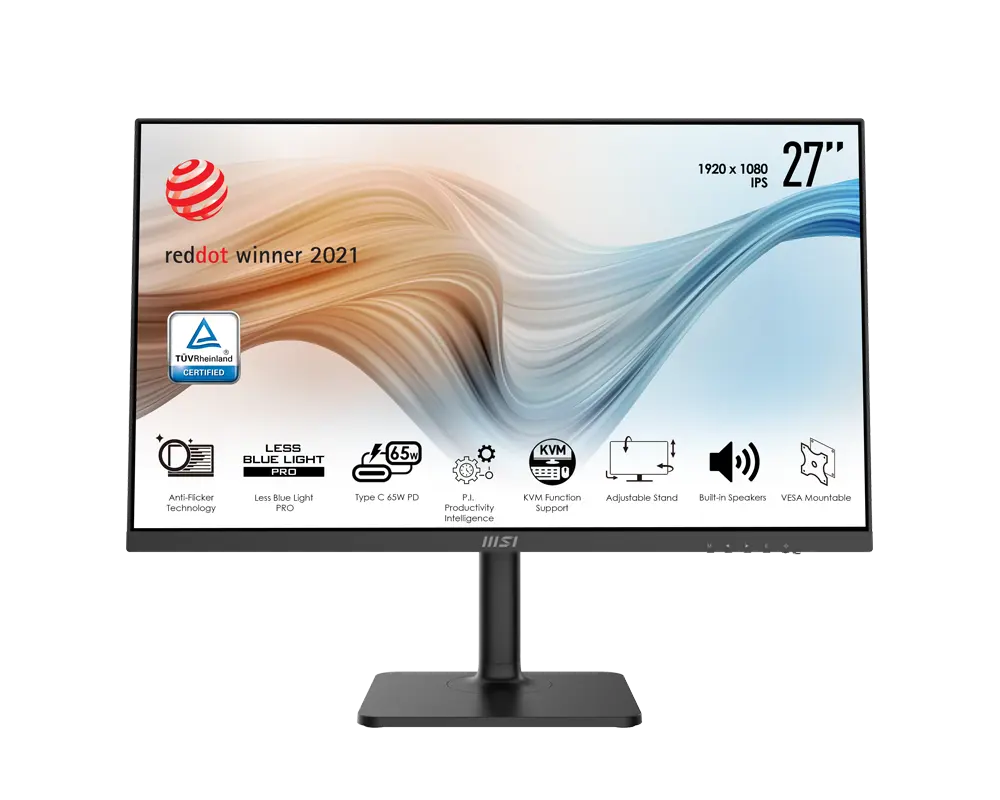
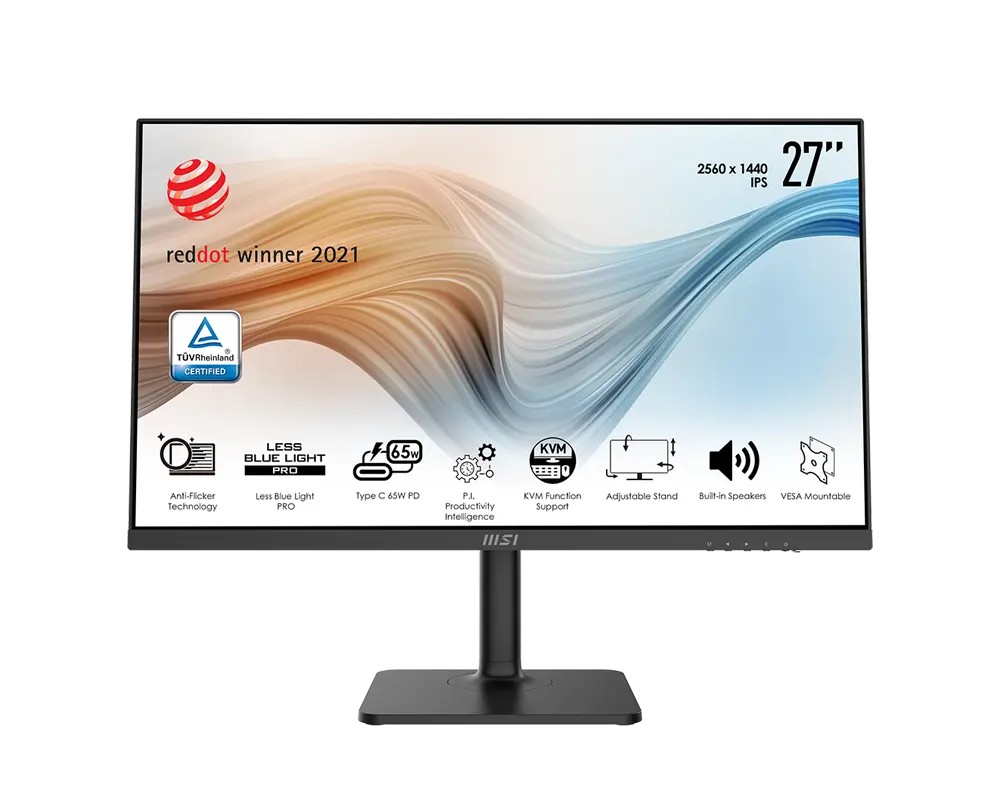
MSI Modern MD272P monitor with its supplied stand, official manufacturer illustration
Exact model & source notes

27-inch Full HD IPS monitor with up to 75 Hz over HDMI, DisplayPort and USB-C. It includes KVM switching, up to 65 W USB-C charging and a stand with height, swivel and portrait adjustment.

Specifications checked 11 Sept 2026.

Amazon links open search results. Check the exact variant, current price and availability with the retailer.

Manufacturer specifications

WHICH SUITS YOU?

Choose the Modern MD272P for

  • USB-C connection: Yes vs No
  • USB data hub: Yes vs No
  • Height-adjustable stand: Yes vs No

Choose the PRO MP273A for

  • Higher stated maximum listed refresh rate: 100 Hz vs 75 Hz
  • Smaller stated desk depth with stand: 182 mm vs 200.8 mm
Built from verified specifications that differ. Not a rating or a recommendation.
See the 26 verified differences
THE CONTENDER

MSI PRO MP273A

27 in · 1920 × 1080 · 100 Hz · MSI global model with supplied stand

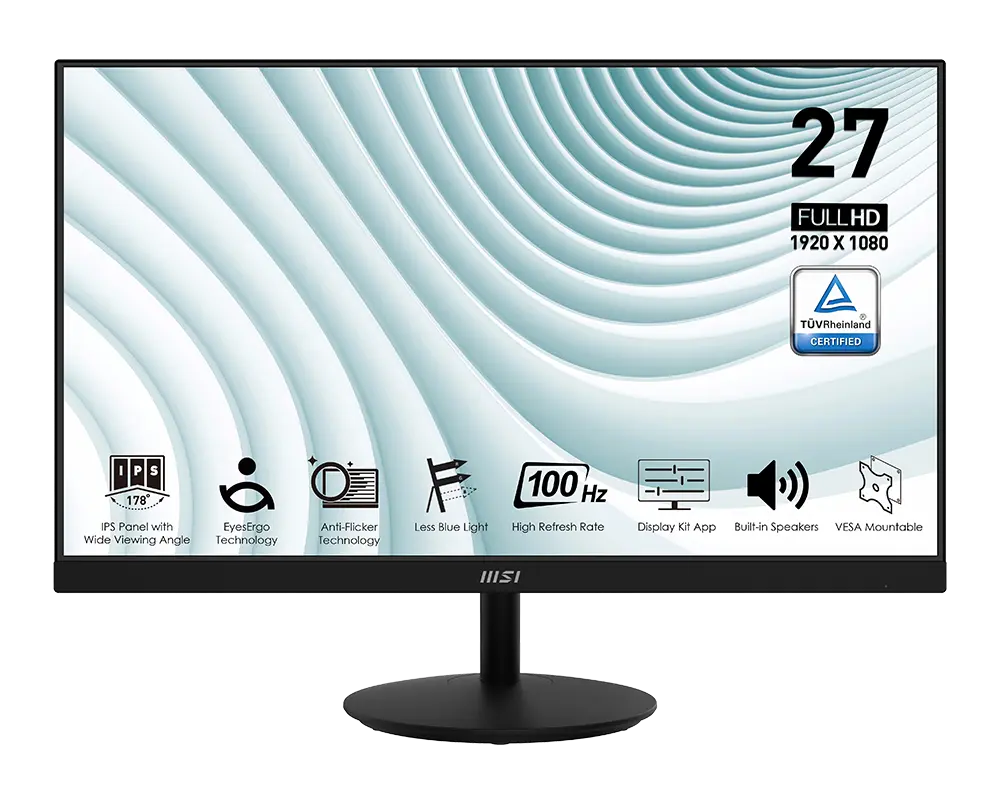
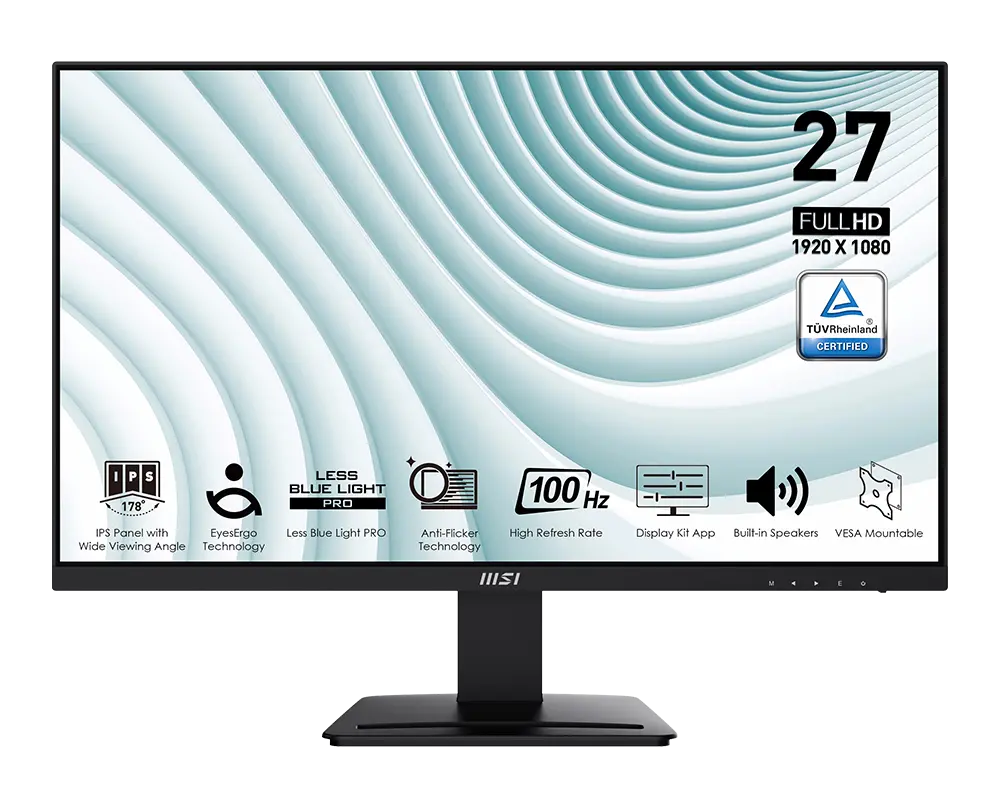
MSI PRO MP273A monitor with its supplied stand, official manufacturer illustration
Exact model & source notes

27-inch Full HD IPS monitor with up to 100 Hz through DisplayPort or HDMI, VGA support and two 3 W speakers. It has a tilt-only stand and front OSD buttons.

Specifications checked 11 Sept 2026.

Amazon links open search results. Check the exact variant, current price and availability with the retailer.

Manufacturer specifications

Modern MD272P UK & US retailers

UK & US price history: no verified listing yet

PRO MP273A UK & US retailers

UK & US price history: no verified listing yet

Search links open retailer results, not a matched listing; eBay listings are checked daily. As an Amazon Associate I earn from qualifying purchases. As an eBay Partner, we may be compensated if you make a purchase.

THE DIFFERENCES, MADE VISIBLE

Visual facts

Differences first. Select a topic for its graphic, sources and conditions.

How to read this comparison
  • Manufacturer facts for the exact models shown. Not a quality rating or a test result.
  • “Different” means the known values differ, not that one is better.
  • Missing or conflicting evidence is marked and never counts as a difference. Source chips hold each fact’s sources and conditions.
SPECIFICATIONS SIDE BY SIDE8 topics
SELECTED TOPIC
01 / 08

Max refresh

Maximum manufacturer-listed refresh rate, not measured motion clarity. The port-specific limits below matter; HDMI and DisplayPort can support different modes.

MSI Modern MD272P75 Hz

Manufacturer specification · HDMI, DisplayPort and USB-C: 1920 × 1080 up to 75 Hz. Compatible source and cable required.

MSI PRO MP273A100 Hz

Manufacturer specification · DisplayPort: up to 100 Hz; HDMI: up to 100 Hz; VGA: up to 60 Hz. At native 1920 × 1080; needs a compatible source and cable.

Explore the full specifications

Match the monitor to the connection. Refresh limits depend on the input, cable and source device. Confirm the exact regional ports, stand adjustment and mount. Manufacturer response-time methods such as MPRT and GtG are different; neither the image nor these figures establish an independent motion or colour-quality test.

WHAT CHANGES BETWEEN THEM?

Key differences

Full specifications ↓

26 verified differences, most decision-relevant first. 7 are also drawn in Visual facts above. Missing information stays separate.

Maximum listed refresh rate

In Visual facts
MSI Modern MD272P75 Hz
MSI PRO MP273A100 Hz
Sources
MSI Modern MD272P

Manufacturer specification · HDMI, DisplayPort and USB-C: 1920 × 1080 up to 75 Hz. Compatible source and cable required.

MSI Modern MD272P exact global datasheetMSI Modern MD272P V1.2 user guide; exact model column
MSI PRO MP273A

Manufacturer specification · DisplayPort: up to 100 Hz; HDMI: up to 100 Hz; VGA: up to 60 Hz. At native 1920 × 1080; needs a compatible source and cable.

MSI PRO MP273A exact global datasheetMSI PRO MP273A user guide V1.1; exact model column

Check the exact configuration and source conditions for your use.

Native-resolution input limits

In Visual facts
MSI Modern MD272PHDMI, DisplayPort and USB-C: 1920 × 1080 up to 75 Hz
MSI PRO MP273ADisplayPort: up to 100 Hz; HDMI: up to 100 Hz; VGA: up to 60 Hz
Sources
MSI PRO MP273A

Manufacturer specification · At native 1920 × 1080; needs a compatible source and cable.

MSI PRO MP273A exact global datasheetMSI PRO MP273A user guide V1.1; exact model column

Check the exact input, signal mode, source and cable. A connector version or supported timing does not guarantee every console mode, VRR setting or game frame rate.

Inputs and versions

In Visual facts
MSI Modern MD272P1 × HDMI; 1 × DisplayPort 1.2a; 1 × USB-C DisplayPort Alt Mode
MSI PRO MP273A1 × DisplayPort 1.2a; 1 × HDMI 1.4b; 1 × VGA (D-Sub); line input
Sources
MSI Modern MD272P

MSI's MD272P datasheet lists HDMI 2.0b while the shared user guide lists HDMI 1.4b. · Manufacturer specification · HDMI, DisplayPort and USB-C: 1920 × 1080 up to 75 Hz. USB-C provides up to 65 W to a compatible device. The global sheet says HDMI 2.0b; the shared guide says 1.4b. The exact P-model HDMI version remains disputed.

MSI Modern MD272P exact global datasheetMSI Modern MD272P V1.2 user guide; exact model column
MSI PRO MP273A

Manufacturer specification · DisplayPort: up to 100 Hz; HDMI: up to 100 Hz; VGA: up to 60 Hz. At native 1920 × 1080; needs a compatible source and cable.

MSI PRO MP273A exact global datasheetMSI PRO MP273A user guide V1.1; exact model column

Check the exact configuration and source conditions for your use.

Show 20 more verified differences

Stand adjustment

MSI Modern MD272PTilt −5° to +20°; swivel ±30°; portrait pivot ±90°; height travel 110 mm
MSI PRO MP273ATilt −5° to +20°; no height, swivel or pivot adjustment
Sources
MSI Modern MD272P

Manufacturer specification

MSI Modern MD272P V1.2 user guide; exact model column

Compare the supplied stand and mounting requirements. These affect positioning and desk fit; they do not establish panel quality. Check any separately stated limits or conflicting dimensions.

Audio connections

MSI Modern MD272PHeadphone output; no line input
MSI PRO MP273ALine-in; no headphone output
Sources
MSI PRO MP273A

Manufacturer specification · For VGA audio playback, the manual requires a separate line-in connection.

MSI PRO MP273A exact global datasheetMSI PRO MP273A user guide V1.1; exact model column

Check the exact configuration and source conditions for your use.

Package contents

MSI Modern MD272PMonitor, stand/base with screws, wall-mount screws and power cord; adapter, HDMI and USB upstream cable depend on bundle
MSI PRO MP273AMonitor, stand/base, external power supply and power cord; HDMI cable optional
Sources
MSI Modern MD272P

Manufacturer specification · Contents vary by country. Confirm the exact retailer bundle, including its power adapter and cables.

MSI Modern MD272P V1.2 user guide; exact model column
MSI PRO MP273A

Manufacturer specification · Contents can vary by country; check the seller's listing.

MSI PRO MP273A user guide V1.1; exact model column

Check the exact configuration and source conditions for your use.

Accepted console/video input modes

MSI Modern MD272P1080p at 60 Hz; 720p
MSI PRO MP273A1080p at 60 Hz
Sources
MSI Modern MD272P

Manufacturer specification · From the HDMI, DisplayPort and USB-C timing table; needs a compatible source and cable.

MSI Modern MD272P V1.2 user guide; exact model column
MSI PRO MP273A

Manufacturer specification · 1080p60 video timing is marked for the MP273A HDMI/DP and D-Sub columns. Source and cable compatibility remain required.

MSI PRO MP273A user guide V1.1; exact model column

Check the exact configuration and source conditions for your use.

Power supply

MSI Modern MD272PExternal adapter, 19 V 5.79 A
MSI PRO MP273AExternal adapter, 12 V 2.5 A
Sources
MSI PRO MP273A

Manufacturer specification · The adapter's output rating is not the monitor's running power; the mains cord may vary by region.

MSI PRO MP273A exact global datasheetMSI PRO MP273A user guide V1.1; exact model column

Check the exact configuration and source conditions for your use.

Desk depth with stand

MSI Modern MD272P200.8 mm
MSI PRO MP273A182 mm
Sources
MSI Modern MD272P

MSI lists 200.81 mm. · Manufacturer specification · Excludes additional cable clearance.

MSI Modern MD272P exact global datasheetMSI Modern MD272P V1.2 user guide; exact model column
MSI PRO MP273A

MSI's current specification page and datasheet both list 613.50 × 462.60 × 182 mm (W × H × D). The shared V1.1 manual's exact MP273A column lists 613.50 × 182 × 461.60 mm (W × D × H), a 1 mm lower height; the current specification page and datasheet figure is used. · Manufacturer specification · Supplied-stand depth, excluding additional cable clearance. Not panel thickness.

MSI PRO MP273A exact global datasheetMSI PRO MP273A user guide V1.1; exact model columnMSI PRO MP273A — current specification page

A size or weight trade-off; it does not establish the better product.

USB data connections

MSI Modern MD272P2 × USB 2.0 Type-A; 1 × USB 2.0 Type-B upstream
MSI PRO MP273ANo USB data ports
Sources
MSI Modern MD272P

Manufacturer specification · Connect the selected upstream data connection. The Type-A hub is USB 2.0, not USB 3.x.

MSI Modern MD272P exact global datasheetMSI Modern MD272P V1.2 user guide; exact model column

Check the exact configuration and source conditions for your use.

Dimensions with stand

MSI Modern MD272P613.5 × 401.5 × 200.8 mm (width × height × depth, with stand)
MSI PRO MP273A613.5 × 462.6 × 182 mm (width × height × depth, with stand)
Sources
MSI Modern MD272P

MSI lists 613.5 × 401.5 × 200.81 mm (width × height × depth). · Manufacturer specification · Declared assembled dimensions are not the full stand-adjustment envelope. Allow additional cable clearance.

MSI Modern MD272P exact global datasheetMSI Modern MD272P V1.2 user guide; exact model column
MSI PRO MP273A

MSI's current specification page and datasheet both list 613.50 × 462.60 × 182 mm (W × H × D). The shared V1.1 manual's exact MP273A column lists 613.50 × 182 × 461.60 mm (W × D × H), a 1 mm lower height; the current specification page and datasheet figure is used. · Manufacturer specification · Manufacturer assembled dimensions with the supplied stand. Depth excludes additional cable clearance; this is not panel thickness.

MSI PRO MP273A exact global datasheetMSI PRO MP273A user guide V1.1; exact model columnMSI PRO MP273A — current specification page

A size or weight trade-off; it does not establish the better product.

Missing or non-comparable evidence (27)

USB-C Power Delivery

MSI Modern MD272P65 W
MSI PRO MP273ANot verified
Sources
MSI Modern MD272P

Manufacturer specification · Up to 20 V / 3.25 A to a compatible connected device and cable. This is charging output, not monitor running power.

MSI Modern MD272P exact global datasheetMSI Modern MD272P V1.2 user guide; exact model column
MSI PRO MP273A

No source recorded for this side.

Evidence is missing or conflicting on at least one side. This is not a verified difference.

HDR signal handling

MSI Modern MD272PNot verified
MSI PRO MP273ANot verified
Sources
MSI Modern MD272P

MSI's shared manual mentions incoming HDR signals, but its Singapore model sheet lists HDR as N/A; HDR support is unclear. · Manufacturer specification

MSI Modern MD272P V1.2 user guide; exact model columnMSI Modern MD272P regional specification (Singapore)
MSI PRO MP273A

MSI does not list HDR input support for this model; HDCR is a contrast setting, not HDR. · Manufacturer specification

MSI PRO MP273A user guide V1.1; exact model column

Evidence is missing or conflicting on at least one side. This is not a verified difference.

KVM switch

MSI Modern MD272PYes
MSI PRO MP273ANot verified
Sources
MSI Modern MD272P

Manufacturer specification · OSD offers Auto, USB-B upstream or USB-C selection. Use USB-B plus HDMI/DP for one computer and a display/data-capable USB-C connection for the other.

MSI Modern MD272P exact global datasheetMSI Modern MD272P V1.2 user guide; exact model column
MSI PRO MP273A

No source recorded for this side.

Evidence is missing or conflicting on at least one side. This is not a verified difference.

HDMI VRR

MSI Modern MD272PNot verified
MSI PRO MP273ANot verified
Sources
MSI Modern MD272P

The named adaptive-sync mode is documented, but HDMI Forum VRR is not separately confirmed. · Manufacturer specification

MSI Modern MD272P V1.2 user guide; exact model column
MSI PRO MP273A

Adaptive-Sync and CEC do not prove HDMI Forum VRR. · Manufacturer specification

MSI PRO MP273A exact global datasheetMSI PRO MP273A user guide V1.1; exact model column

Evidence is missing or conflicting on at least one side. This is not a verified difference.

Stand accessory slot

MSI Modern MD272PNot verified
MSI PRO MP273AYes
Sources
MSI Modern MD272P

No source recorded for this side.

MSI PRO MP273A

Manufacturer specification

MSI PRO MP273A advertised capabilities

Evidence is missing or conflicting on at least one side. This is not a verified difference.

Adapter mains input

MSI Modern MD272P100–240 V AC, 50–60 Hz, 1.5 A maximum
MSI PRO MP273ANot verified
Sources
MSI Modern MD272P

Manufacturer specification

MSI Modern MD272P V1.2 user guide; exact model column
MSI PRO MP273A

No source recorded for this side.

Evidence is missing or conflicting on at least one side. This is not a verified difference.

Declared external adapter model

MSI Modern MD272PADS-110CL-19-3 190110G
MSI PRO MP273ANot verified
Sources
MSI Modern MD272P

Manufacturer specification

MSI Modern MD272P V1.2 user guide; exact model column
MSI PRO MP273A

No source recorded for this side.

Evidence is missing or conflicting on at least one side. This is not a verified difference.

MSI Display Kit support

MSI Modern MD272PNot verified
MSI PRO MP273AYes
Sources
MSI Modern MD272P

No source recorded for this side.

MSI PRO MP273A

Manufacturer specification · Separate PC software; check OS compatibility. It is not a USB hub or KVM.

MSI PRO MP273A advertised capabilities

Evidence is missing or conflicting on at least one side. This is not a verified difference.

Eye-Q on-screen tools

MSI Modern MD272PNot verified
MSI PRO MP273AAmsler Grid, Astigmatism and Posture Correction
Sources
MSI Modern MD272P

No source recorded for this side.

MSI PRO MP273A

Manufacturer specification

MSI PRO MP273A user guide V1.1; exact model column

Evidence is missing or conflicting on at least one side. This is not a verified difference.

HDMI version

MSI Modern MD272PConflicting evidence
MSI PRO MP273ANot verified
Sources
MSI Modern MD272P

MSI's MD272P datasheet specifies HDMI 2.0b, while the shared user guide specifies HDMI 1.4b; check the listing. · Manufacturer specification

MSI Modern MD272P exact global datasheetMSI Modern MD272P V1.2 user guide; exact model column
MSI PRO MP273A

No source recorded for this side.

Evidence is missing or conflicting on at least one side. This is not a verified difference.

KVM software workflow

MSI Modern MD272PProductivity Intelligence (P.I.); configurable switching hotkeys
MSI PRO MP273ANot verified
Sources
MSI Modern MD272P

Manufacturer specification · MSI's P.I. software switching needs Windows 10/11 with P.I. installed on both computers; the on-screen KVM menu works separately.

MSI Modern MD272P KVM setup guide
MSI PRO MP273A

No source recorded for this side.

Evidence is missing or conflicting on at least one side. This is not a verified difference.

Measured operating power consumption

MSI Modern MD272PNot verified
MSI PRO MP273ANot verified
Sources
MSI Modern MD272P

MSI does not list running power; the adapter rating and USB-C charging output are not the monitor's consumption. · Manufacturer specification

MSI Modern MD272P V1.2 user guide; exact model column
MSI PRO MP273A

30 W is the external adapter's output capacity, not the monitor's running power. · Manufacturer specification

MSI PRO MP273A exact global datasheetMSI PRO MP273A user guide V1.1; exact model column

Evidence is missing or conflicting on at least one side. This is not a verified difference.

MSI Productivity Intelligence support

MSI Modern MD272PYes
MSI PRO MP273ANot verified
Sources
MSI Modern MD272P

Manufacturer specification

MSI Modern MD272P exact global datasheet
MSI PRO MP273A

No source recorded for this side.

Evidence is missing or conflicting on at least one side. This is not a verified difference.

Default native refresh rate

MSI Modern MD272PNot verified
MSI PRO MP273ANot verified
Sources
MSI Modern MD272P

The maximum refresh rate is documented; a factory default rate is not specified. · Manufacturer specification

MSI Modern MD272P V1.2 user guide; exact model column
MSI PRO MP273A

Advertised maximum and an illustrative OSD frequency do not identify a factory/default refresh rate. · Manufacturer specification

MSI PRO MP273A exact global datasheetMSI PRO MP273A user guide V1.1; exact model column

Evidence is missing or conflicting on at least one side. This is not a verified difference.

Declared rise-plus-fall response

MSI Modern MD272PNot verified
MSI PRO MP273A14 ms
Sources
MSI Modern MD272P

No source recorded for this side.

MSI PRO MP273A

Manufacturer specification · Manufacturer Tr+Tf claim; not interchangeable with GtG or MPRT.

MSI PRO MP273A user guide V1.1; exact model column

Evidence is missing or conflicting on at least one side. This is not a verified difference.

On-screen aiming assistance

MSI Modern MD272PNot verified
MSI PRO MP273AYes
Sources
MSI Modern MD272P

No source recorded for this side.

MSI PRO MP273A

Manufacturer specification · AI-assisted crosshair visibility; colour and position are user selectable.

MSI PRO MP273A user guide V1.1; exact model column

Evidence is missing or conflicting on at least one side. This is not a verified difference.

USB-C display input

MSI Modern MD272PYes
MSI PRO MP273ANot verified
Sources
MSI Modern MD272P

Manufacturer specification · Both source USB-C port and cable must support DisplayPort Alt Mode.

MSI Modern MD272P V1.2 user guide; exact model column
MSI PRO MP273A

No source recorded for this side.

Evidence is missing or conflicting on at least one side. This is not a verified difference.

Maximum USB-C refresh at native resolution

MSI Modern MD272P75 Hz
MSI PRO MP273ANot verified
Sources
MSI Modern MD272P

Manufacturer specification

MSI Modern MD272P V1.2 user guide; exact model column
MSI PRO MP273A

No source recorded for this side.

Evidence is missing or conflicting on at least one side. This is not a verified difference.

Weight with stand

MSI Modern MD272PNot verified
MSI PRO MP273A3.9 kg
Sources
MSI Modern MD272P

MSI lists 5.85 kg net but does not say whether that includes the stand; see the net weight row. · Manufacturer specification

MSI Modern MD272P exact global datasheetMSI Modern MD272P V1.2 user guide; exact model column
MSI PRO MP273A

Manufacturer specification · Net mass, packaging excluded.

MSI PRO MP273A exact global datasheetMSI PRO MP273A user guide V1.1; exact model column

Evidence is missing or conflicting on at least one side. This is not a verified difference.

24 shared fields have the same recorded value.

WHAT EACH CHOICE ASKS OF YOU

What it brings and what to check

MSI Modern MD272P

What it brings

What to check

MSI PRO MP273A

What it brings

What to check

COMPARE THE DETAILS

Full specifications

How we verify
78 of 78 specifications Sources in each row
Source-backed specifications for MSI Modern MD272P and MSI PRO MP273A
SpecificationMSI Modern MD272PMSI PRO MP273A
27 in27 in
1920 × 10801920 × 1080
IPS LCDIPS LCD
16:916:9
Screen shape
Sources
MSI Modern MD272P

Manufacturer specification

MSI Modern MD272P V1.2 user guide; exact model column
MSI PRO MP273A

Manufacturer specification

MSI PRO MP273A user guide V1.1; exact model column
FlatFlat
Anti-glareAnti-glare
Declared typical brightnessDifferent
Sources
MSI Modern MD272P

Manufacturer specification · Typical brightness; not an HDR peak figure.

MSI Modern MD272P V1.2 user guide; exact model column
MSI PRO MP273A

Manufacturer specification · Typical brightness.

MSI PRO MP273A user guide V1.1; exact model column
250 cd/m²300 cd/m²
Static contrast claim
Sources
1000:11000:1
8-bit6-bit + FRC
16.7 million16.7 million
Active display area
Sources
MSI Modern MD272P

Manufacturer specification

MSI Modern MD272P exact global datasheet
MSI PRO MP273A

Manufacturer specification

MSI PRO MP273A exact global datasheet
597.888 × 336.312 mm (horizontal × vertical)597.888 × 336.312 mm (horizontal × vertical)
Pixel pitch
Sources
MSI Modern MD272P

Manufacturer specification

MSI Modern MD272P exact global datasheet
MSI PRO MP273A

Manufacturer specification

MSI PRO MP273A exact global datasheet
0.3114 × 0.3114 mm (horizontal × vertical)0.3114 × 0.3114 mm (horizontal × vertical)
178° horizontal / 178° vertical178° horizontal / 178° vertical
Declared sRGB gamutDifferent
Sources
100% (CIE 1976)106% (CIE 1976)
Declared DCI-P3 gamutDifferent
Sources
MSI Modern MD272P

Manufacturer specification

MSI Modern MD272P V1.2 user guide; exact model column
MSI PRO MP273A

Manufacturer specification

MSI PRO MP273A user guide V1.1; exact model column
80% (CIE 1976)84% (CIE 1976)
Picture modes
Sources
MSI Modern MD272P

Manufacturer specification

MSI Modern MD272P V1.2 user guide; exact model column
MSI PRO MP273A

Manufacturer specification

MSI PRO MP273A user guide V1.1; exact model column
Eco, User, sRGB, Anti-Blue, Movie, Office, Black-WhiteEco, User, sRGB, Anti-Blue, Movie, Office, Black-White
sRGB picture mode
Sources
MSI Modern MD272P

Manufacturer specification

MSI Modern MD272P V1.2 user guide; exact model column
MSI PRO MP273A

Manufacturer specification

MSI PRO MP273A user guide V1.1; exact model column
YesYes
Maximum listed refresh rateDifferent
Sources
MSI Modern MD272P

Manufacturer specification · HDMI, DisplayPort and USB-C: 1920 × 1080 up to 75 Hz. Compatible source and cable required.

MSI Modern MD272P exact global datasheetMSI Modern MD272P V1.2 user guide; exact model column
MSI PRO MP273A

Manufacturer specification · DisplayPort: up to 100 Hz; HDMI: up to 100 Hz; VGA: up to 60 Hz. At native 1920 × 1080; needs a compatible source and cable.

MSI PRO MP273A exact global datasheetMSI PRO MP273A user guide V1.1; exact model column
75 Hz100 Hz
Native-resolution input limitsDifferent
Sources
MSI PRO MP273A

Manufacturer specification · At native 1920 × 1080; needs a compatible source and cable.

MSI PRO MP273A exact global datasheetMSI PRO MP273A user guide V1.1; exact model column
HDMI, DisplayPort and USB-C: 1920 × 1080 up to 75 HzDisplayPort: up to 100 Hz; HDMI: up to 100 Hz; VGA: up to 60 Hz
Maximum HDMI refresh at native resolutionDifferent
Sources
75 Hz100 Hz
Maximum USB-C refresh at native resolution
Sources
MSI Modern MD272P

Manufacturer specification

MSI Modern MD272P V1.2 user guide; exact model column
MSI PRO MP273A

No source recorded.

75 HzNot provided
Response method and claimDifferent
Sources
MSI Modern MD272P

Manufacturer specification · Grey-to-grey response; not input lag.

MSI Modern MD272P exact global datasheetMSI Modern MD272P V1.2 user guide; exact model column
MSI PRO MP273A

Manufacturer specification · Moving-picture response time; not input lag.

MSI PRO MP273A exact global datasheetMSI PRO MP273A user guide V1.1; exact model column
5 ms GtG1 ms MPRT
Declared GtG responseDifferent
Sources
MSI Modern MD272P

Manufacturer specification · Grey-to-grey response; not input lag.

MSI Modern MD272P V1.2 user guide; exact model column
MSI PRO MP273A

Manufacturer specification · Grey-to-grey response; not input lag.

MSI PRO MP273A exact global datasheetMSI PRO MP273A user guide V1.1; exact model column
5 ms4 ms
Adaptive sync
Sources
MSI Modern MD272P

Manufacturer specification

MSI Modern MD272P V1.2 user guide; exact model column
MSI PRO MP273A

Manufacturer specification · MPRT and Adaptive-Sync cannot be enabled together. Needs a compatible source and driver; MSI does not list the VRR range or LFC.

MSI PRO MP273A user guide V1.1; exact model column
YesYes
Named adaptive-sync technology
Sources
MSI Modern MD272P

Manufacturer specification

MSI Modern MD272P V1.2 user guide; exact model column
MSI PRO MP273A

Manufacturer specification

MSI PRO MP273A user guide V1.1; exact model column
Adaptive-SyncAdaptive-Sync
Motion-blur reduction mode
Sources
MSI Modern MD272P

MSI does not list an MPRT or Anti Motion Blur mode for this model. · Manufacturer specification

MSI Modern MD272P V1.2 user guide; exact model column
MSI PRO MP273A

Manufacturer specification · MPRT locks brightness and disables HDCR and Adaptive-Sync.

MSI PRO MP273A user guide V1.1; exact model column
Not listed by the manufacturerYes
MPRT with adaptive sync
Sources
MSI Modern MD272P

MSI does not list an MPRT mode for this model. · Manufacturer specification

MSI Modern MD272P V1.2 user guide; exact model column
MSI PRO MP273A

Manufacturer specification

MSI PRO MP273A user guide V1.1; exact model column
Not listed by the manufacturerNo
Declared MPRT response
Sources
MSI Modern MD272P

No source recorded.

MSI PRO MP273A

Manufacturer specification · Manufacturer MPRT claim; no simultaneous VRR or input-lag claim.

MSI PRO MP273A exact global datasheetMSI PRO MP273A user guide V1.1; exact model column
Not provided1 ms
Declared rise-plus-fall response
Sources
MSI Modern MD272P

No source recorded.

MSI PRO MP273A

Manufacturer specification · Manufacturer Tr+Tf claim; not interchangeable with GtG or MPRT.

MSI PRO MP273A user guide V1.1; exact model column
Not provided14 ms
Inputs and versionsDifferent
Sources
MSI Modern MD272P

MSI's MD272P datasheet lists HDMI 2.0b while the shared user guide lists HDMI 1.4b. · Manufacturer specification · HDMI, DisplayPort and USB-C: 1920 × 1080 up to 75 Hz. USB-C provides up to 65 W to a compatible device. The global sheet says HDMI 2.0b; the shared guide says 1.4b. The exact P-model HDMI version remains disputed.

MSI Modern MD272P exact global datasheetMSI Modern MD272P V1.2 user guide; exact model column
MSI PRO MP273A

Manufacturer specification · DisplayPort: up to 100 Hz; HDMI: up to 100 Hz; VGA: up to 60 Hz. At native 1920 × 1080; needs a compatible source and cable.

MSI PRO MP273A exact global datasheetMSI PRO MP273A user guide V1.1; exact model column
1 × HDMI; 1 × DisplayPort 1.2a; 1 × USB-C DisplayPort Alt Mode1 × DisplayPort 1.2a; 1 × HDMI 1.4b; 1 × VGA (D-Sub); line input
YesNo
USB-C display input
Sources
MSI Modern MD272P

Manufacturer specification · Both source USB-C port and cable must support DisplayPort Alt Mode.

MSI Modern MD272P V1.2 user guide; exact model column
MSI PRO MP273A

No source recorded.

YesNot provided
USB-C Power Delivery
Sources
MSI Modern MD272P

Manufacturer specification · Up to 20 V / 3.25 A to a compatible connected device and cable. This is charging output, not monitor running power.

MSI Modern MD272P exact global datasheetMSI Modern MD272P V1.2 user guide; exact model column
MSI PRO MP273A

No source recorded.

65 WNot provided
YesNo
USB data connectionsDifferent
Sources
MSI Modern MD272P

Manufacturer specification · Connect the selected upstream data connection. The Type-A hub is USB 2.0, not USB 3.x.

MSI Modern MD272P exact global datasheetMSI Modern MD272P V1.2 user guide; exact model column
2 × USB 2.0 Type-A; 1 × USB 2.0 Type-B upstreamNo USB data ports
KVM switch
Sources
MSI Modern MD272P

Manufacturer specification · OSD offers Auto, USB-B upstream or USB-C selection. Use USB-B plus HDMI/DP for one computer and a display/data-capable USB-C connection for the other.

MSI Modern MD272P exact global datasheetMSI Modern MD272P V1.2 user guide; exact model column
MSI PRO MP273A

No source recorded.

YesNot provided
KVM software workflow
Sources
MSI Modern MD272P

Manufacturer specification · MSI's P.I. software switching needs Windows 10/11 with P.I. installed on both computers; the on-screen KVM menu works separately.

MSI Modern MD272P KVM setup guide
MSI PRO MP273A

No source recorded.

Productivity Intelligence (P.I.); configurable switching hotkeysNot provided
YesYes
Speaker configuration and ratingDifferent
Sources
2 × 2 W2 × 3 W
Audio connectionsDifferent
Sources
MSI PRO MP273A

Manufacturer specification · For VGA audio playback, the manual requires a separate line-in connection.

MSI PRO MP273A exact global datasheetMSI PRO MP273A user guide V1.1; exact model column
Headphone output; no line inputLine-in; no headphone output
Headphone outputDifferent
Sources
YesNo
HDMI CEC
Sources
MSI Modern MD272P

Manufacturer specification · Requires the CEC setting enabled and a CEC-capable source.

MSI Modern MD272P V1.2 user guide; exact model column
MSI PRO MP273A

Manufacturer specification · Requires a CEC-capable source.

MSI PRO MP273A user guide V1.1; exact model column
YesYes
Accepted console/video input modesDifferent
Sources
MSI Modern MD272P

Manufacturer specification · From the HDMI, DisplayPort and USB-C timing table; needs a compatible source and cable.

MSI Modern MD272P V1.2 user guide; exact model column
MSI PRO MP273A

Manufacturer specification · 1080p60 video timing is marked for the MP273A HDMI/DP and D-Sub columns. Source and cable compatibility remain required.

MSI PRO MP273A user guide V1.1; exact model column
1080p at 60 Hz; 720p1080p at 60 Hz
Height-adjustable standDifferent
Sources
YesNo
Swivel-adjustable standDifferent
Sources
YesNo
Portrait pivotDifferent
Sources
YesNo
Stand height travel
Sources
MSI PRO MP273A

No source recorded.

110 mmNot provided
−5° to 20°−5° to 20°
Stand adjustmentDifferent
Sources
Tilt −5° to +20°; swivel ±30°; portrait pivot ±90°; height travel 110 mmTilt −5° to +20°; no height, swivel or pivot adjustment
75 × 75 mm75 × 75 mm
VESA screw specification
Sources
MSI Modern MD272P

Manufacturer specification

MSI Modern MD272P V1.2 user guide; exact model column
MSI PRO MP273A

MSI's manual gives the 75 × 75 mm pattern but not the screw length or thread; confirm before choosing screws. · Manufacturer specification

MSI PRO MP273A user guide V1.1; exact model column
M4 × 10 mm; 0.7 mm thread pitchNot listed by the manufacturer
Dimensions with standDifferent
Sources
MSI Modern MD272P

MSI lists 613.5 × 401.5 × 200.81 mm (width × height × depth). · Manufacturer specification · Declared assembled dimensions are not the full stand-adjustment envelope. Allow additional cable clearance.

MSI Modern MD272P exact global datasheetMSI Modern MD272P V1.2 user guide; exact model column
MSI PRO MP273A

MSI's current specification page and datasheet both list 613.50 × 462.60 × 182 mm (W × H × D). The shared V1.1 manual's exact MP273A column lists 613.50 × 182 × 461.60 mm (W × D × H), a 1 mm lower height; the current specification page and datasheet figure is used. · Manufacturer specification · Manufacturer assembled dimensions with the supplied stand. Depth excludes additional cable clearance; this is not panel thickness.

MSI PRO MP273A exact global datasheetMSI PRO MP273A user guide V1.1; exact model columnMSI PRO MP273A — current specification page
613.5 × 401.5 × 200.8 mm (width × height × depth, with stand)613.5 × 462.6 × 182 mm (width × height × depth, with stand)
Desk depth with standDifferent
Sources
MSI Modern MD272P

MSI lists 200.81 mm. · Manufacturer specification · Excludes additional cable clearance.

MSI Modern MD272P exact global datasheetMSI Modern MD272P V1.2 user guide; exact model column
MSI PRO MP273A

MSI's current specification page and datasheet both list 613.50 × 462.60 × 182 mm (W × H × D). The shared V1.1 manual's exact MP273A column lists 613.50 × 182 × 461.60 mm (W × D × H), a 1 mm lower height; the current specification page and datasheet figure is used. · Manufacturer specification · Supplied-stand depth, excluding additional cable clearance. Not panel thickness.

MSI PRO MP273A exact global datasheetMSI PRO MP273A user guide V1.1; exact model columnMSI PRO MP273A — current specification page
200.8 mm182 mm
Weight with stand
Sources
MSI Modern MD272P

MSI lists 5.85 kg net but does not say whether that includes the stand; see the net weight row. · Manufacturer specification

MSI Modern MD272P exact global datasheetMSI Modern MD272P V1.2 user guide; exact model column
MSI PRO MP273A

Manufacturer specification · Net mass, packaging excluded.

MSI PRO MP273A exact global datasheetMSI PRO MP273A user guide V1.1; exact model column
Not listed by the manufacturer3.9 kg
Gross shipping weightDifferent
Sources
8.1 kg5.3 kg
Kensington lock slot
Sources
YesYes
Stand assemblyDifferent
Sources
MSI Modern MD272P

Manufacturer specification

MSI Modern MD272P V1.2 user guide; exact model column
MSI PRO MP273A

Manufacturer specification

MSI PRO MP273A user guide V1.1; exact model column
Screw-secured stand bracket and baseTool-free stand bracket and base
Package contentsDifferent
Sources
MSI Modern MD272P

Manufacturer specification · Contents vary by country. Confirm the exact retailer bundle, including its power adapter and cables.

MSI Modern MD272P V1.2 user guide; exact model column
MSI PRO MP273A

Manufacturer specification · Contents can vary by country; check the seller's listing.

MSI PRO MP273A user guide V1.1; exact model column
Monitor, stand/base with screws, wall-mount screws and power cord; adapter, HDMI and USB upstream cable depend on bundleMonitor, stand/base, external power supply and power cord; HDMI cable optional
Reported net weight
Sources
MSI Modern MD272P

Manufacturer specification · Net mass, excluding packaging; MSI does not say whether it includes the stand.

MSI Modern MD272P exact global datasheetMSI Modern MD272P V1.2 user guide; exact model column
MSI PRO MP273A

No source recorded.

5.85 kgNot provided
MSI Display Kit support
Sources
MSI Modern MD272P

No source recorded.

MSI PRO MP273A

Manufacturer specification · Separate PC software; check OS compatibility. It is not a USB hub or KVM.

MSI PRO MP273A advertised capabilities
Not providedYes
Stand accessory slot
Sources
MSI Modern MD272P

No source recorded.

MSI PRO MP273A

Manufacturer specification

MSI PRO MP273A advertised capabilities
Not providedYes
Power supplyDifferent
Sources
MSI PRO MP273A

Manufacturer specification · The adapter's output rating is not the monitor's running power; the mains cord may vary by region.

MSI PRO MP273A exact global datasheetMSI PRO MP273A user guide V1.1; exact model column
External adapter, 19 V 5.79 AExternal adapter, 12 V 2.5 A
Declared external adapter model
Sources
MSI Modern MD272P

Manufacturer specification

MSI Modern MD272P V1.2 user guide; exact model column
MSI PRO MP273A

No source recorded.

ADS-110CL-19-3 190110GNot provided
Adapter mains input
Sources
MSI Modern MD272P

Manufacturer specification

MSI Modern MD272P V1.2 user guide; exact model column
MSI PRO MP273A

No source recorded.

100–240 V AC, 50–60 Hz, 1.5 A maximumNot provided
MSI Productivity Intelligence support
Sources
MSI Modern MD272P

Manufacturer specification

MSI Modern MD272P exact global datasheet
MSI PRO MP273A

No source recorded.

YesNot provided
On-screen controls
Sources
Front OSD buttons with custom shortcutsFront OSD buttons with custom shortcuts
Eye-Q Check
Sources
MSI Modern MD272P

MSI does not list Eye-Q Check for this model. · Manufacturer specification

MSI Modern MD272P V1.2 user guide; exact model column
MSI PRO MP273A

Manufacturer specification · On-screen visual reference tools; not a medical test.

MSI PRO MP273A user guide V1.1; exact model column
Not listed by the manufacturerYes
Low Blue Light mode
Sources
MSI Modern MD272P

Manufacturer specification · Enabling Low Blue Light shifts the image warmer; Anti-Blue mode forces it on.

MSI Modern MD272P V1.2 user guide; exact model column
MSI PRO MP273A

Manufacturer specification · Anti-Blue mode forces Low Blue Light on; enabled control shifts the image to a warmer colour temperature.

MSI PRO MP273A user guide V1.1; exact model column
YesYes
Hardware low-blue-light filter
Sources
MSI Modern MD272P

Manufacturer specification · MSI's Less Blue Light PRO filter targets the 415–455 nm range.

MSI Modern MD272P exact global datasheetMSI Modern MD272P V1.2 user guide; exact model column
MSI PRO MP273A

Manufacturer specification · MSI's Less Blue Light PRO hardware filter.

MSI PRO MP273A user guide V1.1; exact model columnMSI PRO MP273A advertised capabilities
YesYes
Manufacturer Flicker Free declaration
Sources
MSI Modern MD272P

Manufacturer specification · MSI's flicker-free declaration excludes Anti Motion Blur/MPRT where available.

MSI Modern MD272P V1.2 user guide; exact model column
MSI PRO MP273A

Manufacturer specification · The manual excludes enabled MPRT/Anti Motion Blur from its Flicker Free declaration.

MSI PRO MP273A user guide V1.1; exact model column
YesYes
Eye-Q on-screen tools
Sources
MSI Modern MD272P

No source recorded.

MSI PRO MP273A

Manufacturer specification

MSI PRO MP273A user guide V1.1; exact model column
Not providedAmsler Grid, Astigmatism and Posture Correction
On-screen aiming assistance
Sources
MSI Modern MD272P

No source recorded.

MSI PRO MP273A

Manufacturer specification · AI-assisted crosshair visibility; colour and position are user selectable.

MSI PRO MP273A user guide V1.1; exact model column
Not providedYes
Show unverified (6)Not verified, not provided or conflicting for both products. Kept for completeness; never counted as a difference.
Specifications without verified values for either product
HDMI version
Sources
MSI Modern MD272P

MSI's MD272P datasheet specifies HDMI 2.0b, while the shared user guide specifies HDMI 1.4b; check the listing. · Manufacturer specification

MSI Modern MD272P exact global datasheetMSI Modern MD272P V1.2 user guide; exact model column
MSI PRO MP273A

No source recorded.

Conflicting sourcesNot provided
Default native refresh rate
Sources
MSI Modern MD272P

The maximum refresh rate is documented; a factory default rate is not specified. · Manufacturer specification

MSI Modern MD272P V1.2 user guide; exact model column
MSI PRO MP273A

Advertised maximum and an illustrative OSD frequency do not identify a factory/default refresh rate. · Manufacturer specification

MSI PRO MP273A exact global datasheetMSI PRO MP273A user guide V1.1; exact model column
Not listed by the manufacturerNot listed by the manufacturer
Measured operating power consumption
Sources
MSI Modern MD272P

MSI does not list running power; the adapter rating and USB-C charging output are not the monitor's consumption. · Manufacturer specification

MSI Modern MD272P V1.2 user guide; exact model column
MSI PRO MP273A

30 W is the external adapter's output capacity, not the monitor's running power. · Manufacturer specification

MSI PRO MP273A exact global datasheetMSI PRO MP273A user guide V1.1; exact model column
Not listed by the manufacturerNot listed by the manufacturer
HDMI VRR
Sources
MSI Modern MD272P

The named adaptive-sync mode is documented, but HDMI Forum VRR is not separately confirmed. · Manufacturer specification

MSI Modern MD272P V1.2 user guide; exact model column
MSI PRO MP273A

Adaptive-Sync and CEC do not prove HDMI Forum VRR. · Manufacturer specification

MSI PRO MP273A exact global datasheetMSI PRO MP273A user guide V1.1; exact model column
Not listed by the manufacturerNot listed by the manufacturer
HDR signal handling
Sources
MSI Modern MD272P

MSI's shared manual mentions incoming HDR signals, but its Singapore model sheet lists HDR as N/A; HDR support is unclear. · Manufacturer specification

MSI Modern MD272P V1.2 user guide; exact model columnMSI Modern MD272P regional specification (Singapore)
MSI PRO MP273A

MSI does not list HDR input support for this model; HDCR is a contrast setting, not HDR. · Manufacturer specification

MSI PRO MP273A user guide V1.1; exact model column
Not listed by the manufacturerNot listed by the manufacturer
Picture-in-picture / picture-by-picture
Sources
MSI Modern MD272P

KVM is documented, but simultaneous PIP/PBP display is not confirmed. · Manufacturer specification

MSI Modern MD272P V1.2 user guide; exact model column
MSI PRO MP273A

MSI does not list PIP/PBP for this model. · Manufacturer specification

MSI PRO MP273A user guide V1.1; exact model column
Not listed by the manufacturerNot listed by the manufacturer
FIND YOUR CONTENDERS

More products

Closest monitors to this pair by shared key specifications. Not a popularity ranking.

See all 1749 monitors

Each record represents an explicitly checked model and configuration. Original import: 5 Sept 2026; this is not its verification date. This is not a list of current offers or a popularity ranking.