Skip to comparison
versus.deals
Menu
Browse versus.deals
MOTHERBOARDS · YOUR NEXT FACE-OFF

MSI PRO X870-P WIFI vs MSI MAG X870 TOMAHAWK WIFI

Real specs. Clear sources.Exact models · UK & US buying links

Compared products

YOUR FIRST CHOICE

MSI PRO X870-P WIFI

AM5 · DDR5 · ATX · MSI global specification
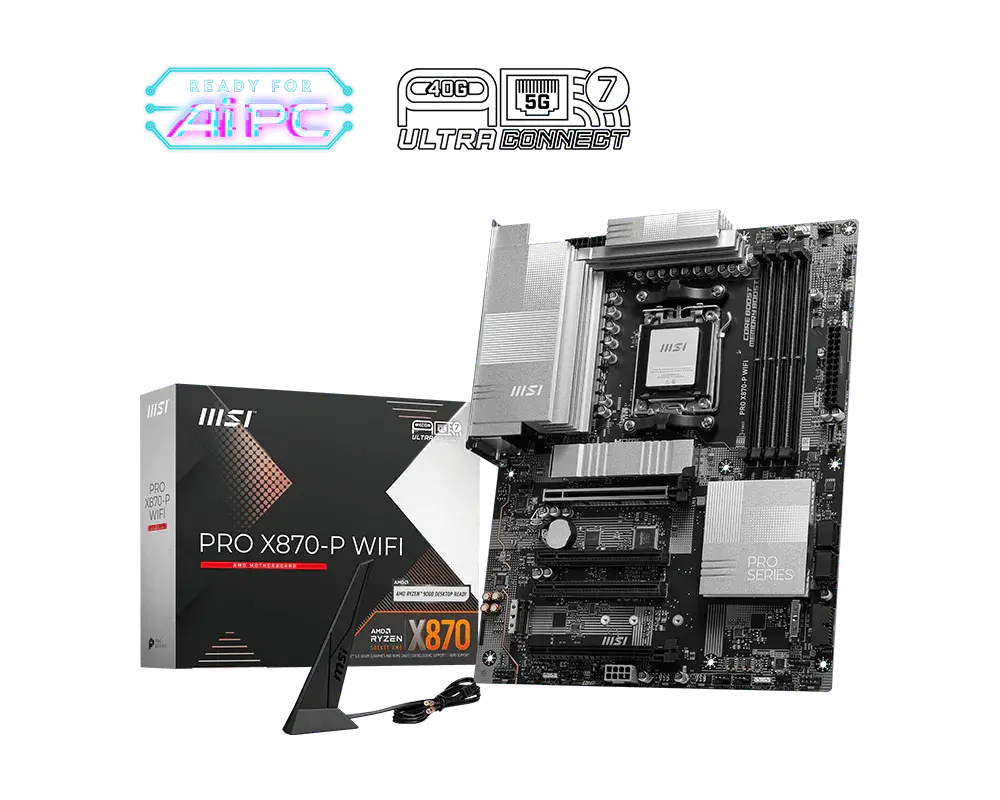
MSI PRO X870-P WIFI motherboard and manufacturer packaging with the exact model name visible
Exact model & source notes

An ATX AM5 motherboard with AMD X870: four DDR5 slots rated up to DDR5-8200+ (OC), a PCIe 5.0 x16 graphics slot, three M.2 slots (one PCIe 5.0 x4), a rear USB4 40 Gb/s port, Realtek 5 Gb Ethernet and Wi-Fi 7.

Specifications checked 8 Sept 2026.

Amazon links open search results. Check the exact variant, current price and availability with the retailer.

Manufacturer specifications

WHAT DIFFERS
3M.2 storage slots4
NVMe RAID modes0 / 1 / 50 / 1 / 5 / 10
1Rear USB4 Type-C ports2
3 of 8 verified differences, in the order listed below. Not a rating.
See the 8 verified differences
THE CONTENDER

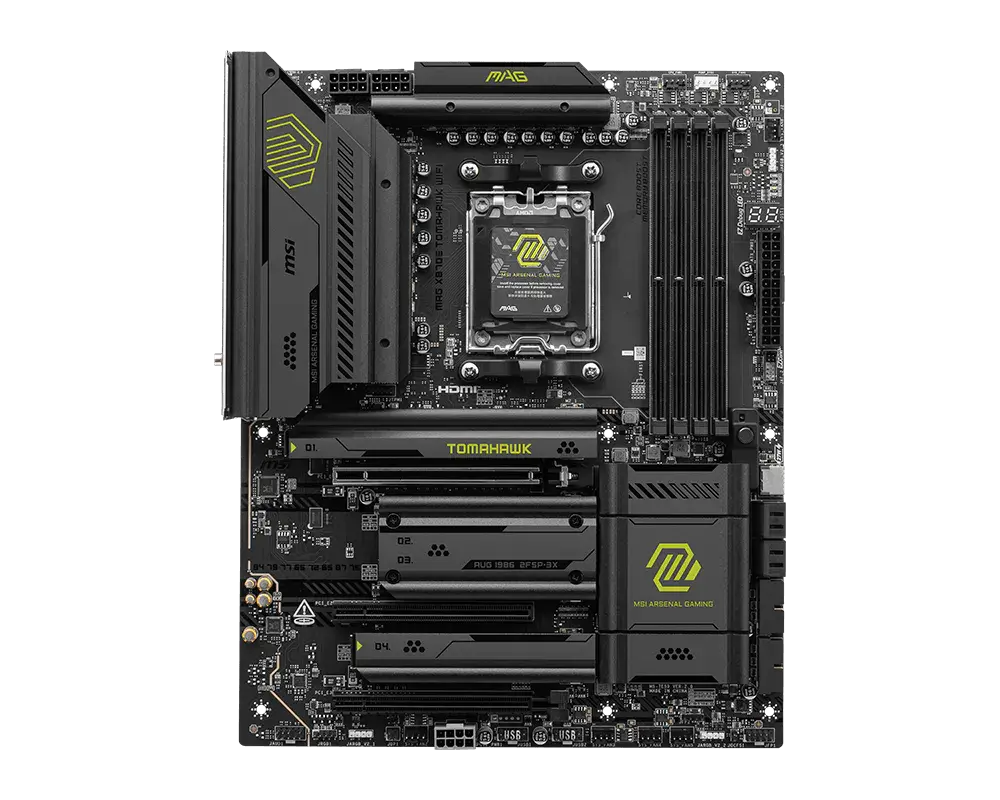
MSI MAG X870 TOMAHAWK WIFI

AM5 · ATX · DDR5 · board-only configuration · MSI global specification

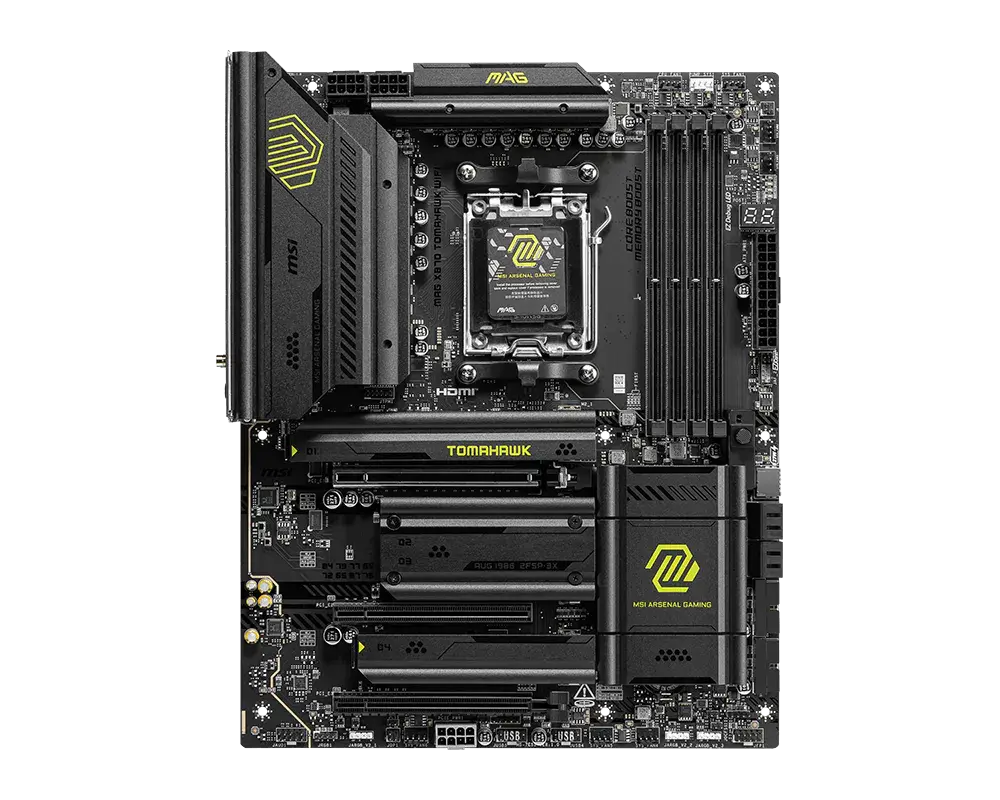
MSI MAG X870 TOMAHAWK WIFI motherboard, top view of the exact global model; CPU and memory are not installed
Exact model & source notes

An ATX AM5 motherboard with AMD X870: four DDR5 slots rated up to DDR5-8400+ (OC), a PCIe 5.0 x16 graphics slot, four M.2 slots (two PCIe 5.0 x4), two rear USB4 40 Gb/s ports, Realtek 5 Gb Ethernet and Wi-Fi 7.

Specifications checked 7 Sept 2026.

Amazon links open search results. Check the exact variant, current price and availability with the retailer.

Manufacturer specifications

PRO X870-P WIFI UK & US retailers

UK & US price history: no verified listing yet

MAG X870 TOMAHAWK WIFI UK & US retailers

UK & US price history: no verified listing yet

Search links open retailer results, not a matched listing; eBay listings are checked daily. As an Amazon Associate I earn from qualifying purchases. As an eBay Partner, we may be compensated if you make a purchase.

THE DIFFERENCES, MADE VISIBLE

Visual facts

Differences first. Select a topic for its graphic, sources and conditions.

How to read this comparison
  • Manufacturer facts for the exact models shown. Not a quality rating or a test result.
  • “Different” means the known values differ, not that one is better.
  • Missing or conflicting evidence is marked and never counts as a difference. Source chips hold each fact’s sources and conditions.
SPECIFICATIONS SIDE BY SIDE8 topics
SELECTED TOPIC
01 / 08

Memory type, slots and limit

Check the exact configuration and source conditions for your use.

MSI PRO X870-P WIFI4 DDR5 DIMM slots; dual channel; up to 256 GB; up to DDR5-8200+ (OC); AMD EXPO; non-ECC unbuffered; CUDIMM support

The overclocked speed is MSI's 1DPC 1R maximum with Ryzen 9000; MSI lists 1DPC 2R and 2DPC 1R up to 6400+ and 2DPC 2R up to 6000+ MT/s. JEDEC speeds are 4800–5600 MT/s. CUDIMMs run in clock-driver bypass mode only. · Manufacturer specification · CPU, BIOS and validated DIMM population determine supported capacity and speeds. DDR4 and DDR5 are not interchangeable.

MSI MAG X870 TOMAHAWK WIFI4 DDR5 DIMM slots; dual channel; up to 256 GB; up to DDR5-8400+ (OC); AMD EXPO; non-ECC unbuffered; CUDIMM support

The overclocked speed is MSI's 1DPC 1R maximum with Ryzen 9000; MSI lists 1DPC 2R, 2DPC 1R and 2DPC 2R up to 6400+ MT/s. JEDEC speeds are 4800–5600 MT/s. CUDIMMs run in clock-driver bypass mode only. · Manufacturer specification · Manufacturer capacity ceiling for this exact board, not included memory or a performance measurement. CPU, BIOS, DIMM population and the validated-module list determine support. DDR5 slots require DDR5 modules; DDR4 and DDR5 are not interchangeable. CUDIMM support is bypass mode only; compatibility depends on CPU and BIOS, and some combinations may not boot. Check the exact memory support list.

Explore the full specifications

Plan the complete platform. Check the exact CPU-support list, required BIOS and memory validation before buying. PCIe generations and lane allocations can change with the processor. A socket match or slot count is not a guarantee that every component works together at its highest advertised setting.

WHAT CHANGES BETWEEN THEM?

Key differences

Full specifications ↓

8 verified differences, most decision-relevant first. 7 are also drawn in Visual facts above. Missing information stays separate.

Memory type, slots and limit

In Visual facts
MSI PRO X870-P WIFI4 DDR5 DIMM slots; dual channel; up to 256 GB; up to DDR5-8200+ (OC); AMD EXPO; non-ECC unbuffered; CUDIMM support
MSI MAG X870 TOMAHAWK WIFI4 DDR5 DIMM slots; dual channel; up to 256 GB; up to DDR5-8400+ (OC); AMD EXPO; non-ECC unbuffered; CUDIMM support
Sources
MSI PRO X870-P WIFI

The overclocked speed is MSI's 1DPC 1R maximum with Ryzen 9000; MSI lists 1DPC 2R and 2DPC 1R up to 6400+ and 2DPC 2R up to 6000+ MT/s. JEDEC speeds are 4800–5600 MT/s. CUDIMMs run in clock-driver bypass mode only. · Manufacturer specification · CPU, BIOS and validated DIMM population determine supported capacity and speeds. DDR4 and DDR5 are not interchangeable.

MSI PRO X870-P WIFI — current detailed specification and slot restrictions
MSI MAG X870 TOMAHAWK WIFI

The overclocked speed is MSI's 1DPC 1R maximum with Ryzen 9000; MSI lists 1DPC 2R, 2DPC 1R and 2DPC 2R up to 6400+ MT/s. JEDEC speeds are 4800–5600 MT/s. CUDIMMs run in clock-driver bypass mode only. · Manufacturer specification · Manufacturer capacity ceiling for this exact board, not included memory or a performance measurement. CPU, BIOS, DIMM population and the validated-module list determine support. DDR5 slots require DDR5 modules; DDR4 and DDR5 are not interchangeable. CUDIMM support is bypass mode only; compatibility depends on CPU and BIOS, and some combinations may not boot. Check the exact memory support list.

MSI MAG X870 TOMAHAWK WIFI — manufacturer specifications

Check the exact configuration and source conditions for your use.

Storage interfaces

In Visual facts
MSI PRO X870-P WIFI1 × M.2 PCIe 5.0 x4; 1 × M.2 PCIe 4.0 x4; 1 × M.2 PCIe 4.0 x2; 4 × SATA 6 Gb/s
MSI MAG X870 TOMAHAWK WIFI2 × M.2 PCIe 5.0 x4; 1 × M.2 PCIe 4.0 x4; 1 × M.2 PCIe 4.0 x2; 4 × SATA 6 Gb/s
Sources
MSI PRO X870-P WIFI

M2_1 connects to the CPU; M2_2 and M2_3 connect to the chipset. M2_2 accepts drives up to 22110; the others up to 2280. · Manufacturer specification · M2_1 is PCIe 5.0 x4 with Ryzen 9000/7000 and PCIe 4.0 x4 with Ryzen 8000. Populating M2_3 reduces PCI_E4 to x2. Primary graphics lanes also depend on CPU.

MSI PRO X870-P WIFI — exact model specificationsMSI PRO X870-P WIFI — current detailed specification and slot restrictions
MSI MAG X870 TOMAHAWK WIFI

M2_1 and M2_2 connect to the CPU (PCIe 5.0 x4); M2_3 (PCIe 4.0 x2) and M2_4 (PCIe 4.0 x4) connect to the chipset. M2_1 accepts drives up to 22110; the others up to 2280. · Manufacturer specification · Ryzen 8000 reduces CPU M.2 links to PCIe 4.0; M2_2 is unavailable with Ryzen 8500/8300. M2_2 and the rear USB4 controller share CPU PCIe 5.0 x4 lanes. With M2_2 populated, each runs at x2; selecting M2_2 x4 in BIOS disables rear USB4. The USB4 controller itself supports at most PCIe 4.0 x4. PCI_E3 runs at x2 when M2_3 is used; selecting PCI_E3 x4 in BIOS disables M2_3.

MSI MAG X870 TOMAHAWK WIFI — manufacturer specifications

Check the exact configuration and source conditions for your use.

M.2 storage slots

In Visual facts
MSI PRO X870-P WIFI3
MSI MAG X870 TOMAHAWK WIFI4
Sources
MSI PRO X870-P WIFI

Manufacturer specification · M2_1 is PCIe 5.0 x4 with Ryzen 9000/7000 and PCIe 4.0 x4 with Ryzen 8000. Populating M2_3 reduces PCI_E4 to x2. Primary graphics lanes also depend on CPU.

MSI PRO X870-P WIFI — exact model specifications
MSI MAG X870 TOMAHAWK WIFI

Manufacturer specification · Onboard M.2 storage positions only. Ryzen 8000 reduces CPU M.2 links to PCIe 4.0; M2_2 is unavailable with Ryzen 8500/8300. M2_2 and the rear USB4 controller share CPU PCIe 5.0 x4 lanes. With M2_2 populated, each runs at x2; selecting M2_2 x4 in BIOS disables rear USB4. The USB4 controller itself supports at most PCIe 4.0 x4. PCI_E3 runs at x2 when M2_3 is used; selecting PCI_E3 x4 in BIOS disables M2_3.

MSI MAG X870 TOMAHAWK WIFI — manufacturer specifications

Check the exact configuration and source conditions for your use.

Expansion slots and electrical links

In Visual facts
MSI PRO X870-P WIFI1 × PCIe 5.0 x16; 1 × PCIe 4.0 x4; 2 × PCIe 3.0 x1
MSI MAG X870 TOMAHAWK WIFI1 × PCIe 5.0 x16; 1 × PCIe 4.0 x4; 1 × PCIe 3.0 x1
Sources
MSI PRO X870-P WIFI

PCI_E1 (PCIe 5.0 x16) uses CPU lanes; PCI_E2 and PCI_E3 (PCIe 3.0 x1) and PCI_E4 (PCIe 4.0 x4) use chipset lanes. · Manufacturer specification · All four slots are x16 length. PCI_E1 runs at PCIe 4.0 x8 with Ryzen 8700/8600/8400 and PCIe 4.0 x4 with Ryzen 8500/8300. PCI_E4 runs at x2 when an M.2 SSD is installed in M2_3.

MSI PRO X870-P WIFI — exact model specificationsMSI PRO X870-P WIFI — current detailed specification and slot restrictions
MSI MAG X870 TOMAHAWK WIFI

All three slots are x16 length. PCI_E1 (PCIe 5.0 x16) uses CPU lanes; PCI_E2 (PCIe 3.0 x1) and PCI_E3 (PCIe 4.0 x4) use chipset lanes. · Manufacturer specification · All three connectors have x16 physical length. E1 uses CPU lanes: Ryzen 7000/9000 x16 Gen5; 8700/8600/8400 x8 Gen4; 8500/8300 x4 Gen4. E2/E3 use chipset lanes. M2_3 population reduces E3 to x2; forcing E3 x4 disables M2_3.

MSI MAG X870 TOMAHAWK WIFI — manufacturer specifications

Check the exact configuration and source conditions for your use.

Onboard audio hardware

In Visual facts
MSI PRO X870-P WIFIRealtek ALC897 codec; 7.1-channel
MSI MAG X870 TOMAHAWK WIFIRealtek ALC4080 codec; 7.1-channel
Sources
MSI PRO X870-P WIFI

Manufacturer specification · Manufacturer-listed onboard audio hardware, not a measured sound-quality result.

MSI PRO X870-P WIFI — current detailed specification and slot restrictions
MSI MAG X870 TOMAHAWK WIFI

Manufacturer specification · Manufacturer-listed onboard audio hardware, not a measured sound-quality result. Where alternatives are listed, no particular unseen controller revision is promised.

MSI MAG X870 TOMAHAWK WIFI — manufacturer specifications

Check the exact configuration and source conditions for your use.

Motherboard display outputs

In Visual facts
MSI PRO X870-P WIFIHDMI 2.1 (up to 4K 60 Hz); USB-C DisplayPort 1.4 HBR3 via USB4 (up to 4K 60 Hz)
MSI MAG X870 TOMAHAWK WIFIHDMI 2.1 FRL; two USB-C DisplayPort 1.4 HBR3 outputs
Sources
MSI PRO X870-P WIFI

Manufacturer specification · Requires processor integrated graphics. Discrete GPU outputs are separate.

MSI PRO X870-P WIFI — exact model specificationsMSI PRO X870-P WIFI — current detailed specification and slot restrictions
MSI MAG X870 TOMAHAWK WIFI

Manufacturer specification · Requires processor integrated graphics. HDMI maximum 8K 60 Hz; USB4 display maximum 4K 60 Hz. CPU and connected equipment affect support; discrete GPU outputs are separate. M2_2 shares lanes with rear USB4. Populating it splits the link; selecting its x4 BIOS mode disables rear USB4. Controller maximum is PCIe 4.0 x4.

MSI MAG X870 TOMAHAWK WIFI — manufacturer specifications

Check the exact configuration and source conditions for your use.

Show 2 more verified differences

NVMe RAID modes

In Visual facts
MSI PRO X870-P WIFI0 / 1 / 5
MSI MAG X870 TOMAHAWK WIFI0 / 1 / 5 / 10
Sources
MSI PRO X870-P WIFI

Manufacturer specification · RAID 5 requires Ryzen 9000. RAID 10 is not listed for this board.

MSI PRO X870-P WIFI — current detailed specification and slot restrictions
MSI MAG X870 TOMAHAWK WIFI

Manufacturer specification · RAID 5 requires Ryzen 9000; RAID 10 requires Ryzen 9000 or 7000. Requires compatible drives and array setup.

MSI MAG X870 TOMAHAWK WIFI — manufacturer specifications

Check the exact configuration and source conditions for your use.

Rear USB4 Type-C ports

MSI PRO X870-P WIFI1
MSI MAG X870 TOMAHAWK WIFI2
Sources
MSI MAG X870 TOMAHAWK WIFI

Manufacturer specification · M2_2 shares lanes with rear USB4. Populating it splits the link; selecting its x4 BIOS mode disables rear USB4. Controller maximum is PCIe 4.0 x4.

MSI MAG X870 TOMAHAWK WIFI — manufacturer specifications

Check the exact configuration and source conditions for your use.

Missing or non-comparable evidence (5)

Graphics-slot release

MSI PRO X870-P WIFIEZ PCIe Clip II
MSI MAG X870 TOMAHAWK WIFINot verified
Sources
MSI PRO X870-P WIFI

Manufacturer specification · A finger-operated tail lock on the graphics slot, not the push-button EZ PCIe Release; an installation convenience, not a performance feature.

MSI PRO X870-P WIFI — exact model specifications
MSI MAG X870 TOMAHAWK WIFI

No source recorded for this side.

Evidence is missing or conflicting on at least one side. This is not a verified difference.

Lane-sharing restrictions

MSI PRO X870-P WIFIM2_1 is PCIe 5.0 x4 with Ryzen 9000/7000 and PCIe 4.0 x4 with Ryzen 8000. Populating M2_3 reduces PCI_E4 to x2. Primary graphics lanes also depend on CPU.
MSI MAG X870 TOMAHAWK WIFINot verified
Sources
MSI PRO X870-P WIFI

Manufacturer specification · Exact manufacturer restrictions; inspect the complete manual when planning simultaneous devices.

MSI PRO X870-P WIFI — current detailed specification and slot restrictions
MSI MAG X870 TOMAHAWK WIFI

No source recorded for this side.

Evidence is missing or conflicting on at least one side. This is not a verified difference.

PCIe release button

MSI PRO X870-P WIFINot verified
MSI MAG X870 TOMAHAWK WIFIYes
Sources
MSI PRO X870-P WIFI

No source recorded for this side.

MSI MAG X870 TOMAHAWK WIFI

Manufacturer specification · MSI EZ PCIe Release operates the graphics-card slot latch. This is an installation control, not a PCIe bandwidth or gaming-performance measurement.

MSI MAG X870 TOMAHAWK WIFI — exact model datasheet

Evidence is missing or conflicting on at least one side. This is not a verified difference.

SATA RAID modes

MSI PRO X870-P WIFINot supported
MSI MAG X870 TOMAHAWK WIFINot verified
Sources
MSI PRO X870-P WIFI

Manufacturer specification · MSI states that SATA_A1–A4, all four SATA ports, do not support RAID.

MSI PRO X870-P WIFI — current detailed specification and slot restrictions
MSI MAG X870 TOMAHAWK WIFI

MSI lists RAID modes for M.2 NVMe drives only; SATA RAID support is not stated. · Manufacturer specification · Check the manual or BIOS documentation before relying on SATA arrays.

MSI MAG X870 TOMAHAWK WIFI — manufacturer specifications

Evidence is missing or conflicting on at least one side. This is not a verified difference.

USB port and header capacity

MSI PRO X870-P WIFI1 × USB 40 Gb/s (1 Type-C); 1 × USB 20 Gb/s (1 Type-C); 3 × USB 10 Gb/s (2 Type-A + 1 Type-C); 4 × USB 5 Gb/s (4 Type-A); 8 × USB 2.0
MSI MAG X870 TOMAHAWK WIFINot verified
Sources
MSI PRO X870-P WIFI

Manufacturer specification · Combined rear ports and internal front headers. The 40 Gb/s, 20 Gb/s and 10 Gb/s Type-A ports are on the rear; the 10 Gb/s Type-C, two 5 Gb/s Type-A and four USB 2.0 connections are front headers that need compatible case ports. Link rates are nominal maxima.

MSI PRO X870-P WIFI — current detailed specification and slot restrictions
MSI MAG X870 TOMAHAWK WIFI

No source recorded for this side.

Evidence is missing or conflicting on at least one side. This is not a verified difference.

13 shared fields have the same recorded value.

WHAT EACH CHOICE ASKS OF YOU

What it brings and what to check

MSI PRO X870-P WIFI

What it brings

What to check

  • Ryzen 8000 processors drop M2_1 to PCIe 4.0 and the graphics slot to x8 or x4; the third M.2 slot is only PCIe 4.0 x2, and using it drops PCI_E4 to x2.
  • No SATA RAID on any of the four SATA ports, and NVMe RAID is limited to 0/1/5 (RAID 5 needs Ryzen 9000).

MSI MAG X870 TOMAHAWK WIFI

What it brings

  • A PCIe 5.0 x16 graphics slot and two PCIe 5.0 x4 M.2 slots, with four M.2 slots in total.
  • Two rear USB4 40 Gb/s Type-C ports, 5 Gb Ethernet, Wi-Fi 7 and Bluetooth 5.4.
  • DDR5 up to 8400+ MT/s (OC) with AMD EXPO, plus rear Flash BIOS and Clear CMOS buttons.

What to check

  • M2_2 shares lanes with the rear USB4 ports (both drop to x2 when it is used) and is unavailable with Ryzen 8500/8300; a drive in M2_3 drops PCI_E3 to x2.
  • Only four SATA ports, and MSI lists RAID modes for NVMe drives only.
COMPARE THE DETAILS

Full specifications

How we verify
26 of 26 specifications Sources in each row
Source-backed specifications for MSI PRO X870-P WIFI and MSI MAG X870 TOMAHAWK WIFI
SpecificationMSI PRO X870-P WIFIMSI MAG X870 TOMAHAWK WIFI
CPU socket
Sources
MSI PRO X870-P WIFI

Manufacturer specification

MSI PRO X870-P WIFI — exact model specifications
MSI MAG X870 TOMAHAWK WIFI

Manufacturer specification · Match the exact CPU and required BIOS as well as the physical socket.

MSI MAG X870 TOMAHAWK WIFI — manufacturer specifications
AM5AM5
Chipset
Sources
MSI PRO X870-P WIFI

Manufacturer specification

MSI PRO X870-P WIFI — exact model specifications
MSI MAG X870 TOMAHAWK WIFI

Manufacturer specification

MSI MAG X870 TOMAHAWK WIFI — manufacturer specifications
AMD X870AMD X870
Form factor
Sources
MSI MAG X870 TOMAHAWK WIFI

Manufacturer specification · Board dimensions, not retail packaging. Check case mounting positions, clearance and cable routing.

MSI MAG X870 TOMAHAWK WIFI — manufacturer specifications
ATX; 304.8 × 243.84 mmATX; 304.8 × 243.84 mm
CPU support / BIOS source
Sources
MSI PRO X870-P WIFI

Manufacturer specification · Check MSI's exact CPU support list and its required BIOS. Family support does not confirm the firmware installed on a retail board.

MSI PRO X870-P WIFI — exact model specifications
MSI MAG X870 TOMAHAWK WIFI

Manufacturer specification · Check MSI's exact CPU support list and its required BIOS. Family support does not confirm the firmware installed on a retail board.

MSI MAG X870 TOMAHAWK WIFI — manufacturer specifications
AMD Ryzen 9000 / 8000 / 7000 SeriesAMD Ryzen 9000 / 8000 / 7000 Series
Memory type, slots and limitDifferent
Sources
MSI PRO X870-P WIFI

The overclocked speed is MSI's 1DPC 1R maximum with Ryzen 9000; MSI lists 1DPC 2R and 2DPC 1R up to 6400+ and 2DPC 2R up to 6000+ MT/s. JEDEC speeds are 4800–5600 MT/s. CUDIMMs run in clock-driver bypass mode only. · Manufacturer specification · CPU, BIOS and validated DIMM population determine supported capacity and speeds. DDR4 and DDR5 are not interchangeable.

MSI PRO X870-P WIFI — current detailed specification and slot restrictions
MSI MAG X870 TOMAHAWK WIFI

The overclocked speed is MSI's 1DPC 1R maximum with Ryzen 9000; MSI lists 1DPC 2R, 2DPC 1R and 2DPC 2R up to 6400+ MT/s. JEDEC speeds are 4800–5600 MT/s. CUDIMMs run in clock-driver bypass mode only. · Manufacturer specification · Manufacturer capacity ceiling for this exact board, not included memory or a performance measurement. CPU, BIOS, DIMM population and the validated-module list determine support. DDR5 slots require DDR5 modules; DDR4 and DDR5 are not interchangeable. CUDIMM support is bypass mode only; compatibility depends on CPU and BIOS, and some combinations may not boot. Check the exact memory support list.

MSI MAG X870 TOMAHAWK WIFI — manufacturer specifications
4 DDR5 DIMM slots; dual channel; up to 256 GB; up to DDR5-8200+ (OC); AMD EXPO; non-ECC unbuffered; CUDIMM support4 DDR5 DIMM slots; dual channel; up to 256 GB; up to DDR5-8400+ (OC); AMD EXPO; non-ECC unbuffered; CUDIMM support
Maximum listed memory
Sources
MSI PRO X870-P WIFI

Manufacturer specification · Manufacturer capacity ceiling; CPU, BIOS and module validation apply.

MSI PRO X870-P WIFI — current detailed specification and slot restrictions
MSI MAG X870 TOMAHAWK WIFI

Manufacturer specification · Manufacturer capacity ceiling for this exact board, not included memory or a performance measurement. CPU, BIOS, DIMM population and the validated-module list determine support. DDR5 slots require DDR5 modules; DDR4 and DDR5 are not interchangeable. CUDIMM support is bypass mode only; compatibility depends on CPU and BIOS, and some combinations may not boot. Check the exact memory support list.

MSI MAG X870 TOMAHAWK WIFI — manufacturer specifications
256 GB256 GB
DIMM slots
Sources
MSI PRO X870-P WIFI

Manufacturer specification · Physical DDR5 DIMM positions; not a capacity or speed guarantee.

MSI PRO X870-P WIFI — exact model specifications
MSI MAG X870 TOMAHAWK WIFI

Manufacturer specification · Physical DDR5 module positions, not included modules. Consult the board manual for population order and compatible capacities.

MSI MAG X870 TOMAHAWK WIFI — manufacturer specifications
44
Storage interfacesDifferent
Sources
MSI PRO X870-P WIFI

M2_1 connects to the CPU; M2_2 and M2_3 connect to the chipset. M2_2 accepts drives up to 22110; the others up to 2280. · Manufacturer specification · M2_1 is PCIe 5.0 x4 with Ryzen 9000/7000 and PCIe 4.0 x4 with Ryzen 8000. Populating M2_3 reduces PCI_E4 to x2. Primary graphics lanes also depend on CPU.

MSI PRO X870-P WIFI — exact model specificationsMSI PRO X870-P WIFI — current detailed specification and slot restrictions
MSI MAG X870 TOMAHAWK WIFI

M2_1 and M2_2 connect to the CPU (PCIe 5.0 x4); M2_3 (PCIe 4.0 x2) and M2_4 (PCIe 4.0 x4) connect to the chipset. M2_1 accepts drives up to 22110; the others up to 2280. · Manufacturer specification · Ryzen 8000 reduces CPU M.2 links to PCIe 4.0; M2_2 is unavailable with Ryzen 8500/8300. M2_2 and the rear USB4 controller share CPU PCIe 5.0 x4 lanes. With M2_2 populated, each runs at x2; selecting M2_2 x4 in BIOS disables rear USB4. The USB4 controller itself supports at most PCIe 4.0 x4. PCI_E3 runs at x2 when M2_3 is used; selecting PCI_E3 x4 in BIOS disables M2_3.

MSI MAG X870 TOMAHAWK WIFI — manufacturer specifications
1 × M.2 PCIe 5.0 x4; 1 × M.2 PCIe 4.0 x4; 1 × M.2 PCIe 4.0 x2; 4 × SATA 6 Gb/s2 × M.2 PCIe 5.0 x4; 1 × M.2 PCIe 4.0 x4; 1 × M.2 PCIe 4.0 x2; 4 × SATA 6 Gb/s
M.2 storage slotsDifferent
Sources
MSI PRO X870-P WIFI

Manufacturer specification · M2_1 is PCIe 5.0 x4 with Ryzen 9000/7000 and PCIe 4.0 x4 with Ryzen 8000. Populating M2_3 reduces PCI_E4 to x2. Primary graphics lanes also depend on CPU.

MSI PRO X870-P WIFI — exact model specifications
MSI MAG X870 TOMAHAWK WIFI

Manufacturer specification · Onboard M.2 storage positions only. Ryzen 8000 reduces CPU M.2 links to PCIe 4.0; M2_2 is unavailable with Ryzen 8500/8300. M2_2 and the rear USB4 controller share CPU PCIe 5.0 x4 lanes. With M2_2 populated, each runs at x2; selecting M2_2 x4 in BIOS disables rear USB4. The USB4 controller itself supports at most PCIe 4.0 x4. PCI_E3 runs at x2 when M2_3 is used; selecting PCI_E3 x4 in BIOS disables M2_3.

MSI MAG X870 TOMAHAWK WIFI — manufacturer specifications
34
SATA ports
Sources
MSI PRO X870-P WIFI

Manufacturer specification · M2_1 is PCIe 5.0 x4 with Ryzen 9000/7000 and PCIe 4.0 x4 with Ryzen 8000. Populating M2_3 reduces PCI_E4 to x2. Primary graphics lanes also depend on CPU.

MSI PRO X870-P WIFI — exact model specifications
MSI MAG X870 TOMAHAWK WIFI

Manufacturer specification · SATA 6 Gb/s connectors, not supplied drives or power cables. Ryzen 8000 reduces CPU M.2 links to PCIe 4.0; M2_2 is unavailable with Ryzen 8500/8300. M2_2 and the rear USB4 controller share CPU PCIe 5.0 x4 lanes. With M2_2 populated, each runs at x2; selecting M2_2 x4 in BIOS disables rear USB4. The USB4 controller itself supports at most PCIe 4.0 x4. PCI_E3 runs at x2 when M2_3 is used; selecting PCI_E3 x4 in BIOS disables M2_3.

MSI MAG X870 TOMAHAWK WIFI — manufacturer specifications
44
NVMe RAID modesDifferent
Sources
MSI PRO X870-P WIFI

Manufacturer specification · RAID 5 requires Ryzen 9000. RAID 10 is not listed for this board.

MSI PRO X870-P WIFI — current detailed specification and slot restrictions
MSI MAG X870 TOMAHAWK WIFI

Manufacturer specification · RAID 5 requires Ryzen 9000; RAID 10 requires Ryzen 9000 or 7000. Requires compatible drives and array setup.

MSI MAG X870 TOMAHAWK WIFI — manufacturer specifications
0 / 1 / 50 / 1 / 5 / 10
SATA RAID modes
Sources
MSI PRO X870-P WIFI

Manufacturer specification · MSI states that SATA_A1–A4, all four SATA ports, do not support RAID.

MSI PRO X870-P WIFI — current detailed specification and slot restrictions
MSI MAG X870 TOMAHAWK WIFI

MSI lists RAID modes for M.2 NVMe drives only; SATA RAID support is not stated. · Manufacturer specification · Check the manual or BIOS documentation before relying on SATA arrays.

MSI MAG X870 TOMAHAWK WIFI — manufacturer specifications
Not supportedNot listed by the manufacturer
Tool-less M.2 heatsink handling
Sources
MSI PRO X870-P WIFI

Manufacturer specification · MSI describes tool-less SSD and Shield Frozr installation/removal under EZ M.2 Shield Frozr II. An installation convenience, not a cooling measurement; it may not suit every SSD heatsink.

MSI PRO X870-P WIFI — exact model specifications
MSI MAG X870 TOMAHAWK WIFI

Manufacturer specification · MSI describes tool-less SSD and Shield Frozr installation/removal under EZ M.2 Shield Frozr II. An installation convenience, not a cooling measurement; it may not suit every SSD heatsink.

MSI MAG X870 TOMAHAWK WIFI — exact model datasheet
YesYes
Expansion slots and electrical linksDifferent
Sources
MSI PRO X870-P WIFI

PCI_E1 (PCIe 5.0 x16) uses CPU lanes; PCI_E2 and PCI_E3 (PCIe 3.0 x1) and PCI_E4 (PCIe 4.0 x4) use chipset lanes. · Manufacturer specification · All four slots are x16 length. PCI_E1 runs at PCIe 4.0 x8 with Ryzen 8700/8600/8400 and PCIe 4.0 x4 with Ryzen 8500/8300. PCI_E4 runs at x2 when an M.2 SSD is installed in M2_3.

MSI PRO X870-P WIFI — exact model specificationsMSI PRO X870-P WIFI — current detailed specification and slot restrictions
MSI MAG X870 TOMAHAWK WIFI

All three slots are x16 length. PCI_E1 (PCIe 5.0 x16) uses CPU lanes; PCI_E2 (PCIe 3.0 x1) and PCI_E3 (PCIe 4.0 x4) use chipset lanes. · Manufacturer specification · All three connectors have x16 physical length. E1 uses CPU lanes: Ryzen 7000/9000 x16 Gen5; 8700/8600/8400 x8 Gen4; 8500/8300 x4 Gen4. E2/E3 use chipset lanes. M2_3 population reduces E3 to x2; forcing E3 x4 disables M2_3.

MSI MAG X870 TOMAHAWK WIFI — manufacturer specifications
1 × PCIe 5.0 x16; 1 × PCIe 4.0 x4; 2 × PCIe 3.0 x11 × PCIe 5.0 x16; 1 × PCIe 4.0 x4; 1 × PCIe 3.0 x1
Lane-sharing restrictions
Sources
MSI PRO X870-P WIFI

Manufacturer specification · Exact manufacturer restrictions; inspect the complete manual when planning simultaneous devices.

MSI PRO X870-P WIFI — current detailed specification and slot restrictions
MSI MAG X870 TOMAHAWK WIFI

No source recorded.

M2_1 is PCIe 5.0 x4 with Ryzen 9000/7000 and PCIe 4.0 x4 with Ryzen 8000. Populating M2_3 reduces PCI_E4 to x2. Primary graphics lanes also depend on CPU.Not provided
Graphics-slot release
Sources
MSI PRO X870-P WIFI

Manufacturer specification · A finger-operated tail lock on the graphics slot, not the push-button EZ PCIe Release; an installation convenience, not a performance feature.

MSI PRO X870-P WIFI — exact model specifications
MSI MAG X870 TOMAHAWK WIFI

No source recorded.

EZ PCIe Clip IINot provided
PCIe release button
Sources
MSI PRO X870-P WIFI

No source recorded.

MSI MAG X870 TOMAHAWK WIFI

Manufacturer specification · MSI EZ PCIe Release operates the graphics-card slot latch. This is an installation control, not a PCIe bandwidth or gaming-performance measurement.

MSI MAG X870 TOMAHAWK WIFI — exact model datasheet
Not providedYes
Rear USB4 support
Sources
MSI PRO X870-P WIFI

Manufacturer specification · MSI lists no lane sharing between the rear USB4 port and the M.2 slots on this board.

MSI PRO X870-P WIFI — exact model specificationsMSI PRO X870-P WIFI — current detailed specification and slot restrictions
MSI MAG X870 TOMAHAWK WIFI

Manufacturer specification · M2_2 shares lanes with rear USB4. Populating it splits the link; selecting its x4 BIOS mode disables rear USB4. Controller maximum is PCIe 4.0 x4.

MSI MAG X870 TOMAHAWK WIFI — manufacturer specifications
YesYes
Rear USB4 Type-C portsDifferent
Sources
MSI MAG X870 TOMAHAWK WIFI

Manufacturer specification · M2_2 shares lanes with rear USB4. Populating it splits the link; selecting its x4 BIOS mode disables rear USB4. Controller maximum is PCIe 4.0 x4.

MSI MAG X870 TOMAHAWK WIFI — manufacturer specifications
12
Rear USB4 advertised link rate
Sources
MSI PRO X870-P WIFI

Manufacturer specification · Nominal port signalling rate, not measured throughput.

MSI PRO X870-P WIFI — exact model specificationsMSI PRO X870-P WIFI — current detailed specification and slot restrictions
MSI MAG X870 TOMAHAWK WIFI

Manufacturer specification · Nominal port signalling rate, not measured throughput. M2_2 shares lanes with rear USB4. Populating it splits the link; selecting its x4 BIOS mode disables rear USB4. Controller maximum is PCIe 4.0 x4.

MSI MAG X870 TOMAHAWK WIFI — manufacturer specifications
40 Gb/s40 Gb/s
USB port and header capacity
Sources
MSI PRO X870-P WIFI

Manufacturer specification · Combined rear ports and internal front headers. The 40 Gb/s, 20 Gb/s and 10 Gb/s Type-A ports are on the rear; the 10 Gb/s Type-C, two 5 Gb/s Type-A and four USB 2.0 connections are front headers that need compatible case ports. Link rates are nominal maxima.

MSI PRO X870-P WIFI — current detailed specification and slot restrictions
MSI MAG X870 TOMAHAWK WIFI

No source recorded.

1 × USB 40 Gb/s (1 Type-C); 1 × USB 20 Gb/s (1 Type-C); 3 × USB 10 Gb/s (2 Type-A + 1 Type-C); 4 × USB 5 Gb/s (4 Type-A); 8 × USB 2.0Not provided
Motherboard display outputsDifferent
Sources
MSI PRO X870-P WIFI

Manufacturer specification · Requires processor integrated graphics. Discrete GPU outputs are separate.

MSI PRO X870-P WIFI — exact model specificationsMSI PRO X870-P WIFI — current detailed specification and slot restrictions
MSI MAG X870 TOMAHAWK WIFI

Manufacturer specification · Requires processor integrated graphics. HDMI maximum 8K 60 Hz; USB4 display maximum 4K 60 Hz. CPU and connected equipment affect support; discrete GPU outputs are separate. M2_2 shares lanes with rear USB4. Populating it splits the link; selecting its x4 BIOS mode disables rear USB4. Controller maximum is PCIe 4.0 x4.

MSI MAG X870 TOMAHAWK WIFI — manufacturer specifications
HDMI 2.1 (up to 4K 60 Hz); USB-C DisplayPort 1.4 HBR3 via USB4 (up to 4K 60 Hz)HDMI 2.1 FRL; two USB-C DisplayPort 1.4 HBR3 outputs
Onboard audio hardwareDifferent
Sources
MSI PRO X870-P WIFI

Manufacturer specification · Manufacturer-listed onboard audio hardware, not a measured sound-quality result.

MSI PRO X870-P WIFI — current detailed specification and slot restrictions
MSI MAG X870 TOMAHAWK WIFI

Manufacturer specification · Manufacturer-listed onboard audio hardware, not a measured sound-quality result. Where alternatives are listed, no particular unseen controller revision is promised.

MSI MAG X870 TOMAHAWK WIFI — manufacturer specifications
Realtek ALC897 codec; 7.1-channelRealtek ALC4080 codec; 7.1-channel
Network interfaces
Sources
MSI PRO X870-P WIFI

Manufacturer specification · Wireless features require compatible OS, driver and router. 6 GHz availability depends on regional rules.

MSI PRO X870-P WIFI — exact model specifications
MSI MAG X870 TOMAHAWK WIFI

MSI names the Ethernet controller Realtek 8126-CG for this board. · Manufacturer specification · Wi-Fi 7 requires supported Windows 11, drivers and access point; MSI specifies Windows 11 24H2 for full Wi-Fi 7 operation. 6 GHz availability depends on country rules. Bluetooth version depends on module vendor and drivers; no measured throughput is claimed.

MSI MAG X870 TOMAHAWK WIFI — manufacturer specifications
Realtek 8126 5 Gb Ethernet; Wi-Fi 7; Bluetooth 5.4Realtek 8126 5 Gb Ethernet; Wi-Fi 7; Bluetooth 5.4
Rear Flash BIOS button
Sources
MSI PRO X870-P WIFI

Manufacturer specification · Rear-panel control; follow the exact board's firmware and flashing instructions.

MSI PRO X870-P WIFI — exact model specificationsMSI PRO X870-P WIFI — current detailed specification and slot restrictions
MSI MAG X870 TOMAHAWK WIFI

Manufacturer specification · Rear-panel control; follow the exact board's firmware and flashing instructions.

MSI MAG X870 TOMAHAWK WIFI — manufacturer specifications
YesYes
Rear Clear CMOS button
Sources
MSI PRO X870-P WIFI

Manufacturer specification · Listed rear-panel control; follow the board manual before resetting firmware settings.

MSI PRO X870-P WIFI — exact model specificationsMSI PRO X870-P WIFI — current detailed specification and slot restrictions
MSI MAG X870 TOMAHAWK WIFI

Manufacturer specification · Listed rear-panel control; follow the board manual before resetting firmware settings.

MSI MAG X870 TOMAHAWK WIFI — manufacturer specifications
YesYes
FIND YOUR CONTENDERS

More products

Closest motherboards to this pair by shared key specifications. Not a popularity ranking.

See all 617 motherboards
MSI MAG X870E TOMAHAWK WIFI motherboard, top view of the exact global model; CPU and memory are not installed

MSI MAG X870E TOMAHAWK WIFI

Maximum memory
256 GB
DIMM slots
4 slots
M.2 slots
4 slots
Prices & product profile
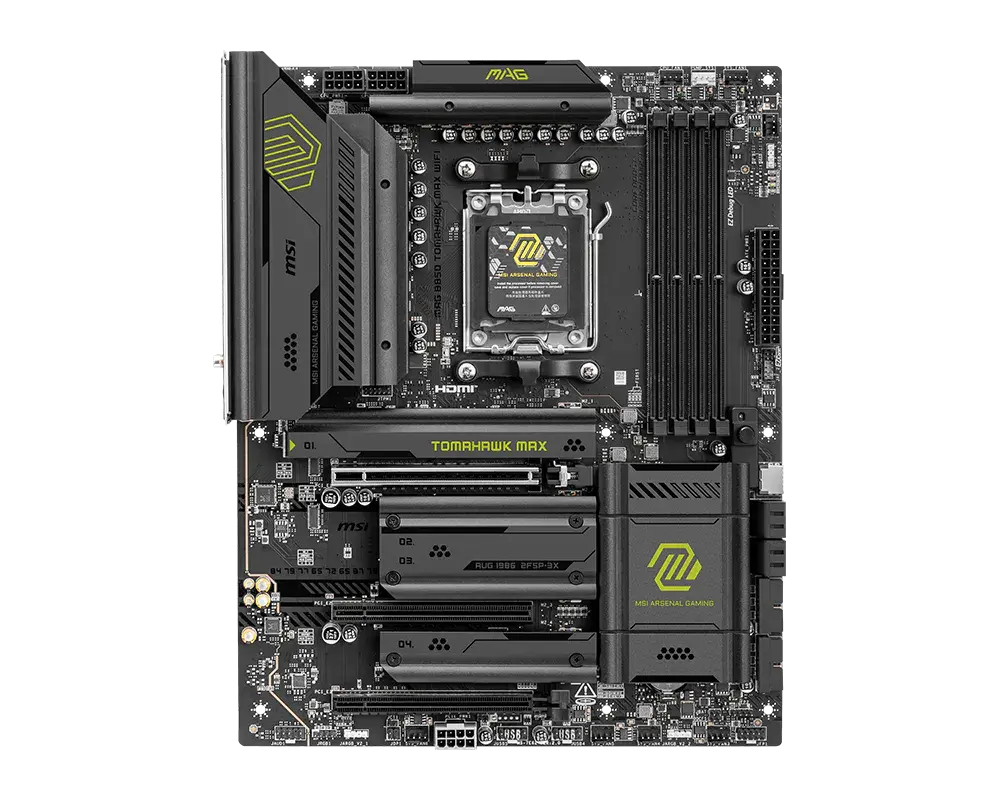
MSI MAG B850 TOMAHAWK MAX WIFI motherboard, top view of the exact global model; CPU and memory are not installed

MSI MAG B850 TOMAHAWK MAX WIFI

Maximum memory
256 GB
DIMM slots
4 slots
M.2 slots
4 slots
Prices & product profile

Each record represents an explicitly checked model and configuration. Original import: 5 Sept 2026; this is not its verification date. This is not a list of current offers or a popularity ranking.