Skip to comparison
versus.deals
Menu
Browse versus.deals
MICE · YOUR NEXT FACE-OFF

Logitech MX Ergo S Advanced Wireless Trackball vs Logitech MX Master 3S Bluetooth Edition

Real specs. Clear sources.Exact models · UK & US buying links

Compared products

YOUR FIRST CHOICE

Logitech MX Ergo S Advanced Wireless Trackball

Graphite · right-handed thumb trackball · 910-007260 · UK manufacturer configuration
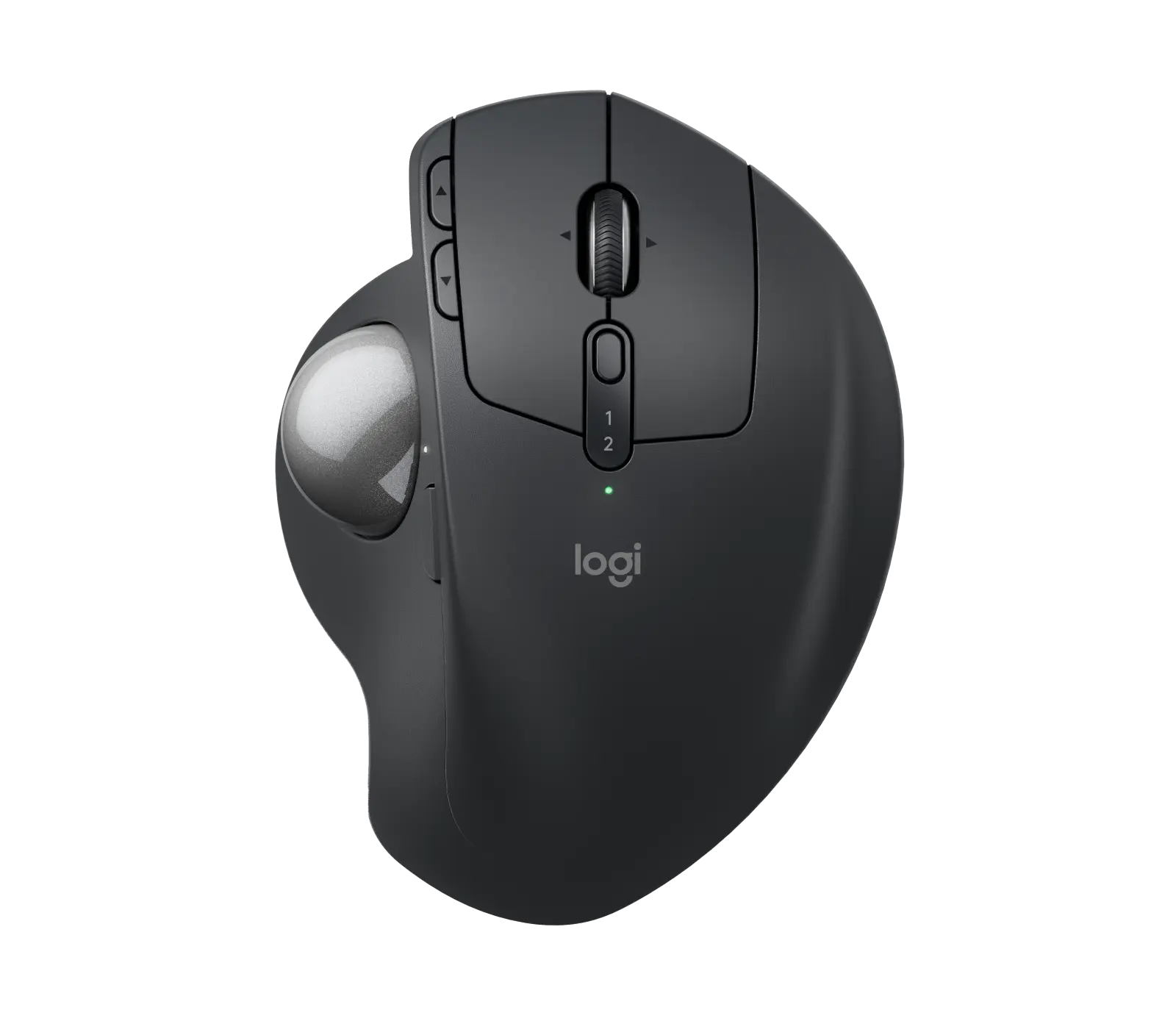
Logitech MX Ergo S wireless trackball in Graphite: official product image
Exact model & source notes

The MX Ergo S (UK part 910-007260, Graphite) is a right-handed thumb trackball from Logitech: the body stays put while your thumb moves the ball, the hinge tilts from 0 to 20 degrees, and it has quiet clicks, eight buttons including a precision-mode button, a Bolt receiver and Bluetooth.

Specifications checked 26 Sept 2026.

Amazon links open search results. Check the exact variant, current price and availability with the retailer.

Manufacturer specifications

WHAT DIFFERS
8Listed controls7
99.8 mmBody width84.3 mm
2 of 9 verified differences, in the order listed below. Not a rating.
See the 9 verified differences
THE CONTENDER

Logitech MX Master 3S Bluetooth Edition

Graphite · 910-007501 · UK Bluetooth Edition configuration

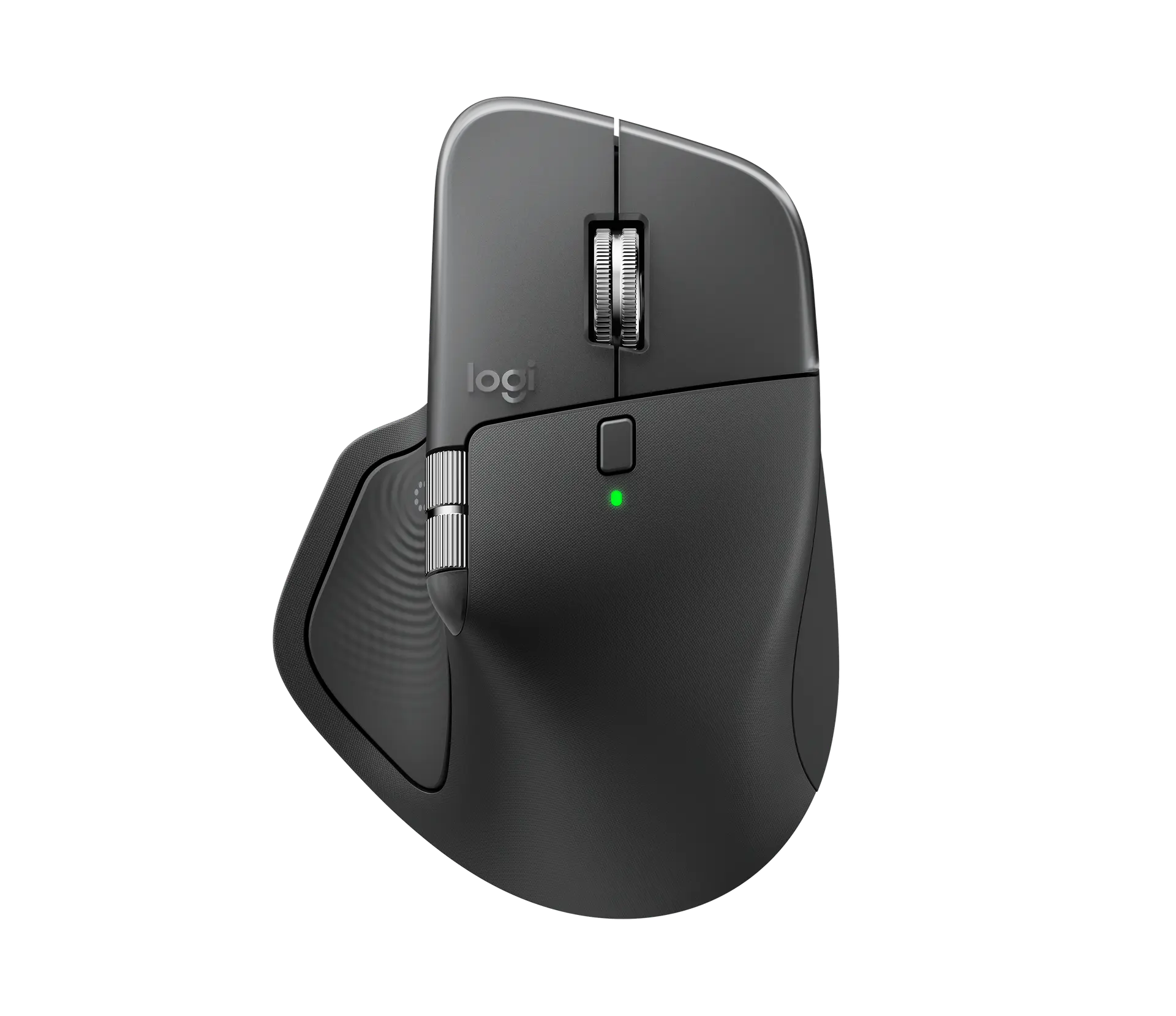
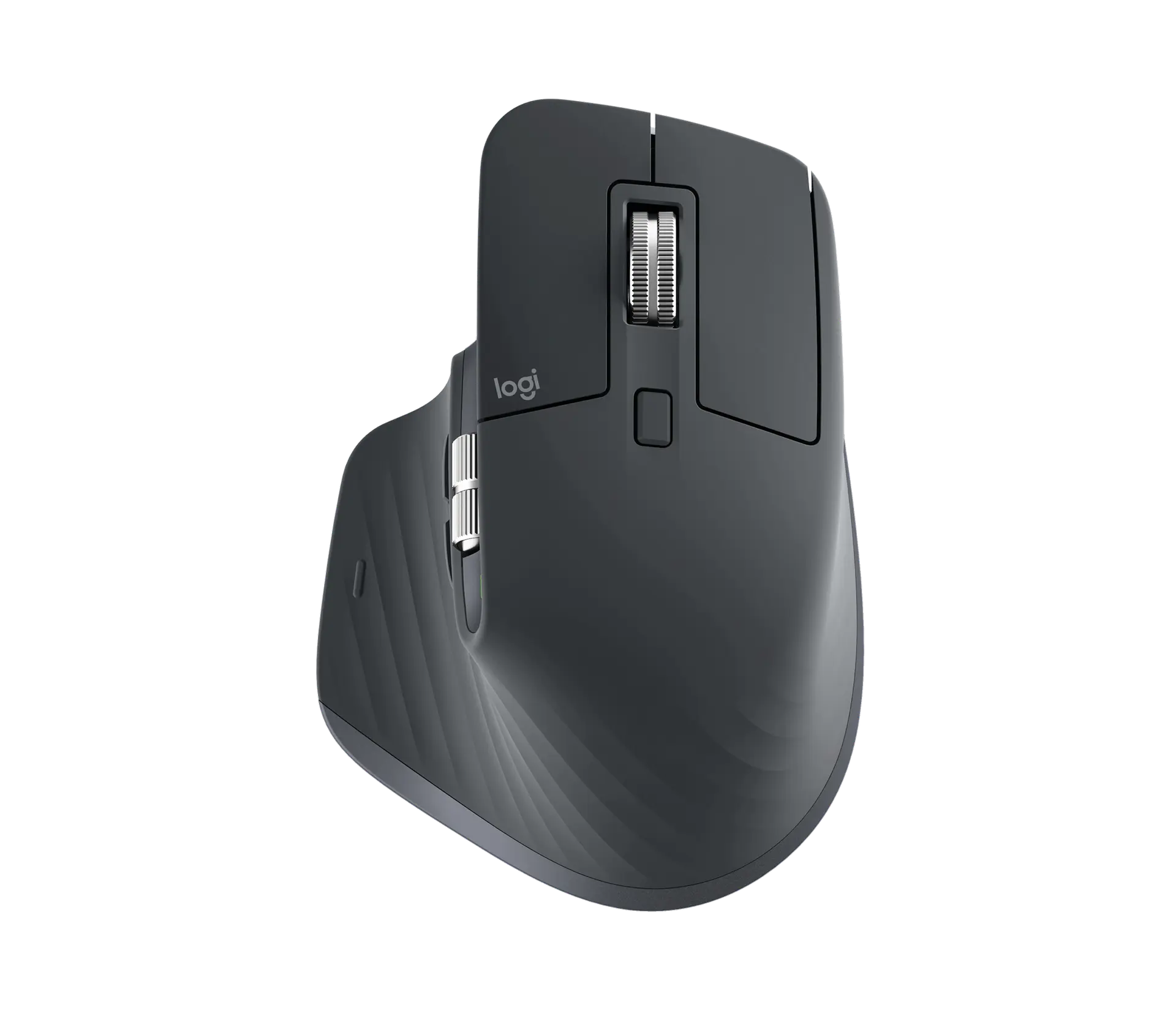
Logitech MX Master 3S Bluetooth Edition in Graphite, top view of the official product image
Exact model & source notes

The MX Master 3S Bluetooth Edition (UK part 910-007501, Graphite) is Logitech's right-handed productivity mouse sold without a receiver: it pairs over Bluetooth Low Energy (a Logi Bolt receiver can be added separately), and has Quiet Clicks, the MagSpeed scroll wheel, a thumb wheel and seven buttons, tracking at 200–8,000 DPI including on glass of at least 4 mm thickness.

Specifications checked 26 Sept 2026.

Amazon links open search results. Check the exact variant, current price and availability with the retailer.

Manufacturer specifications

MX Ergo S Advanced Wireless Trackball UK & US retailers

UK & US price history: no verified listing yet

MX Master 3S Bluetooth Edition UK & US retailers

UK & US price history: no verified listing yet

Search links open retailer results, not a matched listing; eBay listings are checked daily. As an Amazon Associate I earn from qualifying purchases. As an eBay Partner, we may be compensated if you make a purchase.

THE DIFFERENCES, MADE VISIBLE

Visual facts

Differences first. Select a topic for its graphic, sources and conditions.

How to read this comparison
  • Manufacturer facts for the exact models shown. Not a quality rating or a test result.
  • “Different” means the known values differ, not that one is better.
  • Missing or conflicting evidence is marked and never counts as a difference. Source chips hold each fact’s sources and conditions.
SPECIFICATIONS SIDE BY SIDE7 topics
SELECTED TOPIC
01 / 07

Connections

Check the exact configuration and source conditions for your use.

Logitech MX Ergo S Advanced Wireless TrackballLogi Bolt USB-A receiver (included) and Bluetooth Low Energy (5.2); USB-C charging (cable not included)

Manufacturer specification

Logitech MX Master 3S Bluetooth EditionBluetooth Low Energy; Logi Bolt compatible with a separately bought Logi Bolt receiver (not included)

Manufacturer specification · Package lists the mouse and user documentation only. Logitech support states the mouse is Logi Bolt compatible and can be connected to a Logi Bolt receiver (not included). Not compatible with Logitech Unifying USB Receiver technology.

Explore the full specifications

Choose the grip, then check the connection. Left-side thumb controls are not a mirrored left-handed layout. Check the receiver or USB connection, battery requirements and your preferred shape. DPI is tracking resolution, not an accuracy score; no gaming winner is inferred.

WHAT CHANGES BETWEEN THEM?

Key differences

Full specifications ↓

9 verified differences, most decision-relevant first. 7 are also drawn in Visual facts above. Missing information stays separate.

Connections

In Visual facts
Logitech MX Ergo S Advanced Wireless TrackballLogi Bolt USB-A receiver (included) and Bluetooth Low Energy (5.2); USB-C charging (cable not included)
Logitech MX Master 3S Bluetooth EditionBluetooth Low Energy; Logi Bolt compatible with a separately bought Logi Bolt receiver (not included)
Sources
Logitech MX Master 3S Bluetooth Edition

Manufacturer specification · Package lists the mouse and user documentation only. Logitech support states the mouse is Logi Bolt compatible and can be connected to a Logi Bolt receiver (not included). Not compatible with Logitech Unifying USB Receiver technology.

Logitech UK — MX Master 3S Bluetooth Edition product page and technical specificationsLogitech US — MX Master 3S Bluetooth Edition product page and technical specificationsLogitech Support — Specification - MX Master 3S Bluetooth Edition

Check the exact configuration and source conditions for your use.

Listed controls

In Visual facts
Logitech MX Ergo S Advanced Wireless Trackball8
Logitech MX Master 3S Bluetooth Edition7
Sources
Logitech MX Ergo S Advanced Wireless Trackball

Manufacturer specification · Left/right click, back/forward, scroll wheel with left/right tilt and middle click, Precision Mode and Easy-Switch; 6 are customisable.

Logitech UK — MX Ergo S product page and technical specificationsLogitech Support — Specification - MX Ergo S
Logitech MX Master 3S Bluetooth Edition

Manufacturer specification · Logitech lists left/right click, back/forward, app-switch (gesture), wheel mode-shift and middle click; scroll and thumb wheels are separate.

Logitech UK — MX Master 3S Bluetooth Edition product page and technical specifications

Physical clicks, programmable wheel actions and optional side buttons can produce different counts. Read each configuration; a larger count does not establish better control or programmability.

Customisation software

In Visual facts
Logitech MX Ergo S Advanced Wireless TrackballLogi Options+ (Windows and macOS): 6 customisable buttons, time-saving shortcuts and Smart Actions; Logitech Flow for copy and paste across multiple computers
Logitech MX Master 3S Bluetooth EditionLogi Options+
Sources
Logitech MX Ergo S Advanced Wireless Trackball

Manufacturer specification

Logitech UK — MX Ergo S product page and technical specifications
Logitech MX Master 3S Bluetooth Edition

Manufacturer specification · Original source-supported software description retained: Logi Options+ (Windows and macOS): button customisation, tracking speed, app-specific customisations, Smart Actions and Flow (cursor, copy and paste across computers). This is the shared primary customisation app, not a complete feature-equivalence claim. The reviewed source does not resolve Tune, Actions Ring, plugin or haptic support for this predecessor; no counterpart absence is inferred from its shorter feature inventory.

Logitech UK — MX Master 3S Bluetooth Edition product page and technical specifications

Stored profiles, sensitivity settings and software assignments are different capabilities. An unspecified profile count is not zero; check the software and firmware conditions.

Logitech MX Ergo S Advanced Wireless TrackballRechargeable 500 mAh lithium; up to 120 days per full charge; 24 hours from a 1-minute charge; not user-replaceable
Logitech MX Master 3S Bluetooth EditionRechargeable Li-Po (500 mAh); up to 70 days on a full charge; one-minute quick charge gives three hours of use
Sources
Logitech MX Master 3S Bluetooth Edition

Manufacturer specification · Logitech notes battery life may vary based on user and computing conditions. The quick charge uses a USB-C cable that is not included.

Logitech UK — MX Master 3S Bluetooth Edition product page and technical specificationsLogitech Support — Specification - MX Master 3S Bluetooth Edition

Manufacturer claims for the stated mode and equipment. Read each test condition; this is not measured everyday battery life.

Listed package

In Visual facts
Logitech MX Ergo S Advanced Wireless TrackballTrackball; Logi Bolt receiver; documentation (no cable)
Logitech MX Master 3S Bluetooth EditionMouse; user documentation
Sources

Check the exact configuration and source conditions for your use.

Click noise

In Visual facts
Logitech MX Ergo S Advanced Wireless TrackballQuiet clicks: 80% quieter clicks than MX Ergo
Logitech MX Master 3S Bluetooth EditionQuiet Clicks: 90% less left/right click Sound Power Level than MX Master 3
Sources
Logitech MX Ergo S Advanced Wireless Trackball

Manufacturer specification · Logitech comparison with MX Ergo; no decibel figure is published.

Logitech UK — MX Ergo S product page and technical specifications
Logitech MX Master 3S Bluetooth Edition

Manufacturer specification · Logitech comparison with MX Master 3, measured at 1 m.

Logitech UK — MX Master 3S Bluetooth Edition product page and technical specifications

Check the exact configuration and source conditions for your use.

Show 3 more verified differences

Button durability claims

In Visual facts
Logitech MX Ergo S Advanced Wireless TrackballLeft/right 3 million cycles; middle wheel 1 million
Logitech MX Master 3S Bluetooth Edition10 million clicks (left / right buttons)
Sources
Logitech MX Ergo S Advanced Wireless Trackball

Manufacturer specification

Logitech Support — Specification - MX Ergo S
Logitech MX Master 3S Bluetooth Edition

Manufacturer specification

Logitech Support — Specification - MX Master 3S Bluetooth Edition

Check the exact configuration and source conditions for your use.

Body width

Logitech MX Ergo S Advanced Wireless Trackball99.8 mm
Logitech MX Master 3S Bluetooth Edition84.3 mm
Sources
Logitech MX Master 3S Bluetooth Edition

Manufacturer specification · Manufacturer-listed Width; the source does not identify the measurement basis or a distinct grip-width measurement.

Logitech UK — MX Master 3S Bluetooth Edition product page and technical specificationsLogitech Support — Specification - MX Master 3S Bluetooth Edition

A size or weight trade-off; it does not establish the better product.

Dimensions

Logitech MX Ergo S Advanced Wireless Trackball132.5 × 99.8 × 51.4 mm (length × width × height)
Logitech MX Master 3S Bluetooth Edition124.9 × 84.3 × 51 mm (manufacturer-labelled height × width × depth)
Sources
Logitech MX Ergo S Advanced Wireless Trackball

Manufacturer specification · Logitech labels these Height 132.5 mm, Width 99.8 mm, Depth 51.4 mm; the first is the front-to-back length in its top-view convention.

Logitech UK — MX Ergo S product page and technical specificationsLogitech Support — Specification - MX Ergo S
Logitech MX Master 3S Bluetooth Edition

Manufacturer specification · Preserves the manufacturer’s exact height, width and depth labels. No manufacturer dimension diagram establishes an alternative front-to-back length or vertical-height axis mapping.

Logitech UK — MX Master 3S Bluetooth Edition product page and technical specifications

A size or weight trade-off; it does not establish the better product.

Configuration & compatibility details (2)

Hand orientation

Logitech MX Ergo S Advanced Wireless TrackballRight-handed only (thumb trackball on the left side); sized for medium to large hands
Logitech MX Master 3S Bluetooth EditionRight-handed sculpted shell; thumb wheel and thumb buttons on the left side
Sources
Logitech MX Ergo S Advanced Wireless Trackball

Manufacturer specification · Logitech describes the sculpted design as 'a good fit for medium to large-sized hands'.

Logitech UK — MX Ergo S product page and technical specifications
Logitech MX Master 3S Bluetooth Edition

Manufacturer specification · From the manufacturer's product views, the 'Hand sculpted' description and its side thumb-wheel and thumb-control description.

Logitech UK — MX Master 3S Bluetooth Edition product page and technical specifications

Both sources describe right-hand controls. Their wording does not establish a different hand orientation or identical shape and comfort.

Supported operating systems

Logitech MX Ergo S Advanced Wireless TrackballBolt: Windows 10/11+, macOS 12+, Linux, ChromeOS; Bluetooth: also iPadOS 15+ and Android 12+
Logitech MX Master 3S Bluetooth EditionWindows 10/11+, macOS 10.15+, iPadOS 14+, Android 8.0+; Linux and ChromeOS basic functions
Sources
Logitech MX Ergo S Advanced Wireless Trackball

Manufacturer specification · Basic functions without drivers outside Windows and macOS.

Logitech UK — MX Ergo S product page and technical specificationsLogitech Support — Specification - MX Ergo S
Logitech MX Master 3S Bluetooth Edition

Manufacturer specification · Bluetooth Low Energy required. Basic functions without software on systems other than Windows and macOS. Logitech also lists it as Engineered for Intel® Evo™ Laptops.

Logitech UK — MX Master 3S Bluetooth Edition product page and technical specifications

These descriptions or measurements differ. Wording alone does not establish a different capability; check the exact configuration.

Missing or non-comparable evidence (16)

Scroll controls

Logitech MX Ergo S Advanced Wireless TrackballNot verified
Logitech MX Master 3S Bluetooth EditionMagSpeed wheel with SmartShift; thumb wheel
Sources
Logitech MX Ergo S Advanced Wireless Trackball

No source recorded for this side.

Logitech MX Master 3S Bluetooth Edition

Manufacturer specification · Original manufacturer description: MagSpeed electromagnetic scroll wheel with SmartShift (up to 1,000 lines per second); separate thumb wheel. The exact feature inventory establishes the thumb wheel’s horizontal scrolling. The up-to1000-lines-per-second figure is a manufacturer claim; electromagnetic/mode details retain their original source scope. Shared named controls do not establish tested speed or accuracy superiority.

Logitech UK — MX Master 3S Bluetooth Edition product page and technical specifications

Evidence is missing or conflicting on at least one side. This is not a verified difference.

Sensor model / type

Logitech MX Ergo S Advanced Wireless TrackballLogitech Advanced Optical Tracking (thumb-operated trackball)
Logitech MX Master 3S Bluetooth EditionNot verified
Sources
Logitech MX Ergo S Advanced Wireless Trackball

Manufacturer specification · The body stays still; the thumb moves the ball.

Logitech UK — MX Ergo S product page and technical specificationsLogitech Support — Specification - MX Ergo S
Logitech MX Master 3S Bluetooth Edition

The individually read exact manufacturer/source inventory does not identify a hardware sensor model. · Manufacturer specification · Darkfield high precision tracking technology and supported sensitivity/glass claims remain separately represented.

Logitech UK — MX Master 3S Bluetooth Edition product page and technical specificationsLogitech Support — Specification - MX Master 3S Bluetooth Edition

Evidence is missing or conflicting on at least one side. This is not a verified difference.

Maximum report rate

Logitech MX Ergo S Advanced Wireless TrackballNot verified
Logitech MX Master 3S Bluetooth EditionNot verified
Sources
Logitech MX Ergo S Advanced Wireless Trackball

Logitech support lists 125 Hz (8 ms) over the receiver in HI mode and 88–133 Hz (7.5–11.25 ms) over Bluetooth; no single maximum is stated. · Manufacturer specification

Logitech Support — Specification - MX Ergo S
Logitech MX Master 3S Bluetooth Edition

Logitech does not list a report rate for this model. · Manufacturer specification

Logitech UK — MX Master 3S Bluetooth Edition product page and technical specifications

Evidence is missing or conflicting on at least one side. This is not a verified difference.

Certifications

Logitech MX Ergo S Advanced Wireless TrackballCertified by ergonomists
Logitech MX Master 3S Bluetooth EditionNot verified
Sources
Logitech MX Ergo S Advanced Wireless Trackball

Manufacturer specification · Logitech says MX Ergo S is certified by ergonomists, with a 20-degree tilt angle that encourages a better forearm posture and reduces muscle strain in the forearm by 27%. Logitech does not name the certifying ergonomists or the basis of the 27% figure on these pages.

Logitech UK — MX Ergo S product page and technical specificationsLogitech US — MX Ergo S product page and technical specifications
Logitech MX Master 3S Bluetooth Edition

No source recorded for this side.

Evidence is missing or conflicting on at least one side. This is not a verified difference.

Charging connector

Logitech MX Ergo S Advanced Wireless TrackballNot verified
Logitech MX Master 3S Bluetooth EditionUSB-C
Sources
Logitech MX Ergo S Advanced Wireless Trackball

No source recorded for this side.

Logitech MX Master 3S Bluetooth Edition

Manufacturer specification · USB-C cable not included (Logitech support specification).

Logitech Support — Specification - MX Master 3S Bluetooth Edition

Evidence is missing or conflicting on at least one side. This is not a verified difference.

Glide feet

Logitech MX Ergo S Advanced Wireless TrackballNot verified
Logitech MX Master 3S Bluetooth EditionPTFE
Sources
Logitech MX Ergo S Advanced Wireless Trackball

No source recorded for this side.

Logitech MX Master 3S Bluetooth Edition

Manufacturer specification · Logitech's support specification rates the PTFE feet for a 250 km range.

Logitech Support — Specification - MX Master 3S Bluetooth Edition

Evidence is missing or conflicting on at least one side. This is not a verified difference.

Multi-device pairing

Logitech MX Ergo S Advanced Wireless TrackballUp to 2 devices via Bluetooth or the included Logi Bolt receiver; switch with the Easy-Switch button
Logitech MX Master 3S Bluetooth EditionNot verified
Sources
Logitech MX Ergo S Advanced Wireless Trackball

Manufacturer specification · Logitech Flow support via Logi Options+.

Logitech UK — MX Ergo S product page and technical specifications
Logitech MX Master 3S Bluetooth Edition

No source recorded for this side.

Evidence is missing or conflicting on at least one side. This is not a verified difference.

Maximum sensitivity

Logitech MX Ergo S Advanced Wireless TrackballConflicting evidence
Logitech MX Master 3S Bluetooth Edition8000 DPI
Sources
Logitech MX Ergo S Advanced Wireless Trackball

2,048 dpi on the product page; the support specification also lists 2,000 (software) and 4,000 (firmware). · Manufacturer specification

Logitech UK — MX Ergo S product page and technical specificationsLogitech Support — Specification - MX Ergo S
Logitech MX Master 3S Bluetooth Edition

Manufacturer specification · Adjustable in 50 DPI increments; nominal 1,000 DPI.

Logitech UK — MX Master 3S Bluetooth Edition product page and technical specifications

Evidence is missing or conflicting on at least one side. This is not a verified difference.

Minimum sensitivity

Logitech MX Ergo S Advanced Wireless TrackballConflicting evidence
Logitech MX Master 3S Bluetooth Edition200 DPI
Sources
Logitech MX Ergo S Advanced Wireless Trackball

The product page lists 512–2,048 dpi; the support specification lists both '100-2000 (SW), 4000 (FW)' and '512 to 2048 DPI'. · Manufacturer specification

Logitech UK — MX Ergo S product page and technical specificationsLogitech Support — Specification - MX Ergo S
Logitech MX Master 3S Bluetooth Edition

Manufacturer specification · Adjustable in 50 DPI increments; nominal 1,000 DPI.

Logitech UK — MX Master 3S Bluetooth Edition product page and technical specifications

Evidence is missing or conflicting on at least one side. This is not a verified difference.

Adjustable tilt

Logitech MX Ergo S Advanced Wireless TrackballHinge adjustable between 0 and 20 degrees
Logitech MX Master 3S Bluetooth EditionNot verified
Sources
Logitech MX Ergo S Advanced Wireless Trackball

Manufacturer specification

Logitech UK — MX Ergo S product page and technical specifications
Logitech MX Master 3S Bluetooth Edition

No source recorded for this side.

Evidence is missing or conflicting on at least one side. This is not a verified difference.

Tracking technology

Logitech MX Ergo S Advanced Wireless TrackballNot verified
Logitech MX Master 3S Bluetooth EditionDarkfield high precision
Sources
Logitech MX Ergo S Advanced Wireless Trackball

No source recorded for this side.

Logitech MX Master 3S Bluetooth Edition

Manufacturer specification · Original manufacturer description: Darkfield high precision optical sensor. Logitech does not publish a sensor part number. Logitech says it tracks virtually anywhere, even on glass, with a 4 mm minimum glass thickness. This identifies the advertised tracking technology; it does not identify a hardware sensor part or establish a hardware-generation difference from another Darkfield description.

Logitech UK — MX Master 3S Bluetooth Edition product page and technical specificationsLogitech Support — Specification - MX Master 3S Bluetooth Edition

Evidence is missing or conflicting on at least one side. This is not a verified difference.

Limited hardware warranty

Logitech MX Ergo S Advanced Wireless TrackballConflicting evidence
Logitech MX Master 3S Bluetooth EditionConflicting evidence
Sources
Logitech MX Ergo S Advanced Wireless Trackball

Logitech UK lists a 2-year limited hardware warranty; Logitech US lists 1 year. Regional terms differ. · Manufacturer specification

Logitech UK — MX Ergo S product page and technical specificationsLogitech US — MX Ergo S product page and technical specifications
Logitech MX Master 3S Bluetooth Edition

Logitech UK lists a 2-year limited hardware warranty; Logitech US lists 1 year. Regional terms differ. · Manufacturer specification

Logitech UK — MX Master 3S Bluetooth Edition product page and technical specificationsLogitech US — MX Master 3S Bluetooth Edition product page and technical specifications

Evidence is missing or conflicting on at least one side. This is not a verified difference.

Weight without base plate

Logitech MX Ergo S Advanced Wireless Trackball164 g
Logitech MX Master 3S Bluetooth EditionNot verified
Sources
Logitech MX Ergo S Advanced Wireless Trackball

Manufacturer specification · Without metal plate and receiver.

Logitech UK — MX Ergo S product page and technical specificationsLogitech Support — Specification - MX Ergo S
Logitech MX Master 3S Bluetooth Edition

No source recorded for this side.

Evidence is missing or conflicting on at least one side. This is not a verified difference.

Body length

Logitech MX Ergo S Advanced Wireless Trackball132.5 mm
Logitech MX Master 3S Bluetooth EditionNot verified
Sources
Logitech MX Master 3S Bluetooth Edition

The source labels its first dimension Height and provides no diagram establishing front-to-back body length. · Manufacturer specification · The raw manufacturer-labelled H/W/D triplet remains preserved in Dimensions. Do not rename the listed Height as Length or use it as a typed length input.

Logitech UK — MX Master 3S Bluetooth Edition product page and technical specifications

Evidence is missing or conflicting on at least one side. This is not a verified difference.

Weight

Logitech MX Ergo S Advanced Wireless Trackball259 g
Logitech MX Master 3S Bluetooth Edition141 g
Sources
Logitech MX Ergo S Advanced Wireless Trackball

Manufacturer specification · With the magnetic metal base plate, without receiver. Without the plate: 164 g.

Logitech UK — MX Ergo S product page and technical specificationsLogitech Support — Specification - MX Ergo S
Logitech MX Master 3S Bluetooth Edition

Manufacturer specification · Manufacturer-listed mouse weight.

Logitech UK — MX Master 3S Bluetooth Edition product page and technical specifications

The manufacturer sources do not establish the same cable weighing basis. Both published masses remain visible with their conditions, but are not ranked.

2 shared fields have the same recorded value.

WHAT EACH CHOICE ASKS OF YOU

What it brings and what to check

Logitech MX Ergo S Advanced Wireless Trackball

What it brings

  • Thumb control keeps hand movement to a minimum while the hand rests on the sculpted body, and the adjustable 0–20° hinge lets you set the tilt; Logitech sizes it for medium to large hands.
  • Eight buttons, including a tilting scroll wheel and a dedicated Precision Mode button to drop sensitivity on the fly; six are customisable in Logi Options+.
  • Logitech rates the 500 mAh battery for up to 120 days per charge, and it connects via the included Bolt receiver or Bluetooth 5.2.
  • Logitech says the S version has 80% quieter clicks than the MX Ergo, plus USB-C quick charging and Logi Bolt; it connects to up to 2 devices via Bluetooth or the included Logi Bolt receiver, switches between them with the Easy-Switch button and supports Logitech Flow.

What to check

Logitech MX Master 3S Bluetooth Edition

What it brings

  • Seven buttons, a separate thumb wheel and the electromagnetic MagSpeed wheel give many shortcut and scrolling options, customisable in Logi Options+ on Windows and macOS, which also provides Flow for moving the cursor and copying and pasting between computers.
  • The Darkfield sensor is adjustable from 200 to 8,000 DPI in 50 DPI steps, and Logitech says it tracks on glass with a 4 mm minimum thickness.
  • Logitech states its Quiet Clicks have 90% less left and right click Sound Power Level than the MX Master 3, measured at 1 m.
  • Works over Bluetooth with Windows, macOS, iPadOS, Android, Linux and ChromeOS; Logitech rates it for up to 70 days on a full charge and three hours of use from a one-minute USB-C quick charge.

What to check

COMPARE THE DETAILS

Full specifications

How we verify
29 of 29 specifications Sources in each row
Source-backed specifications for Logitech MX Ergo S Advanced Wireless Trackball and Logitech MX Master 3S Bluetooth Edition
SpecificationLogitech MX Ergo S Advanced Wireless TrackballLogitech MX Master 3S Bluetooth Edition
WeightDifferent
Sources
Logitech MX Ergo S Advanced Wireless Trackball

Manufacturer specification · With the magnetic metal base plate, without receiver. Without the plate: 164 g.

Logitech UK — MX Ergo S product page and technical specificationsLogitech Support — Specification - MX Ergo S
Logitech MX Master 3S Bluetooth Edition

Manufacturer specification · Manufacturer-listed mouse weight.

Logitech UK — MX Master 3S Bluetooth Edition product page and technical specifications
259 g141 g
Weight without base plate
Sources
Logitech MX Ergo S Advanced Wireless Trackball

Manufacturer specification · Without metal plate and receiver.

Logitech UK — MX Ergo S product page and technical specificationsLogitech Support — Specification - MX Ergo S
Logitech MX Master 3S Bluetooth Edition

No source recorded.

164 gNot provided
DimensionsDifferent
Sources
Logitech MX Ergo S Advanced Wireless Trackball

Manufacturer specification · Logitech labels these Height 132.5 mm, Width 99.8 mm, Depth 51.4 mm; the first is the front-to-back length in its top-view convention.

Logitech UK — MX Ergo S product page and technical specificationsLogitech Support — Specification - MX Ergo S
Logitech MX Master 3S Bluetooth Edition

Manufacturer specification · Preserves the manufacturer’s exact height, width and depth labels. No manufacturer dimension diagram establishes an alternative front-to-back length or vertical-height axis mapping.

Logitech UK — MX Master 3S Bluetooth Edition product page and technical specifications
132.5 × 99.8 × 51.4 mm (length × width × height)124.9 × 84.3 × 51 mm (manufacturer-labelled height × width × depth)
Body length
Sources
Logitech MX Master 3S Bluetooth Edition

The source labels its first dimension Height and provides no diagram establishing front-to-back body length. · Manufacturer specification · The raw manufacturer-labelled H/W/D triplet remains preserved in Dimensions. Do not rename the listed Height as Length or use it as a typed length input.

Logitech UK — MX Master 3S Bluetooth Edition product page and technical specifications
132.5 mmNot listed by the manufacturer
Body widthDifferent
Sources
Logitech MX Master 3S Bluetooth Edition

Manufacturer specification · Manufacturer-listed Width; the source does not identify the measurement basis or a distinct grip-width measurement.

Logitech UK — MX Master 3S Bluetooth Edition product page and technical specificationsLogitech Support — Specification - MX Master 3S Bluetooth Edition
99.8 mm84.3 mm
Hand orientationDifferent
Sources
Logitech MX Ergo S Advanced Wireless Trackball

Manufacturer specification · Logitech describes the sculpted design as 'a good fit for medium to large-sized hands'.

Logitech UK — MX Ergo S product page and technical specifications
Logitech MX Master 3S Bluetooth Edition

Manufacturer specification · From the manufacturer's product views, the 'Hand sculpted' description and its side thumb-wheel and thumb-control description.

Logitech UK — MX Master 3S Bluetooth Edition product page and technical specifications
Right-handed only (thumb trackball on the left side); sized for medium to large handsRight-handed sculpted shell; thumb wheel and thumb buttons on the left side
Glide feet
Sources
Logitech MX Ergo S Advanced Wireless Trackball

No source recorded.

Logitech MX Master 3S Bluetooth Edition

Manufacturer specification · Logitech's support specification rates the PTFE feet for a 250 km range.

Logitech Support — Specification - MX Master 3S Bluetooth Edition
Not providedPTFE
Sensor model / type
Sources
Logitech MX Ergo S Advanced Wireless Trackball

Manufacturer specification · The body stays still; the thumb moves the ball.

Logitech UK — MX Ergo S product page and technical specificationsLogitech Support — Specification - MX Ergo S
Logitech MX Master 3S Bluetooth Edition

The individually read exact manufacturer/source inventory does not identify a hardware sensor model. · Manufacturer specification · Darkfield high precision tracking technology and supported sensitivity/glass claims remain separately represented.

Logitech UK — MX Master 3S Bluetooth Edition product page and technical specificationsLogitech Support — Specification - MX Master 3S Bluetooth Edition
Logitech Advanced Optical Tracking (thumb-operated trackball)Not listed by the manufacturer
Minimum sensitivity
Sources
Logitech MX Ergo S Advanced Wireless Trackball

The product page lists 512–2,048 dpi; the support specification lists both '100-2000 (SW), 4000 (FW)' and '512 to 2048 DPI'. · Manufacturer specification

Logitech UK — MX Ergo S product page and technical specificationsLogitech Support — Specification - MX Ergo S
Logitech MX Master 3S Bluetooth Edition

Manufacturer specification · Adjustable in 50 DPI increments; nominal 1,000 DPI.

Logitech UK — MX Master 3S Bluetooth Edition product page and technical specifications
Conflicting sources200 DPI
Maximum sensitivity
Sources
Logitech MX Ergo S Advanced Wireless Trackball

2,048 dpi on the product page; the support specification also lists 2,000 (software) and 4,000 (firmware). · Manufacturer specification

Logitech UK — MX Ergo S product page and technical specificationsLogitech Support — Specification - MX Ergo S
Logitech MX Master 3S Bluetooth Edition

Manufacturer specification · Adjustable in 50 DPI increments; nominal 1,000 DPI.

Logitech UK — MX Master 3S Bluetooth Edition product page and technical specifications
Conflicting sources8000 DPI
Tracking technology
Sources
Logitech MX Ergo S Advanced Wireless Trackball

No source recorded.

Logitech MX Master 3S Bluetooth Edition

Manufacturer specification · Original manufacturer description: Darkfield high precision optical sensor. Logitech does not publish a sensor part number. Logitech says it tracks virtually anywhere, even on glass, with a 4 mm minimum glass thickness. This identifies the advertised tracking technology; it does not identify a hardware sensor part or establish a hardware-generation difference from another Darkfield description.

Logitech UK — MX Master 3S Bluetooth Edition product page and technical specificationsLogitech Support — Specification - MX Master 3S Bluetooth Edition
Not providedDarkfield high precision
Listed controlsDifferent
Sources
Logitech MX Ergo S Advanced Wireless Trackball

Manufacturer specification · Left/right click, back/forward, scroll wheel with left/right tilt and middle click, Precision Mode and Easy-Switch; 6 are customisable.

Logitech UK — MX Ergo S product page and technical specificationsLogitech Support — Specification - MX Ergo S
Logitech MX Master 3S Bluetooth Edition

Manufacturer specification · Logitech lists left/right click, back/forward, app-switch (gesture), wheel mode-shift and middle click; scroll and thumb wheels are separate.

Logitech UK — MX Master 3S Bluetooth Edition product page and technical specifications
87
Button durability claimsDifferent
Sources
Logitech MX Ergo S Advanced Wireless Trackball

Manufacturer specification

Logitech Support — Specification - MX Ergo S
Logitech MX Master 3S Bluetooth Edition

Manufacturer specification

Logitech Support — Specification - MX Master 3S Bluetooth Edition
Left/right 3 million cycles; middle wheel 1 million10 million clicks (left / right buttons)
Scroll controls
Sources
Logitech MX Ergo S Advanced Wireless Trackball

No source recorded.

Logitech MX Master 3S Bluetooth Edition

Manufacturer specification · Original manufacturer description: MagSpeed electromagnetic scroll wheel with SmartShift (up to 1,000 lines per second); separate thumb wheel. The exact feature inventory establishes the thumb wheel’s horizontal scrolling. The up-to1000-lines-per-second figure is a manufacturer claim; electromagnetic/mode details retain their original source scope. Shared named controls do not establish tested speed or accuracy superiority.

Logitech UK — MX Master 3S Bluetooth Edition product page and technical specifications
Not providedMagSpeed wheel with SmartShift; thumb wheel
ConnectionsDifferent
Sources
Logitech MX Master 3S Bluetooth Edition

Manufacturer specification · Package lists the mouse and user documentation only. Logitech support states the mouse is Logi Bolt compatible and can be connected to a Logi Bolt receiver (not included). Not compatible with Logitech Unifying USB Receiver technology.

Logitech UK — MX Master 3S Bluetooth Edition product page and technical specificationsLogitech US — MX Master 3S Bluetooth Edition product page and technical specificationsLogitech Support — Specification - MX Master 3S Bluetooth Edition
Logi Bolt USB-A receiver (included) and Bluetooth Low Energy (5.2); USB-C charging (cable not included)Bluetooth Low Energy; Logi Bolt compatible with a separately bought Logi Bolt receiver (not included)
BatteryDifferent
Sources
Logitech MX Master 3S Bluetooth Edition

Manufacturer specification · Logitech notes battery life may vary based on user and computing conditions. The quick charge uses a USB-C cable that is not included.

Logitech UK — MX Master 3S Bluetooth Edition product page and technical specificationsLogitech Support — Specification - MX Master 3S Bluetooth Edition
Rechargeable 500 mAh lithium; up to 120 days per full charge; 24 hours from a 1-minute charge; not user-replaceableRechargeable Li-Po (500 mAh); up to 70 days on a full charge; one-minute quick charge gives three hours of use
Wireless range
Sources
Logitech MX Master 3S Bluetooth Edition

Manufacturer specification · Range may vary with operating environment and computer setup.

Logitech UK — MX Master 3S Bluetooth Edition product page and technical specifications
10 m10 m
Charging connector
Sources
Logitech MX Ergo S Advanced Wireless Trackball

No source recorded.

Logitech MX Master 3S Bluetooth Edition

Manufacturer specification · USB-C cable not included (Logitech support specification).

Logitech Support — Specification - MX Master 3S Bluetooth Edition
Not providedUSB-C
Customisation softwareDifferent
Sources
Logitech MX Ergo S Advanced Wireless Trackball

Manufacturer specification

Logitech UK — MX Ergo S product page and technical specifications
Logitech MX Master 3S Bluetooth Edition

Manufacturer specification · Original source-supported software description retained: Logi Options+ (Windows and macOS): button customisation, tracking speed, app-specific customisations, Smart Actions and Flow (cursor, copy and paste across computers). This is the shared primary customisation app, not a complete feature-equivalence claim. The reviewed source does not resolve Tune, Actions Ring, plugin or haptic support for this predecessor; no counterpart absence is inferred from its shorter feature inventory.

Logitech UK — MX Master 3S Bluetooth Edition product page and technical specifications
Logi Options+ (Windows and macOS): 6 customisable buttons, time-saving shortcuts and Smart Actions; Logitech Flow for copy and paste across multiple computersLogi Options+
Multi-device pairing
Sources
Logitech MX Ergo S Advanced Wireless Trackball

Manufacturer specification · Logitech Flow support via Logi Options+.

Logitech UK — MX Ergo S product page and technical specifications
Logitech MX Master 3S Bluetooth Edition

No source recorded.

Up to 2 devices via Bluetooth or the included Logi Bolt receiver; switch with the Easy-Switch buttonNot provided
Click noiseDifferent
Sources
Logitech MX Ergo S Advanced Wireless Trackball

Manufacturer specification · Logitech comparison with MX Ergo; no decibel figure is published.

Logitech UK — MX Ergo S product page and technical specifications
Logitech MX Master 3S Bluetooth Edition

Manufacturer specification · Logitech comparison with MX Master 3, measured at 1 m.

Logitech UK — MX Master 3S Bluetooth Edition product page and technical specifications
Quiet clicks: 80% quieter clicks than MX ErgoQuiet Clicks: 90% less left/right click Sound Power Level than MX Master 3
Adjustable tilt
Sources
Logitech MX Ergo S Advanced Wireless Trackball

Manufacturer specification

Logitech UK — MX Ergo S product page and technical specifications
Logitech MX Master 3S Bluetooth Edition

No source recorded.

Hinge adjustable between 0 and 20 degreesNot provided
Certifications
Sources
Logitech MX Ergo S Advanced Wireless Trackball

Manufacturer specification · Logitech says MX Ergo S is certified by ergonomists, with a 20-degree tilt angle that encourages a better forearm posture and reduces muscle strain in the forearm by 27%. Logitech does not name the certifying ergonomists or the basis of the 27% figure on these pages.

Logitech UK — MX Ergo S product page and technical specificationsLogitech US — MX Ergo S product page and technical specifications
Logitech MX Master 3S Bluetooth Edition

No source recorded.

Certified by ergonomistsNot provided
Grip surface
Sources
Logitech MX Master 3S Bluetooth Edition

No source recorded.

Soft rubber grip on a sculpted bodyNot provided
Supported operating systemsDifferent
Sources
Logitech MX Ergo S Advanced Wireless Trackball

Manufacturer specification · Basic functions without drivers outside Windows and macOS.

Logitech UK — MX Ergo S product page and technical specificationsLogitech Support — Specification - MX Ergo S
Logitech MX Master 3S Bluetooth Edition

Manufacturer specification · Bluetooth Low Energy required. Basic functions without software on systems other than Windows and macOS. Logitech also lists it as Engineered for Intel® Evo™ Laptops.

Logitech UK — MX Master 3S Bluetooth Edition product page and technical specifications
Bolt: Windows 10/11+, macOS 12+, Linux, ChromeOS; Bluetooth: also iPadOS 15+ and Android 12+Windows 10/11+, macOS 10.15+, iPadOS 14+, Android 8.0+; Linux and ChromeOS basic functions
Materials
Sources
Logitech MX Ergo S Advanced Wireless Trackball

Manufacturer specification · Logitech's UK product data give certified PCR plastic of 20% for the mouse in Graphite 910-007260, excluding packaging, printed wiring assembly, cables and receiver, and note that the percentage of recycled plastic may vary by colour; the US page gives the same 20% for its Graphite MX Ergo S. Logitech's support specification lists the materials used as plastic PCR ABS, PC, rubber and metal.

Logitech UK — MX Ergo S product page and technical specificationsLogitech US — MX Ergo S product page and technical specificationsLogitech Support — Specification - MX Ergo S
Logitech MX Master 3S Bluetooth Edition

Manufacturer specification · The exact UK Graphite910-007501 store claim is27% certified PCR plastic, excluding packaging and printed wiring assembly; the US Graphite/Black page also gives27%. Support separately states “PCR85% in dark colors” without enumerating those colours or the same denominator. Preserve both scoped claims without asserting an established same-basis contradiction or selecting a universal percentage.

Logitech UK — MX Master 3S Bluetooth Edition product page and technical specificationsLogitech US — MX Master 3S Bluetooth Edition product page and technical specificationsLogitech Support — Specification - MX Master 3S Bluetooth Edition
Made with recycled plasticMade with recycled plastic
Trackball; Logi Bolt receiver; documentation (no cable)Mouse; user documentation
Show unverified (2)Not verified, not provided or conflicting for both products. Kept for completeness; never counted as a difference.
Specifications without verified values for either product
Maximum report rate
Sources
Logitech MX Ergo S Advanced Wireless Trackball

Logitech support lists 125 Hz (8 ms) over the receiver in HI mode and 88–133 Hz (7.5–11.25 ms) over Bluetooth; no single maximum is stated. · Manufacturer specification

Logitech Support — Specification - MX Ergo S
Logitech MX Master 3S Bluetooth Edition

Logitech does not list a report rate for this model. · Manufacturer specification

Logitech UK — MX Master 3S Bluetooth Edition product page and technical specifications
Not listed by the manufacturerNot listed by the manufacturer
Limited hardware warranty
Sources
Logitech MX Ergo S Advanced Wireless Trackball

Logitech UK lists a 2-year limited hardware warranty; Logitech US lists 1 year. Regional terms differ. · Manufacturer specification

Logitech UK — MX Ergo S product page and technical specificationsLogitech US — MX Ergo S product page and technical specifications
Logitech MX Master 3S Bluetooth Edition

Logitech UK lists a 2-year limited hardware warranty; Logitech US lists 1 year. Regional terms differ. · Manufacturer specification

Logitech UK — MX Master 3S Bluetooth Edition product page and technical specificationsLogitech US — MX Master 3S Bluetooth Edition product page and technical specifications
Conflicting sourcesConflicting sources
FIND YOUR CONTENDERS

More products

Closest mice to this pair by shared key specifications. Not a popularity ranking.

See all 62 mice
Logitech MX Master 4 in Graphite, top view of the official product image

Logitech MX Master 4

Weight
150 g
Controls
8 controls
Tracking technology
Darkfield high precision
Prices & product profile
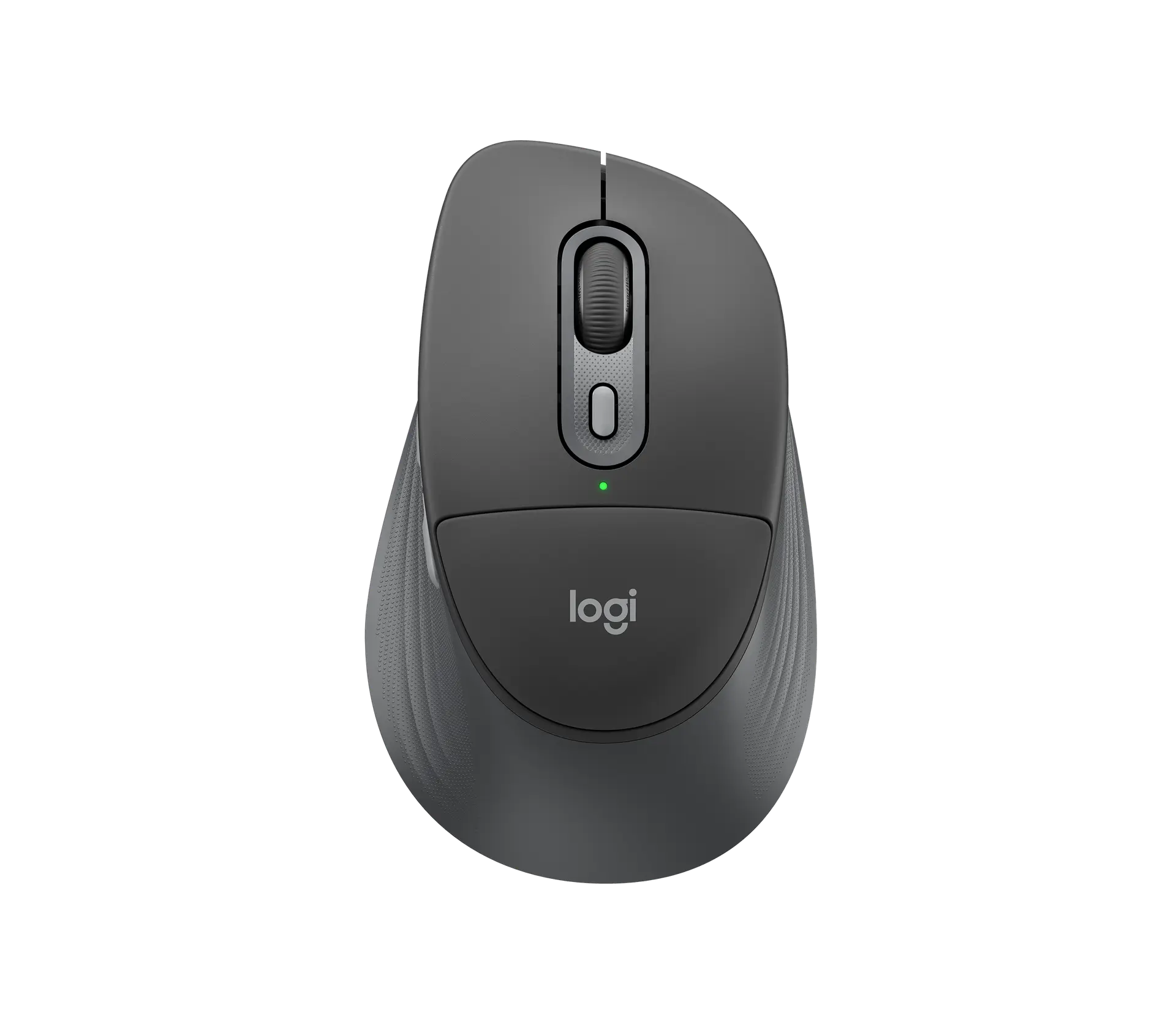
Logitech Signature Comfort Plus M850 L in Graphite: official product image, top view

Logitech Signature Comfort Plus M850 L

Weight
107.9 g
Controls
6 controls
Body length
121.8 mm
Prices & product profile

Each record represents an explicitly checked model and configuration. Original import: 5 Sept 2026; this is not its verification date. This is not a list of current offers or a popularity ranking.