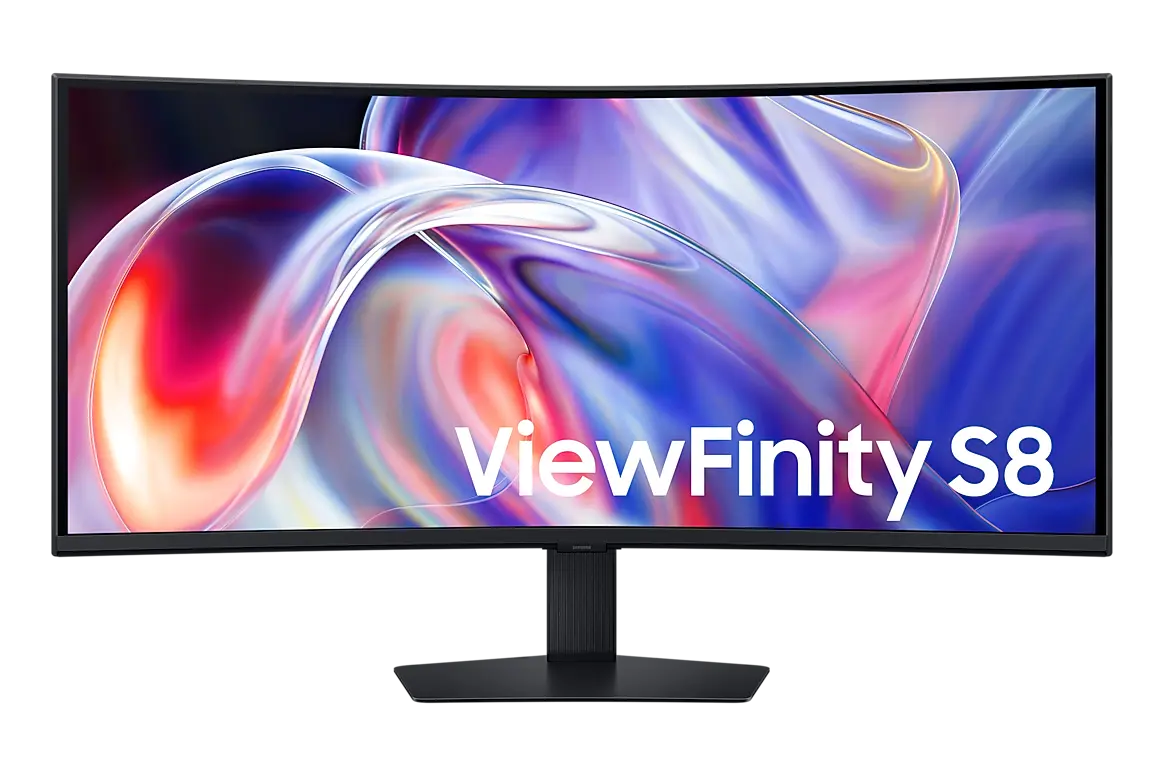
A 40-inch 5120 × 2160 VA monitor with a 1000R curve and up to 144 Hz, plus Thunderbolt 5 with 140 W charging and daisy-chain output, a KVM switch, Ethernet and PiP/PbP.
Specifications checked 21 Sept 2026.
Amazon links open search results. Check the exact variant, current price and availability with the retailer.
Search links open retailer results, not a matched listing; eBay listings are checked daily. As an Amazon Associate I earn from qualifying purchases. As an eBay Partner, we may be compensated if you make a purchase.
THE DIFFERENCES, MADE VISIBLE
Visual facts
Differences first. Select a topic for its graphic, sources and conditions.
How to read this comparison
Manufacturer facts for the exact models shown. Not a quality rating or a test result.
“Different” means the known values differ, not that one is better.
Missing or conflicting evidence is marked and never counts as a difference. Source chips hold each fact’s sources and conditions.
SPECIFICATIONS SIDE BY SIDE4 topics
SELECTED TOPIC
01 / 04
Max refresh
Maximum manufacturer-listed refresh rate, not measured motion clarity. The port-specific limits below matter; HDMI and DisplayPort can support different modes.
Samsung ViewFinity S8 S85TH 40-inch144 Hz
Manufacturer specification · Samsung UK lists 'Max 144 Hz'; the default is 60 Hz and 144 Hz is set in the monitor settings. Refresh rate may vary by content and input; per-input limits at 5120 × 2160 are not published.
Match the monitor to the connection. Refresh limits depend on the input, cable and source device. Confirm the exact regional ports, stand adjustment and mount. Manufacturer response-time methods such as MPRT and GtG are different; neither the image nor these figures establish an independent motion or colour-quality test.
Manufacturer specification · Samsung UK lists 'Max 144 Hz'; the default is 60 Hz and 144 Hz is set in the monitor settings. Refresh rate may vary by content and input; per-input limits at 5120 × 2160 are not published.
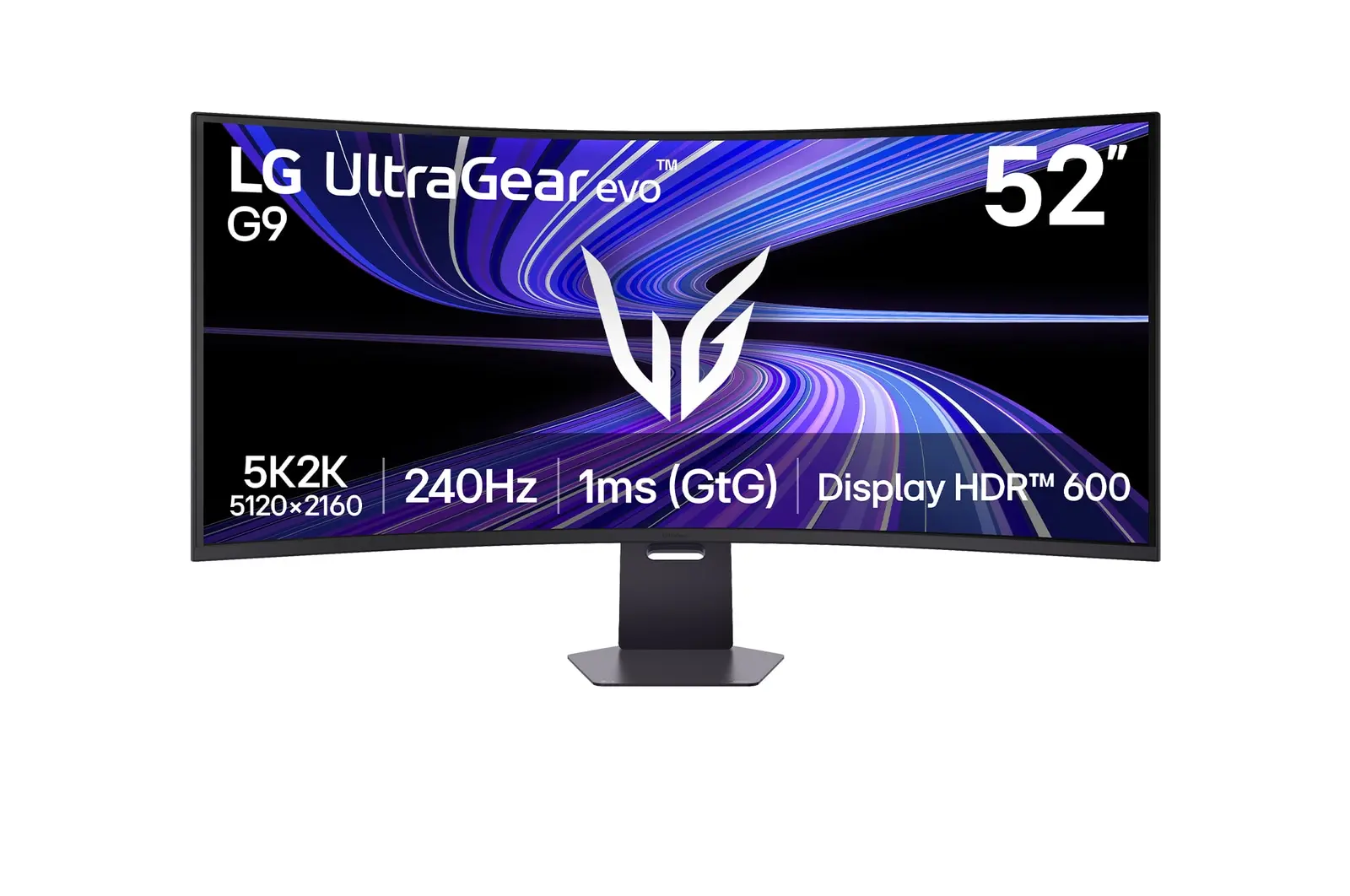
LG 52G930B-BHDMI (ver 2.1); DisplayPort (1ea); USB-C (1ea); USB-C (Data Transsmission); USB Upstream Port (via USB-C); USB Downstream Port (2ea/ver3.0)
Sources
Samsung ViewFinity S8 S85TH 40-inch
Manufacturer specification · Samsung UK interface rows. The Thunderbolt port is listed under the heading “Thunderbolt 3” with version 5.0; HDCP 2.2 is listed for DP, HDMI and Thunderbolt. The split of the five USB-A ports between 3.2 Gen2 and Gen1 is not stated.
Manufacturer specification · Only explicit Yes declarations establish an available connection. Counts and version annotations stay literal. The original port rows, versions, power and input-mode conditions remain separate below; placeholders are not interpreted as No.
Samsung ViewFinity S8 S85TH 40-inch928.6 × 599.9 × 362.1 mm (width × height × depth, with stand)
LG 52G930B-BDimension with Stand (W x H x D) [mm]: 1174.6x713.1x350.0mm (UP) / 1174.6x593.1x350.0mm (Down)
Sources
Samsung ViewFinity S8 S85TH 40-inch
Manufacturer specification · Manufacturer dimensions in the stated orientation; allow extra room for cables and stand movement. A height range shows the stand's lowest and highest positions.
A size or weight trade-off; it does not establish the better product.
Missing or non-comparable evidence (134)
Listed refresh modes and input limits
Samsung ViewFinity S8 S85TH 40-inchUp to 144 Hz
LG 52G930B-BNot verified
Sources
Samsung ViewFinity S8 S85TH 40-inch
Ships set to 60 Hz; select 144 Hz in the monitor settings. · Manufacturer specification · Samsung says the default is 60 Hz, adjustable to 144 Hz in the monitor settings, and that refresh rate may vary by content and input source. Per-input limits are not published.
Manufacturer specification · Thunderbolt port 1 (listed under “Thunderbolt 3”, version 5.0): 140 W. Thunderbolt downstream (daisy-chain) port: 15 W. No charging figure is listed for the USB-C downstream or the data-only USB-C upstream port. Samsung notes actual charging power may vary with the PC.
Evidence is missing or conflicting on at least one side. This is not a verified difference.
USB-C connection
Samsung ViewFinity S8 S85TH 40-inchYes
LG 52G930B-BNot verified
Sources
Samsung ViewFinity S8 S85TH 40-inch
Manufacturer specification · The listed connections include USB-C or Thunderbolt. Video, data, upstream/downstream roles and charging power depend on the particular port.
Evidence is missing or conflicting on at least one side. This is not a verified difference.
Daisy-chain support
Samsung ViewFinity S8 S85TH 40-inchYes
LG 52G930B-BNot verified
Sources
Samsung ViewFinity S8 S85TH 40-inch
Manufacturer specification · Via the listed Thunderbolt downstream (daisy-chain) port. Host GPU/OS support and the second monitor's inputs determine the achievable resolution and refresh rate.
Evidence is missing or conflicting on at least one side. This is not a verified difference.
Maximum power
Samsung ViewFinity S8 S85TH 40-inch340 W
LG 52G930B-BNot verified
Sources
Samsung ViewFinity S8 S85TH 40-inch
Manufacturer specification · Manufacturer power figure under the stated operating mode; real use, brightness, connected USB devices and charging load can differ.
Evidence is missing or conflicting on at least one side. This is not a verified difference.
Power when off
Samsung ViewFinity S8 S85TH 40-inch0.30 W
LG 52G930B-BNot verified
Sources
Samsung ViewFinity S8 S85TH 40-inch
Manufacturer specification · Manufacturer power figure under the stated operating mode; real use, brightness, connected USB devices and charging load can differ.
Evidence is missing or conflicting on at least one side. This is not a verified difference.
Standby power
Samsung ViewFinity S8 S85TH 40-inch0.50 W
LG 52G930B-BNot verified
Sources
Samsung ViewFinity S8 S85TH 40-inch
Manufacturer specification · Manufacturer power figure under the stated operating mode; real use, brightness, connected USB devices and charging load can differ.
Evidence is missing or conflicting on at least one side. This is not a verified difference.
Thunderbolt version
Samsung ViewFinity S8 S85TH 40-inch5.0
LG 52G930B-BNot verified
Sources
Samsung ViewFinity S8 S85TH 40-inch
Manufacturer specification · Listed under a 'Thunderbolt 3' heading with 'Version of Thunderbolt 5.0'; Samsung's feature text claims 80 Gbps and up to 140 W. Display support needs macOS 14.5 on Apple silicon, macOS 15 on Intel Macs, or Intel 12th Gen with Windows 11.
Evidence is missing or conflicting on at least one side. This is not a verified difference.
Dimensions without stand
Samsung ViewFinity S8 S85TH 40-inch928.6 × 422.8 × 198.9 mm (width × height × depth, without stand)
LG 52G930B-BNot verified
Sources
Samsung ViewFinity S8 S85TH 40-inch
Manufacturer specification · Manufacturer dimensions in the stated orientation; allow extra room for cables and stand movement. A height range shows the stand's lowest and highest positions.
Evidence is missing or conflicting on at least one side. This is not a verified difference.
2 shared fields have the same recorded value.
WHAT EACH CHOICE ASKS OF YOU
What it brings and what to check
Samsung ViewFinity S8 S85TH 40-inch
What it brings
The 5120 × 2160 VA panel reaches 144 Hz, covers 99% sRGB and supports HDR10+ and FreeSync Premium; it ships at 60 Hz, so select 144 Hz in the monitor settings.
Samsung lists minimums for Thunderbolt 5 display support: macOS 14.5 on Apple silicon Macs, macOS 15 on Intel Macs, and Intel 12th Gen with Windows 11 on PCs.
Manufacturer specification · Manufacturer resolution notation: WUHD (5120 x 2160). See the separate refresh-mode conditions for any lower-resolution configurations.
Manufacturer specification · Samsung UK lists 'Max 144 Hz'; the default is 60 Hz and 144 Hz is set in the monitor settings. Refresh rate may vary by content and input; per-input limits at 5120 × 2160 are not published.
Ships set to 60 Hz; select 144 Hz in the monitor settings. · Manufacturer specification · Samsung says the default is 60 Hz, adjustable to 144 Hz in the monitor settings, and that refresh rate may vary by content and input source. Per-input limits are not published.
Manufacturer specification · Samsung UK interface rows. The Thunderbolt port is listed under the heading “Thunderbolt 3” with version 5.0; HDCP 2.2 is listed for DP, HDMI and Thunderbolt. The split of the five USB-A ports between 3.2 Gen2 and Gen1 is not stated.
Manufacturer specification · Only explicit Yes declarations establish an available connection. Counts and version annotations stay literal. The original port rows, versions, power and input-mode conditions remain separate below; placeholders are not interpreted as No.
HDMI (ver 2.1); DisplayPort (1ea); USB-C (1ea); USB-C (Data Transsmission); USB Upstream Port (via USB-C); USB Downstream Port (2ea/ver3.0)
USB-C connectionSources
Samsung ViewFinity S8 S85TH 40-inch
Manufacturer specification · The listed connections include USB-C or Thunderbolt. Video, data, upstream/downstream roles and charging power depend on the particular port.
Manufacturer specification · Thunderbolt port 1 (listed under “Thunderbolt 3”, version 5.0): 140 W. Thunderbolt downstream (daisy-chain) port: 15 W. No charging figure is listed for the USB-C downstream or the data-only USB-C upstream port. Samsung notes actual charging power may vary with the PC.
Manufacturer specification · Listed under a 'Thunderbolt 3' heading with 'Version of Thunderbolt 5.0'; Samsung's feature text claims 80 Gbps and up to 140 W. Display support needs macOS 14.5 on Apple silicon, macOS 15 on Intel Macs, or Intel 12th Gen with Windows 11.
Manufacturer specification · Via the listed Thunderbolt downstream (daisy-chain) port. Host GPU/OS support and the second monitor's inputs determine the achievable resolution and refresh rate.
Manufacturer specification · Manufacturer dimensions in the stated orientation; allow extra room for cables and stand movement. A height range shows the stand's lowest and highest positions.
Manufacturer specification · Manufacturer dimensions in the stated orientation; allow extra room for cables and stand movement. A height range shows the stand's lowest and highest positions.
Manufacturer specification · Manufacturer power figure under the stated operating mode; real use, brightness, connected USB devices and charging load can differ.
Manufacturer specification · Manufacturer power figure under the stated operating mode; real use, brightness, connected USB devices and charging load can differ.
Manufacturer specification · Manufacturer power figure under the stated operating mode; real use, brightness, connected USB devices and charging load can differ.
Each record represents an explicitly checked model and configuration. Original import: 5 Sept 2026; this is not its verification date. This is not a list of current offers or a popularity ranking.