Skip to comparison
versus.deals
Menu
Browse versus.deals
MONITORS · YOUR NEXT FACE-OFF

ASUS TUF Gaming VG27AQML1A vs ASUS TUF Gaming VG34VQL3A

Real specs. Clear sources.Exact models · UK & US buying links

Compared products

YOUR FIRST CHOICE

ASUS TUF Gaming VG27AQML1A

UK specification
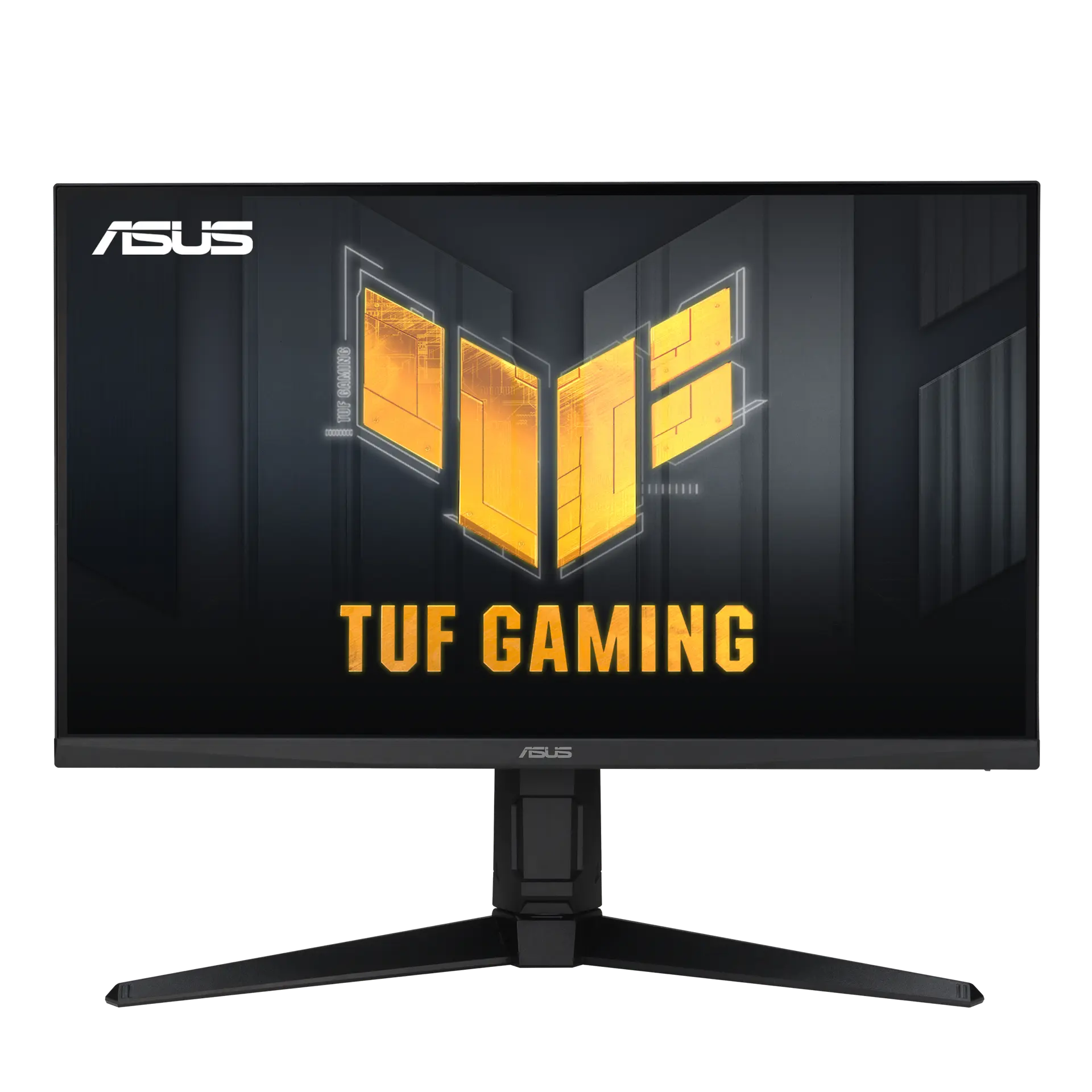
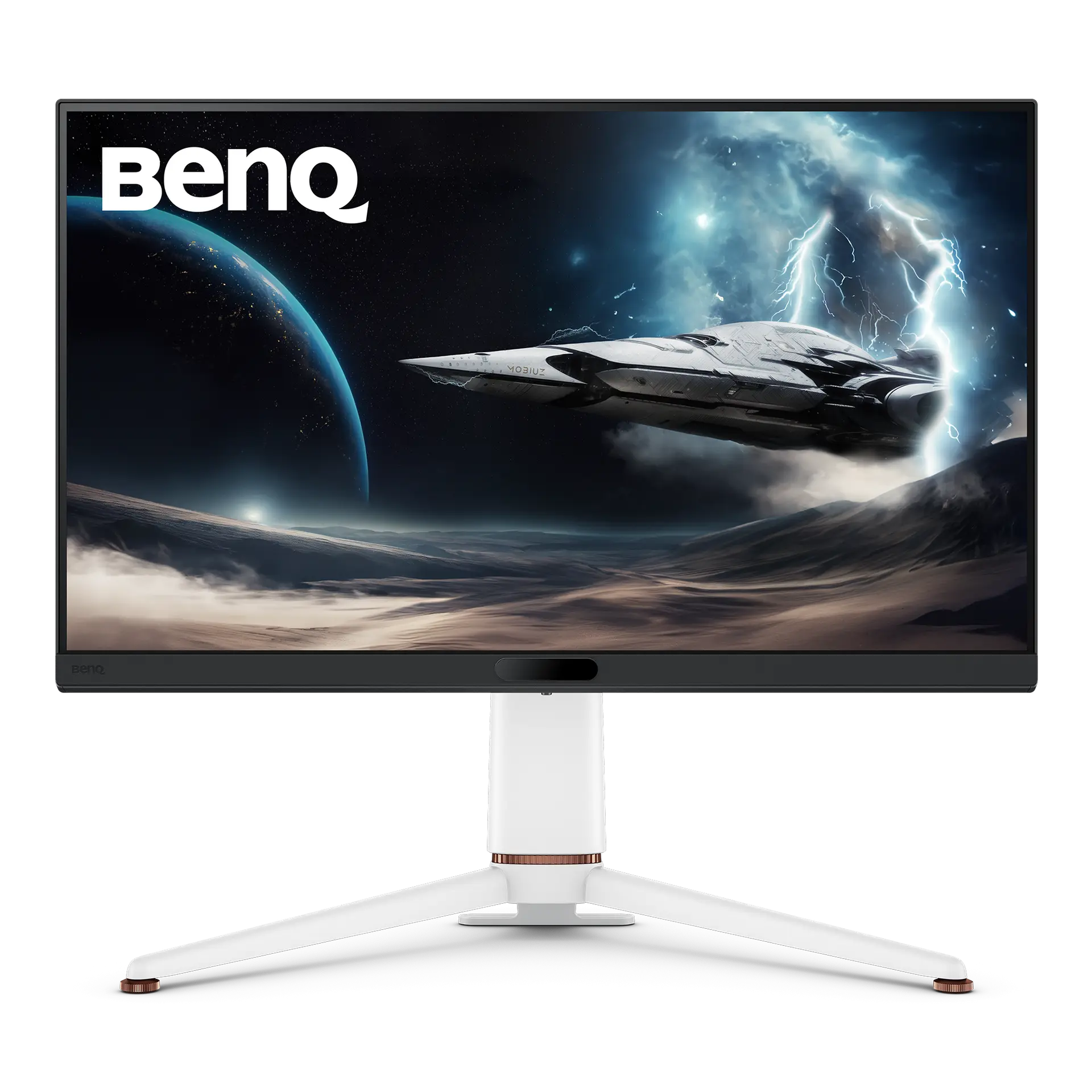
ASUS TUF Gaming VG27AQML1A monitor from the front on its height-adjustable stand, with TUF Gaming screen artwork.
Exact model & source notes

A 27-inch 2560 × 1440 Fast IPS gaming monitor with a native 240 Hz refresh rate and an overclock to 260 Hz over DisplayPort, with a 10-bit colour listing, 90% DCI-P3, VESA DisplayHDR 400, ELMB Sync, a two-port USB hub and a stand that adjusts for height, tilt, swivel and pivot.

Specifications checked 26 Sept 2026.

Amazon links open search results. Check the exact variant, current price and availability with the retailer.

Manufacturer specifications

WHICH SUITS YOU?

Choose the VG27AQML1A for

  • A Fast IPS LCD panel
  • Higher stated maximum HDMI refresh: 144 Hz vs 100 Hz
  • Higher stated refresh rate at native resolution: 240 Hz vs 180 Hz

Choose the VG34VQL3A for

  • A VA LCD panel
  • Higher stated native resolution: 3440 × 1440 vs 2560 × 1440
  • Larger stated screen diagonal: 34 in vs 27 in
Built from verified specifications that differ. Not a rating or a recommendation.
See the 27 verified differences
THE CONTENDER

ASUS TUF Gaming VG34VQL3A

UK specification

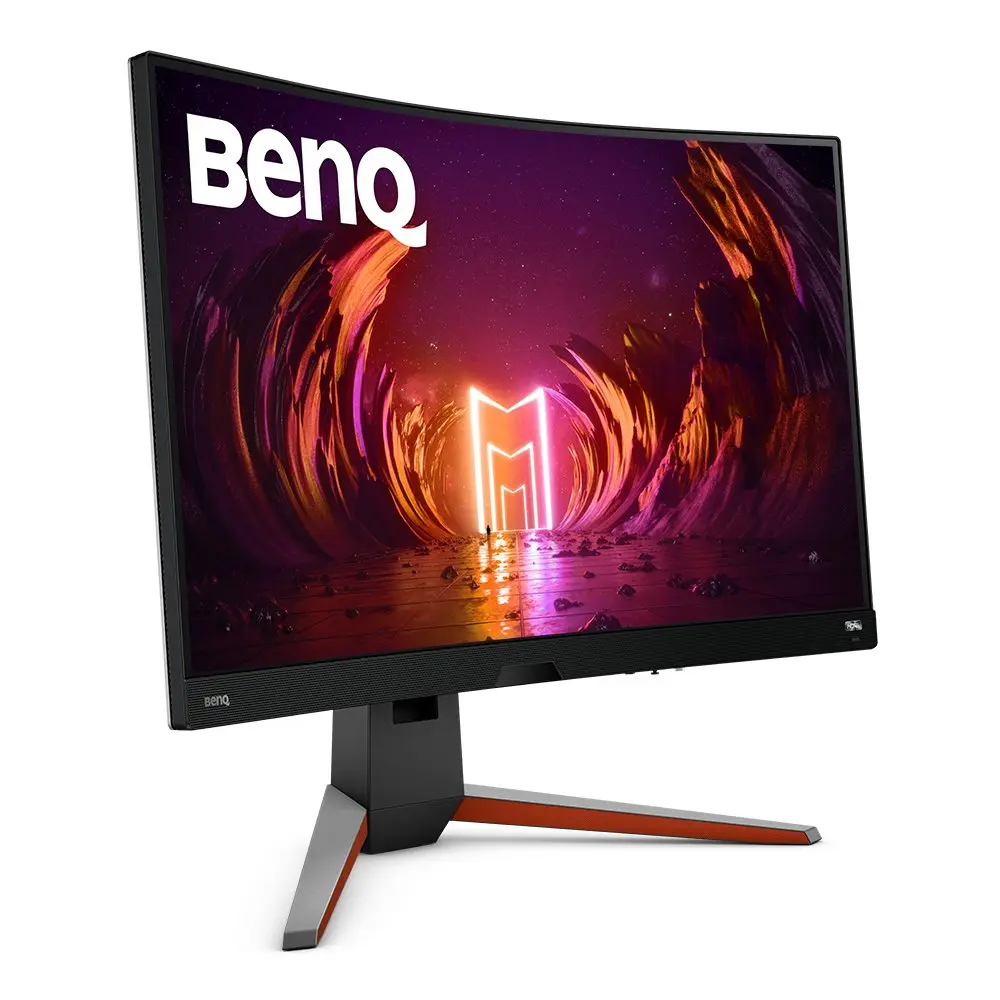
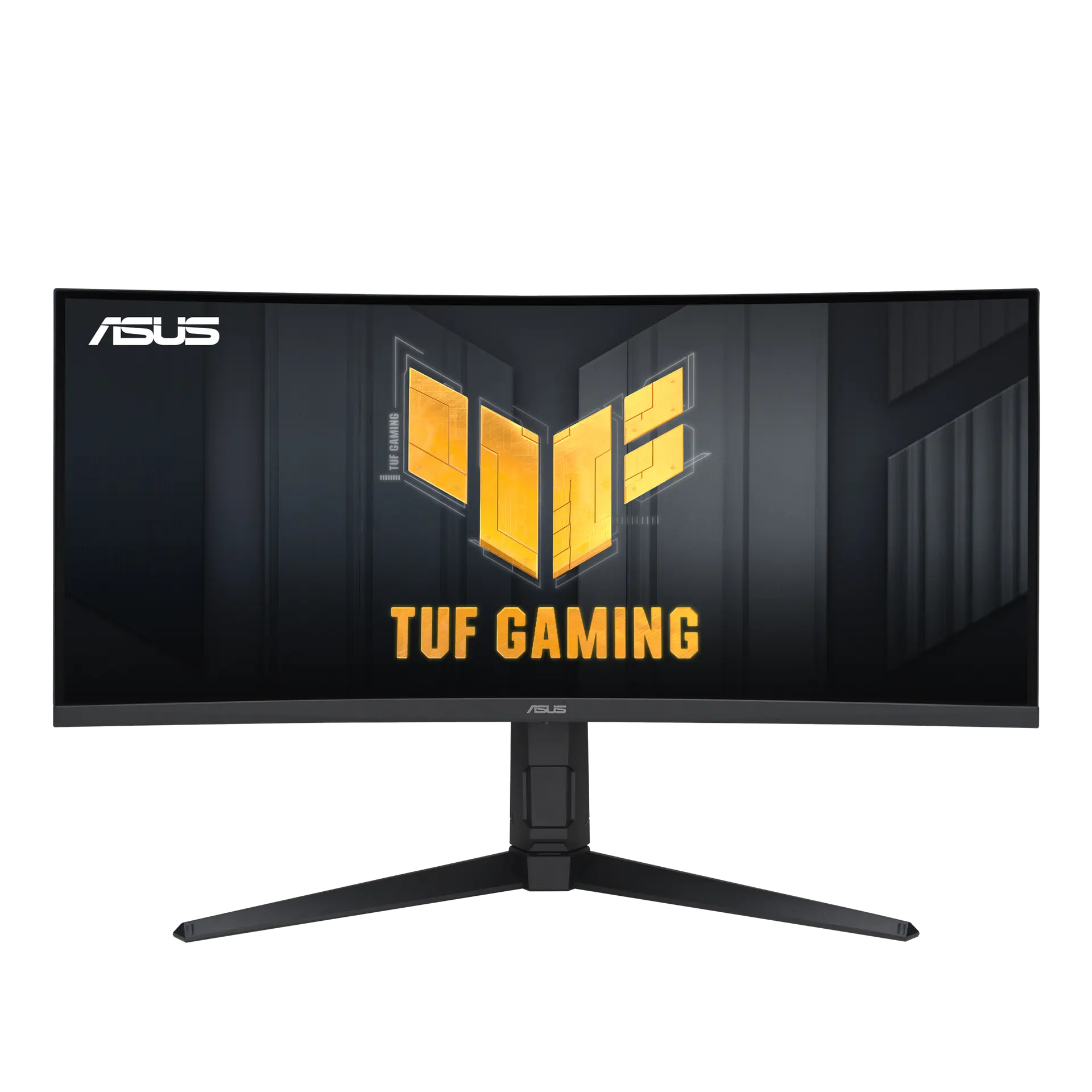
ASUS TUF Gaming VG34VQL3A curved ultrawide monitor from the front on its height-adjustable stand, with TUF Gaming screen artwork.
Exact model & source notes

A 34-inch 3440 × 1440 curved (1500R) VA ultrawide gaming monitor rated up to 180 Hz over DisplayPort, with VESA DisplayHDR 400, FreeSync Premium Pro, a three-port USB hub and a 130 mm height-adjustable stand.

Specifications checked 26 Sept 2026.

Amazon links open search results. Check the exact variant, current price and availability with the retailer.

Manufacturer specifications

VG27AQML1A UK & US retailers

UK & US price history: no verified listing yet

VG34VQL3A UK & US retailers

UK & US price history: no verified listing yet

Search links open retailer results, not a matched listing; eBay listings are checked daily. As an Amazon Associate I earn from qualifying purchases. As an eBay Partner, we may be compensated if you make a purchase.

THE DIFFERENCES, MADE VISIBLE

Visual facts

Differences first. Select a topic for its graphic, sources and conditions.

How to read this comparison
  • Manufacturer facts for the exact models shown. Not a quality rating or a test result.
  • “Different” means the known values differ, not that one is better.
  • Missing or conflicting evidence is marked and never counts as a difference. Source chips hold each fact’s sources and conditions.
SPECIFICATIONS SIDE BY SIDE7 topics
SELECTED TOPIC
01 / 07

Panel technology

Check the exact configuration and source conditions for your use.

ASUS TUF Gaming VG27AQML1AFast IPS LCD

Manufacturer specification

ASUS TUF Gaming VG34VQL3AVA LCD

Manufacturer specification

Explore the full specifications

Match the monitor to the connection. Refresh limits depend on the input, cable and source device. Confirm the exact regional ports, stand adjustment and mount. Manufacturer response-time methods such as MPRT and GtG are different; neither the image nor these figures establish an independent motion or colour-quality test.

WHAT CHANGES BETWEEN THEM?

Key differences

Full specifications ↓

27 verified differences, most decision-relevant first. 7 are also drawn in Visual facts above. Missing information stays separate.

Refresh rate at native resolution

In Visual facts
ASUS TUF Gaming VG27AQML1A240 Hz
ASUS TUF Gaming VG34VQL3A180 Hz
Sources
ASUS TUF Gaming VG27AQML1A

Manufacturer specification · ASUS product-page statement “native 240Hz”; 260 Hz requires the Overclocking setting over DisplayPort.

ASUS UK — TUF Gaming VG27AQML1A product page and galleryASUS USA — TUF Gaming VG27AQML1A product page
ASUS TUF Gaming VG34VQL3A

Manufacturer specification · Maximum over DisplayPort; the HDMI inputs list a 48–100 Hz vertical range. The user manual places the 180 Hz maximum-refresh setting under the on-screen “Overclocking” item (DisplayPort input only) and warns that overclocking may cause screen flickering; the technical table and product page list 180 Hz without an overclock qualifier, and ASUS states no separate native rate.

ASUS UK — TUF Gaming VG34VQL3A technical specificationsASUS — VG34VQL3A Series user guide (English, PDF)

Check the exact configuration and source conditions for your use.

Maximum HDMI refresh

In Visual facts
ASUS TUF Gaming VG27AQML1A144 Hz
ASUS TUF Gaming VG34VQL3A100 Hz
Sources
ASUS TUF Gaming VG27AQML1A

Manufacturer specification · Upper bound of the listed HDMI vertical frequency range.

ASUS UK — TUF Gaming VG27AQML1A technical specifications
ASUS TUF Gaming VG34VQL3A

Manufacturer specification · Upper bound of the listed HDMI vertical frequency range.

ASUS UK — TUF Gaming VG34VQL3A technical specifications

Check the exact input, signal mode, source and cable. A connector version or supported timing does not guarantee every console mode, VRR setting or game frame rate.

Show 21 more verified differences

Named adaptive-sync technology

In Visual facts
ASUS TUF Gaming VG27AQML1AAMD FreeSync Premium; NVIDIA G-SYNC Compatible; VESA AdaptiveSync Display 240Hz
ASUS TUF Gaming VG34VQL3AAMD FreeSync Premium Pro
Sources
ASUS TUF Gaming VG27AQML1A

Manufacturer specification

ASUS UK — TUF Gaming VG27AQML1A technical specifications
ASUS TUF Gaming VG34VQL3A

Manufacturer specification · The UK certificate list names FreeSync Premium Pro only; it does not list G-SYNC Compatible for this model. The product page says FreeSync Premium Pro is supported through the DisplayPort and HDMI ports.

ASUS UK — TUF Gaming VG34VQL3A technical specificationsASUS UK — TUF Gaming VG34VQL3A product page and gallery

Check the exact configuration and source conditions for your use.

Portrait pivot

ASUS TUF Gaming VG27AQML1AYes
ASUS TUF Gaming VG34VQL3ANo
Sources
ASUS TUF Gaming VG27AQML1A

Manufacturer specification

ASUS UK — TUF Gaming VG27AQML1A technical specifications
ASUS TUF Gaming VG34VQL3A

Manufacturer specification · The technical table and product page list tilt, swivel and height adjustment only; the user manual states the ±90° pivot is “for packaging only” and that using it will damage the monitor.

ASUS UK — TUF Gaming VG34VQL3A technical specificationsASUS — VG34VQL3A Series user guide (English, PDF)

Compare the supplied stand and mounting requirements. These affect positioning and desk fit; they do not establish panel quality. Check any separately stated limits or conflicting dimensions.

Stand adjustment

ASUS TUF Gaming VG27AQML1ATilt −5° to +20°; swivel ±20°; pivot ±90°; height travel 130 mm
ASUS TUF Gaming VG34VQL3ATilt −5° to +20°; swivel ±10°; height travel 130 mm
Sources
ASUS TUF Gaming VG27AQML1A

Manufacturer specification · The user manual says to lift the monitor to its highest position and tilt it fully before pivoting.

ASUS UK — TUF Gaming VG27AQML1A technical specificationsASUS — VG27AQML1A Series user guide (English, PDF)
ASUS TUF Gaming VG34VQL3A

Manufacturer specification

ASUS UK — TUF Gaming VG34VQL3A technical specifications

Compare the supplied stand and mounting requirements. These affect positioning and desk fit; they do not establish panel quality. Check any separately stated limits or conflicting dimensions.

Declared vertical input ranges

ASUS TUF Gaming VG27AQML1ADisplayPort 48–260 Hz; HDMI 48–144 Hz
ASUS TUF Gaming VG34VQL3ADisplayPort 48–180 Hz; HDMI 48–100 Hz
Sources
ASUS TUF Gaming VG27AQML1A

Manufacturer specification · Vertical signal-frequency ranges from the specification table. The user manual says Variable Refresh Rate can only be activated within 48–144 Hz over HDMI and 48–240 Hz over DisplayPort.

ASUS UK — TUF Gaming VG27AQML1A technical specificationsASUS — VG27AQML1A Series user guide (English, PDF)
ASUS TUF Gaming VG34VQL3A

Manufacturer specification · Vertical signal-frequency ranges from the specification table. The user manual gives the same Variable Refresh Rate ranges (48–100 Hz HDMI, 48–180 Hz DisplayPort).

ASUS UK — TUF Gaming VG34VQL3A technical specificationsASUS — VG34VQL3A Series user guide (English, PDF)

Check the exact configuration and source conditions for your use.

Listed certificates

ASUS TUF Gaming VG27AQML1AG-SYNC Compatible; AMD FreeSync Premium; VESA DisplayHDR 400; VESA AdaptiveSync Display 240Hz; TÜV Low Blue Light; TÜV Flicker-free; Energy Star
ASUS TUF Gaming VG34VQL3AAMD FreeSync Premium Pro; VESA DisplayHDR 400; TÜV Low Blue Light; TÜV Flicker-free
Sources
ASUS TUF Gaming VG27AQML1A

Manufacturer specification · Complete “Certificate” list from the ASUS UK technical table; the US table lists the same seven.

ASUS UK — TUF Gaming VG27AQML1A technical specificationsASUS USA — TUF Gaming VG27AQML1A technical specifications
ASUS TUF Gaming VG34VQL3A

Manufacturer specification · Complete “Certificate” list from the ASUS UK technical table; the US table lists the same four.

ASUS UK — TUF Gaming VG34VQL3A technical specificationsASUS USA — TUF Gaming VG34VQL3A technical specifications

Check the exact configuration and source conditions for your use.

Declared power limits

ASUS TUF Gaming VG27AQML1AOn: <26 W; standby: <0.5 W; off: <0.3 W
ASUS TUF Gaming VG34VQL3AOn: <27 W; power saving: <0.5 W; off: <0.3 W
Sources
ASUS TUF Gaming VG27AQML1A

Manufacturer specification · Upper bounds; the user manual says the on-mode figure is measured at 200 nits screen brightness without audio, USB or card-reader connection. Not typical running-power measurements.

ASUS UK — TUF Gaming VG27AQML1A technical specificationsASUS — VG27AQML1A Series user guide (English, PDF)
ASUS TUF Gaming VG34VQL3A

Manufacturer specification · Upper bounds without a stated measurement basis; not typical running-power measurements.

ASUS UK — TUF Gaming VG34VQL3A technical specifications

Check the exact configuration and source conditions for your use.

On-screen gaming tools

ASUS TUF Gaming VG27AQML1AGamePlus (Crosshair, Timer, FPS Counter, Stopwatch, Display Alignment); Shadow Boost; Variable Overdrive; DisplayWidget Center software
ASUS TUF Gaming VG34VQL3AGamePlus (Crosshair, Timer, FPS Counter, Display Alignment, Stopwatch); Shadow Boost; Trace Free; GameFast Input; Variable Overdrive; DisplayWidget Center software
Sources
ASUS TUF Gaming VG27AQML1A

Manufacturer specification · Named ASUS game functions from the technical table, product page and user manual. The manual says Shadow Boost is only available in Racing, RTS/RPG, FPS or sRGB mode. DisplayWidget Center is desktop software for changing monitor settings with a mouse.

ASUS UK — TUF Gaming VG27AQML1A technical specificationsASUS UK — TUF Gaming VG27AQML1A product page and galleryASUS — VG27AQML1A Series user guide (English, PDF)
ASUS TUF Gaming VG34VQL3A

Manufacturer specification · Named ASUS game functions from the technical table, product page and user manual. The manual says Shadow Boost is only available in Racing, RTS/RPG, FPS or sRGB mode. DisplayWidget Center is desktop software for changing monitor settings with a mouse.

ASUS UK — TUF Gaming VG34VQL3A technical specificationsASUS UK — TUF Gaming VG34VQL3A product page and galleryASUS — VG34VQL3A Series user guide (English, PDF)

Check the exact configuration and source conditions for your use.

GameVisual picture modes

ASUS TUF Gaming VG27AQML1AScenery; Racing; Cinema; RTS/RPG; FPS; sRGB; MOBA; Night Vision
ASUS TUF Gaming VG34VQL3ARacing; MOBA; Cinema; RTS/RPG; FPS; sRGB; Scenery
Sources
ASUS TUF Gaming VG27AQML1A

Manufacturer specification · The product page describes seven GameVisual pre-set modes (Racing, MOBA, Cinema, RTS/RPG, FPS, sRGB, Scenery), selectable by hotkey or the on-screen menu; the user manual also lists Night Vision as a GameVisual mode. Colour-temperature selection is listed separately with 4 modes.

ASUS UK — TUF Gaming VG27AQML1A technical specificationsASUS UK — TUF Gaming VG27AQML1A product page and galleryASUS — VG27AQML1A Series user guide (English, PDF)
ASUS TUF Gaming VG34VQL3A

Manufacturer specification · ASUS GameVisual pre-set display modes, selectable by hotkey or the on-screen menu; the product page and user manual both list these seven modes. Colour-temperature selection is listed separately with 4 modes (Cool, Normal, Warm and User in the manual).

ASUS UK — TUF Gaming VG34VQL3A technical specificationsASUS UK — TUF Gaming VG34VQL3A product page and galleryASUS — VG34VQL3A Series user guide (English, PDF)

Check the exact configuration and source conditions for your use.

Regional configuration

ASUS TUF Gaming VG27AQML1AUK ASUS specification. The US ASUS technical page lists the same specification figures; its accessory list additionally names an L-shaped screwdriver.
ASUS TUF Gaming VG34VQL3AUK ASUS specification. The US ASUS technical page lists the same specification figures and accessories.
Sources

Check the exact configuration and source conditions for your use.

Depth with stand

ASUS TUF Gaming VG27AQML1A213.8 mm
ASUS TUF Gaming VG34VQL3A250 mm
Sources
ASUS TUF Gaming VG27AQML1A

Manufacturer specification · Front-to-back depth with the supplied stand; allow cable clearance.

ASUS UK — TUF Gaming VG27AQML1A technical specifications
ASUS TUF Gaming VG34VQL3A

Manufacturer specification · Front-to-back depth with the supplied stand; allow cable clearance.

ASUS UK — TUF Gaming VG34VQL3A technical specifications

A size or weight trade-off; it does not establish the better product.

USB data connections

ASUS TUF Gaming VG27AQML1A1 × USB 3.2 Gen 1 Type-B upstream; 2 × USB 3.2 Gen 1 Type-A downstream; a USB Type-B to A cable is listed
ASUS TUF Gaming VG34VQL3AUSB 3.2 hub: 1 × USB Type-B upstream; 3 × USB 3.2 Gen 1 Type-A downstream; a USB Type-B to A cable is listed
Sources
ASUS TUF Gaming VG27AQML1A

Manufacturer specification · The technical table lists the two Type-A ports; the user manual lists the Type-B upstream port.

ASUS UK — TUF Gaming VG27AQML1A technical specificationsASUS — VG27AQML1A Series user guide (English, PDF)
ASUS TUF Gaming VG34VQL3A

Manufacturer specification · The technical table lists the three Type-A ports; the user manual lists “Upstream x 1, downstream x 3” and a USB Type B upstream port on the back panel.

ASUS UK — TUF Gaming VG34VQL3A technical specificationsASUS — VG34VQL3A Series user guide (English, PDF)

Check the exact configuration and source conditions for your use.

Dimensions with stand

ASUS TUF Gaming VG27AQML1A614.9 × 533.9 × 213.8 mm (width × height × depth, with stand)
ASUS TUF Gaming VG34VQL3A808 × 541 × 250 mm (width × height × depth, with stand)
Sources
ASUS TUF Gaming VG27AQML1A

Manufacturer specification · Converted from ASUS’s centimetre figures; ASUS labels dimensions as estimates that vary by region. The user manual gives this height at the highest stand position (403.9 mm at the lowest).

ASUS UK — TUF Gaming VG27AQML1A technical specificationsASUS — VG27AQML1A Series user guide (English, PDF)
ASUS TUF Gaming VG34VQL3A

Manufacturer specification · Converted from ASUS’s centimetre figures; ASUS labels dimensions as estimates that vary by region.

ASUS UK — TUF Gaming VG34VQL3A technical specifications

A size or weight trade-off; it does not establish the better product.

Weight with stand

ASUS TUF Gaming VG27AQML1A6.4 kg
ASUS TUF Gaming VG34VQL3A8.1 kg
Sources
ASUS TUF Gaming VG27AQML1A

Manufacturer specification · ASUS “Net Weight”, listed separately from “Net Weight without Stand”; estimate that may vary by region.

ASUS UK — TUF Gaming VG27AQML1A technical specifications
ASUS TUF Gaming VG34VQL3A

Manufacturer specification · ASUS “Net Weight”, listed separately from “Net Weight without Stand”; estimate that may vary by region.

ASUS UK — TUF Gaming VG34VQL3A technical specifications

A size or weight trade-off; it does not establish the better product.

Missing or non-comparable evidence (14)

Blur reduction with Adaptive-Sync

ASUS TUF Gaming VG27AQML1AYes
ASUS TUF Gaming VG34VQL3ANot verified
Sources
ASUS TUF Gaming VG27AQML1A

Manufacturer specification · ASUS ELMB Sync runs blur reduction together with variable refresh; ASUS notes it “works better over 85Hz”.

ASUS UK — TUF Gaming VG27AQML1A technical specificationsASUS UK — TUF Gaming VG27AQML1A product page and galleryASUS — VG27AQML1A Series user guide (English, PDF)
ASUS TUF Gaming VG34VQL3A

No source recorded for this side.

Evidence is missing or conflicting on at least one side. This is not a verified difference.

Picture-in-picture / picture-by-picture

ASUS TUF Gaming VG27AQML1ANot verified
ASUS TUF Gaming VG34VQL3AYes
Sources
ASUS TUF Gaming VG27AQML1A

No source recorded for this side.

ASUS TUF Gaming VG34VQL3A

Manufacturer specification

ASUS UK — TUF Gaming VG34VQL3A technical specifications

Evidence is missing or conflicting on at least one side. This is not a verified difference.

Colour depth

ASUS TUF Gaming VG27AQML1A10-bit (1,073.7 million colours)
ASUS TUF Gaming VG34VQL3ANot verified
Sources
ASUS TUF Gaming VG27AQML1A

Manufacturer specification · ASUS does not say whether 10-bit is native or uses FRC.

ASUS UK — TUF Gaming VG27AQML1A technical specifications
ASUS TUF Gaming VG34VQL3A

ASUS lists 16.7 million colours but does not state native panel bit depth or FRC use. · Manufacturer specification

ASUS UK — TUF Gaming VG34VQL3A technical specifications

Evidence is missing or conflicting on at least one side. This is not a verified difference.

Declared colour-gamut figures

ASUS TUF Gaming VG27AQML1ADCI-P3 90%
ASUS TUF Gaming VG34VQL3AsRGB 125%
Sources
ASUS TUF Gaming VG27AQML1A

Manufacturer specification · DCI-P3 figure from the technical table; ASUS does not state the CIE basis, and it is not a colour-accuracy claim. The product pages’ sRGB claim is recorded separately under srgb_coverage because its figure is inconsistent.

ASUS UK — TUF Gaming VG27AQML1A technical specificationsASUS UK — TUF Gaming VG27AQML1A product page and gallery
ASUS TUF Gaming VG34VQL3A

Manufacturer specification · ASUS does not state the CIE basis; a figure above 100% is relative gamut size, not coverage or colour accuracy.

ASUS UK — TUF Gaming VG34VQL3A technical specifications

The declared gamut figures use different or unstated colour spaces. They are not ranked; compare figures stated in the same colour space.

Curvature

ASUS TUF Gaming VG27AQML1ANot verified
ASUS TUF Gaming VG34VQL3A1500R
Sources
ASUS TUF Gaming VG27AQML1A

No source recorded for this side.

ASUS TUF Gaming VG34VQL3A

Manufacturer specification

ASUS UK — TUF Gaming VG34VQL3A technical specifications

Evidence is missing or conflicting on at least one side. This is not a verified difference.

Dynamic contrast claim

ASUS TUF Gaming VG27AQML1ANot verified
ASUS TUF Gaming VG34VQL3A100,000,000:1
Sources
ASUS TUF Gaming VG27AQML1A

No source recorded for this side.

ASUS TUF Gaming VG34VQL3A

Manufacturer specification · User-manual maximum contrast with ASUS Smart Contrast Ratio (ASCR) on; not comparable with the 4000:1 typical static contrast.

ASUS — VG34VQL3A Series user guide (English, PDF)

Evidence is missing or conflicting on at least one side. This is not a verified difference.

ENERGY STAR listing

ASUS TUF Gaming VG27AQML1AYes
ASUS TUF Gaming VG34VQL3ANot verified
Sources
ASUS TUF Gaming VG27AQML1A

Manufacturer specification · Listed in the ASUS certificate table.

ASUS UK — TUF Gaming VG27AQML1A technical specifications
ASUS TUF Gaming VG34VQL3A

No source recorded for this side.

Evidence is missing or conflicting on at least one side. This is not a verified difference.

HDCP

ASUS TUF Gaming VG27AQML1ANot verified
ASUS TUF Gaming VG34VQL3AHDCP 2.2
Sources
ASUS TUF Gaming VG27AQML1A

No source recorded for this side.

ASUS TUF Gaming VG34VQL3A

Manufacturer specification

ASUS UK — TUF Gaming VG34VQL3A technical specifications

Evidence is missing or conflicting on at least one side. This is not a verified difference.

HDR maximum contrast claim

ASUS TUF Gaming VG27AQML1A100,000,000:1
ASUS TUF Gaming VG34VQL3ANot verified
Sources
ASUS TUF Gaming VG27AQML1A

Manufacturer specification · A dynamic maximum, not static panel contrast (1000:1 typical). The technical table labels it “Contrast Ratio (HDR, Max)”; the user manual lists the same figure as the maximum contrast “with ASCR on”.

ASUS UK — TUF Gaming VG27AQML1A technical specificationsASUS — VG27AQML1A Series user guide (English, PDF)
ASUS TUF Gaming VG34VQL3A

No source recorded for this side.

Evidence is missing or conflicting on at least one side. This is not a verified difference.

Declared HDR peak brightness

ASUS TUF Gaming VG27AQML1ANot verified
ASUS TUF Gaming VG34VQL3A400 cd/m²
Sources
ASUS TUF Gaming VG27AQML1A

No source recorded for this side.

ASUS TUF Gaming VG34VQL3A

Manufacturer specification · Peak HDR figure; ASUS gives no window size. The model carries VESA DisplayHDR 400.

ASUS UK — TUF Gaming VG34VQL3A technical specifications

Evidence is missing or conflicting on at least one side. This is not a verified difference.

Typical operating power consumption

ASUS TUF Gaming VG27AQML1ANot verified
ASUS TUF Gaming VG34VQL3ANot verified
Sources
ASUS TUF Gaming VG27AQML1A

ASUS publishes only an upper bound (<26 W, measured per the user manual at 200 nits without audio, USB or card-reader connection); no typical operating figure is stated. · Manufacturer specification

ASUS UK — TUF Gaming VG27AQML1A technical specificationsASUS — VG27AQML1A Series user guide (English, PDF)
ASUS TUF Gaming VG34VQL3A

ASUS publishes only an upper bound (<27 W) without a measurement basis; no typical operating figure is stated. · Manufacturer specification

ASUS UK — TUF Gaming VG34VQL3A technical specifications

Evidence is missing or conflicting on at least one side. This is not a verified difference.

Overclocked refresh rate

ASUS TUF Gaming VG27AQML1A260 Hz
ASUS TUF Gaming VG34VQL3ANot verified
Sources
ASUS TUF Gaming VG27AQML1A

Manufacturer specification · 260 Hz is an overclocked mode: ASUS states “Overclock to 260Hz (native 240Hz)”, and the user manual sets the 260 Hz maximum through the on-screen Overclocking item (DisplayPort input only), warning that overclocking may cause screen flickering. The HDMI inputs list a 48–144 Hz vertical range; the VESA AdaptiveSync Display certificate is listed at 240Hz.

ASUS UK — TUF Gaming VG27AQML1A technical specificationsASUS UK — TUF Gaming VG27AQML1A product page and galleryASUS USA — TUF Gaming VG27AQML1A product pageASUS — VG27AQML1A Series user guide (English, PDF)
ASUS TUF Gaming VG34VQL3A

No source recorded for this side.

Evidence is missing or conflicting on at least one side. This is not a verified difference.

Screen shape

ASUS TUF Gaming VG27AQML1ANot verified
ASUS TUF Gaming VG34VQL3ACurved
Sources
ASUS TUF Gaming VG27AQML1A

No source recorded for this side.

ASUS TUF Gaming VG34VQL3A

Manufacturer specification

ASUS UK — TUF Gaming VG34VQL3A technical specifications

Evidence is missing or conflicting on at least one side. This is not a verified difference.

Published sRGB gamut

ASUS TUF Gaming VG27AQML1AConflicting evidence
ASUS TUF Gaming VG34VQL3ANot verified
Sources
ASUS TUF Gaming VG27AQML1A

ASUS product pages disagree: the UK and US headline, overview and colour-performance text state “100% sRGB”, while the same pages’ meta description and structured-data description state “99% sRGB”. The technical tables list only DCI-P3 90%. No measurement basis is stated; no single percentage is assigned. · Manufacturer specification

ASUS UK — TUF Gaming VG27AQML1A technical specificationsASUS UK — TUF Gaming VG27AQML1A product page and galleryASUS USA — TUF Gaming VG27AQML1A product page
ASUS TUF Gaming VG34VQL3A

No source recorded for this side.

Evidence is missing or conflicting on at least one side. This is not a verified difference.

27 shared fields have the same recorded value.

WHAT EACH CHOICE ASKS OF YOU

What it brings and what to check

ASUS TUF Gaming VG27AQML1A

What it brings

  • ELMB Sync is listed, so blur reduction can run together with variable refresh; FreeSync Premium, G-SYNC Compatible and VESA AdaptiveSync Display 240Hz are also listed.
  • The stand provides 130 mm of height travel, ±20° swivel, ±90° pivot and −5° to +20° tilt, with a 100 × 100 mm VESA pattern.
  • ASUS lists 400 cd/m² typical brightness, 90% DCI-P3, 1.07 billion colours and VESA DisplayHDR 400, plus a two-port USB 3.2 Gen 1 hub.

What to check

ASUS TUF Gaming VG34VQL3A

What it brings

  • Two DisplayPort 1.4 inputs, two HDMI 2.0 inputs, picture-in-picture/picture-by-picture and a three-port USB 3.2 Gen 1 hub suit a desk shared between two computers.
  • ASUS lists a 4000:1 typical contrast ratio for the VA panel, 400 cd/m² typical brightness and VESA DisplayHDR 400.
  • The stand provides 130 mm of height travel, tilt and ±10° swivel, with a 100 × 100 mm VESA pattern.

What to check

  • HDMI inputs are listed at 48–100 Hz, so 180 Hz requires DisplayPort; there is no USB-C input.
  • The certificate list names FreeSync Premium Pro but not G-SYNC Compatible, and the user manual says the stand’s ±90° pivot is for packaging only and warns that using it will damage the monitor.
  • At 8.1 kg with stand and 808 × 250 mm footprint (width × depth), it needs a deep, wide desk.
COMPARE THE DETAILS

Full specifications

How we verify
68 of 68 specifications Sources in each row
Source-backed specifications for ASUS TUF Gaming VG27AQML1A and ASUS TUF Gaming VG34VQL3A
SpecificationASUS TUF Gaming VG27AQML1AASUS TUF Gaming VG34VQL3A
Screen diagonalDifferent
Sources
ASUS TUF Gaming VG27AQML1A

Manufacturer specification

ASUS UK — TUF Gaming VG27AQML1A technical specifications
ASUS TUF Gaming VG34VQL3A

Manufacturer specification

ASUS UK — TUF Gaming VG34VQL3A technical specifications
27 in34 in
Native resolutionDifferent
Sources
ASUS TUF Gaming VG27AQML1A

Manufacturer specification

ASUS UK — TUF Gaming VG27AQML1A technical specifications
ASUS TUF Gaming VG34VQL3A

Manufacturer specification

ASUS UK — TUF Gaming VG34VQL3A technical specifications
2560 × 14403440 × 1440
Panel technologyDifferent
Sources
ASUS TUF Gaming VG27AQML1A

Manufacturer specification

ASUS UK — TUF Gaming VG27AQML1A technical specifications
ASUS TUF Gaming VG34VQL3A

Manufacturer specification

ASUS UK — TUF Gaming VG34VQL3A technical specifications
Fast IPS LCDVA LCD
Aspect ratioDifferent
Sources
ASUS TUF Gaming VG27AQML1A

Manufacturer specification

ASUS UK — TUF Gaming VG27AQML1A technical specifications
ASUS TUF Gaming VG34VQL3A

Manufacturer specification

ASUS UK — TUF Gaming VG34VQL3A technical specifications
16:921:9
Active display areaDifferent
Sources
ASUS TUF Gaming VG27AQML1A

Manufacturer specification

ASUS UK — TUF Gaming VG27AQML1A technical specifications
ASUS TUF Gaming VG34VQL3A

Manufacturer specification

ASUS UK — TUF Gaming VG34VQL3A technical specifications
596.736 × 335.664 mm (horizontal × vertical)797.22 × 333.72 mm (horizontal × vertical)
Screen surface
Sources
ASUS TUF Gaming VG27AQML1A

Manufacturer specification

ASUS UK — TUF Gaming VG27AQML1A technical specifications
ASUS TUF Gaming VG34VQL3A

Manufacturer specification

ASUS UK — TUF Gaming VG34VQL3A technical specifications
Anti-glareAnti-glare
Pixel pitchDifferent
Sources
ASUS TUF Gaming VG27AQML1A

Manufacturer specification

ASUS UK — TUF Gaming VG27AQML1A technical specifications
ASUS TUF Gaming VG34VQL3A

Manufacturer specification

ASUS UK — TUF Gaming VG34VQL3A technical specifications
0.233 mm0.232 mm
Typical brightness
Sources
ASUS TUF Gaming VG27AQML1A

Manufacturer specification · Typical SDR brightness.

ASUS UK — TUF Gaming VG27AQML1A technical specifications
ASUS TUF Gaming VG34VQL3A

Manufacturer specification · Typical SDR brightness.

ASUS UK — TUF Gaming VG34VQL3A technical specifications
400 cd/m²400 cd/m²
Static contrast claimDifferent
Sources
ASUS TUF Gaming VG27AQML1A

Manufacturer specification

ASUS UK — TUF Gaming VG27AQML1A technical specifications
ASUS TUF Gaming VG34VQL3A

Manufacturer specification

ASUS UK — TUF Gaming VG34VQL3A technical specifications
1000:14000:1
Displayable coloursDifferent
Sources
ASUS TUF Gaming VG27AQML1A

Manufacturer specification

ASUS UK — TUF Gaming VG27AQML1A technical specifications
ASUS TUF Gaming VG34VQL3A

Manufacturer specification

ASUS UK — TUF Gaming VG34VQL3A technical specifications
1.07 billion (10-bit)16.7 million
Declared colour-gamut figuresDifferent
Sources
ASUS TUF Gaming VG27AQML1A

Manufacturer specification · DCI-P3 figure from the technical table; ASUS does not state the CIE basis, and it is not a colour-accuracy claim. The product pages’ sRGB claim is recorded separately under srgb_coverage because its figure is inconsistent.

ASUS UK — TUF Gaming VG27AQML1A technical specificationsASUS UK — TUF Gaming VG27AQML1A product page and gallery
ASUS TUF Gaming VG34VQL3A

Manufacturer specification · ASUS does not state the CIE basis; a figure above 100% is relative gamut size, not coverage or colour accuracy.

ASUS UK — TUF Gaming VG34VQL3A technical specifications
DCI-P3 90%sRGB 125%
HDR support
Sources
ASUS TUF Gaming VG27AQML1A

Manufacturer specification

ASUS UK — TUF Gaming VG27AQML1A technical specifications
ASUS TUF Gaming VG34VQL3A

Manufacturer specification

ASUS UK — TUF Gaming VG34VQL3A technical specifications
HDR10; VESA DisplayHDR 400HDR10; VESA DisplayHDR 400
HDR picture modes
Sources
ASUS TUF Gaming VG27AQML1A

Manufacturer specification · User-manual HDR Setting modes (the product page lists “Multiple HDR modes”); the manual describes Cinema HDR as complying with VESA DisplayHDR. ELMB, GameVisual, Shadow Boost and several image controls are unavailable while HDR content is displayed.

ASUS UK — TUF Gaming VG27AQML1A product page and galleryASUS — VG27AQML1A Series user guide (English, PDF)
ASUS TUF Gaming VG34VQL3A

Manufacturer specification · User-manual HDR Setting modes (the product page lists “Multiple HDR modes”). The manual says ELMB, GameVisual, Shadow Boost and several image controls are unavailable while HDR content is displayed.

ASUS UK — TUF Gaming VG34VQL3A product page and galleryASUS — VG34VQL3A Series user guide (English, PDF)
ASUS Gaming HDR; ASUS Cinema HDRASUS Gaming HDR; ASUS Cinema HDR
Declared viewing angles
Sources
ASUS TUF Gaming VG27AQML1A

Manufacturer specification · At contrast ratio ≥ 10:1.

ASUS UK — TUF Gaming VG27AQML1A technical specifications
ASUS TUF Gaming VG34VQL3A

Manufacturer specification · At contrast ratio ≥ 10:1.

ASUS UK — TUF Gaming VG34VQL3A technical specifications
178° horizontal / 178° vertical178° horizontal / 178° vertical
Colour depth
Sources
ASUS TUF Gaming VG27AQML1A

Manufacturer specification · ASUS does not say whether 10-bit is native or uses FRC.

ASUS UK — TUF Gaming VG27AQML1A technical specifications
ASUS TUF Gaming VG34VQL3A

ASUS lists 16.7 million colours but does not state native panel bit depth or FRC use. · Manufacturer specification

ASUS UK — TUF Gaming VG34VQL3A technical specifications
10-bit (1,073.7 million colours)Not listed by the manufacturer
HDR maximum contrast claim
Sources
ASUS TUF Gaming VG27AQML1A

Manufacturer specification · A dynamic maximum, not static panel contrast (1000:1 typical). The technical table labels it “Contrast Ratio (HDR, Max)”; the user manual lists the same figure as the maximum contrast “with ASCR on”.

ASUS UK — TUF Gaming VG27AQML1A technical specificationsASUS — VG27AQML1A Series user guide (English, PDF)
ASUS TUF Gaming VG34VQL3A

No source recorded.

100,000,000:1Not provided
GameVisual picture modesDifferent
Sources
ASUS TUF Gaming VG27AQML1A

Manufacturer specification · The product page describes seven GameVisual pre-set modes (Racing, MOBA, Cinema, RTS/RPG, FPS, sRGB, Scenery), selectable by hotkey or the on-screen menu; the user manual also lists Night Vision as a GameVisual mode. Colour-temperature selection is listed separately with 4 modes.

ASUS UK — TUF Gaming VG27AQML1A technical specificationsASUS UK — TUF Gaming VG27AQML1A product page and galleryASUS — VG27AQML1A Series user guide (English, PDF)
ASUS TUF Gaming VG34VQL3A

Manufacturer specification · ASUS GameVisual pre-set display modes, selectable by hotkey or the on-screen menu; the product page and user manual both list these seven modes. Colour-temperature selection is listed separately with 4 modes (Cool, Normal, Warm and User in the manual).

ASUS UK — TUF Gaming VG34VQL3A technical specificationsASUS UK — TUF Gaming VG34VQL3A product page and galleryASUS — VG34VQL3A Series user guide (English, PDF)
Scenery; Racing; Cinema; RTS/RPG; FPS; sRGB; MOBA; Night VisionRacing; MOBA; Cinema; RTS/RPG; FPS; sRGB; Scenery
Screen shape
Sources
ASUS TUF Gaming VG27AQML1A

No source recorded.

ASUS TUF Gaming VG34VQL3A

Manufacturer specification

ASUS UK — TUF Gaming VG34VQL3A technical specifications
Not providedCurved
Curvature
Sources
ASUS TUF Gaming VG27AQML1A

No source recorded.

ASUS TUF Gaming VG34VQL3A

Manufacturer specification

ASUS UK — TUF Gaming VG34VQL3A technical specifications
Not provided1500R
Declared HDR peak brightness
Sources
ASUS TUF Gaming VG27AQML1A

No source recorded.

ASUS TUF Gaming VG34VQL3A

Manufacturer specification · Peak HDR figure; ASUS gives no window size. The model carries VESA DisplayHDR 400.

ASUS UK — TUF Gaming VG34VQL3A technical specifications
Not provided400 cd/m²
Dynamic contrast claim
Sources
ASUS TUF Gaming VG27AQML1A

No source recorded.

ASUS TUF Gaming VG34VQL3A

Manufacturer specification · User-manual maximum contrast with ASUS Smart Contrast Ratio (ASCR) on; not comparable with the 4000:1 typical static contrast.

ASUS — VG34VQL3A Series user guide (English, PDF)
Not provided100,000,000:1
Overclocked refresh rate
Sources
ASUS TUF Gaming VG27AQML1A

Manufacturer specification · 260 Hz is an overclocked mode: ASUS states “Overclock to 260Hz (native 240Hz)”, and the user manual sets the 260 Hz maximum through the on-screen Overclocking item (DisplayPort input only), warning that overclocking may cause screen flickering. The HDMI inputs list a 48–144 Hz vertical range; the VESA AdaptiveSync Display certificate is listed at 240Hz.

ASUS UK — TUF Gaming VG27AQML1A technical specificationsASUS UK — TUF Gaming VG27AQML1A product page and galleryASUS USA — TUF Gaming VG27AQML1A product pageASUS — VG27AQML1A Series user guide (English, PDF)
ASUS TUF Gaming VG34VQL3A

No source recorded.

260 HzNot provided
Refresh rate at native resolutionDifferent
Sources
ASUS TUF Gaming VG27AQML1A

Manufacturer specification · ASUS product-page statement “native 240Hz”; 260 Hz requires the Overclocking setting over DisplayPort.

ASUS UK — TUF Gaming VG27AQML1A product page and galleryASUS USA — TUF Gaming VG27AQML1A product page
ASUS TUF Gaming VG34VQL3A

Manufacturer specification · Maximum over DisplayPort; the HDMI inputs list a 48–100 Hz vertical range. The user manual places the 180 Hz maximum-refresh setting under the on-screen “Overclocking” item (DisplayPort input only) and warns that overclocking may cause screen flickering; the technical table and product page list 180 Hz without an overclock qualifier, and ASUS states no separate native rate.

ASUS UK — TUF Gaming VG34VQL3A technical specificationsASUS — VG34VQL3A Series user guide (English, PDF)
240 Hz180 Hz
Response method and claim
Sources
ASUS TUF Gaming VG27AQML1A

Manufacturer specification

ASUS UK — TUF Gaming VG27AQML1A technical specifications
ASUS TUF Gaming VG34VQL3A

Manufacturer specification

ASUS UK — TUF Gaming VG34VQL3A technical specifications
1 ms GtG1 ms GtG
Declared grey-to-grey response
Sources
ASUS TUF Gaming VG27AQML1A

Manufacturer specification · Manufacturer claim; not a measured response or input-lag result.

ASUS UK — TUF Gaming VG27AQML1A technical specifications
ASUS TUF Gaming VG34VQL3A

Manufacturer specification · Manufacturer claim; not a measured response or input-lag result.

ASUS UK — TUF Gaming VG34VQL3A technical specifications
1 ms1 ms
Claimed MPRT
Sources
ASUS TUF Gaming VG27AQML1A

Manufacturer specification · Product-page key-spec heading “1MS (MPRT)”; the ELMB paragraph on the same page gives “1 ms GTG”, and the technical table lists only 1 ms GtG. A different measure from GtG; not a measured result.

ASUS UK — TUF Gaming VG27AQML1A technical specificationsASUS UK — TUF Gaming VG27AQML1A product page and gallery
ASUS TUF Gaming VG34VQL3A

Manufacturer specification · ELMB (Extreme Low Motion Blur) motion-picture response claim from the product page; a different measure from GtG and not a measured result. ASUS notes ELMB “works better over 85Hz”.

ASUS UK — TUF Gaming VG34VQL3A product page and gallery
1 ms1 ms
Adaptive sync
Sources
ASUS TUF Gaming VG27AQML1A

Manufacturer specification

ASUS UK — TUF Gaming VG27AQML1A technical specifications
ASUS TUF Gaming VG34VQL3A

Manufacturer specification

ASUS UK — TUF Gaming VG34VQL3A technical specifications
YesYes
Named adaptive-sync technologyDifferent
Sources
ASUS TUF Gaming VG27AQML1A

Manufacturer specification

ASUS UK — TUF Gaming VG27AQML1A technical specifications
ASUS TUF Gaming VG34VQL3A

Manufacturer specification · The UK certificate list names FreeSync Premium Pro only; it does not list G-SYNC Compatible for this model. The product page says FreeSync Premium Pro is supported through the DisplayPort and HDMI ports.

ASUS UK — TUF Gaming VG34VQL3A technical specificationsASUS UK — TUF Gaming VG34VQL3A product page and gallery
AMD FreeSync Premium; NVIDIA G-SYNC Compatible; VESA AdaptiveSync Display 240HzAMD FreeSync Premium Pro
Declared vertical input rangesDifferent
Sources
ASUS TUF Gaming VG27AQML1A

Manufacturer specification · Vertical signal-frequency ranges from the specification table. The user manual says Variable Refresh Rate can only be activated within 48–144 Hz over HDMI and 48–240 Hz over DisplayPort.

ASUS UK — TUF Gaming VG27AQML1A technical specificationsASUS — VG27AQML1A Series user guide (English, PDF)
ASUS TUF Gaming VG34VQL3A

Manufacturer specification · Vertical signal-frequency ranges from the specification table. The user manual gives the same Variable Refresh Rate ranges (48–100 Hz HDMI, 48–180 Hz DisplayPort).

ASUS UK — TUF Gaming VG34VQL3A technical specificationsASUS — VG34VQL3A Series user guide (English, PDF)
DisplayPort 48–260 Hz; HDMI 48–144 HzDisplayPort 48–180 Hz; HDMI 48–100 Hz
Maximum HDMI refreshDifferent
Sources
ASUS TUF Gaming VG27AQML1A

Manufacturer specification · Upper bound of the listed HDMI vertical frequency range.

ASUS UK — TUF Gaming VG27AQML1A technical specifications
ASUS TUF Gaming VG34VQL3A

Manufacturer specification · Upper bound of the listed HDMI vertical frequency range.

ASUS UK — TUF Gaming VG34VQL3A technical specifications
144 Hz100 Hz
Blur reduction with Adaptive-Sync
Sources
ASUS TUF Gaming VG27AQML1A

Manufacturer specification · ASUS ELMB Sync runs blur reduction together with variable refresh; ASUS notes it “works better over 85Hz”.

ASUS UK — TUF Gaming VG27AQML1A technical specificationsASUS UK — TUF Gaming VG27AQML1A product page and galleryASUS — VG27AQML1A Series user guide (English, PDF)
ASUS TUF Gaming VG34VQL3A

No source recorded.

YesNot provided
Motion-blur reduction mode
Sources
ASUS TUF Gaming VG27AQML1A

Manufacturer specification · ASUS ELMB. The user manual says ELMB alone can only be activated with Variable Refresh Rate off and at 120, 144, 155, 160, 165, 240 or 260 Hz; ELMB Sync can be turned on while Variable Refresh Rate is on.

ASUS UK — TUF Gaming VG27AQML1A technical specificationsASUS — VG27AQML1A Series user guide (English, PDF)
ASUS TUF Gaming VG34VQL3A

Manufacturer specification · ASUS Extreme Low Motion Blur (ELMB). The user manual says ELMB is available at 75 Hz or 100 Hz over HDMI and at 100, 120, 144, 165 or 180 Hz over DisplayPort, and that Variable Refresh Rate must be turned off first.

ASUS UK — TUF Gaming VG34VQL3A technical specificationsASUS UK — TUF Gaming VG34VQL3A product page and galleryASUS — VG34VQL3A Series user guide (English, PDF)
YesYes
Inputs and versionsDifferent
Sources
ASUS TUF Gaming VG27AQML1A

Manufacturer specification

ASUS UK — TUF Gaming VG27AQML1A technical specifications
ASUS TUF Gaming VG34VQL3A

Manufacturer specification

ASUS UK — TUF Gaming VG34VQL3A technical specifications
1 × DisplayPort 1.4 (HBR3); 2 × HDMI 2.0; headphone output2 × DisplayPort 1.4 (HBR3); 2 × HDMI 2.0; headphone output
Built-in speakers
Sources
ASUS TUF Gaming VG27AQML1A

Manufacturer specification

ASUS UK — TUF Gaming VG27AQML1A technical specifications
ASUS TUF Gaming VG34VQL3A

Manufacturer specification

ASUS UK — TUF Gaming VG34VQL3A technical specifications
YesYes
Speaker rating
Sources
ASUS TUF Gaming VG27AQML1A

Manufacturer specification

ASUS UK — TUF Gaming VG27AQML1A technical specifications
ASUS TUF Gaming VG34VQL3A

Manufacturer specification

ASUS UK — TUF Gaming VG34VQL3A technical specifications
2 × 2 W2 × 2 W
Headphone output
Sources
ASUS TUF Gaming VG27AQML1A

Manufacturer specification

ASUS UK — TUF Gaming VG27AQML1A technical specifications
ASUS TUF Gaming VG34VQL3A

Manufacturer specification

ASUS UK — TUF Gaming VG34VQL3A technical specifications
YesYes
USB-C connection
Sources
ASUS TUF Gaming VG27AQML1A

Manufacturer specification · The complete I/O list has no USB-C port.

ASUS UK — TUF Gaming VG27AQML1A technical specifications
ASUS TUF Gaming VG34VQL3A

Manufacturer specification · The complete I/O list has no USB-C port.

ASUS UK — TUF Gaming VG34VQL3A technical specifications
NoNo
USB hub
Sources
ASUS TUF Gaming VG27AQML1A

Manufacturer specification

ASUS UK — TUF Gaming VG27AQML1A technical specifications
ASUS TUF Gaming VG34VQL3A

Manufacturer specification

ASUS UK — TUF Gaming VG34VQL3A technical specifications
YesYes
USB data connectionsDifferent
Sources
ASUS TUF Gaming VG27AQML1A

Manufacturer specification · The technical table lists the two Type-A ports; the user manual lists the Type-B upstream port.

ASUS UK — TUF Gaming VG27AQML1A technical specificationsASUS — VG27AQML1A Series user guide (English, PDF)
ASUS TUF Gaming VG34VQL3A

Manufacturer specification · The technical table lists the three Type-A ports; the user manual lists “Upstream x 1, downstream x 3” and a USB Type B upstream port on the back panel.

ASUS UK — TUF Gaming VG34VQL3A technical specificationsASUS — VG34VQL3A Series user guide (English, PDF)
1 × USB 3.2 Gen 1 Type-B upstream; 2 × USB 3.2 Gen 1 Type-A downstream; a USB Type-B to A cable is listedUSB 3.2 hub: 1 × USB Type-B upstream; 3 × USB 3.2 Gen 1 Type-A downstream; a USB Type-B to A cable is listed
Picture-in-picture / picture-by-picture
Sources
ASUS TUF Gaming VG27AQML1A

No source recorded.

ASUS TUF Gaming VG34VQL3A

Manufacturer specification

ASUS UK — TUF Gaming VG34VQL3A technical specifications
Not providedYes
HDCP
Sources
ASUS TUF Gaming VG27AQML1A

No source recorded.

ASUS TUF Gaming VG34VQL3A

Manufacturer specification

ASUS UK — TUF Gaming VG34VQL3A technical specifications
Not providedHDCP 2.2
Dimensions with standDifferent
Sources
ASUS TUF Gaming VG27AQML1A

Manufacturer specification · Converted from ASUS’s centimetre figures; ASUS labels dimensions as estimates that vary by region. The user manual gives this height at the highest stand position (403.9 mm at the lowest).

ASUS UK — TUF Gaming VG27AQML1A technical specificationsASUS — VG27AQML1A Series user guide (English, PDF)
ASUS TUF Gaming VG34VQL3A

Manufacturer specification · Converted from ASUS’s centimetre figures; ASUS labels dimensions as estimates that vary by region.

ASUS UK — TUF Gaming VG34VQL3A technical specifications
614.9 × 533.9 × 213.8 mm (width × height × depth, with stand)808 × 541 × 250 mm (width × height × depth, with stand)
Depth with standDifferent
Sources
ASUS TUF Gaming VG27AQML1A

Manufacturer specification · Front-to-back depth with the supplied stand; allow cable clearance.

ASUS UK — TUF Gaming VG27AQML1A technical specifications
ASUS TUF Gaming VG34VQL3A

Manufacturer specification · Front-to-back depth with the supplied stand; allow cable clearance.

ASUS UK — TUF Gaming VG34VQL3A technical specifications
213.8 mm250 mm
Dimensions without standDifferent
Sources
ASUS TUF Gaming VG27AQML1A

Manufacturer specification

ASUS UK — TUF Gaming VG27AQML1A technical specifications
ASUS TUF Gaming VG34VQL3A

Manufacturer specification

ASUS UK — TUF Gaming VG34VQL3A technical specifications
614.9 × 366.5 × 54 mm (width × height × depth)808 × 364 × 111 mm (width × height × depth)
Height-adjustable stand
Sources
ASUS TUF Gaming VG27AQML1A

Manufacturer specification

ASUS UK — TUF Gaming VG27AQML1A technical specifications
ASUS TUF Gaming VG34VQL3A

Manufacturer specification

ASUS UK — TUF Gaming VG34VQL3A technical specifications
YesYes
Stand height travel
Sources
ASUS TUF Gaming VG27AQML1A

Manufacturer specification · Adjustment travel, not overall assembled height.

ASUS UK — TUF Gaming VG27AQML1A technical specifications
ASUS TUF Gaming VG34VQL3A

Manufacturer specification · Adjustment travel, not overall assembled height.

ASUS UK — TUF Gaming VG34VQL3A technical specifications
130 mm130 mm
Tilt range
Sources
ASUS TUF Gaming VG27AQML1A

Manufacturer specification

ASUS UK — TUF Gaming VG27AQML1A technical specifications
ASUS TUF Gaming VG34VQL3A

Manufacturer specification

ASUS UK — TUF Gaming VG34VQL3A technical specifications
−5° to +20°−5° to +20°
Swivel adjustment
Sources
ASUS TUF Gaming VG27AQML1A

Manufacturer specification

ASUS UK — TUF Gaming VG27AQML1A technical specifications
ASUS TUF Gaming VG34VQL3A

Manufacturer specification

ASUS UK — TUF Gaming VG34VQL3A technical specifications
YesYes
Portrait pivotDifferent
Sources
ASUS TUF Gaming VG27AQML1A

Manufacturer specification

ASUS UK — TUF Gaming VG27AQML1A technical specifications
ASUS TUF Gaming VG34VQL3A

Manufacturer specification · The technical table and product page list tilt, swivel and height adjustment only; the user manual states the ±90° pivot is “for packaging only” and that using it will damage the monitor.

ASUS UK — TUF Gaming VG34VQL3A technical specificationsASUS — VG34VQL3A Series user guide (English, PDF)
YesNo
Stand adjustmentDifferent
Sources
ASUS TUF Gaming VG27AQML1A

Manufacturer specification · The user manual says to lift the monitor to its highest position and tilt it fully before pivoting.

ASUS UK — TUF Gaming VG27AQML1A technical specificationsASUS — VG27AQML1A Series user guide (English, PDF)
ASUS TUF Gaming VG34VQL3A

Manufacturer specification

ASUS UK — TUF Gaming VG34VQL3A technical specifications
Tilt −5° to +20°; swivel ±20°; pivot ±90°; height travel 130 mmTilt −5° to +20°; swivel ±10°; height travel 130 mm
VESA mounting pattern
Sources
ASUS TUF Gaming VG27AQML1A

Manufacturer specification

ASUS UK — TUF Gaming VG27AQML1A technical specifications
ASUS TUF Gaming VG34VQL3A

Manufacturer specification

ASUS UK — TUF Gaming VG34VQL3A technical specifications
100 × 100 mm100 × 100 mm
Kensington lock slot
Sources
ASUS TUF Gaming VG27AQML1A

Manufacturer specification

ASUS UK — TUF Gaming VG27AQML1A technical specifications
ASUS TUF Gaming VG34VQL3A

Manufacturer specification

ASUS UK — TUF Gaming VG34VQL3A technical specifications
YesYes
Weight with standDifferent
Sources
ASUS TUF Gaming VG27AQML1A

Manufacturer specification · ASUS “Net Weight”, listed separately from “Net Weight without Stand”; estimate that may vary by region.

ASUS UK — TUF Gaming VG27AQML1A technical specifications
ASUS TUF Gaming VG34VQL3A

Manufacturer specification · ASUS “Net Weight”, listed separately from “Net Weight without Stand”; estimate that may vary by region.

ASUS UK — TUF Gaming VG34VQL3A technical specifications
6.4 kg8.1 kg
Weight without standDifferent
Sources
ASUS TUF Gaming VG27AQML1A

Manufacturer specification

ASUS UK — TUF Gaming VG27AQML1A technical specifications
ASUS TUF Gaming VG34VQL3A

Manufacturer specification

ASUS UK — TUF Gaming VG34VQL3A technical specifications
4.1 kg5.8 kg
Gross shipping weightDifferent
Sources
ASUS TUF Gaming VG27AQML1A

Manufacturer specification

ASUS UK — TUF Gaming VG27AQML1A technical specifications
ASUS TUF Gaming VG34VQL3A

Manufacturer specification

ASUS UK — TUF Gaming VG34VQL3A technical specifications
8.8 kg11.3 kg
Listed accessories
Sources
ASUS TUF Gaming VG27AQML1A

Manufacturer specification · UK technical-table list; ASUS says accessories vary by region. The US list additionally names an L-shaped screwdriver, and the user manual marks the DisplayPort, HDMI and USB cables, L-shaped screwdriver, 4 screws and 4 rubbers as optional.

ASUS UK — TUF Gaming VG27AQML1A technical specificationsASUS USA — TUF Gaming VG27AQML1A technical specificationsASUS — VG27AQML1A Series user guide (English, PDF)
ASUS TUF Gaming VG34VQL3A

Manufacturer specification · UK technical-table list; ASUS says accessories vary by region, and the user manual marks the DisplayPort, HDMI and USB cables as optional.

ASUS UK — TUF Gaming VG34VQL3A technical specificationsASUS — VG34VQL3A Series user guide (English, PDF)
Warranty card; USB Type-B to A cable; quick start guide; power cord; HDMI cable; DisplayPort cableWarranty card; USB Type-B to A cable; quick start guide; power cord; HDMI cable; DisplayPort cable
Declared power limitsDifferent
Sources
ASUS TUF Gaming VG27AQML1A

Manufacturer specification · Upper bounds; the user manual says the on-mode figure is measured at 200 nits screen brightness without audio, USB or card-reader connection. Not typical running-power measurements.

ASUS UK — TUF Gaming VG27AQML1A technical specificationsASUS — VG27AQML1A Series user guide (English, PDF)
ASUS TUF Gaming VG34VQL3A

Manufacturer specification · Upper bounds without a stated measurement basis; not typical running-power measurements.

ASUS UK — TUF Gaming VG34VQL3A technical specifications
On: <26 W; standby: <0.5 W; off: <0.3 WOn: <27 W; power saving: <0.5 W; off: <0.3 W
Power input
Sources
ASUS TUF Gaming VG27AQML1A

Manufacturer specification · The UK accessory list names a power cord and no separate adapter.

ASUS UK — TUF Gaming VG27AQML1A technical specifications
ASUS TUF Gaming VG34VQL3A

Manufacturer specification · The UK accessory list names a power cord and no separate adapter.

ASUS UK — TUF Gaming VG34VQL3A technical specifications
AC input 100–240 V, 50/60 HzAC input 100–240 V, 50/60 Hz
Flicker-free declaration
Sources
ASUS TUF Gaming VG27AQML1A

Manufacturer specification

ASUS UK — TUF Gaming VG27AQML1A technical specifications
ASUS TUF Gaming VG34VQL3A

Manufacturer specification

ASUS UK — TUF Gaming VG34VQL3A technical specifications
YesYes
Low Blue Light mode
Sources
ASUS TUF Gaming VG27AQML1A

Manufacturer specification · The product page says four filter settings are available.

ASUS UK — TUF Gaming VG27AQML1A technical specificationsASUS UK — TUF Gaming VG27AQML1A product page and gallery
ASUS TUF Gaming VG34VQL3A

Manufacturer specification · The product page says four filter settings are available.

ASUS UK — TUF Gaming VG34VQL3A technical specificationsASUS UK — TUF Gaming VG34VQL3A product page and gallery
YesYes
Listed viewing-comfort features
Sources
ASUS TUF Gaming VG27AQML1A

Manufacturer specification · Manufacturer-listed features and TÜV certificates from the ASUS UK and US certificate lists. The product page says four filter settings control the amount of blue-light reduction; the user manual says Level 4 is the setting in compliance with TÜV Low Blue Light certification. Not medical advice.

ASUS UK — TUF Gaming VG27AQML1A technical specificationsASUS UK — TUF Gaming VG27AQML1A product page and galleryASUS USA — TUF Gaming VG27AQML1A technical specificationsASUS — VG27AQML1A Series user guide (English, PDF)
ASUS TUF Gaming VG34VQL3A

Manufacturer specification · Manufacturer-listed features and TÜV certificates from the ASUS UK and US certificate lists. The product page says four filter settings control the amount of blue-light reduction; the user manual says Level 4 is the setting that complies with TÜV Low Blue Light certification and locks the Brightness control. Not medical advice.

ASUS UK — TUF Gaming VG34VQL3A technical specificationsASUS UK — TUF Gaming VG34VQL3A product page and galleryASUS USA — TUF Gaming VG34VQL3A technical specificationsASUS — VG34VQL3A Series user guide (English, PDF)
Flicker-free (TÜV Flicker-free certificate); Low Blue Light with four filter settings (TÜV Low Blue Light certificate)Flicker-free (TÜV Flicker-free certificate); Low Blue Light with four filter settings (TÜV Low Blue Light certificate)
On-screen gaming toolsDifferent
Sources
ASUS TUF Gaming VG27AQML1A

Manufacturer specification · Named ASUS game functions from the technical table, product page and user manual. The manual says Shadow Boost is only available in Racing, RTS/RPG, FPS or sRGB mode. DisplayWidget Center is desktop software for changing monitor settings with a mouse.

ASUS UK — TUF Gaming VG27AQML1A technical specificationsASUS UK — TUF Gaming VG27AQML1A product page and galleryASUS — VG27AQML1A Series user guide (English, PDF)
ASUS TUF Gaming VG34VQL3A

Manufacturer specification · Named ASUS game functions from the technical table, product page and user manual. The manual says Shadow Boost is only available in Racing, RTS/RPG, FPS or sRGB mode. DisplayWidget Center is desktop software for changing monitor settings with a mouse.

ASUS UK — TUF Gaming VG34VQL3A technical specificationsASUS UK — TUF Gaming VG34VQL3A product page and galleryASUS — VG34VQL3A Series user guide (English, PDF)
GamePlus (Crosshair, Timer, FPS Counter, Stopwatch, Display Alignment); Shadow Boost; Variable Overdrive; DisplayWidget Center softwareGamePlus (Crosshair, Timer, FPS Counter, Display Alignment, Stopwatch); Shadow Boost; Trace Free; GameFast Input; Variable Overdrive; DisplayWidget Center software
1/4-inch tripod socket
Sources
ASUS TUF Gaming VG27AQML1A

Manufacturer specification

ASUS UK — TUF Gaming VG27AQML1A technical specifications
ASUS TUF Gaming VG34VQL3A

Manufacturer specification

ASUS UK — TUF Gaming VG34VQL3A technical specifications
YesYes
Listed certificatesDifferent
Sources
ASUS TUF Gaming VG27AQML1A

Manufacturer specification · Complete “Certificate” list from the ASUS UK technical table; the US table lists the same seven.

ASUS UK — TUF Gaming VG27AQML1A technical specificationsASUS USA — TUF Gaming VG27AQML1A technical specifications
ASUS TUF Gaming VG34VQL3A

Manufacturer specification · Complete “Certificate” list from the ASUS UK technical table; the US table lists the same four.

ASUS UK — TUF Gaming VG34VQL3A technical specificationsASUS USA — TUF Gaming VG34VQL3A technical specifications
G-SYNC Compatible; AMD FreeSync Premium; VESA DisplayHDR 400; VESA AdaptiveSync Display 240Hz; TÜV Low Blue Light; TÜV Flicker-free; Energy StarAMD FreeSync Premium Pro; VESA DisplayHDR 400; TÜV Low Blue Light; TÜV Flicker-free
ENERGY STAR listing
Sources
ASUS TUF Gaming VG27AQML1A

Manufacturer specification · Listed in the ASUS certificate table.

ASUS UK — TUF Gaming VG27AQML1A technical specifications
ASUS TUF Gaming VG34VQL3A

No source recorded.

YesNot provided
UK ASUS specification. The US ASUS technical page lists the same specification figures; its accessory list additionally names an L-shaped screwdriver.UK ASUS specification. The US ASUS technical page lists the same specification figures and accessories.
Show unverified (2)Not verified, not provided or conflicting for both products. Kept for completeness; never counted as a difference.
Specifications without verified values for either product
Published sRGB gamut
Sources
ASUS TUF Gaming VG27AQML1A

ASUS product pages disagree: the UK and US headline, overview and colour-performance text state “100% sRGB”, while the same pages’ meta description and structured-data description state “99% sRGB”. The technical tables list only DCI-P3 90%. No measurement basis is stated; no single percentage is assigned. · Manufacturer specification

ASUS UK — TUF Gaming VG27AQML1A technical specificationsASUS UK — TUF Gaming VG27AQML1A product page and galleryASUS USA — TUF Gaming VG27AQML1A product page
ASUS TUF Gaming VG34VQL3A

No source recorded.

Conflicting sourcesNot provided
Typical operating power consumption
Sources
ASUS TUF Gaming VG27AQML1A

ASUS publishes only an upper bound (<26 W, measured per the user manual at 200 nits without audio, USB or card-reader connection); no typical operating figure is stated. · Manufacturer specification

ASUS UK — TUF Gaming VG27AQML1A technical specificationsASUS — VG27AQML1A Series user guide (English, PDF)
ASUS TUF Gaming VG34VQL3A

ASUS publishes only an upper bound (<27 W) without a measurement basis; no typical operating figure is stated. · Manufacturer specification

ASUS UK — TUF Gaming VG34VQL3A technical specifications
Not listed by the manufacturerNot listed by the manufacturer
FIND YOUR CONTENDERS

More products

Closest monitors to this pair by shared key specifications. Not a popularity ranking.

See all 1749 monitors

Each record represents an explicitly checked model and configuration. Original import: 5 Sept 2026; this is not its verification date. This is not a list of current offers or a popularity ranking.