Skip to comparison
versus.deals
Menu
Browse versus.deals
MONITORS · YOUR NEXT FACE-OFF

ASUS TUF Gaming VG249QL3A vs BenQ EX251

Real specs. Clear sources.Exact models · UK & US buying links

Compared products

YOUR FIRST CHOICE

ASUS TUF Gaming VG249QL3A

UK specification
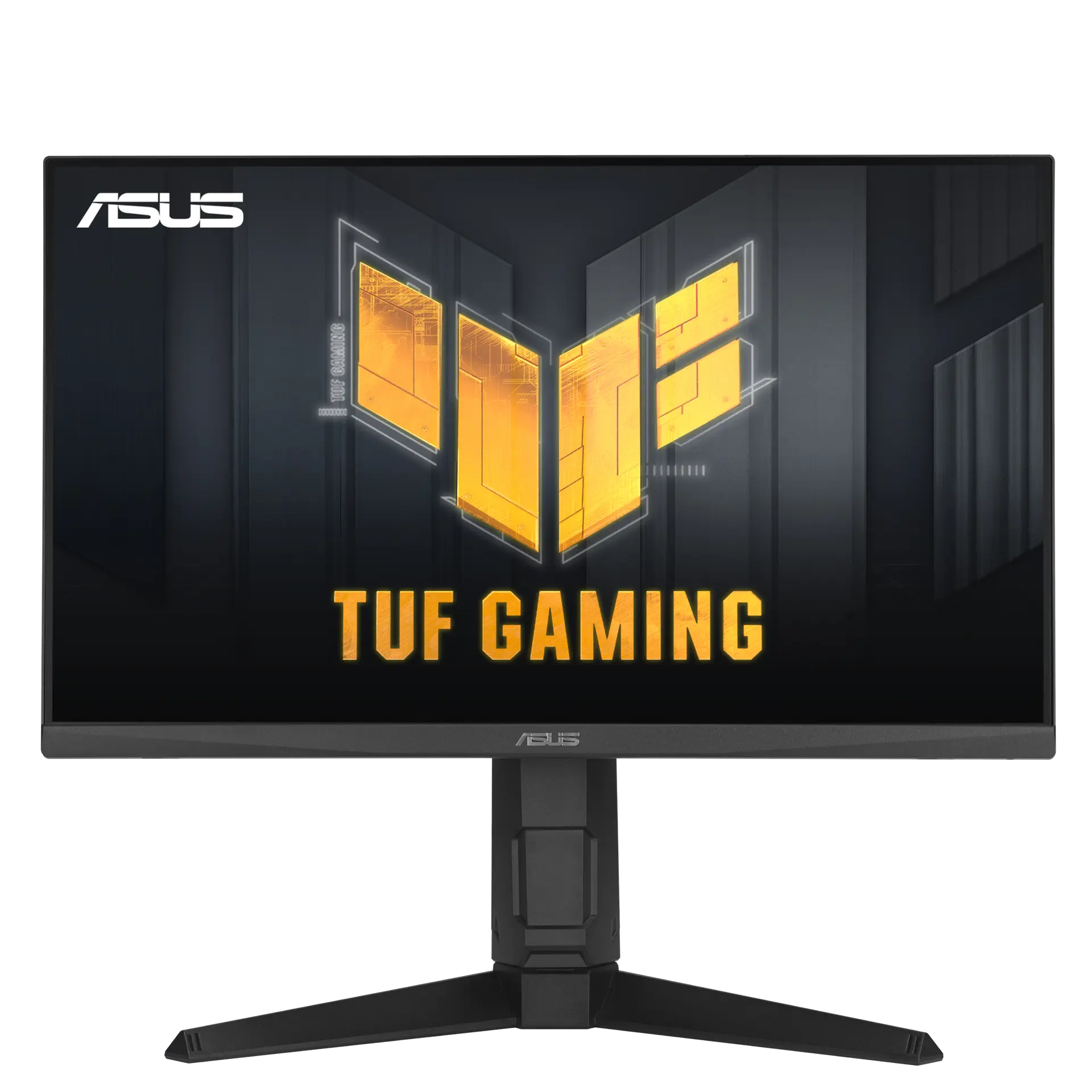
ASUS TUF Gaming VG249QL3A monitor from the front on its height-adjustable stand, with TUF Gaming screen artwork.
Exact model & source notes

A 23.8-inch 1920 × 1080 IPS gaming monitor (“Fast IPS” on the product page) rated up to 180 Hz on both DisplayPort and HDMI, with FreeSync Premium and G-SYNC Compatible listings and a stand that adjusts for height, tilt, swivel and portrait pivot.

Specifications checked 26 Sept 2026.

Amazon links open search results. Check the exact variant, current price and availability with the retailer.

Manufacturer specifications

WHICH SUITS YOU?

Choose the ASUS TUF Gaming VG249QL3A for

  • Smaller stated screen diagonal: 23.8 in vs 24.5 in
  • Height-adjustable stand: Yes vs No

Choose the BenQ EX251 for

  • Higher stated refresh rate: 220 Hz vs 180 Hz
  • Larger stated screen diagonal: 24.5 in vs 23.8 in
  • USB-C connection: Yes vs No
Built from verified specifications that differ. Not a rating or a recommendation.
See the 16 verified differences
THE CONTENDER

BenQ EX251

EX251 · 24.5-inch IPS · BenQ UK specification

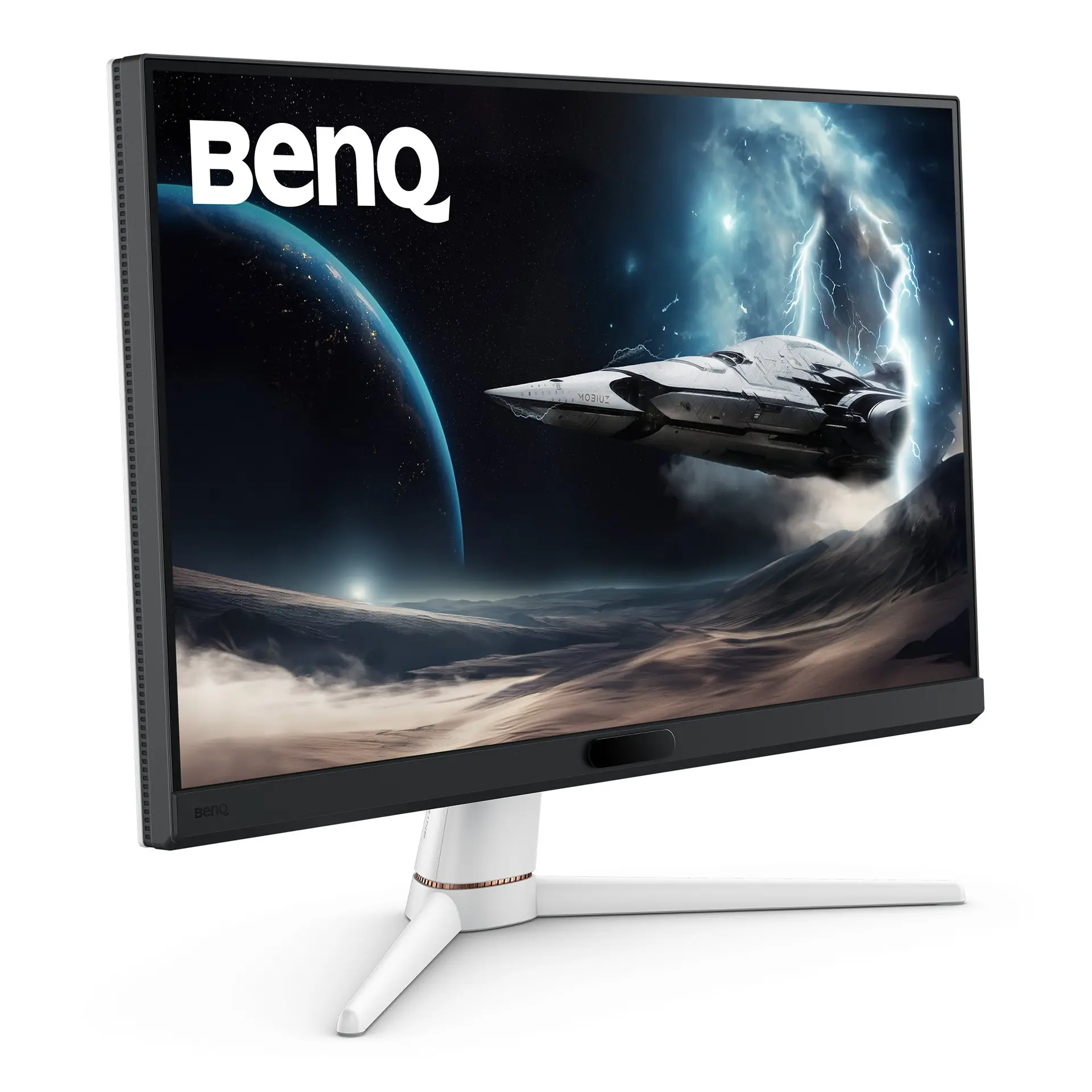
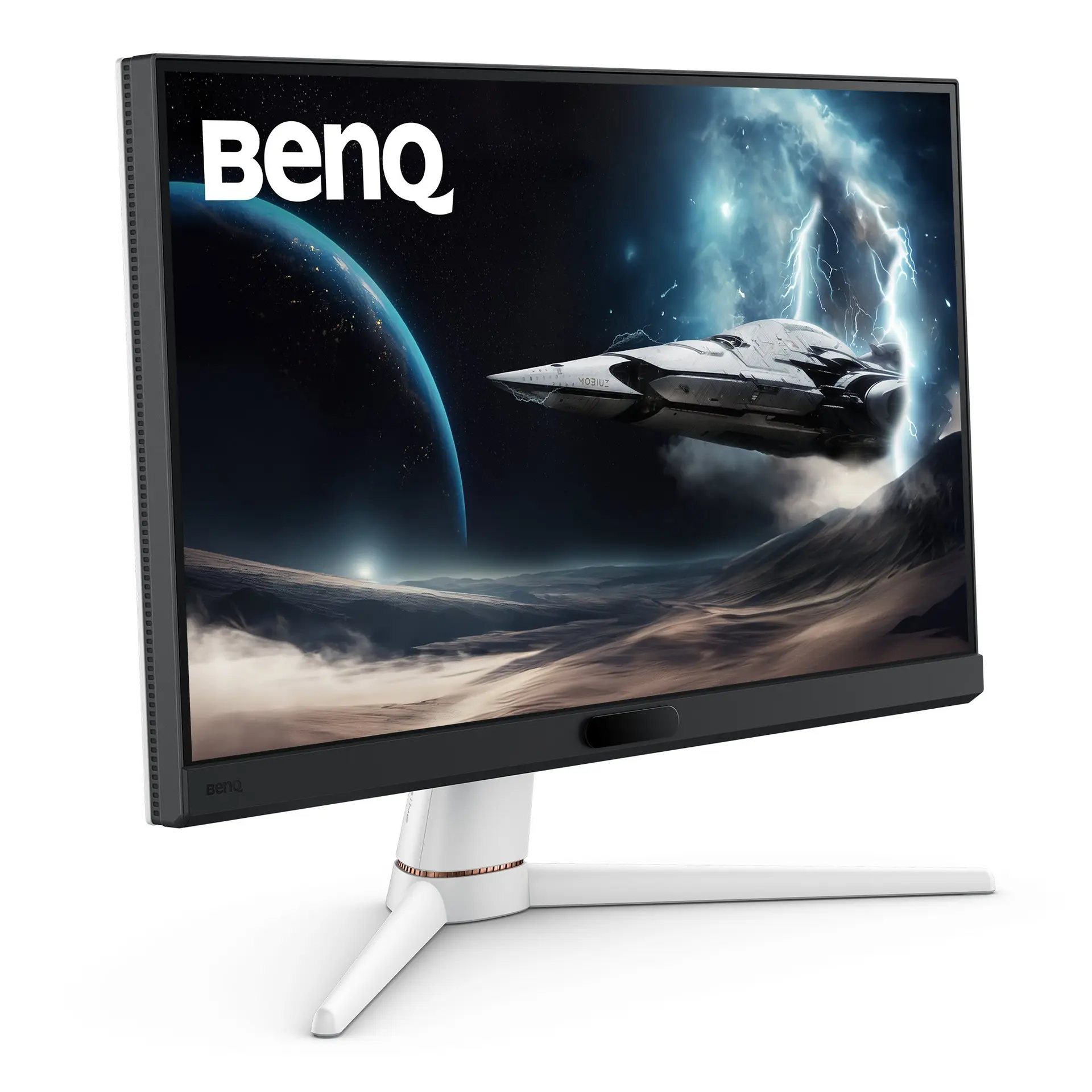
BenQ EX251 monitor, official product view showing the screen and supplied stand.
Exact model & source notes

A 24.5-inch Full HD IPS gaming monitor rated at 220 Hz over both HDMI and DisplayPort, with a 1 ms GtG claim, FreeSync and 2.5 W × 2 speakers.

Specifications checked 26 Sept 2026.

Amazon links open search results. Check the exact variant, current price and availability with the retailer.

Manufacturer specifications

ASUS TUF Gaming VG249QL3A UK & US retailers

UK & US price history: no verified listing yet

BenQ EX251 UK & US retailers

UK & US price history: no verified listing yet

Search links open retailer results, not a matched listing; eBay listings are checked daily. As an Amazon Associate I earn from qualifying purchases. As an eBay Partner, we may be compensated if you make a purchase.

THE DIFFERENCES, MADE VISIBLE

Visual facts

Differences first. Select a topic for its graphic, sources and conditions.

How to read this comparison
  • Manufacturer facts for the exact models shown. Not a quality rating or a test result.
  • “Different” means the known values differ, not that one is better.
  • Missing or conflicting evidence is marked and never counts as a difference. Source chips hold each fact’s sources and conditions.
SPECIFICATIONS SIDE BY SIDE7 topics
SELECTED TOPIC
01 / 07

Max refresh

Maximum manufacturer-listed refresh rate, not measured motion clarity. The port-specific limits below matter; HDMI and DisplayPort can support different modes.

ASUS TUF Gaming VG249QL3A180 Hz

Manufacturer specification · ASUS lists a 48–180 Hz vertical range on both DisplayPort and HDMI.

BenQ EX251220 Hz

Manufacturer specification · BenQ lists HDMI: 220 Hz, DP: 220 Hz; the 220 Hz figure needs the HDMI or DP input and a source device that supports the mode.

Explore the full specifications

Match the monitor to the connection. Refresh limits depend on the input, cable and source device. Confirm the exact regional ports, stand adjustment and mount. Manufacturer response-time methods such as MPRT and GtG are different; neither the image nor these figures establish an independent motion or colour-quality test.

WHAT CHANGES BETWEEN THEM?

Key differences

Full specifications ↓

16 verified differences, most decision-relevant first. 7 are also drawn in Visual facts above. 1 feature is the same under different published names, grouped below. Missing information stays separate.

Refresh rate

In Visual facts
ASUS TUF Gaming VG249QL3A180 Hz
BenQ EX251220 Hz
Sources
ASUS TUF Gaming VG249QL3A

Manufacturer specification · ASUS lists a 48–180 Hz vertical range on both DisplayPort and HDMI.

ASUS UK — TUF Gaming VG249QL3A technical specifications
BenQ EX251

Manufacturer specification · BenQ lists HDMI: 220 Hz, DP: 220 Hz; the 220 Hz figure needs the HDMI or DP input and a source device that supports the mode.

BenQ EX251 — exact-model technical specifications

Check the exact configuration and source conditions for your use.

Inputs and versions

In Visual facts
ASUS TUF Gaming VG249QL3A1 × DisplayPort 1.2; 2 × HDMI 2.0; headphone output
BenQ EX2512 × HDMI (v2.0); 1 × DisplayPort (v1.2); 1 × USB Type-C Upstream (USB 3.2 Gen 1, 5 Gbps, Data only); 2 × USB Type-A Downstream (USB 3.2 Gen 1, 5 Gbps, power charging 4.5W); headphone jack
Sources
ASUS TUF Gaming VG249QL3A

Manufacturer specification

ASUS UK — TUF Gaming VG249QL3A technical specifications
BenQ EX251

Manufacturer specification · Manufacturer port counts and versions; the source device and cable must support the mode you want.

BenQ EX251 — exact-model technical specifications

Check the exact configuration and source conditions for your use.

USB-C connection

In Visual facts
ASUS TUF Gaming VG249QL3ANo
BenQ EX251Yes
Sources
ASUS TUF Gaming VG249QL3A

Manufacturer specification · The complete I/O list names DisplayPort, HDMI and an earphone jack only.

ASUS UK — TUF Gaming VG249QL3A technical specifications
BenQ EX251

Manufacturer specification · The listed connections include USB-C or Thunderbolt. Video, data, upstream/downstream roles and charging power depend on the particular port.

BenQ EX251 — exact-model technical specifications

Check the exact configuration and source conditions for your use.

Show 10 more verified differences

Height-adjustable stand

In Visual facts
ASUS TUF Gaming VG249QL3AYes
BenQ EX251No
Sources
ASUS TUF Gaming VG249QL3A

Manufacturer specification

ASUS UK — TUF Gaming VG249QL3A technical specifications
BenQ EX251

Manufacturer specification · BenQ lists “Height Adjustment Stand NA mm” for this model.

BenQ EX251 — exact-model technical specifications

Compare the supplied stand and mounting requirements. These affect positioning and desk fit; they do not establish panel quality. Check any separately stated limits or conflicting dimensions.

Depth with stand

ASUS TUF Gaming VG249QL3A208 mm
BenQ EX251211.74 mm
Sources
ASUS TUF Gaming VG249QL3A

Manufacturer specification · Front-to-back depth with the supplied stand; allow cable clearance.

ASUS UK — TUF Gaming VG249QL3A technical specifications
BenQ EX251

Manufacturer specification · Depth from the manufacturer dimension tuple. Allow additional room for cable routing and movement.

BenQ EX251 — exact-model technical specifications

A size or weight trade-off; it does not establish the better product.

Dimensions with stand

ASUS TUF Gaming VG249QL3A541 × 525 × 208 mm (width × height × depth, with stand)
BenQ EX251428.78 × 557.70 × 211.74 mm (height × width × depth, with stand)
Sources
ASUS TUF Gaming VG249QL3A

Manufacturer specification · Converted from ASUS’s centimetre figures; ASUS labels dimensions as estimates that vary by region.

ASUS UK — TUF Gaming VG249QL3A technical specifications
BenQ EX251

BenQ lists 428.78x557.70x211.74 mm (height × width × depth). · Manufacturer specification · Manufacturer dimensions with the supplied stand; a height range shows the stand’s lowest and highest positions. Allow extra room for cables and movement.

BenQ EX251 — exact-model technical specifications

A size or weight trade-off; it does not establish the better product.

Weight with stand

ASUS TUF Gaming VG249QL3A5.4 kg
BenQ EX2514.17 kg
Sources
ASUS TUF Gaming VG249QL3A

Manufacturer specification · ASUS “Net Weight”, listed separately from “Net Weight without Stand”; estimate that may vary by region.

ASUS UK — TUF Gaming VG249QL3A technical specifications
BenQ EX251

Manufacturer specification · BenQ lists “Net Weight” separately from “Net Weight (w/o Base)”, so this figure includes the supplied base; packaging excluded.

BenQ EX251 — exact-model technical specifications

A size or weight trade-off; it does not establish the better product.

Same feature, different names (1)

The sources publish different names for the same feature. Both names and their sources are shown; they are not counted as differences.

Configuration & compatibility details (1)
Missing or non-comparable evidence (37)

Listed refresh modes and input limits

ASUS TUF Gaming VG249QL3ANot verified
BenQ EX251HDMI: 220 Hz, DP: 220 Hz
Sources
ASUS TUF Gaming VG249QL3A

No source recorded for this side.

BenQ EX251

Manufacturer specification · The source device and input must support the mode.

BenQ EX251 — exact-model technical specifications

Evidence is missing or conflicting on at least one side. This is not a verified difference.

Maximum HDMI refresh

ASUS TUF Gaming VG249QL3A180 Hz
BenQ EX251Not verified
Sources
ASUS TUF Gaming VG249QL3A

Manufacturer specification · Upper bound of the listed HDMI vertical frequency range.

ASUS UK — TUF Gaming VG249QL3A technical specifications
BenQ EX251

No source recorded for this side.

Evidence is missing or conflicting on at least one side. This is not a verified difference.

Highest listed USB-C / Thunderbolt charging output

ASUS TUF Gaming VG249QL3ANot verified
BenQ EX251Not verified
Sources
ASUS TUF Gaming VG249QL3A

No source recorded for this side.

BenQ EX251

No upstream USB-C or Thunderbolt charging port is listed; downstream accessory-charging figures are not laptop power delivery. · Manufacturer specification

BenQ EX251 — exact-model technical specifications

Evidence is missing or conflicting on at least one side. This is not a verified difference.

HDR support

ASUS TUF Gaming VG249QL3AConflicting evidence
BenQ EX251HDR10, VESA DisplayHDR 400
Sources
ASUS TUF Gaming VG249QL3A

ASUS sources disagree: the UK product page says the VG249QL3A “takes advantage of HDR technology” and lists “Multiple HDR modes”, while the UK technical table and the user-manual specification list no HDR format, HDR mode or DisplayHDR certification. · Manufacturer specification

ASUS UK — TUF Gaming VG249QL3A technical specificationsASUS UK — TUF Gaming VG249QL3A product page and galleryASUS — VG249QL3A Series user guide (English, PDF)
BenQ EX251

Manufacturer specification · Manufacturer-listed HDR formats or certification.

BenQ EX251 — exact-model technical specifications

Evidence is missing or conflicting on at least one side. This is not a verified difference.

Blur reduction with Adaptive-Sync

ASUS TUF Gaming VG249QL3ANot verified
BenQ EX251Not verified
Sources
ASUS TUF Gaming VG249QL3A

ASUS lists ELMB and Adaptive-Sync but, unlike ELMB Sync models, does not list ELMB Sync; simultaneous operation is not stated. · Manufacturer specification

ASUS UK — TUF Gaming VG249QL3A technical specifications
BenQ EX251

No source recorded for this side.

Evidence is missing or conflicting on at least one side. This is not a verified difference.

Swivel adjustment

ASUS TUF Gaming VG249QL3AYes
BenQ EX251Not verified
Sources
ASUS TUF Gaming VG249QL3A

Manufacturer specification

ASUS UK — TUF Gaming VG249QL3A technical specifications
BenQ EX251

No source recorded for this side.

Evidence is missing or conflicting on at least one side. This is not a verified difference.

Stand adjustment

ASUS TUF Gaming VG249QL3AConflicting evidence
BenQ EX251Not verified
Sources
ASUS TUF Gaming VG249QL3A

Tilt −5° to +23° and pivot ±90° agree across sources. Swivel and height travel conflict: the UK and US technical tables and the user manual give swivel ±15° and 120 mm (12 cm) height travel; the UK product-page stand graphic gives “Swivel: +20° ~ -20°” and “Height: 0~130mm”. · Manufacturer specification

ASUS UK — TUF Gaming VG249QL3A technical specificationsASUS UK — TUF Gaming VG249QL3A product page and galleryASUS USA — TUF Gaming VG249QL3A technical specificationsASUS — VG249QL3A Series user guide (English, PDF)
BenQ EX251

No source recorded for this side.

Evidence is missing or conflicting on at least one side. This is not a verified difference.

Declared vertical input ranges

ASUS TUF Gaming VG249QL3ADisplayPort 48–180 Hz; HDMI 48–180 Hz
BenQ EX251Not verified
Sources
ASUS TUF Gaming VG249QL3A

Manufacturer specification · Vertical signal-frequency ranges from the specification table.

ASUS UK — TUF Gaming VG249QL3A technical specifications
BenQ EX251

No source recorded for this side.

Evidence is missing or conflicting on at least one side. This is not a verified difference.

Ambient-light adaptive adjustment (B.I.+ Gen2)

ASUS TUF Gaming VG249QL3ANot verified
BenQ EX251Yes
Sources
ASUS TUF Gaming VG249QL3A

No source recorded for this side.

BenQ EX251

Manufacturer specification · BenQ’s table lists “Brightness Intelligence Plus Gen2 (B.I.+ Gen2): Yes”; the product page says Brightness Intelligence Plus automatically adjusts the display brightness and colour temperature.

BenQ EX251 — exact-model technical specificationsBenQ EX251 — UK product and identity

Evidence is missing or conflicting on at least one side. This is not a verified difference.

Backlight technology

ASUS TUF Gaming VG249QL3ANot verified
BenQ EX251LED backlight
Sources
ASUS TUF Gaming VG249QL3A

No source recorded for this side.

BenQ EX251

Manufacturer specification

BenQ EX251 — exact-model technical specifications

Evidence is missing or conflicting on at least one side. This is not a verified difference.

Listed accessories

ASUS TUF Gaming VG249QL3AWarranty card; quick start guide; power cord; DisplayPort cable
BenQ EX251Not verified
Sources
ASUS TUF Gaming VG249QL3A

Manufacturer specification · ASUS says accessories vary by region.

ASUS UK — TUF Gaming VG249QL3A technical specifications
BenQ EX251

No source recorded for this side.

Evidence is missing or conflicting on at least one side. This is not a verified difference.

Listed certificates

ASUS TUF Gaming VG249QL3AFSC MIX; G-SYNC Compatible; AMD FreeSync Premium; VESA AdaptiveSync Display 180Hz; TÜV Low Blue Light; TÜV Flicker-free
BenQ EX251Not verified
Sources
ASUS TUF Gaming VG249QL3A

Manufacturer specification · Complete “Certificate” list from the ASUS UK technical table; the US table lists the same six.

ASUS UK — TUF Gaming VG249QL3A technical specificationsASUS USA — TUF Gaming VG249QL3A technical specifications
BenQ EX251

No source recorded for this side.

Evidence is missing or conflicting on at least one side. This is not a verified difference.

Colour depth

ASUS TUF Gaming VG249QL3A8-bit
BenQ EX251Not verified
Sources
ASUS TUF Gaming VG249QL3A

Manufacturer specification · User manual specification: “16.7M colors (8bits)”. ASUS does not state whether FRC is used.

ASUS — VG249QL3A Series user guide (English, PDF)
BenQ EX251

No source recorded for this side.

Evidence is missing or conflicting on at least one side. This is not a verified difference.

Declared colour-gamut figures

ASUS TUF Gaming VG249QL3AConflicting evidence
BenQ EX25199% sRGB
Sources
ASUS TUF Gaming VG249QL3A

ASUS sources disagree: the UK technical table (“Color Space (sRGB) : 99%”), the product-page headline and overview (“99% sRGB”) and the user manual (“99% SRGB”) give 99% sRGB, while the product-page colour-performance block states “130% sRGB”. No CIE basis or coverage/area definition is given for either figure. · Manufacturer specification

ASUS UK — TUF Gaming VG249QL3A technical specificationsASUS UK — TUF Gaming VG249QL3A product page and galleryASUS — VG249QL3A Series user guide (English, PDF)
BenQ EX251

Manufacturer specification · Manufacturer colour specification in its stated colour space; coverage is not an independent measurement.

BenQ EX251 — exact-model technical specifications

Evidence is missing or conflicting on at least one side. This is not a verified difference.

Declared power limits

ASUS TUF Gaming VG249QL3AOn (maximum): 18 W; power saving: <0.5 W; off: <0.3 W
BenQ EX251Not verified
Sources
ASUS TUF Gaming VG249QL3A

Manufacturer specification · Upper bounds from the ASUS technical table and user manual (“Power ON Consumption(Max.) 18W”); not typical running-power measurements.

ASUS UK — TUF Gaming VG249QL3A technical specificationsASUS — VG249QL3A Series user guide (English, PDF)
BenQ EX251

No source recorded for this side.

Evidence is missing or conflicting on at least one side. This is not a verified difference.

Listed viewing-comfort features

ASUS TUF Gaming VG249QL3AFlicker-free (TÜV Flicker-free certificate); Low Blue Light with four filter settings (TÜV Low Blue Light certificate)
BenQ EX251Not verified
Sources
ASUS TUF Gaming VG249QL3A

Manufacturer specification · Manufacturer-listed features and TÜV certificates from the ASUS UK and US certificate lists. The product page says four filter settings control the amount of blue-light reduction; the user manual says Level 4 is the setting that complies with TÜV Low Blue Light certification and locks the Brightness control. Not medical advice.

ASUS UK — TUF Gaming VG249QL3A technical specificationsASUS UK — TUF Gaming VG249QL3A product page and galleryASUS USA — TUF Gaming VG249QL3A technical specificationsASUS — VG249QL3A Series user guide (English, PDF)
BenQ EX251

No source recorded for this side.

Evidence is missing or conflicting on at least one side. This is not a verified difference.

On-screen gaming tools

ASUS TUF Gaming VG249QL3AGamePlus (Crosshair, Timer, FPS Counter, Stopwatch, Display Alignment); Shadow Boost; Trace Free; GameFast Input; Variable Overdrive; DisplayWidget Center software
BenQ EX251Not verified
Sources
ASUS TUF Gaming VG249QL3A

Manufacturer specification · Named ASUS game functions from the technical table, product page and user manual. DisplayWidget Center is desktop software for changing monitor settings with a mouse.

ASUS UK — TUF Gaming VG249QL3A technical specificationsASUS UK — TUF Gaming VG249QL3A product page and galleryASUS — VG249QL3A Series user guide (English, PDF)
BenQ EX251

No source recorded for this side.

Evidence is missing or conflicting on at least one side. This is not a verified difference.

Gross shipping weight

ASUS TUF Gaming VG249QL3A7.5 kg
BenQ EX251Not verified
Sources
ASUS TUF Gaming VG249QL3A

Manufacturer specification

ASUS UK — TUF Gaming VG249QL3A technical specifications
BenQ EX251

No source recorded for this side.

Evidence is missing or conflicting on at least one side. This is not a verified difference.

Listed HDR peak brightness

ASUS TUF Gaming VG249QL3ANot verified
BenQ EX251400 nits
Sources
ASUS TUF Gaming VG249QL3A

No source recorded for this side.

BenQ EX251

Manufacturer specification · Manufacturer HDR peak figure; not a measured real-scene result.

BenQ EX251 — exact-model technical specifications

Evidence is missing or conflicting on at least one side. This is not a verified difference.

Listed signal cables

ASUS TUF Gaming VG249QL3ANot verified
BenQ EX251HDMI (v2.0)
Sources
ASUS TUF Gaming VG249QL3A

No source recorded for this side.

BenQ EX251

Manufacturer specification · BenQ notes that the signal cable may vary by region; check the seller’s listing.

BenQ EX251 — exact-model technical specifications

Evidence is missing or conflicting on at least one side. This is not a verified difference.

Input voltage

ASUS TUF Gaming VG249QL3ANot verified
BenQ EX251100 - 240V
Sources
ASUS TUF Gaming VG249QL3A

No source recorded for this side.

BenQ EX251

Manufacturer specification

BenQ EX251 — exact-model technical specifications

Evidence is missing or conflicting on at least one side. This is not a verified difference.

Kensington lock slot

ASUS TUF Gaming VG249QL3AYes
BenQ EX251Not verified
Sources
ASUS TUF Gaming VG249QL3A

Manufacturer specification

ASUS UK — TUF Gaming VG249QL3A technical specifications
BenQ EX251

No source recorded for this side.

Evidence is missing or conflicting on at least one side. This is not a verified difference.

Maximum power

ASUS TUF Gaming VG249QL3ANot verified
BenQ EX25155 W
Sources
ASUS TUF Gaming VG249QL3A

No source recorded for this side.

BenQ EX251

Manufacturer specification · Manufacturer power figure under the stated operating mode; real use, brightness, connected USB devices and charging load can differ.

BenQ EX251 — exact-model technical specifications

Evidence is missing or conflicting on at least one side. This is not a verified difference.

Listed accessories

ASUS TUF Gaming VG249QL3ANot verified
BenQ EX251QSG, Warranty Card
Sources
ASUS TUF Gaming VG249QL3A

No source recorded for this side.

BenQ EX251

Manufacturer specification · Accessory bundles can vary by market; check the seller’s listing.

BenQ EX251 — exact-model technical specifications

Evidence is missing or conflicting on at least one side. This is not a verified difference.

GameVisual picture modes

ASUS TUF Gaming VG249QL3AScenery; Racing; Cinema; RTS/RPG; FPS; sRGB; MOBA; User
BenQ EX251Not verified
Sources
ASUS TUF Gaming VG249QL3A

Manufacturer specification · The product page describes seven GameVisual pre-set modes (Racing, MOBA, Cinema, RTS/RPG, FPS, sRGB, Scenery); the user manual lists eight modes including User Mode. The technical table separately lists colour-temperature selection with 4 modes.

ASUS UK — TUF Gaming VG249QL3A technical specificationsASUS UK — TUF Gaming VG249QL3A product page and galleryASUS — VG249QL3A Series user guide (English, PDF)
BenQ EX251

No source recorded for this side.

Evidence is missing or conflicting on at least one side. This is not a verified difference.

Pixel pitch

ASUS TUF Gaming VG249QL3A0.2745 mm
BenQ EX251Not verified
Sources
ASUS TUF Gaming VG249QL3A

Manufacturer specification

ASUS UK — TUF Gaming VG249QL3A technical specifications
BenQ EX251

No source recorded for this side.

Evidence is missing or conflicting on at least one side. This is not a verified difference.

Typical operating power consumption

ASUS TUF Gaming VG249QL3ANot verified
BenQ EX25118 W
Sources
ASUS TUF Gaming VG249QL3A

The technical table lists “Power Consumption : 18W” without a basis, and the user manual labels the same figure “Power ON Consumption(Max.)”. It is an upper bound; no typical operating figure is published. · Manufacturer specification

ASUS UK — TUF Gaming VG249QL3A technical specificationsASUS — VG249QL3A Series user guide (English, PDF)
BenQ EX251

Manufacturer specification · Manufacturer normal-mode figure; brightness, USB devices and charging load change real use.

BenQ EX251 — exact-model technical specifications

Evidence is missing or conflicting on at least one side. This is not a verified difference.

Specification market

ASUS TUF Gaming VG249QL3ANot verified
BenQ EX251UK
Sources
ASUS TUF Gaming VG249QL3A

No source recorded for this side.

BenQ EX251

Manufacturer specification · BenQ UK specification table. BenQ’s US page for the same model was checked separately on 26 September 2026 (see research notes); plugs, bundled accessories and warranty can still differ by market.

BenQ EX251 — exact-model technical specificationsBenQ EX251 — UK product and identity

Evidence is missing or conflicting on at least one side. This is not a verified difference.

Regional configuration

ASUS TUF Gaming VG249QL3AUK ASUS specification. The US ASUS technical page lists the same display, input, mechanical and weight figures; its accessory list names an HDMI cable and an L-shaped screwdriver instead of the UK DisplayPort cable.
BenQ EX251Not verified
Sources
BenQ EX251

No source recorded for this side.

Evidence is missing or conflicting on at least one side. This is not a verified difference.

Declared grey-to-grey response

ASUS TUF Gaming VG249QL3A1 ms
BenQ EX251Not verified
Sources
ASUS TUF Gaming VG249QL3A

Manufacturer specification · Manufacturer claim; not a measured response or input-lag result.

ASUS UK — TUF Gaming VG249QL3A technical specifications
BenQ EX251

No source recorded for this side.

Evidence is missing or conflicting on at least one side. This is not a verified difference.

Claimed MPRT

ASUS TUF Gaming VG249QL3A1 ms
BenQ EX251Not verified
Sources
ASUS TUF Gaming VG249QL3A

Manufacturer specification · User manual specification lists “1ms (Gray to Gray), 1ms MPRT”; MPRT is a different measure from GtG. Not a measured result.

ASUS — VG249QL3A Series user guide (English, PDF)
BenQ EX251

No source recorded for this side.

Evidence is missing or conflicting on at least one side. This is not a verified difference.

Height adjustment travel

ASUS TUF Gaming VG249QL3AConflicting evidence
BenQ EX251Not verified
Sources
ASUS TUF Gaming VG249QL3A

ASUS sources disagree: the UK and US technical tables (“Height Adjustment : 0~120mm”) and the user manual (“Height adjustment 12 cm”) give 120 mm, while the UK product-page stand graphic gives “Height: 0~130mm”. Adjustment travel, not overall assembled height. · Manufacturer specification

ASUS UK — TUF Gaming VG249QL3A technical specificationsASUS UK — TUF Gaming VG249QL3A product page and galleryASUS USA — TUF Gaming VG249QL3A technical specificationsASUS — VG249QL3A Series user guide (English, PDF)
BenQ EX251

No source recorded for this side.

Evidence is missing or conflicting on at least one side. This is not a verified difference.

Sleep-mode power

ASUS TUF Gaming VG249QL3ANot verified
BenQ EX251<0.5 W
Sources
ASUS TUF Gaming VG249QL3A

No source recorded for this side.

BenQ EX251

Manufacturer specification · Manufacturer power figure under the stated operating mode; real use, brightness, connected USB devices and charging load can differ.

BenQ EX251 — exact-model technical specifications

Evidence is missing or conflicting on at least one side. This is not a verified difference.

1/4-inch tripod socket

ASUS TUF Gaming VG249QL3AYes
BenQ EX251Not verified
Sources
ASUS TUF Gaming VG249QL3A

Manufacturer specification

ASUS UK — TUF Gaming VG249QL3A technical specifications
BenQ EX251

No source recorded for this side.

Evidence is missing or conflicting on at least one side. This is not a verified difference.

Active display area

ASUS TUF Gaming VG249QL3A527.04 × 296.46 mm (horizontal × vertical)
BenQ EX251Not verified
Sources
ASUS TUF Gaming VG249QL3A

Manufacturer specification

ASUS UK — TUF Gaming VG249QL3A technical specifications
BenQ EX251

No source recorded for this side.

Evidence is missing or conflicting on at least one side. This is not a verified difference.

Width with stand

ASUS TUF Gaming VG249QL3ANot verified
BenQ EX251557.7 mm
Sources
ASUS TUF Gaming VG249QL3A

No source recorded for this side.

BenQ EX251

Manufacturer specification · Manufacturer width in the listed landscape configuration.

BenQ EX251 — exact-model technical specifications

Evidence is missing or conflicting on at least one side. This is not a verified difference.

14 shared fields have the same recorded value.

WHAT EACH CHOICE ASKS OF YOU

What it brings and what to check

ASUS TUF Gaming VG249QL3A

What it brings

  • The stand adds height adjustment, swivel and ±90° pivot to −5° to +23° tilt, with a 100 × 100 mm VESA pattern and a 1/4-inch tripod socket. ASUS’s tables and manual give 120 mm of height travel and ±15° swivel, but its product page shows 130 mm and ±20°.
  • Both HDMI 2.0 inputs and the DisplayPort input list a 48–180 Hz vertical range, so a console or second PC over HDMI is not capped below the panel maximum by the input table.
  • ASUS declares a maximum on-mode consumption of 18 W and 350 cd/m² typical brightness, with two 2 W speakers and a headphone output built in.

What to check

BenQ EX251

What it brings

  • Both HDMI and DisplayPort are listed at 220 Hz for a PC source; BenQ’s console table lists PS5 at 1080p 120 Hz HDR and Xbox Series X at 1080p 120/60 Hz HDR.
  • A 24.5-inch screen with a listed 4.17 kg weight including the stand and 2.5 W × 2 speakers.

What to check

  • BenQ lists “Height Adjustment Stand: NA”, so the supplied stand does not adjust in height; only tilt is listed.
  • DisplayPort is version 1.2 and the USB-C port is an upstream data connection, not a video or charging input.
COMPARE THE DETAILS

Full specifications

How we verify
69 of 69 specifications Sources in each row
Source-backed specifications for ASUS TUF Gaming VG249QL3A and BenQ EX251
SpecificationASUS TUF Gaming VG249QL3ABenQ EX251
Screen diagonalDifferent
Sources
ASUS TUF Gaming VG249QL3A

Manufacturer specification

ASUS UK — TUF Gaming VG249QL3A technical specifications
BenQ EX251

Manufacturer specification · Manufacturer-listed panel diagonal; a rounded size may appear in the product name.

BenQ EX251 — exact-model technical specifications
23.8 in24.5 in
Native resolution
Sources
ASUS TUF Gaming VG249QL3A

Manufacturer specification

ASUS UK — TUF Gaming VG249QL3A technical specifications
BenQ EX251

Manufacturer specification · Manufacturer resolution notation: 1920x1080.

BenQ EX251 — exact-model technical specifications
1920 × 10801920 × 1080
Panel technology
Sources
ASUS TUF Gaming VG249QL3A

Manufacturer specification · The technical table lists “IPS”; the UK product-page headline and overview call the panel “Fast IPS”.

ASUS UK — TUF Gaming VG249QL3A technical specificationsASUS UK — TUF Gaming VG249QL3A product page and gallery
BenQ EX251

Manufacturer specification

BenQ EX251 — exact-model technical specifications
IPSIPS
Aspect ratio
Sources
ASUS TUF Gaming VG249QL3A

Manufacturer specification

ASUS UK — TUF Gaming VG249QL3A technical specifications
BenQ EX251

Manufacturer specification

BenQ EX251 — exact-model technical specifications
16:916:9
Active display area
Sources
ASUS TUF Gaming VG249QL3A

Manufacturer specification

ASUS UK — TUF Gaming VG249QL3A technical specifications
BenQ EX251

No source recorded.

527.04 × 296.46 mm (horizontal × vertical)Not provided
Screen surfaceDifferent
Sources
ASUS TUF Gaming VG249QL3A

Manufacturer specification

ASUS UK — TUF Gaming VG249QL3A technical specifications
BenQ EX251

Manufacturer specification

BenQ EX251 — exact-model technical specifications
Anti-glareMatte
Pixel pitch
Sources
ASUS TUF Gaming VG249QL3A

Manufacturer specification

ASUS UK — TUF Gaming VG249QL3A technical specifications
BenQ EX251

No source recorded.

0.2745 mmNot provided
Typical brightness
Sources
ASUS TUF Gaming VG249QL3A

Manufacturer specification · Typical SDR brightness.

ASUS UK — TUF Gaming VG249QL3A technical specifications
BenQ EX251

Manufacturer specification · Manufacturer typical brightness; picture mode and content affect output.

BenQ EX251 — exact-model technical specifications
350 cd/m²350 cd/m²
Static contrast claim
Sources
ASUS TUF Gaming VG249QL3A

Manufacturer specification

ASUS UK — TUF Gaming VG249QL3A technical specifications
BenQ EX251

Manufacturer specification

BenQ EX251 — exact-model technical specifications
1000:11000:1
Displayable colours
Sources
ASUS TUF Gaming VG249QL3A

Manufacturer specification

ASUS UK — TUF Gaming VG249QL3A technical specifications
BenQ EX251

Manufacturer specification · Manufacturer colour specification.

BenQ EX251 — exact-model technical specifications
16.7 million16.7 million color
Colour depth
Sources
ASUS TUF Gaming VG249QL3A

Manufacturer specification · User manual specification: “16.7M colors (8bits)”. ASUS does not state whether FRC is used.

ASUS — VG249QL3A Series user guide (English, PDF)
BenQ EX251

No source recorded.

8-bitNot provided
Declared colour-gamut figures
Sources
ASUS TUF Gaming VG249QL3A

ASUS sources disagree: the UK technical table (“Color Space (sRGB) : 99%”), the product-page headline and overview (“99% sRGB”) and the user manual (“99% SRGB”) give 99% sRGB, while the product-page colour-performance block states “130% sRGB”. No CIE basis or coverage/area definition is given for either figure. · Manufacturer specification

ASUS UK — TUF Gaming VG249QL3A technical specificationsASUS UK — TUF Gaming VG249QL3A product page and galleryASUS — VG249QL3A Series user guide (English, PDF)
BenQ EX251

Manufacturer specification · Manufacturer colour specification in its stated colour space; coverage is not an independent measurement.

BenQ EX251 — exact-model technical specifications
Conflicting sources99% sRGB
Declared viewing angles
Sources
ASUS TUF Gaming VG249QL3A

Manufacturer specification · At contrast ratio ≥ 10:1.

ASUS UK — TUF Gaming VG249QL3A technical specifications
BenQ EX251

Manufacturer specification · Left/right angles at a contrast ratio of at least 10:1, as listed.

BenQ EX251 — exact-model technical specifications
178° horizontal / 178° vertical178°/178°
HDR support
Sources
ASUS TUF Gaming VG249QL3A

ASUS sources disagree: the UK product page says the VG249QL3A “takes advantage of HDR technology” and lists “Multiple HDR modes”, while the UK technical table and the user-manual specification list no HDR format, HDR mode or DisplayHDR certification. · Manufacturer specification

ASUS UK — TUF Gaming VG249QL3A technical specificationsASUS UK — TUF Gaming VG249QL3A product page and galleryASUS — VG249QL3A Series user guide (English, PDF)
BenQ EX251

Manufacturer specification · Manufacturer-listed HDR formats or certification.

BenQ EX251 — exact-model technical specifications
Conflicting sourcesHDR10, VESA DisplayHDR 400
GameVisual picture modes
Sources
ASUS TUF Gaming VG249QL3A

Manufacturer specification · The product page describes seven GameVisual pre-set modes (Racing, MOBA, Cinema, RTS/RPG, FPS, sRGB, Scenery); the user manual lists eight modes including User Mode. The technical table separately lists colour-temperature selection with 4 modes.

ASUS UK — TUF Gaming VG249QL3A technical specificationsASUS UK — TUF Gaming VG249QL3A product page and galleryASUS — VG249QL3A Series user guide (English, PDF)
BenQ EX251

No source recorded.

Scenery; Racing; Cinema; RTS/RPG; FPS; sRGB; MOBA; UserNot provided
Listed HDR peak brightness
Sources
ASUS TUF Gaming VG249QL3A

No source recorded.

BenQ EX251

Manufacturer specification · Manufacturer HDR peak figure; not a measured real-scene result.

BenQ EX251 — exact-model technical specifications
Not provided400 nits
Backlight technology
Sources
ASUS TUF Gaming VG249QL3A

No source recorded.

BenQ EX251

Manufacturer specification

BenQ EX251 — exact-model technical specifications
Not providedLED backlight
Refresh rateDifferent
Sources
ASUS TUF Gaming VG249QL3A

Manufacturer specification · ASUS lists a 48–180 Hz vertical range on both DisplayPort and HDMI.

ASUS UK — TUF Gaming VG249QL3A technical specifications
BenQ EX251

Manufacturer specification · BenQ lists HDMI: 220 Hz, DP: 220 Hz; the 220 Hz figure needs the HDMI or DP input and a source device that supports the mode.

BenQ EX251 — exact-model technical specifications
180 Hz220 Hz
Response method and claim
Sources
ASUS TUF Gaming VG249QL3A

Manufacturer specification

ASUS UK — TUF Gaming VG249QL3A technical specifications
BenQ EX251

Manufacturer specification · Manufacturer GtG claim; BenQ’s specification table publishes no test conditions for it and lists no MPRT figure.

BenQ EX251 — exact-model technical specifications
1 ms GtG1 ms
Declared grey-to-grey response
Sources
ASUS TUF Gaming VG249QL3A

Manufacturer specification · Manufacturer claim; not a measured response or input-lag result.

ASUS UK — TUF Gaming VG249QL3A technical specifications
BenQ EX251

No source recorded.

1 msNot provided
Claimed MPRT
Sources
ASUS TUF Gaming VG249QL3A

Manufacturer specification · User manual specification lists “1ms (Gray to Gray), 1ms MPRT”; MPRT is a different measure from GtG. Not a measured result.

ASUS — VG249QL3A Series user guide (English, PDF)
BenQ EX251

No source recorded.

1 msNot provided
Adaptive sync
Sources
ASUS TUF Gaming VG249QL3A

Manufacturer specification

ASUS UK — TUF Gaming VG249QL3A technical specifications
BenQ EX251

Manufacturer specification · Needs compatible source hardware and the right input mode.

BenQ EX251 — exact-model technical specifications
YesYes
Named adaptive-sync technologyDifferent
Sources
ASUS TUF Gaming VG249QL3A

Manufacturer specification

ASUS UK — TUF Gaming VG249QL3A technical specifications
BenQ EX251

Manufacturer specification

BenQ EX251 — exact-model technical specifications
AMD FreeSync Premium; NVIDIA G-SYNC Compatible; VESA AdaptiveSync Display 180HzAMD FreeSync
Declared vertical input ranges
Sources
ASUS TUF Gaming VG249QL3A

Manufacturer specification · Vertical signal-frequency ranges from the specification table.

ASUS UK — TUF Gaming VG249QL3A technical specifications
BenQ EX251

No source recorded.

DisplayPort 48–180 Hz; HDMI 48–180 HzNot provided
Maximum HDMI refresh
Sources
ASUS TUF Gaming VG249QL3A

Manufacturer specification · Upper bound of the listed HDMI vertical frequency range.

ASUS UK — TUF Gaming VG249QL3A technical specifications
BenQ EX251

No source recorded.

180 HzNot provided
Motion-blur reduction mode
Sources
ASUS TUF Gaming VG249QL3A

Manufacturer specification · ASUS Extreme Low Motion Blur (ELMB). The user manual states ELMB is disabled when the input vertical frequency is below 85 Hz.

ASUS UK — TUF Gaming VG249QL3A technical specificationsASUS — VG249QL3A Series user guide (English, PDF)
BenQ EX251

Manufacturer specification

BenQ EX251 — exact-model technical specifications
YesYes
Listed refresh modes and input limits
Sources
ASUS TUF Gaming VG249QL3A

No source recorded.

BenQ EX251

Manufacturer specification · The source device and input must support the mode.

BenQ EX251 — exact-model technical specifications
Not providedHDMI: 220 Hz, DP: 220 Hz
Inputs and versionsDifferent
Sources
ASUS TUF Gaming VG249QL3A

Manufacturer specification

ASUS UK — TUF Gaming VG249QL3A technical specifications
BenQ EX251

Manufacturer specification · Manufacturer port counts and versions; the source device and cable must support the mode you want.

BenQ EX251 — exact-model technical specifications
1 × DisplayPort 1.2; 2 × HDMI 2.0; headphone output2 × HDMI (v2.0); 1 × DisplayPort (v1.2); 1 × USB Type-C Upstream (USB 3.2 Gen 1, 5 Gbps, Data only); 2 × USB Type-A Downstream (USB 3.2 Gen 1, 5 Gbps, power charging 4.5W); headphone jack
Built-in speakers
Sources
ASUS TUF Gaming VG249QL3A

Manufacturer specification

ASUS UK — TUF Gaming VG249QL3A technical specifications
BenQ EX251

Manufacturer specification

BenQ EX251 — exact-model technical specifications
YesYes
Speaker ratingDifferent
Sources
ASUS TUF Gaming VG249QL3A

Manufacturer specification

ASUS UK — TUF Gaming VG249QL3A technical specifications
BenQ EX251

Manufacturer specification · Manufacturer rated output.

BenQ EX251 — exact-model technical specifications
2 × 2 W2.5Wx2
Headphone output
Sources
ASUS TUF Gaming VG249QL3A

Manufacturer specification

ASUS UK — TUF Gaming VG249QL3A technical specifications
BenQ EX251

Manufacturer specification

BenQ EX251 — exact-model technical specifications
YesYes
USB-C connectionDifferent
Sources
ASUS TUF Gaming VG249QL3A

Manufacturer specification · The complete I/O list names DisplayPort, HDMI and an earphone jack only.

ASUS UK — TUF Gaming VG249QL3A technical specifications
BenQ EX251

Manufacturer specification · The listed connections include USB-C or Thunderbolt. Video, data, upstream/downstream roles and charging power depend on the particular port.

BenQ EX251 — exact-model technical specifications
NoYes
USB hubDifferent
Sources
ASUS TUF Gaming VG249QL3A

Manufacturer specification · No USB ports appear in the complete I/O list.

ASUS UK — TUF Gaming VG249QL3A technical specifications
BenQ EX251

Manufacturer specification · Downstream USB ports need the listed upstream connection to the computer.

BenQ EX251 — exact-model technical specifications
NoYes
HDCPDifferent
Sources
ASUS TUF Gaming VG249QL3A

Manufacturer specification

ASUS UK — TUF Gaming VG249QL3A technical specifications
BenQ EX251

Manufacturer specification

BenQ EX251 — exact-model technical specifications
HDCP 2.22.2
Dimensions with standDifferent
Sources
ASUS TUF Gaming VG249QL3A

Manufacturer specification · Converted from ASUS’s centimetre figures; ASUS labels dimensions as estimates that vary by region.

ASUS UK — TUF Gaming VG249QL3A technical specifications
BenQ EX251

BenQ lists 428.78x557.70x211.74 mm (height × width × depth). · Manufacturer specification · Manufacturer dimensions with the supplied stand; a height range shows the stand’s lowest and highest positions. Allow extra room for cables and movement.

BenQ EX251 — exact-model technical specifications
541 × 525 × 208 mm (width × height × depth, with stand)428.78 × 557.70 × 211.74 mm (height × width × depth, with stand)
Depth with standDifferent
Sources
ASUS TUF Gaming VG249QL3A

Manufacturer specification · Front-to-back depth with the supplied stand; allow cable clearance.

ASUS UK — TUF Gaming VG249QL3A technical specifications
BenQ EX251

Manufacturer specification · Depth from the manufacturer dimension tuple. Allow additional room for cable routing and movement.

BenQ EX251 — exact-model technical specifications
208 mm211.74 mm
Dimensions without standDifferent
Sources
ASUS TUF Gaming VG249QL3A

Manufacturer specification

ASUS UK — TUF Gaming VG249QL3A technical specifications
BenQ EX251

Manufacturer specification · Manufacturer panel dimensions without the base.

BenQ EX251 — exact-model technical specifications
541 × 323 × 62 mm (width × height × depth)339.2 × 557.70 × 81.9 mm (height × width × depth, without base)
Height-adjustable standDifferent
Sources
ASUS TUF Gaming VG249QL3A

Manufacturer specification

ASUS UK — TUF Gaming VG249QL3A technical specifications
BenQ EX251

Manufacturer specification · BenQ lists “Height Adjustment Stand NA mm” for this model.

BenQ EX251 — exact-model technical specifications
YesNo
Tilt rangeDifferent
Sources
ASUS TUF Gaming VG249QL3A

Manufacturer specification

ASUS UK — TUF Gaming VG249QL3A technical specifications
BenQ EX251

Manufacturer specification · Down/up range as listed by BenQ.

BenQ EX251 — exact-model technical specifications
−5° to +23°-5° - 20°
Swivel adjustment
Sources
ASUS TUF Gaming VG249QL3A

Manufacturer specification

ASUS UK — TUF Gaming VG249QL3A technical specifications
BenQ EX251

No source recorded.

YesNot provided
Portrait pivot
Sources
ASUS TUF Gaming VG249QL3A

Manufacturer specification

ASUS UK — TUF Gaming VG249QL3A technical specifications
BenQ EX251

BenQ’s specification table has no pivot entry for this model; absence is not inferred from the omission. · Manufacturer specification

BenQ EX251 — exact-model technical specifications
YesNot listed by the manufacturer
VESA mounting pattern
Sources
ASUS TUF Gaming VG249QL3A

Manufacturer specification

ASUS UK — TUF Gaming VG249QL3A technical specifications
BenQ EX251

Manufacturer specification · Match the screw size, monitor weight and the mount’s load rating as well as the hole pattern.

BenQ EX251 — exact-model technical specifications
100 × 100 mm100 × 100 mm
Kensington lock slot
Sources
ASUS TUF Gaming VG249QL3A

Manufacturer specification

ASUS UK — TUF Gaming VG249QL3A technical specifications
BenQ EX251

No source recorded.

YesNot provided
Weight with standDifferent
Sources
ASUS TUF Gaming VG249QL3A

Manufacturer specification · ASUS “Net Weight”, listed separately from “Net Weight without Stand”; estimate that may vary by region.

ASUS UK — TUF Gaming VG249QL3A technical specifications
BenQ EX251

Manufacturer specification · BenQ lists “Net Weight” separately from “Net Weight (w/o Base)”, so this figure includes the supplied base; packaging excluded.

BenQ EX251 — exact-model technical specifications
5.4 kg4.17 kg
Weight without standDifferent
Sources
ASUS TUF Gaming VG249QL3A

Manufacturer specification

ASUS UK — TUF Gaming VG249QL3A technical specifications
BenQ EX251

Manufacturer specification

BenQ EX251 — exact-model technical specifications
3.4 kg3.62 kg
Gross shipping weight
Sources
ASUS TUF Gaming VG249QL3A

Manufacturer specification

ASUS UK — TUF Gaming VG249QL3A technical specifications
BenQ EX251

No source recorded.

7.5 kgNot provided
Listed accessories
Sources
ASUS TUF Gaming VG249QL3A

Manufacturer specification · ASUS says accessories vary by region.

ASUS UK — TUF Gaming VG249QL3A technical specifications
BenQ EX251

No source recorded.

Warranty card; quick start guide; power cord; DisplayPort cableNot provided
Width with stand
Sources
ASUS TUF Gaming VG249QL3A

No source recorded.

BenQ EX251

Manufacturer specification · Manufacturer width in the listed landscape configuration.

BenQ EX251 — exact-model technical specifications
Not provided557.7 mm
Listed signal cables
Sources
ASUS TUF Gaming VG249QL3A

No source recorded.

BenQ EX251

Manufacturer specification · BenQ notes that the signal cable may vary by region; check the seller’s listing.

BenQ EX251 — exact-model technical specifications
Not providedHDMI (v2.0)
Listed accessories
Sources
ASUS TUF Gaming VG249QL3A

No source recorded.

BenQ EX251

Manufacturer specification · Accessory bundles can vary by market; check the seller’s listing.

BenQ EX251 — exact-model technical specifications
Not providedQSG, Warranty Card
Typical operating power consumption
Sources
ASUS TUF Gaming VG249QL3A

The technical table lists “Power Consumption : 18W” without a basis, and the user manual labels the same figure “Power ON Consumption(Max.)”. It is an upper bound; no typical operating figure is published. · Manufacturer specification

ASUS UK — TUF Gaming VG249QL3A technical specificationsASUS — VG249QL3A Series user guide (English, PDF)
BenQ EX251

Manufacturer specification · Manufacturer normal-mode figure; brightness, USB devices and charging load change real use.

BenQ EX251 — exact-model technical specifications
Not listed by the manufacturer18 W
Declared power limits
Sources
ASUS TUF Gaming VG249QL3A

Manufacturer specification · Upper bounds from the ASUS technical table and user manual (“Power ON Consumption(Max.) 18W”); not typical running-power measurements.

ASUS UK — TUF Gaming VG249QL3A technical specificationsASUS — VG249QL3A Series user guide (English, PDF)
BenQ EX251

No source recorded.

On (maximum): 18 W; power saving: <0.5 W; off: <0.3 WNot provided
Power inputDifferent
Sources
ASUS TUF Gaming VG249QL3A

Manufacturer specification · The UK accessory list names a power cord and no separate adapter.

ASUS UK — TUF Gaming VG249QL3A technical specifications
BenQ EX251

Manufacturer specification

BenQ EX251 — exact-model technical specifications
AC input 100–240 V, 50/60 HzBuilt-in
Maximum power
Sources
ASUS TUF Gaming VG249QL3A

No source recorded.

BenQ EX251

Manufacturer specification · Manufacturer power figure under the stated operating mode; real use, brightness, connected USB devices and charging load can differ.

BenQ EX251 — exact-model technical specifications
Not provided55 W
Sleep-mode power
Sources
ASUS TUF Gaming VG249QL3A

No source recorded.

BenQ EX251

Manufacturer specification · Manufacturer power figure under the stated operating mode; real use, brightness, connected USB devices and charging load can differ.

BenQ EX251 — exact-model technical specifications
Not provided<0.5 W
Input voltage
Sources
ASUS TUF Gaming VG249QL3A

No source recorded.

BenQ EX251

Manufacturer specification

BenQ EX251 — exact-model technical specifications
Not provided100 - 240V
Flicker-free declaration
Sources
ASUS TUF Gaming VG249QL3A

Manufacturer specification

ASUS UK — TUF Gaming VG249QL3A technical specifications
BenQ EX251

Manufacturer specification

BenQ EX251 — exact-model technical specifications
YesYes
Low Blue Light mode
Sources
ASUS TUF Gaming VG249QL3A

Manufacturer specification

ASUS UK — TUF Gaming VG249QL3A technical specifications
BenQ EX251

Manufacturer specification

BenQ EX251 — exact-model technical specifications
YesYes
Listed viewing-comfort features
Sources
ASUS TUF Gaming VG249QL3A

Manufacturer specification · Manufacturer-listed features and TÜV certificates from the ASUS UK and US certificate lists. The product page says four filter settings control the amount of blue-light reduction; the user manual says Level 4 is the setting that complies with TÜV Low Blue Light certification and locks the Brightness control. Not medical advice.

ASUS UK — TUF Gaming VG249QL3A technical specificationsASUS UK — TUF Gaming VG249QL3A product page and galleryASUS USA — TUF Gaming VG249QL3A technical specificationsASUS — VG249QL3A Series user guide (English, PDF)
BenQ EX251

No source recorded.

Flicker-free (TÜV Flicker-free certificate); Low Blue Light with four filter settings (TÜV Low Blue Light certificate)Not provided
On-screen gaming tools
Sources
ASUS TUF Gaming VG249QL3A

Manufacturer specification · Named ASUS game functions from the technical table, product page and user manual. DisplayWidget Center is desktop software for changing monitor settings with a mouse.

ASUS UK — TUF Gaming VG249QL3A technical specificationsASUS UK — TUF Gaming VG249QL3A product page and galleryASUS — VG249QL3A Series user guide (English, PDF)
BenQ EX251

No source recorded.

GamePlus (Crosshair, Timer, FPS Counter, Stopwatch, Display Alignment); Shadow Boost; Trace Free; GameFast Input; Variable Overdrive; DisplayWidget Center softwareNot provided
Ambient-light adaptive adjustment (B.I.+ Gen2)
Sources
ASUS TUF Gaming VG249QL3A

No source recorded.

BenQ EX251

Manufacturer specification · BenQ’s table lists “Brightness Intelligence Plus Gen2 (B.I.+ Gen2): Yes”; the product page says Brightness Intelligence Plus automatically adjusts the display brightness and colour temperature.

BenQ EX251 — exact-model technical specificationsBenQ EX251 — UK product and identity
Not providedYes
1/4-inch tripod socket
Sources
ASUS TUF Gaming VG249QL3A

Manufacturer specification

ASUS UK — TUF Gaming VG249QL3A technical specifications
BenQ EX251

No source recorded.

YesNot provided
Listed certificates
Sources
ASUS TUF Gaming VG249QL3A

Manufacturer specification · Complete “Certificate” list from the ASUS UK technical table; the US table lists the same six.

ASUS UK — TUF Gaming VG249QL3A technical specificationsASUS USA — TUF Gaming VG249QL3A technical specifications
BenQ EX251

No source recorded.

FSC MIX; G-SYNC Compatible; AMD FreeSync Premium; VESA AdaptiveSync Display 180Hz; TÜV Low Blue Light; TÜV Flicker-freeNot provided
Regional configuration
Sources
BenQ EX251

No source recorded.

UK ASUS specification. The US ASUS technical page lists the same display, input, mechanical and weight figures; its accessory list names an HDMI cable and an L-shaped screwdriver instead of the UK DisplayPort cable.Not provided
Specification market
Sources
ASUS TUF Gaming VG249QL3A

No source recorded.

BenQ EX251

Manufacturer specification · BenQ UK specification table. BenQ’s US page for the same model was checked separately on 26 September 2026 (see research notes); plugs, bundled accessories and warranty can still differ by market.

BenQ EX251 — exact-model technical specificationsBenQ EX251 — UK product and identity
Not providedUK
Show unverified (4)Not verified, not provided or conflicting for both products. Kept for completeness; never counted as a difference.
Specifications without verified values for either product
Blur reduction with Adaptive-Sync
Sources
ASUS TUF Gaming VG249QL3A

ASUS lists ELMB and Adaptive-Sync but, unlike ELMB Sync models, does not list ELMB Sync; simultaneous operation is not stated. · Manufacturer specification

ASUS UK — TUF Gaming VG249QL3A technical specifications
BenQ EX251

No source recorded.

Not listed by the manufacturerNot provided
Height adjustment travel
Sources
ASUS TUF Gaming VG249QL3A

ASUS sources disagree: the UK and US technical tables (“Height Adjustment : 0~120mm”) and the user manual (“Height adjustment 12 cm”) give 120 mm, while the UK product-page stand graphic gives “Height: 0~130mm”. Adjustment travel, not overall assembled height. · Manufacturer specification

ASUS UK — TUF Gaming VG249QL3A technical specificationsASUS UK — TUF Gaming VG249QL3A product page and galleryASUS USA — TUF Gaming VG249QL3A technical specificationsASUS — VG249QL3A Series user guide (English, PDF)
BenQ EX251

No source recorded.

Conflicting sourcesNot provided
Stand adjustment
Sources
ASUS TUF Gaming VG249QL3A

Tilt −5° to +23° and pivot ±90° agree across sources. Swivel and height travel conflict: the UK and US technical tables and the user manual give swivel ±15° and 120 mm (12 cm) height travel; the UK product-page stand graphic gives “Swivel: +20° ~ -20°” and “Height: 0~130mm”. · Manufacturer specification

ASUS UK — TUF Gaming VG249QL3A technical specificationsASUS UK — TUF Gaming VG249QL3A product page and galleryASUS USA — TUF Gaming VG249QL3A technical specificationsASUS — VG249QL3A Series user guide (English, PDF)
BenQ EX251

No source recorded.

Conflicting sourcesNot provided
Highest listed USB-C / Thunderbolt charging output
Sources
ASUS TUF Gaming VG249QL3A

No source recorded.

BenQ EX251

No upstream USB-C or Thunderbolt charging port is listed; downstream accessory-charging figures are not laptop power delivery. · Manufacturer specification

BenQ EX251 — exact-model technical specifications
Not providedNot listed by the manufacturer
FIND YOUR CONTENDERS

More products

Closest monitors to this pair by shared key specifications. Not a popularity ranking.

See all 1749 monitors

Each record represents an explicitly checked model and configuration. Original import: 5 Sept 2026; this is not its verification date. This is not a list of current offers or a popularity ranking.