Skip to comparison
versus.deals
Menu
Browse versus.deals
MONITORS · YOUR NEXT FACE-OFF

MSI MAG 321UP QD-OLED vs ASUS ROG Swift OLED PG32UCDM

Real specs. Clear sources.Exact models · UK & US buying links

Compared products

YOUR FIRST CHOICE

MSI MAG 321UP QD-OLED

31.5-inch · 3840 × 2160 · 165 Hz · MSI global specification
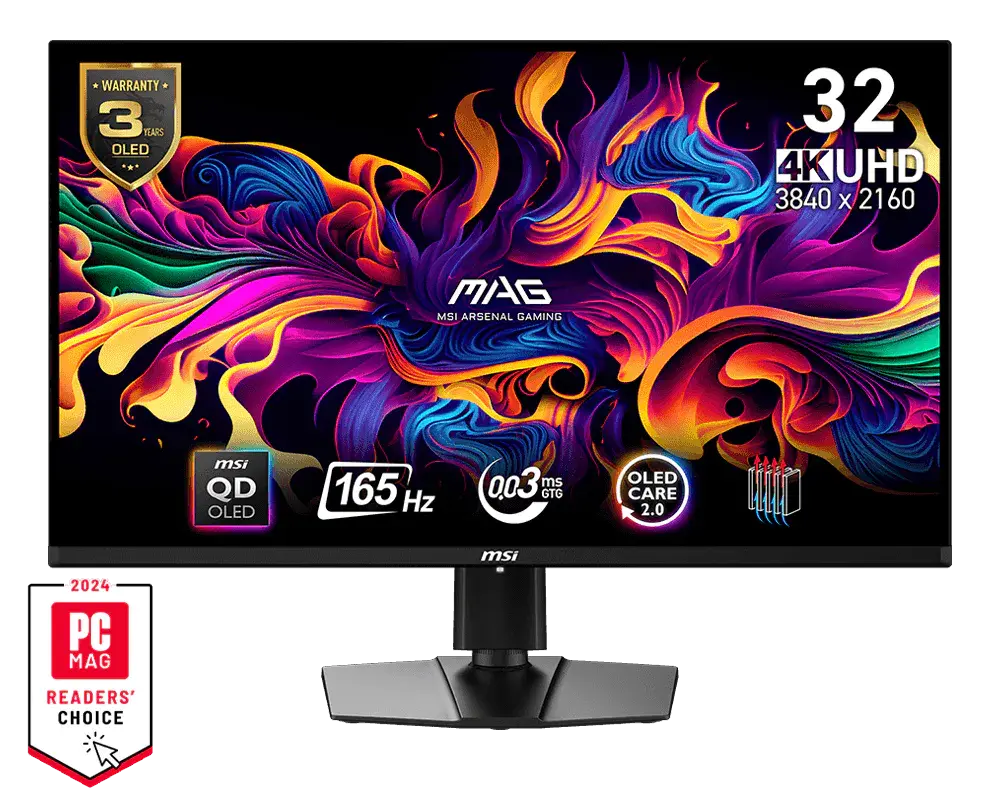
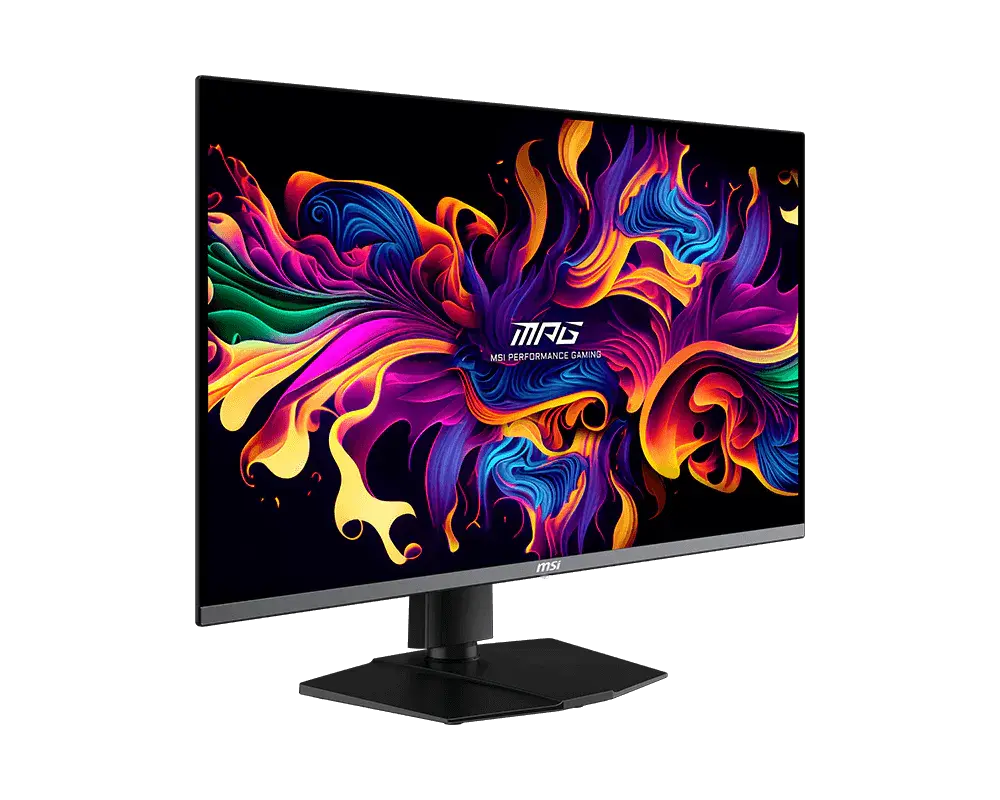
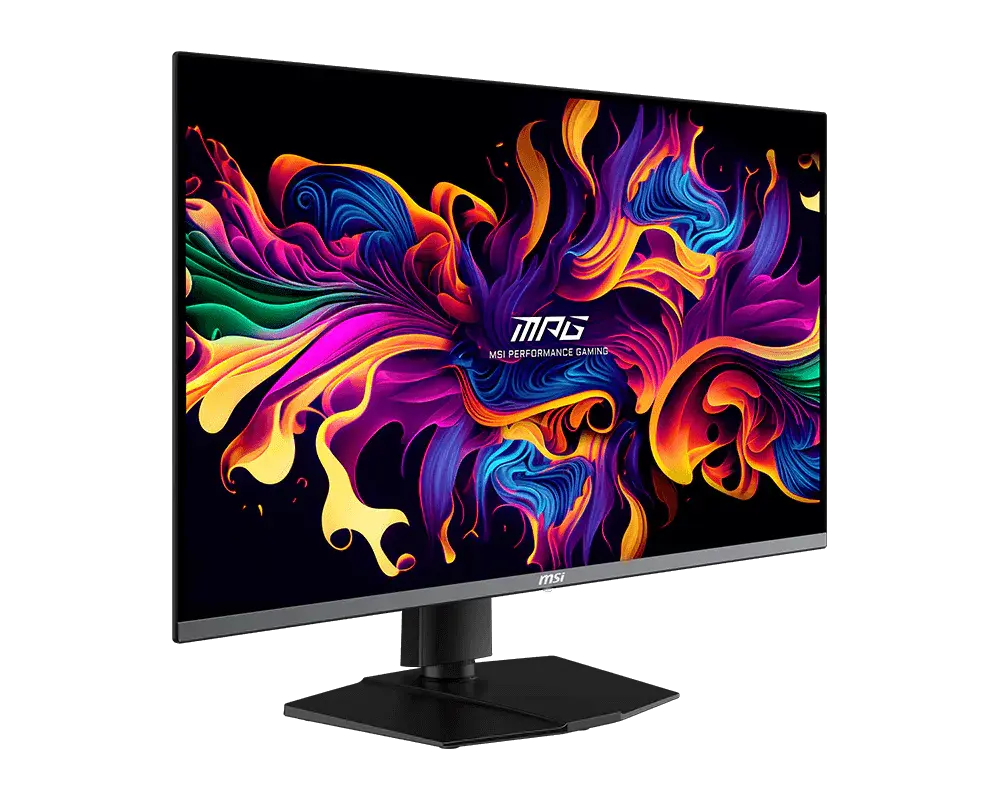
MSI MAG 321UP QD-OLED monitor on its supplied stand, official front view with manufacturer sample screen artwork
Exact model & source notes

A 31.5-inch 3840 × 2160 QD-OLED monitor running up to 165 Hz on every input, with a 0.03 ms GtG response rating, DisplayHDR True Black 400 and USB-C display input with 15 W charging.

Specifications checked 21 Sept 2026.

Amazon links open search results. Check the exact variant, current price and availability with the retailer.

Manufacturer specifications

WHICH SUITS YOU?

Choose the MSI MAG 321UP QD-OLED for

  • Smaller stated stand depth: 242 mm vs 274 mm

Choose the ASUS ROG Swift OLED PG32UCDM for

  • Higher stated refresh rate: 240 Hz vs 165 Hz
  • Higher stated USB-C charging: 90 W vs 15 W
  • USB hub: Yes vs No
Built from verified specifications that differ. Not a rating or a recommendation.
See the 14 verified differences
THE CONTENDER

ASUS ROG Swift OLED PG32UCDM

UK specification

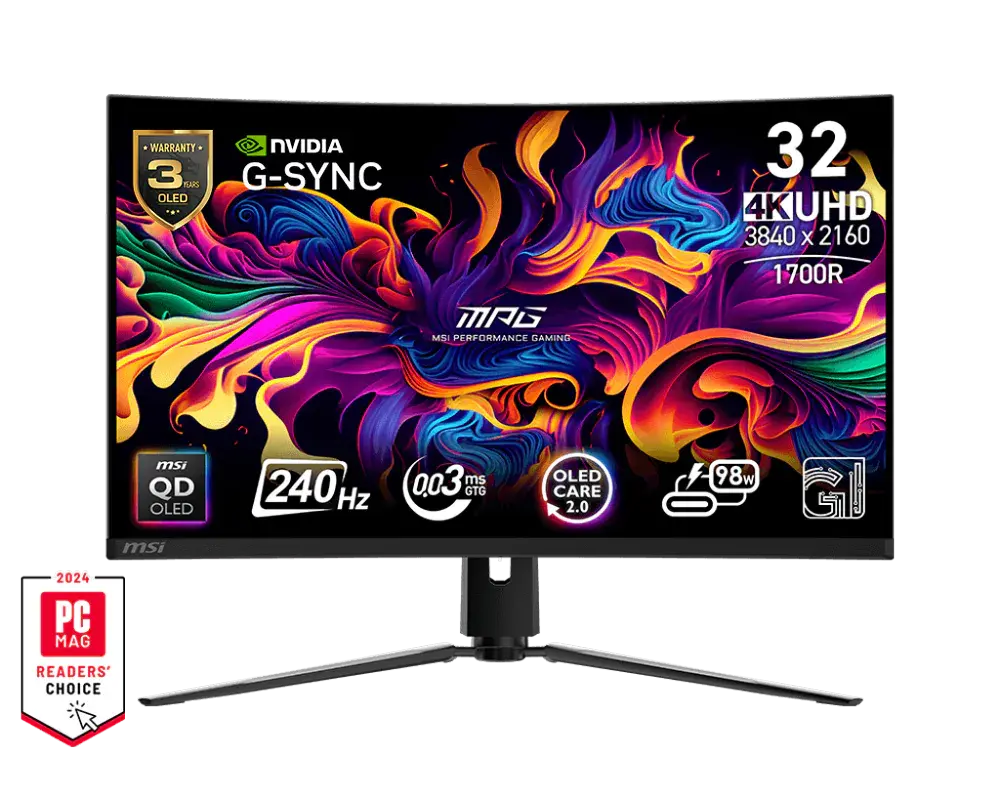
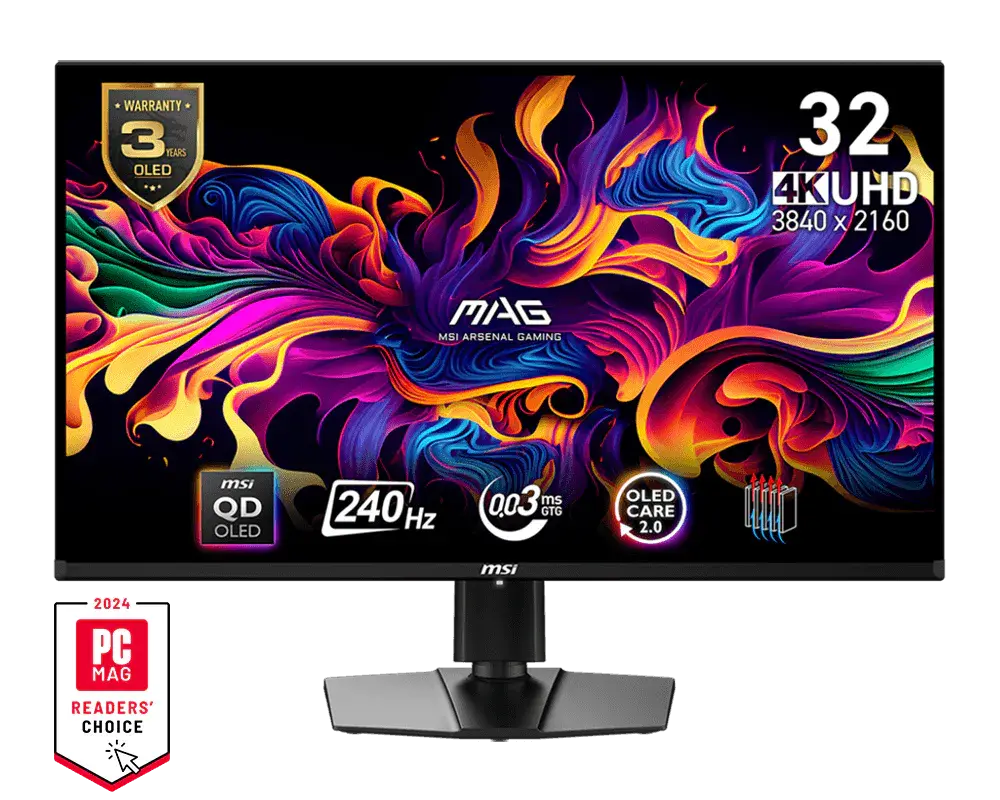
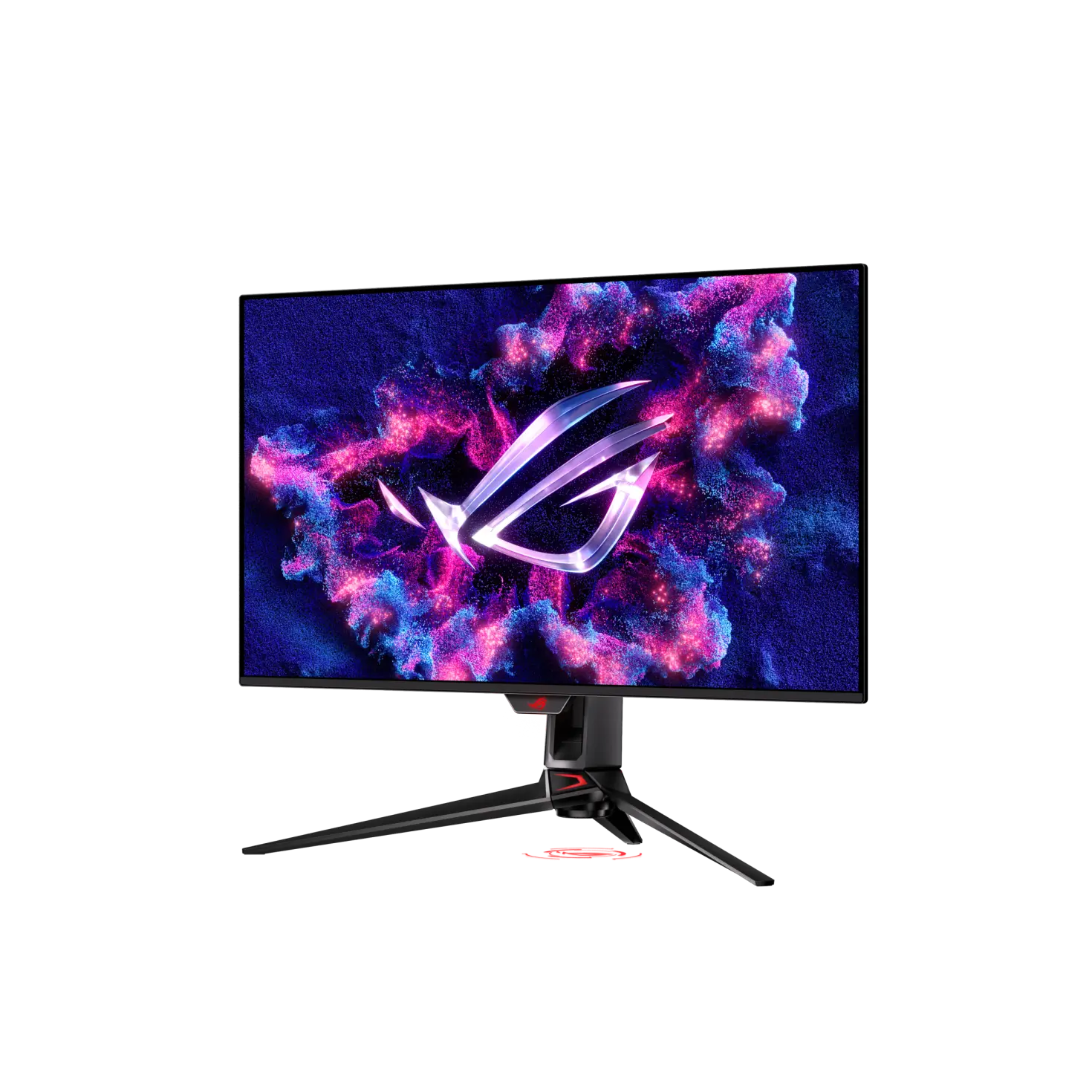
ASUS ROG Swift OLED PG32UCDM monitor at a front-left angle on its tripod-style stand, with ROG screen artwork.
Exact model & source notes

A 31.5-inch 3840 × 2160 QD-OLED gaming monitor rated at 240 Hz on HDMI 2.1, DisplayPort 1.4 (DSC) and USB-C (the user guide gives up to 3840 × 2160 at 144 Hz on USB-C with DSC on when its Type-C bandwidth is set to USB 3.2), with DisplayHDR 400 True Black, Dolby Vision, USB-C power delivery of 65 W by default or 90 W when enabled in the on-screen menu, a KVM switch and a 3-year warranty that includes burn-in.

Specifications checked 26 Sept 2026.

Amazon links open search results. Check the exact variant, current price and availability with the retailer.

Manufacturer specifications

MSI MAG 321UP QD-OLED UK & US retailers

UK & US price history: no verified listing yet

ASUS ROG Swift OLED PG32UCDM UK & US retailers

UK & US price history: no verified listing yet

Search links open retailer results, not a matched listing; eBay listings are checked daily. As an Amazon Associate I earn from qualifying purchases. As an eBay Partner, we may be compensated if you make a purchase.

THE DIFFERENCES, MADE VISIBLE

Visual facts

Differences first. Select a topic for its graphic, sources and conditions.

How to read this comparison
  • Manufacturer facts for the exact models shown. Not a quality rating or a test result.
  • “Different” means the known values differ, not that one is better.
  • Missing or conflicting evidence is marked and never counts as a difference. Source chips hold each fact’s sources and conditions.
SPECIFICATIONS SIDE BY SIDE8 topics
SELECTED TOPIC
01 / 08

Max refresh

Maximum manufacturer-listed refresh rate, not measured motion clarity. The port-specific limits below matter; HDMI and DisplayPort can support different modes.

MSI MAG 321UP QD-OLED165 Hz

Manufacturer specification · DisplayPort: up to 165 Hz; HDMI: up to 165 Hz; USB-C DisplayPort Alt Mode: up to 165 Hz, at native 3840 × 2160 resolution. Source, cable and selected mode must support the signal.

ASUS ROG Swift OLED PG32UCDM240 Hz

Manufacturer specification · ASUS lists up to 240 Hz on HDMI, DisplayPort and USB-C. The user guide says that with the USB-C port’s Type-C Bandwidth set to USB 3.2, USB-C is up to 3840 × 2160 at 144 Hz when DSC support is on.

Explore the full specifications

Match the monitor to the connection. Refresh limits depend on the input, cable and source device. Confirm the exact regional ports, stand adjustment and mount. Manufacturer response-time methods such as MPRT and GtG are different; neither the image nor these figures establish an independent motion or colour-quality test.

WHAT CHANGES BETWEEN THEM?

Key differences

Full specifications ↓

14 verified differences, most decision-relevant first. 7 are also drawn in Visual facts above. 1 feature is the same under different published names, grouped below. Missing information stays separate.

Refresh rate

In Visual facts
MSI MAG 321UP QD-OLED165 Hz
ASUS ROG Swift OLED PG32UCDM240 Hz
Sources
MSI MAG 321UP QD-OLED

Manufacturer specification · DisplayPort: up to 165 Hz; HDMI: up to 165 Hz; USB-C DisplayPort Alt Mode: up to 165 Hz, at native 3840 × 2160 resolution. Source, cable and selected mode must support the signal.

MSI MAG 321UP QD-OLED — exact model specifications
ASUS ROG Swift OLED PG32UCDM

Manufacturer specification · ASUS lists up to 240 Hz on HDMI, DisplayPort and USB-C. The user guide says that with the USB-C port’s Type-C Bandwidth set to USB 3.2, USB-C is up to 3840 × 2160 at 144 Hz when DSC support is on.

ASUS ROG UK — ROG Swift OLED PG32UCDM technical specificationsASUS — PG32UCDM Series OLED monitor user guide (English, PDF)

Check the exact configuration and source conditions for your use.

Inputs and versions

In Visual facts
MSI MAG 321UP QD-OLED1 × DisplayPort 1.4a; 2 × HDMI 2.1; 1 × USB-C with DisplayPort Alt Mode and up to 15 W Power Delivery; headphone output
ASUS ROG Swift OLED PG32UCDM1 × USB-C (DisplayPort Alt Mode, USB upstream; 65 W power delivery by default, 90 W when enabled in the on-screen menu); 1 × DisplayPort 1.4 (DSC); 2 × HDMI 2.1 (FRL); 1 × USB 3.2 Gen 1 Type-B upstream; 3 × USB 3.2 Gen 1 Type-A downstream; earphone jack; optical S/PDIF output
Sources
MSI MAG 321UP QD-OLED

Manufacturer specification · DisplayPort: up to 165 Hz; HDMI: up to 165 Hz; USB-C DisplayPort Alt Mode: up to 165 Hz, at native 3840 × 2160 resolution. Source, cable and selected mode must support the signal.

MSI MAG 321UP QD-OLED — exact model specifications
ASUS ROG Swift OLED PG32UCDM

Manufacturer specification · The user guide says the earphone jack is only available when an HDMI, DisplayPort or USB-C cable is connected.

ASUS ROG UK — ROG Swift OLED PG32UCDM technical specificationsASUS ROG UK — ROG Swift OLED PG32UCDM product page and galleryASUS — PG32UCDM Series OLED monitor user guide (English, PDF)

Check the exact configuration and source conditions for your use.

USB-C charging

In Visual facts
MSI MAG 321UP QD-OLED15 W
ASUS ROG Swift OLED PG32UCDM90 W
Sources
MSI MAG 321UP QD-OLED

Manufacturer specification · Maximum charging output, not the monitor’s power consumption. Compatible device and cable required.

MSI MAG 321UP QD-OLED — exact model specifications
ASUS ROG Swift OLED PG32UCDM

Manufacturer specification · Maximum. ASUS says power delivery defaults to 65 W and 90 W must be enabled in the on-screen menu. The user guide’s USB-C Charging setting offers 65 W or 90 W, and selecting 90 W limits the maximum brightness setting to 65. The guide lists output profiles of 5 V/3 A, 9 V/3 A, 12 V/3 A, 15 V/3 A and 20 V/3.25 A for 65 W, and 5 V/3 A, 9 V/3 A, 12 V/3 A, 15 V/3 A and 20 V/4.5 A for 90 W.

ASUS ROG UK — ROG Swift OLED PG32UCDM technical specificationsASUS ROG UK — ROG Swift OLED PG32UCDM product page and galleryASUS — PG32UCDM Series OLED monitor user guide (English, PDF)

This is charging power available to a compatible connected device, not the monitor’s electricity consumption. Check the device, cable and any shared-power restrictions.

MSI MAG 321UP QD-OLEDNo
ASUS ROG Swift OLED PG32UCDMYes
Sources
MSI MAG 321UP QD-OLED

Manufacturer specification · No USB Type-A or Type-B ports appear in the datasheet's port rows or its numbered connections list; the USB-C port is listed for DisplayPort Alt Mode and 15 W charging.

MSI MAG 321UP QD-OLED — exact model specifications
ASUS ROG Swift OLED PG32UCDM

Manufacturer specification

ASUS ROG UK — ROG Swift OLED PG32UCDM technical specifications

Check the exact configuration and source conditions for your use.

HDR support

In Visual facts
MSI MAG 321UP QD-OLEDDisplayHDR True Black 400
ASUS ROG Swift OLED PG32UCDMHDR10; Dolby Vision; VESA DisplayHDR 400 True Black
Sources
MSI MAG 321UP QD-OLED

Manufacturer specification

MSI MAG 321UP QD-OLED — exact model specifications
ASUS ROG Swift OLED PG32UCDM

Manufacturer specification · The user guide says Dolby Vision requires monitor firmware MCM105/305 or higher; the product page links a Dolby Vision firmware update.

ASUS ROG UK — ROG Swift OLED PG32UCDM technical specificationsASUS ROG UK — ROG Swift OLED PG32UCDM product page and galleryASUS — PG32UCDM Series OLED monitor user guide (English, PDF)

Check the exact configuration and source conditions for your use.

Picture-in-picture / picture-by-picture

In Visual facts
MSI MAG 321UP QD-OLEDNo
ASUS ROG Swift OLED PG32UCDMYes
Sources
MSI MAG 321UP QD-OLED

Manufacturer specification · MSI lists PIP / PBP as N/A.

MSI MAG 321UP QD-OLED — exact model specifications
ASUS ROG Swift OLED PG32UCDM

Manufacturer specification · The user guide says PIP/PBP runs at 60 Hz, cannot be used with HDR, and disables variable refresh rate, Aspect Control, ELMB and DSC; PIP size is Small, Middle or Large.

ASUS ROG UK — ROG Swift OLED PG32UCDM technical specificationsASUS — PG32UCDM Series OLED monitor user guide (English, PDF)

Check the exact configuration and source conditions for your use.

Show 8 more verified differences

Panel cooling

MSI MAG 321UP QD-OLEDFanless (graphene film with custom heatsink)
ASUS ROG Swift OLED PG32UCDMCustom passive heatsink with top vents in the back cover; graphene film behind the QD-OLED panel
Sources
MSI MAG 321UP QD-OLED

Manufacturer specification

MSI MAG 321UP QD-OLED — exact model specifications
ASUS ROG Swift OLED PG32UCDM

Manufacturer specification · ASUS says the heatsink, airflow design and graphene film improve heat management to reduce the risk of burn-in. ASUS describes the heatsink as passive but does not separately state that the monitor has no fan.

ASUS ROG UK — ROG Swift OLED PG32UCDM product page and gallery

Check the exact configuration and source conditions for your use.

OLED maintenance features

MSI MAG 321UP QD-OLEDOLED Care 2.0
ASUS ROG Swift OLED PG32UCDMASUS OLED Care (pixel cleaning, screen saver, screen move, logo brightness adjustment); proximity sensor
Sources
MSI MAG 321UP QD-OLED

Manufacturer specification · MSI does not itemise the individual care functions.

MSI MAG 321UP QD-OLED — exact model specifications
ASUS ROG Swift OLED PG32UCDM

Manufacturer specification · OLED Care functions named on the UK product page and in the user guide. The user guide says the proximity sensor turns the monitor off when no presence is detected within a selectable 50–110 cm range over the preset time.

ASUS ROG UK — ROG Swift OLED PG32UCDM technical specificationsASUS ROG UK — ROG Swift OLED PG32UCDM product page and galleryASUS — PG32UCDM Series OLED monitor user guide (English, PDF)

Check the exact configuration and source conditions for your use.

Stand depth

In Visual facts
MSI MAG 321UP QD-OLED242 mm
ASUS ROG Swift OLED PG32UCDM274 mm
Sources
MSI MAG 321UP QD-OLED

Manufacturer specification · Manufacturer dimensions with stand, shown width × height × depth. Stand depth is not panel thickness and excludes additional cable clearance.

MSI MAG 321UP QD-OLED — exact model specifications
ASUS ROG Swift OLED PG32UCDM

Manufacturer specification · Front-to-back depth with the supplied stand; allow cable clearance.

ASUS ROG UK — ROG Swift OLED PG32UCDM technical specifications

A size or weight trade-off; it does not establish the better product.

Dimensions with stand

MSI MAG 321UP QD-OLED717 × 457 × 242 mm (width × height × depth, with stand)
ASUS ROG Swift OLED PG32UCDM718 × 579 × 274 mm (width × height × depth, with stand)
Sources
MSI MAG 321UP QD-OLED

Manufacturer specification · Manufacturer dimensions with stand, shown width × height × depth. Stand depth is not panel thickness and excludes additional cable clearance.

MSI MAG 321UP QD-OLED — exact model specifications
ASUS ROG Swift OLED PG32UCDM

Manufacturer specification · Converted from ASUS’s centimetre figures; ASUS labels dimensions as estimates that vary by region. The user guide gives this as the highest stand position and 718 × 499 × 274 mm at the lowest.

ASUS ROG UK — ROG Swift OLED PG32UCDM technical specificationsASUS — PG32UCDM Series OLED monitor user guide (English, PDF)

A size or weight trade-off; it does not establish the better product.

Same feature, different names (1)

The sources publish different names for the same feature. Both names and their sources are shown; they are not counted as differences.

Listed sync technology

MSI MAG 321UP QD-OLEDAMD FreeSync Premium Pro
ASUS ROG Swift OLED PG32UCDMAMD FreeSync Premium Pro; NVIDIA G-SYNC Compatible
Sources
MSI MAG 321UP QD-OLED

Manufacturer specification · Requires a compatible source, port, driver and mode.

MSI MAG 321UP QD-OLED — exact model specifications
ASUS ROG Swift OLED PG32UCDM

Manufacturer specification

ASUS ROG UK — ROG Swift OLED PG32UCDM technical specifications

Both sources state the same feature under different published names. This is not a verified difference; check the exact feature you need.

Missing or non-comparable evidence (43)

Native-resolution input limits

MSI MAG 321UP QD-OLEDHDMI, DisplayPort and USB-C: 3840 × 2160 up to 165 Hz
ASUS ROG Swift OLED PG32UCDMNot verified
Sources
MSI MAG 321UP QD-OLED

Manufacturer specification · Compatible source, cable and mode support required.

MSI MAG 321UP QD-OLED — exact model specifications
ASUS ROG Swift OLED PG32UCDM

No source recorded for this side.

Evidence is missing or conflicting on at least one side. This is not a verified difference.

Motion-blur reduction mode

MSI MAG 321UP QD-OLEDNot verified
ASUS ROG Swift OLED PG32UCDMYes
Sources
MSI MAG 321UP QD-OLED

No source recorded for this side.

ASUS ROG Swift OLED PG32UCDM

Manufacturer specification · ASUS Extreme Low Motion Blur (ELMB). The user guide says it is available only at a 120 Hz refresh rate, disables variable refresh rate and limits the maximum brightness setting to 70.

ASUS ROG UK — ROG Swift OLED PG32UCDM technical specificationsASUS — PG32UCDM Series OLED monitor user guide (English, PDF)

Evidence is missing or conflicting on at least one side. This is not a verified difference.

Stand adjustment

MSI MAG 321UP QD-OLEDTilt −5° to +15°; height travel 110 mm; swivel supported; screen rotation ±10° (MSI's 'pivot' figure — not a 90° portrait pivot)
ASUS ROG Swift OLED PG32UCDMConflicting evidence
Sources
MSI MAG 321UP QD-OLED

MSI's datasheet prints the swivel range as “30° ~ 30°” (no minus sign), so the exact swivel range isn't confirmed. · Manufacturer specification

MSI MAG 321UP QD-OLED — exact model specifications
ASUS ROG Swift OLED PG32UCDM

Tilt −5° to +20° and swivel ±15° agree across the UK and US technical tables, the user guide and the UK product page, and the user guide lists pivot as “No”. Height travel conflicts: the tables and user guide give 80 mm, while the product-page stand graphic gives 0–110 mm. · Manufacturer specification

ASUS ROG UK — ROG Swift OLED PG32UCDM technical specificationsASUS ROG UK — ROG Swift OLED PG32UCDM product page and galleryASUS ROG USA — ROG Swift OLED PG32UCDM technical specificationsASUS — PG32UCDM Series OLED monitor user guide (English, PDF)

Evidence is missing or conflicting on at least one side. This is not a verified difference.

Hardware blue-light reduction

MSI MAG 321UP QD-OLEDNot verified
ASUS ROG Swift OLED PG32UCDMYes
Sources
MSI MAG 321UP QD-OLED

No source recorded for this side.

ASUS ROG Swift OLED PG32UCDM

Manufacturer specification

ASUS ROG UK — ROG Swift OLED PG32UCDM technical specifications

Evidence is missing or conflicting on at least one side. This is not a verified difference.

Built-in speakers

MSI MAG 321UP QD-OLEDNot verified
ASUS ROG Swift OLED PG32UCDMNo
Sources
MSI MAG 321UP QD-OLED

No source recorded for this side.

ASUS ROG Swift OLED PG32UCDM

Manufacturer specification

ASUS ROG UK — ROG Swift OLED PG32UCDM technical specifications

Evidence is missing or conflicting on at least one side. This is not a verified difference.

Built-in KVM

MSI MAG 321UP QD-OLEDNot verified
ASUS ROG Swift OLED PG32UCDMYes
Sources
MSI MAG 321UP QD-OLED

No source recorded for this side.

ASUS ROG Swift OLED PG32UCDM

Manufacturer specification · The user guide’s KVM setting switches the USB downstream ports between the USB-C and USB Type-B upstream ports, with an Auto KVM Detection option (firmware MCM103/303 or higher). Keyboard Hotkey 1 (Ctrl+Alt+Q) switches KVM and PIP when a keyboard is connected to a downstream port and the upstream port is connected; the guide adds that Keyboard Hotkey 1 is only available when the KVM and/or PIP function is activated.

ASUS ROG UK — ROG Swift OLED PG32UCDM technical specificationsASUS — PG32UCDM Series OLED monitor user guide (English, PDF)

Evidence is missing or conflicting on at least one side. This is not a verified difference.

HDMI CEC

MSI MAG 321UP QD-OLEDNot verified
ASUS ROG Swift OLED PG32UCDMYes
Sources
MSI MAG 321UP QD-OLED

No source recorded for this side.

ASUS ROG Swift OLED PG32UCDM

Manufacturer specification · User-guide setting for power on/off control of consoles and set-top boxes; off by default and requires monitor firmware MCM103/303 or higher.

ASUS — PG32UCDM Series OLED monitor user guide (English, PDF)

Evidence is missing or conflicting on at least one side. This is not a verified difference.

Declared variable-refresh range

MSI MAG 321UP QD-OLEDNot verified
ASUS ROG Swift OLED PG32UCDM48–240 Hz
Sources
MSI MAG 321UP QD-OLED

No source recorded for this side.

ASUS ROG Swift OLED PG32UCDM

Manufacturer specification · The user guide says Variable Refresh Rate can only be activated within 48–240 Hz. The technical table’s wider HDMI 24–240 Hz figure is an input signal-frequency range, recorded separately.

ASUS ROG UK — ROG Swift OLED PG32UCDM technical specificationsASUS — PG32UCDM Series OLED monitor user guide (English, PDF)

Evidence is missing or conflicting on at least one side. This is not a verified difference.

Declared Adobe RGB gamut

MSI MAG 321UP QD-OLED97.5%
ASUS ROG Swift OLED PG32UCDMNot verified
Sources
MSI MAG 321UP QD-OLED

Manufacturer specification · The datasheet note states the CIE1976 basis only for sRGB and DCI-P3; the Adobe RGB reference is not stated.

MSI MAG 321UP QD-OLED — exact model specifications
ASUS ROG Swift OLED PG32UCDM

No source recorded for this side.

Evidence is missing or conflicting on at least one side. This is not a verified difference.

Listed accessories

MSI MAG 321UP QD-OLEDNot verified
ASUS ROG Swift OLED PG32UCDMDisplayPort cable; HDMI Ultra High Speed cable; power adapter; power cord; quick start guide; ROG pouch; ROG sticker; USB 3.2 cable; USB-C cable; VESA mount kit; warranty card
Sources
MSI MAG 321UP QD-OLED

No source recorded for this side.

ASUS ROG Swift OLED PG32UCDM

Manufacturer specification · ASUS says accessories vary by region; the US page lists a shorter accessory set. The user guide lists quick start guide, warranty card, power adapter, power cord, ROG welcome card with envelope, ROG wall mount kit, ROG sticker and ROG pouch, with HDMI, DisplayPort, USB Type-A to Type-B and USB Type-C cables marked optional. The same guide says the ROG wall mount kit attaches to the back of the monitor after the arm/base is detached, and that the VESA wall mount kit (100 x 100 mm) is purchased separately; the UK table's 'VESA mount kit' entry is read with that note.

ASUS ROG UK — ROG Swift OLED PG32UCDM technical specificationsASUS — PG32UCDM Series OLED monitor user guide (English, PDF)

Evidence is missing or conflicting on at least one side. This is not a verified difference.

Cable management

MSI MAG 321UP QD-OLEDNot verified
ASUS ROG Swift OLED PG32UCDMCable management slot
Sources
MSI MAG 321UP QD-OLED

No source recorded for this side.

ASUS ROG Swift OLED PG32UCDM

Manufacturer specification · The user guide’s Cable management section says the cables can be organised with the cable management slot; ASUS gives no further detail.

ASUS — PG32UCDM Series OLED monitor user guide (English, PDF)

Evidence is missing or conflicting on at least one side. This is not a verified difference.

Colour-accuracy claim

MSI MAG 321UP QD-OLEDNot verified
ASUS ROG Swift OLED PG32UCDMΔE < 2
Sources
MSI MAG 321UP QD-OLED

No source recorded for this side.

ASUS ROG Swift OLED PG32UCDM

Manufacturer specification · Manufacturer claim; test conditions not stated.

ASUS ROG UK — ROG Swift OLED PG32UCDM technical specifications

Evidence is missing or conflicting on at least one side. This is not a verified difference.

Colour controls

MSI MAG 321UP QD-OLEDNot verified
ASUS ROG Swift OLED PG32UCDM6-axis colour adjustment (R, G, B, C, M, Y); gamma 1.8/2.0/2.2/2.4/2.6; 8 colour-temperature modes
Sources
MSI MAG 321UP QD-OLED

No source recorded for this side.

ASUS ROG Swift OLED PG32UCDM

Manufacturer specification

ASUS ROG UK — ROG Swift OLED PG32UCDM technical specifications

Evidence is missing or conflicting on at least one side. This is not a verified difference.

Colour depth

MSI MAG 321UP QD-OLED10-bit
ASUS ROG Swift OLED PG32UCDM10-bit (1,073.7 million colours)
Sources
MSI MAG 321UP QD-OLED

Manufacturer specification

MSI MAG 321UP QD-OLED — exact model specifications
ASUS ROG Swift OLED PG32UCDM

Manufacturer specification · ASUS’s UK product page advertises “True 10-bit”; the technical table and user guide list 1073.7M colours (10 bit). Manufacturer claim, not a measured result.

ASUS ROG UK — ROG Swift OLED PG32UCDM technical specificationsASUS ROG UK — ROG Swift OLED PG32UCDM product page and galleryASUS — PG32UCDM Series OLED monitor user guide (English, PDF)

One source states less detail or a rounded figure. This is not a verified difference; check the exact configuration.

Declared sRGB gamut

MSI MAG 321UP QD-OLED138.2% (CIE 1976)
ASUS ROG Swift OLED PG32UCDMDCI-P3 99%
Sources
MSI MAG 321UP QD-OLED

Manufacturer specification · Figures above 100% describe colour volume, not coverage.

MSI MAG 321UP QD-OLED — exact model specifications
ASUS ROG Swift OLED PG32UCDM

Manufacturer specification · ASUS does not state the CIE basis.

ASUS ROG UK — ROG Swift OLED PG32UCDM technical specifications

The declared gamut figures use different or unstated colour spaces. They are not ranked; compare figures stated in the same colour space.

Declared DCI-P3 gamut

MSI MAG 321UP QD-OLED99% (CIE 1976)
ASUS ROG Swift OLED PG32UCDMNot verified
Sources
MSI MAG 321UP QD-OLED

Manufacturer specification

MSI MAG 321UP QD-OLED — exact model specifications
ASUS ROG Swift OLED PG32UCDM

No source recorded for this side.

Evidence is missing or conflicting on at least one side. This is not a verified difference.

Declared power limits

MSI MAG 321UP QD-OLEDNot verified
ASUS ROG Swift OLED PG32UCDMOn: <42 W; power saving: <0.5 W; off: <0.3 W
Sources
MSI MAG 321UP QD-OLED

No source recorded for this side.

ASUS ROG Swift OLED PG32UCDM

Manufacturer specification · Upper bounds; not typical running-power measurements. The user guide writes the on-mode figure as “< 42 W (Typ.)”, measured at a screen brightness of 200 nits without audio, USB or card-reader connections.

ASUS ROG UK — ROG Swift OLED PG32UCDM technical specificationsASUS — PG32UCDM Series OLED monitor user guide (English, PDF)

Evidence is missing or conflicting on at least one side. This is not a verified difference.

DisplayPort version

MSI MAG 321UP QD-OLED1.4a
ASUS ROG Swift OLED PG32UCDMNot verified
Sources
MSI MAG 321UP QD-OLED

Manufacturer specification

MSI MAG 321UP QD-OLED — exact model specifications
ASUS ROG Swift OLED PG32UCDM

No source recorded for this side.

Evidence is missing or conflicting on at least one side. This is not a verified difference.

Factory calibration report

MSI MAG 321UP QD-OLEDNot verified
ASUS ROG Swift OLED PG32UCDMYes
Sources
MSI MAG 321UP QD-OLED

No source recorded for this side.

ASUS ROG Swift OLED PG32UCDM

Manufacturer specification · Colour calibration e-report viewed via DisplayWidget Center; the user guide’s on-screen menu also includes a Color Calibration Report view.

ASUS ROG UK — ROG Swift OLED PG32UCDM technical specificationsASUS — PG32UCDM Series OLED monitor user guide (English, PDF)

Evidence is missing or conflicting on at least one side. This is not a verified difference.

Flicker-free declaration

MSI MAG 321UP QD-OLEDNot verified
ASUS ROG Swift OLED PG32UCDMYes
Sources
MSI MAG 321UP QD-OLED

No source recorded for this side.

ASUS ROG Swift OLED PG32UCDM

Manufacturer specification

ASUS ROG UK — ROG Swift OLED PG32UCDM technical specifications

Evidence is missing or conflicting on at least one side. This is not a verified difference.

On-screen gaming tools

MSI MAG 321UP QD-OLEDNot verified
ASUS ROG Swift OLED PG32UCDMGamePlus (FPS Counter, Crosshair with Dynamic Crosshair, Sniper, Sniper Night Vision, Timer, Stopwatch, Display Alignment); Shadow Boost and Dynamic Shadow Boost; GameFast Input; Trace Free; Aspect Control (27-inch and 24.5-inch simulation); Uniform Brightness; Auto Low Latency Mode; DisplayWidget Center software
Sources
MSI MAG 321UP QD-OLED

No source recorded for this side.

ASUS ROG Swift OLED PG32UCDM

Manufacturer specification · Named ASUS functions from the UK technical table, product page and user guide. The guide says Aspect Control disables variable refresh rate, PIP/PBP and ELMB, and that Uniform Brightness keeps the maximum screen brightness from changing with the displayed image size. DisplayWidget Center is desktop software for changing monitor and OLED settings with a mouse.

ASUS ROG UK — ROG Swift OLED PG32UCDM technical specificationsASUS ROG UK — ROG Swift OLED PG32UCDM product page and galleryASUS — PG32UCDM Series OLED monitor user guide (English, PDF)

Evidence is missing or conflicting on at least one side. This is not a verified difference.

HDCP

MSI MAG 321UP QD-OLEDNot verified
ASUS ROG Swift OLED PG32UCDMHDCP 2.2
Sources
MSI MAG 321UP QD-OLED

No source recorded for this side.

ASUS ROG Swift OLED PG32UCDM

Manufacturer specification

ASUS ROG UK — ROG Swift OLED PG32UCDM technical specifications

Evidence is missing or conflicting on at least one side. This is not a verified difference.

HDMI version

MSI MAG 321UP QD-OLED2.1
ASUS ROG Swift OLED PG32UCDMNot verified
Sources
MSI MAG 321UP QD-OLED

Manufacturer specification

MSI MAG 321UP QD-OLED — exact model specifications
ASUS ROG Swift OLED PG32UCDM

No source recorded for this side.

Evidence is missing or conflicting on at least one side. This is not a verified difference.

HDR picture modes

MSI MAG 321UP QD-OLEDNot verified
ASUS ROG Swift OLED PG32UCDMGaming HDR; Cinema HDR; Console HDR; DisplayHDR 400 True Black; Dolby Vision Bright, Dark and Gaming
Sources
MSI MAG 321UP QD-OLED

No source recorded for this side.

ASUS ROG Swift OLED PG32UCDM

Manufacturer specification · User-guide HDR Setting and DolbyVision Setting options. Gaming HDR and Cinema HDR include a Dynamic Brightness Boost that cannot be disabled; Console HDR has an optional Dynamic Brightness Boost; the Dolby Vision modes are available only with Dolby Vision content.

ASUS — PG32UCDM Series OLED monitor user guide (English, PDF)

Evidence is missing or conflicting on at least one side. This is not a verified difference.

Declared HDR peak brightness

MSI MAG 321UP QD-OLEDNot verified
ASUS ROG Swift OLED PG32UCDM1000 cd/m²
Sources
MSI MAG 321UP QD-OLED

No source recorded for this side.

ASUS ROG Swift OLED PG32UCDM

Manufacturer specification · Peak HDR figure; ASUS gives no window size. The model carries VESA DisplayHDR 400 True Black.

ASUS ROG UK — ROG Swift OLED PG32UCDM technical specifications

Evidence is missing or conflicting on at least one side. This is not a verified difference.

Declared vertical input signal ranges

MSI MAG 321UP QD-OLEDNot verified
ASUS ROG Swift OLED PG32UCDMHDMI 24–240 Hz; DisplayPort / USB-C 48–240 Hz
Sources
MSI MAG 321UP QD-OLED

No source recorded for this side.

ASUS ROG Swift OLED PG32UCDM

Manufacturer specification · Vertical figures from ASUS’s Digital Signal Frequency row; these are input signal ranges, not the variable-refresh window.

ASUS ROG UK — ROG Swift OLED PG32UCDM technical specifications

Evidence is missing or conflicting on at least one side. This is not a verified difference.

Low Blue Light mode

MSI MAG 321UP QD-OLEDNot verified
ASUS ROG Swift OLED PG32UCDMYes
Sources
MSI MAG 321UP QD-OLED

No source recorded for this side.

ASUS ROG Swift OLED PG32UCDM

Manufacturer specification

ASUS ROG UK — ROG Swift OLED PG32UCDM technical specifications

Evidence is missing or conflicting on at least one side. This is not a verified difference.

Manufacturer warranty

MSI MAG 321UP QD-OLED3 years, including panel burn-in
ASUS ROG Swift OLED PG32UCDMNot verified
Sources
MSI MAG 321UP QD-OLED

Manufacturer specification · Regional terms and exclusions apply.

MSI MAG 321UP QD-OLED — exact model specifications
ASUS ROG Swift OLED PG32UCDM

No source recorded for this side.

Evidence is missing or conflicting on at least one side. This is not a verified difference.

GameVisual picture modes

MSI MAG 321UP QD-OLEDNot verified
ASUS ROG Swift OLED PG32UCDMScenery; Racing; Cinema; RTS/RPG; FPS; sRGB Cal; MOBA; Night Vision; User
Sources
MSI MAG 321UP QD-OLED

No source recorded for this side.

ASUS ROG Swift OLED PG32UCDM

Manufacturer specification · The product page describes seven GameVisual presets (Racing, MOBA, Cinema, RTS/RPG, FPS, sRGB, Scenery); the user guide lists nine, adding Night Vision and User Mode and naming the sRGB preset “sRGB Cal”. The guide says GameVisual is unavailable while HDR content is displayed.

ASUS ROG UK — ROG Swift OLED PG32UCDM technical specificationsASUS ROG UK — ROG Swift OLED PG32UCDM product page and galleryASUS — PG32UCDM Series OLED monitor user guide (English, PDF)

Evidence is missing or conflicting on at least one side. This is not a verified difference.

Typical operating power consumption

MSI MAG 321UP QD-OLEDNot verified
ASUS ROG Swift OLED PG32UCDMNot verified
Sources
MSI MAG 321UP QD-OLED

No source recorded for this side.

ASUS ROG Swift OLED PG32UCDM

ASUS publishes only an upper bound (<42 W); the user guide labels it “< 42 W (Typ.)” at a screen brightness of 200 nits without audio, USB or card-reader connections. No typical operating figure without the inequality is stated. · Manufacturer specification

ASUS ROG UK — ROG Swift OLED PG32UCDM technical specificationsASUS — PG32UCDM Series OLED monitor user guide (English, PDF)

Evidence is missing or conflicting on at least one side. This is not a verified difference.

AC input

MSI MAG 321UP QD-OLED100–240 V, 50/60 Hz
ASUS ROG Swift OLED PG32UCDMNot verified
Sources
MSI MAG 321UP QD-OLED

Manufacturer specification · Power type is listed only as 'Power Cable'; the connections list an AC input. Supply-input range, not operating power consumption.

MSI MAG 321UP QD-OLED — exact model specifications
ASUS ROG Swift OLED PG32UCDM

No source recorded for this side.

Evidence is missing or conflicting on at least one side. This is not a verified difference.

Power arrangement

MSI MAG 321UP QD-OLEDNot verified
ASUS ROG Swift OLED PG32UCDMExternal power adapter; AC input 100–240 V, 50/60 Hz
Sources
MSI MAG 321UP QD-OLED

No source recorded for this side.

ASUS ROG Swift OLED PG32UCDM

Manufacturer specification

ASUS ROG UK — ROG Swift OLED PG32UCDM technical specifications

Evidence is missing or conflicting on at least one side. This is not a verified difference.

Regional configuration

MSI MAG 321UP QD-OLEDNot verified
ASUS ROG Swift OLED PG32UCDMPart numbers as observed on 26 September 2026: the ROG UK specification page’s data lists part 90LM09T0-B01370 and its Buy Now configuration link is 90LM09T0-B013A1; the ROG US specification page’s schema.org sku is 90LM09T0-B013B0, its configuration link is 90LM09T0-B013B2 and its page data lists part 90LM09T0-B01310. ASUS does not say which code applies to which market or configuration, so no single UK part number is asserted. The US table gives the same size, resolution, input, refresh-range, power, stand, dimension and weight figures and the same 3-year burn-in warranty. It omits rows present in the UK table (DCI-P3; panel type; display surface; contrast; response time; colour accuracy; display colours; HDR10; maximum refresh rate; ASUS OLED Care; GameFast Input; KVM switch; colour calibration e-report; the Audio section; 1/4-inch tripod socket; proximity sensor; backlight type; colour-temperature selection; 6-axis colour and gamma adjustment; PIP/PBP; and the TÜV Low Blue Light (Hardware Solution) and AMD FreeSync Premium Pro certificates) and lists a shorter accessory set without the HDMI, USB 3.2 and USB-C cables or VESA mount kit. These are omissions, not contrary values.
Sources
MSI MAG 321UP QD-OLED

No source recorded for this side.

Evidence is missing or conflicting on at least one side. This is not a verified difference.

Lighting effect

MSI MAG 321UP QD-OLEDNot verified
ASUS ROG Swift OLED PG32UCDMAura RGB (Off, Rainbow, Color Cycle, Static, Breathing, Strobing) and Aura Sync; projected ROG logo at the base; LIGHT IN MOTION stand-light brightness (Off to Level 3)
Sources
MSI MAG 321UP QD-OLED

No source recorded for this side.

ASUS ROG Swift OLED PG32UCDM

Manufacturer specification · The UK technical table lists Aura Sync and the UK product page a projected ROG logo at the base of the monitor. The user guide’s Lighting Effect menu lists Aura RGB effects (R/G/B/C/M/Y colour choice for Static, Breathing and Strobing), Aura Sync (which disables the Aura RGB setting) and LIGHT IN MOTION, which sets the brightness of the light on the stand from Off to Level 3. The guide says Aura lighting is controlled by Armoury Crate software, and activating it needs Aura Sync turned on and a USB Type-B or Type-C connection to the computer.

ASUS ROG UK — ROG Swift OLED PG32UCDM technical specificationsASUS ROG UK — ROG Swift OLED PG32UCDM product page and galleryASUS — PG32UCDM Series OLED monitor user guide (English, PDF)

Evidence is missing or conflicting on at least one side. This is not a verified difference.

Screen shape

MSI MAG 321UP QD-OLEDFlat
ASUS ROG Swift OLED PG32UCDMNot verified
Sources
MSI MAG 321UP QD-OLED

Manufacturer specification

MSI MAG 321UP QD-OLED — exact model specifications
ASUS ROG Swift OLED PG32UCDM

No source recorded for this side.

Evidence is missing or conflicting on at least one side. This is not a verified difference.

Stand height travel

MSI MAG 321UP QD-OLED110 mm
ASUS ROG Swift OLED PG32UCDMConflicting evidence
Sources
MSI MAG 321UP QD-OLED

Manufacturer specification · Adjustment travel, separate from assembled monitor height.

MSI MAG 321UP QD-OLED — exact model specifications
ASUS ROG Swift OLED PG32UCDM

ASUS sources disagree: the UK and US technical tables (“Height Adjustment : 0~80mm”) and the user guide (“Height Adjustment 80 mm”; with-stand heights of 579 mm highest and 499 mm lowest) give 80 mm, while the UK product-page ergonomic stand graphic gives “0-110MM HEIGHT ADJUSTMENT”. Adjustment travel, not overall assembled height. · Manufacturer specification

ASUS ROG UK — ROG Swift OLED PG32UCDM technical specificationsASUS ROG UK — ROG Swift OLED PG32UCDM product page and galleryASUS ROG USA — ROG Swift OLED PG32UCDM technical specificationsASUS — PG32UCDM Series OLED monitor user guide (English, PDF)

Evidence is missing or conflicting on at least one side. This is not a verified difference.

Declared adaptive-sync range

MSI MAG 321UP QD-OLED48–165 Hz
ASUS ROG Swift OLED PG32UCDMNot verified
Sources
MSI MAG 321UP QD-OLED

Manufacturer specification

MSI MAG 321UP QD-OLED — exact model specifications
ASUS ROG Swift OLED PG32UCDM

No source recorded for this side.

Evidence is missing or conflicting on at least one side. This is not a verified difference.

1/4-inch tripod socket

MSI MAG 321UP QD-OLEDNot verified
ASUS ROG Swift OLED PG32UCDMYes
Sources
MSI MAG 321UP QD-OLED

No source recorded for this side.

ASUS ROG Swift OLED PG32UCDM

Manufacturer specification

ASUS ROG UK — ROG Swift OLED PG32UCDM technical specifications

Evidence is missing or conflicting on at least one side. This is not a verified difference.

USB-C display input

MSI MAG 321UP QD-OLEDYes
ASUS ROG Swift OLED PG32UCDMNot verified
Sources
MSI MAG 321UP QD-OLED

Manufacturer specification · Source port and cable must support DisplayPort Alt Mode.

MSI MAG 321UP QD-OLED — exact model specifications
ASUS ROG Swift OLED PG32UCDM

No source recorded for this side.

Evidence is missing or conflicting on at least one side. This is not a verified difference.

USB data connections

MSI MAG 321UP QD-OLEDNot verified
ASUS ROG Swift OLED PG32UCDMUSB 3.2 Gen 1: 3 × Type-A downstream; 1 × Type-B upstream; the USB-C port (DP Alt Mode) also accepts a USB upstream connection
Sources
MSI MAG 321UP QD-OLED

No source recorded for this side.

ASUS ROG Swift OLED PG32UCDM

Manufacturer specification · The UK technical table lists the hub as 3 × USB 3.2 Gen 1 Type-A. The user guide lists 1 × USB Type-C, 1 × USB 3.2 Gen 1 Type-B and 3 × USB 3.2 Gen 1 Type-A, says the Type-B port connects a USB upstream cable that enables the monitor’s USB ports, and says the USB-C port is also for a USB upstream cable (a USB-C-to-Type-A cable enables only the Type-A downstream ports). Its KVM setting switches the USB downstream ports between the USB-C and Type-B upstream ports, and its Type-C Bandwidth setting selects USB 2.0 or USB 3.2 for USB-C.

ASUS ROG UK — ROG Swift OLED PG32UCDM technical specificationsASUS — PG32UCDM Series OLED monitor user guide (English, PDF)

Evidence is missing or conflicting on at least one side. This is not a verified difference.

Manufacturer warranty

MSI MAG 321UP QD-OLEDNot verified
ASUS ROG Swift OLED PG32UCDM3 years (including panel burn-in)
Sources
MSI MAG 321UP QD-OLED

No source recorded for this side.

ASUS ROG Swift OLED PG32UCDM

Manufacturer specification · As stated on the ROG UK page; regional terms apply.

ASUS ROG UK — ROG Swift OLED PG32UCDM technical specifications

Evidence is missing or conflicting on at least one side. This is not a verified difference.

Weight without stand

MSI MAG 321UP QD-OLEDNot verified
ASUS ROG Swift OLED PG32UCDM6 kg
Sources
MSI MAG 321UP QD-OLED

No source recorded for this side.

ASUS ROG Swift OLED PG32UCDM

Manufacturer specification

ASUS ROG UK — ROG Swift OLED PG32UCDM technical specifications

Evidence is missing or conflicting on at least one side. This is not a verified difference.

Net weight

MSI MAG 321UP QD-OLED9.1 kg
ASUS ROG Swift OLED PG32UCDM8.8 kg
Sources
MSI MAG 321UP QD-OLED

Manufacturer specification · Manufacturer net weight; the datasheet does not state whether the stand is included.

MSI MAG 321UP QD-OLED — exact model specifications
ASUS ROG Swift OLED PG32UCDM

Manufacturer specification · ASUS “Net Weight”, listed separately from “Net Weight without Stand”; estimate that may vary by region.

ASUS ROG UK — ROG Swift OLED PG32UCDM technical specifications

The weights are stated on different bases (with the stand, or a net weight whose stand basis the source does not state). They are not ranked.

20 shared fields have the same recorded value.

WHAT EACH CHOICE ASKS OF YOU

What it brings and what to check

MSI MAG 321UP QD-OLED

What it brings

  • 4K at 165 Hz over DisplayPort, HDMI 2.1 or USB-C, a 0.03 ms GtG response rating and 99% DCI-P3 (CIE 1976), with a 3-year warranty that covers panel burn-in.

What to check

  • USB-C charging is limited to 15 W, PIP/PBP isn't available, there are no USB-A hub ports, and the stand's ±10° rotation is not a portrait pivot.

ASUS ROG Swift OLED PG32UCDM

What it brings

  • Two HDMI 2.1 (FRL) inputs list up to 240 Hz, and the USB-C input carries video with 65 W power delivery by default or 90 W when enabled in the on-screen menu, alongside a KVM switch that moves the three USB 3.2 Gen 1 Type-A ports between the USB-C and USB Type-B upstream connections, and an optical S/PDIF output.
  • ASUS lists 99% DCI-P3, 10-bit colour, ΔE < 2, 6-axis colour adjustment and a 1,000 cd/m² HDR peak (DisplayHDR 400 True Black).
  • The UK warranty is 3 years including panel burn-in, and ASUS lists OLED Care, a proximity sensor, a custom passive heatsink and a graphene film for heat management.

What to check

COMPARE THE DETAILS

Full specifications

How we verify
80 of 80 specifications Sources in each row
Source-backed specifications for MSI MAG 321UP QD-OLED and ASUS ROG Swift OLED PG32UCDM
SpecificationMSI MAG 321UP QD-OLEDASUS ROG Swift OLED PG32UCDM
Screen diagonal
Sources
MSI MAG 321UP QD-OLED

Manufacturer specification · Manufacturer panel diagonal; rounded size printed on marketing imagery may differ.

MSI MAG 321UP QD-OLED — exact model specifications
ASUS ROG Swift OLED PG32UCDM

Manufacturer specification

ASUS ROG UK — ROG Swift OLED PG32UCDM technical specifications
31.5 in31.5 in
Native resolution
Sources
MSI MAG 321UP QD-OLED

Manufacturer specification

MSI MAG 321UP QD-OLED — exact model specifications
ASUS ROG Swift OLED PG32UCDM

Manufacturer specification

ASUS ROG UK — ROG Swift OLED PG32UCDM technical specifications
3840 × 21603840 × 2160
Panel technology
Sources
MSI MAG 321UP QD-OLED

Manufacturer specification

MSI MAG 321UP QD-OLED — exact model specifications
ASUS ROG Swift OLED PG32UCDM

Manufacturer specification

ASUS ROG UK — ROG Swift OLED PG32UCDM technical specifications
QD-OLEDQD-OLED
Aspect ratio
Sources
MSI MAG 321UP QD-OLED

Manufacturer specification

MSI MAG 321UP QD-OLED — exact model specifications
ASUS ROG Swift OLED PG32UCDM

Manufacturer specification

ASUS ROG UK — ROG Swift OLED PG32UCDM technical specifications
16:916:9
Declared brightness
Sources
MSI MAG 321UP QD-OLED

Manufacturer specification · Typical SDR brightness; not an HDR peak figure.

MSI MAG 321UP QD-OLED — exact model specifications
ASUS ROG Swift OLED PG32UCDM

Manufacturer specification · User-guide specification figure, listed alongside the 1,000 cd/m² peak; ASUS does not state its measurement basis. The UK and US technical tables list only the HDR peak.

ASUS — PG32UCDM Series OLED monitor user guide (English, PDF)
250 cd/m²250 cd/m²
Static contrast claim
Sources
MSI MAG 321UP QD-OLED

Manufacturer specification

MSI MAG 321UP QD-OLED — exact model specifications
ASUS ROG Swift OLED PG32UCDM

Manufacturer specification

ASUS ROG UK — ROG Swift OLED PG32UCDM technical specifications
1500000:11,500,000:1
Colour depth
Sources
MSI MAG 321UP QD-OLED

Manufacturer specification

MSI MAG 321UP QD-OLED — exact model specifications
ASUS ROG Swift OLED PG32UCDM

Manufacturer specification · ASUS’s UK product page advertises “True 10-bit”; the technical table and user guide list 1073.7M colours (10 bit). Manufacturer claim, not a measured result.

ASUS ROG UK — ROG Swift OLED PG32UCDM technical specificationsASUS ROG UK — ROG Swift OLED PG32UCDM product page and galleryASUS — PG32UCDM Series OLED monitor user guide (English, PDF)
10-bit10-bit (1,073.7 million colours)
HDR supportDifferent
Sources
MSI MAG 321UP QD-OLED

Manufacturer specification

MSI MAG 321UP QD-OLED — exact model specifications
ASUS ROG Swift OLED PG32UCDM

Manufacturer specification · The user guide says Dolby Vision requires monitor firmware MCM105/305 or higher; the product page links a Dolby Vision firmware update.

ASUS ROG UK — ROG Swift OLED PG32UCDM technical specificationsASUS ROG UK — ROG Swift OLED PG32UCDM product page and galleryASUS — PG32UCDM Series OLED monitor user guide (English, PDF)
DisplayHDR True Black 400HDR10; Dolby Vision; VESA DisplayHDR 400 True Black
Screen shape
Sources
MSI MAG 321UP QD-OLED

Manufacturer specification

MSI MAG 321UP QD-OLED — exact model specifications
ASUS ROG Swift OLED PG32UCDM

No source recorded.

FlatNot provided
Screen surface
Sources
MSI MAG 321UP QD-OLED

Manufacturer specification

MSI MAG 321UP QD-OLED — exact model specifications
ASUS ROG Swift OLED PG32UCDM

Manufacturer specification

ASUS ROG UK — ROG Swift OLED PG32UCDM technical specifications
Anti-reflectionAnti-reflection
Active display area
Sources
MSI MAG 321UP QD-OLED

Manufacturer specification

MSI MAG 321UP QD-OLED — exact model specifications
ASUS ROG Swift OLED PG32UCDM

Manufacturer specification

ASUS ROG UK — ROG Swift OLED PG32UCDM technical specifications
699.48 × 394.73 mm (horizontal × vertical)699.48 × 394.73 mm (horizontal × vertical)
Pixel pitchDifferent
Sources
MSI MAG 321UP QD-OLED

Manufacturer specification

MSI MAG 321UP QD-OLED — exact model specifications
ASUS ROG Swift OLED PG32UCDM

Manufacturer specification

ASUS ROG UK — ROG Swift OLED PG32UCDM technical specifications
0.1814 × 0.1814 mm0.182 mm
Declared viewing angles
Sources
MSI MAG 321UP QD-OLED

Manufacturer specification

MSI MAG 321UP QD-OLED — exact model specifications
ASUS ROG Swift OLED PG32UCDM

Manufacturer specification · At contrast ratio ≥ 10:1.

ASUS ROG UK — ROG Swift OLED PG32UCDM technical specifications
178° horizontal / 178° vertical178° horizontal / 178° vertical
Declared sRGB gamutDifferent
Sources
MSI MAG 321UP QD-OLED

Manufacturer specification · Figures above 100% describe colour volume, not coverage.

MSI MAG 321UP QD-OLED — exact model specifications
ASUS ROG Swift OLED PG32UCDM

Manufacturer specification · ASUS does not state the CIE basis.

ASUS ROG UK — ROG Swift OLED PG32UCDM technical specifications
138.2% (CIE 1976)DCI-P3 99%
Declared DCI-P3 gamut
Sources
MSI MAG 321UP QD-OLED

Manufacturer specification

MSI MAG 321UP QD-OLED — exact model specifications
ASUS ROG Swift OLED PG32UCDM

No source recorded.

99% (CIE 1976)Not provided
Declared Adobe RGB gamut
Sources
MSI MAG 321UP QD-OLED

Manufacturer specification · The datasheet note states the CIE1976 basis only for sRGB and DCI-P3; the Adobe RGB reference is not stated.

MSI MAG 321UP QD-OLED — exact model specifications
ASUS ROG Swift OLED PG32UCDM

No source recorded.

97.5%Not provided
Displayable colours
Sources
MSI MAG 321UP QD-OLED

Manufacturer specification

MSI MAG 321UP QD-OLED — exact model specifications
ASUS ROG Swift OLED PG32UCDM

Manufacturer specification

ASUS ROG UK — ROG Swift OLED PG32UCDM technical specifications
1.07 billion1.07 billion (10-bit)
Declared HDR peak brightness
Sources
MSI MAG 321UP QD-OLED

No source recorded.

ASUS ROG Swift OLED PG32UCDM

Manufacturer specification · Peak HDR figure; ASUS gives no window size. The model carries VESA DisplayHDR 400 True Black.

ASUS ROG UK — ROG Swift OLED PG32UCDM technical specifications
Not provided1000 cd/m²
HDR picture modes
Sources
MSI MAG 321UP QD-OLED

No source recorded.

ASUS ROG Swift OLED PG32UCDM

Manufacturer specification · User-guide HDR Setting and DolbyVision Setting options. Gaming HDR and Cinema HDR include a Dynamic Brightness Boost that cannot be disabled; Console HDR has an optional Dynamic Brightness Boost; the Dolby Vision modes are available only with Dolby Vision content.

ASUS — PG32UCDM Series OLED monitor user guide (English, PDF)
Not providedGaming HDR; Cinema HDR; Console HDR; DisplayHDR 400 True Black; Dolby Vision Bright, Dark and Gaming
Colour-accuracy claim
Sources
MSI MAG 321UP QD-OLED

No source recorded.

ASUS ROG Swift OLED PG32UCDM

Manufacturer specification · Manufacturer claim; test conditions not stated.

ASUS ROG UK — ROG Swift OLED PG32UCDM technical specifications
Not providedΔE < 2
Factory calibration report
Sources
MSI MAG 321UP QD-OLED

No source recorded.

ASUS ROG Swift OLED PG32UCDM

Manufacturer specification · Colour calibration e-report viewed via DisplayWidget Center; the user guide’s on-screen menu also includes a Color Calibration Report view.

ASUS ROG UK — ROG Swift OLED PG32UCDM technical specificationsASUS — PG32UCDM Series OLED monitor user guide (English, PDF)
Not providedYes
GameVisual picture modes
Sources
MSI MAG 321UP QD-OLED

No source recorded.

ASUS ROG Swift OLED PG32UCDM

Manufacturer specification · The product page describes seven GameVisual presets (Racing, MOBA, Cinema, RTS/RPG, FPS, sRGB, Scenery); the user guide lists nine, adding Night Vision and User Mode and naming the sRGB preset “sRGB Cal”. The guide says GameVisual is unavailable while HDR content is displayed.

ASUS ROG UK — ROG Swift OLED PG32UCDM technical specificationsASUS ROG UK — ROG Swift OLED PG32UCDM product page and galleryASUS — PG32UCDM Series OLED monitor user guide (English, PDF)
Not providedScenery; Racing; Cinema; RTS/RPG; FPS; sRGB Cal; MOBA; Night Vision; User
Colour controls
Sources
MSI MAG 321UP QD-OLED

No source recorded.

ASUS ROG Swift OLED PG32UCDM

Manufacturer specification

ASUS ROG UK — ROG Swift OLED PG32UCDM technical specifications
Not provided6-axis colour adjustment (R, G, B, C, M, Y); gamma 1.8/2.0/2.2/2.4/2.6; 8 colour-temperature modes
Refresh rateDifferent
Sources
MSI MAG 321UP QD-OLED

Manufacturer specification · DisplayPort: up to 165 Hz; HDMI: up to 165 Hz; USB-C DisplayPort Alt Mode: up to 165 Hz, at native 3840 × 2160 resolution. Source, cable and selected mode must support the signal.

MSI MAG 321UP QD-OLED — exact model specifications
ASUS ROG Swift OLED PG32UCDM

Manufacturer specification · ASUS lists up to 240 Hz on HDMI, DisplayPort and USB-C. The user guide says that with the USB-C port’s Type-C Bandwidth set to USB 3.2, USB-C is up to 3840 × 2160 at 144 Hz when DSC support is on.

ASUS ROG UK — ROG Swift OLED PG32UCDM technical specificationsASUS — PG32UCDM Series OLED monitor user guide (English, PDF)
165 Hz240 Hz
Adaptive sync
Sources
MSI MAG 321UP QD-OLED

Manufacturer specification · Check that your graphics card or console, input and mode support the listed technology.

MSI MAG 321UP QD-OLED — exact model specifications
ASUS ROG Swift OLED PG32UCDM

Manufacturer specification

ASUS ROG UK — ROG Swift OLED PG32UCDM technical specifications
YesYes
Listed sync technology
Sources
MSI MAG 321UP QD-OLED

Manufacturer specification · Requires a compatible source, port, driver and mode.

MSI MAG 321UP QD-OLED — exact model specifications
ASUS ROG Swift OLED PG32UCDM

Manufacturer specification

ASUS ROG UK — ROG Swift OLED PG32UCDM technical specifications
AMD FreeSync Premium ProAMD FreeSync Premium Pro; NVIDIA G-SYNC Compatible
Response method and claim
Sources
MSI MAG 321UP QD-OLED

Manufacturer specification · GtG, MPRT and input lag measure different things.

MSI MAG 321UP QD-OLED — exact model specifications
ASUS ROG Swift OLED PG32UCDM

Manufacturer specification

ASUS ROG UK — ROG Swift OLED PG32UCDM technical specifications
0.03 ms GtG0.03 ms GtG
Declared adaptive-sync range
Sources
MSI MAG 321UP QD-OLED

Manufacturer specification

MSI MAG 321UP QD-OLED — exact model specifications
ASUS ROG Swift OLED PG32UCDM

No source recorded.

48–165 HzNot provided
Native-resolution input limits
Sources
MSI MAG 321UP QD-OLED

Manufacturer specification · Compatible source, cable and mode support required.

MSI MAG 321UP QD-OLED — exact model specifications
ASUS ROG Swift OLED PG32UCDM

No source recorded.

HDMI, DisplayPort and USB-C: 3840 × 2160 up to 165 HzNot provided
Maximum HDMI refresh at native resolutionDifferent
Sources
MSI MAG 321UP QD-OLED

Manufacturer specification · Compatible source and cable required.

MSI MAG 321UP QD-OLED — exact model specifications
ASUS ROG Swift OLED PG32UCDM

Manufacturer specification

ASUS ROG UK — ROG Swift OLED PG32UCDM technical specifications
165 Hz240 Hz
Maximum USB-C refresh at native resolutionDifferent
Sources
MSI MAG 321UP QD-OLED

Manufacturer specification · USB-C DisplayPort Alt Mode; compatible source and cable required.

MSI MAG 321UP QD-OLED — exact model specifications
ASUS ROG Swift OLED PG32UCDM

Manufacturer specification · 240 Hz is the technical-table maximum (DisplayPort / USB-C 48–240 Hz vertical range). The user guide’s Type-C Bandwidth setting selects USB 2.0 or USB 3.2 for the USB-C port and says USB 3.2 is up to 3840 × 2160 at 144 Hz when DSC support is on; the guide gives no separate USB-C figure for the USB 2.0 setting.

ASUS ROG UK — ROG Swift OLED PG32UCDM technical specificationsASUS — PG32UCDM Series OLED monitor user guide (English, PDF)
165 Hz240 Hz
Declared GtG response
Sources
MSI MAG 321UP QD-OLED

Manufacturer specification · The feature text describes this as 'up to 0.03 ms GtG', a best-case manufacturer figure, not an average or input lag.

MSI MAG 321UP QD-OLED — exact model specifications
ASUS ROG Swift OLED PG32UCDM

Manufacturer specification · Manufacturer claim; not a measured response or input-lag result.

ASUS ROG UK — ROG Swift OLED PG32UCDM technical specifications
0.03 ms0.03 ms
Declared variable-refresh range
Sources
MSI MAG 321UP QD-OLED

No source recorded.

ASUS ROG Swift OLED PG32UCDM

Manufacturer specification · The user guide says Variable Refresh Rate can only be activated within 48–240 Hz. The technical table’s wider HDMI 24–240 Hz figure is an input signal-frequency range, recorded separately.

ASUS ROG UK — ROG Swift OLED PG32UCDM technical specificationsASUS — PG32UCDM Series OLED monitor user guide (English, PDF)
Not provided48–240 Hz
Motion-blur reduction mode
Sources
MSI MAG 321UP QD-OLED

No source recorded.

ASUS ROG Swift OLED PG32UCDM

Manufacturer specification · ASUS Extreme Low Motion Blur (ELMB). The user guide says it is available only at a 120 Hz refresh rate, disables variable refresh rate and limits the maximum brightness setting to 70.

ASUS ROG UK — ROG Swift OLED PG32UCDM technical specificationsASUS — PG32UCDM Series OLED monitor user guide (English, PDF)
Not providedYes
Inputs and versionsDifferent
Sources
MSI MAG 321UP QD-OLED

Manufacturer specification · DisplayPort: up to 165 Hz; HDMI: up to 165 Hz; USB-C DisplayPort Alt Mode: up to 165 Hz, at native 3840 × 2160 resolution. Source, cable and selected mode must support the signal.

MSI MAG 321UP QD-OLED — exact model specifications
ASUS ROG Swift OLED PG32UCDM

Manufacturer specification · The user guide says the earphone jack is only available when an HDMI, DisplayPort or USB-C cable is connected.

ASUS ROG UK — ROG Swift OLED PG32UCDM technical specificationsASUS ROG UK — ROG Swift OLED PG32UCDM product page and galleryASUS — PG32UCDM Series OLED monitor user guide (English, PDF)
1 × DisplayPort 1.4a; 2 × HDMI 2.1; 1 × USB-C with DisplayPort Alt Mode and up to 15 W Power Delivery; headphone output1 × USB-C (DisplayPort Alt Mode, USB upstream; 65 W power delivery by default, 90 W when enabled in the on-screen menu); 1 × DisplayPort 1.4 (DSC); 2 × HDMI 2.1 (FRL); 1 × USB 3.2 Gen 1 Type-B upstream; 3 × USB 3.2 Gen 1 Type-A downstream; earphone jack; optical S/PDIF output
USB-C chargingDifferent
Sources
MSI MAG 321UP QD-OLED

Manufacturer specification · Maximum charging output, not the monitor’s power consumption. Compatible device and cable required.

MSI MAG 321UP QD-OLED — exact model specifications
ASUS ROG Swift OLED PG32UCDM

Manufacturer specification · Maximum. ASUS says power delivery defaults to 65 W and 90 W must be enabled in the on-screen menu. The user guide’s USB-C Charging setting offers 65 W or 90 W, and selecting 90 W limits the maximum brightness setting to 65. The guide lists output profiles of 5 V/3 A, 9 V/3 A, 12 V/3 A, 15 V/3 A and 20 V/3.25 A for 65 W, and 5 V/3 A, 9 V/3 A, 12 V/3 A, 15 V/3 A and 20 V/4.5 A for 90 W.

ASUS ROG UK — ROG Swift OLED PG32UCDM technical specificationsASUS ROG UK — ROG Swift OLED PG32UCDM product page and galleryASUS — PG32UCDM Series OLED monitor user guide (English, PDF)
15 W90 W
Picture-in-picture / picture-by-pictureDifferent
Sources
MSI MAG 321UP QD-OLED

Manufacturer specification · MSI lists PIP / PBP as N/A.

MSI MAG 321UP QD-OLED — exact model specifications
ASUS ROG Swift OLED PG32UCDM

Manufacturer specification · The user guide says PIP/PBP runs at 60 Hz, cannot be used with HDR, and disables variable refresh rate, Aspect Control, ELMB and DSC; PIP size is Small, Middle or Large.

ASUS ROG UK — ROG Swift OLED PG32UCDM technical specificationsASUS — PG32UCDM Series OLED monitor user guide (English, PDF)
NoYes
HDMI version
Sources
MSI MAG 321UP QD-OLED

Manufacturer specification

MSI MAG 321UP QD-OLED — exact model specifications
ASUS ROG Swift OLED PG32UCDM

No source recorded.

2.1Not provided
DisplayPort version
Sources
MSI MAG 321UP QD-OLED

Manufacturer specification

MSI MAG 321UP QD-OLED — exact model specifications
ASUS ROG Swift OLED PG32UCDM

No source recorded.

1.4aNot provided
USB-C connection
Sources
MSI MAG 321UP QD-OLED

Manufacturer specification · Listed as a USB 2.0 Type-C port with DisplayPort Alt Mode and 15 W PD.

MSI MAG 321UP QD-OLED — exact model specifications
ASUS ROG Swift OLED PG32UCDM

Manufacturer specification

ASUS ROG UK — ROG Swift OLED PG32UCDM technical specifications
YesYes
USB-C display input
Sources
MSI MAG 321UP QD-OLED

Manufacturer specification · Source port and cable must support DisplayPort Alt Mode.

MSI MAG 321UP QD-OLED — exact model specifications
ASUS ROG Swift OLED PG32UCDM

No source recorded.

YesNot provided
USB hubDifferent
Sources
MSI MAG 321UP QD-OLED

Manufacturer specification · No USB Type-A or Type-B ports appear in the datasheet's port rows or its numbered connections list; the USB-C port is listed for DisplayPort Alt Mode and 15 W charging.

MSI MAG 321UP QD-OLED — exact model specifications
ASUS ROG Swift OLED PG32UCDM

Manufacturer specification

ASUS ROG UK — ROG Swift OLED PG32UCDM technical specifications
NoYes
Headphone output
Sources
MSI MAG 321UP QD-OLED

Manufacturer specification

MSI MAG 321UP QD-OLED — exact model specifications
ASUS ROG Swift OLED PG32UCDM

Manufacturer specification

ASUS ROG UK — ROG Swift OLED PG32UCDM technical specifications
YesYes
Built-in speakers
Sources
MSI MAG 321UP QD-OLED

No source recorded.

ASUS ROG Swift OLED PG32UCDM

Manufacturer specification

ASUS ROG UK — ROG Swift OLED PG32UCDM technical specifications
Not providedNo
USB data connections
Sources
MSI MAG 321UP QD-OLED

No source recorded.

ASUS ROG Swift OLED PG32UCDM

Manufacturer specification · The UK technical table lists the hub as 3 × USB 3.2 Gen 1 Type-A. The user guide lists 1 × USB Type-C, 1 × USB 3.2 Gen 1 Type-B and 3 × USB 3.2 Gen 1 Type-A, says the Type-B port connects a USB upstream cable that enables the monitor’s USB ports, and says the USB-C port is also for a USB upstream cable (a USB-C-to-Type-A cable enables only the Type-A downstream ports). Its KVM setting switches the USB downstream ports between the USB-C and Type-B upstream ports, and its Type-C Bandwidth setting selects USB 2.0 or USB 3.2 for USB-C.

ASUS ROG UK — ROG Swift OLED PG32UCDM technical specificationsASUS — PG32UCDM Series OLED monitor user guide (English, PDF)
Not providedUSB 3.2 Gen 1: 3 × Type-A downstream; 1 × Type-B upstream; the USB-C port (DP Alt Mode) also accepts a USB upstream connection
Built-in KVM
Sources
MSI MAG 321UP QD-OLED

No source recorded.

ASUS ROG Swift OLED PG32UCDM

Manufacturer specification · The user guide’s KVM setting switches the USB downstream ports between the USB-C and USB Type-B upstream ports, with an Auto KVM Detection option (firmware MCM103/303 or higher). Keyboard Hotkey 1 (Ctrl+Alt+Q) switches KVM and PIP when a keyboard is connected to a downstream port and the upstream port is connected; the guide adds that Keyboard Hotkey 1 is only available when the KVM and/or PIP function is activated.

ASUS ROG UK — ROG Swift OLED PG32UCDM technical specificationsASUS — PG32UCDM Series OLED monitor user guide (English, PDF)
Not providedYes
HDCP
Sources
MSI MAG 321UP QD-OLED

No source recorded.

ASUS ROG Swift OLED PG32UCDM

Manufacturer specification

ASUS ROG UK — ROG Swift OLED PG32UCDM technical specifications
Not providedHDCP 2.2
HDMI CEC
Sources
MSI MAG 321UP QD-OLED

No source recorded.

ASUS ROG Swift OLED PG32UCDM

Manufacturer specification · User-guide setting for power on/off control of consoles and set-top boxes; off by default and requires monitor firmware MCM103/303 or higher.

ASUS — PG32UCDM Series OLED monitor user guide (English, PDF)
Not providedYes
Dimensions with standDifferent
Sources
MSI MAG 321UP QD-OLED

Manufacturer specification · Manufacturer dimensions with stand, shown width × height × depth. Stand depth is not panel thickness and excludes additional cable clearance.

MSI MAG 321UP QD-OLED — exact model specifications
ASUS ROG Swift OLED PG32UCDM

Manufacturer specification · Converted from ASUS’s centimetre figures; ASUS labels dimensions as estimates that vary by region. The user guide gives this as the highest stand position and 718 × 499 × 274 mm at the lowest.

ASUS ROG UK — ROG Swift OLED PG32UCDM technical specificationsASUS — PG32UCDM Series OLED monitor user guide (English, PDF)
717 × 457 × 242 mm (width × height × depth, with stand)718 × 579 × 274 mm (width × height × depth, with stand)
Stand depthDifferent
Sources
MSI MAG 321UP QD-OLED

Manufacturer specification · Manufacturer dimensions with stand, shown width × height × depth. Stand depth is not panel thickness and excludes additional cable clearance.

MSI MAG 321UP QD-OLED — exact model specifications
ASUS ROG Swift OLED PG32UCDM

Manufacturer specification · Front-to-back depth with the supplied stand; allow cable clearance.

ASUS ROG UK — ROG Swift OLED PG32UCDM technical specifications
242 mm274 mm
VESA mounting pattern
Sources
MSI MAG 321UP QD-OLED

Manufacturer specification

MSI MAG 321UP QD-OLED — exact model specifications
ASUS ROG Swift OLED PG32UCDM

Manufacturer specification

ASUS ROG UK — ROG Swift OLED PG32UCDM technical specifications
100 × 100 mm100 × 100 mm
Height-adjustable stand
Sources
MSI MAG 321UP QD-OLED

Manufacturer specification · The supplied stand has a published height adjustment range of 0–110 mm. This is travel, not the assembled monitor height.

MSI MAG 321UP QD-OLED — exact model specifications
ASUS ROG Swift OLED PG32UCDM

Manufacturer specification

ASUS ROG UK — ROG Swift OLED PG32UCDM technical specifications
YesYes
Stand height travel
Sources
MSI MAG 321UP QD-OLED

Manufacturer specification · Adjustment travel, separate from assembled monitor height.

MSI MAG 321UP QD-OLED — exact model specifications
ASUS ROG Swift OLED PG32UCDM

ASUS sources disagree: the UK and US technical tables (“Height Adjustment : 0~80mm”) and the user guide (“Height Adjustment 80 mm”; with-stand heights of 579 mm highest and 499 mm lowest) give 80 mm, while the UK product-page ergonomic stand graphic gives “0-110MM HEIGHT ADJUSTMENT”. Adjustment travel, not overall assembled height. · Manufacturer specification

ASUS ROG UK — ROG Swift OLED PG32UCDM technical specificationsASUS ROG UK — ROG Swift OLED PG32UCDM product page and galleryASUS ROG USA — ROG Swift OLED PG32UCDM technical specificationsASUS — PG32UCDM Series OLED monitor user guide (English, PDF)
110 mmConflicting sources
Dimensions without standDifferent
Sources
MSI MAG 321UP QD-OLED

Manufacturer specification

MSI MAG 321UP QD-OLED — exact model specifications
ASUS ROG Swift OLED PG32UCDM

Manufacturer specification

ASUS ROG UK — ROG Swift OLED PG32UCDM technical specifications
717 × 419 × 72 mm (width × height × depth)718 × 430 × 74 mm (width × height × depth)
Stand adjustment
Sources
MSI MAG 321UP QD-OLED

MSI's datasheet prints the swivel range as “30° ~ 30°” (no minus sign), so the exact swivel range isn't confirmed. · Manufacturer specification

MSI MAG 321UP QD-OLED — exact model specifications
ASUS ROG Swift OLED PG32UCDM

Tilt −5° to +20° and swivel ±15° agree across the UK and US technical tables, the user guide and the UK product page, and the user guide lists pivot as “No”. Height travel conflicts: the tables and user guide give 80 mm, while the product-page stand graphic gives 0–110 mm. · Manufacturer specification

ASUS ROG UK — ROG Swift OLED PG32UCDM technical specificationsASUS ROG UK — ROG Swift OLED PG32UCDM product page and galleryASUS ROG USA — ROG Swift OLED PG32UCDM technical specificationsASUS — PG32UCDM Series OLED monitor user guide (English, PDF)
Tilt −5° to +15°; height travel 110 mm; swivel supported; screen rotation ±10° (MSI's 'pivot' figure — not a 90° portrait pivot)Conflicting sources
Stand tiltDifferent
Sources
MSI MAG 321UP QD-OLED

Manufacturer specification

MSI MAG 321UP QD-OLED — exact model specifications
ASUS ROG Swift OLED PG32UCDM

Manufacturer specification

ASUS ROG UK — ROG Swift OLED PG32UCDM technical specifications
−5° to 15°−5° to +20°
Swivel-adjustable stand
Sources
MSI MAG 321UP QD-OLED

Manufacturer specification · MSI's datasheet prints the swivel range as “30° ~ 30°” (no minus sign), so the exact range isn't confirmed.

MSI MAG 321UP QD-OLED — exact model specifications
ASUS ROG Swift OLED PG32UCDM

Manufacturer specification

ASUS ROG UK — ROG Swift OLED PG32UCDM technical specifications
YesYes
Portrait pivot
Sources
MSI MAG 321UP QD-OLED

Manufacturer specification · The stand lists a −10° to 10° rotation adjustment, not a 90° portrait pivot.

MSI MAG 321UP QD-OLED — exact model specifications
ASUS ROG Swift OLED PG32UCDM

Manufacturer specification · The user-guide specification summary lists pivot as “No”. The UK and US technical tables have no pivot row, and the product page lists only tilt, swivel and height adjustment.

ASUS ROG UK — ROG Swift OLED PG32UCDM technical specificationsASUS ROG UK — ROG Swift OLED PG32UCDM product page and galleryASUS — PG32UCDM Series OLED monitor user guide (English, PDF)
NoNo
Net weightDifferent
Sources
MSI MAG 321UP QD-OLED

Manufacturer specification · Manufacturer net weight; the datasheet does not state whether the stand is included.

MSI MAG 321UP QD-OLED — exact model specifications
ASUS ROG Swift OLED PG32UCDM

Manufacturer specification · ASUS “Net Weight”, listed separately from “Net Weight without Stand”; estimate that may vary by region.

ASUS ROG UK — ROG Swift OLED PG32UCDM technical specifications
9.1 kg8.8 kg
Gross shipping weightDifferent
Sources
MSI MAG 321UP QD-OLED

Manufacturer specification

MSI MAG 321UP QD-OLED — exact model specifications
ASUS ROG Swift OLED PG32UCDM

Manufacturer specification

ASUS ROG UK — ROG Swift OLED PG32UCDM technical specifications
11.8 kg15.2 kg
Kensington lock slot
Sources
MSI MAG 321UP QD-OLED

Manufacturer specification

MSI MAG 321UP QD-OLED — exact model specifications
ASUS ROG Swift OLED PG32UCDM

Manufacturer specification

ASUS ROG UK — ROG Swift OLED PG32UCDM technical specifications
YesYes
Cable management
Sources
MSI MAG 321UP QD-OLED

No source recorded.

ASUS ROG Swift OLED PG32UCDM

Manufacturer specification · The user guide’s Cable management section says the cables can be organised with the cable management slot; ASUS gives no further detail.

ASUS — PG32UCDM Series OLED monitor user guide (English, PDF)
Not providedCable management slot
Weight without stand
Sources
MSI MAG 321UP QD-OLED

No source recorded.

ASUS ROG Swift OLED PG32UCDM

Manufacturer specification

ASUS ROG UK — ROG Swift OLED PG32UCDM technical specifications
Not provided6 kg
Listed accessories
Sources
MSI MAG 321UP QD-OLED

No source recorded.

ASUS ROG Swift OLED PG32UCDM

Manufacturer specification · ASUS says accessories vary by region; the US page lists a shorter accessory set. The user guide lists quick start guide, warranty card, power adapter, power cord, ROG welcome card with envelope, ROG wall mount kit, ROG sticker and ROG pouch, with HDMI, DisplayPort, USB Type-A to Type-B and USB Type-C cables marked optional. The same guide says the ROG wall mount kit attaches to the back of the monitor after the arm/base is detached, and that the VESA wall mount kit (100 x 100 mm) is purchased separately; the UK table's 'VESA mount kit' entry is read with that note.

ASUS ROG UK — ROG Swift OLED PG32UCDM technical specificationsASUS — PG32UCDM Series OLED monitor user guide (English, PDF)
Not providedDisplayPort cable; HDMI Ultra High Speed cable; power adapter; power cord; quick start guide; ROG pouch; ROG sticker; USB 3.2 cable; USB-C cable; VESA mount kit; warranty card
AC input
Sources
MSI MAG 321UP QD-OLED

Manufacturer specification · Power type is listed only as 'Power Cable'; the connections list an AC input. Supply-input range, not operating power consumption.

MSI MAG 321UP QD-OLED — exact model specifications
ASUS ROG Swift OLED PG32UCDM

No source recorded.

100–240 V, 50/60 HzNot provided
Declared power limits
Sources
MSI MAG 321UP QD-OLED

No source recorded.

ASUS ROG Swift OLED PG32UCDM

Manufacturer specification · Upper bounds; not typical running-power measurements. The user guide writes the on-mode figure as “< 42 W (Typ.)”, measured at a screen brightness of 200 nits without audio, USB or card-reader connections.

ASUS ROG UK — ROG Swift OLED PG32UCDM technical specificationsASUS — PG32UCDM Series OLED monitor user guide (English, PDF)
Not providedOn: <42 W; power saving: <0.5 W; off: <0.3 W
Power arrangement
Sources
MSI MAG 321UP QD-OLED

No source recorded.

ASUS ROG Swift OLED PG32UCDM

Manufacturer specification

ASUS ROG UK — ROG Swift OLED PG32UCDM technical specifications
Not providedExternal power adapter; AC input 100–240 V, 50/60 Hz
OLED maintenance featuresDifferent
Sources
MSI MAG 321UP QD-OLED

Manufacturer specification · MSI does not itemise the individual care functions.

MSI MAG 321UP QD-OLED — exact model specifications
ASUS ROG Swift OLED PG32UCDM

Manufacturer specification · OLED Care functions named on the UK product page and in the user guide. The user guide says the proximity sensor turns the monitor off when no presence is detected within a selectable 50–110 cm range over the preset time.

ASUS ROG UK — ROG Swift OLED PG32UCDM technical specificationsASUS ROG UK — ROG Swift OLED PG32UCDM product page and galleryASUS — PG32UCDM Series OLED monitor user guide (English, PDF)
OLED Care 2.0ASUS OLED Care (pixel cleaning, screen saver, screen move, logo brightness adjustment); proximity sensor
Panel coolingDifferent
Sources
MSI MAG 321UP QD-OLED

Manufacturer specification

MSI MAG 321UP QD-OLED — exact model specifications
ASUS ROG Swift OLED PG32UCDM

Manufacturer specification · ASUS says the heatsink, airflow design and graphene film improve heat management to reduce the risk of burn-in. ASUS describes the heatsink as passive but does not separately state that the monitor has no fan.

ASUS ROG UK — ROG Swift OLED PG32UCDM product page and gallery
Fanless (graphene film with custom heatsink)Custom passive heatsink with top vents in the back cover; graphene film behind the QD-OLED panel
On-screen gaming tools
Sources
MSI MAG 321UP QD-OLED

No source recorded.

ASUS ROG Swift OLED PG32UCDM

Manufacturer specification · Named ASUS functions from the UK technical table, product page and user guide. The guide says Aspect Control disables variable refresh rate, PIP/PBP and ELMB, and that Uniform Brightness keeps the maximum screen brightness from changing with the displayed image size. DisplayWidget Center is desktop software for changing monitor and OLED settings with a mouse.

ASUS ROG UK — ROG Swift OLED PG32UCDM technical specificationsASUS ROG UK — ROG Swift OLED PG32UCDM product page and galleryASUS — PG32UCDM Series OLED monitor user guide (English, PDF)
Not providedGamePlus (FPS Counter, Crosshair with Dynamic Crosshair, Sniper, Sniper Night Vision, Timer, Stopwatch, Display Alignment); Shadow Boost and Dynamic Shadow Boost; GameFast Input; Trace Free; Aspect Control (27-inch and 24.5-inch simulation); Uniform Brightness; Auto Low Latency Mode; DisplayWidget Center software
Lighting effect
Sources
MSI MAG 321UP QD-OLED

No source recorded.

ASUS ROG Swift OLED PG32UCDM

Manufacturer specification · The UK technical table lists Aura Sync and the UK product page a projected ROG logo at the base of the monitor. The user guide’s Lighting Effect menu lists Aura RGB effects (R/G/B/C/M/Y colour choice for Static, Breathing and Strobing), Aura Sync (which disables the Aura RGB setting) and LIGHT IN MOTION, which sets the brightness of the light on the stand from Off to Level 3. The guide says Aura lighting is controlled by Armoury Crate software, and activating it needs Aura Sync turned on and a USB Type-B or Type-C connection to the computer.

ASUS ROG UK — ROG Swift OLED PG32UCDM technical specificationsASUS ROG UK — ROG Swift OLED PG32UCDM product page and galleryASUS — PG32UCDM Series OLED monitor user guide (English, PDF)
Not providedAura RGB (Off, Rainbow, Color Cycle, Static, Breathing, Strobing) and Aura Sync; projected ROG logo at the base; LIGHT IN MOTION stand-light brightness (Off to Level 3)
Flicker-free declaration
Sources
MSI MAG 321UP QD-OLED

No source recorded.

ASUS ROG Swift OLED PG32UCDM

Manufacturer specification

ASUS ROG UK — ROG Swift OLED PG32UCDM technical specifications
Not providedYes
Low Blue Light mode
Sources
MSI MAG 321UP QD-OLED

No source recorded.

ASUS ROG Swift OLED PG32UCDM

Manufacturer specification

ASUS ROG UK — ROG Swift OLED PG32UCDM technical specifications
Not providedYes
Hardware blue-light reduction
Sources
MSI MAG 321UP QD-OLED

No source recorded.

ASUS ROG Swift OLED PG32UCDM

Manufacturer specification

ASUS ROG UK — ROG Swift OLED PG32UCDM technical specifications
Not providedYes
Manufacturer warranty
Sources
MSI MAG 321UP QD-OLED

Manufacturer specification · Regional terms and exclusions apply.

MSI MAG 321UP QD-OLED — exact model specifications
ASUS ROG Swift OLED PG32UCDM

No source recorded.

3 years, including panel burn-inNot provided
Declared vertical input signal ranges
Sources
MSI MAG 321UP QD-OLED

No source recorded.

ASUS ROG Swift OLED PG32UCDM

Manufacturer specification · Vertical figures from ASUS’s Digital Signal Frequency row; these are input signal ranges, not the variable-refresh window.

ASUS ROG UK — ROG Swift OLED PG32UCDM technical specifications
Not providedHDMI 24–240 Hz; DisplayPort / USB-C 48–240 Hz
1/4-inch tripod socket
Sources
MSI MAG 321UP QD-OLED

No source recorded.

ASUS ROG Swift OLED PG32UCDM

Manufacturer specification

ASUS ROG UK — ROG Swift OLED PG32UCDM technical specifications
Not providedYes
Manufacturer warranty
Sources
MSI MAG 321UP QD-OLED

No source recorded.

ASUS ROG Swift OLED PG32UCDM

Manufacturer specification · As stated on the ROG UK page; regional terms apply.

ASUS ROG UK — ROG Swift OLED PG32UCDM technical specifications
Not provided3 years (including panel burn-in)
Regional configuration
Sources
MSI MAG 321UP QD-OLED

No source recorded.

Not providedPart numbers as observed on 26 September 2026: the ROG UK specification page’s data lists part 90LM09T0-B01370 and its Buy Now configuration link is 90LM09T0-B013A1; the ROG US specification page’s schema.org sku is 90LM09T0-B013B0, its configuration link is 90LM09T0-B013B2 and its page data lists part 90LM09T0-B01310. ASUS does not say which code applies to which market or configuration, so no single UK part number is asserted. The US table gives the same size, resolution, input, refresh-range, power, stand, dimension and weight figures and the same 3-year burn-in warranty. It omits rows present in the UK table (DCI-P3; panel type; display surface; contrast; response time; colour accuracy; display colours; HDR10; maximum refresh rate; ASUS OLED Care; GameFast Input; KVM switch; colour calibration e-report; the Audio section; 1/4-inch tripod socket; proximity sensor; backlight type; colour-temperature selection; 6-axis colour and gamma adjustment; PIP/PBP; and the TÜV Low Blue Light (Hardware Solution) and AMD FreeSync Premium Pro certificates) and lists a shorter accessory set without the HDMI, USB 3.2 and USB-C cables or VESA mount kit. These are omissions, not contrary values.
Show unverified (1)Not verified, not provided or conflicting for both products. Kept for completeness; never counted as a difference.
Specifications without verified values for either product
Typical operating power consumption
Sources
MSI MAG 321UP QD-OLED

No source recorded.

ASUS ROG Swift OLED PG32UCDM

ASUS publishes only an upper bound (<42 W); the user guide labels it “< 42 W (Typ.)” at a screen brightness of 200 nits without audio, USB or card-reader connections. No typical operating figure without the inequality is stated. · Manufacturer specification

ASUS ROG UK — ROG Swift OLED PG32UCDM technical specificationsASUS — PG32UCDM Series OLED monitor user guide (English, PDF)
Not providedNot listed by the manufacturer
FIND YOUR CONTENDERS

More products

Closest monitors to this pair by shared key specifications. Not a popularity ranking.

See all 1749 monitors

Each record represents an explicitly checked model and configuration. Original import: 5 Sept 2026; this is not its verification date. This is not a list of current offers or a popularity ranking.