Skip to comparison
versus.deals
Menu
Browse versus.deals
MICE · YOUR NEXT FACE-OFF

ASUS ROG Strix Impact III Wireless vs Razer Naga V3 Pro

Real specs. Clear sources.Exact models · UK & US buying links

Compared products

YOUR FIRST CHOICE

ASUS ROG Strix Impact III Wireless

Black · 90MP03D0-BMAA00 · US manufacturer configuration
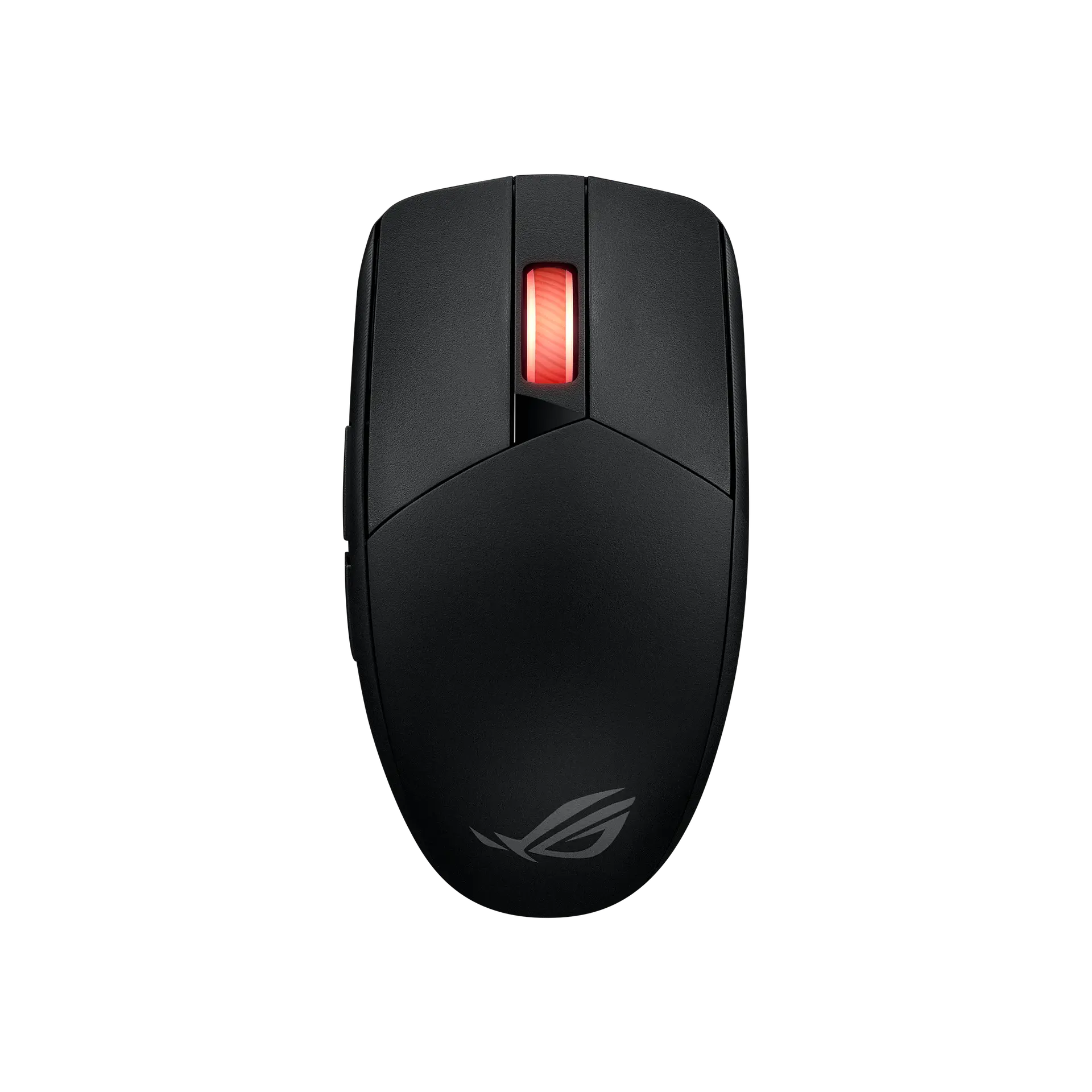
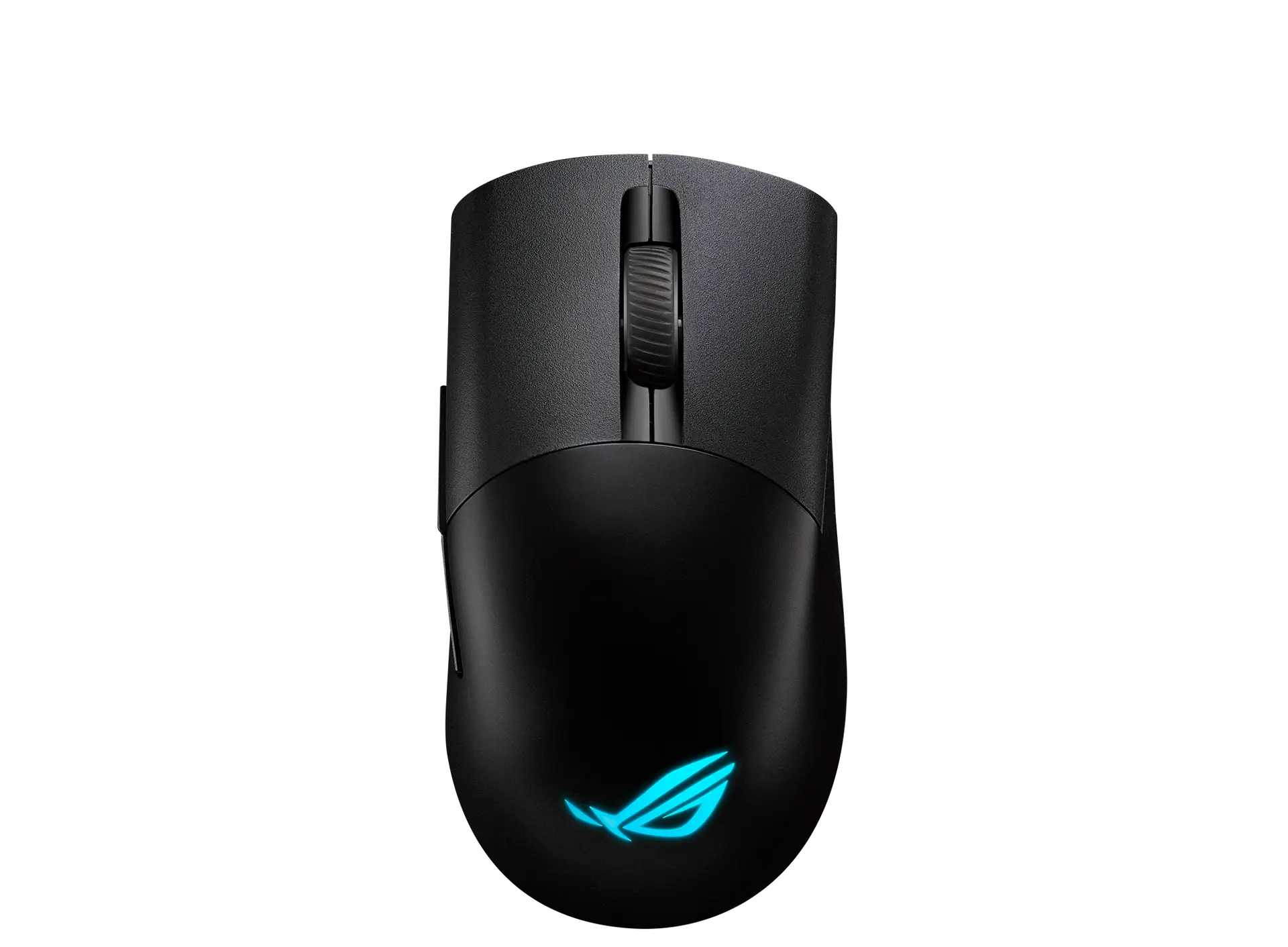
ASUS ROG Strix Impact III Wireless mouse in black, top view showing the red-lit scroll wheel, left side buttons and ROG logo
Exact model & source notes

The ROG Strix Impact III Wireless is ASUS's compact ambidextrous-shaped wireless mouse that runs on one AA or AAA battery: 57 g without battery (72 g with AA), a 36,000 DPI ROG AimPoint sensor, 2.4 GHz and Bluetooth modes, and push-fit swappable switches.

Specifications checked 28 Sept 2026.

Amazon links open search results. Check the exact variant, current price and availability with the retailer.

Manufacturer specifications

WHICH SUITS YOU?

Choose the ASUS ROG Strix Impact III Wireless for

  • A symmetric shape

Choose the Razer Naga V3 Pro for

  • Both wired and wireless connections
  • A right-hand shape
  • More stated listed controls: 23 vs 6
Built from verified specifications that differ. Not a rating or a recommendation.
See the 15 verified differences
THE CONTENDER

Razer Naga V3 Pro

Black · RZ01-05660100-R3G1 · UK manufacturer configuration

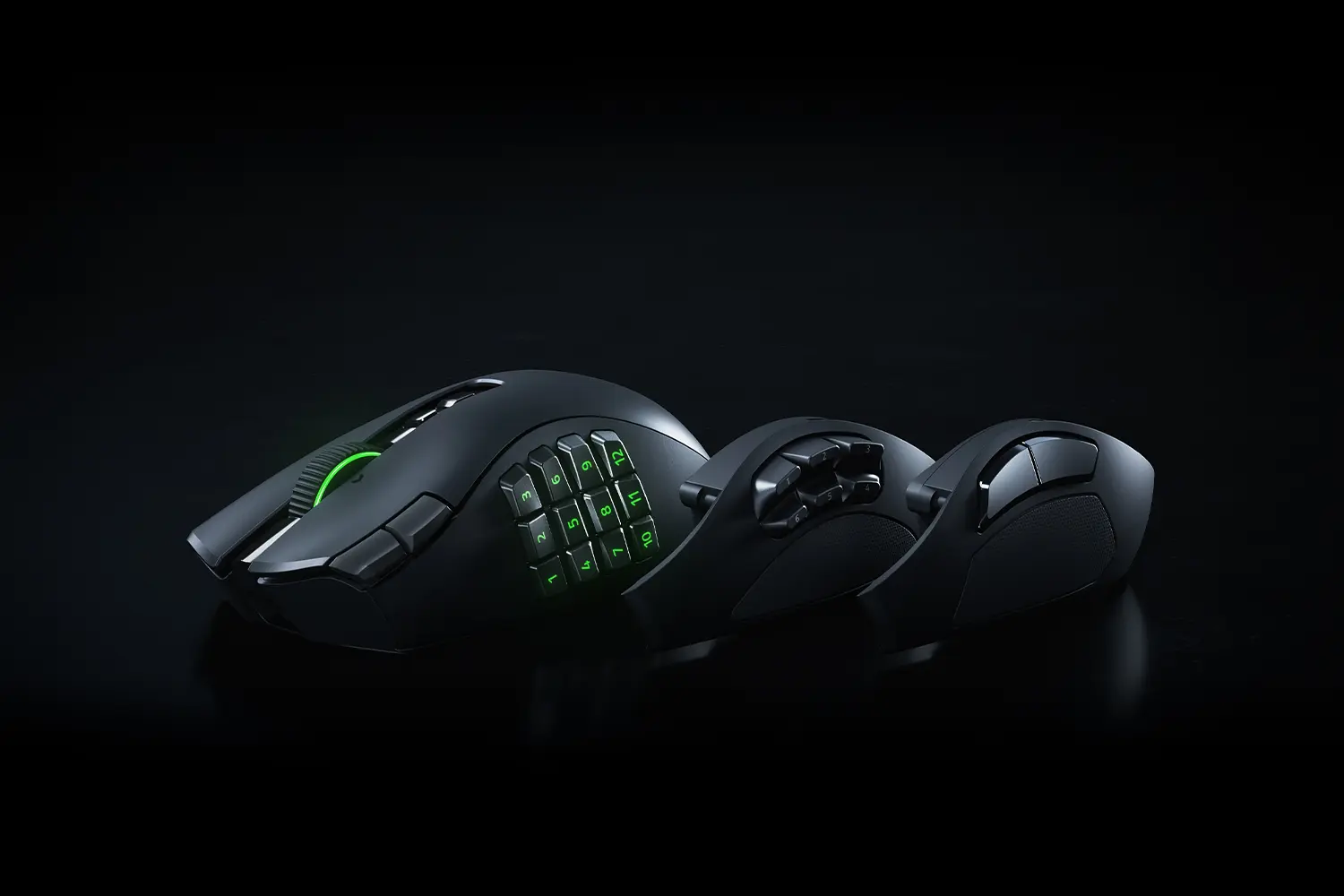
Razer Naga V3 Pro wireless mouse in black with the green-lit 12-button side plate fitted, shown beside its 6-button and 2-button side plates on a dark background
Exact model & source notes

The Razer Naga V3 Pro is a right-handed wireless MMO mouse with three magnetic side plates (12, 6 and 2 buttons), a Focus Pro 50K Gen-3 sensor, and HyperSpeed wireless, Bluetooth and wired modes.

Specifications checked 26 Sept 2026.

Amazon links open search results. Check the exact variant, current price and availability with the retailer.

Manufacturer specifications

ASUS ROG Strix Impact III Wireless UK & US retailers

UK & US price history: no verified listing yet

Razer Naga V3 Pro UK & US retailers

UK & US price history: no verified listing yet

Search links open retailer results, not a matched listing; eBay listings are checked daily. As an Amazon Associate I earn from qualifying purchases. As an eBay Partner, we may be compensated if you make a purchase.

THE DIFFERENCES, MADE VISIBLE

Visual facts

Differences first. Select a topic for its graphic, sources and conditions.

How to read this comparison
  • Manufacturer facts for the exact models shown. Not a quality rating or a test result.
  • “Different” means the known values differ, not that one is better.
  • Missing or conflicting evidence is marked and never counts as a difference. Source chips hold each fact’s sources and conditions.
SPECIFICATIONS SIDE BY SIDE7 topics
SELECTED TOPIC
01 / 07

Connections

Check the exact configuration and source conditions for your use.

ASUS ROG Strix Impact III Wireless2.4 GHz RF wireless (ROG Omni Receiver) or Bluetooth 5.1

Manufacturer specification · ASUS lists Bluetooth 5.1 and RF 2.4GHz and gives the cable as NA; Bluetooth pairs with up to 3 devices.

Razer Naga V3 ProRazer HyperSpeed Wireless (dongle), Bluetooth, wired (USB Type-A to USB Type-C cable)

Manufacturer specification · Three modes. Razer does not state the HyperSpeed frequency or dongle interface on these pages; its weight row refers to a dongle, but the pages publish no box-contents list.

Explore the full specifications

Choose the grip, then check the connection. Left-side thumb controls are not a mirrored left-handed layout. Check the receiver or USB connection, battery requirements and your preferred shape. DPI is tracking resolution, not an accuracy score; no gaming winner is inferred.

WHAT CHANGES BETWEEN THEM?

Key differences

Full specifications ↓

15 verified differences, most decision-relevant first. 6 are also drawn in Visual facts above. Missing information stays separate.

Connections

In Visual facts
ASUS ROG Strix Impact III Wireless2.4 GHz RF wireless (ROG Omni Receiver) or Bluetooth 5.1
Razer Naga V3 ProRazer HyperSpeed Wireless (dongle), Bluetooth, wired (USB Type-A to USB Type-C cable)
Sources
ASUS ROG Strix Impact III Wireless

Manufacturer specification · ASUS lists Bluetooth 5.1 and RF 2.4GHz and gives the cable as NA; Bluetooth pairs with up to 3 devices.

ROG Strix Impact III Wireless — ASUS ROG UK tech specsROG Strix Impact III Wireless — ASUS ROG UK product overview and footnotesROG Strix Impact III Wireless — ASUS ROG USA tech specs
Razer Naga V3 Pro

Manufacturer specification · Three modes. Razer does not state the HyperSpeed frequency or dongle interface on these pages; its weight row refers to a dongle, but the pages publish no box-contents list.

Razer Naga V3 Pro (RZ01-05660100-R3G1) — Razer UK store page and tech specsRazer Naga V3 Pro — Razer UK product overview and FAQRazer Naga V3 Pro (RZ01-05660100-R3U1) — Razer US store page and tech specs

Check the exact configuration and source conditions for your use.

Sensor model / type

In Visual facts
ASUS ROG Strix Impact III WirelessROG AimPoint optical sensor
Razer Naga V3 ProRazer Focus Pro 50K Optical Sensor Gen-3
Sources
ASUS ROG Strix Impact III Wireless

Manufacturer specification · ASUS's sensor name, with < 1% deviation. The supplier is not stated.

ROG Strix Impact III Wireless — ASUS ROG UK tech specsROG Strix Impact III Wireless — ASUS ROG UK product overview and footnotesROG Strix Impact III Wireless — ASUS ROG USA tech specs

Sensor settings and manufacturer tracking limits describe capabilities, not independently measured accuracy or gaming performance. Preserve each test surface and software condition.

Listed controls

In Visual facts
ASUS ROG Strix Impact III Wireless6
Razer Naga V3 Pro23
Sources
ASUS ROG Strix Impact III Wireless

ASUS's web pages give no button count. Versus counts the buttons labelled in the quick start guide's "Mouse features" diagram (left-click, right-click, forward, backward and DPI) plus the scroll-wheel click, which the guide uses in its key combinations. The separately labelled pairing button, a connection control, is not counted. · Calculated from cited specifications

ROG Strix Impact III Wireless Quick Start Guide Q22919 (P520) — ASUS download PDF
Razer Naga V3 Pro

Manufacturer specification · Razer lists 23 / 17 / 13 programmable buttons, which correspond to the 12-, 6- and 2-button side plates; 23 is the maximum with the 12-button plate fitted. Razer also lists a lockable ring-finger button: a physical lock keeps it active only when wanted, to prevent accidental presses.

Razer Naga V3 Pro (RZ01-05660100-R3G1) — Razer UK store page and tech specsRazer Naga V3 Pro — Razer UK product overview and FAQRazer Naga V3 Pro (RZ01-05660100-R3U1) — Razer US store page and tech specs

Physical clicks, programmable wheel actions and optional side buttons can produce different counts. Read each configuration; a larger count does not establish better control or programmability.

Hand orientation

In Visual facts
ASUS ROG Strix Impact III WirelessAmbidextrous shape; side buttons on the left only
Razer Naga V3 ProRight-handed ergonomic shape; thumb side plate on the left
Sources
ASUS ROG Strix Impact III Wireless

Manufacturer specification · ASUS lists the shape as ambidextrous; the official gallery shows two side buttons on the left and none on the right, so the side-button layout suits right-handed use. Not a grip or comfort test.

ROG Strix Impact III Wireless — ASUS ROG UK tech specsROG Strix Impact III Wireless — ASUS ROG USA tech specs
Razer Naga V3 Pro

Manufacturer specification · Razer's stated form factor; side-plate position from the official product views. Razer sells a separate Naga Left-handed model. Not a grip or comfort test.

Razer Naga V3 Pro (RZ01-05660100-R3G1) — Razer UK store page and tech specsRazer Naga V3 Pro — Razer UK product overview and FAQ

Check the exact configuration and source conditions for your use.

Main switch technology

In Visual facts
ASUS ROG Strix Impact III WirelessROG Micro Switches (mechanical); push-fit swappable sockets
Razer Naga V3 ProRazer Optical Mouse Switches Gen-4
Sources
ASUS ROG Strix Impact III Wireless

Manufacturer specification · ASUS's table names the ROG 70M Mechanical Switch; the push-fit sockets accept compatible 3-pin mechanical switches.

ROG Strix Impact III Wireless — ASUS ROG UK tech specsROG Strix Impact III Wireless — ASUS ROG UK product overview and footnotesROG Strix Impact III Wireless — ASUS ROG USA tech specs

Switch actuation and button tensioning describe different parts of a click mechanism. Read the documented technology; its name alone does not establish latency, durability or feel.

On-mouse adjustments

In Visual facts
ASUS ROG Strix Impact III WirelessDPI On-The-Scroll (50 DPI steps); polling rate; lift-off distance (Low / High)
Razer Naga V3 ProSmart Tracking auto-calibration; asymmetric cut-off with separate lift-off and landing distances (up to 26 levels); Rotation Tool; Sensitivity Matcher
Sources
ASUS ROG Strix Impact III Wireless

Manufacturer specification · Button combinations on the mouse, per ASUS.

ROG Strix Impact III Wireless — ASUS ROG UK product overview and footnotesROG Strix Impact III Wireless Quick Start Guide Q22919 (P520) — ASUS download PDF
Razer Naga V3 Pro

Manufacturer specification · Listed under Razer's "Advanced Software Customisation" features; the page does not name the software for these features.

Razer Naga V3 Pro — Razer UK product overview and FAQ

Sensor settings and manufacturer tracking limits describe capabilities, not independently measured accuracy or gaming performance. Preserve each test surface and software condition.

Show 9 more verified differences

Customisation software

ASUS ROG Strix Impact III WirelessArmoury Crate (Armoury Crate Gear)
Razer Naga V3 ProRazer Synapse
Sources
ASUS ROG Strix Impact III Wireless

Manufacturer specification · ASUS says Armoury Crate Gear adjusts RGB lighting, performance and surface calibration and maps buttons.

ROG Strix Impact III Wireless — ASUS ROG UK tech specsROG Strix Impact III Wireless — ASUS ROG UK product overview and footnotes
Razer Naga V3 Pro

Manufacturer specification · Razer says the controls are customised in Razer Synapse, up to 5 profiles are saved via Synapse, Smart Profiles let Synapse auto-switch to a matching profile, Smart-Reel responsiveness and scroll acceleration are set in Synapse, and game-specific macros are shared via Razer Workshop. The page shows a HyperShift mode layout with a Hypershift key and quotes the Guild Wars 2 team saying HyperShift effectively doubles what each button can do.

Razer Naga V3 Pro — Razer UK product overview and FAQ

Stored profiles, sensitivity settings and software assignments are different capabilities. An unspecified profile count is not zero; check the software and firmware conditions.

Battery

ASUS ROG Strix Impact III Wireless1 × AA or AAA (both included, with AAA-to-AA converter); 2.4 GHz RF: 450 hours (lighting off) or 320 hours (default lighting); Bluetooth: 618 hours (lighting off) or 450 hours (default lighting)
Razer Naga V3 ProUp to 155 h on HyperSpeed Wireless; up to 280 h on Bluetooth
Sources
ASUS ROG Strix Impact III Wireless

Manufacturer specification · ASUS's ratings, measured with an AA lithium battery; ASUS says battery life varies with battery type. The 2.4 GHz RF figures are at a 1000 Hz polling rate. The polling rate behind the Bluetooth figures is unresolved: ASUS's overview footnote says the polling rate stays at 1000 Hz throughout, but ASUS's quick start guide marks 500 Hz and 1000 Hz as not supported over Bluetooth. The magnetic back cover eases replacement. Batteries are not covered by warranty.

ROG Strix Impact III Wireless — ASUS ROG UK tech specsROG Strix Impact III Wireless — ASUS ROG UK product overview and footnotesROG Strix Impact III Wireless Quick Start Guide Q22919 (P520) — ASUS download PDF
Razer Naga V3 Pro

Manufacturer specification · Razer's ratings 'under standard test conditions'; no report rate, lighting or motion condition is stated for either figure.

Razer Naga V3 Pro (RZ01-05660100-R3G1) — Razer UK store page and tech specsRazer Naga V3 Pro — Razer UK product overview and FAQRazer Naga V3 Pro (RZ01-05660100-R3U1) — Razer US store page and tech specs

Manufacturer claims for the stated mode and equipment. Read each test condition; this is not measured everyday battery life.

Lighting

ASUS ROG Strix Impact III WirelessRGB
Razer Naga V3 ProRazer Chroma RGB (logo, scroll wheel and 12-button side plate)
Sources
ASUS ROG Strix Impact III Wireless

Manufacturer specification · RGB lighting is adjusted in Armoury Crate Gear. Published lighting implementation: Scroll wheel (Aura Sync). Source-specific tooling, location, modes and effects remain qualified; more detailed wording does not establish another RGB product lacks that implementation.

ROG Strix Impact III Wireless — ASUS ROG UK product overview and footnotesROG Strix Impact III Wireless — ASUS ROG USA tech specs
Razer Naga V3 Pro

Manufacturer specification · Razer lists side-plate lighting for the 12-button plate only.

Razer Naga V3 Pro (RZ01-05660100-R3G1) — Razer UK store page and tech specs

Check the exact configuration and source conditions for your use.

Maximum tracking resolution

ASUS ROG Strix Impact III Wireless36000 DPI
Razer Naga V3 Pro50000 DPI
Sources

Sensor settings and manufacturer tracking limits describe capabilities, not independently measured accuracy or gaming performance. Preserve each test surface and software condition.

Claimed main-switch durability

ASUS ROG Strix Impact III Wireless70 million clicks
Razer Naga V3 Pro100 million clicks
Sources
ASUS ROG Strix Impact III Wireless

Manufacturer specification · ASUS's lifespan rating for the supplied switches.

ROG Strix Impact III Wireless — ASUS ROG UK product overview and footnotes
Razer Naga V3 Pro

Manufacturer specification · Razer's lifecycle rating for the optical switches.

Razer Naga V3 Pro (RZ01-05660100-R3G1) — Razer UK store page and tech specs

Check the exact configuration and source conditions for your use.

Published acceleration threshold

ASUS ROG Strix Impact III Wireless50 G
Razer Naga V3 Pro90 G
Sources
ASUS ROG Strix Impact III Wireless

Manufacturer specification · ASUS's maximum acceleration rating; test surface not stated.

ROG Strix Impact III Wireless — ASUS ROG UK tech specsROG Strix Impact III Wireless — ASUS ROG USA tech specs
Razer Naga V3 Pro

Manufacturer specification · Razer's maximum acceleration rating; test surface not stated.

Razer Naga V3 Pro (RZ01-05660100-R3G1) — Razer UK store page and tech specs

Sensor settings and manufacturer tracking limits describe capabilities, not independently measured accuracy or gaming performance. Preserve each test surface and software condition.

Published tracking speed

ASUS ROG Strix Impact III Wireless650 IPS
Razer Naga V3 Pro930 IPS
Sources
ASUS ROG Strix Impact III Wireless

Manufacturer specification · ASUS's maximum speed rating; test surface not stated.

ROG Strix Impact III Wireless — ASUS ROG UK tech specsROG Strix Impact III Wireless — ASUS ROG USA tech specs
Razer Naga V3 Pro

Manufacturer specification · Razer's maximum speed rating; test surface not stated.

Razer Naga V3 Pro (RZ01-05660100-R3G1) — Razer UK store page and tech specs

Sensor settings and manufacturer tracking limits describe capabilities, not independently measured accuracy or gaming performance. Preserve each test surface and software condition.

Body width

ASUS ROG Strix Impact III Wireless62 mm
Razer Naga V3 Pro75.5 mm
Sources
ASUS ROG Strix Impact III Wireless

Manufacturer specification · ASUS's listed width; ASUS does not state the measurement basis.

ROG Strix Impact III Wireless — ASUS ROG UK tech specs
Razer Naga V3 Pro

Manufacturer specification · Razer's listed width; Razer does not state the measurement basis.

Razer Naga V3 Pro (RZ01-05660100-R3G1) — Razer UK store page and tech specs

A size or weight trade-off; it does not establish the better product.

Dimensions

ASUS ROG Strix Impact III Wireless120 × 62 × 39 mm (length × width × height)
Razer Naga V3 Pro119.5 × 75.5 × 43.5 mm (length × width × height)
Sources
ASUS ROG Strix Impact III Wireless

Manufacturer specification · Mouse body as listed by ASUS.

ROG Strix Impact III Wireless — ASUS ROG UK tech specsROG Strix Impact III Wireless — ASUS ROG USA tech specs

A size or weight trade-off; it does not establish the better product.

Small physical differences (1)
Missing or non-comparable evidence (16)

Scroll controls

ASUS ROG Strix Impact III WirelessNot verified
Razer Naga V3 Pro4-way Razer HyperScroll Tilt Wheel Gen-2; 24- and 48-step tactile modes, free-spin and Smart-Reel
Sources
ASUS ROG Strix Impact III Wireless

No source recorded for this side.

Razer Naga V3 Pro

Manufacturer specification · Smart-Reel is configured in Razer Synapse.

Razer Naga V3 Pro (RZ01-05660100-R3G1) — Razer UK store page and tech specs

Evidence is missing or conflicting on at least one side. This is not a verified difference.

DPI-shift control

ASUS ROG Strix Impact III WirelessNot verified
Razer Naga V3 Pro2 quick-access edge buttons beside M1, within reach of the index finger, shift DPI instantly
Sources
ASUS ROG Strix Impact III Wireless

No source recorded for this side.

Razer Naga V3 Pro

Manufacturer specification · Razer says these are 2 new buttons; it does not say whether they are counted in the 23 / 17 / 13 programmable buttons.

Razer Naga V3 Pro — Razer UK product overview and FAQ

Evidence is missing or conflicting on at least one side. This is not a verified difference.

Report rate with optional receiver

ASUS ROG Strix Impact III WirelessNot verified
Razer Naga V3 ProNot verified
Sources
ASUS ROG Strix Impact III Wireless

No source recorded for this side.

Razer Naga V3 Pro

Razer does not state an optional higher-rate receiver or HyperPolling support for this model. · Manufacturer specification · The product pages list only 1000 Hz and do not state HyperPolling (8000 Hz) support or any sold-separately receiver for this model.

Razer Naga V3 Pro (RZ01-05660100-R3G1) — Razer UK store page and tech specsRazer Naga V3 Pro — Razer UK product overview and FAQ

Evidence is missing or conflicting on at least one side. This is not a verified difference.

Cable length

ASUS ROG Strix Impact III WirelessNot verified
Razer Naga V3 ProNot verified
Sources
ASUS ROG Strix Impact III Wireless

No source recorded for this side.

Razer Naga V3 Pro

Razer does not list the cable length for this model. · Manufacturer specification · Razer names a USB Type-A to Type-C cable but gives no length.

Razer Naga V3 Pro (RZ01-05660100-R3G1) — Razer UK store page and tech specs

Evidence is missing or conflicting on at least one side. This is not a verified difference.

Charging

ASUS ROG Strix Impact III WirelessNot verified
Razer Naga V3 ProWireless charging with sold-separately Razer accessories: Wireless Charging Puck, HyperFlux V2 or Mouse Dock Pro
Sources
ASUS ROG Strix Impact III Wireless

No source recorded for this side.

Razer Naga V3 Pro

Manufacturer specification · Razer lists these compatible charging accessories as all sold separately: the Razer HyperFlux V2 Wireless Charging System (includes a charging mouse mat with dedicated puck), the Razer Mouse Dock Pro (includes the Razer Wireless Charging Puck) and the standalone Razer Wireless Charging Puck, which Razer describes as compatible with Razer wireless chargers and select inductive chargers. The UK store also offers a 'Naga V3 Pro + Wireless Charging Puck' option. Razer's FAQ says the mouse's cover puck is replaced with the wireless puck to enable wireless charging, after which the mouse is placed on the wireless charging device. Razer lists a USB Type A to USB Type C cable and a wired mode, but these pages do not state that the mouse charges over the cable.

Razer Naga V3 Pro (RZ01-05660100-R3G1) — Razer UK store page and tech specsRazer Naga V3 Pro — Razer UK product overview and FAQ

Evidence is missing or conflicting on at least one side. This is not a verified difference.

DPI presets

ASUS ROG Strix Impact III Wireless4 settings
Razer Naga V3 Pro1-DPI step adjustment
Sources
ASUS ROG Strix Impact III Wireless

Manufacturer specification · DPI 1–4 default to 400 / 800 / 1600 (default) / 3200 DPI and can be customised in Armoury Crate or with DPI On-The-Scroll.

ROG Strix Impact III Wireless Quick Start Guide Q22919 (P520) — ASUS download PDF
Razer Naga V3 Pro

Manufacturer specification · Step size, not a count of preset stages; Razer does not list a stage count. Listed under Razer's "Advanced Software Customisation" features.

Razer Naga V3 Pro — Razer UK product overview and FAQ

The recorded units or formats differ. These values are not ranked.

Listed package

ASUS ROG Strix Impact III WirelessMouse; wireless receiver; quick start guide; warranty booklet; AA battery; AAA battery; AAA-to-AA battery converter holder
Razer Naga V3 ProNot verified
Sources
ASUS ROG Strix Impact III Wireless

Manufacturer specification · Manufacturer box contents; no cable is listed. Check the seller's listing.

ROG Strix Impact III Wireless — ASUS ROG UK tech specsROG Strix Impact III Wireless — ASUS ROG USA tech specs
Razer Naga V3 Pro

Razer does not publish a box-contents list for this model on its UK or US store pages. · Manufacturer specification · The weight row refers to a dongle and cable, but Razer publishes no box-contents list on these pages, so the package (including which side plates ship) is not itemised here.

Razer Naga V3 Pro (RZ01-05660100-R3G1) — Razer UK store page and tech specs

Evidence is missing or conflicting on at least one side. This is not a verified difference.

Main-button surface

ASUS ROG Strix Impact III WirelessPBT left and right buttons
Razer Naga V3 ProNot verified
Sources
ASUS ROG Strix Impact III Wireless

Manufacturer specification · ASUS also describes a mechanical button-tension system with zero gap between buttons and switches.

ROG Strix Impact III Wireless — ASUS ROG UK product overview and footnotes
Razer Naga V3 Pro

No source recorded for this side.

Evidence is missing or conflicting on at least one side. This is not a verified difference.

ROG Omni Receiver support

ASUS ROG Strix Impact III WirelessYes
Razer Naga V3 ProNot verified
Sources
ASUS ROG Strix Impact III Wireless

Manufacturer specification · ASUS says the Omni Receiver connects one mouse and one keyboard simultaneously.

ROG Strix Impact III Wireless — ASUS ROG UK product overview and footnotes
Razer Naga V3 Pro

No source recorded for this side.

Evidence is missing or conflicting on at least one side. This is not a verified difference.

Minimum sensitivity

ASUS ROG Strix Impact III Wireless100 DPI
Razer Naga V3 ProNot verified
Sources
ASUS ROG Strix Impact III Wireless

Manufacturer specification · ASUS gives the range as 100-36,000 DPI; DPI On-The-Scroll adjusts in 50 DPI steps.

ROG Strix Impact III Wireless — ASUS ROG UK product overview and footnotesROG Strix Impact III Wireless Quick Start Guide Q22919 (P520) — ASUS download PDF
Razer Naga V3 Pro

Razer does not list a minimum sensitivity for this model. · Manufacturer specification · Razer lists the 50,000 DPI maximum and 1-DPI step adjustment, but no minimum.

Razer Naga V3 Pro (RZ01-05660100-R3G1) — Razer UK store page and tech specs

Evidence is missing or conflicting on at least one side. This is not a verified difference.

Published sensor processing

ASUS ROG Strix Impact III WirelessNot verified
Razer Naga V3 ProFrame Sync just-in-time scanning
Sources
ASUS ROG Strix Impact III Wireless

No source recorded for this side.

Razer Naga V3 Pro

Manufacturer specification · Razer says Frame Sync's just-in-time scanning minimises latency; it publishes no latency figure.

Razer Naga V3 Pro — Razer UK product overview and FAQ

Evidence is missing or conflicting on at least one side. This is not a verified difference.

Swappable side plates

ASUS ROG Strix Impact III WirelessNot verified
Razer Naga V3 Pro3 magnetic side plates: 12-button (20 g), 6-button (17 g), 2-button (15 g)
Sources
ASUS ROG Strix Impact III Wireless

No source recorded for this side.

Razer Naga V3 Pro

Manufacturer specification · Plate weights as listed by Razer; the plates are swapped by hand without tools.

Razer Naga V3 Pro (RZ01-05660100-R3G1) — Razer UK store page and tech specsRazer Naga V3 Pro — Razer UK product overview and FAQ

Evidence is missing or conflicting on at least one side. This is not a verified difference.

Weight

ASUS ROG Strix Impact III Wireless72 g
Razer Naga V3 Pro117 g
Sources
ASUS ROG Strix Impact III Wireless

Manufacturer specification · With the AA battery fitted, per ASUS. ASUS lists 57 g without battery and USB dongle and 68 g with the AAA battery and converter holder; its headline 57 g excludes battery and wireless receiver. There is no cable (listed as NA).

ROG Strix Impact III Wireless — ASUS ROG UK tech specsROG Strix Impact III Wireless — ASUS ROG UK product overview and footnotesROG Strix Impact III Wireless — ASUS ROG USA tech specs
Razer Naga V3 Pro

Manufacturer specification · Manufacturer-listed weight excluding cable and dongle; Razer does not say which side plate is fitted for this figure.

Razer Naga V3 Pro (RZ01-05660100-R3G1) — Razer UK store page and tech specsRazer Naga V3 Pro (RZ01-05660100-R3U1) — Razer US store page and tech specs

The manufacturer sources do not establish the same cable weighing basis. Both published masses remain visible with their conditions, but are not ranked.

3 shared fields have the same recorded value.

WHAT EACH CHOICE ASKS OF YOU

What it brings and what to check

ASUS ROG Strix Impact III Wireless

What it brings

What to check

Razer Naga V3 Pro

What it brings

What to check

  • Razer lists 117 g without cable or dongle, the shape is right-handed, and wireless charging needs sold-separately accessories (the Razer Wireless Charging Puck, HyperFlux V2 or Mouse Dock Pro).
  • Razer lists a single 1000 Hz polling rate without per-mode detail, states no test conditions beyond "standard" for its battery figures, and publishes no minimum DPI, cable length or box-contents list.
COMPARE THE DETAILS

Full specifications

How we verify
35 of 35 specifications Sources in each row
Source-backed specifications for ASUS ROG Strix Impact III Wireless and Razer Naga V3 Pro
SpecificationASUS ROG Strix Impact III WirelessRazer Naga V3 Pro
WeightDifferent
Sources
ASUS ROG Strix Impact III Wireless

Manufacturer specification · With the AA battery fitted, per ASUS. ASUS lists 57 g without battery and USB dongle and 68 g with the AAA battery and converter holder; its headline 57 g excludes battery and wireless receiver. There is no cable (listed as NA).

ROG Strix Impact III Wireless — ASUS ROG UK tech specsROG Strix Impact III Wireless — ASUS ROG UK product overview and footnotesROG Strix Impact III Wireless — ASUS ROG USA tech specs
Razer Naga V3 Pro

Manufacturer specification · Manufacturer-listed weight excluding cable and dongle; Razer does not say which side plate is fitted for this figure.

Razer Naga V3 Pro (RZ01-05660100-R3G1) — Razer UK store page and tech specsRazer Naga V3 Pro (RZ01-05660100-R3U1) — Razer US store page and tech specs
72 g117 g
Weight without battery
Sources
ASUS ROG Strix Impact III Wireless

Manufacturer specification · Without battery and USB dongle, per ASUS.

ROG Strix Impact III Wireless — ASUS ROG UK tech specsROG Strix Impact III Wireless — ASUS ROG UK product overview and footnotes
Razer Naga V3 Pro

No source recorded.

57 gNot provided
DimensionsDifferent
Sources
120 × 62 × 39 mm (length × width × height)119.5 × 75.5 × 43.5 mm (length × width × height)
Body lengthDifferent
Sources
ASUS ROG Strix Impact III Wireless

Manufacturer specification

ROG Strix Impact III Wireless — ASUS ROG UK tech specs
Razer Naga V3 Pro

Manufacturer specification · Mouse body length.

Razer Naga V3 Pro (RZ01-05660100-R3G1) — Razer UK store page and tech specs
120 mm119.5 mm
Body widthDifferent
Sources
ASUS ROG Strix Impact III Wireless

Manufacturer specification · ASUS's listed width; ASUS does not state the measurement basis.

ROG Strix Impact III Wireless — ASUS ROG UK tech specs
Razer Naga V3 Pro

Manufacturer specification · Razer's listed width; Razer does not state the measurement basis.

Razer Naga V3 Pro (RZ01-05660100-R3G1) — Razer UK store page and tech specs
62 mm75.5 mm
Hand orientationDifferent
Sources
ASUS ROG Strix Impact III Wireless

Manufacturer specification · ASUS lists the shape as ambidextrous; the official gallery shows two side buttons on the left and none on the right, so the side-button layout suits right-handed use. Not a grip or comfort test.

ROG Strix Impact III Wireless — ASUS ROG UK tech specsROG Strix Impact III Wireless — ASUS ROG USA tech specs
Razer Naga V3 Pro

Manufacturer specification · Razer's stated form factor; side-plate position from the official product views. Razer sells a separate Naga Left-handed model. Not a grip or comfort test.

Razer Naga V3 Pro (RZ01-05660100-R3G1) — Razer UK store page and tech specsRazer Naga V3 Pro — Razer UK product overview and FAQ
Ambidextrous shape; side buttons on the left onlyRight-handed ergonomic shape; thumb side plate on the left
Glide feet
Sources
ASUS ROG Strix Impact III Wireless

No source recorded.

Not provided100% PTFE
Sensor model / typeDifferent
Sources
ROG AimPoint optical sensorRazer Focus Pro 50K Optical Sensor Gen-3
36000 DPI50000 DPI
Minimum sensitivity
Sources
ASUS ROG Strix Impact III Wireless

Manufacturer specification · ASUS gives the range as 100-36,000 DPI; DPI On-The-Scroll adjusts in 50 DPI steps.

ROG Strix Impact III Wireless — ASUS ROG UK product overview and footnotesROG Strix Impact III Wireless Quick Start Guide Q22919 (P520) — ASUS download PDF
Razer Naga V3 Pro

Razer does not list a minimum sensitivity for this model. · Manufacturer specification · Razer lists the 50,000 DPI maximum and 1-DPI step adjustment, but no minimum.

Razer Naga V3 Pro (RZ01-05660100-R3G1) — Razer UK store page and tech specs
100 DPINot provided
DPI presets
Sources
ASUS ROG Strix Impact III Wireless

Manufacturer specification · DPI 1–4 default to 400 / 800 / 1600 (default) / 3200 DPI and can be customised in Armoury Crate or with DPI On-The-Scroll.

ROG Strix Impact III Wireless Quick Start Guide Q22919 (P520) — ASUS download PDF
Razer Naga V3 Pro

Manufacturer specification · Step size, not a count of preset stages; Razer does not list a stage count. Listed under Razer's "Advanced Software Customisation" features.

Razer Naga V3 Pro — Razer UK product overview and FAQ
4 settings1-DPI step adjustment
Maximum report rate
Sources
ASUS ROG Strix Impact III Wireless

Manufacturer specification · The quick start guide's polling-rate hotkey cycles 125 / 250 / 500 / 1000 Hz, with 500 and 1000 Hz not supported over Bluetooth; ASUS's overview footnote says its battery figures keep the polling rate at 1000 Hz, which conflicts with the guide for the Bluetooth figures.

ROG Strix Impact III Wireless — ASUS ROG UK product overview and footnotesROG Strix Impact III Wireless Quick Start Guide Q22919 (P520) — ASUS download PDF
Razer Naga V3 Pro

Manufacturer specification · Razer's single listed polling rate; the table does not break it down by HyperSpeed, Bluetooth or wired mode.

Razer Naga V3 Pro (RZ01-05660100-R3G1) — Razer UK store page and tech specsRazer Naga V3 Pro (RZ01-05660100-R3U1) — Razer US store page and tech specs
1000 Hz1000 Hz
Published tracking speedDifferent
Sources
ASUS ROG Strix Impact III Wireless

Manufacturer specification · ASUS's maximum speed rating; test surface not stated.

ROG Strix Impact III Wireless — ASUS ROG UK tech specsROG Strix Impact III Wireless — ASUS ROG USA tech specs
Razer Naga V3 Pro

Manufacturer specification · Razer's maximum speed rating; test surface not stated.

Razer Naga V3 Pro (RZ01-05660100-R3G1) — Razer UK store page and tech specs
650 IPS930 IPS
Published acceleration thresholdDifferent
Sources
ASUS ROG Strix Impact III Wireless

Manufacturer specification · ASUS's maximum acceleration rating; test surface not stated.

ROG Strix Impact III Wireless — ASUS ROG UK tech specsROG Strix Impact III Wireless — ASUS ROG USA tech specs
Razer Naga V3 Pro

Manufacturer specification · Razer's maximum acceleration rating; test surface not stated.

Razer Naga V3 Pro (RZ01-05660100-R3G1) — Razer UK store page and tech specs
50 G90 G
On-mouse adjustmentsDifferent
Sources
ASUS ROG Strix Impact III Wireless

Manufacturer specification · Button combinations on the mouse, per ASUS.

ROG Strix Impact III Wireless — ASUS ROG UK product overview and footnotesROG Strix Impact III Wireless Quick Start Guide Q22919 (P520) — ASUS download PDF
Razer Naga V3 Pro

Manufacturer specification · Listed under Razer's "Advanced Software Customisation" features; the page does not name the software for these features.

Razer Naga V3 Pro — Razer UK product overview and FAQ
DPI On-The-Scroll (50 DPI steps); polling rate; lift-off distance (Low / High)Smart Tracking auto-calibration; asymmetric cut-off with separate lift-off and landing distances (up to 26 levels); Rotation Tool; Sensitivity Matcher
DPI-shift control
Sources
ASUS ROG Strix Impact III Wireless

No source recorded.

Razer Naga V3 Pro

Manufacturer specification · Razer says these are 2 new buttons; it does not say whether they are counted in the 23 / 17 / 13 programmable buttons.

Razer Naga V3 Pro — Razer UK product overview and FAQ
Not provided2 quick-access edge buttons beside M1, within reach of the index finger, shift DPI instantly
Published sensor processing
Sources
ASUS ROG Strix Impact III Wireless

No source recorded.

Razer Naga V3 Pro

Manufacturer specification · Razer says Frame Sync's just-in-time scanning minimises latency; it publishes no latency figure.

Razer Naga V3 Pro — Razer UK product overview and FAQ
Not providedFrame Sync just-in-time scanning
Listed controlsDifferent
Sources
ASUS ROG Strix Impact III Wireless

ASUS's web pages give no button count. Versus counts the buttons labelled in the quick start guide's "Mouse features" diagram (left-click, right-click, forward, backward and DPI) plus the scroll-wheel click, which the guide uses in its key combinations. The separately labelled pairing button, a connection control, is not counted. · Calculated from cited specifications

ROG Strix Impact III Wireless Quick Start Guide Q22919 (P520) — ASUS download PDF
Razer Naga V3 Pro

Manufacturer specification · Razer lists 23 / 17 / 13 programmable buttons, which correspond to the 12-, 6- and 2-button side plates; 23 is the maximum with the 12-button plate fitted. Razer also lists a lockable ring-finger button: a physical lock keeps it active only when wanted, to prevent accidental presses.

Razer Naga V3 Pro (RZ01-05660100-R3G1) — Razer UK store page and tech specsRazer Naga V3 Pro — Razer UK product overview and FAQRazer Naga V3 Pro (RZ01-05660100-R3U1) — Razer US store page and tech specs
623
Main switch technologyDifferent
Sources
ASUS ROG Strix Impact III Wireless

Manufacturer specification · ASUS's table names the ROG 70M Mechanical Switch; the push-fit sockets accept compatible 3-pin mechanical switches.

ROG Strix Impact III Wireless — ASUS ROG UK tech specsROG Strix Impact III Wireless — ASUS ROG UK product overview and footnotesROG Strix Impact III Wireless — ASUS ROG USA tech specs
ROG Micro Switches (mechanical); push-fit swappable socketsRazer Optical Mouse Switches Gen-4
Claimed main-switch durabilityDifferent
Sources
ASUS ROG Strix Impact III Wireless

Manufacturer specification · ASUS's lifespan rating for the supplied switches.

ROG Strix Impact III Wireless — ASUS ROG UK product overview and footnotes
Razer Naga V3 Pro

Manufacturer specification · Razer's lifecycle rating for the optical switches.

Razer Naga V3 Pro (RZ01-05660100-R3G1) — Razer UK store page and tech specs
70 million clicks100 million clicks
Scroll controls
Sources
ASUS ROG Strix Impact III Wireless

No source recorded.

Razer Naga V3 Pro

Manufacturer specification · Smart-Reel is configured in Razer Synapse.

Razer Naga V3 Pro (RZ01-05660100-R3G1) — Razer UK store page and tech specs
Not provided4-way Razer HyperScroll Tilt Wheel Gen-2; 24- and 48-step tactile modes, free-spin and Smart-Reel
ConnectionsDifferent
Sources
ASUS ROG Strix Impact III Wireless

Manufacturer specification · ASUS lists Bluetooth 5.1 and RF 2.4GHz and gives the cable as NA; Bluetooth pairs with up to 3 devices.

ROG Strix Impact III Wireless — ASUS ROG UK tech specsROG Strix Impact III Wireless — ASUS ROG UK product overview and footnotesROG Strix Impact III Wireless — ASUS ROG USA tech specs
Razer Naga V3 Pro

Manufacturer specification · Three modes. Razer does not state the HyperSpeed frequency or dongle interface on these pages; its weight row refers to a dongle, but the pages publish no box-contents list.

Razer Naga V3 Pro (RZ01-05660100-R3G1) — Razer UK store page and tech specsRazer Naga V3 Pro — Razer UK product overview and FAQRazer Naga V3 Pro (RZ01-05660100-R3U1) — Razer US store page and tech specs
2.4 GHz RF wireless (ROG Omni Receiver) or Bluetooth 5.1Razer HyperSpeed Wireless (dongle), Bluetooth, wired (USB Type-A to USB Type-C cable)
BatteryDifferent
Sources
ASUS ROG Strix Impact III Wireless

Manufacturer specification · ASUS's ratings, measured with an AA lithium battery; ASUS says battery life varies with battery type. The 2.4 GHz RF figures are at a 1000 Hz polling rate. The polling rate behind the Bluetooth figures is unresolved: ASUS's overview footnote says the polling rate stays at 1000 Hz throughout, but ASUS's quick start guide marks 500 Hz and 1000 Hz as not supported over Bluetooth. The magnetic back cover eases replacement. Batteries are not covered by warranty.

ROG Strix Impact III Wireless — ASUS ROG UK tech specsROG Strix Impact III Wireless — ASUS ROG UK product overview and footnotesROG Strix Impact III Wireless Quick Start Guide Q22919 (P520) — ASUS download PDF
Razer Naga V3 Pro

Manufacturer specification · Razer's ratings 'under standard test conditions'; no report rate, lighting or motion condition is stated for either figure.

Razer Naga V3 Pro (RZ01-05660100-R3G1) — Razer UK store page and tech specsRazer Naga V3 Pro — Razer UK product overview and FAQRazer Naga V3 Pro (RZ01-05660100-R3U1) — Razer US store page and tech specs
1 × AA or AAA (both included, with AAA-to-AA converter); 2.4 GHz RF: 450 hours (lighting off) or 320 hours (default lighting); Bluetooth: 618 hours (lighting off) or 450 hours (default lighting)Up to 155 h on HyperSpeed Wireless; up to 280 h on Bluetooth
Charging
Sources
ASUS ROG Strix Impact III Wireless

No source recorded.

Razer Naga V3 Pro

Manufacturer specification · Razer lists these compatible charging accessories as all sold separately: the Razer HyperFlux V2 Wireless Charging System (includes a charging mouse mat with dedicated puck), the Razer Mouse Dock Pro (includes the Razer Wireless Charging Puck) and the standalone Razer Wireless Charging Puck, which Razer describes as compatible with Razer wireless chargers and select inductive chargers. The UK store also offers a 'Naga V3 Pro + Wireless Charging Puck' option. Razer's FAQ says the mouse's cover puck is replaced with the wireless puck to enable wireless charging, after which the mouse is placed on the wireless charging device. Razer lists a USB Type A to USB Type C cable and a wired mode, but these pages do not state that the mouse charges over the cable.

Razer Naga V3 Pro (RZ01-05660100-R3G1) — Razer UK store page and tech specsRazer Naga V3 Pro — Razer UK product overview and FAQ
Not providedWireless charging with sold-separately Razer accessories: Wireless Charging Puck, HyperFlux V2 or Mouse Dock Pro
Onboard memory
Sources
ASUS ROG Strix Impact III Wireless

Manufacturer specification · The quick start guide describes 5 profiles switched with the DPI button and scroll click; ASUS notes onboard memory does not support macros and Windows shortcuts.

ROG Strix Impact III Wireless — ASUS ROG UK product overview and footnotesROG Strix Impact III Wireless Quick Start Guide Q22919 (P520) — ASUS download PDF
Razer Naga V3 Pro

Manufacturer specification

Razer Naga V3 Pro — Razer UK product overview and FAQ
YesYes
Onboard profile capacity
Sources
ASUS ROG Strix Impact III Wireless

Manufacturer specification · Profiles 1–5, per the quick start guide.

ROG Strix Impact III Wireless Quick Start Guide Q22919 (P520) — ASUS download PDF
Razer Naga V3 Pro

Manufacturer specification · Switched with the button on the base of the mouse by default.

Razer Naga V3 Pro (RZ01-05660100-R3G1) — Razer UK store page and tech specsRazer Naga V3 Pro — Razer UK product overview and FAQ
5 profiles5 profiles
LightingDifferent
Sources
ASUS ROG Strix Impact III Wireless

Manufacturer specification · RGB lighting is adjusted in Armoury Crate Gear. Published lighting implementation: Scroll wheel (Aura Sync). Source-specific tooling, location, modes and effects remain qualified; more detailed wording does not establish another RGB product lacks that implementation.

ROG Strix Impact III Wireless — ASUS ROG UK product overview and footnotesROG Strix Impact III Wireless — ASUS ROG USA tech specs
Razer Naga V3 Pro

Manufacturer specification · Razer lists side-plate lighting for the 12-button plate only.

Razer Naga V3 Pro (RZ01-05660100-R3G1) — Razer UK store page and tech specs
RGBRazer Chroma RGB (logo, scroll wheel and 12-button side plate)
Customisation softwareDifferent
Sources
ASUS ROG Strix Impact III Wireless

Manufacturer specification · ASUS says Armoury Crate Gear adjusts RGB lighting, performance and surface calibration and maps buttons.

ROG Strix Impact III Wireless — ASUS ROG UK tech specsROG Strix Impact III Wireless — ASUS ROG UK product overview and footnotes
Razer Naga V3 Pro

Manufacturer specification · Razer says the controls are customised in Razer Synapse, up to 5 profiles are saved via Synapse, Smart Profiles let Synapse auto-switch to a matching profile, Smart-Reel responsiveness and scroll acceleration are set in Synapse, and game-specific macros are shared via Razer Workshop. The page shows a HyperShift mode layout with a Hypershift key and quotes the Guild Wars 2 team saying HyperShift effectively doubles what each button can do.

Razer Naga V3 Pro — Razer UK product overview and FAQ
Armoury Crate (Armoury Crate Gear)Razer Synapse
ROG Omni Receiver support
Sources
ASUS ROG Strix Impact III Wireless

Manufacturer specification · ASUS says the Omni Receiver connects one mouse and one keyboard simultaneously.

ROG Strix Impact III Wireless — ASUS ROG UK product overview and footnotes
Razer Naga V3 Pro

No source recorded.

YesNot provided
Main-button surface
Sources
ASUS ROG Strix Impact III Wireless

Manufacturer specification · ASUS also describes a mechanical button-tension system with zero gap between buttons and switches.

ROG Strix Impact III Wireless — ASUS ROG UK product overview and footnotes
Razer Naga V3 Pro

No source recorded.

PBT left and right buttonsNot provided
Listed operating systems
Sources
ASUS ROG Strix Impact III Wireless

Manufacturer specification · ASUS's listed OS support.

ROG Strix Impact III Wireless — ASUS ROG UK tech specsROG Strix Impact III Wireless — ASUS ROG USA tech specs
Razer Naga V3 Pro

No source recorded.

Windows 10; Windows 11Not provided
Listed package
Sources
ASUS ROG Strix Impact III Wireless

Manufacturer specification · Manufacturer box contents; no cable is listed. Check the seller's listing.

ROG Strix Impact III Wireless — ASUS ROG UK tech specsROG Strix Impact III Wireless — ASUS ROG USA tech specs
Razer Naga V3 Pro

Razer does not publish a box-contents list for this model on its UK or US store pages. · Manufacturer specification · The weight row refers to a dongle and cable, but Razer publishes no box-contents list on these pages, so the package (including which side plates ship) is not itemised here.

Razer Naga V3 Pro (RZ01-05660100-R3G1) — Razer UK store page and tech specs
Mouse; wireless receiver; quick start guide; warranty booklet; AA battery; AAA battery; AAA-to-AA battery converter holderNot provided
Swappable side plates
Sources
ASUS ROG Strix Impact III Wireless

No source recorded.

Razer Naga V3 Pro

Manufacturer specification · Plate weights as listed by Razer; the plates are swapped by hand without tools.

Razer Naga V3 Pro (RZ01-05660100-R3G1) — Razer UK store page and tech specsRazer Naga V3 Pro — Razer UK product overview and FAQ
Not provided3 magnetic side plates: 12-button (20 g), 6-button (17 g), 2-button (15 g)
Show unverified (2)Not verified, not provided or conflicting for both products. Kept for completeness; never counted as a difference.
Specifications without verified values for either product
Report rate with optional receiver
Sources
ASUS ROG Strix Impact III Wireless

No source recorded.

Razer Naga V3 Pro

Razer does not state an optional higher-rate receiver or HyperPolling support for this model. · Manufacturer specification · The product pages list only 1000 Hz and do not state HyperPolling (8000 Hz) support or any sold-separately receiver for this model.

Razer Naga V3 Pro (RZ01-05660100-R3G1) — Razer UK store page and tech specsRazer Naga V3 Pro — Razer UK product overview and FAQ
Not providedNot provided
Cable length
Sources
ASUS ROG Strix Impact III Wireless

No source recorded.

Razer Naga V3 Pro

Razer does not list the cable length for this model. · Manufacturer specification · Razer names a USB Type-A to Type-C cable but gives no length.

Razer Naga V3 Pro (RZ01-05660100-R3G1) — Razer UK store page and tech specs
Not providedNot provided
FIND YOUR CONTENDERS

More products

Closest mice to this pair by shared key specifications. Not a popularity ranking.

See all 62 mice
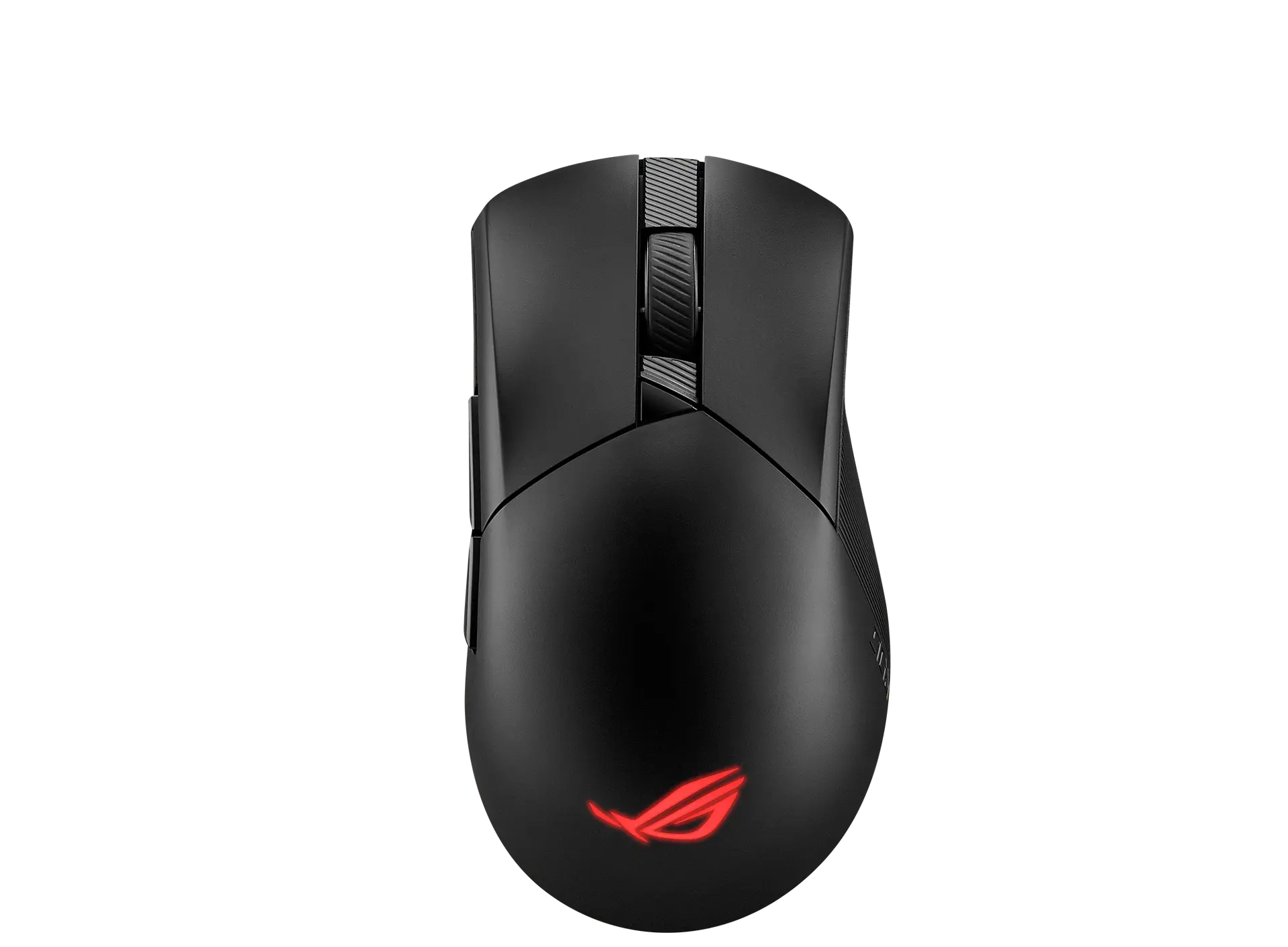
ASUS ROG Gladius III Wireless AimPoint mouse in black, top view showing the scroll wheel, left side buttons and red ROG logo

ASUS ROG Gladius III Wireless AimPoint

Weight
79 g
Controls
6 controls
Sensor model / type
ROG AimPoint optical sensor
Prices & product profile

Each record represents an explicitly checked model and configuration. Original import: 5 Sept 2026; this is not its verification date. This is not a list of current offers or a popularity ranking.