Skip to comparison
versus.deals
Menu
Browse versus.deals
MONITORS · YOUR NEXT FACE-OFF

ASUS ProArt Display PA279CRV vs ASUS ProArt Display PA279CV

Real specs. Clear sources.Exact models · UK & US buying links

Compared products

YOUR FIRST CHOICE

ASUS ProArt Display PA279CRV

UK specification
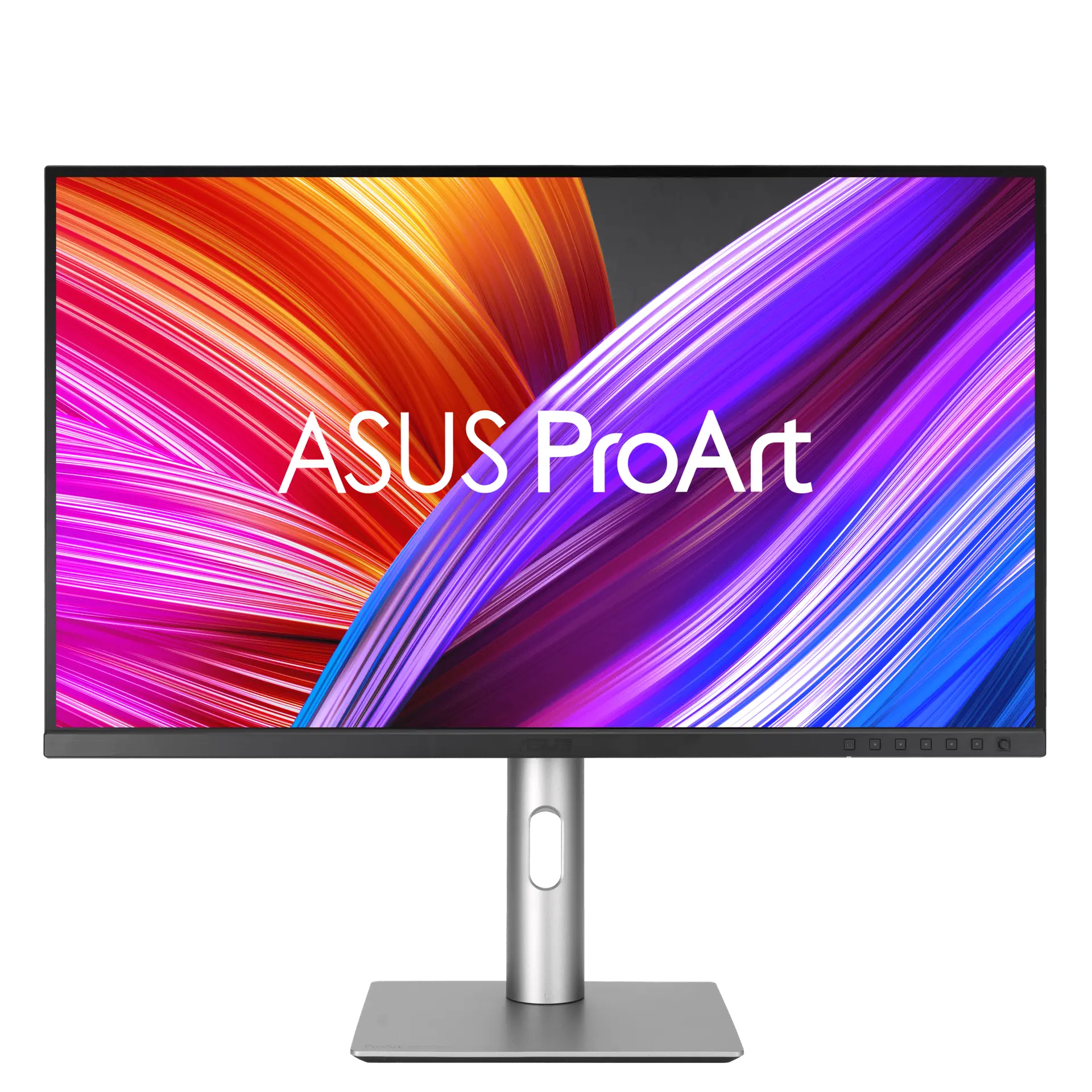
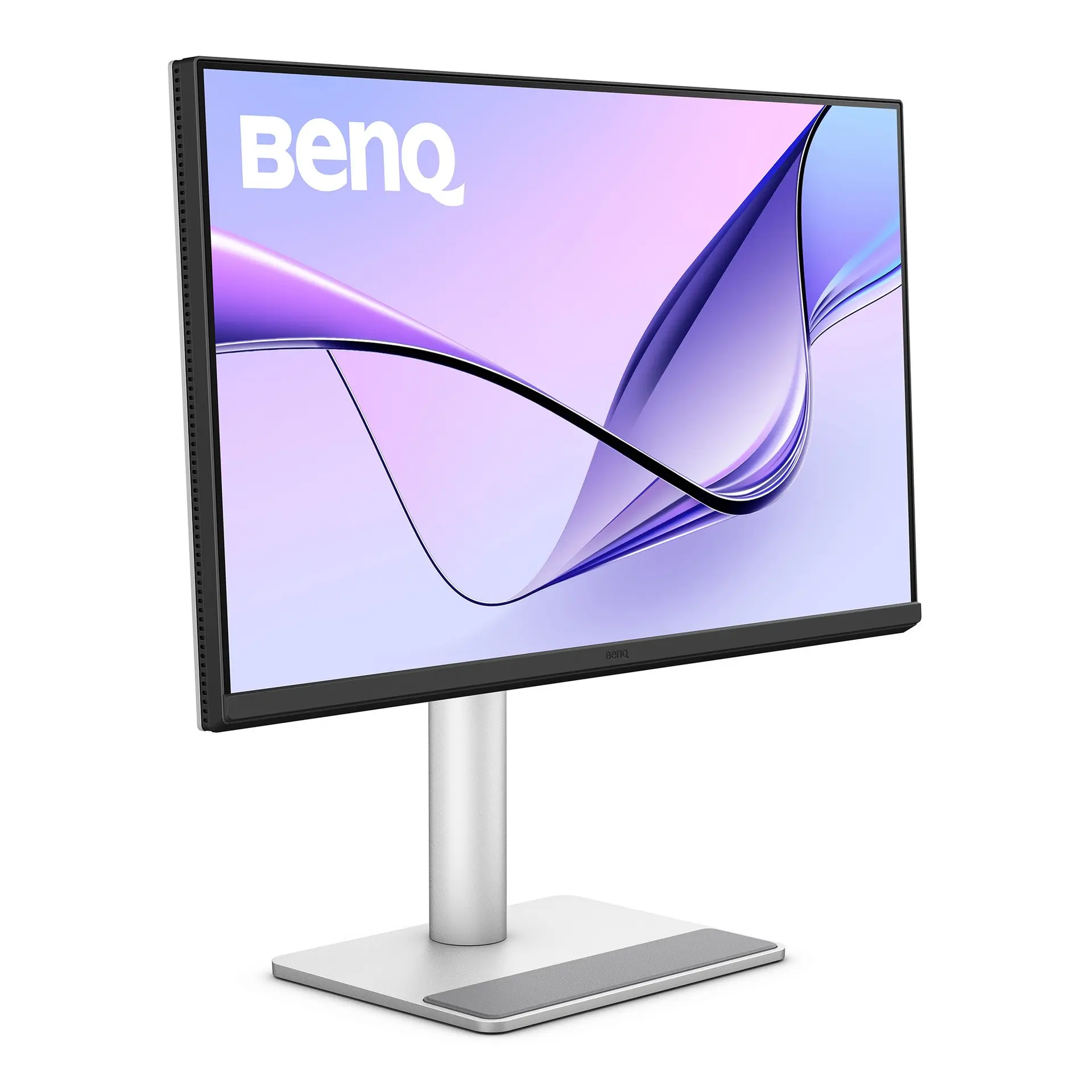
ASUS ProArt Display PA279CRV monitor from the front on its silver height-adjustable stand, with ProArt screen artwork.
Exact model & source notes

A 27-inch 3840 × 2160 IPS ProArt monitor for colour-critical work, listing 99% Adobe RGB and DCI-P3, 10-bit colour, ΔE < 2 and DisplayHDR 400, with USB-C video plus 96 W charging, a USB hub and a fully adjustable quick-release stand. It runs at 60 Hz.

Specifications checked 26 Sept 2026.

Amazon links open search results. Check the exact variant, current price and availability with the retailer.

Manufacturer specifications

WHAT DIFFERS

4 verified differences, led by Inputs and versions, stand adjustment and colour depth. Compared in full below. Not a rating.

See the 4 verified differences
THE CONTENDER

ASUS ProArt Display PA279CV

UK manufacturer specification · ProArt Display PA279CV

ASUS ProArt Display PA279CV official product image
Exact model & source notes

ProArt Display PA279CV monitor, identified in the ASUS UK catalogue. Specifications below retain the manufacturer’s configuration and interface conditions.

Specifications checked 17 Oct 2026.

Amazon links open search results. Check the exact variant, current price and availability with the retailer.

Manufacturer specifications

PA279CRV UK & US retailers

UK & US price history: no verified listing yet

PA279CV UK & US retailers

UK & US price history: no verified listing yet

Search links open retailer results, not a matched listing; eBay listings are checked daily. As an Amazon Associate I earn from qualifying purchases. As an eBay Partner, we may be compensated if you make a purchase.

THE DIFFERENCES, MADE VISIBLE

Visual facts

Differences first. Select a topic for its graphic, sources and conditions.

How to read this comparison
  • Manufacturer facts for the exact models shown. Not a quality rating or a test result.
  • “Different” means the known values differ, not that one is better.
  • Missing or conflicting evidence is marked and never counts as a difference. Source chips hold each fact’s sources and conditions.
SPECIFICATIONS SIDE BY SIDE5 topics
SELECTED TOPIC
01 / 05

Inputs and versions

Check the exact configuration and source conditions for your use.

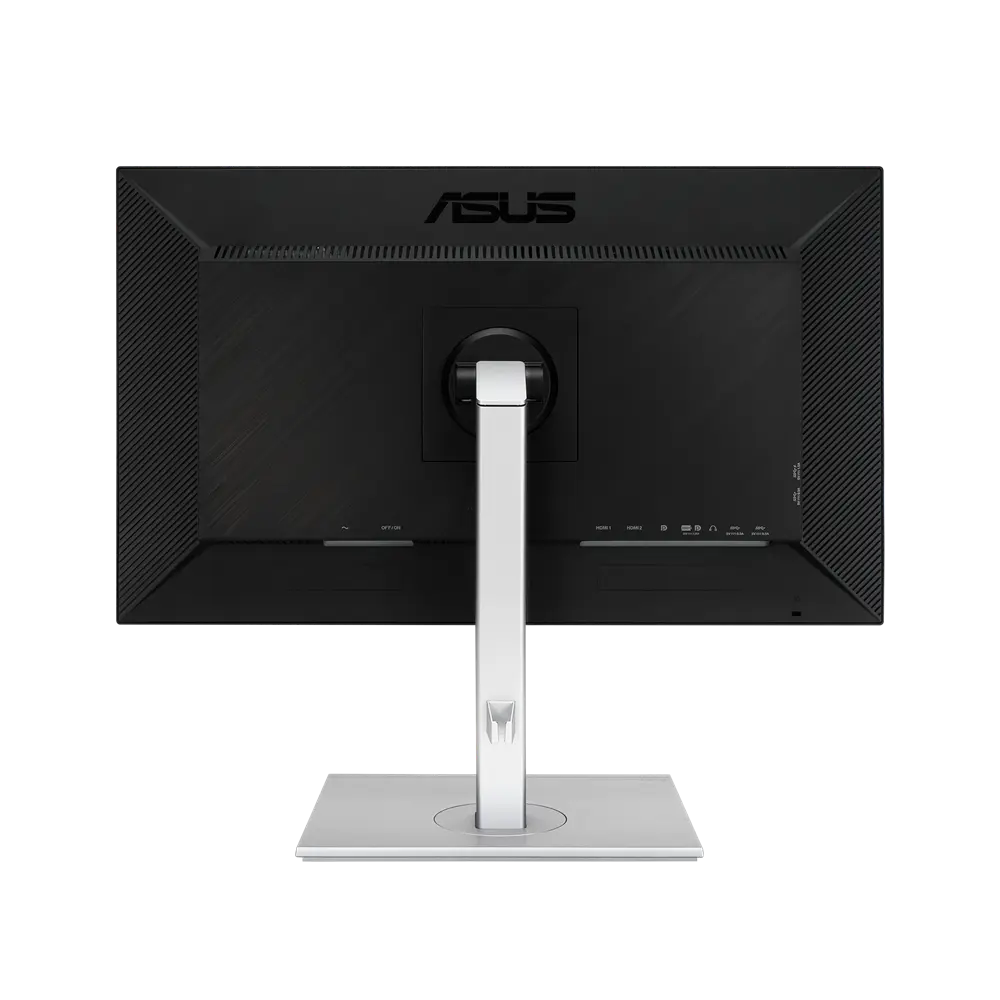
ASUS ProArt Display PA279CRV1 × USB-C (DisplayPort Alt Mode, 96 W power delivery); 1 × DisplayPort 1.4 input; 1 × DisplayPort 1.4 daisy-chain (MST) output; 2 × HDMI 2.0; headphone output

Manufacturer specification · The technical table lists “DisplayPort 1.4 x 2 (Daisy Chain)”. The product-page port diagram labels them “DisplayPort (In)” and “DisplayPort (MST)”, and the user guide describes one as the DisplayPort input and the other as the daisy-chain DisplayPort output; its specification lists one DisplayPort 1.4 input, two HDMI 2.0 inputs and DisplayPort over USB-C.

ASUS ProArt Display PA279CVUSB-C x 1 (DP Alt Mode) DisplayPort 1.2 x 1 HDMI(v2.0) x 2 USB Hub: 4x USB 3.2 Gen 1 Type-A Earphone Jack: Yes USB-C Power Delivery: 65W

Manufacturer specification

Explore the full specifications

Match the monitor to the connection. Refresh limits depend on the input, cable and source device. Confirm the exact regional ports, stand adjustment and mount. Manufacturer response-time methods such as MPRT and GtG are different; neither the image nor these figures establish an independent motion or colour-quality test.

WHAT CHANGES BETWEEN THEM?

Key differences

Full specifications ↓

4 verified differences, most decision-relevant first. All are also drawn in Visual facts above. 1 feature is the same under different published names, grouped below. Missing information stays separate.

Inputs and versions

In Visual facts
ASUS ProArt Display PA279CRV1 × USB-C (DisplayPort Alt Mode, 96 W power delivery); 1 × DisplayPort 1.4 input; 1 × DisplayPort 1.4 daisy-chain (MST) output; 2 × HDMI 2.0; headphone output
ASUS ProArt Display PA279CVUSB-C x 1 (DP Alt Mode) DisplayPort 1.2 x 1 HDMI(v2.0) x 2 USB Hub: 4x USB 3.2 Gen 1 Type-A Earphone Jack: Yes USB-C Power Delivery: 65W
Sources
ASUS ProArt Display PA279CRV

Manufacturer specification · The technical table lists “DisplayPort 1.4 x 2 (Daisy Chain)”. The product-page port diagram labels them “DisplayPort (In)” and “DisplayPort (MST)”, and the user guide describes one as the DisplayPort input and the other as the daisy-chain DisplayPort output; its specification lists one DisplayPort 1.4 input, two HDMI 2.0 inputs and DisplayPort over USB-C.

ASUS UK — ProArt Display PA279CRV technical specificationsASUS UK — ProArt Display PA279CRV product page and galleryASUS — PA279CRV Series LCD monitor user guide (English, PDF)
ASUS ProArt Display PA279CV

Manufacturer specification

ASUS ProArt Display PA279CV — official UK technical specifications

Check the exact configuration and source conditions for your use.

Stand adjustment

In Visual facts
ASUS ProArt Display PA279CRVTilt −5° to +23°; swivel ±30°; pivot ±90°; height travel 130 mm; quick-release stand
ASUS ProArt Display PA279CVTilt: Yes (+35° ~ -5°) Swivel: Yes (+45° ~ -45°) Pivot: Yes (+90° ~ -90°) Height Adjustment: 0~150mm VESA Wall Mounting: 100x100mm Kensington Lock: Yes
Sources
ASUS ProArt Display PA279CRV

Manufacturer specification

ASUS UK — ProArt Display PA279CRV technical specifications
ASUS ProArt Display PA279CV

Manufacturer specification

ASUS ProArt Display PA279CV — official UK technical specifications

Compare the supplied stand and mounting requirements. These affect positioning and desk fit; they do not establish panel quality. Check any separately stated limits or conflicting dimensions.

Colour depth

In Visual facts
ASUS ProArt Display PA279CRV10-bit (1,073.7 million colours)
ASUS ProArt Display PA279CV1073.7M (10 bit)
Sources
ASUS ProArt Display PA279CRV

Manufacturer specification · ASUS does not say whether 10-bit is native or uses FRC.

ASUS UK — ProArt Display PA279CRV technical specifications
ASUS ProArt Display PA279CV

Manufacturer specification

ASUS ProArt Display PA279CV — official UK technical specifications

Stated colour bit depth, which can include dithering (FRC). It does not establish measured colour accuracy or smoother gradients.

Dimensions with stand

In Visual facts
ASUS ProArt Display PA279CRV612.2 × 538.1 × 215 mm (width × height × depth, with stand)
ASUS ProArt Display PA279CVPhys. Dimension (W x H x D): 61.40 x 52.35 x 22.78 cm (24.17" x 20.61" x 8.97")
Sources
ASUS ProArt Display PA279CRV

Manufacturer specification · Converted from ASUS’s technical-table figures (61.22 × 53.81 × 21.50 cm), which ASUS labels as estimates that vary by region. The height is with the stand at its highest position: the user guide gives 612.22 × 538.11 × 215.00 mm (highest) and 612.22 × 408.11 × 215.00 mm (lowest).

ASUS UK — ProArt Display PA279CRV technical specificationsASUS — PA279CRV Series LCD monitor user guide (English, PDF)
ASUS ProArt Display PA279CV

Manufacturer specification · Manufacturer estimated dimensions; original ordering, units and regional qualifications retained. See source for stand configuration.

ASUS ProArt Display PA279CV — official UK technical specifications

A size or weight trade-off; it does not establish the better product.

Same feature, different names (1)

The sources publish different names for the same feature. Both names and their sources are shown; they are not counted as differences.

Missing or non-comparable evidence (56)

Maximum HDMI refresh

ASUS ProArt Display PA279CRV60 Hz
ASUS ProArt Display PA279CVNot verified
Sources
ASUS ProArt Display PA279CRV

Manufacturer specification · Single vertical range listed for all inputs.

ASUS UK — ProArt Display PA279CRV technical specifications
ASUS ProArt Display PA279CV

No source recorded for this side.

Evidence is missing or conflicting on at least one side. This is not a verified difference.

USB-C charging

ASUS ProArt Display PA279CRV96 W
ASUS ProArt Display PA279CVNot verified
Sources
ASUS ProArt Display PA279CRV

Manufacturer specification

ASUS UK — ProArt Display PA279CRV technical specifications
ASUS ProArt Display PA279CV

No source recorded for this side.

Evidence is missing or conflicting on at least one side. This is not a verified difference.

USB-C connection

ASUS ProArt Display PA279CRVYes
ASUS ProArt Display PA279CVNot verified
Sources
ASUS ProArt Display PA279CRV

Manufacturer specification

ASUS UK — ProArt Display PA279CRV technical specifications
ASUS ProArt Display PA279CV

No source recorded for this side.

Evidence is missing or conflicting on at least one side. This is not a verified difference.

USB hub

ASUS ProArt Display PA279CRVYes
ASUS ProArt Display PA279CVNot verified
Sources
ASUS ProArt Display PA279CRV

Manufacturer specification

ASUS UK — ProArt Display PA279CRV technical specifications
ASUS ProArt Display PA279CV

No source recorded for this side.

Evidence is missing or conflicting on at least one side. This is not a verified difference.

HDR support

ASUS ProArt Display PA279CRVHDR10; VESA DisplayHDR 400
ASUS ProArt Display PA279CVNot verified
Sources
ASUS ProArt Display PA279CRV

Manufacturer specification · HDR10 and VESA DisplayHDR 400 are from the technical table. The user guide says the HDR preset contains three modes (PQ Optimized, PQ Clip and PQ Basic) and needs PIP/PBP turned off, and that for better HDR performance “to meet DisplayHDR standard” Dynamic Dimming must be set to Fast and the HDR mode to PQ Clip.

ASUS UK — ProArt Display PA279CRV technical specificationsASUS — PA279CRV Series LCD monitor user guide (English, PDF)
ASUS ProArt Display PA279CV

No source recorded for this side.

Evidence is missing or conflicting on at least one side. This is not a verified difference.

Adaptive sync

ASUS ProArt Display PA279CRVYes
ASUS ProArt Display PA279CVNot verified
Sources
ASUS ProArt Display PA279CRV

Manufacturer specification · Adaptive-Sync within the listed 48–60 Hz range; VESA MediaSync Display certified. The user guide says MediaSync can only be activated within 48–60 Hz and needs PIP/PBP turned off.

ASUS UK — ProArt Display PA279CRV technical specificationsASUS — PA279CRV Series LCD monitor user guide (English, PDF)
ASUS ProArt Display PA279CV

No source recorded for this side.

Evidence is missing or conflicting on at least one side. This is not a verified difference.

Height-adjustable stand

ASUS ProArt Display PA279CRVYes
ASUS ProArt Display PA279CVNot verified
Sources
ASUS ProArt Display PA279CRV

Manufacturer specification

ASUS UK — ProArt Display PA279CRV technical specifications
ASUS ProArt Display PA279CV

No source recorded for this side.

Evidence is missing or conflicting on at least one side. This is not a verified difference.

Swivel adjustment

ASUS ProArt Display PA279CRVYes
ASUS ProArt Display PA279CVNot verified
Sources
ASUS ProArt Display PA279CRV

Manufacturer specification

ASUS UK — ProArt Display PA279CRV technical specifications
ASUS ProArt Display PA279CV

No source recorded for this side.

Evidence is missing or conflicting on at least one side. This is not a verified difference.

Portrait pivot

ASUS ProArt Display PA279CRVYes
ASUS ProArt Display PA279CVNot verified
Sources
ASUS ProArt Display PA279CRV

Manufacturer specification

ASUS UK — ProArt Display PA279CRV technical specifications
ASUS ProArt Display PA279CV

No source recorded for this side.

Evidence is missing or conflicting on at least one side. This is not a verified difference.

VESA mounting pattern

ASUS ProArt Display PA279CRV100 × 100 mm
ASUS ProArt Display PA279CVNot verified
Sources
ASUS ProArt Display PA279CRV

Manufacturer specification

ASUS UK — ProArt Display PA279CRV technical specifications
ASUS ProArt Display PA279CV

No source recorded for this side.

Evidence is missing or conflicting on at least one side. This is not a verified difference.

Hardware blue-light reduction

ASUS ProArt Display PA279CRVYes
ASUS ProArt Display PA279CVNot verified
Sources
ASUS ProArt Display PA279CRV

Manufacturer specification · Technical table 'Low Blue Light : Yes (Hardware Solution)'; the certificate lists include TÜV Low Blue Light (Hardware Solution). The user guide says the Low Blue Light panel's TÜV Rheinland (Hardware Solution) compliance applies at the factory reset/default setting (Preset mode: Standard).

ASUS UK — ProArt Display PA279CRV technical specificationsASUS USA — ProArt Display PA279CRV technical specificationsASUS — PA279CRV Series LCD monitor user guide (English, PDF)
ASUS ProArt Display PA279CV

No source recorded for this side.

Evidence is missing or conflicting on at least one side. This is not a verified difference.

On-screen controls

ASUS ProArt Display PA279CRVFront buttons: power, QuickFit Plus, input signal, Shortcut 1 (default Energy Saving), Shortcut 2 (default Brightness), Exit and a 5-way menu button
ASUS ProArt Display PA279CVNot verified
Sources
ASUS ProArt Display PA279CRV

Manufacturer specification · From the user guide’s front-view description; shortcut functions can be reassigned, and holding the 5-way button for over 5 seconds toggles Key Lock.

ASUS UK — ProArt Display PA279CRV product page and galleryASUS — PA279CRV Series LCD monitor user guide (English, PDF)
ASUS ProArt Display PA279CV

No source recorded for this side.

Evidence is missing or conflicting on at least one side. This is not a verified difference.

Built-in speakers

ASUS ProArt Display PA279CRVYes
ASUS ProArt Display PA279CVNot verified
Sources
ASUS ProArt Display PA279CRV

Manufacturer specification

ASUS UK — ProArt Display PA279CRV technical specifications
ASUS ProArt Display PA279CV

No source recorded for this side.

Evidence is missing or conflicting on at least one side. This is not a verified difference.

Speaker rating

ASUS ProArt Display PA279CRV2 × 2 W
ASUS ProArt Display PA279CVNot verified
Sources
ASUS ProArt Display PA279CRV

Manufacturer specification

ASUS UK — ProArt Display PA279CRV technical specifications
ASUS ProArt Display PA279CV

No source recorded for this side.

Evidence is missing or conflicting on at least one side. This is not a verified difference.

Headphone output

ASUS ProArt Display PA279CRVYes
ASUS ProArt Display PA279CVNot verified
Sources
ASUS ProArt Display PA279CRV

Manufacturer specification

ASUS UK — ProArt Display PA279CRV technical specifications
ASUS ProArt Display PA279CV

No source recorded for this side.

Evidence is missing or conflicting on at least one side. This is not a verified difference.

Picture-in-picture / picture-by-picture

ASUS ProArt Display PA279CRVYes
ASUS ProArt Display PA279CVNot verified
Sources
ASUS ProArt Display PA279CRV

Manufacturer specification · The user guide says PIP/PBP needs MediaSync/VRR/Dynamic Dimming turned off and HDR disabled on the device; HDR, MediaSync and Dynamic Dimming each need PIP/PBP turned off.

ASUS UK — ProArt Display PA279CRV technical specificationsASUS — PA279CRV Series LCD monitor user guide (English, PDF)
ASUS ProArt Display PA279CV

No source recorded for this side.

Evidence is missing or conflicting on at least one side. This is not a verified difference.

Declared variable-refresh range

ASUS ProArt Display PA279CRV48–60 Hz
ASUS ProArt Display PA279CVNot verified
Sources
ASUS ProArt Display PA279CRV

Manufacturer specification · Variable-refresh (VESA MediaSync) range from the user guide: “MediaSync can only be activated within 48Hz ~ 60Hz.” The technical table’s Digital Signal Frequency (48 ~ 60 Hz vertical) is an input range, recorded under refresh_rate.

ASUS UK — ProArt Display PA279CRV technical specificationsASUS — PA279CRV Series LCD monitor user guide (English, PDF)
ASUS ProArt Display PA279CV

No source recorded for this side.

Evidence is missing or conflicting on at least one side. This is not a verified difference.

Audio and speaker specification

ASUS ProArt Display PA279CRVNot verified
ASUS ProArt Display PA279CVSpeaker: Yes(2Wx2)
Sources
ASUS ProArt Display PA279CRV

No source recorded for this side.

ASUS ProArt Display PA279CV

Manufacturer specification

ASUS ProArt Display PA279CV — official UK technical specifications

Evidence is missing or conflicting on at least one side. This is not a verified difference.

Listed accessories

ASUS ProArt Display PA279CRVWelcome card; warranty card; USB-C cable; quick start guide; quick-release stand; power cord; HDMI cable; DisplayPort cable; colour pre-calibration report
ASUS ProArt Display PA279CVNot verified
Sources
ASUS ProArt Display PA279CRV

Manufacturer specification · ASUS says accessories vary by region. The user guide’s package list marks the HDMI, DisplayPort and USB-C to C cables as optional.

ASUS UK — ProArt Display PA279CRV technical specificationsASUS — PA279CRV Series LCD monitor user guide (English, PDF)
ASUS ProArt Display PA279CV

No source recorded for this side.

Evidence is missing or conflicting on at least one side. This is not a verified difference.

Cable management

ASUS ProArt Display PA279CRVYes
ASUS ProArt Display PA279CVNot verified
Sources
ASUS ProArt Display PA279CRV

Manufacturer specification · ASUS lists “Easy cable management” among the design features on the UK product page without describing the arrangement.

ASUS UK — ProArt Display PA279CRV product page and gallery
ASUS ProArt Display PA279CV

No source recorded for this side.

Evidence is missing or conflicting on at least one side. This is not a verified difference.

Listed certificates

ASUS ProArt Display PA279CRVMac Compliance; Calman Verified; VESA MediaSync Display; VESA DisplayHDR 400; TÜV Low Blue Light (Hardware Solution); TÜV Flicker-free; TCO Certified; EPEAT Gold; Energy Star
ASUS ProArt Display PA279CVNot verified
Sources
ASUS ProArt Display PA279CRV

Manufacturer specification · Complete “Certificate” list from the ASUS UK technical table; the US table lists the same nine.

ASUS UK — ProArt Display PA279CRV technical specificationsASUS USA — ProArt Display PA279CRV technical specifications
ASUS ProArt Display PA279CV

No source recorded for this side.

Evidence is missing or conflicting on at least one side. This is not a verified difference.

Colour-accuracy claim

ASUS ProArt Display PA279CRVΔE < 2; Calman Verified; colour pre-calibration report supplied
ASUS ProArt Display PA279CVNot verified
Sources
ASUS ProArt Display PA279CRV

Manufacturer specification · Manufacturer claim; test conditions not stated.

ASUS UK — ProArt Display PA279CRV technical specifications
ASUS ProArt Display PA279CV

No source recorded for this side.

Evidence is missing or conflicting on at least one side. This is not a verified difference.

Colour controls

ASUS ProArt Display PA279CRVRGB gain/offset tuning; gamma 1.8/2.0/2.2/2.4/2.6; colour-temperature selection
ASUS ProArt Display PA279CVNot verified
Sources
ASUS ProArt Display PA279CRV

Manufacturer specification · The technical table lists 5 colour-temperature modes; the user guide lists 6 (9300K, 6500K, 5500K, 5000K, P3-Theater and M Model), with only 6500K, P3-Theater and M Model available in DCI-P3 Mode.

ASUS UK — ProArt Display PA279CRV technical specificationsASUS — PA279CRV Series LCD monitor user guide (English, PDF)
ASUS ProArt Display PA279CV

No source recorded for this side.

Evidence is missing or conflicting on at least one side. This is not a verified difference.

Declared colour-gamut figures

ASUS ProArt Display PA279CRVsRGB 100%; Adobe RGB 99%; DCI-P3 99%
ASUS ProArt Display PA279CVNot verified
Sources
ASUS ProArt Display PA279CRV

Manufacturer specification · ASUS does not state the CIE basis.

ASUS UK — ProArt Display PA279CRV technical specifications
ASUS ProArt Display PA279CV

No source recorded for this side.

Evidence is missing or conflicting on at least one side. This is not a verified difference.

Daisy chaining

ASUS ProArt Display PA279CRVDisplayPort MST daisy-chain output
ASUS ProArt Display PA279CVNot verified
Sources
ASUS ProArt Display PA279CRV

Manufacturer specification · The user guide says the monitor supports daisy chaining on DisplayPort and USB Type-C, the source must support Multi-Stream Transport (MST), Power Saving must be at Normal Level, and the input is fixed (no auto detection) while the DisplayPort output cable is plugged in.

ASUS UK — ProArt Display PA279CRV technical specificationsASUS UK — ProArt Display PA279CRV product page and galleryASUS — PA279CRV Series LCD monitor user guide (English, PDF)
ASUS ProArt Display PA279CV

No source recorded for this side.

Evidence is missing or conflicting on at least one side. This is not a verified difference.

Declared standby limits

ASUS ProArt Display PA279CRVPower saving/standby: ≤0.5 W; DC power off: ≤0.3 W; AC (hard) switch off: 0 W
ASUS ProArt Display PA279CVNot verified
Sources
ASUS ProArt Display PA279CRV

Manufacturer specification · The technical table lists power saving <0.5 W and 0 W with the hard switch off; the user guide adds DC power off ≤0.3 W.

ASUS UK — ProArt Display PA279CRV technical specificationsASUS — PA279CRV Series LCD monitor user guide (English, PDF)
ASUS ProArt Display PA279CV

No source recorded for this side.

Evidence is missing or conflicting on at least one side. This is not a verified difference.

Displayable colours

ASUS ProArt Display PA279CRV1.07 billion (10-bit)
ASUS ProArt Display PA279CVNot verified
Sources
ASUS ProArt Display PA279CRV

Manufacturer specification

ASUS UK — ProArt Display PA279CRV technical specifications
ASUS ProArt Display PA279CV

No source recorded for this side.

Evidence is missing or conflicting on at least one side. This is not a verified difference.

Maximum contrast claim

ASUS ProArt Display PA279CRV3000:1
ASUS ProArt Display PA279CVNot verified
Sources
ASUS ProArt Display PA279CRV

Manufacturer specification · ASUS “Contrast Ratio (Max)”; typical static contrast is 1000:1.

ASUS UK — ProArt Display PA279CRV technical specifications
ASUS ProArt Display PA279CV

No source recorded for this side.

Evidence is missing or conflicting on at least one side. This is not a verified difference.

Backlight dynamic dimming

ASUS ProArt Display PA279CRVDynamic Dimming: Fast / Medium / Gradual / Off
ASUS ProArt Display PA279CVNot verified
Sources
ASUS ProArt Display PA279CRV

Manufacturer specification · User-guide OSD Settings item that synchronises backlight dimming with the content as contrast changes; the four values set the synchronisation speed. It needs PIP/PBP turned off. ASUS does not say whether the dimming is global or zoned, and gives no zone count.

ASUS — PA279CRV Series LCD monitor user guide (English, PDF)
ASUS ProArt Display PA279CV

No source recorded for this side.

Evidence is missing or conflicting on at least one side. This is not a verified difference.

ENERGY STAR listing

ASUS ProArt Display PA279CRVYes
ASUS ProArt Display PA279CVNot verified
Sources
ASUS ProArt Display PA279CRV

Manufacturer specification · Listed in the ASUS certificate table, with TCO Certified and EPEAT Gold.

ASUS UK — ProArt Display PA279CRV technical specifications
ASUS ProArt Display PA279CV

No source recorded for this side.

Evidence is missing or conflicting on at least one side. This is not a verified difference.

Listed viewing-comfort features

ASUS ProArt Display PA279CRVFlicker-free (TÜV Flicker-free certificate); hardware Low Blue Light (TÜV Low Blue Light (Hardware Solution) certificate); adjustable Blue Light Filter
ASUS ProArt Display PA279CVNot verified
Sources
ASUS ProArt Display PA279CRV

Manufacturer specification · Certificates as listed in the ASUS UK and US technical tables; the UK product page advertises 'TÜV Eye Care' with 'ASUS Flicker-free and ultra-low blue light'. The user guide says the Blue Light Filter adjusts the strength of blue-light filtering and needs HDR disabled on the source device.

ASUS UK — ProArt Display PA279CRV technical specificationsASUS UK — ProArt Display PA279CRV product page and galleryASUS USA — ProArt Display PA279CRV technical specificationsASUS — PA279CRV Series LCD monitor user guide (English, PDF)
ASUS ProArt Display PA279CV

No source recorded for this side.

Evidence is missing or conflicting on at least one side. This is not a verified difference.

Flicker-free declaration

ASUS ProArt Display PA279CRVYes
ASUS ProArt Display PA279CVNot verified
Sources
ASUS ProArt Display PA279CRV

Manufacturer specification · Technical table 'Flicker-free : Yes'; the ASUS UK and US certificate lists include TÜV Flicker-free.

ASUS UK — ProArt Display PA279CRV technical specificationsASUS USA — ProArt Display PA279CRV technical specifications
ASUS ProArt Display PA279CV

No source recorded for this side.

Evidence is missing or conflicting on at least one side. This is not a verified difference.

Gross shipping weight

ASUS ProArt Display PA279CRV8.69 kg
ASUS ProArt Display PA279CVNot verified
Sources
ASUS ProArt Display PA279CRV

Manufacturer specification

ASUS UK — ProArt Display PA279CRV technical specifications
ASUS ProArt Display PA279CV

No source recorded for this side.

Evidence is missing or conflicting on at least one side. This is not a verified difference.

HDCP

ASUS ProArt Display PA279CRVHDCP 2.2
ASUS ProArt Display PA279CVNot verified
Sources
ASUS ProArt Display PA279CRV

Manufacturer specification

ASUS UK — ProArt Display PA279CRV technical specifications
ASUS ProArt Display PA279CV

No source recorded for this side.

Evidence is missing or conflicting on at least one side. This is not a verified difference.

Declared HDR peak brightness

ASUS ProArt Display PA279CRV400 cd/m²
ASUS ProArt Display PA279CVNot verified
Sources
ASUS ProArt Display PA279CRV

Manufacturer specification · Peak HDR figure; ASUS gives no window size. The model carries VESA DisplayHDR 400; the user guide says meeting the DisplayHDR standard needs Dynamic Dimming set to Fast and the PQ Clip HDR mode.

ASUS UK — ProArt Display PA279CRV technical specificationsASUS — PA279CRV Series LCD monitor user guide (English, PDF)
ASUS ProArt Display PA279CV

No source recorded for this side.

Evidence is missing or conflicting on at least one side. This is not a verified difference.

Kensington lock slot

ASUS ProArt Display PA279CRVYes
ASUS ProArt Display PA279CVNot verified
Sources
ASUS ProArt Display PA279CRV

Manufacturer specification

ASUS UK — ProArt Display PA279CRV technical specifications
ASUS ProArt Display PA279CV

No source recorded for this side.

Evidence is missing or conflicting on at least one side. This is not a verified difference.

Low Blue Light mode

ASUS ProArt Display PA279CRVYes
ASUS ProArt Display PA279CVNot verified
Sources
ASUS ProArt Display PA279CRV

Manufacturer specification · Technical table 'Low Blue Light : Yes (Hardware Solution)'; the ASUS UK and US certificate lists include TÜV Low Blue Light (Hardware Solution).

ASUS UK — ProArt Display PA279CRV technical specificationsASUS USA — ProArt Display PA279CRV technical specifications
ASUS ProArt Display PA279CV

No source recorded for this side.

Evidence is missing or conflicting on at least one side. This is not a verified difference.

Colour and software tools

ASUS ProArt Display PA279CRVProArt Palette; QuickFit Plus; ProArt Chroma Tune; Trace Free; ASUS DisplayWidget Center (Windows and macOS); MacBook brightness-button control with DisplayWidget Center; Mac Compliance certification
ASUS ProArt Display PA279CVNot verified
Sources
ASUS ProArt Display PA279CRV

Manufacturer specification · ProArt Palette, QuickFit Plus, ProArt Chroma Tune, Trace Free and Mac Compliance are listed in the technical table. The product page says DisplayWidget Center adjusts settings including brightness, contrast and colour temperature, with Windows and macOS downloads; MacBook brightness buttons control the monitor’s brightness with DisplayWidget Center installed and the mouse cursor on the ProArt display, and ASUS notes these Mac functions require the latest firmware version.

ASUS UK — ProArt Display PA279CRV technical specificationsASUS UK — ProArt Display PA279CRV product page and gallery
ASUS ProArt Display PA279CV

No source recorded for this side.

Evidence is missing or conflicting on at least one side. This is not a verified difference.

ProArt presets

ASUS ProArt Display PA279CRVNative; sRGB; Adobe RGB; DCI-P3; Rec.2020; DICOM; Rec.709; HDR; User mode 1; User mode 2; P3 options: DCI-P3, Display-P3 and M Model-P3
ASUS ProArt Display PA279CVNot verified
Sources
ASUS ProArt Display PA279CRV

Manufacturer specification · The technical table and user guide list the ten ProArt Preset modes; the user guide says HDR contains PQ Optimized, PQ Clip and PQ Basic. The product page additionally lists P3 preset modes DCI-P3, Display-P3 and a new M Model-P3 mode for colour consistency with MacBook and MacBook Pro; its Mac section notes “These functions require the latest firmware version.” The user guide lists P3-Theater and M Model as colour-temperature settings available in DCI-P3 Mode.

ASUS UK — ProArt Display PA279CRV technical specificationsASUS UK — ProArt Display PA279CRV product page and galleryASUS — PA279CRV Series LCD monitor user guide (English, PDF)
ASUS ProArt Display PA279CV

No source recorded for this side.

Evidence is missing or conflicting on at least one side. This is not a verified difference.

Pixel density

ASUS ProArt Display PA279CRV163 ppi
ASUS ProArt Display PA279CVNot verified
Sources
ASUS ProArt Display PA279CRV

Manufacturer specification

ASUS UK — ProArt Display PA279CRV technical specifications
ASUS ProArt Display PA279CV

No source recorded for this side.

Evidence is missing or conflicting on at least one side. This is not a verified difference.

Pixel pitch

ASUS ProArt Display PA279CRV0.155 mm
ASUS ProArt Display PA279CVNot verified
Sources
ASUS ProArt Display PA279CRV

Manufacturer specification

ASUS UK — ProArt Display PA279CRV technical specifications
ASUS ProArt Display PA279CV

No source recorded for this side.

Evidence is missing or conflicting on at least one side. This is not a verified difference.

Declared on-mode power

ASUS ProArt Display PA279CRV26.14 W
ASUS ProArt Display PA279CVNot verified
Sources
ASUS ProArt Display PA279CRV

Manufacturer specification · The user guide defines the figure as on-mode power consumption as defined in ENERGY STAR version 8.0; ASUS gives no other brightness or load basis. Not a measured running cost.

ASUS UK — ProArt Display PA279CRV technical specificationsASUS — PA279CRV Series LCD monitor user guide (English, PDF)
ASUS ProArt Display PA279CV

No source recorded for this side.

Evidence is missing or conflicting on at least one side. This is not a verified difference.

Power input

ASUS ProArt Display PA279CRVAC input 100–240 V, 50/60 Hz
ASUS ProArt Display PA279CVNot verified
Sources
ASUS ProArt Display PA279CRV

Manufacturer specification

ASUS UK — ProArt Display PA279CRV technical specifications
ASUS ProArt Display PA279CV

No source recorded for this side.

Evidence is missing or conflicting on at least one side. This is not a verified difference.

Regional configuration

ASUS ProArt Display PA279CRVUK ASUS specification. The US ASUS technical page lists the same specification figures and accessories.
ASUS ProArt Display PA279CVNot verified
Sources
ASUS ProArt Display PA279CV

No source recorded for this side.

Evidence is missing or conflicting on at least one side. This is not a verified difference.

Declared grey-to-grey response

ASUS ProArt Display PA279CRV5 ms
ASUS ProArt Display PA279CVNot verified
Sources
ASUS ProArt Display PA279CRV

Manufacturer specification · Manufacturer claim; not a measured response or input-lag result.

ASUS UK — ProArt Display PA279CRV technical specifications
ASUS ProArt Display PA279CV

No source recorded for this side.

Evidence is missing or conflicting on at least one side. This is not a verified difference.

Input-specific signal modes

ASUS ProArt Display PA279CRVNot verified
ASUS ProArt Display PA279CVDigital Signal Frequency: 29~160 KHz (H) / 40~60 Hz (V)
Sources
ASUS ProArt Display PA279CRV

No source recorded for this side.

ASUS ProArt Display PA279CV

Manufacturer specification

ASUS ProArt Display PA279CV — official UK technical specifications

Evidence is missing or conflicting on at least one side. This is not a verified difference.

Depth with stand

ASUS ProArt Display PA279CRV215 mm
ASUS ProArt Display PA279CVNot verified
Sources
ASUS ProArt Display PA279CRV

Manufacturer specification · Front-to-back depth with the supplied stand; allow cable clearance.

ASUS UK — ProArt Display PA279CRV technical specifications
ASUS ProArt Display PA279CV

No source recorded for this side.

Evidence is missing or conflicting on at least one side. This is not a verified difference.

Stand height travel

ASUS ProArt Display PA279CRV130 mm
ASUS ProArt Display PA279CVNot verified
Sources
ASUS ProArt Display PA279CRV

Manufacturer specification · Adjustment travel, not overall assembled height.

ASUS UK — ProArt Display PA279CRV technical specifications
ASUS ProArt Display PA279CV

No source recorded for this side.

Evidence is missing or conflicting on at least one side. This is not a verified difference.

Tilt range

ASUS ProArt Display PA279CRV−5° to +23°
ASUS ProArt Display PA279CVNot verified
Sources
ASUS ProArt Display PA279CRV

Manufacturer specification

ASUS UK — ProArt Display PA279CRV technical specifications
ASUS ProArt Display PA279CV

No source recorded for this side.

Evidence is missing or conflicting on at least one side. This is not a verified difference.

USB data connections

ASUS ProArt Display PA279CRVUSB 3.2 Gen 1 hub with 1 × Type-C and 3 × Type-A downstream ports
ASUS ProArt Display PA279CVNot verified
Sources
ASUS ProArt Display PA279CRV

Manufacturer specification · The UK and US technical tables and the exact-model user guide specification list “1 x USB 3.2 Gen 1 Type-C” and “3 x USB 3.2 Gen 1 Type-A”, and the user guide describes both as ports for USB devices. The UK product page’s hub paragraph says only that the hub “includes one USB Type-A port and USB-C”; the three-port count is taken from the tables and user guide.

ASUS UK — ProArt Display PA279CRV technical specificationsASUS UK — ProArt Display PA279CRV product page and galleryASUS USA — ProArt Display PA279CRV technical specificationsASUS — PA279CRV Series LCD monitor user guide (English, PDF)
ASUS ProArt Display PA279CV

No source recorded for this side.

Evidence is missing or conflicting on at least one side. This is not a verified difference.

Declared viewing angles

ASUS ProArt Display PA279CRV178° horizontal / 178° vertical
ASUS ProArt Display PA279CVNot verified
Sources
ASUS ProArt Display PA279CRV

Manufacturer specification · At contrast ratio ≥ 10:1.

ASUS UK — ProArt Display PA279CRV technical specifications
ASUS ProArt Display PA279CV

No source recorded for this side.

Evidence is missing or conflicting on at least one side. This is not a verified difference.

Weight without stand

ASUS ProArt Display PA279CRV4.07 kg
ASUS ProArt Display PA279CVNot verified
Sources
ASUS ProArt Display PA279CRV

Manufacturer specification

ASUS UK — ProArt Display PA279CRV technical specifications
ASUS ProArt Display PA279CV

No source recorded for this side.

Evidence is missing or conflicting on at least one side. This is not a verified difference.

Zero bright-dot (ZBD) panel warranty

ASUS ProArt Display PA279CRV3 years
ASUS ProArt Display PA279CVNot verified
Sources
ASUS ProArt Display PA279CRV

Manufacturer specification · ASUS technical-table row “LCD ZBD Warranty”. It is not the general product warranty, which these ASUS pages do not state.

ASUS UK — ProArt Display PA279CRV technical specifications
ASUS ProArt Display PA279CV

No source recorded for this side.

Evidence is missing or conflicting on at least one side. This is not a verified difference.

Active display area

ASUS ProArt Display PA279CRV596.73 × 335.66 mm (horizontal × vertical)
ASUS ProArt Display PA279CVNot verified
Sources
ASUS ProArt Display PA279CRV

Manufacturer specification

ASUS UK — ProArt Display PA279CRV technical specifications
ASUS ProArt Display PA279CV

No source recorded for this side.

Evidence is missing or conflicting on at least one side. This is not a verified difference.

Dimensions without stand

ASUS ProArt Display PA279CRV612.2 × 362.9 × 44.1 mm (width × height × depth)
ASUS ProArt Display PA279CVNot verified
Sources
ASUS ProArt Display PA279CRV

Manufacturer specification

ASUS UK — ProArt Display PA279CRV technical specifications
ASUS ProArt Display PA279CV

No source recorded for this side.

Evidence is missing or conflicting on at least one side. This is not a verified difference.

Weight with stand

ASUS ProArt Display PA279CRV5.78 kg
ASUS ProArt Display PA279CVNot verified
Sources
ASUS ProArt Display PA279CRV

Manufacturer specification · ASUS “Net Weight”, listed separately from “Net Weight without Stand”; estimate that may vary by region.

ASUS UK — ProArt Display PA279CRV technical specifications
ASUS ProArt Display PA279CV

No source recorded for this side.

Evidence is missing or conflicting on at least one side. This is not a verified difference.

8 shared fields have the same recorded value.

WHAT EACH CHOICE ASKS OF YOU

What it brings and what to check

ASUS ProArt Display PA279CRV

What it brings

  • ASUS lists 100% sRGB, 99% Adobe RGB and 99% DCI-P3 with 10-bit colour, ΔE < 2, Calman Verified and a colour pre-calibration report, plus presets that include DICOM and Rec.2020.
  • USB-C carries video and up to 96 W of laptop charging, alongside two HDMI 2.0 inputs, a DisplayPort 1.4 input plus a DisplayPort MST output for daisy chaining, PIP/PBP and a USB hub with USB-C and USB-A ports.
  • The 3840 × 2160 panel works out at 163 ppi, which ASUS says is four times the pixel density of similarly sized Full HD displays; the stand gives 130 mm of height travel, ±30° swivel and ±90° pivot.

What to check

  • Refresh tops out at 60 Hz, with a 48–60 Hz vertical input range and a 5 ms GtG response rating.
  • HDR tops out at VESA DisplayHDR 400: ASUS declares a 400 cd/m² HDR peak and 1000:1 typical contrast for the LED-backlit IPS panel.
  • Daisy chaining needs an MST-capable source and Power Saving at Normal Level, and the input is fixed rather than auto-detected while the DisplayPort output cable is connected.

ASUS ProArt Display PA279CV

What it brings

  • Published monitor interfaces and configuration are available from the exact-model ASUS specification source.

What to check

  • Compatibility and maximum operating modes depend on the source’s stated hardware, firmware and connection requirements; manufacturer figures are not independent measurements.
COMPARE THE DETAILS

Full specifications

How we verify
69 of 69 specifications Sources in each row
Source-backed specifications for ASUS ProArt Display PA279CRV and ASUS ProArt Display PA279CV
SpecificationASUS ProArt Display PA279CRVASUS ProArt Display PA279CV
Screen diagonal
Sources
ASUS ProArt Display PA279CRV

Manufacturer specification

ASUS UK — ProArt Display PA279CRV technical specifications
ASUS ProArt Display PA279CV

Manufacturer specification

ASUS ProArt Display PA279CV — official UK technical specifications
27 in27 in
Native resolution
Sources
ASUS ProArt Display PA279CRV

Manufacturer specification

ASUS UK — ProArt Display PA279CRV technical specifications
ASUS ProArt Display PA279CV

Manufacturer specification

ASUS ProArt Display PA279CV — official UK technical specifications
3840 × 21603840x2160
Panel technology
Sources
ASUS ProArt Display PA279CRV

Manufacturer specification

ASUS UK — ProArt Display PA279CRV technical specifications
ASUS ProArt Display PA279CV

Manufacturer specification

ASUS ProArt Display PA279CV — official UK technical specifications
IPS LCDIPS
Aspect ratio
Sources
ASUS ProArt Display PA279CRV

Manufacturer specification

ASUS UK — ProArt Display PA279CRV technical specifications
ASUS ProArt Display PA279CV

Manufacturer specification

ASUS ProArt Display PA279CV — official UK technical specifications
16:916:9
Active display area
Sources
ASUS ProArt Display PA279CRV

Manufacturer specification

ASUS UK — ProArt Display PA279CRV technical specifications
ASUS ProArt Display PA279CV

No source recorded.

596.73 × 335.66 mm (horizontal × vertical)Not provided
Screen surface
Sources
ASUS ProArt Display PA279CRV

Manufacturer specification

ASUS UK — ProArt Display PA279CRV technical specifications
ASUS ProArt Display PA279CV

Manufacturer specification

ASUS ProArt Display PA279CV — official UK technical specifications
Anti-glareAnti-Glare
Pixel pitch
Sources
ASUS ProArt Display PA279CRV

Manufacturer specification

ASUS UK — ProArt Display PA279CRV technical specifications
ASUS ProArt Display PA279CV

No source recorded.

0.155 mmNot provided
Typical brightness
Sources
ASUS ProArt Display PA279CRV

Manufacturer specification · Typical SDR brightness.

ASUS UK — ProArt Display PA279CRV technical specifications
ASUS ProArt Display PA279CV

Manufacturer specification · Manufacturer typical claim; not measured luminance or HDR peak. Original: 350cd/㎡

ASUS ProArt Display PA279CV — official UK technical specifications
350 cd/m²350 cd/m²
Declared HDR peak brightness
Sources
ASUS ProArt Display PA279CRV

Manufacturer specification · Peak HDR figure; ASUS gives no window size. The model carries VESA DisplayHDR 400; the user guide says meeting the DisplayHDR standard needs Dynamic Dimming set to Fast and the PQ Clip HDR mode.

ASUS UK — ProArt Display PA279CRV technical specificationsASUS — PA279CRV Series LCD monitor user guide (English, PDF)
ASUS ProArt Display PA279CV

No source recorded.

400 cd/m²Not provided
Static contrast claim
Sources
ASUS ProArt Display PA279CRV

Manufacturer specification

ASUS UK — ProArt Display PA279CRV technical specifications
ASUS ProArt Display PA279CV

Manufacturer specification

ASUS ProArt Display PA279CV — official UK technical specifications
1000:11000:1
Displayable colours
Sources
ASUS ProArt Display PA279CRV

Manufacturer specification

ASUS UK — ProArt Display PA279CRV technical specifications
ASUS ProArt Display PA279CV

No source recorded.

1.07 billion (10-bit)Not provided
Declared colour-gamut figures
Sources
ASUS ProArt Display PA279CRV

Manufacturer specification · ASUS does not state the CIE basis.

ASUS UK — ProArt Display PA279CRV technical specifications
ASUS ProArt Display PA279CV

No source recorded.

sRGB 100%; Adobe RGB 99%; DCI-P3 99%Not provided
HDR support
Sources
ASUS ProArt Display PA279CRV

Manufacturer specification · HDR10 and VESA DisplayHDR 400 are from the technical table. The user guide says the HDR preset contains three modes (PQ Optimized, PQ Clip and PQ Basic) and needs PIP/PBP turned off, and that for better HDR performance “to meet DisplayHDR standard” Dynamic Dimming must be set to Fast and the HDR mode to PQ Clip.

ASUS UK — ProArt Display PA279CRV technical specificationsASUS — PA279CRV Series LCD monitor user guide (English, PDF)
ASUS ProArt Display PA279CV

No source recorded.

HDR10; VESA DisplayHDR 400Not provided
Declared viewing angles
Sources
ASUS ProArt Display PA279CRV

Manufacturer specification · At contrast ratio ≥ 10:1.

ASUS UK — ProArt Display PA279CRV technical specifications
ASUS ProArt Display PA279CV

No source recorded.

178° horizontal / 178° verticalNot provided
Colour depthDifferent
Sources
ASUS ProArt Display PA279CRV

Manufacturer specification · ASUS does not say whether 10-bit is native or uses FRC.

ASUS UK — ProArt Display PA279CRV technical specifications
ASUS ProArt Display PA279CV

Manufacturer specification

ASUS ProArt Display PA279CV — official UK technical specifications
10-bit (1,073.7 million colours)1073.7M (10 bit)
Colour-accuracy claim
Sources
ASUS ProArt Display PA279CRV

Manufacturer specification · Manufacturer claim; test conditions not stated.

ASUS UK — ProArt Display PA279CRV technical specifications
ASUS ProArt Display PA279CV

No source recorded.

ΔE < 2; Calman Verified; colour pre-calibration report suppliedNot provided
Maximum contrast claim
Sources
ASUS ProArt Display PA279CRV

Manufacturer specification · ASUS “Contrast Ratio (Max)”; typical static contrast is 1000:1.

ASUS UK — ProArt Display PA279CRV technical specifications
ASUS ProArt Display PA279CV

No source recorded.

3000:1Not provided
ProArt presets
Sources
ASUS ProArt Display PA279CRV

Manufacturer specification · The technical table and user guide list the ten ProArt Preset modes; the user guide says HDR contains PQ Optimized, PQ Clip and PQ Basic. The product page additionally lists P3 preset modes DCI-P3, Display-P3 and a new M Model-P3 mode for colour consistency with MacBook and MacBook Pro; its Mac section notes “These functions require the latest firmware version.” The user guide lists P3-Theater and M Model as colour-temperature settings available in DCI-P3 Mode.

ASUS UK — ProArt Display PA279CRV technical specificationsASUS UK — ProArt Display PA279CRV product page and galleryASUS — PA279CRV Series LCD monitor user guide (English, PDF)
ASUS ProArt Display PA279CV

No source recorded.

Native; sRGB; Adobe RGB; DCI-P3; Rec.2020; DICOM; Rec.709; HDR; User mode 1; User mode 2; P3 options: DCI-P3, Display-P3 and M Model-P3Not provided
Colour controls
Sources
ASUS ProArt Display PA279CRV

Manufacturer specification · The technical table lists 5 colour-temperature modes; the user guide lists 6 (9300K, 6500K, 5500K, 5000K, P3-Theater and M Model), with only 6500K, P3-Theater and M Model available in DCI-P3 Mode.

ASUS UK — ProArt Display PA279CRV technical specificationsASUS — PA279CRV Series LCD monitor user guide (English, PDF)
ASUS ProArt Display PA279CV

No source recorded.

RGB gain/offset tuning; gamma 1.8/2.0/2.2/2.4/2.6; colour-temperature selectionNot provided
Refresh rate
Sources
ASUS ProArt Display PA279CRV

Manufacturer specification · ASUS lists a 48–60 Hz vertical input range.

ASUS UK — ProArt Display PA279CRV technical specifications
ASUS ProArt Display PA279CV

Manufacturer specification · Manufacturer-listed maximum; input-specific signal-frequency restrictions, overclocking and source/cable requirements remain as shown in the specifications. Digital Signal Frequency : 29~160 KHz (H) / 40~60 Hz (V)

ASUS ProArt Display PA279CV — official UK technical specifications
60 Hz60 Hz
Response method and claim
Sources
ASUS ProArt Display PA279CRV

Manufacturer specification

ASUS UK — ProArt Display PA279CRV technical specifications
ASUS ProArt Display PA279CV

Manufacturer specification

ASUS ProArt Display PA279CV — official UK technical specifications
5 ms GtG5ms(GTG)
Declared grey-to-grey response
Sources
ASUS ProArt Display PA279CRV

Manufacturer specification · Manufacturer claim; not a measured response or input-lag result.

ASUS UK — ProArt Display PA279CRV technical specifications
ASUS ProArt Display PA279CV

No source recorded.

5 msNot provided
Adaptive sync
Sources
ASUS ProArt Display PA279CRV

Manufacturer specification · Adaptive-Sync within the listed 48–60 Hz range; VESA MediaSync Display certified. The user guide says MediaSync can only be activated within 48–60 Hz and needs PIP/PBP turned off.

ASUS UK — ProArt Display PA279CRV technical specificationsASUS — PA279CRV Series LCD monitor user guide (English, PDF)
ASUS ProArt Display PA279CV

No source recorded.

YesNot provided
Declared variable-refresh range
Sources
ASUS ProArt Display PA279CRV

Manufacturer specification · Variable-refresh (VESA MediaSync) range from the user guide: “MediaSync can only be activated within 48Hz ~ 60Hz.” The technical table’s Digital Signal Frequency (48 ~ 60 Hz vertical) is an input range, recorded under refresh_rate.

ASUS UK — ProArt Display PA279CRV technical specificationsASUS — PA279CRV Series LCD monitor user guide (English, PDF)
ASUS ProArt Display PA279CV

No source recorded.

48–60 HzNot provided
Maximum HDMI refresh
Sources
ASUS ProArt Display PA279CRV

Manufacturer specification · Single vertical range listed for all inputs.

ASUS UK — ProArt Display PA279CRV technical specifications
ASUS ProArt Display PA279CV

No source recorded.

60 HzNot provided
Input-specific signal modes
Sources
ASUS ProArt Display PA279CRV

No source recorded.

ASUS ProArt Display PA279CV

Manufacturer specification

ASUS ProArt Display PA279CV — official UK technical specifications
Not providedDigital Signal Frequency: 29~160 KHz (H) / 40~60 Hz (V)
Inputs and versionsDifferent
Sources
ASUS ProArt Display PA279CRV

Manufacturer specification · The technical table lists “DisplayPort 1.4 x 2 (Daisy Chain)”. The product-page port diagram labels them “DisplayPort (In)” and “DisplayPort (MST)”, and the user guide describes one as the DisplayPort input and the other as the daisy-chain DisplayPort output; its specification lists one DisplayPort 1.4 input, two HDMI 2.0 inputs and DisplayPort over USB-C.

ASUS UK — ProArt Display PA279CRV technical specificationsASUS UK — ProArt Display PA279CRV product page and galleryASUS — PA279CRV Series LCD monitor user guide (English, PDF)
ASUS ProArt Display PA279CV

Manufacturer specification

ASUS ProArt Display PA279CV — official UK technical specifications
1 × USB-C (DisplayPort Alt Mode, 96 W power delivery); 1 × DisplayPort 1.4 input; 1 × DisplayPort 1.4 daisy-chain (MST) output; 2 × HDMI 2.0; headphone outputUSB-C x 1 (DP Alt Mode) DisplayPort 1.2 x 1 HDMI(v2.0) x 2 USB Hub: 4x USB 3.2 Gen 1 Type-A Earphone Jack: Yes USB-C Power Delivery: 65W
Picture-in-picture / picture-by-picture
Sources
ASUS ProArt Display PA279CRV

Manufacturer specification · The user guide says PIP/PBP needs MediaSync/VRR/Dynamic Dimming turned off and HDR disabled on the device; HDR, MediaSync and Dynamic Dimming each need PIP/PBP turned off.

ASUS UK — ProArt Display PA279CRV technical specificationsASUS — PA279CRV Series LCD monitor user guide (English, PDF)
ASUS ProArt Display PA279CV

No source recorded.

YesNot provided
Built-in speakers
Sources
ASUS ProArt Display PA279CRV

Manufacturer specification

ASUS UK — ProArt Display PA279CRV technical specifications
ASUS ProArt Display PA279CV

No source recorded.

YesNot provided
Speaker rating
Sources
ASUS ProArt Display PA279CRV

Manufacturer specification

ASUS UK — ProArt Display PA279CRV technical specifications
ASUS ProArt Display PA279CV

No source recorded.

2 × 2 WNot provided
Headphone output
Sources
ASUS ProArt Display PA279CRV

Manufacturer specification

ASUS UK — ProArt Display PA279CRV technical specifications
ASUS ProArt Display PA279CV

No source recorded.

YesNot provided
USB-C connection
Sources
ASUS ProArt Display PA279CRV

Manufacturer specification

ASUS UK — ProArt Display PA279CRV technical specifications
ASUS ProArt Display PA279CV

No source recorded.

YesNot provided
USB-C charging
Sources
ASUS ProArt Display PA279CRV

Manufacturer specification

ASUS UK — ProArt Display PA279CRV technical specifications
ASUS ProArt Display PA279CV

No source recorded.

96 WNot provided
USB hub
Sources
ASUS ProArt Display PA279CRV

Manufacturer specification

ASUS UK — ProArt Display PA279CRV technical specifications
ASUS ProArt Display PA279CV

No source recorded.

YesNot provided
USB data connections
Sources
ASUS ProArt Display PA279CRV

Manufacturer specification · The UK and US technical tables and the exact-model user guide specification list “1 x USB 3.2 Gen 1 Type-C” and “3 x USB 3.2 Gen 1 Type-A”, and the user guide describes both as ports for USB devices. The UK product page’s hub paragraph says only that the hub “includes one USB Type-A port and USB-C”; the three-port count is taken from the tables and user guide.

ASUS UK — ProArt Display PA279CRV technical specificationsASUS UK — ProArt Display PA279CRV product page and galleryASUS USA — ProArt Display PA279CRV technical specificationsASUS — PA279CRV Series LCD monitor user guide (English, PDF)
ASUS ProArt Display PA279CV

No source recorded.

USB 3.2 Gen 1 hub with 1 × Type-C and 3 × Type-A downstream portsNot provided
Daisy chaining
Sources
ASUS ProArt Display PA279CRV

Manufacturer specification · The user guide says the monitor supports daisy chaining on DisplayPort and USB Type-C, the source must support Multi-Stream Transport (MST), Power Saving must be at Normal Level, and the input is fixed (no auto detection) while the DisplayPort output cable is plugged in.

ASUS UK — ProArt Display PA279CRV technical specificationsASUS UK — ProArt Display PA279CRV product page and galleryASUS — PA279CRV Series LCD monitor user guide (English, PDF)
ASUS ProArt Display PA279CV

No source recorded.

DisplayPort MST daisy-chain outputNot provided
HDCP
Sources
ASUS ProArt Display PA279CRV

Manufacturer specification

ASUS UK — ProArt Display PA279CRV technical specifications
ASUS ProArt Display PA279CV

No source recorded.

HDCP 2.2Not provided
Audio and speaker specification
Sources
ASUS ProArt Display PA279CRV

No source recorded.

ASUS ProArt Display PA279CV

Manufacturer specification

ASUS ProArt Display PA279CV — official UK technical specifications
Not providedSpeaker: Yes(2Wx2)
Dimensions with standDifferent
Sources
ASUS ProArt Display PA279CRV

Manufacturer specification · Converted from ASUS’s technical-table figures (61.22 × 53.81 × 21.50 cm), which ASUS labels as estimates that vary by region. The height is with the stand at its highest position: the user guide gives 612.22 × 538.11 × 215.00 mm (highest) and 612.22 × 408.11 × 215.00 mm (lowest).

ASUS UK — ProArt Display PA279CRV technical specificationsASUS — PA279CRV Series LCD monitor user guide (English, PDF)
ASUS ProArt Display PA279CV

Manufacturer specification · Manufacturer estimated dimensions; original ordering, units and regional qualifications retained. See source for stand configuration.

ASUS ProArt Display PA279CV — official UK technical specifications
612.2 × 538.1 × 215 mm (width × height × depth, with stand)Phys. Dimension (W x H x D): 61.40 x 52.35 x 22.78 cm (24.17" x 20.61" x 8.97")
Depth with stand
Sources
ASUS ProArt Display PA279CRV

Manufacturer specification · Front-to-back depth with the supplied stand; allow cable clearance.

ASUS UK — ProArt Display PA279CRV technical specifications
ASUS ProArt Display PA279CV

No source recorded.

215 mmNot provided
Dimensions without stand
Sources
ASUS ProArt Display PA279CRV

Manufacturer specification

ASUS UK — ProArt Display PA279CRV technical specifications
ASUS ProArt Display PA279CV

No source recorded.

612.2 × 362.9 × 44.1 mm (width × height × depth)Not provided
Height-adjustable stand
Sources
ASUS ProArt Display PA279CRV

Manufacturer specification

ASUS UK — ProArt Display PA279CRV technical specifications
ASUS ProArt Display PA279CV

No source recorded.

YesNot provided
Stand height travel
Sources
ASUS ProArt Display PA279CRV

Manufacturer specification · Adjustment travel, not overall assembled height.

ASUS UK — ProArt Display PA279CRV technical specifications
ASUS ProArt Display PA279CV

No source recorded.

130 mmNot provided
Tilt range
Sources
ASUS ProArt Display PA279CRV

Manufacturer specification

ASUS UK — ProArt Display PA279CRV technical specifications
ASUS ProArt Display PA279CV

No source recorded.

−5° to +23°Not provided
Swivel adjustment
Sources
ASUS ProArt Display PA279CRV

Manufacturer specification

ASUS UK — ProArt Display PA279CRV technical specifications
ASUS ProArt Display PA279CV

No source recorded.

YesNot provided
Portrait pivot
Sources
ASUS ProArt Display PA279CRV

Manufacturer specification

ASUS UK — ProArt Display PA279CRV technical specifications
ASUS ProArt Display PA279CV

No source recorded.

YesNot provided
Stand adjustmentDifferent
Sources
ASUS ProArt Display PA279CRV

Manufacturer specification

ASUS UK — ProArt Display PA279CRV technical specifications
ASUS ProArt Display PA279CV

Manufacturer specification

ASUS ProArt Display PA279CV — official UK technical specifications
Tilt −5° to +23°; swivel ±30°; pivot ±90°; height travel 130 mm; quick-release standTilt: Yes (+35° ~ -5°) Swivel: Yes (+45° ~ -45°) Pivot: Yes (+90° ~ -90°) Height Adjustment: 0~150mm VESA Wall Mounting: 100x100mm Kensington Lock: Yes
VESA mounting pattern
Sources
ASUS ProArt Display PA279CRV

Manufacturer specification

ASUS UK — ProArt Display PA279CRV technical specifications
ASUS ProArt Display PA279CV

No source recorded.

100 × 100 mmNot provided
Cable management
Sources
ASUS ProArt Display PA279CRV

Manufacturer specification · ASUS lists “Easy cable management” among the design features on the UK product page without describing the arrangement.

ASUS UK — ProArt Display PA279CRV product page and gallery
ASUS ProArt Display PA279CV

No source recorded.

YesNot provided
Kensington lock slot
Sources
ASUS ProArt Display PA279CRV

Manufacturer specification

ASUS UK — ProArt Display PA279CRV technical specifications
ASUS ProArt Display PA279CV

No source recorded.

YesNot provided
Weight with stand
Sources
ASUS ProArt Display PA279CRV

Manufacturer specification · ASUS “Net Weight”, listed separately from “Net Weight without Stand”; estimate that may vary by region.

ASUS UK — ProArt Display PA279CRV technical specifications
ASUS ProArt Display PA279CV

No source recorded.

5.78 kgNot provided
Weight without stand
Sources
ASUS ProArt Display PA279CRV

Manufacturer specification

ASUS UK — ProArt Display PA279CRV technical specifications
ASUS ProArt Display PA279CV

No source recorded.

4.07 kgNot provided
Gross shipping weight
Sources
ASUS ProArt Display PA279CRV

Manufacturer specification

ASUS UK — ProArt Display PA279CRV technical specifications
ASUS ProArt Display PA279CV

No source recorded.

8.69 kgNot provided
Listed accessories
Sources
ASUS ProArt Display PA279CRV

Manufacturer specification · ASUS says accessories vary by region. The user guide’s package list marks the HDMI, DisplayPort and USB-C to C cables as optional.

ASUS UK — ProArt Display PA279CRV technical specificationsASUS — PA279CRV Series LCD monitor user guide (English, PDF)
ASUS ProArt Display PA279CV

No source recorded.

Welcome card; warranty card; USB-C cable; quick start guide; quick-release stand; power cord; HDMI cable; DisplayPort cable; colour pre-calibration reportNot provided
Declared on-mode power
Sources
ASUS ProArt Display PA279CRV

Manufacturer specification · The user guide defines the figure as on-mode power consumption as defined in ENERGY STAR version 8.0; ASUS gives no other brightness or load basis. Not a measured running cost.

ASUS UK — ProArt Display PA279CRV technical specificationsASUS — PA279CRV Series LCD monitor user guide (English, PDF)
ASUS ProArt Display PA279CV

No source recorded.

26.14 WNot provided
Declared standby limits
Sources
ASUS ProArt Display PA279CRV

Manufacturer specification · The technical table lists power saving <0.5 W and 0 W with the hard switch off; the user guide adds DC power off ≤0.3 W.

ASUS UK — ProArt Display PA279CRV technical specificationsASUS — PA279CRV Series LCD monitor user guide (English, PDF)
ASUS ProArt Display PA279CV

No source recorded.

Power saving/standby: ≤0.5 W; DC power off: ≤0.3 W; AC (hard) switch off: 0 WNot provided
Power input
Sources
ASUS ProArt Display PA279CRV

Manufacturer specification

ASUS UK — ProArt Display PA279CRV technical specifications
ASUS ProArt Display PA279CV

No source recorded.

AC input 100–240 V, 50/60 HzNot provided
Flicker-free declaration
Sources
ASUS ProArt Display PA279CRV

Manufacturer specification · Technical table 'Flicker-free : Yes'; the ASUS UK and US certificate lists include TÜV Flicker-free.

ASUS UK — ProArt Display PA279CRV technical specificationsASUS USA — ProArt Display PA279CRV technical specifications
ASUS ProArt Display PA279CV

No source recorded.

YesNot provided
Low Blue Light mode
Sources
ASUS ProArt Display PA279CRV

Manufacturer specification · Technical table 'Low Blue Light : Yes (Hardware Solution)'; the ASUS UK and US certificate lists include TÜV Low Blue Light (Hardware Solution).

ASUS UK — ProArt Display PA279CRV technical specificationsASUS USA — ProArt Display PA279CRV technical specifications
ASUS ProArt Display PA279CV

No source recorded.

YesNot provided
Hardware blue-light reduction
Sources
ASUS ProArt Display PA279CRV

Manufacturer specification · Technical table 'Low Blue Light : Yes (Hardware Solution)'; the certificate lists include TÜV Low Blue Light (Hardware Solution). The user guide says the Low Blue Light panel's TÜV Rheinland (Hardware Solution) compliance applies at the factory reset/default setting (Preset mode: Standard).

ASUS UK — ProArt Display PA279CRV technical specificationsASUS USA — ProArt Display PA279CRV technical specificationsASUS — PA279CRV Series LCD monitor user guide (English, PDF)
ASUS ProArt Display PA279CV

No source recorded.

YesNot provided
Listed viewing-comfort features
Sources
ASUS ProArt Display PA279CRV

Manufacturer specification · Certificates as listed in the ASUS UK and US technical tables; the UK product page advertises 'TÜV Eye Care' with 'ASUS Flicker-free and ultra-low blue light'. The user guide says the Blue Light Filter adjusts the strength of blue-light filtering and needs HDR disabled on the source device.

ASUS UK — ProArt Display PA279CRV technical specificationsASUS UK — ProArt Display PA279CRV product page and galleryASUS USA — ProArt Display PA279CRV technical specificationsASUS — PA279CRV Series LCD monitor user guide (English, PDF)
ASUS ProArt Display PA279CV

No source recorded.

Flicker-free (TÜV Flicker-free certificate); hardware Low Blue Light (TÜV Low Blue Light (Hardware Solution) certificate); adjustable Blue Light FilterNot provided
Colour and software tools
Sources
ASUS ProArt Display PA279CRV

Manufacturer specification · ProArt Palette, QuickFit Plus, ProArt Chroma Tune, Trace Free and Mac Compliance are listed in the technical table. The product page says DisplayWidget Center adjusts settings including brightness, contrast and colour temperature, with Windows and macOS downloads; MacBook brightness buttons control the monitor’s brightness with DisplayWidget Center installed and the mouse cursor on the ProArt display, and ASUS notes these Mac functions require the latest firmware version.

ASUS UK — ProArt Display PA279CRV technical specificationsASUS UK — ProArt Display PA279CRV product page and gallery
ASUS ProArt Display PA279CV

No source recorded.

ProArt Palette; QuickFit Plus; ProArt Chroma Tune; Trace Free; ASUS DisplayWidget Center (Windows and macOS); MacBook brightness-button control with DisplayWidget Center; Mac Compliance certificationNot provided
On-screen controls
Sources
ASUS ProArt Display PA279CRV

Manufacturer specification · From the user guide’s front-view description; shortcut functions can be reassigned, and holding the 5-way button for over 5 seconds toggles Key Lock.

ASUS UK — ProArt Display PA279CRV product page and galleryASUS — PA279CRV Series LCD monitor user guide (English, PDF)
ASUS ProArt Display PA279CV

No source recorded.

Front buttons: power, QuickFit Plus, input signal, Shortcut 1 (default Energy Saving), Shortcut 2 (default Brightness), Exit and a 5-way menu buttonNot provided
Backlight dynamic dimming
Sources
ASUS ProArt Display PA279CRV

Manufacturer specification · User-guide OSD Settings item that synchronises backlight dimming with the content as contrast changes; the four values set the synchronisation speed. It needs PIP/PBP turned off. ASUS does not say whether the dimming is global or zoned, and gives no zone count.

ASUS — PA279CRV Series LCD monitor user guide (English, PDF)
ASUS ProArt Display PA279CV

No source recorded.

Dynamic Dimming: Fast / Medium / Gradual / OffNot provided
Pixel density
Sources
ASUS ProArt Display PA279CRV

Manufacturer specification

ASUS UK — ProArt Display PA279CRV technical specifications
ASUS ProArt Display PA279CV

No source recorded.

163 ppiNot provided
Zero bright-dot (ZBD) panel warranty
Sources
ASUS ProArt Display PA279CRV

Manufacturer specification · ASUS technical-table row “LCD ZBD Warranty”. It is not the general product warranty, which these ASUS pages do not state.

ASUS UK — ProArt Display PA279CRV technical specifications
ASUS ProArt Display PA279CV

No source recorded.

3 yearsNot provided
ENERGY STAR listing
Sources
ASUS ProArt Display PA279CRV

Manufacturer specification · Listed in the ASUS certificate table, with TCO Certified and EPEAT Gold.

ASUS UK — ProArt Display PA279CRV technical specifications
ASUS ProArt Display PA279CV

No source recorded.

YesNot provided
Listed certificates
Sources
ASUS ProArt Display PA279CRV

Manufacturer specification · Complete “Certificate” list from the ASUS UK technical table; the US table lists the same nine.

ASUS UK — ProArt Display PA279CRV technical specificationsASUS USA — ProArt Display PA279CRV technical specifications
ASUS ProArt Display PA279CV

No source recorded.

Mac Compliance; Calman Verified; VESA MediaSync Display; VESA DisplayHDR 400; TÜV Low Blue Light (Hardware Solution); TÜV Flicker-free; TCO Certified; EPEAT Gold; Energy StarNot provided
Regional configuration
Sources
ASUS ProArt Display PA279CV

No source recorded.

UK ASUS specification. The US ASUS technical page lists the same specification figures and accessories.Not provided
FIND YOUR CONTENDERS

More products

Closest monitors to this pair by shared key specifications. Not a popularity ranking.

See all 1749 monitors

Each record represents an explicitly checked model and configuration. Original import: 5 Sept 2026; this is not its verification date. This is not a list of current offers or a popularity ranking.