Skip to comparison
versus.deals
Menu
Browse versus.deals
MONITORS · YOUR NEXT FACE-OFF

MSI PRO MP252 vs MSI PRO MP271A

Real specs. Clear sources.Exact models · UK & US buying links

Compared products

YOUR FIRST CHOICE

MSI PRO MP252

24.5 in · 1920 × 1080 · 100 Hz · MSI global model with supplied stand
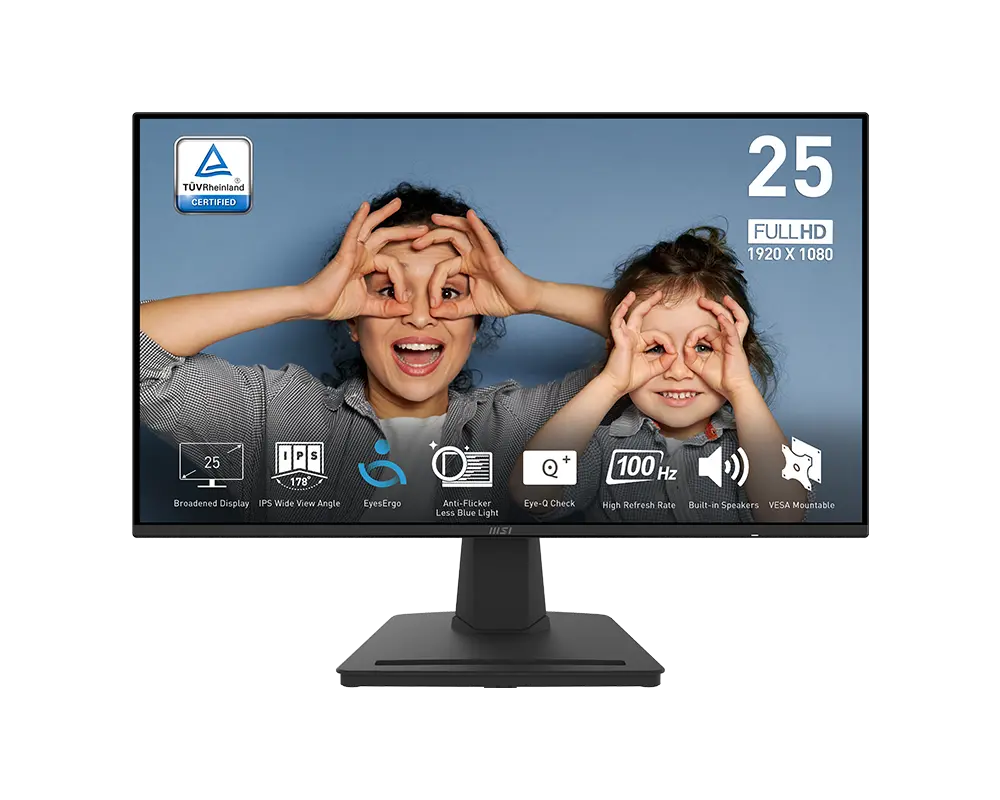
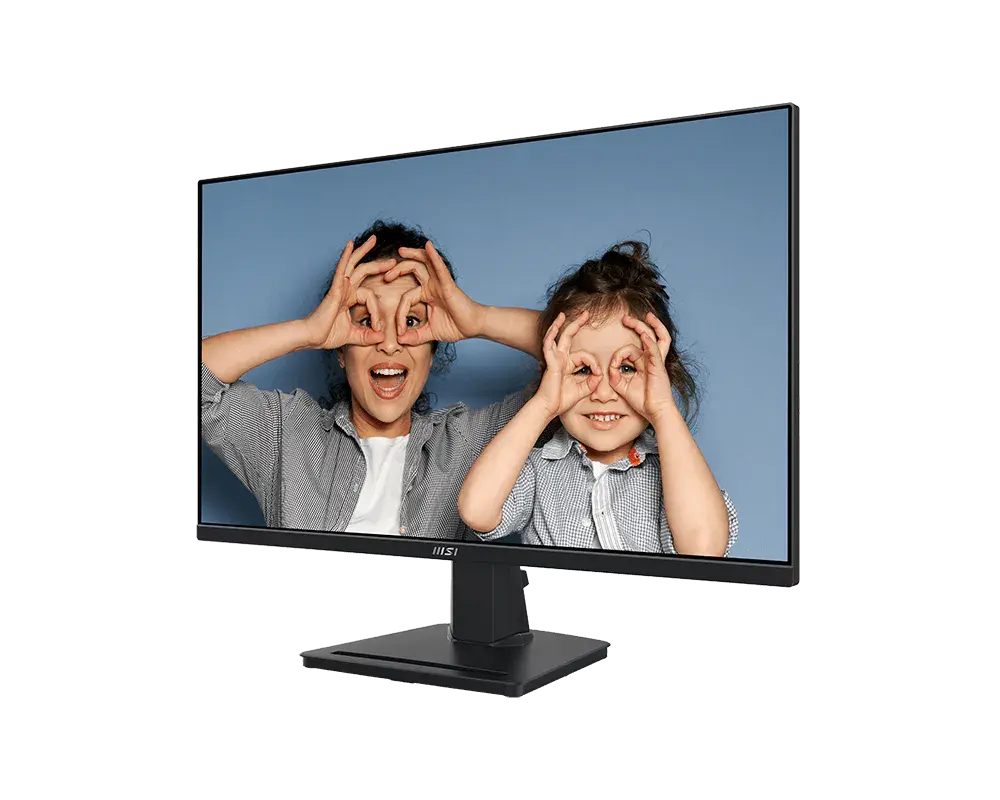
MSI PRO MP252 monitor with its supplied stand, official manufacturer illustration
Exact model & source notes

24.5-inch Full HD IPS monitor with up to 100 Hz through DisplayPort or HDMI, two 2 W speakers and an internal power supply. The supplied stand adjusts for tilt only.

Specifications checked 11 Sept 2026.

Amazon links open search results. Check the exact variant, current price and availability with the retailer.

Manufacturer specifications

WHICH SUITS YOU?

Choose the MP252 for

  • Smaller stated screen diagonal: 24.5 in vs 27 in
  • Smaller stated stand depth: 207.2 mm vs 219.7 mm

Choose the MP271A for

  • Larger stated screen diagonal: 27 in vs 24.5 in
  • sRGB picture mode: Yes vs No
Built from verified specifications that differ. Not a rating or a recommendation.
See the 20 verified differences
THE CONTENDER

MSI PRO MP271A

27 in · 1920 × 1080 · 100 Hz · MSI global model with supplied stand

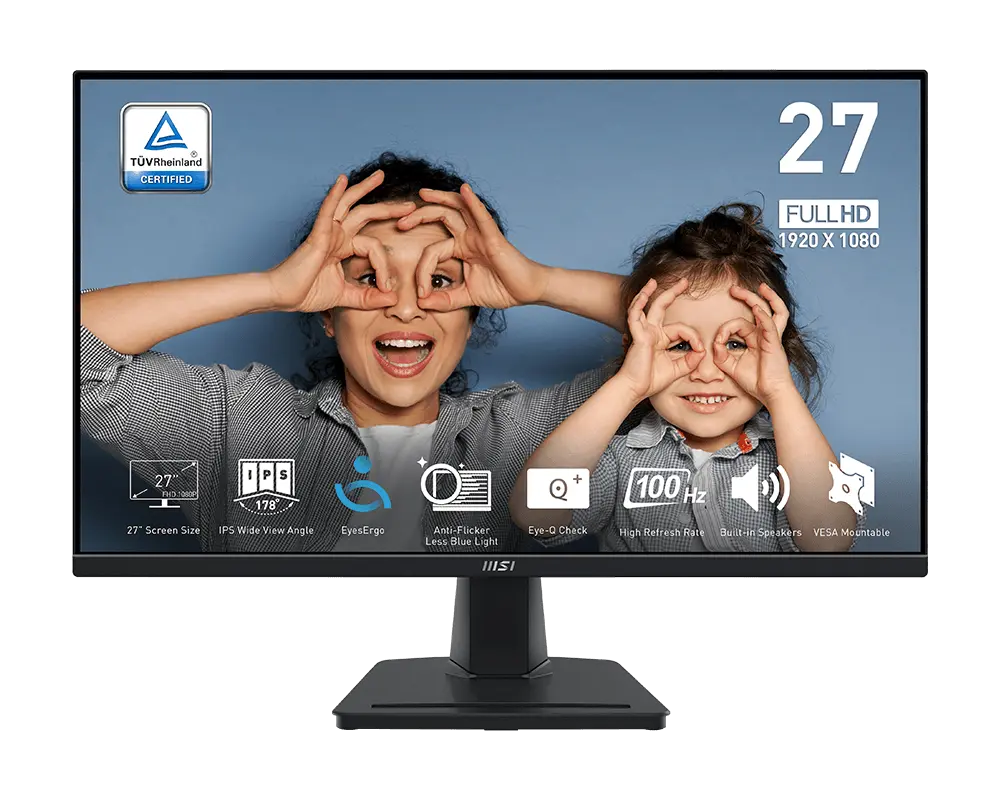
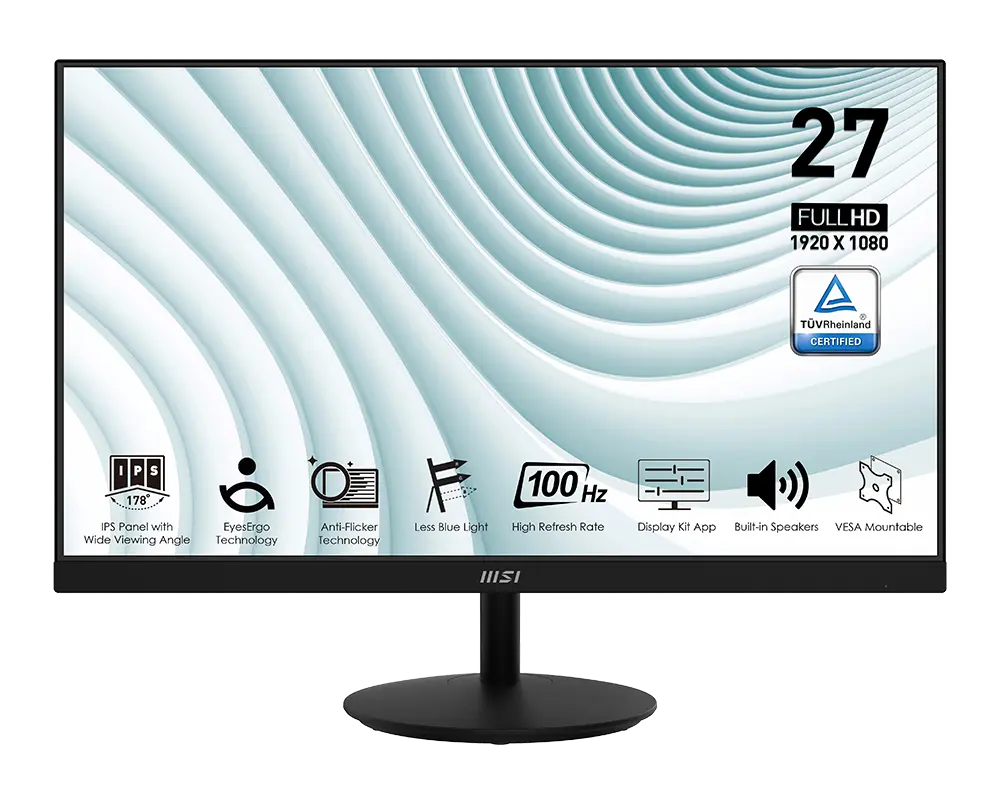
MSI PRO MP271A monitor with its supplied stand, official manufacturer illustration
Exact model & source notes

27-inch Full HD IPS monitor with up to 100 Hz over HDMI or DisplayPort, plus VGA at up to 60 Hz. It includes two 2 W speakers, line-in and a headphone output.

Specifications checked 11 Sept 2026.

Amazon links open search results. Check the exact variant, current price and availability with the retailer.

Manufacturer specifications

MP252 UK & US retailers

UK & US price history: no verified listing yet

MP271A UK & US retailers

UK & US price history: no verified listing yet

Search links open retailer results, not a matched listing; eBay listings are checked daily. As an Amazon Associate I earn from qualifying purchases. As an eBay Partner, we may be compensated if you make a purchase.

THE DIFFERENCES, MADE VISIBLE

Visual facts

Differences first. Select a topic for its graphic, sources and conditions.

How to read this comparison
  • Manufacturer facts for the exact models shown. Not a quality rating or a test result.
  • “Different” means the known values differ, not that one is better.
  • Missing or conflicting evidence is marked and never counts as a difference. Source chips hold each fact’s sources and conditions.
SPECIFICATIONS SIDE BY SIDE8 topics
SELECTED TOPIC
01 / 08

Screen diagonal

Panel diagonal. Resolution, aspect ratio and viewing distance also affect the workspace; a larger diagonal is not an image-quality score.

Explore the full specifications

Match the monitor to the connection. Refresh limits depend on the input, cable and source device. Confirm the exact regional ports, stand adjustment and mount. Manufacturer response-time methods such as MPRT and GtG are different; neither the image nor these figures establish an independent motion or colour-quality test.

WHAT CHANGES BETWEEN THEM?

Key differences

Full specifications ↓

20 verified differences, most decision-relevant first. 7 are also drawn in Visual facts above. Missing information stays separate.

Native-resolution input limits

In Visual facts
MSI PRO MP252DisplayPort: up to 100 Hz; HDMI: up to 100 Hz
MSI PRO MP271AHDMI and DisplayPort: 1920 × 1080 up to 100 Hz; VGA: 1920 × 1080 up to 60 Hz
Sources
MSI PRO MP252

Manufacturer specification · At native 1920 × 1080; needs a compatible source and cable.

MSI PRO MP252 exact global datasheetMSI PRO MP252 user guide V1.1 October 2024; exact model column

Check the exact input, signal mode, source and cable. A connector version or supported timing does not guarantee every console mode, VRR setting or game frame rate.

Inputs and versions

In Visual facts
MSI PRO MP2521 × DisplayPort 1.4a; 1 × HDMI 2.0b; headphone output
MSI PRO MP271A1 × DisplayPort 1.2a; 1 × HDMI 1.4b; 1 × VGA (D-Sub)
Sources
MSI PRO MP252

Manufacturer specification · DisplayPort: up to 100 Hz; HDMI: up to 100 Hz. At native 1920 × 1080; needs a compatible source and cable.

MSI PRO MP252 exact global datasheetMSI PRO MP252 user guide V1.1 October 2024; exact model column
MSI PRO MP271A

Manufacturer specification · HDMI and DisplayPort: 1920 × 1080 up to 100 Hz; VGA: 1920 × 1080 up to 60 Hz

MSI PRO MP271A global datasheetMSI PRO MP271A exact model user guide

Check the exact configuration and source conditions for your use.

Stand adjustment

In Visual facts
MSI PRO MP252Tilt −5° to +20°; no height, swivel or pivot adjustment
MSI PRO MP271ATilt −5° to +23°; no height, swivel or pivot adjustment
Sources
MSI PRO MP271A

Manufacturer specification

MSI PRO MP271A exact model user guide

Compare the supplied stand and mounting requirements. These affect positioning and desk fit; they do not establish panel quality. Check any separately stated limits or conflicting dimensions.

Show 14 more verified differences

Package contents

MSI PRO MP252Monitor, stand/base, cable organizer, power cord and Premium High Speed HDMI cable
MSI PRO MP271AMonitor, stand/base with base screw and power cord; HDMI cable optional
Sources
MSI PRO MP252

Manufacturer specification · MSI notes that contents can vary by country and model.

MSI PRO MP252 user guide V1.1 October 2024; exact model column
MSI PRO MP271A

Manufacturer specification · Contents vary by country; check the retailer's bundle for included cables.

MSI PRO MP271A exact model user guide

Check the exact configuration and source conditions for your use.

Accepted console/video input modes

MSI PRO MP2521080p at 60 Hz
MSI PRO MP271A1080p at 50/60 Hz
Sources
MSI PRO MP252

Manufacturer specification · 1080p60 video timing marked through HDMI and DP; source and cable compatibility still required.

MSI PRO MP252 user guide V1.1 October 2024; exact model column
MSI PRO MP271A

Manufacturer specification · Requires compatible source and cable. Listed timing is not a complete console-feature certification.

MSI PRO MP271A exact model user guide

Check the exact configuration and source conditions for your use.

Pixel pitch

MSI PRO MP2520.2832 × 0.2802 mm (horizontal × vertical)
MSI PRO MP271A0.3114 × 0.3114 mm (horizontal × vertical)
Sources
MSI PRO MP252

Manufacturer specification

MSI PRO MP252 exact global datasheet
MSI PRO MP271A

Manufacturer specification

MSI PRO MP271A global datasheet

Check the exact configuration and source conditions for your use.

Stand depth

In Visual facts
MSI PRO MP252207.2 mm
MSI PRO MP271A219.7 mm
Sources
MSI PRO MP252

MSI's current specification page and datasheet both list 557.7 × 416.3 × 207.2 mm (W × H × D). The V1.1 manual lists 557 × 417 × 207 mm; each axis differs by less than 1 mm, so the current specification page and datasheet figures are used. · Manufacturer specification · Supplied-stand depth, excluding additional cable clearance. Not panel thickness.

MSI PRO MP252 exact global datasheetMSI PRO MP252 user guide V1.1 October 2024; exact model columnMSI PRO MP252 — current specification page
MSI PRO MP271A

Manufacturer specification · Assembled desk depth; allow additional cable clearance.

MSI PRO MP271A global datasheetMSI PRO MP271A exact model user guide

A size or weight trade-off; it does not establish the better product.

Active display area

MSI PRO MP252543.744 × 302.616 mm (horizontal × vertical)
MSI PRO MP271A597.888 × 336.312 mm (horizontal × vertical)
Sources
MSI PRO MP252

Manufacturer specification

MSI PRO MP252 exact global datasheet
MSI PRO MP271A

Manufacturer specification

MSI PRO MP271A global datasheet

Check the exact configuration and source conditions for your use.

Dimensions with stand

MSI PRO MP252557.7 × 416.3 × 207.2 mm (width × height × depth, with stand)
MSI PRO MP271A612.6 × 456.8 × 219.7 mm (width × height × depth, with stand)
Sources
MSI PRO MP252

MSI's current specification page and datasheet both list 557.7 × 416.3 × 207.2 mm (W × H × D). The V1.1 manual lists 557 × 417 × 207 mm; each axis differs by less than 1 mm, so the current specification page and datasheet figures are used. · Manufacturer specification · Manufacturer assembled dimensions with the supplied stand. Depth excludes additional cable clearance; this is not panel thickness.

MSI PRO MP252 exact global datasheetMSI PRO MP252 user guide V1.1 October 2024; exact model columnMSI PRO MP252 — current specification page
MSI PRO MP271A

Manufacturer specification · Assembled dimensions exclude additional cable clearance.

MSI PRO MP271A global datasheetMSI PRO MP271A exact model user guide

A size or weight trade-off; it does not establish the better product.

Missing or non-comparable evidence (19)

HDR support

MSI PRO MP252Not verified
MSI PRO MP271ANot verified
Sources
MSI PRO MP252

MSI does not list HDR input support for this model; HDCR is a contrast setting, not HDR. · Manufacturer specification

MSI PRO MP252 user guide V1.1 October 2024; exact model column
MSI PRO MP271A

HDR input support is not documented; Dynamic Contrast Ratio is a different feature. · Manufacturer specification

MSI PRO MP271A exact model user guide

Evidence is missing or conflicting on at least one side. This is not a verified difference.

Hardware low-blue-light filter

MSI PRO MP252Not verified
MSI PRO MP271ANot verified
Sources
MSI PRO MP252

No source recorded for this side.

MSI PRO MP271A

MSI documents a warmer Low Blue Light mode; a hardware filter is not specified. · Manufacturer specification

MSI PRO MP271A exact model user guide

Evidence is missing or conflicting on at least one side. This is not a verified difference.

Headphone output

MSI PRO MP252Not verified
MSI PRO MP271AYes
Sources
MSI PRO MP252

No source recorded for this side.

MSI PRO MP271A

Manufacturer specification

MSI PRO MP271A exact model user guide

Evidence is missing or conflicting on at least one side. This is not a verified difference.

Stand accessory slot

MSI PRO MP252Yes
MSI PRO MP271ANot verified
Sources
MSI PRO MP252

Manufacturer specification

MSI PRO MP252 advertised capabilities
MSI PRO MP271A

No source recorded for this side.

Evidence is missing or conflicting on at least one side. This is not a verified difference.

Removable cable organizer

MSI PRO MP252Yes
MSI PRO MP271ANot verified
Sources
MSI PRO MP271A

No source recorded for this side.

Evidence is missing or conflicting on at least one side. This is not a verified difference.

Declared sRGB gamut

MSI PRO MP252Conflicting evidence
MSI PRO MP271A108% (CIE 1976)
Sources
MSI PRO MP252

MSI's datasheet lists 100.15% sRGB and its manual lists 100% (both CIE 1976). · Manufacturer specification

MSI PRO MP252 exact global datasheetMSI PRO MP252 user guide V1.1 October 2024; exact model column
MSI PRO MP271A

Manufacturer specification · Manufacturer CIE 1976 gamut claim; not calibrated coverage or accuracy.

MSI PRO MP271A global datasheetMSI PRO MP271A exact model user guide

Evidence is missing or conflicting on at least one side. This is not a verified difference.

Declared power-consumption limits

MSI PRO MP252On: <30 W; standby: <0.5 W; off: <0.3 W
MSI PRO MP271ANot verified
Sources
MSI PRO MP271A

No source recorded for this side.

Evidence is missing or conflicting on at least one side. This is not a verified difference.

Eye-Q Check

MSI PRO MP252Yes
MSI PRO MP271ANot verified
Sources
MSI PRO MP252

Manufacturer specification · Enabling Eye-Q Check disables refresh-rate display, timer, Screen Assistance and Info On Screen. Showing monitor information disables Eye-Q Check.

MSI PRO MP252 user guide V1.1 October 2024; exact model column
MSI PRO MP271A

MSI does not list Eye-Q Check for the MP271A. · Manufacturer specification

MSI PRO MP271A exact model user guide

Evidence is missing or conflicting on at least one side. This is not a verified difference.

Eye-Q on-screen tools

MSI PRO MP252Amsler Grid, Astigmatism and Posture Correction
MSI PRO MP271ANot verified
Sources
MSI PRO MP271A

No source recorded for this side.

Evidence is missing or conflicting on at least one side. This is not a verified difference.

Analogue audio line input

MSI PRO MP252Not verified
MSI PRO MP271AYes
Sources
MSI PRO MP252

No source recorded for this side.

MSI PRO MP271A

Manufacturer specification

MSI PRO MP271A exact model user guide

Evidence is missing or conflicting on at least one side. This is not a verified difference.

Measured operating power consumption

MSI PRO MP252Not verified
MSI PRO MP271ANot verified
Sources
MSI PRO MP252

MSI declares power-on consumption below 30 W; this is an upper bound, not a measured running figure. · Manufacturer specification

MSI PRO MP252 exact global datasheetMSI PRO MP252 user guide V1.1 October 2024; exact model column
MSI PRO MP271A

MSI declares power-on consumption below 21 W; this is an upper bound, not a measured running figure. · Manufacturer specification

MSI PRO MP271A exact model user guide

Evidence is missing or conflicting on at least one side. This is not a verified difference.

Declared power bounds

MSI PRO MP252Not verified
MSI PRO MP271APower on < 21 W; standby < 0.5 W; off < 0.5 W
Sources
MSI PRO MP252

No source recorded for this side.

MSI PRO MP271A

Manufacturer specification

MSI PRO MP271A exact model user guide

Evidence is missing or conflicting on at least one side. This is not a verified difference.

Power supply

MSI PRO MP252Internal power supply, 100–240 V AC
MSI PRO MP271AInternal power supply, 100–240 V AC, 50–60 Hz
Sources
MSI PRO MP252

Manufacturer specification · Mains cord and adapter may vary by region; the rating is not running power.

MSI PRO MP252 exact global datasheetMSI PRO MP252 user guide V1.1 October 2024; exact model column

One source states less detail or a rounded figure. This is not a verified difference; check the exact configuration.

Default native refresh rate

MSI PRO MP252Not verified
MSI PRO MP271ANot verified
Sources
MSI PRO MP252

Maximum 100 Hz and a sample 60 Hz OSD do not identify a factory/default native refresh rate. · Manufacturer specification

MSI PRO MP252 exact global datasheetMSI PRO MP252 user guide V1.1 October 2024; exact model column
MSI PRO MP271A

The maximum refresh rate is documented; a factory default refresh rate is not specified. · Manufacturer specification

MSI PRO MP271A exact model user guide

Evidence is missing or conflicting on at least one side. This is not a verified difference.

Declared GtG response

MSI PRO MP2524 ms
MSI PRO MP271AConflicting evidence
Sources
MSI PRO MP252

Manufacturer specification · Grey-to-grey response; not input lag.

MSI PRO MP252 exact global datasheetMSI PRO MP252 user guide V1.1 October 2024; exact model column
MSI PRO MP271A

MSI's datasheet feature panel says 1 ms GtG, while its technical table and user guide say 4 ms GtG; check the listing. · Manufacturer specification

MSI PRO MP271A global datasheetMSI PRO MP271A exact model user guide

Evidence is missing or conflicting on at least one side. This is not a verified difference.

On-screen aiming assistance

MSI PRO MP252Yes
MSI PRO MP271ANot verified
Sources
MSI PRO MP252

Manufacturer specification · Eye-Q Check disables Screen Assistance.

MSI PRO MP252 user guide V1.1 October 2024; exact model column
MSI PRO MP271A

No source recorded for this side.

Evidence is missing or conflicting on at least one side. This is not a verified difference.

32 shared fields have the same recorded value.

WHAT EACH CHOICE ASKS OF YOU

What it brings and what to check

MSI PRO MP252

What it brings

  • DisplayPort 1.4a and HDMI 2.0b both run the 24.5-inch IPS panel at 100 Hz, with 1 ms MPRT, Adaptive-Sync and HDMI CEC power controls.
  • Eye-Q Check, custom joystick shortcuts and Low Blue Light are documented controls. Adaptive-Sync and MPRT are selectable, but cannot operate together.

What to check

MSI PRO MP271A

What it brings

  • HDMI and DisplayPort run the 27-inch IPS panel at 100 Hz with 1 ms MPRT and Adaptive-Sync; HDMI CEC, an sRGB preset and 108% sRGB coverage are listed.
  • The power supply is built in (100–240 V AC), so there is no external power brick. It also has 178° viewing angles, a Low Blue Light mode and two 2 W speakers with line-in and headphone jacks.

What to check

COMPARE THE DETAILS

Full specifications

How we verify
71 of 71 specifications Sources in each row
Source-backed specifications for MSI PRO MP252 and MSI PRO MP271A
SpecificationMSI PRO MP252MSI PRO MP271A
24.5 in27 in
1920 × 10801920 × 1080
IPS LCDIPS LCD
16:916:9
Screen shape
Sources
FlatFlat
Anti-glareAnti-glare
Declared brightness
Sources
MSI PRO MP252

Manufacturer specification · Manufacturer unqualified luminance declaration; typical, peak, HDR and sustained test conditions are not specified.

MSI PRO MP252 exact global datasheetMSI PRO MP252 user guide V1.1 October 2024; exact model column
MSI PRO MP271A

Manufacturer specification · Typical SDR brightness; not an HDR peak figure.

MSI PRO MP271A exact model user guide
300 cd/m²300 cd/m²
Static contrast claimDifferent
Sources
MSI PRO MP252

Manufacturer specification · Manufacturer static contrast declaration; not HDCR dynamic contrast or a lab measurement.

MSI PRO MP252 exact global datasheetMSI PRO MP252 user guide V1.1 October 2024; exact model column
1300:11000:1
Colour depth
Sources
MSI PRO MP252

Manufacturer specification

MSI PRO MP252 exact global datasheet
MSI PRO MP271A

Manufacturer specification

MSI PRO MP271A global datasheet
6-bit + FRC6-bit + FRC
16.7 million16.7 million
Active display areaDifferent
Sources
MSI PRO MP252

Manufacturer specification

MSI PRO MP252 exact global datasheet
MSI PRO MP271A

Manufacturer specification

MSI PRO MP271A global datasheet
543.744 × 302.616 mm (horizontal × vertical)597.888 × 336.312 mm (horizontal × vertical)
Pixel pitchDifferent
Sources
MSI PRO MP252

Manufacturer specification

MSI PRO MP252 exact global datasheet
MSI PRO MP271A

Manufacturer specification

MSI PRO MP271A global datasheet
0.2832 × 0.2802 mm (horizontal × vertical)0.3114 × 0.3114 mm (horizontal × vertical)
178° horizontal / 178° vertical178° horizontal / 178° vertical
Declared sRGB gamut
Sources
MSI PRO MP252

MSI's datasheet lists 100.15% sRGB and its manual lists 100% (both CIE 1976). · Manufacturer specification

MSI PRO MP252 exact global datasheetMSI PRO MP252 user guide V1.1 October 2024; exact model column
MSI PRO MP271A

Manufacturer specification · Manufacturer CIE 1976 gamut claim; not calibrated coverage or accuracy.

MSI PRO MP271A global datasheetMSI PRO MP271A exact model user guide
Conflicting sources108% (CIE 1976)
Declared DCI-P3 gamutDifferent
Sources
MSI PRO MP271A

Manufacturer specification · MSI does not say whether this is area or overlap.

MSI PRO MP271A exact model user guide
80% (CIE 1976)84% (CIE 1976)
Picture modesDifferent
Sources
MSI PRO MP271A

Manufacturer specification

MSI PRO MP271A exact model user guide
Eco, User, Anti-Blue, Movie, Office, Black-WhiteStandard, Text, Internet, Game, Movie, Sports, sRGB
sRGB picture modeDifferent
Sources
MSI PRO MP271A

Manufacturer specification · Preset is available under Eco Mode.

MSI PRO MP271A exact model user guide
NoYes
Refresh rate
Sources
MSI PRO MP252

Manufacturer specification · DisplayPort: up to 100 Hz; HDMI: up to 100 Hz. At native 1920 × 1080; needs a compatible source and cable.

MSI PRO MP252 exact global datasheetMSI PRO MP252 user guide V1.1 October 2024; exact model column
MSI PRO MP271A

Manufacturer specification · HDMI and DisplayPort: 1920 × 1080 up to 100 Hz; VGA: 1920 × 1080 up to 60 Hz. Compatible source, cable and timing selection required.

MSI PRO MP271A global datasheetMSI PRO MP271A exact model user guide
100 Hz100 Hz
Native-resolution input limitsDifferent
Sources
MSI PRO MP252

Manufacturer specification · At native 1920 × 1080; needs a compatible source and cable.

MSI PRO MP252 exact global datasheetMSI PRO MP252 user guide V1.1 October 2024; exact model column
DisplayPort: up to 100 Hz; HDMI: up to 100 HzHDMI and DisplayPort: 1920 × 1080 up to 100 Hz; VGA: 1920 × 1080 up to 60 Hz
Maximum HDMI refresh at native resolution
Sources
100 Hz100 Hz
Response method and claim
Sources
MSI PRO MP252

Manufacturer specification · Moving-picture response time; not input lag.

MSI PRO MP252 exact global datasheetMSI PRO MP252 user guide V1.1 October 2024; exact model column
MSI PRO MP271A

Manufacturer specification · Manufacturer MPRT claim. GtG figures conflict and are shown separately; neither method measures input lag.

MSI PRO MP271A global datasheetMSI PRO MP271A exact model user guide
1 ms MPRT1 ms MPRT
Declared GtG response
Sources
MSI PRO MP252

Manufacturer specification · Grey-to-grey response; not input lag.

MSI PRO MP252 exact global datasheetMSI PRO MP252 user guide V1.1 October 2024; exact model column
MSI PRO MP271A

MSI's datasheet feature panel says 1 ms GtG, while its technical table and user guide say 4 ms GtG; check the listing. · Manufacturer specification

MSI PRO MP271A global datasheetMSI PRO MP271A exact model user guide
4 msConflicting sources
Declared MPRT response
Sources
MSI PRO MP252

Manufacturer specification · Manufacturer MPRT claim; no simultaneous VRR or input-lag claim.

MSI PRO MP252 exact global datasheetMSI PRO MP252 user guide V1.1 October 2024; exact model column
1 ms1 ms
Adaptive sync
Sources
MSI PRO MP252

Manufacturer specification · Adaptive-Sync disables MPRT. Needs a compatible source and driver; MSI does not list the VRR range or LFC.

MSI PRO MP252 user guide V1.1 October 2024; exact model column
MSI PRO MP271A

Manufacturer specification · Adaptive-Sync and MPRT cannot be enabled together. Compatible source and mode required.

MSI PRO MP271A exact model user guide
YesYes
Named adaptive-sync technology
Sources
Adaptive-SyncAdaptive-Sync
Motion-blur reduction mode
Sources
MSI PRO MP252

Manufacturer specification · MPRT requires refresh above 85 Hz, locks brightness and response-time controls, and disables HDCR and Adaptive-Sync.

MSI PRO MP252 user guide V1.1 October 2024; exact model column
MSI PRO MP271A

Manufacturer specification · MPRT locks brightness and overdrive and disables Adaptive-Sync and DCR. Selecting Eco Mode or enabling DCR also turns MPRT off.

MSI PRO MP271A exact model user guide
YesYes
MPRT with Adaptive-Sync
Sources
MSI PRO MP271A

Manufacturer specification

MSI PRO MP271A exact model user guide
NoNo
Inputs and versionsDifferent
Sources
MSI PRO MP252

Manufacturer specification · DisplayPort: up to 100 Hz; HDMI: up to 100 Hz. At native 1920 × 1080; needs a compatible source and cable.

MSI PRO MP252 exact global datasheetMSI PRO MP252 user guide V1.1 October 2024; exact model column
MSI PRO MP271A

Manufacturer specification · HDMI and DisplayPort: 1920 × 1080 up to 100 Hz; VGA: 1920 × 1080 up to 60 Hz

MSI PRO MP271A global datasheetMSI PRO MP271A exact model user guide
1 × DisplayPort 1.4a; 1 × HDMI 2.0b; headphone output1 × DisplayPort 1.2a; 1 × HDMI 1.4b; 1 × VGA (D-Sub)
NoNo
NoNo
USB data connections
Sources
No USB data portsNo USB data ports
Built-in speakers
Sources
MSI PRO MP252

Manufacturer specification

MSI PRO MP252 exact global datasheet
YesYes
Speaker configuration and rating
Sources
MSI PRO MP252

Manufacturer specification

MSI PRO MP252 exact global datasheet
2 × 2 W2 × 2 W
Audio connectionsDifferent
Sources
Headphone-outLine-in and headphone output
HDMI CEC
Sources
MSI PRO MP252

Manufacturer specification · Requires a CEC-capable source; power interaction is not HDMI Forum VRR, 120 Hz or HDR support.

MSI PRO MP252 user guide V1.1 October 2024; exact model column
MSI PRO MP271A

Manufacturer specification · Requires a CEC-capable source and enabled CEC setting.

MSI PRO MP271A exact model user guide
YesYes
Accepted console/video input modesDifferent
Sources
MSI PRO MP252

Manufacturer specification · 1080p60 video timing marked through HDMI and DP; source and cable compatibility still required.

MSI PRO MP252 user guide V1.1 October 2024; exact model column
MSI PRO MP271A

Manufacturer specification · Requires compatible source and cable. Listed timing is not a complete console-feature certification.

MSI PRO MP271A exact model user guide
1080p at 60 Hz1080p at 50/60 Hz
VGA input
Sources
MSI PRO MP252

No source recorded.

Not providedYes
Headphone output
Sources
MSI PRO MP252

No source recorded.

MSI PRO MP271A

Manufacturer specification

MSI PRO MP271A exact model user guide
Not providedYes
Analogue audio line input
Sources
MSI PRO MP252

No source recorded.

MSI PRO MP271A

Manufacturer specification

MSI PRO MP271A exact model user guide
Not providedYes
Dimensions with standDifferent
Sources
MSI PRO MP252

MSI's current specification page and datasheet both list 557.7 × 416.3 × 207.2 mm (W × H × D). The V1.1 manual lists 557 × 417 × 207 mm; each axis differs by less than 1 mm, so the current specification page and datasheet figures are used. · Manufacturer specification · Manufacturer assembled dimensions with the supplied stand. Depth excludes additional cable clearance; this is not panel thickness.

MSI PRO MP252 exact global datasheetMSI PRO MP252 user guide V1.1 October 2024; exact model columnMSI PRO MP252 — current specification page
MSI PRO MP271A

Manufacturer specification · Assembled dimensions exclude additional cable clearance.

MSI PRO MP271A global datasheetMSI PRO MP271A exact model user guide
557.7 × 416.3 × 207.2 mm (width × height × depth, with stand)612.6 × 456.8 × 219.7 mm (width × height × depth, with stand)
Stand depthDifferent
Sources
MSI PRO MP252

MSI's current specification page and datasheet both list 557.7 × 416.3 × 207.2 mm (W × H × D). The V1.1 manual lists 557 × 417 × 207 mm; each axis differs by less than 1 mm, so the current specification page and datasheet figures are used. · Manufacturer specification · Supplied-stand depth, excluding additional cable clearance. Not panel thickness.

MSI PRO MP252 exact global datasheetMSI PRO MP252 user guide V1.1 October 2024; exact model columnMSI PRO MP252 — current specification page
MSI PRO MP271A

Manufacturer specification · Assembled desk depth; allow additional cable clearance.

MSI PRO MP271A global datasheetMSI PRO MP271A exact model user guide
207.2 mm219.7 mm
Height-adjustable stand
Sources
NoNo
Swivel-adjustable stand
Sources
NoNo
Portrait pivot
Sources
NoNo
−5° to 20°−5° to 23°
Stand adjustmentDifferent
Sources
Tilt −5° to +20°; no height, swivel or pivot adjustmentTilt −5° to +23°; no height, swivel or pivot adjustment
100 × 100 mm100 × 100 mm
VESA screw specification
Sources
MSI PRO MP271A

Manufacturer specification

MSI PRO MP271A exact model user guide
M4 × 10 mm; 0.7 mm thread pitchM4 × 10 mm; 0.7 mm thread pitch
Net weightDifferent
Sources
MSI PRO MP252

Manufacturer specification · Net product mass, packaging excluded.

MSI PRO MP252 exact global datasheetMSI PRO MP252 user guide V1.1 October 2024; exact model column
3.3 kg3.9 kg
Gross shipping weightDifferent
Sources
4.9 kg5.5 kg
YesYes
MSI Display Kit support
Sources
MSI PRO MP252

Manufacturer specification · Separate PC software; check OS compatibility. The monitor has no built-in wireless receiver listed.

MSI PRO MP252 advertised capabilities
MSI PRO MP271A

Manufacturer specification · Separate PC software; check OS and feature compatibility. No built-in wireless receiver or USB hub is implied.

MSI PRO MP271A feature page; extracted text
YesYes
Stand accessory slot
Sources
MSI PRO MP252

Manufacturer specification

MSI PRO MP252 advertised capabilities
MSI PRO MP271A

No source recorded.

YesNot provided
Removable cable organizer
Sources
MSI PRO MP271A

No source recorded.

YesNot provided
Stand assemblyDifferent
Sources
MSI PRO MP271A

Manufacturer specification

MSI PRO MP271A exact model user guide
Push-lock stand bracket, cable organizer and basePush-lock stand bracket; base secured with its screw
Package contentsDifferent
Sources
MSI PRO MP252

Manufacturer specification · MSI notes that contents can vary by country and model.

MSI PRO MP252 user guide V1.1 October 2024; exact model column
MSI PRO MP271A

Manufacturer specification · Contents vary by country; check the retailer's bundle for included cables.

MSI PRO MP271A exact model user guide
Monitor, stand/base, cable organizer, power cord and Premium High Speed HDMI cableMonitor, stand/base with base screw and power cord; HDMI cable optional
Power supply
Sources
MSI PRO MP252

Manufacturer specification · Mains cord and adapter may vary by region; the rating is not running power.

MSI PRO MP252 exact global datasheetMSI PRO MP252 user guide V1.1 October 2024; exact model column
Internal power supply, 100–240 V ACInternal power supply, 100–240 V AC, 50–60 Hz
Declared power-consumption limits
Sources
MSI PRO MP271A

No source recorded.

On: <30 W; standby: <0.5 W; off: <0.3 WNot provided
Declared power bounds
Sources
MSI PRO MP252

No source recorded.

MSI PRO MP271A

Manufacturer specification

MSI PRO MP271A exact model user guide
Not providedPower on < 21 W; standby < 0.5 W; off < 0.5 W
On-screen controlsDifferent
Sources
5-way joystick with custom shortcutsRear OSD buttons with fixed shortcuts
Eye-Q Check
Sources
MSI PRO MP252

Manufacturer specification · Enabling Eye-Q Check disables refresh-rate display, timer, Screen Assistance and Info On Screen. Showing monitor information disables Eye-Q Check.

MSI PRO MP252 user guide V1.1 October 2024; exact model column
MSI PRO MP271A

MSI does not list Eye-Q Check for the MP271A. · Manufacturer specification

MSI PRO MP271A exact model user guide
YesNot listed by the manufacturer
Eye-Q on-screen tools
Sources
MSI PRO MP271A

No source recorded.

Amsler Grid, Astigmatism and Posture CorrectionNot provided
On-screen aiming assistance
Sources
MSI PRO MP252

Manufacturer specification · Eye-Q Check disables Screen Assistance.

MSI PRO MP252 user guide V1.1 October 2024; exact model column
MSI PRO MP271A

No source recorded.

YesNot provided
Low Blue Light mode
Sources
MSI PRO MP252

Manufacturer specification · Anti-Blue mode forces Low Blue Light on; enabled control shifts the image to a warmer colour temperature.

MSI PRO MP252 user guide V1.1 October 2024; exact model column
MSI PRO MP271A

Manufacturer specification · Enabling the mode shifts colour temperature toward a warmer image.

MSI PRO MP271A exact model user guide
YesYes
Manufacturer Flicker Free declaration
Sources
MSI PRO MP252

Manufacturer specification · The manual excludes enabled MPRT/Anti Motion Blur from its Flicker Free declaration.

MSI PRO MP252 user guide V1.1 October 2024; exact model column
MSI PRO MP271A

Manufacturer specification · Manufacturer declaration; enabled Anti Motion Blur/MPRT is excluded where available. No separate lab report is included.

MSI PRO MP271A exact model user guide
YesYes
Show unverified (6)Not verified, not provided or conflicting for both products. Kept for completeness; never counted as a difference.
Specifications without verified values for either product
Default native refresh rate
Sources
MSI PRO MP252

Maximum 100 Hz and a sample 60 Hz OSD do not identify a factory/default native refresh rate. · Manufacturer specification

MSI PRO MP252 exact global datasheetMSI PRO MP252 user guide V1.1 October 2024; exact model column
MSI PRO MP271A

The maximum refresh rate is documented; a factory default refresh rate is not specified. · Manufacturer specification

MSI PRO MP271A exact model user guide
Not listed by the manufacturerNot listed by the manufacturer
Measured operating power consumption
Sources
MSI PRO MP252

MSI declares power-on consumption below 30 W; this is an upper bound, not a measured running figure. · Manufacturer specification

MSI PRO MP252 exact global datasheetMSI PRO MP252 user guide V1.1 October 2024; exact model column
MSI PRO MP271A

MSI declares power-on consumption below 21 W; this is an upper bound, not a measured running figure. · Manufacturer specification

MSI PRO MP271A exact model user guide
Not listed by the manufacturerNot listed by the manufacturer
HDMI VRR
Sources
MSI PRO MP252

MSI does not list HDMI VRR for this model. · Manufacturer specification

MSI PRO MP252 exact global datasheetMSI PRO MP252 user guide V1.1 October 2024; exact model column
MSI PRO MP271A

Adaptive-Sync is documented, but HDMI Forum VRR is not separately confirmed. · Manufacturer specification

MSI PRO MP271A exact model user guide
Not listed by the manufacturerNot listed by the manufacturer
HDR support
Sources
MSI PRO MP252

MSI does not list HDR input support for this model; HDCR is a contrast setting, not HDR. · Manufacturer specification

MSI PRO MP252 user guide V1.1 October 2024; exact model column
MSI PRO MP271A

HDR input support is not documented; Dynamic Contrast Ratio is a different feature. · Manufacturer specification

MSI PRO MP271A exact model user guide
Not listed by the manufacturerNot listed by the manufacturer
Picture-in-picture / picture-by-picture
Sources
MSI PRO MP252

MSI does not list PIP/PBP for this model. · Manufacturer specification

MSI PRO MP252 user guide V1.1 October 2024; exact model column
MSI PRO MP271A

MSI does not list PIP/PBP for this model. · Manufacturer specification

MSI PRO MP271A exact model user guide
Not listed by the manufacturerNot listed by the manufacturer
Hardware low-blue-light filter
Sources
MSI PRO MP252

No source recorded.

MSI PRO MP271A

MSI documents a warmer Low Blue Light mode; a hardware filter is not specified. · Manufacturer specification

MSI PRO MP271A exact model user guide
Not providedNot listed by the manufacturer
FIND YOUR CONTENDERS

More products

Closest monitors to this pair by shared key specifications. Not a popularity ranking.

See all 1749 monitors
LG 24MR400-B monitor from the front on its black pedestal stand, with LG Monitor screen artwork.

LG 24MR400-B IPS Full HD Monitor

Max refresh
100 Hz
Screen diagonal
23.8 in
Stand depth
200 mm
Prices & product profile

Each record represents an explicitly checked model and configuration. Original import: 5 Sept 2026; this is not its verification date. This is not a list of current offers or a popularity ranking.