Skip to comparison
versus.deals
Menu
Browse versus.deals
KEYBOARDS · YOUR NEXT FACE-OFF

Logitech Wave Keys vs Logitech MX Mechanical

Real specs. Clear sources.Exact models · UK & US buying links

Compared products

YOUR FIRST CHOICE

Logitech Wave Keys

920-011898 · Graphite · English US QWERTY · wave-shaped ergonomic with integrated palm rest
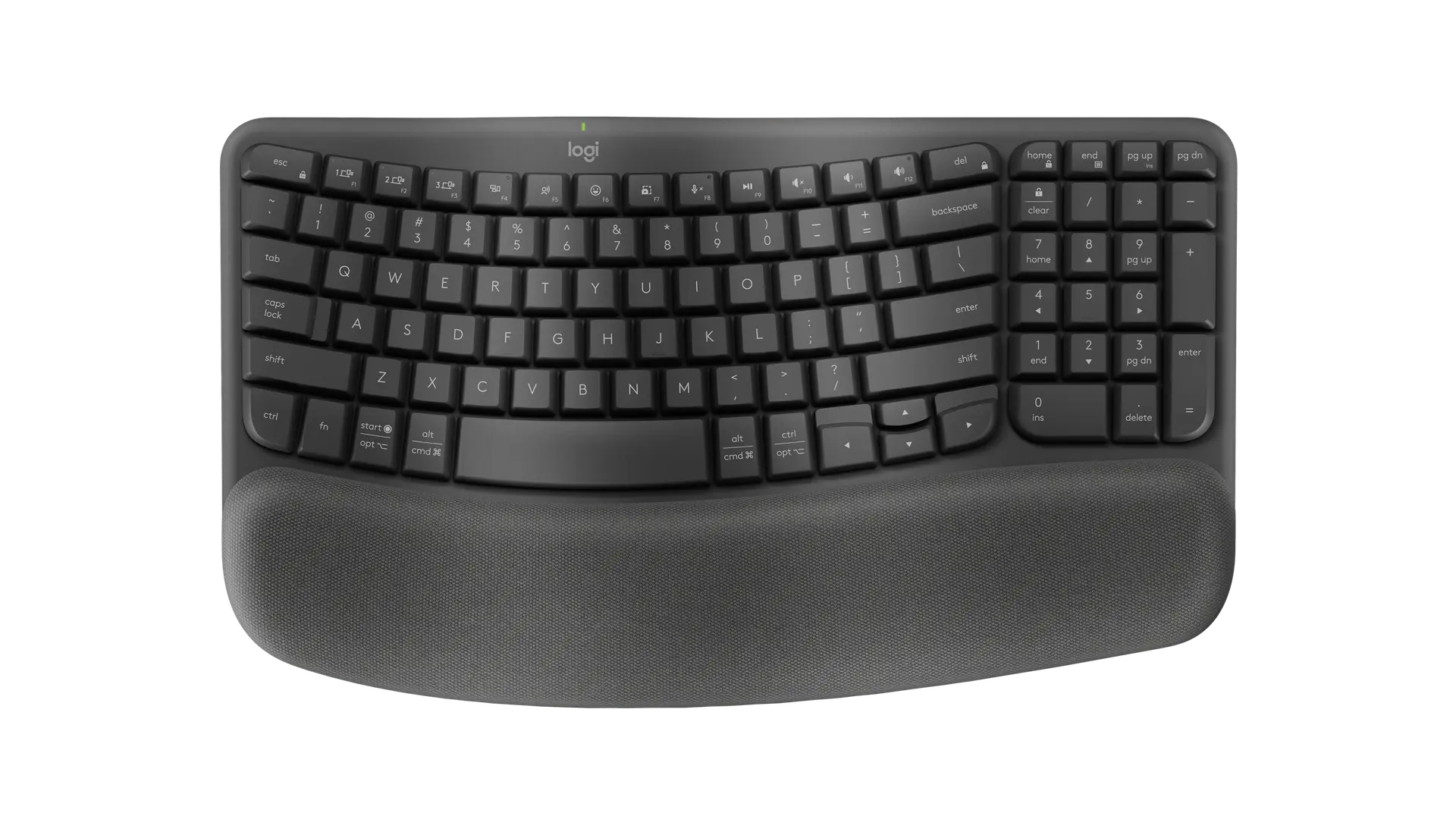
Logitech Wave Keys ergonomic keyboard in Graphite with English US QWERTY (ANSI) layout and integrated palm rest, official top view
Exact model & source notes

Wave Keys is Logitech's compact ergonomic keyboard with a wave-shaped key layout, a number pad and a permanently attached memory-foam palm rest, connecting by Logi Bolt receiver or Bluetooth. This record is the Graphite English US (ANSI) SKU 920-011898.

Specifications checked 26 Sept 2026.

Amazon links open search results. Check the exact variant, current price and availability with the retailer.

Manufacturer specifications

WHICH SUITS YOU?

Choose the Wave Keys for

  • A compact keyboard with a number pad
  • Higher stated switch actuation distance: 1.5 mm vs 1.3 mm

Choose the MX Mechanical for

  • A full-size keyboard
  • Lower stated switch actuation distance: 1.3 mm vs 1.5 mm
Built from verified specifications that differ. Not a rating or a recommendation.
See the 14 verified differences
THE CONTENDER

Logitech MX Mechanical

920-010547 · Graphite · Tactile Quiet switches · English US QWERTY · full size

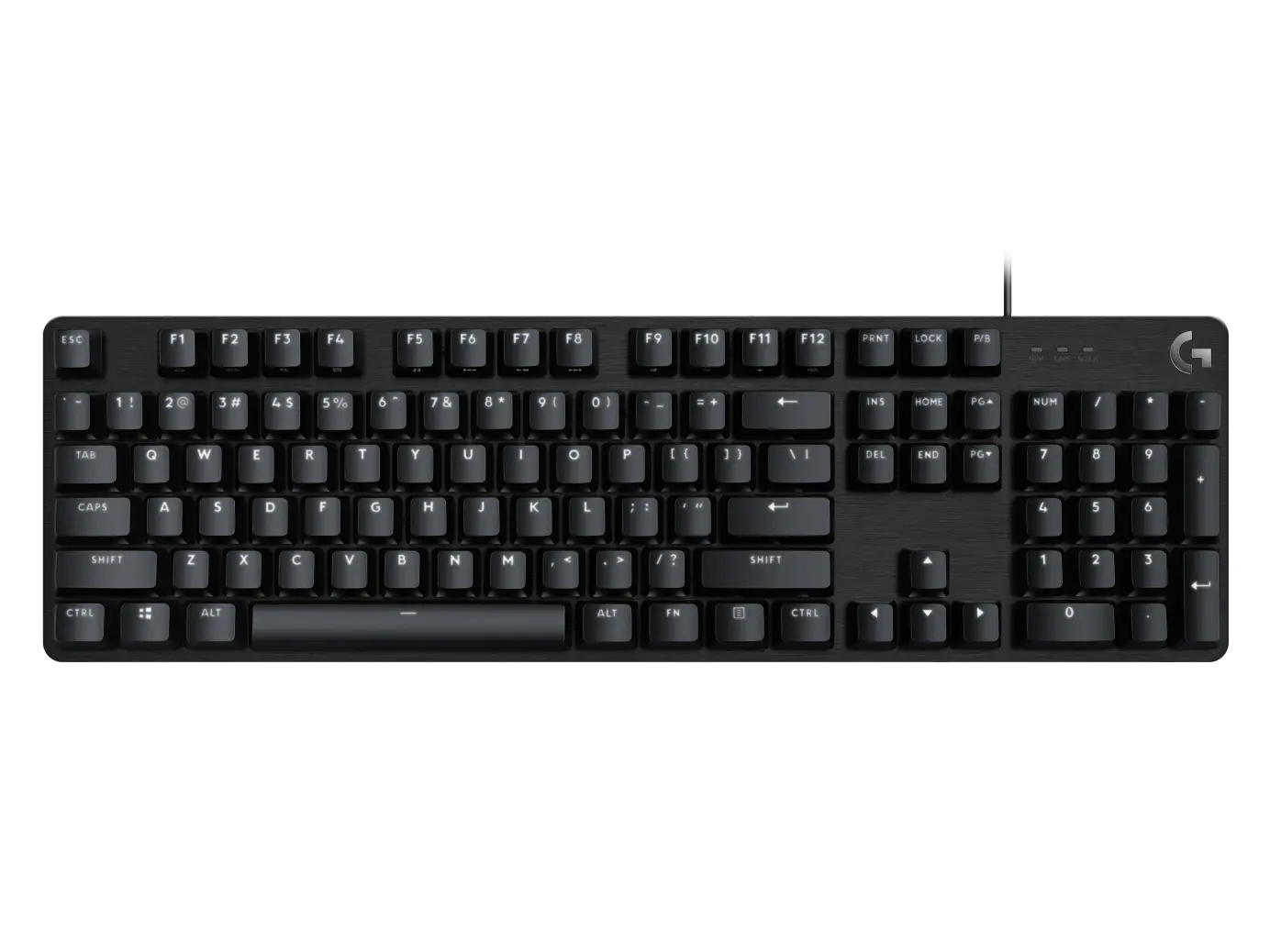
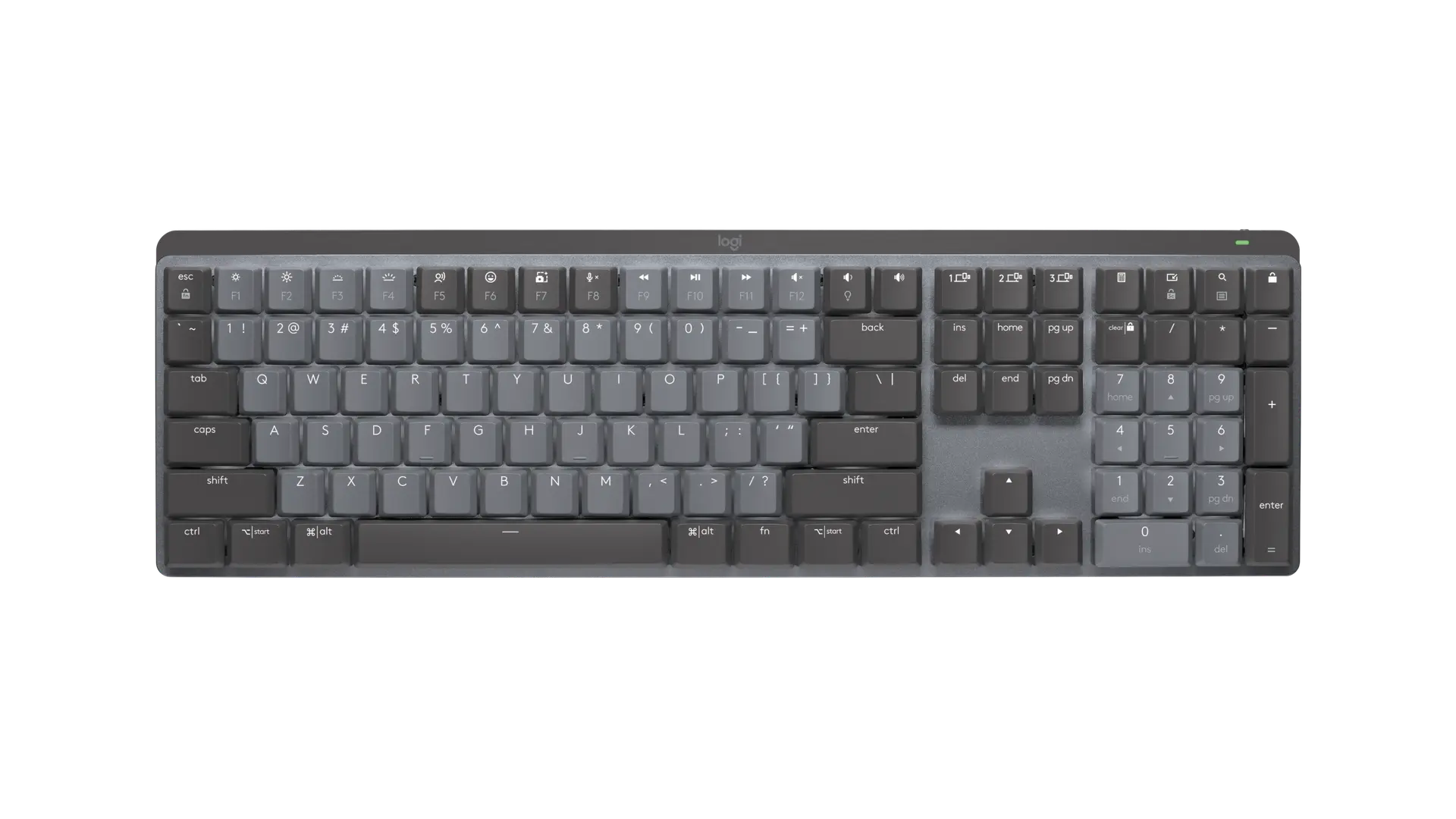
Logitech MX Mechanical full-size keyboard in Graphite with English US QWERTY (ANSI) layout, official top view
Exact model & source notes

The MX Mechanical is Logitech's full-size wireless productivity keyboard with low-profile mechanical switches, a number pad, proximity-activated white backlighting and both Logi Bolt and Bluetooth connections. This record is the Graphite English US (ANSI) SKU 920-010547 with Tactile Quiet switches.

Specifications checked 26 Sept 2026.

Amazon links open search results. Check the exact variant, current price and availability with the retailer.

Manufacturer specifications

Wave Keys UK & US retailers

UK & US price history: no verified listing yet

MX Mechanical UK & US retailers

UK & US price history: no verified listing yet

Search links open retailer results, not a matched listing; eBay listings are checked daily. As an Amazon Associate I earn from qualifying purchases. As an eBay Partner, we may be compensated if you make a purchase.

THE DIFFERENCES, MADE VISIBLE

Visual facts

Differences first. Select a topic for its graphic, sources and conditions.

How to read this comparison
  • Manufacturer facts for the exact models shown. Not a quality rating or a test result.
  • “Different” means the known values differ, not that one is better.
  • Missing or conflicting evidence is marked and never counts as a difference. Source chips hold each fact’s sources and conditions.
SPECIFICATIONS SIDE BY SIDE7 topics
SELECTED TOPIC
01 / 07

Keyboard size

Check the exact configuration and source conditions for your use.

Logitech Wave KeysCompact with number pad

Manufacturer specification · One-piece keyboard (not split) with a wave-contoured key layout; the cushioned palm rest is permanently attached. Wave contour and permanently attached three-layer memory-foam palm rest remain in ergonomics and editorials; no unsupported percentage class is assigned.

Logitech MX MechanicalFull size with number pad

Manufacturer specification · Logitech describes the MX Mechanical as the full-size model with an integrated numpad; the MX Mechanical Mini is the separate compact model. Low-profile construction is retained in switches and keycaps, rather than treated as a distinct full-size layout class.

Explore the full specifications

Match the layout, switches and connection. Check the exact regional key layout and switch option. A similar model name can describe different switches or a wireless version. Software support, key remapping and console compatibility need their own evidence; dimensions and switch travel are not a typing or gaming score.

WHAT CHANGES BETWEEN THEM?

Key differences

Full specifications ↓

14 verified differences, most decision-relevant first. 7 are also drawn in Visual facts above. Missing information stays separate.

Keyboard size

In Visual facts
Logitech Wave KeysCompact with number pad
Logitech MX MechanicalFull size with number pad
Sources
Logitech Wave Keys

Manufacturer specification · One-piece keyboard (not split) with a wave-contoured key layout; the cushioned palm rest is permanently attached. Wave contour and permanently attached three-layer memory-foam palm rest remain in ergonomics and editorials; no unsupported percentage class is assigned.

Logitech Wave Keys — US product page, SKU list, FAQs and technical specifications
Logitech MX Mechanical

Manufacturer specification · Logitech describes the MX Mechanical as the full-size model with an integrated numpad; the MX Mechanical Mini is the separate compact model. Low-profile construction is retained in switches and keycaps, rather than treated as a distinct full-size layout class.

Logitech MX Mechanical — US product page, SKU list and technical specifications

Check the exact configuration and source conditions for your use.

Exact switch option

In Visual facts
Logitech Wave KeysPlunger keys
Logitech MX MechanicalLow-profile mechanical, Tactile Quiet (brown)
Sources
Logitech Wave Keys

Manufacturer specification · Actual modelYR0096 support statesPlunger,1.5mmactuation,2.5mmtravel and50gforce(55gspacebar). A selectable alternative switch configuration and hot-swap support remain unverified.

Specification - Wave Keys (Logitech Support)
Logitech MX Mechanical

Manufacturer specification · One of three factory switch options (Tactile Quiet, Clicky, Linear); this SKU carries the Tactile Quiet switch, which Logitech describes as having a small discernible bump and little sound. Logitech does not name the switch manufacturer.

Logitech MX Mechanical — US product page, SKU list and technical specificationsSpecification - MX Mechanical (Logitech Support)How do I know which type of switch suits me? (Logitech Support, MX Mechanical)

Check the exact configuration and source conditions for your use.

Key customisation

In Visual facts
Logitech Wave KeysLogi Options+ (Windows and macOS), including Smart Actions; Logitech Flow with a Flow-enabled mouse
Logitech MX MechanicalLogi Options+ (Windows and macOS); Logitech Flow with a Flow-enabled mouse
Sources

Physical keys, software assignments and stored profiles are different capabilities. Check the host-software requirements; a larger count does not establish better typing or lower latency.

Backlighting

In Visual facts
Logitech Wave KeysNone
Logitech MX MechanicalWhite backlit keys with hand-proximity and ambient-light sensors
Sources
Logitech MX Mechanical

Manufacturer specification · Backlighting effects selectable in Logi Options+.

Logitech MX Mechanical — US product page, SKU list and technical specificationsSpecification - MX Mechanical (Logitech Support)

Lighting zones and per-key control differ. RGB does not by itself establish individual-key colour control; read the software requirements.

Construction materials

In Visual facts
Logitech Wave KeysABS keycaps and top/bottom case
Logitech MX MechanicalLow-carbon aluminum and plastic
Sources
Logitech Wave Keys

Manufacturer specification · Support specifies virginABSkeycaps andPCRABStop/bottomcase. No measured rigidity,acoustic,durability or environmental advantage follows from this inventory.

Specification - Wave Keys (Logitech Support)
Logitech MX Mechanical

Manufacturer specification · Manufacturer material inventory, without a measured rigidity, durability, acoustic or sustainability advantage versus another keyboard.

Specification - MX Mechanical (Logitech Support)

Check the exact configuration and source conditions for your use.

Battery claim

In Visual facts
Logitech Wave KeysUp to 36 months
Logitech MX MechanicalUp to 15 days with backlighting, or up to 10 months with backlighting off
Sources
Logitech Wave Keys

Manufacturer specification · Logitech: battery life may vary based on user and computing conditions.

Logitech Wave Keys — US product page, SKU list, FAQs and technical specificationsSpecification - Wave Keys (Logitech Support)
Logitech MX Mechanical

Manufacturer specification · Logitech: battery life may vary based on user and computing conditions. The support article gives 4 hours to charge from empty to full.

Logitech MX Mechanical — US product page, SKU list and technical specificationsSpecification - MX Mechanical (Logitech Support)

Manufacturer claims for the stated mode and equipment. Read each test condition; this is not measured everyday battery life.

Show 8 more verified differences

Dimensions

In Visual facts
Logitech Wave KeysProduct labels:Length375.97mm;Width218.91mm;Height30.53mm. Support labels:Height218.9mm;Width375.9mm;Depth30.5mm
Logitech MX Mechanical433.85 × 131.55 × 26.1 mm (across keys × front-to-back × height)
Sources
Logitech Wave Keys

Manufacturer specification · Both original label/value blocks retained. Their differing axes/precision are not assumed to establish identical measurements; included palmrest remains part of the keyboard design.

Logitech Wave Keys — US product page, SKU list, FAQs and technical specificationsSpecification - Wave Keys (Logitech Support)
Logitech MX Mechanical

Manufacturer specification · The US product page labels these Width 433.85 mm, Height 131.55 mm and Depth 26.1 mm; the support article labels the same values Width 433.85 mm, Depth 131.55 mm and Height 26.10 mm. Palm rest is sold separately.

Logitech MX Mechanical — US product page, SKU list and technical specificationsSpecification - MX Mechanical (Logitech Support)

A size or weight trade-off; it does not establish the better product.

Switch actuation distance

Logitech Wave Keys1.5 mm
Logitech MX Mechanical1.3 mm
Sources
Logitech Wave Keys

Manufacturer specification

Specification - Wave Keys (Logitech Support)
Logitech MX Mechanical

Manufacturer specification · Single value in Logitech's MX Mechanical specification article, which does not distinguish between the three switch options.

Specification - MX Mechanical (Logitech Support)

Actuation point, total travel and operating force are different measurements. None alone establishes input latency, typing comfort or gaming performance.

Switch actuation force

Logitech Wave Keys50 g
Logitech MX Mechanical55 g
Sources
Logitech Wave Keys

Manufacturer specification · Spacebar 55 g per Logitech.

Specification - Wave Keys (Logitech Support)
Logitech MX Mechanical

Manufacturer specification · Single value in Logitech's MX Mechanical specification article, which does not distinguish between the three switch options.

Specification - MX Mechanical (Logitech Support)

Actuation point, total travel and operating force are different measurements. None alone establishes input latency, typing comfort or gaming performance.

Battery type

Logitech Wave Keys2 × AAA batteries (included, user-replaceable)
Logitech MX MechanicalRechargeable Li-Po, 1500 mAh
Sources

Manufacturer claims for the stated mode and equipment. Read each test condition; this is not measured everyday battery life.

Original package contents

Logitech Wave KeysWave Keys keyboard; Logi Bolt USB receiver; 2 × AAA batteries; quick start guide
Logitech MX MechanicalKeyboard; Logi Bolt USB receiver; USB-C charging cable (USB-A to USB-C); user documentation
Sources

Check the exact configuration and source conditions for your use.

Switch total travel

Logitech Wave Keys2.5 mm
Logitech MX Mechanical3.2 mm
Sources
Logitech Wave Keys

Manufacturer specification

Specification - Wave Keys (Logitech Support)
Logitech MX Mechanical

Manufacturer specification · Single value in Logitech's MX Mechanical specification article, which does not distinguish between the three switch options.

Specification - MX Mechanical (Logitech Support)

Actuation point, total travel and operating force are different measurements. None alone establishes input latency, typing comfort or gaming performance.

Manufacturer-stated weight

Logitech Wave Keys750 g
Logitech MX Mechanical828 g
Sources
Logitech Wave Keys

Manufacturer specification · With batteries; the support article gives 685 g without batteries.

Logitech Wave Keys — US product page, SKU list, FAQs and technical specificationsSpecification - Wave Keys (Logitech Support)
Logitech MX Mechanical

Manufacturer specification · Official model YR0082 support Physical Specifications Keyboard row:828g; retail-box dimensions are separate. The source does not explicitly document a cable/accessory exclusion or a measurement protocol.

Logitech MX Mechanical — US product page, SKU list and technical specificationsSpecification - MX Mechanical (Logitech Support)

A size or weight trade-off; it does not establish the better product.

Configuration & compatibility details (1)

Supported operating systems

Logitech Wave KeysBluetooth: Windows 10, 11 or later; macOS 11 or later; iPadOS 14 or later; Android 9.0 or later; ChromeOS and Linux (basic functions). Logi Bolt receiver: Windows 10, 11 or later; macOS 11 or later; ChromeOS and Linux (basic functions)
Logitech MX MechanicalBluetooth: Windows 10, 11 or later; macOS 10.15 or later; iOS and iPadOS 14 or later; Android 8.0 or later; Linux and ChromeOS (basic functions). Logi Bolt receiver: Windows 10, 11 or later, macOS, Linux and ChromeOS (requires a USB-A port)
Sources
Logitech Wave Keys

Manufacturer specification · Current US product page; the support article also lists iOS 14 or later over Bluetooth. Basic functions only without additional drivers on systems other than Windows and macOS; Logi Options+ customisation is Windows/macOS only.

Logitech Wave Keys — US product page, SKU list, FAQs and technical specificationsSpecification - Wave Keys (Logitech Support)
Logitech MX Mechanical

Manufacturer specification · Current US product page. Basic functions only without software on systems other than Windows and macOS; Logi Options+ customisation is Windows/macOS only.

Logitech MX Mechanical — US product page, SKU list and technical specifications

These descriptions or measurements differ. Wording alone does not establish a different capability; check the exact configuration.

Missing or non-comparable evidence (9)

Hot-swappable switches

Logitech Wave KeysNot verified
Logitech MX MechanicalNot verified
Sources
Logitech Wave Keys

No source recorded for this side.

Logitech MX Mechanical

Logitech does not state hot-swap support on the product page or specification article; left unknown rather than assumed. · Manufacturer specification

Logitech MX Mechanical — US product page, SKU list and technical specificationsSpecification - MX Mechanical (Logitech Support)

Evidence is missing or conflicting on at least one side. This is not a verified difference.

Shortcut keys

Logitech Wave KeysNot verified
Logitech MX MechanicalDictation, emoji, search and mute/unmute microphone
Sources
Logitech Wave Keys

No source recorded for this side.

Logitech MX Mechanical

Manufacturer specification · Named official special-key inventory; current product source also permits Fn customisation through Options+ on Windows/macOS. No unlisted contender shortcut absence or productivity measurement is established.

Specification - MX Mechanical (Logitech Support)

Evidence is missing or conflicting on at least one side. This is not a verified difference.

Charging cable length

Logitech Wave KeysNot verified
Logitech MX Mechanical1 m
Sources
Logitech Wave Keys

No source recorded for this side.

Logitech MX Mechanical

Manufacturer specification · Supplied USB-C to USB-A charging cable; the keyboard is used wirelessly.

Specification - MX Mechanical (Logitech Support)

Evidence is missing or conflicting on at least one side. This is not a verified difference.

Manufacturer certification claim

Logitech Wave KeysLogitech states certified ergonomic by United States Ergonomics
Logitech MX MechanicalNot verified
Sources
Logitech Wave Keys

Manufacturer specification · Manufacturer attribution only. No independent certification document,test protocol,medical outcome or comparative benefit is established by this source.

Logitech Wave Keys — US product page, SKU list, FAQs and technical specifications
Logitech MX Mechanical

No source recorded for this side.

Evidence is missing or conflicting on at least one side. This is not a verified difference.

Ergonomic adjustments

Logitech Wave KeysWave-shaped key layout; integrated three-layer memory-foam palm rest; tilt legs (+4°)
Logitech MX MechanicalNot verified
Sources
Logitech MX Mechanical

No source recorded for this side.

Evidence is missing or conflicting on at least one side. This is not a verified difference.

Keyboard span across the desk

Logitech Wave KeysNot verified
Logitech MX Mechanical433.85 mm
Sources
Logitech Wave Keys

Exact product labels375.97mm Length and218.91mm Width; support labels375.9mm Width and218.9mm Height. A common exactly defined across-key span/measurement is not established, so preserve source numbers/labels in dimensions. · Manufacturer specification · No375.97mm source Length-to-keyboard_width reassignment or unsupported regional/precision reconciliation is used for desk-fit requirements.

Logitech Wave Keys — US product page, SKU list, FAQs and technical specifications

Evidence is missing or conflicting on at least one side. This is not a verified difference.

US manufacturer warranty

Logitech Wave Keys1-year limited hardware warranty
Logitech MX MechanicalNot verified
Sources
Logitech Wave Keys

Manufacturer specification · ExactUSsource scope; no worldwide/regional-equivalent coverage,retailerwarranty or unstatedterms established.

Logitech Wave Keys — US product page, SKU list, FAQs and technical specifications
Logitech MX Mechanical

No source recorded for this side.

Evidence is missing or conflicting on at least one side. This is not a verified difference.

Wireless range

Logitech Wave KeysConflicting evidence
Logitech MX MechanicalNot verified
Sources
Logitech Wave Keys

Manufacturer product page: 10 m. Manufacturer support article: both 10 m and 100 m. The disagreement remains unresolved; no range satisfies a requirement or establishes a range advantage. · Manufacturer specification

Logitech Wave Keys — US product page, SKU list, FAQs and technical specificationsSpecification - Wave Keys (Logitech Support)
Logitech MX Mechanical

No source recorded for this side.

Evidence is missing or conflicting on at least one side. This is not a verified difference.

2 shared fields have the same recorded value.

WHAT EACH CHOICE ASKS OF YOU

What it brings and what to check

Logitech Wave Keys

What it brings

  • The wave-shaped layout and cushioned palm rest are designed to place your hands, wrists and forearms in a natural typing position, and it includes a number pad.
  • Two included AAA batteries carry a Logitech claim of up to 36 months, and the keyboard pairs with up to three devices over Logi Bolt or Bluetooth.

What to check

  • There is no backlighting,and the cushioned palmrest is permanently attached. Logitech’s product/support dimension labels and values are retained separately in full specifications.
  • The published plunger-key specification lists2.5mmtravel and50gactuation force,with55gfor the spacebar. Selectable alternative switch configurations and hot-swap support remain unverified.

Logitech MX Mechanical

What it brings

  • Pairs with up to three devices over the supplied Logi Bolt receiver or Bluetooth Low Energy. Logi Options+ customisation is supported on Windows and macOS; on iOS, iPadOS, Android, Linux and ChromeOS Logitech lists basic functions without software.
  • The Tactile Quiet switch gives a small bump with little sound, which Logitech positions as the closest of its three options to MX Keys typing; Logitech rates the keys for 50 million presses.
  • Logitech claims up to 15 days per charge with backlighting or up to 10 months with it off from a 1500 mAh battery charged over USB-C.

What to check

  • At 433.85 mm across and 828 g this is the full-size model with an integrated numpad; Logitech offers the space-saving minimalist MX Mechanical Mini for buyers who want a smaller board.
  • The switch type is fixed per SKU and Logitech does not state hot-swap support, so choosing Tactile Quiet, Clicky or Linear is a purchase-time decision.
  • Logi Bolt only: older Unifying receivers do not work with it, and Logi Options+ customisation is limited to Windows and macOS.
COMPARE THE DETAILS

Full specifications

How we verify
26 of 26 specifications Sources in each row
Source-backed specifications for Logitech Wave Keys and Logitech MX Mechanical
SpecificationLogitech Wave KeysLogitech MX Mechanical
Regional layout
Sources
Logitech Wave Keys

Manufacturer specification · SKU 920-011898 is Logitech's Graphite English US (QWERTY) configuration; Off-white 920-012275, Rose 920-012276 and Sand 920-013925 are colour duplicates. Dual-printed Windows/Mac legends. The wide single-row Enter key and @ on 2 are visible in the official image.

Logitech Wave Keys — US product page, SKU list, FAQs and technical specifications
Logitech MX Mechanical

Manufacturer specification · SKU 920-010547 is Logitech's Graphite English US (QWERTY) Tactile Quiet configuration; 920-010549 (Clicky) and 920-010548 (Linear) are the same layout with other switches. The wide single-row Enter key and @ on 2 are visible in the official US image.

Logitech MX Mechanical — US product page, SKU list and technical specifications
English US QWERTY (ANSI)English US QWERTY (ANSI)
Keyboard sizeDifferent
Sources
Logitech Wave Keys

Manufacturer specification · One-piece keyboard (not split) with a wave-contoured key layout; the cushioned palm rest is permanently attached. Wave contour and permanently attached three-layer memory-foam palm rest remain in ergonomics and editorials; no unsupported percentage class is assigned.

Logitech Wave Keys — US product page, SKU list, FAQs and technical specifications
Logitech MX Mechanical

Manufacturer specification · Logitech describes the MX Mechanical as the full-size model with an integrated numpad; the MX Mechanical Mini is the separate compact model. Low-profile construction is retained in switches and keycaps, rather than treated as a distinct full-size layout class.

Logitech MX Mechanical — US product page, SKU list and technical specifications
Compact with number padFull size with number pad
DimensionsDifferent
Sources
Logitech Wave Keys

Manufacturer specification · Both original label/value blocks retained. Their differing axes/precision are not assumed to establish identical measurements; included palmrest remains part of the keyboard design.

Logitech Wave Keys — US product page, SKU list, FAQs and technical specificationsSpecification - Wave Keys (Logitech Support)
Logitech MX Mechanical

Manufacturer specification · The US product page labels these Width 433.85 mm, Height 131.55 mm and Depth 26.1 mm; the support article labels the same values Width 433.85 mm, Depth 131.55 mm and Height 26.10 mm. Palm rest is sold separately.

Logitech MX Mechanical — US product page, SKU list and technical specificationsSpecification - MX Mechanical (Logitech Support)
Product labels:Length375.97mm;Width218.91mm;Height30.53mm. Support labels:Height218.9mm;Width375.9mm;Depth30.5mm433.85 × 131.55 × 26.1 mm (across keys × front-to-back × height)
Supported operating systemsDifferent
Sources
Logitech Wave Keys

Manufacturer specification · Current US product page; the support article also lists iOS 14 or later over Bluetooth. Basic functions only without additional drivers on systems other than Windows and macOS; Logi Options+ customisation is Windows/macOS only.

Logitech Wave Keys — US product page, SKU list, FAQs and technical specificationsSpecification - Wave Keys (Logitech Support)
Logitech MX Mechanical

Manufacturer specification · Current US product page. Basic functions only without software on systems other than Windows and macOS; Logi Options+ customisation is Windows/macOS only.

Logitech MX Mechanical — US product page, SKU list and technical specifications
Bluetooth: Windows 10, 11 or later; macOS 11 or later; iPadOS 14 or later; Android 9.0 or later; ChromeOS and Linux (basic functions). Logi Bolt receiver: Windows 10, 11 or later; macOS 11 or later; ChromeOS and Linux (basic functions)Bluetooth: Windows 10, 11 or later; macOS 10.15 or later; iOS and iPadOS 14 or later; Android 8.0 or later; Linux and ChromeOS (basic functions). Logi Bolt receiver: Windows 10, 11 or later, macOS, Linux and ChromeOS (requires a USB-A port)
Keyboard span across the desk
Sources
Logitech Wave Keys

Exact product labels375.97mm Length and218.91mm Width; support labels375.9mm Width and218.9mm Height. A common exactly defined across-key span/measurement is not established, so preserve source numbers/labels in dimensions. · Manufacturer specification · No375.97mm source Length-to-keyboard_width reassignment or unsupported regional/precision reconciliation is used for desk-fit requirements.

Logitech Wave Keys — US product page, SKU list, FAQs and technical specifications
Not listed by the manufacturer433.85 mm
Manufacturer-stated weightDifferent
Sources
Logitech Wave Keys

Manufacturer specification · With batteries; the support article gives 685 g without batteries.

Logitech Wave Keys — US product page, SKU list, FAQs and technical specificationsSpecification - Wave Keys (Logitech Support)
Logitech MX Mechanical

Manufacturer specification · Official model YR0082 support Physical Specifications Keyboard row:828g; retail-box dimensions are separate. The source does not explicitly document a cable/accessory exclusion or a measurement protocol.

Logitech MX Mechanical — US product page, SKU list and technical specificationsSpecification - MX Mechanical (Logitech Support)
750 g828 g
Construction materialsDifferent
Sources
Logitech Wave Keys

Manufacturer specification · Support specifies virginABSkeycaps andPCRABStop/bottomcase. No measured rigidity,acoustic,durability or environmental advantage follows from this inventory.

Specification - Wave Keys (Logitech Support)
Logitech MX Mechanical

Manufacturer specification · Manufacturer material inventory, without a measured rigidity, durability, acoustic or sustainability advantage versus another keyboard.

Specification - MX Mechanical (Logitech Support)
ABS keycaps and top/bottom caseLow-carbon aluminum and plastic
Exact switch optionDifferent
Sources
Logitech Wave Keys

Manufacturer specification · Actual modelYR0096 support statesPlunger,1.5mmactuation,2.5mmtravel and50gforce(55gspacebar). A selectable alternative switch configuration and hot-swap support remain unverified.

Specification - Wave Keys (Logitech Support)
Logitech MX Mechanical

Manufacturer specification · One of three factory switch options (Tactile Quiet, Clicky, Linear); this SKU carries the Tactile Quiet switch, which Logitech describes as having a small discernible bump and little sound. Logitech does not name the switch manufacturer.

Logitech MX Mechanical — US product page, SKU list and technical specificationsSpecification - MX Mechanical (Logitech Support)How do I know which type of switch suits me? (Logitech Support, MX Mechanical)
Plunger keysLow-profile mechanical, Tactile Quiet (brown)
Switch actuation distanceDifferent
Sources
Logitech Wave Keys

Manufacturer specification

Specification - Wave Keys (Logitech Support)
Logitech MX Mechanical

Manufacturer specification · Single value in Logitech's MX Mechanical specification article, which does not distinguish between the three switch options.

Specification - MX Mechanical (Logitech Support)
1.5 mm1.3 mm
Switch total travelDifferent
Sources
Logitech Wave Keys

Manufacturer specification

Specification - Wave Keys (Logitech Support)
Logitech MX Mechanical

Manufacturer specification · Single value in Logitech's MX Mechanical specification article, which does not distinguish between the three switch options.

Specification - MX Mechanical (Logitech Support)
2.5 mm3.2 mm
Switch actuation forceDifferent
Sources
Logitech Wave Keys

Manufacturer specification · Spacebar 55 g per Logitech.

Specification - Wave Keys (Logitech Support)
Logitech MX Mechanical

Manufacturer specification · Single value in Logitech's MX Mechanical specification article, which does not distinguish between the three switch options.

Specification - MX Mechanical (Logitech Support)
50 g55 g
Rated keypress durabilityDifferent
Sources
Logitech Wave Keys

Manufacturer specification

Specification - Wave Keys (Logitech Support)
Logitech MX Mechanical

Manufacturer specification

Specification - MX Mechanical (Logitech Support)
10 million keystrokes50 million keypresses
Keycaps
Sources
Logitech Wave Keys

No source recorded.

Not providedLow-profile matte keycaps in two colours
Connections
Sources
Logitech Wave Keys

Manufacturer specification · Bluetooth Low Energy is explicitly listed. Wireless range is unresolved: the product page states 10 m; the support specification contains both 10 m and 100 m. No single range is selected. Battery powered; no charging port. Original inventory:Bluetooth or Logi Bolt; Easy-Switch for up to 3 devices; Logi Bolt USB receiver included. Included receiver,three-deviceEasy-Switch andBluetoothLE stay explicit; unresolved10m/100m range is not selected or used for any advantage.

Logitech Wave Keys — US product page, SKU list, FAQs and technical specificationsSpecification - Wave Keys (Logitech Support)
Logitech MX Mechanical

Manufacturer specification · Original exact published inventory: Logi Bolt USB receiver or Bluetooth Low Energy; up to three paired devices with Easy-Switch; USB-C charging. Not compatible with Logitech Unifying USB receivers. 10 m wireless range per Logitech, which may vary with operating environment and computer setup. The Logi Bolt receiver is included. Bluetooth version, operating-system requirements, three-device Easy-Switch, range/test scope and receiver inclusion retain their original source scope. A USB receiver host connection does not establish wired keyboard data.

Logitech MX Mechanical — US product page, SKU list and technical specificationsSpecification - MX Mechanical (Logitech Support)
Bluetooth; Logi BoltBluetooth; Logi Bolt
Battery claimDifferent
Sources
Logitech Wave Keys

Manufacturer specification · Logitech: battery life may vary based on user and computing conditions.

Logitech Wave Keys — US product page, SKU list, FAQs and technical specificationsSpecification - Wave Keys (Logitech Support)
Logitech MX Mechanical

Manufacturer specification · Logitech: battery life may vary based on user and computing conditions. The support article gives 4 hours to charge from empty to full.

Logitech MX Mechanical — US product page, SKU list and technical specificationsSpecification - MX Mechanical (Logitech Support)
Up to 36 monthsUp to 15 days with backlighting, or up to 10 months with backlighting off
2 × AAA batteries (included, user-replaceable)Rechargeable Li-Po, 1500 mAh
Charging cable length
Sources
Logitech Wave Keys

No source recorded.

Logitech MX Mechanical

Manufacturer specification · Supplied USB-C to USB-A charging cable; the keyboard is used wirelessly.

Specification - MX Mechanical (Logitech Support)
Not provided1 m
BacklightingDifferent
Sources
Logitech MX Mechanical

Manufacturer specification · Backlighting effects selectable in Logi Options+.

Logitech MX Mechanical — US product page, SKU list and technical specificationsSpecification - MX Mechanical (Logitech Support)
NoneWhite backlit keys with hand-proximity and ambient-light sensors
Key customisationDifferent
Sources
Logi Options+ (Windows and macOS), including Smart Actions; Logitech Flow with a Flow-enabled mouseLogi Options+ (Windows and macOS); Logitech Flow with a Flow-enabled mouse
Shortcut keys
Sources
Logitech Wave Keys

No source recorded.

Logitech MX Mechanical

Manufacturer specification · Named official special-key inventory; current product source also permits Fn customisation through Options+ on Windows/macOS. No unlisted contender shortcut absence or productivity measurement is established.

Specification - MX Mechanical (Logitech Support)
Not providedDictation, emoji, search and mute/unmute microphone
Ergonomic adjustments
Sources
Logitech MX Mechanical

No source recorded.

Wave-shaped key layout; integrated three-layer memory-foam palm rest; tilt legs (+4°)Not provided
Wave Keys keyboard; Logi Bolt USB receiver; 2 × AAA batteries; quick start guideKeyboard; Logi Bolt USB receiver; USB-C charging cable (USB-A to USB-C); user documentation
Manufacturer certification claim
Sources
Logitech Wave Keys

Manufacturer specification · Manufacturer attribution only. No independent certification document,test protocol,medical outcome or comparative benefit is established by this source.

Logitech Wave Keys — US product page, SKU list, FAQs and technical specifications
Logitech MX Mechanical

No source recorded.

Logitech states certified ergonomic by United States ErgonomicsNot provided
US manufacturer warranty
Sources
Logitech Wave Keys

Manufacturer specification · ExactUSsource scope; no worldwide/regional-equivalent coverage,retailerwarranty or unstatedterms established.

Logitech Wave Keys — US product page, SKU list, FAQs and technical specifications
Logitech MX Mechanical

No source recorded.

1-year limited hardware warrantyNot provided
Show unverified (2)Not verified, not provided or conflicting for both products. Kept for completeness; never counted as a difference.
Specifications without verified values for either product
Wireless range
Sources
Logitech Wave Keys

Manufacturer product page: 10 m. Manufacturer support article: both 10 m and 100 m. The disagreement remains unresolved; no range satisfies a requirement or establishes a range advantage. · Manufacturer specification

Logitech Wave Keys — US product page, SKU list, FAQs and technical specificationsSpecification - Wave Keys (Logitech Support)
Logitech MX Mechanical

No source recorded.

Conflicting sourcesNot provided
Hot-swappable switches
Sources
Logitech Wave Keys

No source recorded.

Logitech MX Mechanical

Logitech does not state hot-swap support on the product page or specification article; left unknown rather than assumed. · Manufacturer specification

Logitech MX Mechanical — US product page, SKU list and technical specificationsSpecification - MX Mechanical (Logitech Support)
Not providedNot listed by the manufacturer
FIND YOUR CONTENDERS

More products

Closest keyboards to this pair by shared key specifications. Not a popularity ranking.

See all 334 keyboards
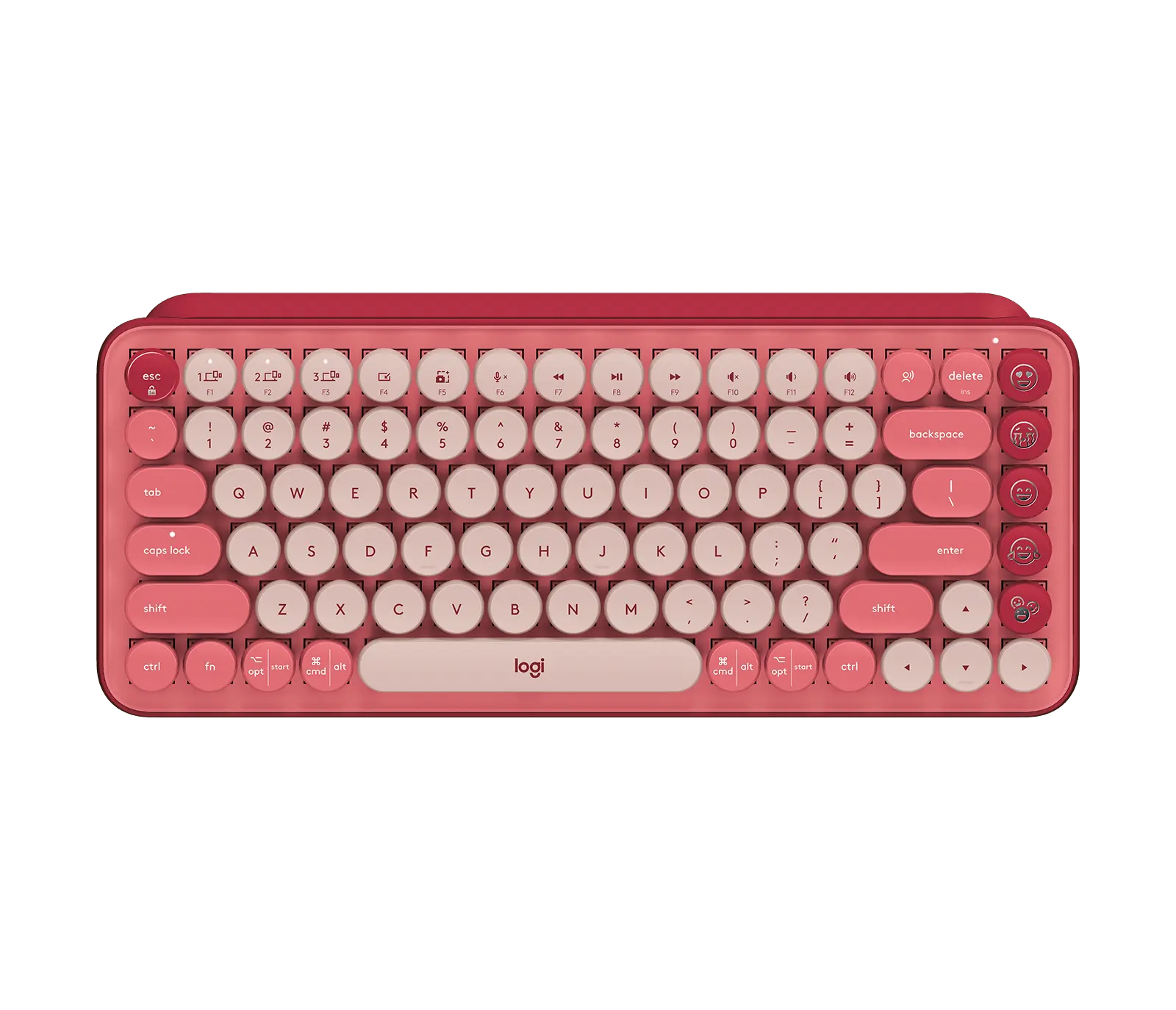
Logitech POP Keys mechanical keyboard in Heartbreaker with English US QWERTY (ANSI) layout and emoji keys, official top view

Logitech POP Keys

Keyboard width
321.2 mm
Regional layout
English US QWERTY (ANSI)
Keyboard size
Compact without number pad
Prices & product profile
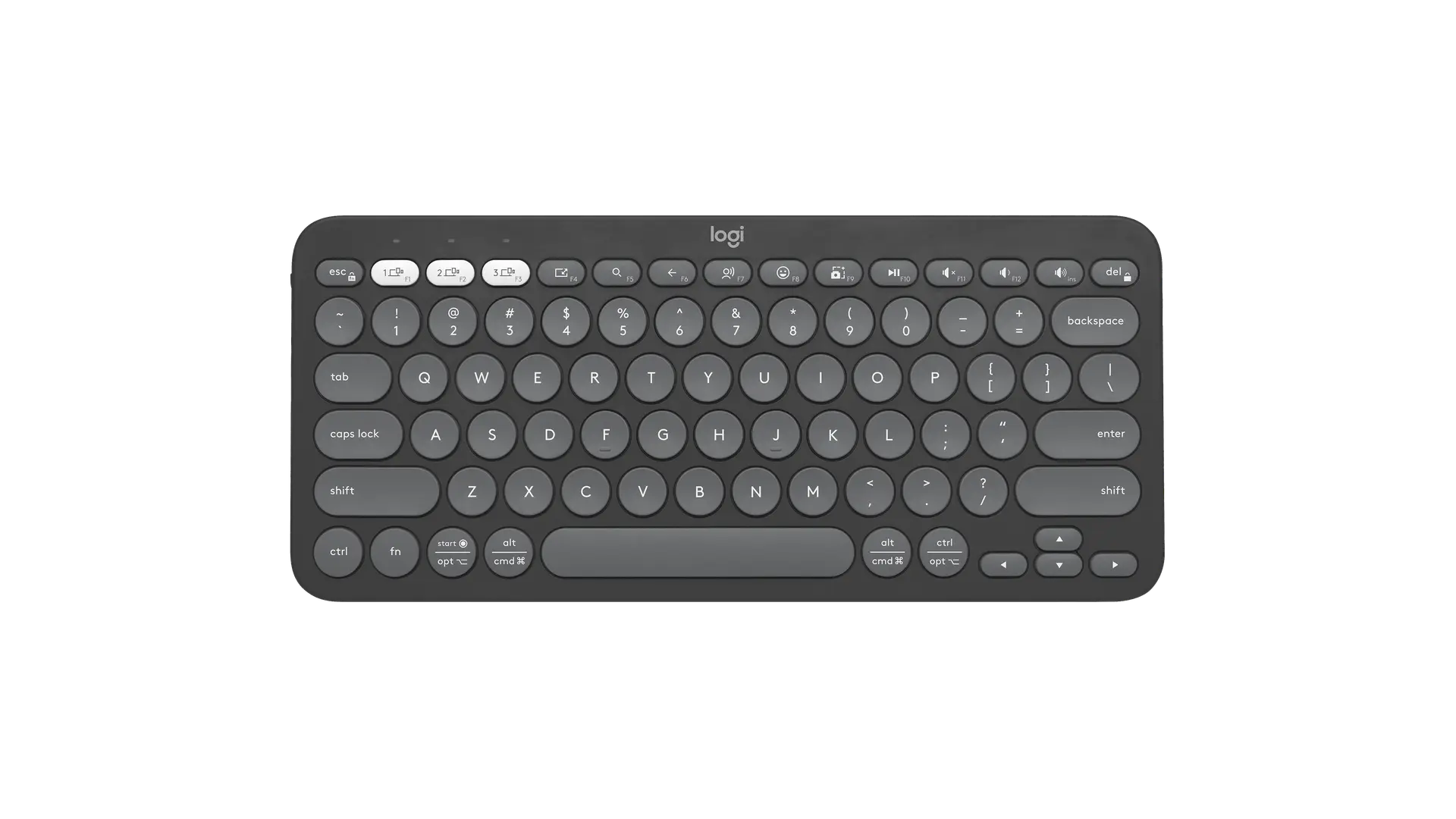
Logitech Pebble Keys 2 K380s tonal graphite compact keyboard with US ANSI QWERTY layout, official top view

Logitech Pebble Keys 2 K380s

Keyboard width
279 mm
Regional layout
English US QWERTY (ANSI)
Keyboard size
Compact without number pad
Prices & product profile
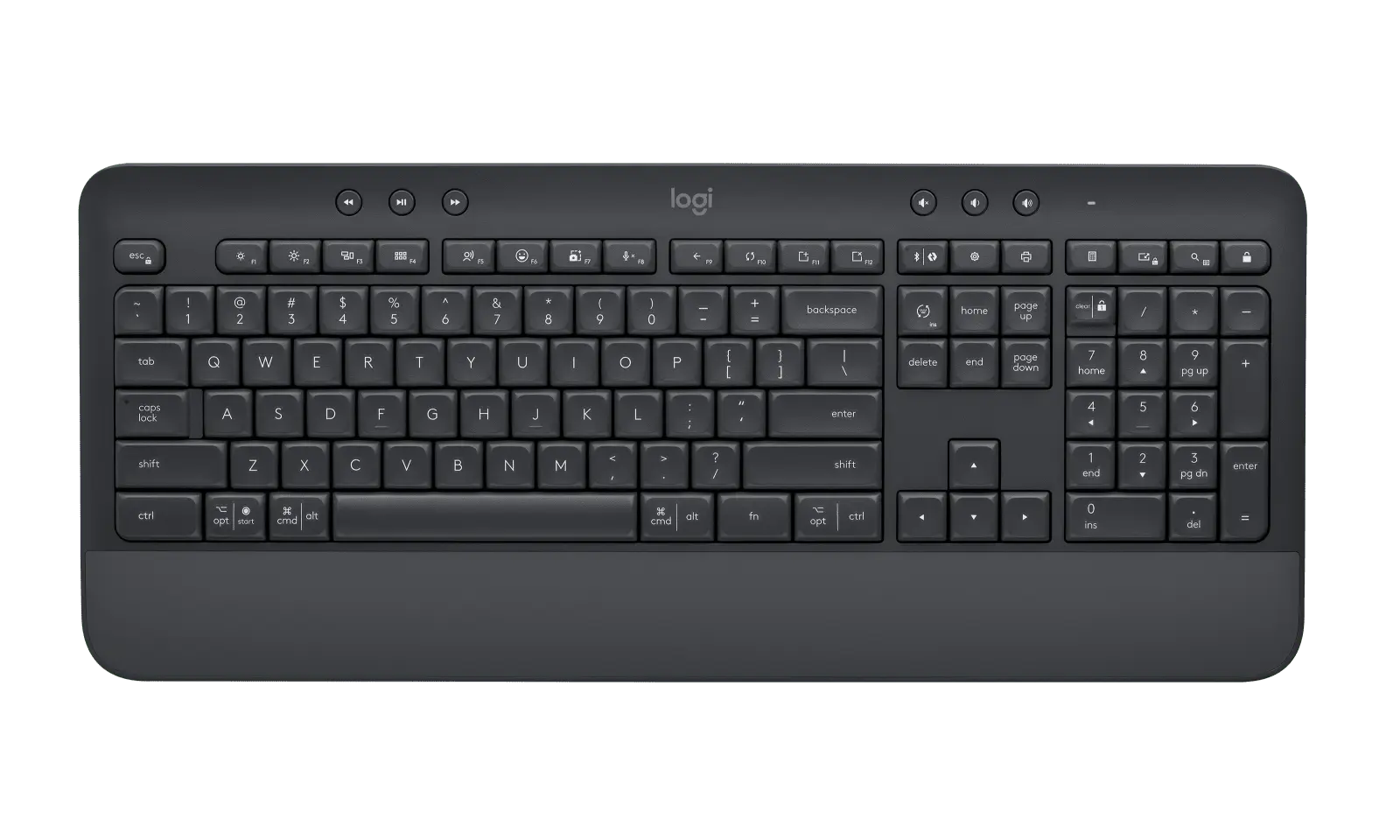
Logitech Signature K650 keyboard in Graphite with English US QWERTY (ANSI) layout and integrated palm rest, official top view

Logitech Signature K650

Keyboard width
457.3 mm
Regional layout
English US QWERTY (ANSI)
Keyboard size
Full-size with number pad
Prices & product profile

Each record represents an explicitly checked model and configuration. Original import: 5 Sept 2026; this is not its verification date. This is not a list of current offers or a popularity ranking.