Skip to comparison
versus.deals
Menu
Browse versus.deals
KEYBOARDS · YOUR NEXT FACE-OFF

Logitech MX Mechanical Mini vs Logitech Pebble Keys 2 K380s

Real specs. Clear sources.Exact models · UK & US buying links

Compared products

YOUR FIRST CHOICE

Logitech MX Mechanical Mini

920-010779 · English UK (QWERTY) · graphite · Tactile Quiet switches
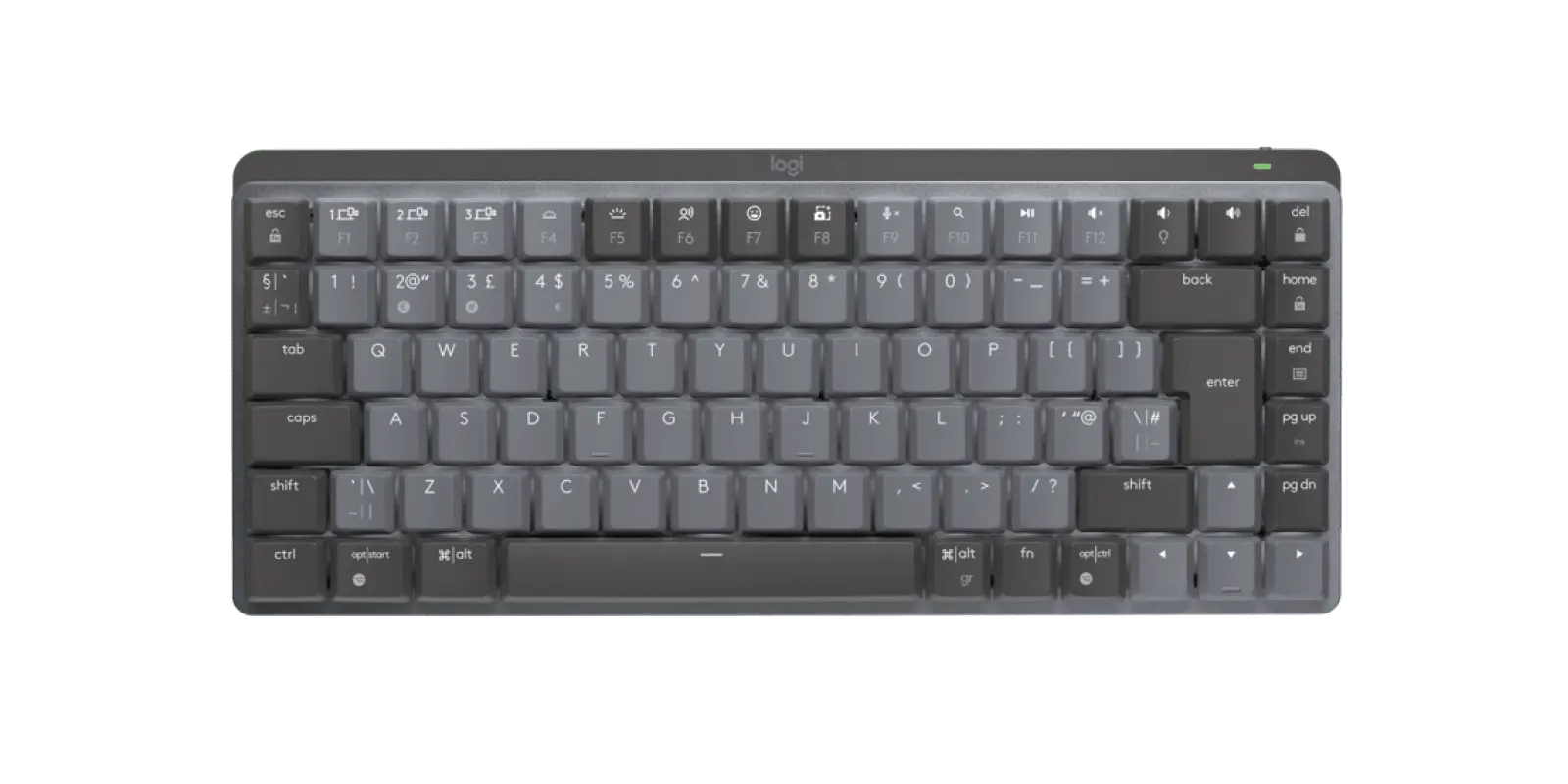
Logitech MX Mechanical Mini graphite compact keyboard with UK ISO QWERTY layout, official top view
Exact model & source notes

The MX Mechanical Mini is a compact low-profile mechanical keyboard for multi-device work; this graphite UK-layout SKU uses Tactile Quiet switches and connects by Bluetooth or a Logi Bolt receiver.

Specifications checked 26 Sept 2026.

Amazon links open search results. Check the exact variant, current price and availability with the retailer.

Manufacturer specifications

WHAT DIFFERS
612 gManufacturer-stated weight415 g
1 of 8 verified differences, in the order listed below. Not a rating.
See the 8 verified differences
THE CONTENDER

Logitech Pebble Keys 2 K380s

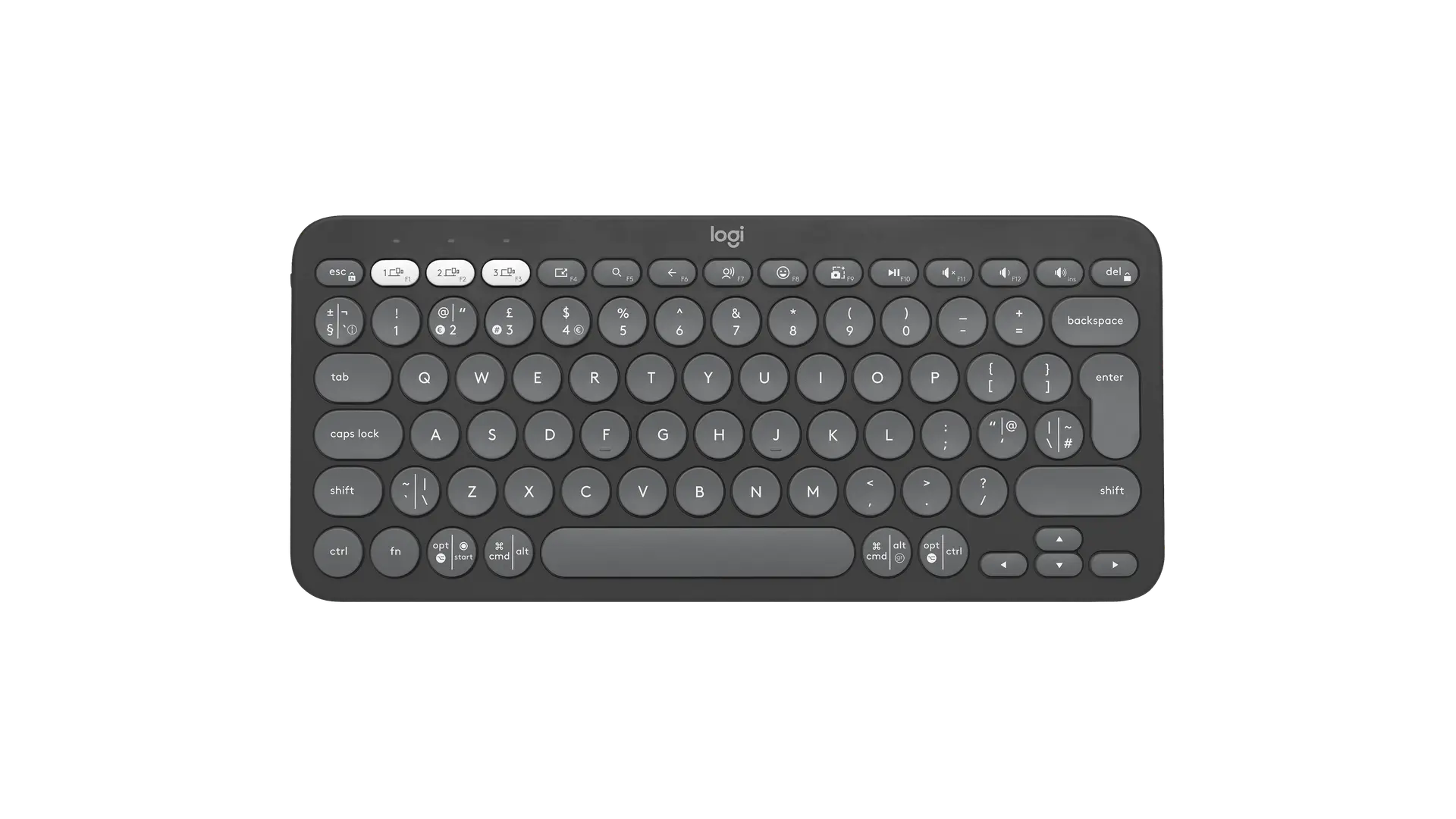
920-011843 · Tonal Graphite · English UK QWERTY · keyboard only

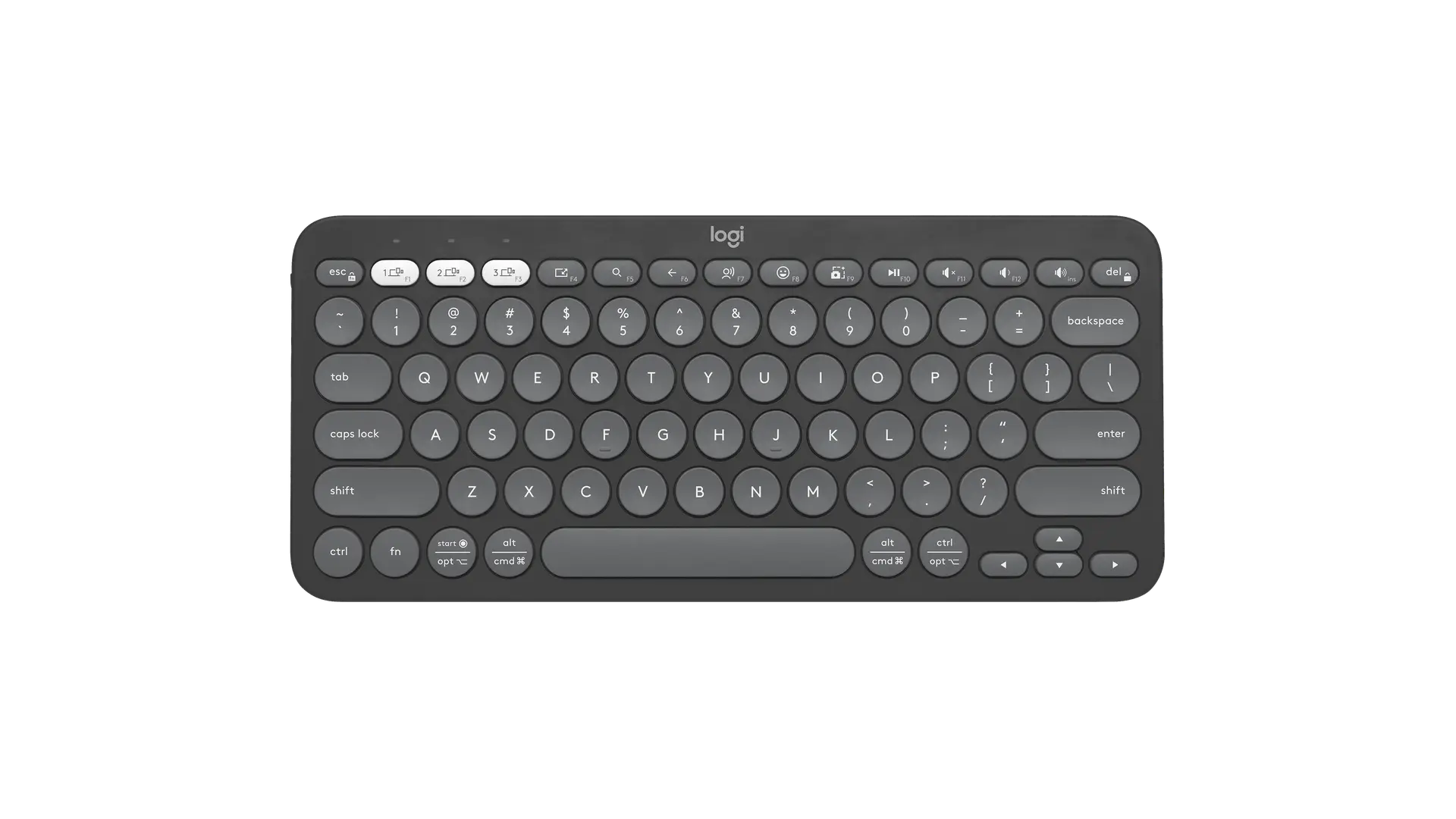
Logitech Pebble Keys 2 K380s keyboard in Tonal Graphite with English UK QWERTY (ISO) layout, official top view
Exact model & source notes

The Pebble Keys 2 K380s is Logitech's compact Bluetooth keyboard with round scissor keys, no number pad and AAA battery power, designed to hop between up to three devices. This record is the Tonal Graphite English UK (ISO) SKU 920-011843.

Specifications checked 26 Sept 2026.

Amazon links open search results. Check the exact variant, current price and availability with the retailer.

Manufacturer specifications

MX Mechanical Mini UK & US retailers

UK & US price history: no verified listing yet

Pebble Keys 2 K380s UK & US retailers

UK & US price history: no verified listing yet

Search links open retailer results, not a matched listing; eBay listings are checked daily. As an Amazon Associate I earn from qualifying purchases. As an eBay Partner, we may be compensated if you make a purchase.

THE DIFFERENCES, MADE VISIBLE

Visual facts

Differences first. Select a topic for its graphic, sources and conditions.

How to read this comparison
  • Manufacturer facts for the exact models shown. Not a quality rating or a test result.
  • “Different” means the known values differ, not that one is better.
  • Missing or conflicting evidence is marked and never counts as a difference. Source chips hold each fact’s sources and conditions.
SPECIFICATIONS SIDE BY SIDE7 topics
SELECTED TOPIC
01 / 07

Keyboard size

Check the exact configuration and source conditions for your use.

Logitech MX Mechanical MiniCompact (Mini) layout with function row and arrow keys, without number pad

Manufacturer specification · Logitech describes a minimalist low-profile form factor; the key arrangement is read from the official UK image.

Logitech Pebble Keys 2 K380sCompact without number pad

Manufacturer specification · Logitech describes a compact and portable design; the official image shows no number pad or separate navigation cluster (inverted-T arrow keys, Delete in the function row).

Explore the full specifications

Match the layout, switches and connection. Check the exact regional key layout and switch option. A similar model name can describe different switches or a wireless version. Software support, key remapping and console compatibility need their own evidence; dimensions and switch travel are not a typing or gaming score.

WHAT CHANGES BETWEEN THEM?

Key differences

Full specifications ↓

8 verified differences, most decision-relevant first. 7 are also drawn in Visual facts above. Missing information stays separate.

Keyboard size

In Visual facts
Logitech MX Mechanical MiniCompact (Mini) layout with function row and arrow keys, without number pad
Logitech Pebble Keys 2 K380sCompact without number pad
Sources
Logitech MX Mechanical Mini

Manufacturer specification · Logitech describes a minimalist low-profile form factor; the key arrangement is read from the official UK image.

Logitech MX Mechanical Mini — UK product page, SKU data and specifications
Logitech Pebble Keys 2 K380s

Manufacturer specification · Logitech describes a compact and portable design; the official image shows no number pad or separate navigation cluster (inverted-T arrow keys, Delete in the function row).

Logitech Pebble Keys 2 K380s — UK product page, SKU list and technical specificationsSpecification - Pebble Keys 2 K380s (Logitech Support)

Check the exact configuration and source conditions for your use.

Exact switch option

In Visual facts
Logitech MX Mechanical MiniTactile Quiet low-profile mechanical switches
Logitech Pebble Keys 2 K380sScissor keys
Sources
Logitech MX Mechanical Mini

Manufacturer specification · Clicky and Linear versions are separate SKUs.

Logitech MX Mechanical Mini — UK product page, SKU data and specifications
Logitech Pebble Keys 2 K380s

Manufacturer specification · Logitech's specification lists the keyboard type as Scissor Keyboard, 60 ± 10 gf actuation force and 1.5 ± 0.3 mm total travel; there are no alternative switch options. Manufacturer FAQ describes low-profile scissor switches (chiclet-style) with round keycaps. No alternative switch configuration is asserted. Source-specific low-profile, round/chiclet keycap wording is preserved as implementation context; it does not establish a different scissor switching principle from other exact scissor-key models.

Specification - Pebble Keys 2 K380s (Logitech Support)

Check the exact configuration and source conditions for your use.

Key customisation

In Visual facts
Logitech MX Mechanical MiniLogi Options+: Fn key functions, app-specific profiles, backlighting effects and Smart Actions
Logitech Pebble Keys 2 K380sCustomisable Fn shortcut keys with Logi Options+ (Windows and macOS)
Sources
Logitech MX Mechanical Mini

Manufacturer specification · Logi Options+ runs on Windows and macOS.

Logitech MX Mechanical Mini — UK product page, SKU data and specifications

Physical keys, software assignments and stored profiles are different capabilities. Check the host-software requirements; a larger count does not establish better typing or lower latency.

Backlighting

In Visual facts
Logitech MX Mechanical MiniBacklit keys with hand-proximity activation and ambient light sensor
Logitech Pebble Keys 2 K380sNone
Sources
Logitech MX Mechanical Mini

Manufacturer specification

Logitech MX Mechanical Mini — UK product page, SKU data and specifications
Logitech Pebble Keys 2 K380s

Manufacturer specification · The exact product FAQ explicitly says there is no integrated key backlighting. Battery and Easy-Switch indicator LEDs remain separately described; indicator LEDs are not key backlighting.

Logitech Pebble Keys 2 K380s — UK product page, SKU list and technical specificationsSpecification - Pebble Keys 2 K380s (Logitech Support)

Lighting zones and per-key control differ. RGB does not by itself establish individual-key colour control; read the software requirements.

Dimensions

In Visual facts
Logitech MX Mechanical Mini312.6 × 131.55 × 26.1 mm (width across the keys × depth × height)
Logitech Pebble Keys 2 K380sManufacturer labels: Height279.5mm; Width124.2mm; Depth16.4mm
Sources
Logitech MX Mechanical Mini

Manufacturer specification · Logitech labels these Width 312.6 mm, Depth 131.55 mm and Height 26.1 mm.

Logitech MX Mechanical Mini — UK product page, SKU data and specifications
Logitech Pebble Keys 2 K380s

Manufacturer specification · Official support specification for modelY-R0091. These original labels are retained without relabelling axes by assumed physical meaning. The actual UK product-page Dimensions object contains no values; keyboard span remains unverified.

Specification - Pebble Keys 2 K380s (Logitech Support)

A size or weight trade-off; it does not establish the better product.

Battery type

In Visual facts
Logitech MX Mechanical MiniRechargeable Li-Po (1500 mAh)
Logitech Pebble Keys 2 K380s2 × AAA alkaline (pre-installed)
Sources
Logitech MX Mechanical Mini

Manufacturer specification

Logitech MX Mechanical Mini — UK product page, SKU data and specifications
Logitech Pebble Keys 2 K380s

Manufacturer specification · The support specification labels these batteries not rechargeable. Its separate battery-user-replaceable answer is No, so replacement is not asserted. The common inventory records the same supplied AAA alkaline cells as the US SKU; the source qualification is retained here.

Logitech Pebble Keys 2 K380s — UK product page, SKU list and technical specificationsSpecification - Pebble Keys 2 K380s (Logitech Support)

Manufacturer claims for the stated mode and equipment. Read each test condition; this is not measured everyday battery life.

Show 2 more verified differences

Original package contents

In Visual facts
Logitech MX Mechanical MiniKeyboard; Logi Bolt receiver; USB-C charging cable (USB-A to USB-C); user documentation
Logitech Pebble Keys 2 K380sKeyboard; 2 × AAA alkaline batteries (pre-installed); user documentation; important information document
Sources
Logitech MX Mechanical Mini

Manufacturer specification

Logitech MX Mechanical Mini — UK product page, SKU data and specifications
Logitech Pebble Keys 2 K380s

Manufacturer specification · No USB receiver is included.

Logitech Pebble Keys 2 K380s — UK product page, SKU list and technical specifications

Check the exact configuration and source conditions for your use.

Manufacturer-stated weight

Logitech MX Mechanical Mini612 g
Logitech Pebble Keys 2 K380s415 g
Sources
Logitech MX Mechanical Mini

Manufacturer specification · Keyboard only; Logitech lists the receiver separately at 1.68 g.

Logitech MX Mechanical Mini — UK product page, SKU data and specifications
Logitech Pebble Keys 2 K380s

Manufacturer specification · With batteries; Logitech lists 395 g without batteries.

Specification - Pebble Keys 2 K380s (Logitech Support)

A size or weight trade-off; it does not establish the better product.

Configuration & compatibility details (1)

Supported operating systems

Logitech MX Mechanical MiniBluetooth: Windows 10, 11 or later; macOS 10.15 or later; iOS 14 or later; iPadOS 14 or later; Linux; ChromeOS; Android 8.0 or later. Logi Bolt: USB-A port; Windows 10, 11 or later; macOS 10.15 or later; Linux; ChromeOS
Logitech Pebble Keys 2 K380sBluetooth Low Energy: Windows 10, 11 or later; macOS 11 or later; iPadOS 14 or later; iOS 14 or later; Android 9.0 or later; ChromeOS; Linux (basic functions)
Sources
Logitech MX Mechanical Mini

Manufacturer specification · On systems other than Windows and macOS only basic functions are supported without software. Logi Options+ is optional and available on Windows and macOS.

Logitech MX Mechanical Mini — UK product page, SKU data and specifications
Logitech Pebble Keys 2 K380s

Manufacturer specification · Current UK product page. Logi Options+ customisation is available on Windows and macOS only; on the other systems the device's basic functions work without it. Also listed as Works With Chromebook.

Logitech Pebble Keys 2 K380s — UK product page, SKU list and technical specifications

These descriptions or measurements differ. Wording alone does not establish a different capability; check the exact configuration.

Missing or non-comparable evidence (13)

Regional layout

Logitech MX Mechanical MiniEnglish UK (QWERTY)
Logitech Pebble Keys 2 K380sEnglish UK QWERTY (ISO)
Sources
Logitech MX Mechanical Mini

Manufacturer specification · UK SKU 920-010779. The official UK image shows the ISO arrangement (tall Enter, £ on 3) with dual Windows/Mac legends; US-layout SKUs are separate products.

Logitech MX Mechanical Mini — UK product page, SKU data and specifications
Logitech Pebble Keys 2 K380s

Manufacturer specification · SKU 920-011843 is Logitech's Tonal Graphite English UK (QWERTY) configuration. The ISO Enter key, £ legend on 3 and # key are visible in the official UK image.

Logitech Pebble Keys 2 K380s — UK product page, SKU list and technical specifications

One source states less detail or a rounded figure. This is not a verified difference; check the exact configuration.

Multi-device pairing

Logitech MX Mechanical MiniEasy-Switch across up to 3 devices; compatible with Logitech Flow-enabled mice
Logitech Pebble Keys 2 K380sNot verified
Sources
Logitech MX Mechanical Mini

Manufacturer specification

Logitech MX Mechanical Mini — UK product page, SKU data and specifications
Logitech Pebble Keys 2 K380s

No source recorded for this side.

Evidence is missing or conflicting on at least one side. This is not a verified difference.

Key rollover

Logitech MX Mechanical MiniNot verified
Logitech Pebble Keys 2 K380sNot verified
Sources
Logitech MX Mechanical Mini

Logitech does not list a rollover figure on the MX Mechanical Mini UK page. · Manufacturer specification

Logitech MX Mechanical Mini — UK product page, SKU data and specifications
Logitech Pebble Keys 2 K380s

No source recorded for this side.

Evidence is missing or conflicting on at least one side. This is not a verified difference.

Hot-swappable switches

Logitech MX Mechanical MiniNot verified
Logitech Pebble Keys 2 K380sNot verified
Sources
Logitech MX Mechanical Mini

Logitech does not state hot-swap support on the MX Mechanical Mini UK page. · Manufacturer specification

Logitech MX Mechanical Mini — UK product page, SKU data and specifications
Logitech Pebble Keys 2 K380s

No source recorded for this side.

Evidence is missing or conflicting on at least one side. This is not a verified difference.

Keycap finish

Logitech MX Mechanical MiniDual-colour keycaps with a matte surface
Logitech Pebble Keys 2 K380sNot verified
Sources
Logitech MX Mechanical Mini

Manufacturer specification · Logitech does not state the keycap material.

Logitech MX Mechanical Mini — UK product page, SKU data and specifications
Logitech Pebble Keys 2 K380s

No source recorded for this side.

Evidence is missing or conflicting on at least one side. This is not a verified difference.

Shortcut keys

Logitech MX Mechanical MiniNot verified
Logitech Pebble Keys 2 K380sShow desktop, search, back, voice dictation, emoji menu and screen capture
Sources
Logitech MX Mechanical Mini

No source recorded for this side.

Logitech Pebble Keys 2 K380s

Manufacturer specification · Exact published shortcut examples. These do not establish absence of additional controls on another keyboard or measured productivity gains.

Logitech Pebble Keys 2 K380s — UK product page, SKU list and technical specifications

Evidence is missing or conflicting on at least one side. This is not a verified difference.

Battery claim

Logitech MX Mechanical MiniUp to 15 days, or up to 10 months with backlighting off
Logitech Pebble Keys 2 K380sConflicting evidence
Sources
Logitech MX Mechanical Mini

Manufacturer specification · USB-C rechargeable; battery life may vary based on user and computing conditions.

Logitech MX Mechanical Mini — UK product page, SKU data and specifications
Logitech Pebble Keys 2 K380s

Logitech's UK product page states a battery life of 36 months ("up to 36 months" in its FAQ; may vary based on user and computing conditions), while Logitech's support specification for model Y-R0091 lists ">50 Months" (not rechargeable). Neither passage states the test conditions, so no single figure is chosen. · Manufacturer specification

Logitech Pebble Keys 2 K380s — UK product page, SKU list and technical specificationsSpecification - Pebble Keys 2 K380s (Logitech Support)

Evidence is missing or conflicting on at least one side. This is not a verified difference.

Switch actuation force

Logitech MX Mechanical MiniNot verified
Logitech Pebble Keys 2 K380s60 g
Sources
Logitech MX Mechanical Mini

No source recorded for this side.

Logitech Pebble Keys 2 K380s

Manufacturer specification · Logitech states 60 ± 10 gf.

Specification - Pebble Keys 2 K380s (Logitech Support)

Evidence is missing or conflicting on at least one side. This is not a verified difference.

Customisable Fn-row keys

Logitech MX Mechanical MiniNot verified
Logitech Pebble Keys 2 K380s10 keys
Sources
Logitech MX Mechanical Mini

No source recorded for this side.

Logitech Pebble Keys 2 K380s

Manufacturer specification · The exact manufacturer feature names10F-row keys, customised through Logi Options+ on Windows/macOS. This is the named F-row subset, not a total keyboard key count or functions-per-key count.

Logitech Pebble Keys 2 K380s — UK product page, SKU list and technical specifications

Evidence is missing or conflicting on at least one side. This is not a verified difference.

Rated keypress durability

Logitech MX Mechanical MiniNot verified
Logitech Pebble Keys 2 K380sStandard keys 10 million; function and cursor keys 3 million keypresses
Sources
Logitech MX Mechanical Mini

No source recorded for this side.

Logitech Pebble Keys 2 K380s

Manufacturer specification

Specification - Pebble Keys 2 K380s (Logitech Support)

Evidence is missing or conflicting on at least one side. This is not a verified difference.

Keyboard span across the desk

Logitech MX Mechanical Mini312.6 mm
Logitech Pebble Keys 2 K380sNot verified
Sources
Logitech MX Mechanical Mini

Manufacturer specification

Logitech MX Mechanical Mini — UK product page, SKU data and specifications
Logitech Pebble Keys 2 K380s

The official support table labels279.5mm Height and124.2mm Width. It does not directly establish which physical axis is the span across the keys; preserve raw dimensions rather than assigning Height to keyboard_width. · Manufacturer specification · Source axes retained in dimensions. No unconfirmed interpretation or rounding/regional equivalence is used for desk-fit requirements.

Specification - Pebble Keys 2 K380s (Logitech Support)

Evidence is missing or conflicting on at least one side. This is not a verified difference.

Switch total travel

Logitech MX Mechanical MiniNot verified
Logitech Pebble Keys 2 K380s1.5 mm
Sources
Logitech MX Mechanical Mini

No source recorded for this side.

Logitech Pebble Keys 2 K380s

Manufacturer specification · Logitech states 1.5 ± 0.3 mm.

Specification - Pebble Keys 2 K380s (Logitech Support)

Evidence is missing or conflicting on at least one side. This is not a verified difference.

Wireless range claim

Logitech MX Mechanical Mini10 m
Logitech Pebble Keys 2 K380sNot verified
Sources
Logitech MX Mechanical Mini

Manufacturer specification · May vary with operating environment and computer setup.

Logitech MX Mechanical Mini — UK product page, SKU data and specifications
Logitech Pebble Keys 2 K380s

No source recorded for this side.

Evidence is missing or conflicting on at least one side. This is not a verified difference.

1 shared field has the same recorded value.

WHAT EACH CHOICE ASKS OF YOU

What it brings and what to check

Logitech MX Mechanical Mini

What it brings

  • Easy-Switch moves between up to three devices, and Logitech lists Windows, macOS, iOS, iPadOS, Linux, ChromeOS and Android over Bluetooth.
  • Proximity-activated, light-adjusting backlighting is paired with a claimed 15 days of battery life, or up to 10 months with the backlight off.

What to check

  • There is no number pad, and the USB-C cable is described only as a charging cable, not a wired data mode.
  • Only basic functions are supported outside Windows and macOS without software, and Logitech lists no hot-swap or rollover figure.

Logitech Pebble Keys 2 K380s

What it brings

  • Easy-Switch buttons move between up to three paired devices over Bluetooth Low Energy. Fn keys can be customised with Logi Options+ on Windows or macOS; on iPadOS, iOS, Android, ChromeOS and Linux Logitech says Options+ is not supported but the basic functions work without it.
  • Logitech describes a compact board that can slip into a bag. Its support table lists415g with batteries, and the keyboard uses two pre-installed AAA alkaline cells.

What to check

  • There is no number pad, no backlighting and no separate navigation cluster, and the scissor keys have 1.5 mm of total travel.
  • A Logi Bolt receiver is compatible but is not included. Bluetooth operation needs a compatible Bluetooth host; Options+ customisation is limited to Windows and macOS.
COMPARE THE DETAILS

Full specifications

How we verify
23 of 23 specifications Sources in each row
Source-backed specifications for Logitech MX Mechanical Mini and Logitech Pebble Keys 2 K380s
SpecificationLogitech MX Mechanical MiniLogitech Pebble Keys 2 K380s
Regional layout
Sources
Logitech MX Mechanical Mini

Manufacturer specification · UK SKU 920-010779. The official UK image shows the ISO arrangement (tall Enter, £ on 3) with dual Windows/Mac legends; US-layout SKUs are separate products.

Logitech MX Mechanical Mini — UK product page, SKU data and specifications
Logitech Pebble Keys 2 K380s

Manufacturer specification · SKU 920-011843 is Logitech's Tonal Graphite English UK (QWERTY) configuration. The ISO Enter key, £ legend on 3 and # key are visible in the official UK image.

Logitech Pebble Keys 2 K380s — UK product page, SKU list and technical specifications
English UK (QWERTY)English UK QWERTY (ISO)
Keyboard sizeDifferent
Sources
Logitech MX Mechanical Mini

Manufacturer specification · Logitech describes a minimalist low-profile form factor; the key arrangement is read from the official UK image.

Logitech MX Mechanical Mini — UK product page, SKU data and specifications
Logitech Pebble Keys 2 K380s

Manufacturer specification · Logitech describes a compact and portable design; the official image shows no number pad or separate navigation cluster (inverted-T arrow keys, Delete in the function row).

Logitech Pebble Keys 2 K380s — UK product page, SKU list and technical specificationsSpecification - Pebble Keys 2 K380s (Logitech Support)
Compact (Mini) layout with function row and arrow keys, without number padCompact without number pad
DimensionsDifferent
Sources
Logitech MX Mechanical Mini

Manufacturer specification · Logitech labels these Width 312.6 mm, Depth 131.55 mm and Height 26.1 mm.

Logitech MX Mechanical Mini — UK product page, SKU data and specifications
Logitech Pebble Keys 2 K380s

Manufacturer specification · Official support specification for modelY-R0091. These original labels are retained without relabelling axes by assumed physical meaning. The actual UK product-page Dimensions object contains no values; keyboard span remains unverified.

Specification - Pebble Keys 2 K380s (Logitech Support)
312.6 × 131.55 × 26.1 mm (width across the keys × depth × height)Manufacturer labels: Height279.5mm; Width124.2mm; Depth16.4mm
Supported operating systemsDifferent
Sources
Logitech MX Mechanical Mini

Manufacturer specification · On systems other than Windows and macOS only basic functions are supported without software. Logi Options+ is optional and available on Windows and macOS.

Logitech MX Mechanical Mini — UK product page, SKU data and specifications
Logitech Pebble Keys 2 K380s

Manufacturer specification · Current UK product page. Logi Options+ customisation is available on Windows and macOS only; on the other systems the device's basic functions work without it. Also listed as Works With Chromebook.

Logitech Pebble Keys 2 K380s — UK product page, SKU list and technical specifications
Bluetooth: Windows 10, 11 or later; macOS 10.15 or later; iOS 14 or later; iPadOS 14 or later; Linux; ChromeOS; Android 8.0 or later. Logi Bolt: USB-A port; Windows 10, 11 or later; macOS 10.15 or later; Linux; ChromeOSBluetooth Low Energy: Windows 10, 11 or later; macOS 11 or later; iPadOS 14 or later; iOS 14 or later; Android 9.0 or later; ChromeOS; Linux (basic functions)
Keyboard span across the desk
Sources
Logitech MX Mechanical Mini

Manufacturer specification

Logitech MX Mechanical Mini — UK product page, SKU data and specifications
Logitech Pebble Keys 2 K380s

The official support table labels279.5mm Height and124.2mm Width. It does not directly establish which physical axis is the span across the keys; preserve raw dimensions rather than assigning Height to keyboard_width. · Manufacturer specification · Source axes retained in dimensions. No unconfirmed interpretation or rounding/regional equivalence is used for desk-fit requirements.

Specification - Pebble Keys 2 K380s (Logitech Support)
312.6 mmNot listed by the manufacturer
Manufacturer-stated weightDifferent
Sources
Logitech MX Mechanical Mini

Manufacturer specification · Keyboard only; Logitech lists the receiver separately at 1.68 g.

Logitech MX Mechanical Mini — UK product page, SKU data and specifications
Logitech Pebble Keys 2 K380s

Manufacturer specification · With batteries; Logitech lists 395 g without batteries.

Specification - Pebble Keys 2 K380s (Logitech Support)
612 g415 g
Exact switch optionDifferent
Sources
Logitech MX Mechanical Mini

Manufacturer specification · Clicky and Linear versions are separate SKUs.

Logitech MX Mechanical Mini — UK product page, SKU data and specifications
Logitech Pebble Keys 2 K380s

Manufacturer specification · Logitech's specification lists the keyboard type as Scissor Keyboard, 60 ± 10 gf actuation force and 1.5 ± 0.3 mm total travel; there are no alternative switch options. Manufacturer FAQ describes low-profile scissor switches (chiclet-style) with round keycaps. No alternative switch configuration is asserted. Source-specific low-profile, round/chiclet keycap wording is preserved as implementation context; it does not establish a different scissor switching principle from other exact scissor-key models.

Specification - Pebble Keys 2 K380s (Logitech Support)
Tactile Quiet low-profile mechanical switchesScissor keys
Keycap finish
Sources
Logitech MX Mechanical Mini

Manufacturer specification · Logitech does not state the keycap material.

Logitech MX Mechanical Mini — UK product page, SKU data and specifications
Logitech Pebble Keys 2 K380s

No source recorded.

Dual-colour keycaps with a matte surfaceNot provided
Switch total travel
Sources
Logitech MX Mechanical Mini

No source recorded.

Logitech Pebble Keys 2 K380s

Manufacturer specification · Logitech states 1.5 ± 0.3 mm.

Specification - Pebble Keys 2 K380s (Logitech Support)
Not provided1.5 mm
Switch actuation force
Sources
Logitech MX Mechanical Mini

No source recorded.

Logitech Pebble Keys 2 K380s

Manufacturer specification · Logitech states 60 ± 10 gf.

Specification - Pebble Keys 2 K380s (Logitech Support)
Not provided60 g
Rated keypress durability
Sources
Logitech MX Mechanical Mini

No source recorded.

Logitech Pebble Keys 2 K380s

Manufacturer specification

Specification - Pebble Keys 2 K380s (Logitech Support)
Not providedStandard keys 10 million; function and cursor keys 3 million keypresses
Connections
Sources
Logitech MX Mechanical Mini

Manufacturer specification · Original exact source inventory: Bluetooth or Logi Bolt; Easy-Switch for up to 3 devices; Logi Bolt USB receiver included. Not compatible with Logitech Unifying receivers. The USB-C cable is described as a charging cable. Easy-Switch device count and Flow/setup scope are recorded separately. USB receiver host attachment is distinct from a wired keyboard data mode; unlisted wired data operation remains unverified.

Logitech MX Mechanical Mini — UK product page, SKU data and specifications
Logitech Pebble Keys 2 K380s

Manufacturer specification · Original exact inventory: Bluetooth Low Energy; Logi Bolt receiver support (receiver not included); Easy-Switch for up to 3 devices. No receiver is supplied with this keyboard-only SKU. 10 m wireless range per Logitech, which may vary with environmental and computing conditions. The source explicitly supports Logi Bolt but supplies no receiver; it is sold separately. Three-device Easy-Switch and Bluetooth OS requirements retain their own scope. No wired data mode is inferred from a USB receiver host connection.

Logitech Pebble Keys 2 K380s — UK product page, SKU list and technical specificationsSpecification - Pebble Keys 2 K380s (Logitech Support)
Bluetooth; Logi BoltBluetooth; Logi Bolt
Battery claim
Sources
Logitech MX Mechanical Mini

Manufacturer specification · USB-C rechargeable; battery life may vary based on user and computing conditions.

Logitech MX Mechanical Mini — UK product page, SKU data and specifications
Logitech Pebble Keys 2 K380s

Logitech's UK product page states a battery life of 36 months ("up to 36 months" in its FAQ; may vary based on user and computing conditions), while Logitech's support specification for model Y-R0091 lists ">50 Months" (not rechargeable). Neither passage states the test conditions, so no single figure is chosen. · Manufacturer specification

Logitech Pebble Keys 2 K380s — UK product page, SKU list and technical specificationsSpecification - Pebble Keys 2 K380s (Logitech Support)
Up to 15 days, or up to 10 months with backlighting offConflicting sources
Battery typeDifferent
Sources
Logitech MX Mechanical Mini

Manufacturer specification

Logitech MX Mechanical Mini — UK product page, SKU data and specifications
Logitech Pebble Keys 2 K380s

Manufacturer specification · The support specification labels these batteries not rechargeable. Its separate battery-user-replaceable answer is No, so replacement is not asserted. The common inventory records the same supplied AAA alkaline cells as the US SKU; the source qualification is retained here.

Logitech Pebble Keys 2 K380s — UK product page, SKU list and technical specificationsSpecification - Pebble Keys 2 K380s (Logitech Support)
Rechargeable Li-Po (1500 mAh)2 × AAA alkaline (pre-installed)
Wireless range claim
Sources
Logitech MX Mechanical Mini

Manufacturer specification · May vary with operating environment and computer setup.

Logitech MX Mechanical Mini — UK product page, SKU data and specifications
Logitech Pebble Keys 2 K380s

No source recorded.

10 mNot provided
Multi-device pairing
Sources
Logitech MX Mechanical Mini

Manufacturer specification

Logitech MX Mechanical Mini — UK product page, SKU data and specifications
Logitech Pebble Keys 2 K380s

No source recorded.

Easy-Switch across up to 3 devices; compatible with Logitech Flow-enabled miceNot provided
BacklightingDifferent
Sources
Logitech MX Mechanical Mini

Manufacturer specification

Logitech MX Mechanical Mini — UK product page, SKU data and specifications
Logitech Pebble Keys 2 K380s

Manufacturer specification · The exact product FAQ explicitly says there is no integrated key backlighting. Battery and Easy-Switch indicator LEDs remain separately described; indicator LEDs are not key backlighting.

Logitech Pebble Keys 2 K380s — UK product page, SKU list and technical specificationsSpecification - Pebble Keys 2 K380s (Logitech Support)
Backlit keys with hand-proximity activation and ambient light sensorNone
Key customisationDifferent
Sources
Logitech MX Mechanical Mini

Manufacturer specification · Logi Options+ runs on Windows and macOS.

Logitech MX Mechanical Mini — UK product page, SKU data and specifications
Logi Options+: Fn key functions, app-specific profiles, backlighting effects and Smart ActionsCustomisable Fn shortcut keys with Logi Options+ (Windows and macOS)
Customisable Fn-row keys
Sources
Logitech MX Mechanical Mini

No source recorded.

Logitech Pebble Keys 2 K380s

Manufacturer specification · The exact manufacturer feature names10F-row keys, customised through Logi Options+ on Windows/macOS. This is the named F-row subset, not a total keyboard key count or functions-per-key count.

Logitech Pebble Keys 2 K380s — UK product page, SKU list and technical specifications
Not provided10 keys
Shortcut keys
Sources
Logitech MX Mechanical Mini

No source recorded.

Logitech Pebble Keys 2 K380s

Manufacturer specification · Exact published shortcut examples. These do not establish absence of additional controls on another keyboard or measured productivity gains.

Logitech Pebble Keys 2 K380s — UK product page, SKU list and technical specifications
Not providedShow desktop, search, back, voice dictation, emoji menu and screen capture
Original package contentsDifferent
Sources
Logitech MX Mechanical Mini

Manufacturer specification

Logitech MX Mechanical Mini — UK product page, SKU data and specifications
Logitech Pebble Keys 2 K380s

Manufacturer specification · No USB receiver is included.

Logitech Pebble Keys 2 K380s — UK product page, SKU list and technical specifications
Keyboard; Logi Bolt receiver; USB-C charging cable (USB-A to USB-C); user documentationKeyboard; 2 × AAA alkaline batteries (pre-installed); user documentation; important information document
Show unverified (2)Not verified, not provided or conflicting for both products. Kept for completeness; never counted as a difference.
Specifications without verified values for either product
Hot-swappable switches
Sources
Logitech MX Mechanical Mini

Logitech does not state hot-swap support on the MX Mechanical Mini UK page. · Manufacturer specification

Logitech MX Mechanical Mini — UK product page, SKU data and specifications
Logitech Pebble Keys 2 K380s

No source recorded.

Not providedNot provided
Key rollover
Sources
Logitech MX Mechanical Mini

Logitech does not list a rollover figure on the MX Mechanical Mini UK page. · Manufacturer specification

Logitech MX Mechanical Mini — UK product page, SKU data and specifications
Logitech Pebble Keys 2 K380s

No source recorded.

Not providedNot provided
FIND YOUR CONTENDERS

More products

Closest keyboards to this pair by shared key specifications. Not a popularity ranking.

See all 334 keyboards
Logitech Pebble Keys 2 K380s tonal graphite compact keyboard with US ANSI QWERTY layout, official top view

Logitech Pebble Keys 2 K380s

Keyboard width
279 mm
Regional layout
English US QWERTY (ANSI)
Keyboard size
Compact without number pad
Prices & product profile
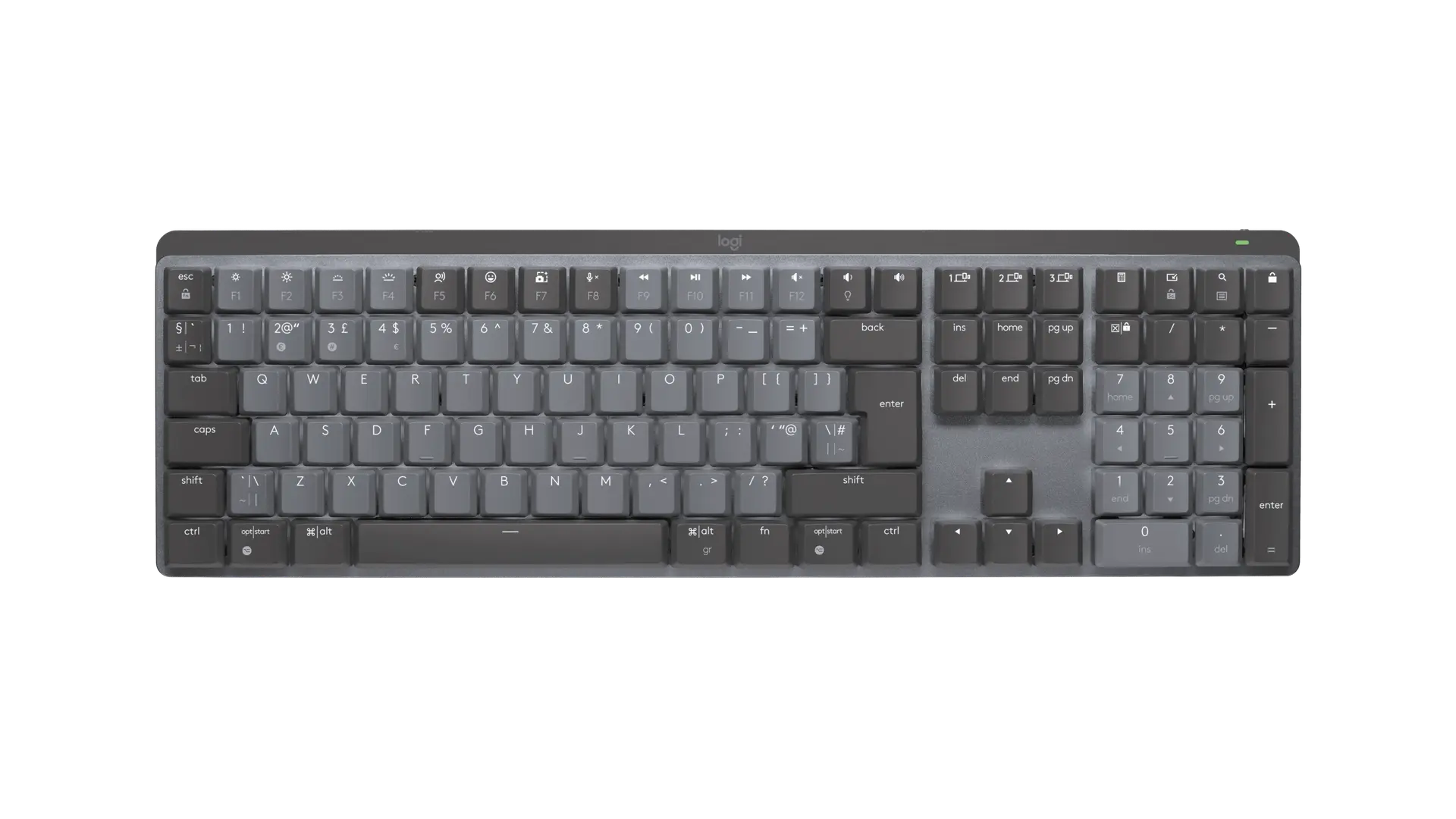
Logitech MX Mechanical graphite full-size keyboard with UK ISO QWERTY layout, official top view

Logitech MX Mechanical

Keyboard width
433.85 mm
Regional layout
English UK (QWERTY)
Keyboard size
Full-size with number pad
Prices & product profile
Logitech Signature Slim Keyboard K950 graphite full-size keyboard with UK ISO QWERTY layout, official front view

Logitech Signature Slim Keyboard K950

Keyboard width
433.8 mm
Regional layout
English UK (QWERTY)
Keyboard size
Full-size with number pad
Prices & product profile
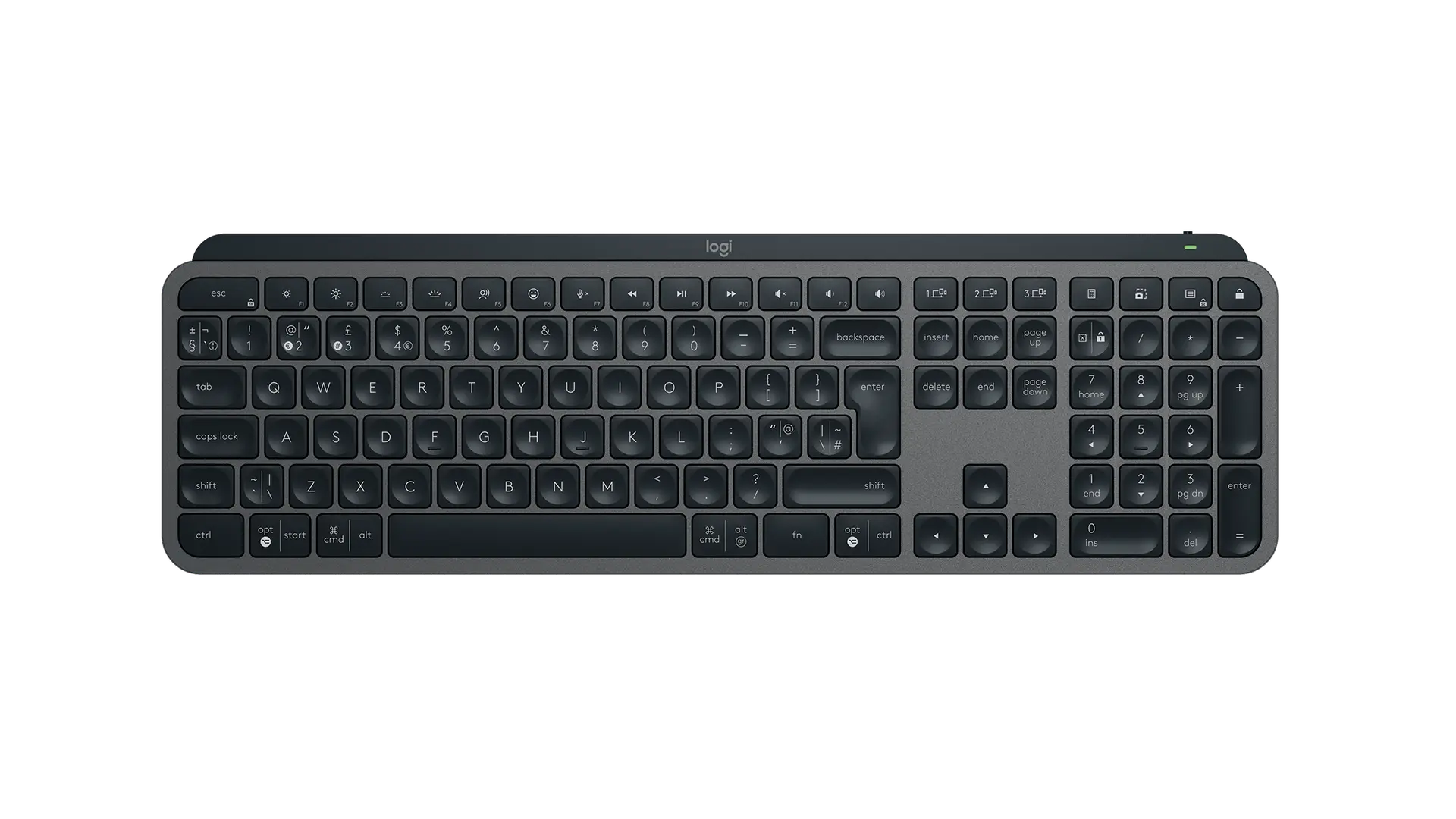
Logitech MX Keys S keyboard in Graphite with English UK QWERTY (ISO) layout, official top view

Logitech MX Keys S

Keyboard width
430.2 mm
Cable length
1 m
Regional layout
English UK QWERTY (ISO)
Prices & product profile

Each record represents an explicitly checked model and configuration. Original import: 5 Sept 2026; this is not its verification date. This is not a list of current offers or a popularity ranking.