Skip to comparison
versus.deals
Menu
Browse versus.deals
KEYBOARDS · YOUR NEXT FACE-OFF

Logitech MX Keys S vs Logitech Signature Slim Keyboard K950

Real specs. Clear sources.Exact models · UK & US buying links

Compared products

YOUR FIRST CHOICE

Logitech MX Keys S

920-011584 · Graphite · English UK QWERTY · keyboard only (no palm rest)
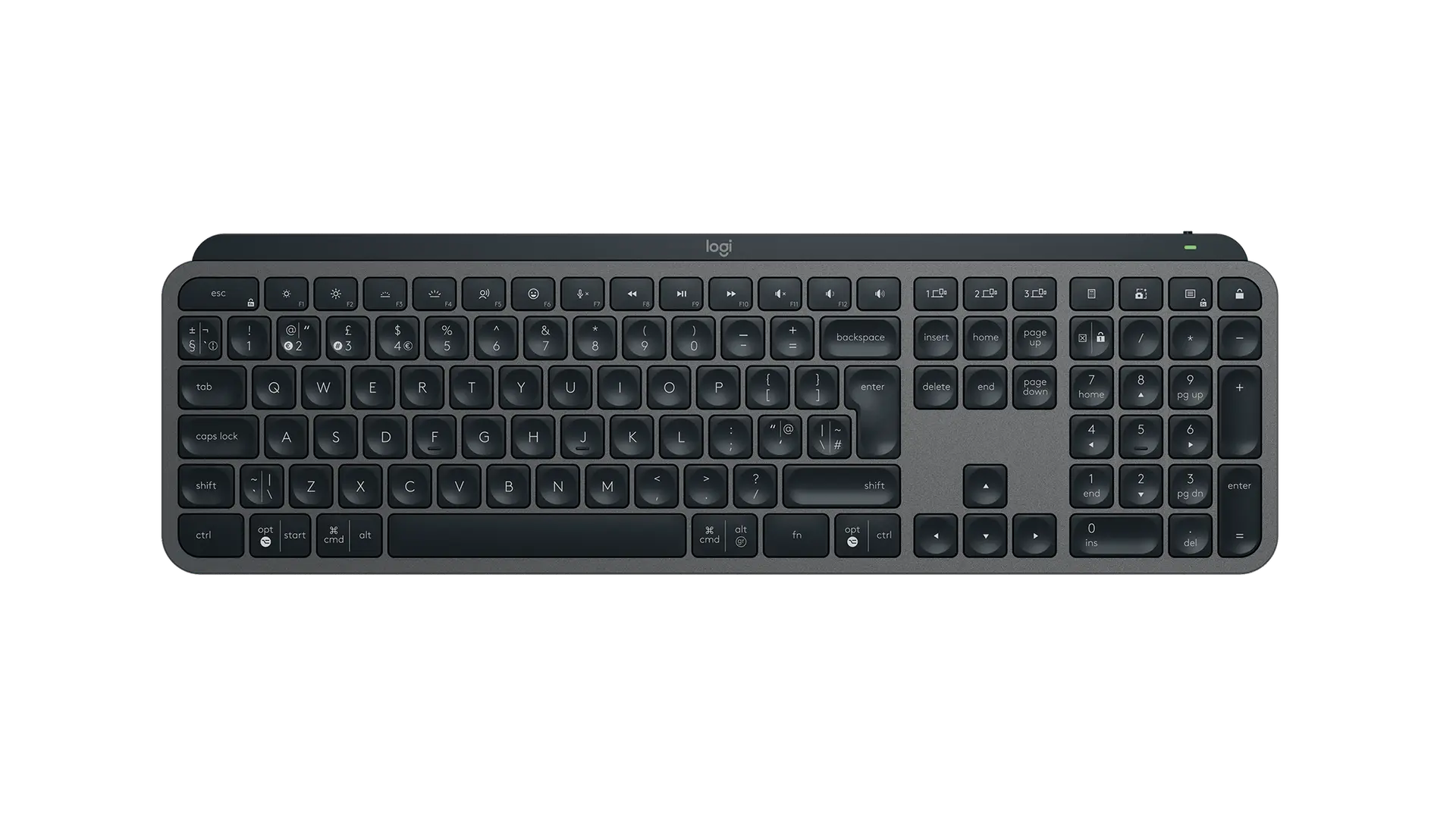
Logitech MX Keys S keyboard in Graphite with English UK QWERTY (ISO) layout, official top view
Exact model & source notes

The MX Keys S is Logitech's full-size wireless productivity keyboard with a number pad, scissor keys, backlighting that switches on as your hands approach, and both Logi Bolt and Bluetooth connections. This record is the Graphite English UK (ISO) keyboard-only SKU 920-011584.

Specifications checked 26 Sept 2026.

Amazon links open search results. Check the exact variant, current price and availability with the retailer.

Manufacturer specifications

WHAT DIFFERS
430.2 mmKeyboard span across the desk433.8 mm
810 gManufacturer-stated weight685 g
2 of 8 verified differences, in the order listed below. Not a rating.
See the 8 verified differences
THE CONTENDER

Logitech Signature Slim Keyboard K950

920-012463 · English UK (QWERTY) · graphite · low-profile scissor keys

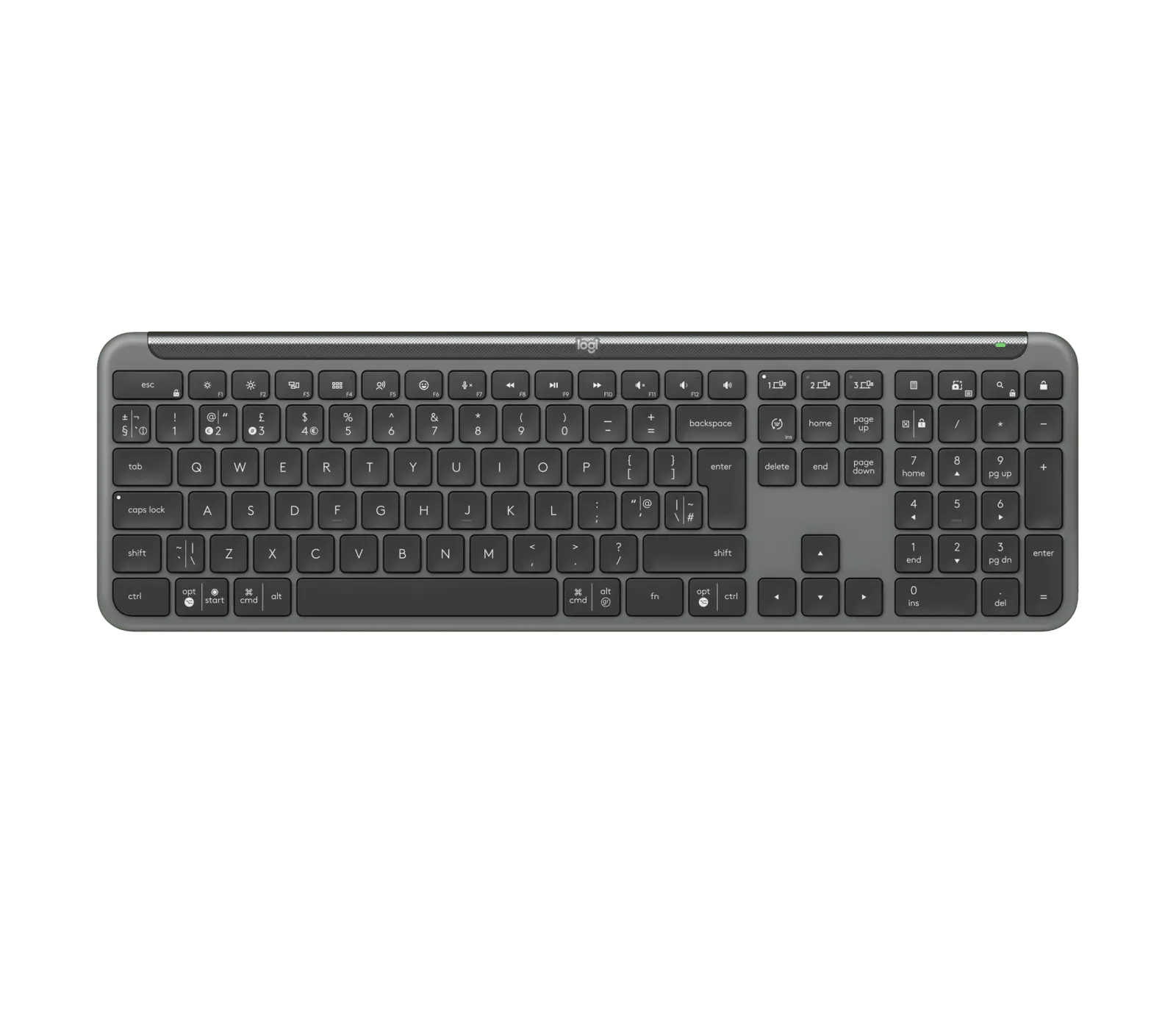
Logitech Signature Slim Keyboard K950 graphite full-size keyboard with UK ISO QWERTY layout, official front view
Exact model & source notes

The Signature Slim Keyboard K950 is a full-size, laptop-style wireless keyboard with quiet scissor switches; this graphite UK-layout SKU connects by Logi Bolt or Bluetooth 5.1 and runs up to 36 months on two AAA batteries.

Specifications checked 26 Sept 2026.

Amazon links open search results. Check the exact variant, current price and availability with the retailer.

Manufacturer specifications

MX Keys S UK & US retailers

UK & US price history: no verified listing yet

Signature Slim Keyboard K950 UK & US retailers

UK & US price history: no verified listing yet

Search links open retailer results, not a matched listing; eBay listings are checked daily. As an Amazon Associate I earn from qualifying purchases. As an eBay Partner, we may be compensated if you make a purchase.

THE DIFFERENCES, MADE VISIBLE

Visual facts

Differences first. Select a topic for its graphic, sources and conditions.

How to read this comparison
  • Manufacturer facts for the exact models shown. Not a quality rating or a test result.
  • “Different” means the known values differ, not that one is better.
  • Missing or conflicting evidence is marked and never counts as a difference. Source chips hold each fact’s sources and conditions.
SPECIFICATIONS SIDE BY SIDE7 topics
SELECTED TOPIC
01 / 07

Keyboard width

Manufacturer-stated overall width. A number pad or extra keys can change the footprint; width alone does not predict comfort or typing quality.

Logitech MX Keys S430.2 mm

Manufacturer specification · Width across the key rows.

Logitech Signature Slim Keyboard K950433.8 mm

Manufacturer specification · Logitech labels this Width.

Explore the full specifications

Match the layout, switches and connection. Check the exact regional key layout and switch option. A similar model name can describe different switches or a wireless version. Software support, key remapping and console compatibility need their own evidence; dimensions and switch travel are not a typing or gaming score.

WHAT CHANGES BETWEEN THEM?

Key differences

Full specifications ↓

8 verified differences, most decision-relevant first. 7 are also drawn in Visual facts above. Missing information stays separate.

Keyboard span across the desk

In Visual facts
Logitech MX Keys S430.2 mm
Logitech Signature Slim Keyboard K950433.8 mm
Sources
Logitech Signature Slim Keyboard K950

Manufacturer specification · Logitech labels this Width.

Logitech Signature Slim Keyboard K950 — UK product page, SKU data and specifications

A size or weight trade-off; it does not establish the better product.

Key customisation

In Visual facts
Logitech MX Keys SLogi Options+ (Windows and macOS), including Smart Actions; Logitech Flow with a Flow-enabled mouse
Logitech Signature Slim Keyboard K950Logi Options+ on Windows and macOS: assignable F-keys and Smart Actions
Sources
Logitech Signature Slim Keyboard K950

Manufacturer specification

Logitech Signature Slim Keyboard K950 — UK product page, SKU data and specifications

Physical keys, software assignments and stored profiles are different capabilities. Check the host-software requirements; a larger count does not establish better typing or lower latency.

Backlighting

In Visual facts
Logitech MX Keys SBacklit keys with hand-proximity sensors that turn the backlighting on and ambient-light sensors that adjust its brightness
Logitech Signature Slim Keyboard K950None
Sources
Logitech MX Keys S

Manufacturer specification · Duration and brightness adjustable in Logi Options+. Logitech does not state the backlight colour.

Logitech MX Keys S — UK product page, SKU list and technical specificationsSpecification - MX Keys S (Logitech Support)
Logitech Signature Slim Keyboard K950

Manufacturer specification · Logitech’s FAQ says backlighting was omitted to reach the 36-month battery figure.

Logitech Signature Slim Keyboard K950 — UK product page, SKU data and specifications

Lighting zones and per-key control differ. RGB does not by itself establish individual-key colour control; read the software requirements.

Battery claim

In Visual facts
Logitech MX Keys SUp to 10 days with predefined settings, or up to 5 months with backlighting off
Logitech Signature Slim Keyboard K950Up to 36 months
Sources
Logitech MX Keys S

Manufacturer specification · Logitech: battery life may vary based on user and computing conditions. The support article gives 146 hours at backlight level 4 in 100–200 lux and 242 hours at level 2 below 100 lux.

Logitech MX Keys S — UK product page, SKU list and technical specificationsSpecification - MX Keys S (Logitech Support)
Logitech Signature Slim Keyboard K950

Manufacturer specification · Battery life may vary based on user and computing conditions.

Logitech Signature Slim Keyboard K950 — UK product page, SKU data and specifications

Manufacturer claims for the stated mode and equipment. Read each test condition; this is not measured everyday battery life.

Dimensions

In Visual facts
Logitech MX Keys S430.2 × 131.63 × 20.5 mm (across keys × front-to-back × height)
Logitech Signature Slim Keyboard K950433.8 × 134.8 × 23.1 mm (width across the keys × front-to-back × height)
Sources
Logitech MX Keys S

Manufacturer specification · The UK product page labels these Width 430.2 mm, Height 131.63 mm and Depth 20.5 mm; the support article lists the same three values. Palm rest not included in this SKU.

Logitech MX Keys S — UK product page, SKU list and technical specificationsSpecification - MX Keys S (Logitech Support)
Logitech Signature Slim Keyboard K950

Manufacturer specification · Logitech labels these Width 433.8 mm, Height 134.8 mm and Depth 23.1 mm, measured with battery; the 134.8 mm figure is the front-to-back size and 23.1 mm the thickness.

Logitech Signature Slim Keyboard K950 — UK product page, SKU data and specifications

A size or weight trade-off; it does not establish the better product.

Battery type

In Visual facts
Logitech MX Keys SRechargeable Li-Po, 1500 mAh
Logitech Signature Slim Keyboard K9502 × AAA non-rechargeable alkaline (included)
Sources
Logitech Signature Slim Keyboard K950

Manufacturer specification

Logitech Signature Slim Keyboard K950 — UK product page, SKU data and specifications

Manufacturer claims for the stated mode and equipment. Read each test condition; this is not measured everyday battery life.

Show 2 more verified differences

Original package contents

In Visual facts
Logitech MX Keys SKeyboard; Logi Bolt USB receiver; USB-C charging cable (USB-A to USB-C); user documentation
Logitech Signature Slim Keyboard K950Keyboard with 2 AAA batteries (pre-installed); Logi Bolt USB receiver; documentation
Sources
Logitech MX Keys S

Manufacturer specification · Original manufacturer package contents for the keyboard-only SKU.

Logitech MX Keys S — UK product page, SKU list and technical specifications
Logitech Signature Slim Keyboard K950

Manufacturer specification

Logitech Signature Slim Keyboard K950 — UK product page, SKU data and specifications

Check the exact configuration and source conditions for your use.

Manufacturer-stated weight

Logitech MX Keys S810 g
Logitech Signature Slim Keyboard K950685 g
Sources
Logitech MX Keys S

Manufacturer specification · Keyboard alone as listed by Logitech (the palm rest is listed separately at 180 g).

Logitech MX Keys S — UK product page, SKU list and technical specificationsSpecification - MX Keys S (Logitech Support)
Logitech Signature Slim Keyboard K950

Manufacturer specification · With batteries; Logitech lists 662.6 g without batteries and receiver.

Logitech Signature Slim Keyboard K950 — UK product page, SKU data and specifications

A size or weight trade-off; it does not establish the better product.

Configuration & compatibility details (1)

Supported operating systems

Logitech MX Keys SLogi Bolt receiver: Windows 10, 11 or later; macOS 10.15 or later; Linux and ChromeOS (basic functions). Bluetooth: additionally iPadOS 14 or later and Android 8.0 or later (basic functions)
Logitech Signature Slim Keyboard K950Logi Bolt: USB-A port; Windows 10, 11 or later; macOS 11 or later; ChromeOS; Linux. Bluetooth: Windows 10, 11 or later; macOS 11 or later; ChromeOS; Linux; iPadOS 14 or later; iOS 14 or later; Android 9.0 or later
Sources
Logitech MX Keys S

Manufacturer specification · Current UK product page. The support specification article (at release) lists macOS 11 or later, Android 9.0 or later and iOS 14 or later; basic functions only without software on systems other than Windows and macOS. Logi Options+ customisation is Windows/macOS only.

Logitech MX Keys S — UK product page, SKU list and technical specificationsSpecification - MX Keys S (Logitech Support)
Logitech Signature Slim Keyboard K950

Manufacturer specification · Logi Options+ is available for Windows and macOS only; on other systems basic functions work without it.

Logitech Signature Slim Keyboard K950 — UK product page, SKU data and specifications

These descriptions or measurements differ. Wording alone does not establish a different capability; check the exact configuration.

Missing or non-comparable evidence (10)

Regional layout

Logitech MX Keys SEnglish UK QWERTY (ISO)
Logitech Signature Slim Keyboard K950English UK (QWERTY)
Sources
Logitech MX Keys S

Manufacturer specification · SKU 920-011584 is Logitech's Graphite English UK (QWERTY) keyboard-only configuration; 920-011586 is the same layout bundled with a palm rest. The ISO Enter key and £ legend are visible in the official UK image.

Logitech MX Keys S — UK product page, SKU list and technical specifications
Logitech Signature Slim Keyboard K950

Manufacturer specification · UK SKU 920-012463 with a multi-OS printed layout (Windows/Mac/Chrome). The official UK image shows the ISO arrangement (tall Enter, £ on 3).

Logitech Signature Slim Keyboard K950 — UK product page, SKU data and specifications

One source states less detail or a rounded figure. This is not a verified difference; check the exact configuration.

Multi-device pairing

Logitech MX Keys SNot verified
Logitech Signature Slim Keyboard K950Easy-Switch across up to 3 devices; compatible with Logitech Flow-enabled mice
Sources
Logitech MX Keys S

No source recorded for this side.

Logitech Signature Slim Keyboard K950

Manufacturer specification · Flow needs Logi Options+ and all computers on the same network.

Logitech Signature Slim Keyboard K950 — UK product page, SKU data and specifications

Evidence is missing or conflicting on at least one side. This is not a verified difference.

Key rollover

Logitech MX Keys SNot verified
Logitech Signature Slim Keyboard K950Not verified
Sources
Logitech MX Keys S

No source recorded for this side.

Logitech Signature Slim Keyboard K950

Logitech does not list a rollover figure on the Signature Slim K950 UK page. · Manufacturer specification

Logitech Signature Slim Keyboard K950 — UK product page, SKU data and specifications

Evidence is missing or conflicting on at least one side. This is not a verified difference.

Media controls

Logitech MX Keys SNot verified
Logitech Signature Slim Keyboard K950One-tap shortcuts for play music, mute/unmute, snipping tool and volume control
Sources
Logitech MX Keys S

No source recorded for this side.

Logitech Signature Slim Keyboard K950

Manufacturer specification · Logitech says these one-tap functions work right out of the box and lists them as examples ('and more').

Logitech Signature Slim Keyboard K950 — UK product page, SKU data and specifications

Evidence is missing or conflicting on at least one side. This is not a verified difference.

Switch actuation force

Logitech MX Keys S60 g
Logitech Signature Slim Keyboard K950Not verified
Sources
Logitech MX Keys S

Manufacturer specification

Specification - MX Keys S (Logitech Support)
Logitech Signature Slim Keyboard K950

No source recorded for this side.

Evidence is missing or conflicting on at least one side. This is not a verified difference.

Cable length

Logitech MX Keys S1 m
Logitech Signature Slim Keyboard K950Not verified
Sources
Logitech MX Keys S

Manufacturer specification · Detachable USB-A to USB-C charging cable supplied in the box; the keyboard itself is wireless.

Logitech MX Keys S — UK product page, SKU list and technical specificationsSpecification - MX Keys S (Logitech Support)
Logitech Signature Slim Keyboard K950

No source recorded for this side.

Evidence is missing or conflicting on at least one side. This is not a verified difference.

Rated keypress durability

Logitech MX Keys SStandard keys 10 million; function keys 5 million keypresses
Logitech Signature Slim Keyboard K950Not verified
Sources
Logitech MX Keys S

Manufacturer specification

Specification - MX Keys S (Logitech Support)
Logitech Signature Slim Keyboard K950

No source recorded for this side.

Evidence is missing or conflicting on at least one side. This is not a verified difference.

Switch total travel

Logitech MX Keys S1.8 mm
Logitech Signature Slim Keyboard K950Not verified
Sources
Logitech MX Keys S

Manufacturer specification

Specification - MX Keys S (Logitech Support)
Logitech Signature Slim Keyboard K950

No source recorded for this side.

Evidence is missing or conflicting on at least one side. This is not a verified difference.

Wireless range claim

Logitech MX Keys SNot verified
Logitech Signature Slim Keyboard K95010 m
Sources
Logitech MX Keys S

No source recorded for this side.

Logitech Signature Slim Keyboard K950

Manufacturer specification · May vary based on user, environmental and computing conditions.

Logitech Signature Slim Keyboard K950 — UK product page, SKU data and specifications

Evidence is missing or conflicting on at least one side. This is not a verified difference.

3 shared fields have the same recorded value.

WHAT EACH CHOICE ASKS OF YOU

What it brings and what to check

Logitech MX Keys S

What it brings

  • Connects by the supplied Logi Bolt receiver or Bluetooth Low Energy and switches between up to three paired devices. Logi Options+ customisation is available on Windows and macOS; on Linux, ChromeOS, iPadOS and Android Logitech lists basic functions without software.
  • Backlighting switches on as your hands approach and adapts to room light; with backlighting off Logitech claims up to five months per charge from its 1500 mAh battery, recharged over USB-C.

What to check

  • At 430.2 mm across and 810 g it is a full-size board; Logitech points buyers who want to save desk space to the minimalist MX Keys Mini instead. Its keys are low-profile scissor keys with 1.8 mm of total travel rather than mechanical switches.
  • The receiver is Logi Bolt only; older Unifying receivers do not work with it, and Logi Options+ customisation is limited to Windows and macOS.

Logitech Signature Slim Keyboard K950

What it brings

  • Easy-Switch pairs up to three devices, and Logitech lists Windows, macOS, ChromeOS, Linux, iPadOS, iOS and Android support.
  • It keeps a full number pad in a slim 23.1 mm body with tilt legs for an 8-degree angle.

What to check

  • There is no backlighting and the two AAA cells are non-rechargeable. The exact source describes Bluetooth or Logi Bolt operation and no USB-C charging port; a wired keyboard data mode remains unverified.
  • Logi Options+ customisation is limited to Windows and macOS; other systems get basic functions only.
COMPARE THE DETAILS

Full specifications

How we verify
22 of 22 specifications Sources in each row
Source-backed specifications for Logitech MX Keys S and Logitech Signature Slim Keyboard K950
SpecificationLogitech MX Keys SLogitech Signature Slim Keyboard K950
Regional layout
Sources
Logitech MX Keys S

Manufacturer specification · SKU 920-011584 is Logitech's Graphite English UK (QWERTY) keyboard-only configuration; 920-011586 is the same layout bundled with a palm rest. The ISO Enter key and £ legend are visible in the official UK image.

Logitech MX Keys S — UK product page, SKU list and technical specifications
Logitech Signature Slim Keyboard K950

Manufacturer specification · UK SKU 920-012463 with a multi-OS printed layout (Windows/Mac/Chrome). The official UK image shows the ISO arrangement (tall Enter, £ on 3).

Logitech Signature Slim Keyboard K950 — UK product page, SKU data and specifications
English UK QWERTY (ISO)English UK (QWERTY)
Keyboard size
Sources
Logitech MX Keys S

Manufacturer specification · Logitech offers the MX Keys S in full size; the MX Keys Mini is the separate compact model.

Logitech MX Keys S — UK product page, SKU list and technical specifications
Logitech Signature Slim Keyboard K950

Manufacturer specification · Exact technical inventory names a full-size layout with number pad. Canonical full-size class retains the integrated number pad; switch height, regional key layout and controls remain separate source facts.

Logitech Signature Slim Keyboard K950 — UK product page, SKU data and specifications
Full-size with number padFull-size with number pad
DimensionsDifferent
Sources
Logitech MX Keys S

Manufacturer specification · The UK product page labels these Width 430.2 mm, Height 131.63 mm and Depth 20.5 mm; the support article lists the same three values. Palm rest not included in this SKU.

Logitech MX Keys S — UK product page, SKU list and technical specificationsSpecification - MX Keys S (Logitech Support)
Logitech Signature Slim Keyboard K950

Manufacturer specification · Logitech labels these Width 433.8 mm, Height 134.8 mm and Depth 23.1 mm, measured with battery; the 134.8 mm figure is the front-to-back size and 23.1 mm the thickness.

Logitech Signature Slim Keyboard K950 — UK product page, SKU data and specifications
430.2 × 131.63 × 20.5 mm (across keys × front-to-back × height)433.8 × 134.8 × 23.1 mm (width across the keys × front-to-back × height)
Supported operating systemsDifferent
Sources
Logitech MX Keys S

Manufacturer specification · Current UK product page. The support specification article (at release) lists macOS 11 or later, Android 9.0 or later and iOS 14 or later; basic functions only without software on systems other than Windows and macOS. Logi Options+ customisation is Windows/macOS only.

Logitech MX Keys S — UK product page, SKU list and technical specificationsSpecification - MX Keys S (Logitech Support)
Logitech Signature Slim Keyboard K950

Manufacturer specification · Logi Options+ is available for Windows and macOS only; on other systems basic functions work without it.

Logitech Signature Slim Keyboard K950 — UK product page, SKU data and specifications
Logi Bolt receiver: Windows 10, 11 or later; macOS 10.15 or later; Linux and ChromeOS (basic functions). Bluetooth: additionally iPadOS 14 or later and Android 8.0 or later (basic functions)Logi Bolt: USB-A port; Windows 10, 11 or later; macOS 11 or later; ChromeOS; Linux. Bluetooth: Windows 10, 11 or later; macOS 11 or later; ChromeOS; Linux; iPadOS 14 or later; iOS 14 or later; Android 9.0 or later
Keyboard span across the deskDifferent
Sources
Logitech Signature Slim Keyboard K950

Manufacturer specification · Logitech labels this Width.

Logitech Signature Slim Keyboard K950 — UK product page, SKU data and specifications
430.2 mm433.8 mm
Manufacturer-stated weightDifferent
Sources
Logitech MX Keys S

Manufacturer specification · Keyboard alone as listed by Logitech (the palm rest is listed separately at 180 g).

Logitech MX Keys S — UK product page, SKU list and technical specificationsSpecification - MX Keys S (Logitech Support)
Logitech Signature Slim Keyboard K950

Manufacturer specification · With batteries; Logitech lists 662.6 g without batteries and receiver.

Logitech Signature Slim Keyboard K950 — UK product page, SKU data and specifications
810 g685 g
Tilt adjustment
Sources
Logitech MX Keys S

No source recorded.

Logitech Signature Slim Keyboard K950

Manufacturer specification

Logitech Signature Slim Keyboard K950 — UK product page, SKU data and specifications
Not providedTilt legs for an 8-degree typing angle
Exact switch option
Sources
Logitech MX Keys S

Manufacturer specification · Logitech lists 60 g actuation force and 1.8 mm total travel; there are no alternative switch options. Single fixed key type; exact source specifies no alternative switch family. This common scissor mechanism is separate from keycap shape, travel, force and manufacturer typing descriptions.

Specification - MX Keys S (Logitech Support)
Logitech Signature Slim Keyboard K950

Manufacturer specification · Stated in Logitech’s own FAQ on the UK product page; there is one switch type. Original exact FAQ description: low-profile laptop-style scissor switches (chiclet keys). Keycap styling, overall keyboard height and manufacturer quiet-typing descriptions remain separate from the shared scissor mechanism.

Logitech Signature Slim Keyboard K950 — UK product page, SKU data and specifications
Scissor keysScissor keys
Switch total travel
Sources
Logitech MX Keys S

Manufacturer specification

Specification - MX Keys S (Logitech Support)
Logitech Signature Slim Keyboard K950

No source recorded.

1.8 mmNot provided
Switch actuation force
Sources
Logitech MX Keys S

Manufacturer specification

Specification - MX Keys S (Logitech Support)
Logitech Signature Slim Keyboard K950

No source recorded.

60 gNot provided
Rated keypress durability
Sources
Logitech MX Keys S

Manufacturer specification

Specification - MX Keys S (Logitech Support)
Logitech Signature Slim Keyboard K950

No source recorded.

Standard keys 10 million; function keys 5 million keypressesNot provided
Connections
Sources
Logitech MX Keys S

Manufacturer specification · Original exact inventory: Logi Bolt USB receiver (2.4 GHz) or Bluetooth Low Energy; up to three paired devices with Easy-Switch; USB-C charging. Not compatible with other Logitech USB receivers (e.g. Unifying). 10 m wireless range per Logitech, which varies with environment. Three-device switching,2.4GHz receiver operation and USB-C charging retain their precise scope. The source labels the keyboard wireless and the supplied cable charging/power; wired keyboard data operation is not inferred.

Logitech MX Keys S — UK product page, SKU list and technical specificationsSpecification - MX Keys S (Logitech Support)
Logitech Signature Slim Keyboard K950

Manufacturer specification · Original exact source inventory: Logi Bolt USB receiver (included) or Bluetooth Low Energy (Bluetooth 5.1); Easy-Switch for up to 3 devices. Easy-Switch device count and Flow/setup scope are recorded separately. USB receiver host attachment is distinct from a wired keyboard data mode; unlisted wired data operation remains unverified.

Logitech Signature Slim Keyboard K950 — UK product page, SKU data and specifications
Bluetooth; Logi BoltBluetooth; Logi Bolt
Cable length
Sources
Logitech MX Keys S

Manufacturer specification · Detachable USB-A to USB-C charging cable supplied in the box; the keyboard itself is wireless.

Logitech MX Keys S — UK product page, SKU list and technical specificationsSpecification - MX Keys S (Logitech Support)
Logitech Signature Slim Keyboard K950

No source recorded.

1 mNot provided
Battery claimDifferent
Sources
Logitech MX Keys S

Manufacturer specification · Logitech: battery life may vary based on user and computing conditions. The support article gives 146 hours at backlight level 4 in 100–200 lux and 242 hours at level 2 below 100 lux.

Logitech MX Keys S — UK product page, SKU list and technical specificationsSpecification - MX Keys S (Logitech Support)
Logitech Signature Slim Keyboard K950

Manufacturer specification · Battery life may vary based on user and computing conditions.

Logitech Signature Slim Keyboard K950 — UK product page, SKU data and specifications
Up to 10 days with predefined settings, or up to 5 months with backlighting offUp to 36 months
Rechargeable Li-Po, 1500 mAh2 × AAA non-rechargeable alkaline (included)
Wireless range claim
Sources
Logitech MX Keys S

No source recorded.

Logitech Signature Slim Keyboard K950

Manufacturer specification · May vary based on user, environmental and computing conditions.

Logitech Signature Slim Keyboard K950 — UK product page, SKU data and specifications
Not provided10 m
Multi-device pairing
Sources
Logitech MX Keys S

No source recorded.

Logitech Signature Slim Keyboard K950

Manufacturer specification · Flow needs Logi Options+ and all computers on the same network.

Logitech Signature Slim Keyboard K950 — UK product page, SKU data and specifications
Not providedEasy-Switch across up to 3 devices; compatible with Logitech Flow-enabled mice
BacklightingDifferent
Sources
Logitech MX Keys S

Manufacturer specification · Duration and brightness adjustable in Logi Options+. Logitech does not state the backlight colour.

Logitech MX Keys S — UK product page, SKU list and technical specificationsSpecification - MX Keys S (Logitech Support)
Logitech Signature Slim Keyboard K950

Manufacturer specification · Logitech’s FAQ says backlighting was omitted to reach the 36-month battery figure.

Logitech Signature Slim Keyboard K950 — UK product page, SKU data and specifications
Backlit keys with hand-proximity sensors that turn the backlighting on and ambient-light sensors that adjust its brightnessNone
Key customisationDifferent
Sources
Logi Options+ (Windows and macOS), including Smart Actions; Logitech Flow with a Flow-enabled mouseLogi Options+ on Windows and macOS: assignable F-keys and Smart Actions
Media controls
Sources
Logitech MX Keys S

No source recorded.

Logitech Signature Slim Keyboard K950

Manufacturer specification · Logitech says these one-tap functions work right out of the box and lists them as examples ('and more').

Logitech Signature Slim Keyboard K950 — UK product page, SKU data and specifications
Not providedOne-tap shortcuts for play music, mute/unmute, snipping tool and volume control
Original package contentsDifferent
Sources
Logitech MX Keys S

Manufacturer specification · Original manufacturer package contents for the keyboard-only SKU.

Logitech MX Keys S — UK product page, SKU list and technical specifications
Logitech Signature Slim Keyboard K950

Manufacturer specification

Logitech Signature Slim Keyboard K950 — UK product page, SKU data and specifications
Keyboard; Logi Bolt USB receiver; USB-C charging cable (USB-A to USB-C); user documentationKeyboard with 2 AAA batteries (pre-installed); Logi Bolt USB receiver; documentation
Show unverified (1)Not verified, not provided or conflicting for both products. Kept for completeness; never counted as a difference.
Specifications without verified values for either product
Key rollover
Sources
Logitech MX Keys S

No source recorded.

Logitech Signature Slim Keyboard K950

Logitech does not list a rollover figure on the Signature Slim K950 UK page. · Manufacturer specification

Logitech Signature Slim Keyboard K950 — UK product page, SKU data and specifications
Not providedNot provided
FIND YOUR CONTENDERS

More products

Closest keyboards to this pair by shared key specifications. Not a popularity ranking.

See all 334 keyboards
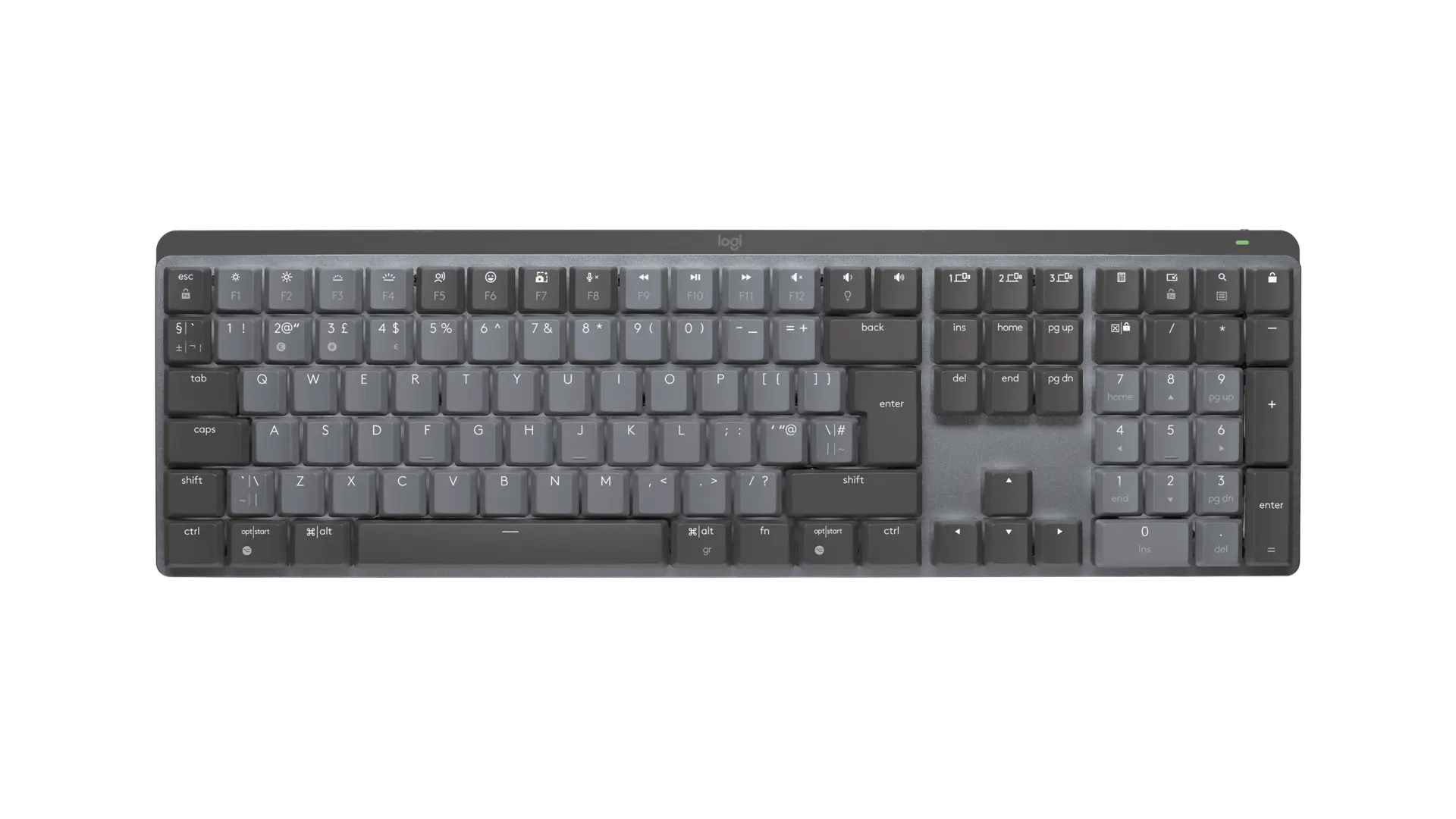
Logitech MX Mechanical graphite full-size keyboard with UK ISO QWERTY layout, official top view

Logitech MX Mechanical

Keyboard width
433.85 mm
Regional layout
English UK (QWERTY)
Keyboard size
Full-size with number pad
Prices & product profile
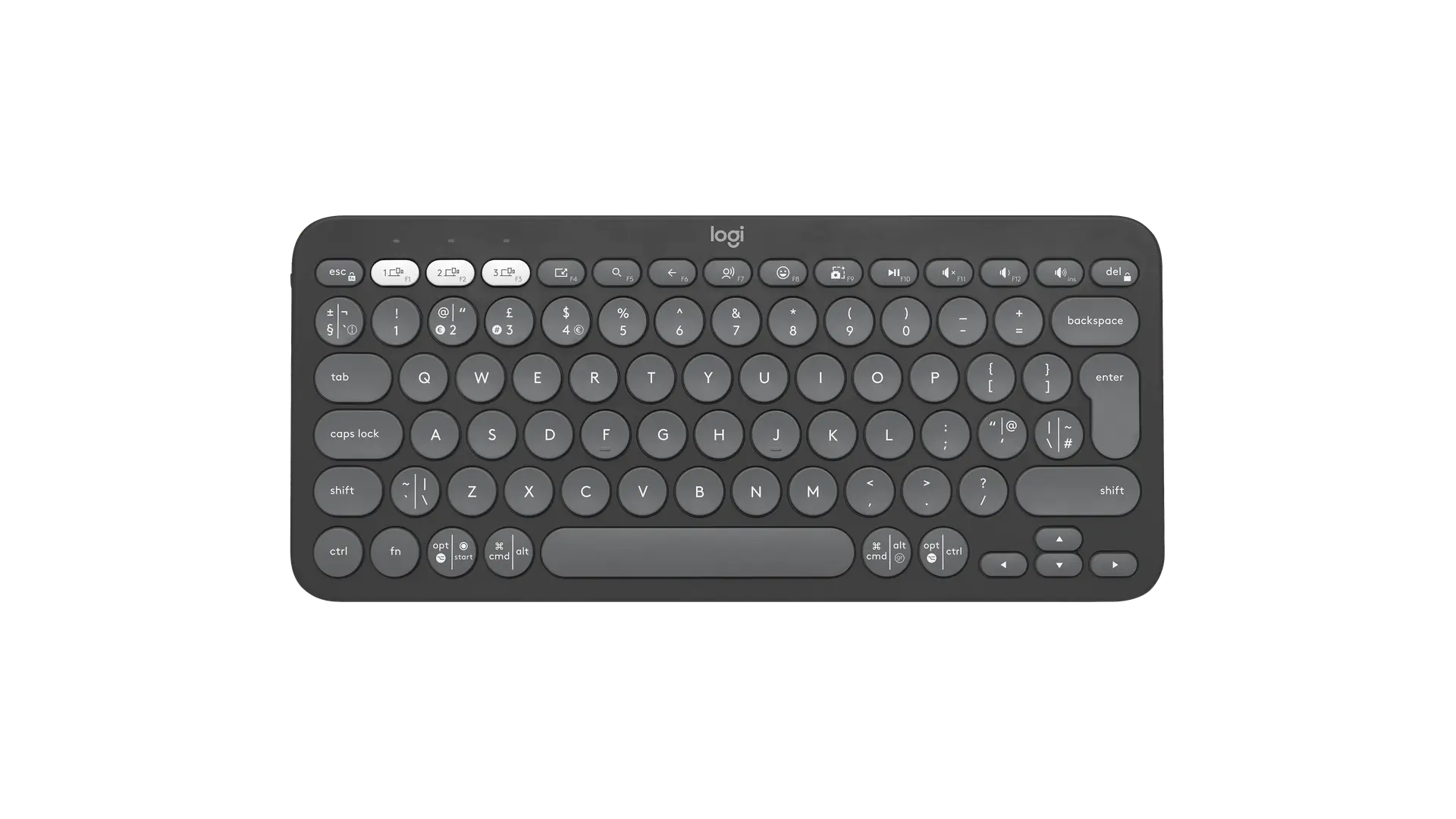
Logitech Pebble Keys 2 K380s keyboard in Tonal Graphite with English UK QWERTY (ISO) layout, official top view

Logitech Pebble Keys 2 K380s

Regional layout
English UK QWERTY (ISO)
Keyboard size
Compact without number pad
Exact switch option
Scissor keys
Prices & product profile
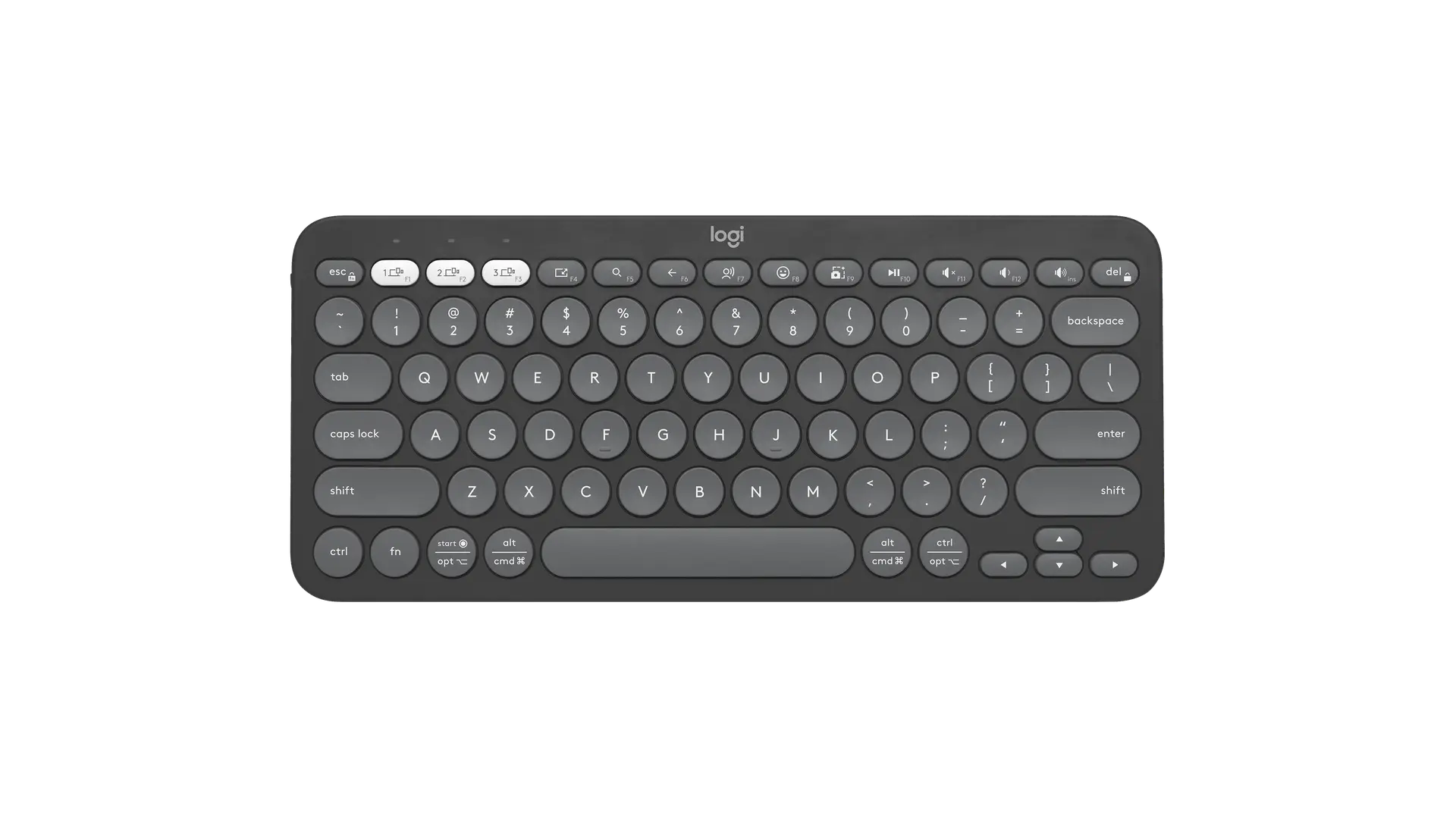
Logitech Pebble Keys 2 K380s tonal graphite compact keyboard with US ANSI QWERTY layout, official top view

Logitech Pebble Keys 2 K380s

Keyboard width
279 mm
Regional layout
English US QWERTY (ANSI)
Keyboard size
Compact without number pad
Prices & product profile
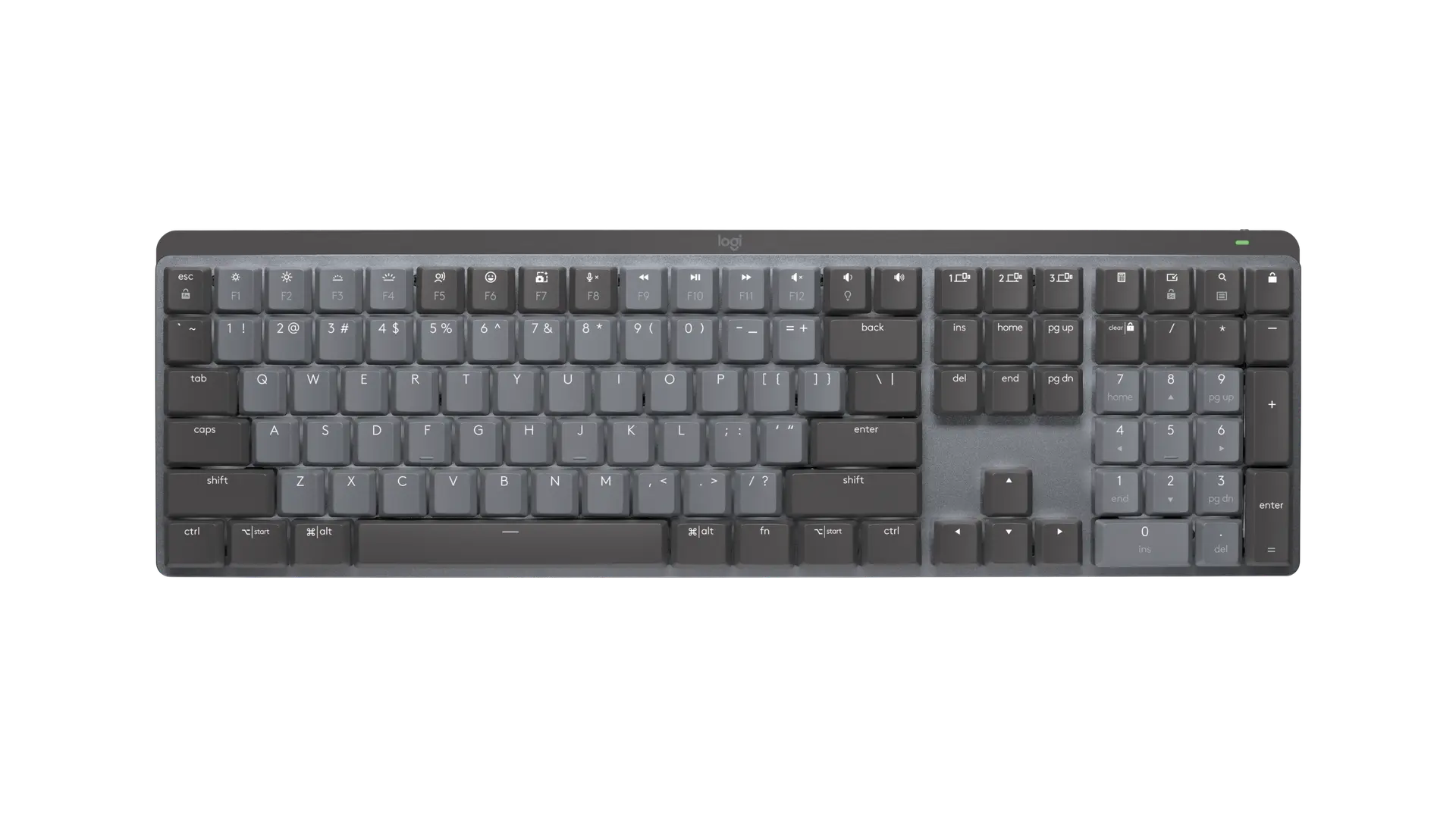
Logitech MX Mechanical full-size keyboard in Graphite with English US QWERTY (ANSI) layout, official top view

Logitech MX Mechanical

Keyboard width
433.85 mm
Cable length
1 m
Actuation distance
1.3 mm
Prices & product profile

Each record represents an explicitly checked model and configuration. Original import: 5 Sept 2026; this is not its verification date. This is not a list of current offers or a popularity ranking.