Skip to comparison
versus.deals
Menu
Browse versus.deals
SPEAKERS · YOUR NEXT FACE-OFF

Edifier R1280T vs Logitech Z313

Real specs. Clear sources.Exact models · UK & US buying links

Compared products

YOUR FIRST CHOICE

Edifier R1280T

Brown
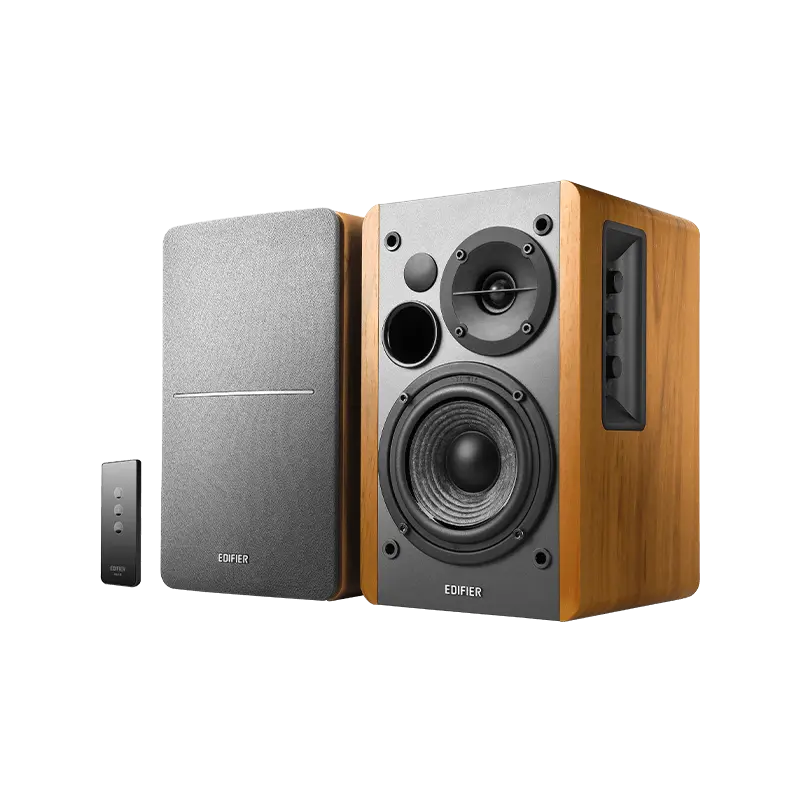
Edifier R1280T bookshelf speakers in brown wood finish, one with its grey grille fitted, and a small remote control
Exact model & source notes

The R1280T is a wired active-plus-passive bookshelf pair with 4-inch bass drivers and 13 mm silk dome tweeters, rated 21 W × 2 RMS. It has two RCA inputs, side-panel volume, bass and treble dials and a small remote, but no Bluetooth.

Specifications checked 26 Sept 2026.

Amazon links open search results. Check the exact variant, current price and availability with the retailer.

Manufacturer specifications

WHAT DIFFERS

7 verified differences, led by Channel configuration, included units / accessories and input sensitivity. Compared in full below. Not a rating.

See the 7 verified differences
THE CONTENDER

Logitech Z313

Black

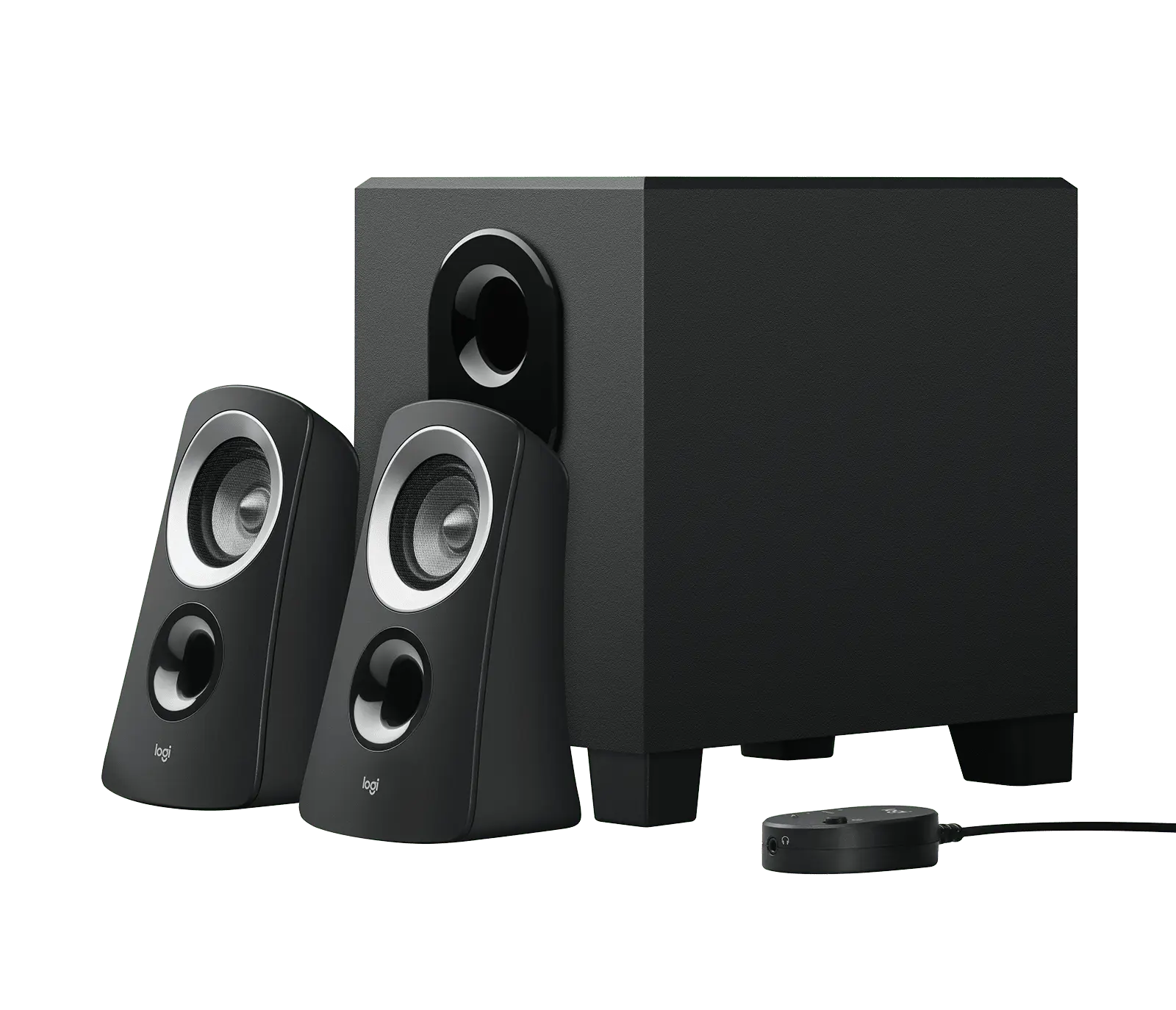
Black Logitech Z313 2.1 system: two angled satellite speakers, a subwoofer box and a round wired control pod
Exact model & source notes

The Z313 is a wired 2.1 system: two small satellites, a 4-inch subwoofer and a control pod, rated at 25 W RMS in total (15 W subwoofer, 2 × 5 W satellites) and 50 W peak. It connects to one source through a wired 3.5 mm connection and runs from AC mains power.

Specifications checked 26 Sept 2026.

Amazon links open search results. Check the exact variant, current price and availability with the retailer.

Manufacturer specifications

Edifier R1280T UK & US retailers

UK & US price history: no verified listing yet

Logitech Z313 UK & US retailers

UK & US price history: no verified listing yet

Search links open retailer results, not a matched listing; eBay listings are checked daily. As an Amazon Associate I earn from qualifying purchases. As an eBay Partner, we may be compensated if you make a purchase.

THE DIFFERENCES, MADE VISIBLE

Visual facts

Differences first. Select a topic for its graphic, sources and conditions.

How to read this comparison
  • Manufacturer facts for the exact models shown. Not a quality rating or a test result.
  • “Different” means the known values differ, not that one is better.
  • Missing or conflicting evidence is marked and never counts as a difference. Source chips hold each fact’s sources and conditions.
SPECIFICATIONS SIDE BY SIDE7 topics
SELECTED TOPIC
01 / 07

Channel configuration

Check the exact configuration and source conditions for your use.

Edifier R1280TStereo pair: one active (powered) speaker and one passive speaker; 2-way active crossover

Manufacturer specification · Passive speaker is wired to the active speaker's speaker output with the supplied cable.

Logitech Z3132.1: two satellite speakers and a subwoofer, with a wired control pod

Manufacturer specification

Explore the full specifications

Check the exact configuration. Manufacturer specifications describe the listed variant. Confirm compatibility and the seller’s exact model before buying; no overall winner is inferred from incomplete evidence.

WHAT CHANGES BETWEEN THEM?

Key differences

Full specifications ↓

7 verified differences, most decision-relevant first. All are also drawn in Visual facts above. Missing information stays separate.

Channel configuration

In Visual facts
Edifier R1280TStereo pair: one active (powered) speaker and one passive speaker; 2-way active crossover
Logitech Z3132.1: two satellite speakers and a subwoofer, with a wired control pod
Sources
Edifier R1280T

Manufacturer specification · Passive speaker is wired to the active speaker's speaker output with the supplied cable.

Edifier UK — R1280T product page and specificationEdifier USA — R1280T product page and specificationEdifier R1280T user manual (English section), linked from the official product page

Check the exact configuration and source conditions for your use.

Included units / accessories

In Visual facts
Edifier R1280TActive speaker, passive speaker, remote control, speaker connecting cable, 3.5 mm to dual RCA cable, dual RCA to dual RCA cable, user manual
Logitech Z313Two satellite speakers, subwoofer and user documentation (shop in-box list)
Sources
Logitech Z313

Manufacturer specification · The setup guide's 'Know your product' diagram also labels the control pod, power cord, satellite to subwoofer cable and a 3.5 mm audio cable; the shop in-box list does not name them.

Logitech Z313 — UK product page and technical specifications (en-gb)Logitech Z313 — US product page and technical specifications (en-us)Logitech Z313 — setup guide (PDF, Americas edition: English/French/Spanish/Portuguese)

Check the exact configuration and source conditions for your use.

Input sensitivity

In Visual facts
Edifier R1280TPC: 750 ± 50 mV; AUX: 550 ± 50 mV
Logitech Z313Satellite: 345 mV
Sources
Edifier R1280T

Manufacturer specification · The manual labels the first input 'PC'; the UK/US specification tables print 'LPC: 750mV ± 50mV'.

Edifier UK — R1280T product page and specificationEdifier USA — R1280T product page and specificationEdifier R1280T user manual (English section), linked from the official product page
Logitech Z313

Manufacturer specification · Published as 'Sensitivity Satellite (345mV)'. The same table lists input impedance 10 kΩ ('10k ohm').

Logitech Support — Z313 technical specifications

Check the exact configuration and source conditions for your use.

Audio inputs

In Visual facts
Edifier R1280TTwo stereo RCA analogue inputs (PC and AUX)
Logitech Z313One wired 3.5 mm analogue connection
Sources
Edifier R1280T

Manufacturer specification · No Bluetooth (Edifier FAQ). If two sources are connected, both play simultaneously; there is no input selector.

Edifier UK — R1280T product page and specificationEdifier USA — R1280T product page and specificationEdifier R1280T user manual (English section), linked from the official product page
Logitech Z313

Manufacturer specification · Official descriptions of the connector differ: the UK/US key features say 'Connect any device via the 3.5 mm input on the back of the subwoofer', the support specification table lists 'Connection type 3.5 mm plug', and the setup guide says to insert the 3.5 mm connector from the control pod into the audio jack on the source device. The technical specifications list one 3.5 mm input. No Bluetooth, USB, optical or RCA input is listed.

Logitech Z313 — UK product page and technical specifications (en-gb)Logitech Z313 — US product page and technical specifications (en-us)Logitech Support — Z313 technical specificationsLogitech Z313 — setup guide (PDF, Americas edition: English/French/Spanish/Portuguese)

Check the exact configuration and source conditions for your use.

Rated power and measurement basis

In Visual facts
Edifier R1280T42 W RMS total: 21 W × 2 (DRC on)
Logitech Z31325 W RMS total: subwoofer 15 W + satellites 2 × 5 W; 50 W peak
Sources
Edifier R1280T

Manufacturer specification · Manufacturer RMS rating per channel with dynamic range control on; load impedance not published.

Edifier UK — R1280T product page and specificationEdifier USA — R1280T product page and specificationEdifier R1280T user manual (English section), linked from the official product page
Logitech Z313

Manufacturer specification · Manufacturer ratings; load and distortion basis not published. The 50 W peak figure is from the UK and US key features ('50 Watts Peak/25 Watts RMS'); the technical specifications list the RMS figures only.

Logitech Z313 — UK product page and technical specifications (en-gb)Logitech Z313 — US product page and technical specifications (en-us)Logitech Support — Z313 technical specifications

Check the exact configuration and source conditions for your use.

Power supply

In Visual facts
Edifier R1280TBuilt-in mains power in the active speaker with attached power cord and power switch
Logitech Z313AC mains via a power cord plugged into an electrical outlet
Sources
Edifier R1280T

Manufacturer specification · The manual only says to connect the AC plug to the correct AC voltage outlet; no voltage/frequency or UK vs US cord difference is published.

Edifier R1280T user manual (English section), linked from the official product page
Logitech Z313

Manufacturer specification · Logitech Support lists Power Type AC; the setup guide labels a power cord and says to plug the power plug into an electrical outlet. Voltage, frequency, consumption and regional plug are not published. UK (980-000447) and US (980-000382) are separate part numbers.

Logitech Support — Z313 technical specificationsLogitech Z313 — setup guide (PDF, Americas edition: English/French/Spanish/Portuguese)

Check the exact configuration and source conditions for your use.

Show 1 more verified difference

Dimensions of each unit

In Visual facts
Edifier R1280T146 × 234 × 196 mm (W × H × D)
Logitech Z313Each satellite: 146.2 × 89.4 × 81 mm; subwoofer: 228.4 × 150 × 220 mm (H × W × D)
Sources
Edifier R1280T

Manufacturer specification · From the user manual linked on the current product page (not repeated in the web specification table); per-cabinet basis is implied, not stated. The manual does not state whether it describes the R1280T V2024 revision named on the product pages.

Edifier R1280T user manual (English section), linked from the official product page

A size or weight trade-off; it does not establish the better product.

Missing or non-comparable evidence (13)

Enclosure

Edifier R1280TWooden enclosure with removable front plate
Logitech Z313Not verified
Sources
Edifier R1280T

Manufacturer specification · Edifier describes a 'Classic wooden enclosure' that minimizes acoustic resonance; the wood/panel material grade is not published. The FAQ answers 'Does the front plate come off?' with 'Yes.'

Edifier UK — R1280T product page and specificationEdifier USA — R1280T product page and specification
Logitech Z313

No source recorded for this side.

Evidence is missing or conflicting on at least one side. This is not a verified difference.

Satellite driver size

Edifier R1280TNot verified
Logitech Z3132 in per satellite
Sources
Edifier R1280T

No source recorded for this side.

Logitech Z313

Manufacturer specification

Logitech Support — Z313 technical specifications

Evidence is missing or conflicting on at least one side. This is not a verified difference.

Frequency response

Edifier R1280TConflicting evidence
Logitech Z313Satellites 160 Hz–20 kHz; subwoofer 40–130 Hz
Sources
Edifier R1280T

Product pages list 52 Hz – 20 kHz; the linked manual lists 75 Hz – 18 kHz (±9 dB). · Manufacturer specification

Edifier UK — R1280T product page and specificationEdifier R1280T user manual (English section), linked from the official product page
Logitech Z313

Manufacturer specification · Published separately per component; no tolerance (dB) or combined system range is published.

Logitech Support — Z313 technical specifications

Evidence is missing or conflicting on at least one side. This is not a verified difference.

Headphone output

Edifier R1280TNot verified
Logitech Z313Headphone jack on the wired control pod
Sources
Edifier R1280T

No source recorded for this side.

Logitech Z313

Manufacturer specification · The jack size is not stated. The setup guide and Logitech Support state that the control pod's volume control does not control headphone volume; adjust it at the source device.

Logitech Z313 — UK product page and technical specifications (en-gb)Logitech Z313 — setup guide (PDF, Americas edition: English/French/Spanish/Portuguese)Logitech Support — Volume control on the Z313 speaker doesn't work when headphones are connected

Evidence is missing or conflicting on at least one side. This is not a verified difference.

Warranty

Edifier R1280TNot verified
Logitech Z313UK: 2-Year Limited Hardware Warranty; US: 1-Year Limited Hardware Warranty
Sources
Edifier R1280T

No source recorded for this side.

Logitech Z313

Manufacturer specification · As stated in the specifications of the UK (en-gb) and US (en-us) Logitech shop pages; the regional terms differ.

Logitech Z313 — UK product page and technical specifications (en-gb)Logitech Z313 — US product page and technical specifications (en-us)

Evidence is missing or conflicting on at least one side. This is not a verified difference.

Satellite weight

Edifier R1280TNot verified
Logitech Z313Not verified
Sources
Edifier R1280T

No source recorded for this side.

Logitech Z313

Logitech lists Weight 480 g under the component heading 'Satellite (Left and Right)' (UK/US shop dimensions and support table) without stating whether it is per satellite or for both, so no per-satellite figure is asserted. · Manufacturer specification

Logitech Z313 — UK product page and technical specifications (en-gb)Logitech Support — Z313 technical specifications

Evidence is missing or conflicting on at least one side. This is not a verified difference.

Subwoofer weight

Edifier R1280TNot verified
Logitech Z3132.3 kg
Sources
Edifier R1280T

No source recorded for this side.

Evidence is missing or conflicting on at least one side. This is not a verified difference.

Weight

Edifier R1280TNot verified
Logitech Z313Not verified
Sources
Edifier R1280T

Edifier's UK/US specification tables list 'Net Weight: 4.9kg' and the manual 'Weight (net/gross): Approx. 4.9 kg / 5.65 kg', without stating whether the net figure is for the pair or one speaker; no like-for-like weight is asserted. · Manufacturer specification

Edifier UK — R1280T product page and specificationEdifier USA — R1280T product page and specificationEdifier R1280T user manual (English section), linked from the official product page
Logitech Z313

No total system weight is published; only the subwoofer (2.3 kg) and the 'Satellite (Left and Right)' 480 g entry are listed. No figure is summed or inferred. · Manufacturer specification

Logitech Z313 — UK product page and technical specifications (en-gb)Logitech Support — Z313 technical specifications

Evidence is missing or conflicting on at least one side. This is not a verified difference.

1 shared field has the same recorded value.

WHAT EACH CHOICE ASKS OF YOU

What it brings and what to check

Edifier R1280T

What it brings

What to check

Logitech Z313

What it brings

What to check

COMPARE THE DETAILS

Full specifications

How we verify
21 of 21 specifications Sources in each row
Source-backed specifications for Edifier R1280T and Logitech Z313
SpecificationEdifier R1280TLogitech Z313
Stereo pair: one active (powered) speaker and one passive speaker; 2-way active crossover2.1: two satellite speakers and a subwoofer, with a wired control pod
Woofer size
Sources
4 in4 in
Tweeter size
Sources
Edifier R1280T

Manufacturer specification · Silk dome tweeter (0.5 in on the web page).

Edifier R1280T user manual (English section), linked from the official product page
Logitech Z313

No source recorded.

13 mmNot provided
Satellite driver size
Sources
Edifier R1280T

No source recorded.

Logitech Z313

Manufacturer specification

Logitech Support — Z313 technical specifications
Not provided2 in per satellite
Frequency response
Sources
Edifier R1280T

Product pages list 52 Hz – 20 kHz; the linked manual lists 75 Hz – 18 kHz (±9 dB). · Manufacturer specification

Edifier UK — R1280T product page and specificationEdifier R1280T user manual (English section), linked from the official product page
Logitech Z313

Manufacturer specification · Published separately per component; no tolerance (dB) or combined system range is published.

Logitech Support — Z313 technical specifications
Conflicting sourcesSatellites 160 Hz–20 kHz; subwoofer 40–130 Hz
≥ 85 dB(A)Not provided
Distortion
Sources
Edifier R1280T

Manufacturer specification · Manual figure; measurement level and frequency not stated.

Edifier R1280T user manual (English section), linked from the official product page
Logitech Z313

No source recorded.

≤0.5%Not provided
Audio inputsDifferent
Sources
Edifier R1280T

Manufacturer specification · No Bluetooth (Edifier FAQ). If two sources are connected, both play simultaneously; there is no input selector.

Edifier UK — R1280T product page and specificationEdifier USA — R1280T product page and specificationEdifier R1280T user manual (English section), linked from the official product page
Logitech Z313

Manufacturer specification · Official descriptions of the connector differ: the UK/US key features say 'Connect any device via the 3.5 mm input on the back of the subwoofer', the support specification table lists 'Connection type 3.5 mm plug', and the setup guide says to insert the 3.5 mm connector from the control pod into the audio jack on the source device. The technical specifications list one 3.5 mm input. No Bluetooth, USB, optical or RCA input is listed.

Logitech Z313 — UK product page and technical specifications (en-gb)Logitech Z313 — US product page and technical specifications (en-us)Logitech Support — Z313 technical specificationsLogitech Z313 — setup guide (PDF, Americas edition: English/French/Spanish/Portuguese)
Two stereo RCA analogue inputs (PC and AUX)One wired 3.5 mm analogue connection
Input sensitivityDifferent
Sources
Edifier R1280T

Manufacturer specification · The manual labels the first input 'PC'; the UK/US specification tables print 'LPC: 750mV ± 50mV'.

Edifier UK — R1280T product page and specificationEdifier USA — R1280T product page and specificationEdifier R1280T user manual (English section), linked from the official product page
Logitech Z313

Manufacturer specification · Published as 'Sensitivity Satellite (345mV)'. The same table lists input impedance 10 kΩ ('10k ohm').

Logitech Support — Z313 technical specifications
PC: 750 ± 50 mV; AUX: 550 ± 50 mVSatellite: 345 mV
Headphone output
Sources
Edifier R1280T

No source recorded.

Logitech Z313

Manufacturer specification · The jack size is not stated. The setup guide and Logitech Support state that the control pod's volume control does not control headphone volume; adjust it at the source device.

Logitech Z313 — UK product page and technical specifications (en-gb)Logitech Z313 — setup guide (PDF, Americas edition: English/French/Spanish/Portuguese)Logitech Support — Volume control on the Z313 speaker doesn't work when headphones are connected
Not providedHeadphone jack on the wired control pod
Rated power and measurement basisDifferent
Sources
Edifier R1280T

Manufacturer specification · Manufacturer RMS rating per channel with dynamic range control on; load impedance not published.

Edifier UK — R1280T product page and specificationEdifier USA — R1280T product page and specificationEdifier R1280T user manual (English section), linked from the official product page
Logitech Z313

Manufacturer specification · Manufacturer ratings; load and distortion basis not published. The 50 W peak figure is from the UK and US key features ('50 Watts Peak/25 Watts RMS'); the technical specifications list the RMS figures only.

Logitech Z313 — UK product page and technical specifications (en-gb)Logitech Z313 — US product page and technical specifications (en-us)Logitech Support — Z313 technical specifications
42 W RMS total: 21 W × 2 (DRC on)25 W RMS total: subwoofer 15 W + satellites 2 × 5 W; 50 W peak
Power supplyDifferent
Sources
Edifier R1280T

Manufacturer specification · The manual only says to connect the AC plug to the correct AC voltage outlet; no voltage/frequency or UK vs US cord difference is published.

Edifier R1280T user manual (English section), linked from the official product page
Logitech Z313

Manufacturer specification · Logitech Support lists Power Type AC; the setup guide labels a power cord and says to plug the power plug into an electrical outlet. Voltage, frequency, consumption and regional plug are not published. UK (980-000447) and US (980-000382) are separate part numbers.

Logitech Support — Z313 technical specificationsLogitech Z313 — setup guide (PDF, Americas edition: English/French/Spanish/Portuguese)
Built-in mains power in the active speaker with attached power cord and power switchAC mains via a power cord plugged into an electrical outlet
Tone controls
Sources
Logitech Z313

No source recorded.

Master volume, treble and bass dials; IR remote with volume and muteNot provided
Controls
Sources
Edifier R1280T

No source recorded.

Not providedPower and volume on the wired control pod
Dimensions of each unitDifferent
Sources
Edifier R1280T

Manufacturer specification · From the user manual linked on the current product page (not repeated in the web specification table); per-cabinet basis is implied, not stated. The manual does not state whether it describes the R1280T V2024 revision named on the product pages.

Edifier R1280T user manual (English section), linked from the official product page
146 × 234 × 196 mm (W × H × D)Each satellite: 146.2 × 89.4 × 81 mm; subwoofer: 228.4 × 150 × 220 mm (H × W × D)
Enclosure
Sources
Edifier R1280T

Manufacturer specification · Edifier describes a 'Classic wooden enclosure' that minimizes acoustic resonance; the wood/panel material grade is not published. The FAQ answers 'Does the front plate come off?' with 'Yes.'

Edifier UK — R1280T product page and specificationEdifier USA — R1280T product page and specification
Logitech Z313

No source recorded.

Wooden enclosure with removable front plateNot provided
Subwoofer weight
Sources
Edifier R1280T

No source recorded.

Not provided2.3 kg
Included units / accessoriesDifferent
Sources
Logitech Z313

Manufacturer specification · The setup guide's 'Know your product' diagram also labels the control pod, power cord, satellite to subwoofer cable and a 3.5 mm audio cable; the shop in-box list does not name them.

Logitech Z313 — UK product page and technical specifications (en-gb)Logitech Z313 — US product page and technical specifications (en-us)Logitech Z313 — setup guide (PDF, Americas edition: English/French/Spanish/Portuguese)
Active speaker, passive speaker, remote control, speaker connecting cable, 3.5 mm to dual RCA cable, dual RCA to dual RCA cable, user manualTwo satellite speakers, subwoofer and user documentation (shop in-box list)
Warranty
Sources
Edifier R1280T

No source recorded.

Logitech Z313

Manufacturer specification · As stated in the specifications of the UK (en-gb) and US (en-us) Logitech shop pages; the regional terms differ.

Logitech Z313 — UK product page and technical specifications (en-gb)Logitech Z313 — US product page and technical specifications (en-us)
Not providedUK: 2-Year Limited Hardware Warranty; US: 1-Year Limited Hardware Warranty
Show unverified (2)Not verified, not provided or conflicting for both products. Kept for completeness; never counted as a difference.
Specifications without verified values for either product
Weight
Sources
Edifier R1280T

Edifier's UK/US specification tables list 'Net Weight: 4.9kg' and the manual 'Weight (net/gross): Approx. 4.9 kg / 5.65 kg', without stating whether the net figure is for the pair or one speaker; no like-for-like weight is asserted. · Manufacturer specification

Edifier UK — R1280T product page and specificationEdifier USA — R1280T product page and specificationEdifier R1280T user manual (English section), linked from the official product page
Logitech Z313

No total system weight is published; only the subwoofer (2.3 kg) and the 'Satellite (Left and Right)' 480 g entry are listed. No figure is summed or inferred. · Manufacturer specification

Logitech Z313 — UK product page and technical specifications (en-gb)Logitech Support — Z313 technical specifications
Not listed by the manufacturerNot listed by the manufacturer
Satellite weight
Sources
Edifier R1280T

No source recorded.

Logitech Z313

Logitech lists Weight 480 g under the component heading 'Satellite (Left and Right)' (UK/US shop dimensions and support table) without stating whether it is per satellite or for both, so no per-satellite figure is asserted. · Manufacturer specification

Logitech Z313 — UK product page and technical specifications (en-gb)Logitech Support — Z313 technical specifications
Not providedNot listed by the manufacturer
FIND YOUR CONTENDERS

More products

Closest speakers to this pair by shared key specifications. Not a popularity ranking.

See all 162 speakers
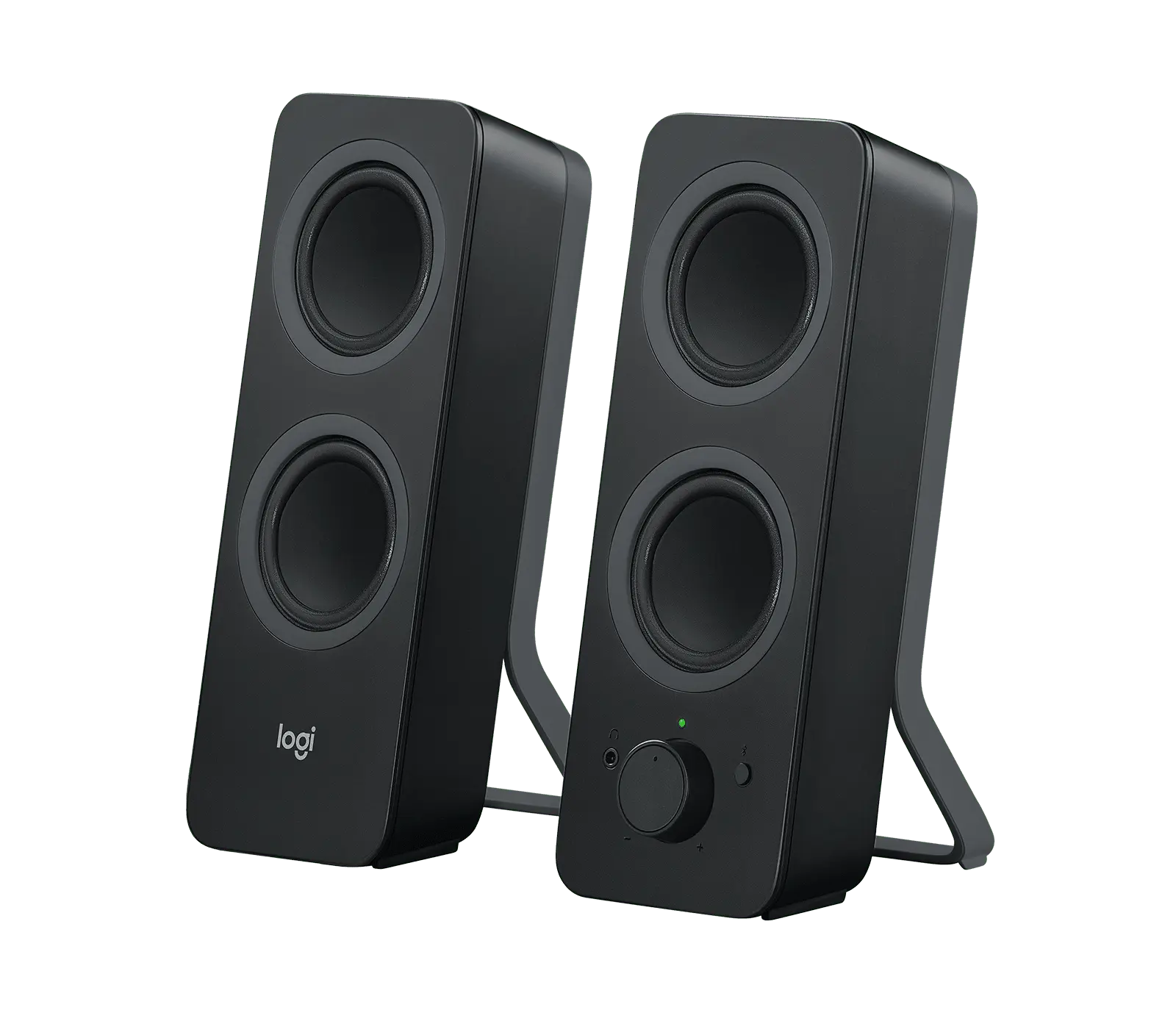
Pair of black Logitech Z207 Bluetooth computer speakers with two circular driver openings each and the volume knob on the right speaker

Logitech Z207

Channel configuration
2.0 stereo pair: two powered speakers, each with a full-range driver and a passive radiator
Rated power and measurement basis
5 W RMS total; 10 W peak total
Audio inputs
Bluetooth (up to two paired source devices, Easy-Switch) and one 3.5 mm analogue auxiliary input on the back of the right speaker
Prices & product profile
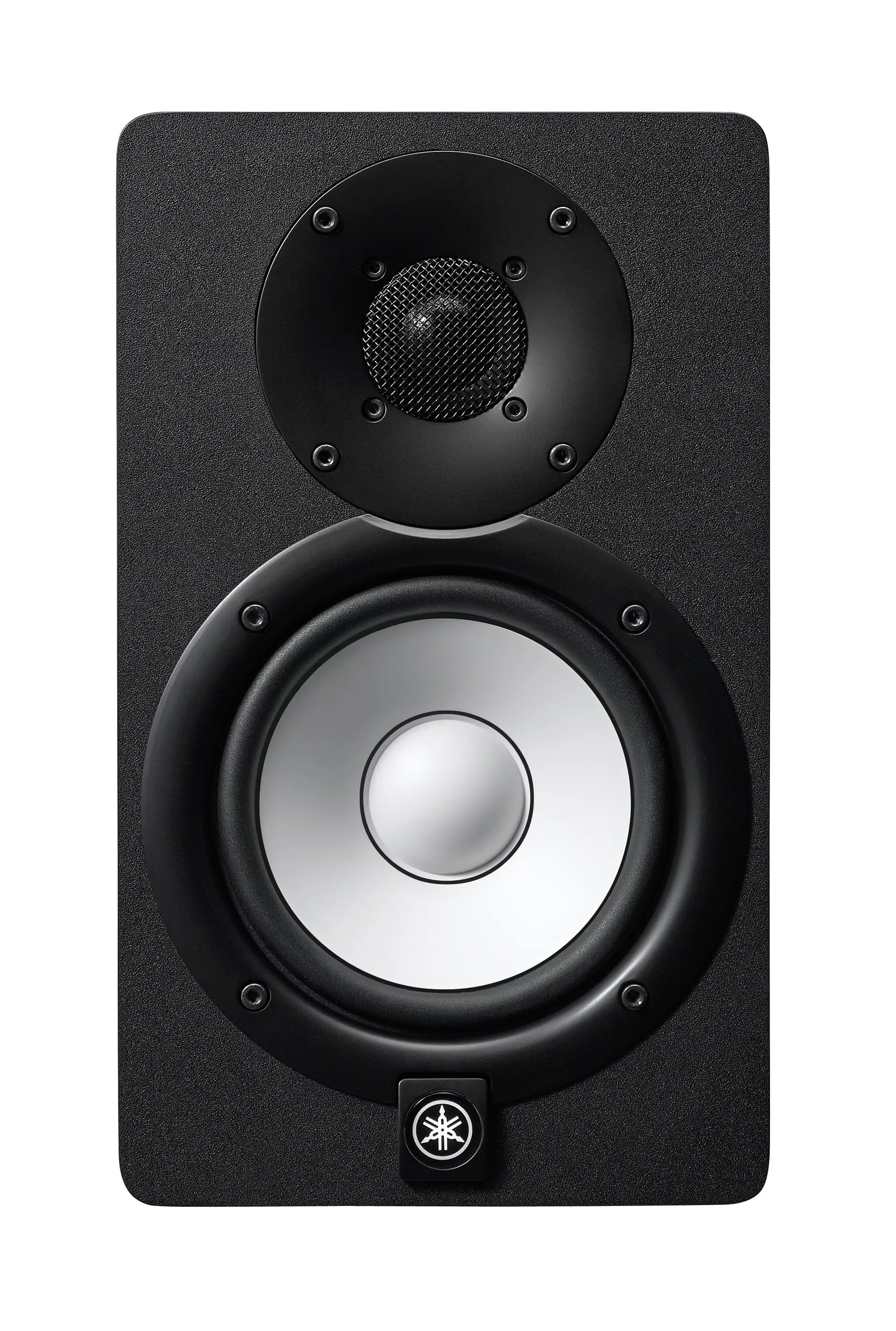
Front view of a black Yamaha HS5 studio monitor with white 5-inch woofer cone and dome tweeter

Yamaha HS5

Channel configuration
One individually packaged, two-way bi-amplified powered monitor (not a stereo pair)
Rated power and measurement basis
70 W total (dynamic power): LF 45 W into 4 ohms + HF 25 W into 8 ohms
Audio inputs
Balanced XLR (XLR-3-31) and balanced 6.35 mm phone jack, wired in parallel
Prices & product profile
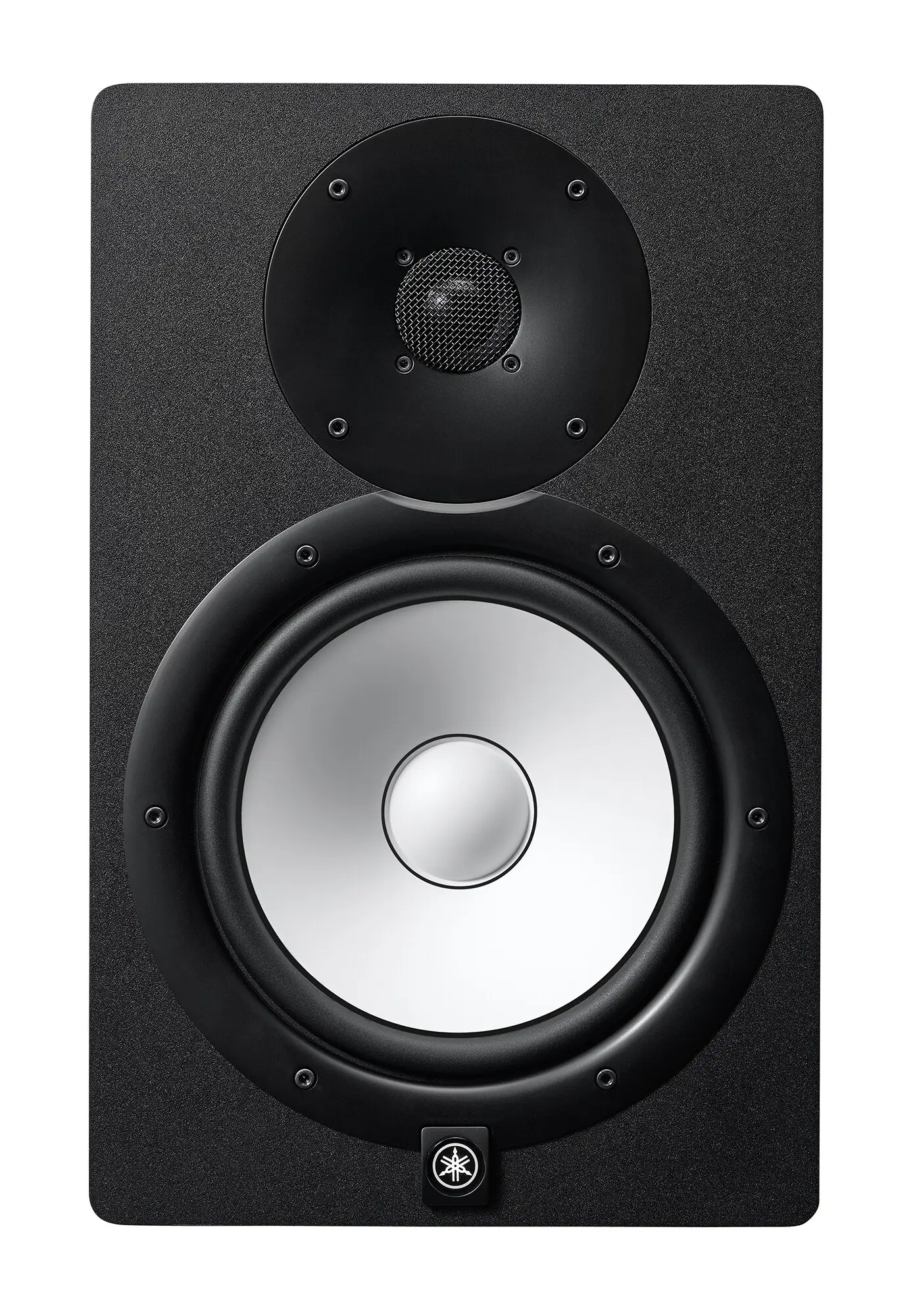
Front view of a black Yamaha HS7 studio monitor with white 6.5-inch woofer cone and dome tweeter

Yamaha HS7

Channel configuration
One individually packaged, two-way bi-amplified powered monitor (not a stereo pair)
Rated power and measurement basis
95 W total (dynamic power): LF 60 W into 4 ohms + HF 35 W into 8 ohms
Audio inputs
Balanced XLR (XLR-3-31) and balanced 6.35 mm phone jack, wired in parallel
Prices & product profile
Front view of a black Yamaha HS8 studio monitor with white 8-inch woofer cone and dome tweeter

Yamaha HS8

Channel configuration
One individually packaged, two-way bi-amplified powered monitor (not a stereo pair)
Rated power and measurement basis
120 W total (dynamic power): LF 75 W into 4 ohms + HF 45 W into 8 ohms
Audio inputs
Balanced XLR (XLR-3-31) and balanced 6.35 mm phone jack, wired in parallel
Prices & product profile

Each record represents an explicitly checked model and configuration. Original import: 5 Sept 2026; this is not its verification date. This is not a list of current offers or a popularity ranking.