Skip to comparison
versus.deals
Menu
Browse versus.deals
PRINTERS · YOUR NEXT FACE-OFF

Canon MAXIFY GX6550 vs Canon MAXIFY GX5050

Real specs. Clear sources.Exact models · UK & US buying links

Compared products

YOUR FIRST CHOICE

Canon MAXIFY GX6550

6351C008 · official UK catalogue
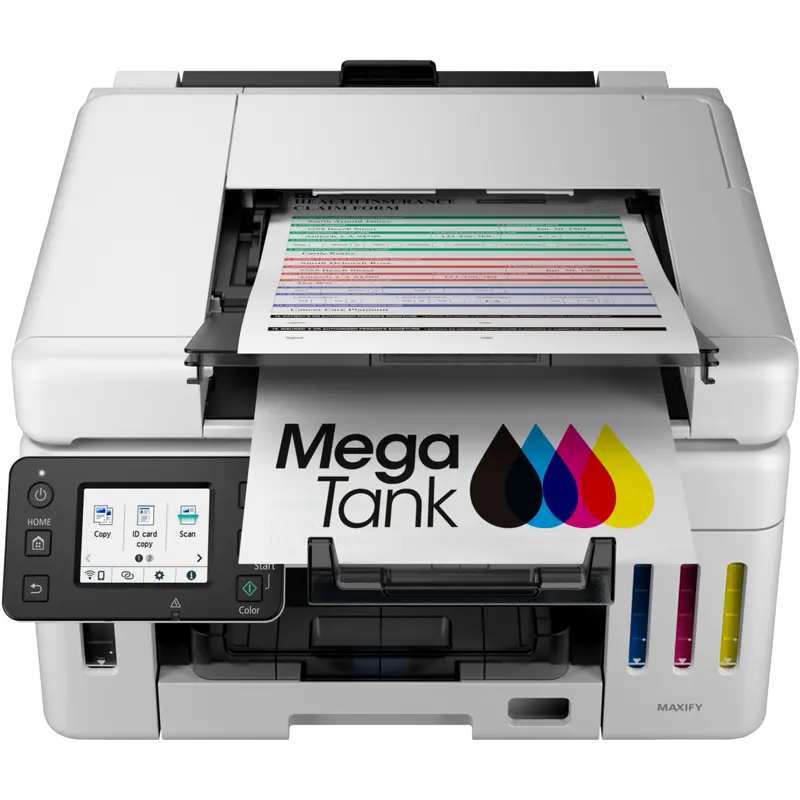
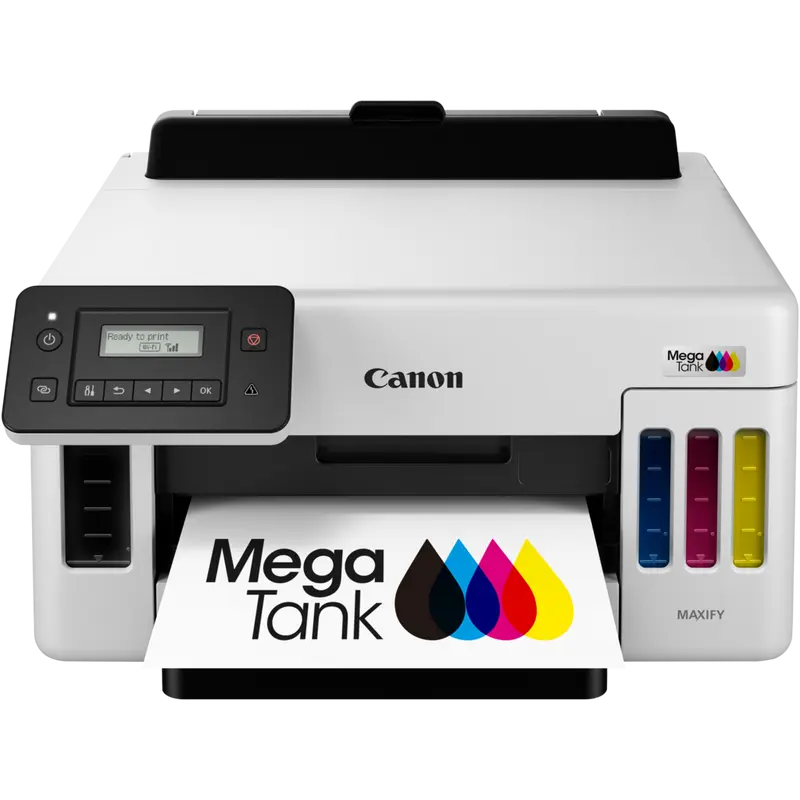
Canon MAXIFY GX6550 — manufacturer image for 6351C008
Exact model & source notes

Canon’s exact 6351C008 configuration, with manufacturer-listed printing methods, supported media and connection details. Mode-labelled specifications remain separate; no print-quality, running-cost or stock result is inferred.

Specifications checked 17 Oct 2026.

Amazon links open search results. Check the exact variant, current price and availability with the retailer.

Manufacturer specifications

WHAT DIFFERS
11,500 gWeight9,000 g
General Specifications — Model NumbersMAXIFY GX6550MAXIFY GX5050
Physical Features — Duty Cycleup to 45,000 pages/monthUp to 45,000 pages
3 of 28 verified differences, in the order listed below. Not a rating.
See the 28 verified differences
THE CONTENDER

Canon MAXIFY GX5050

5550C008 · official UK catalogue

Canon MAXIFY GX5050 — manufacturer image for 5550C008
Exact model & source notes

Canon’s exact 5550C008 configuration, with manufacturer-listed printing methods, supported media and connection details. Mode-labelled specifications remain separate; no print-quality, running-cost or stock result is inferred.

Specifications checked 17 Oct 2026.

Amazon links open search results. Check the exact variant, current price and availability with the retailer.

Manufacturer specifications

GX6550 UK & US retailers

UK & US price history: no verified listing yet

GX5050 UK & US retailers

UK & US price history: no verified listing yet

Search links open retailer results, not a matched listing; eBay listings are checked daily. As an Amazon Associate I earn from qualifying purchases. As an eBay Partner, we may be compensated if you make a purchase.

THE DIFFERENCES, MADE VISIBLE

Visual facts

Differences first. Select a topic for its graphic, sources and conditions.

How to read this comparison
  • Manufacturer facts for the exact models shown. Not a quality rating or a test result.
  • “Different” means the known values differ, not that one is better.
  • Missing or conflicting evidence is marked and never counts as a difference. Source chips hold each fact’s sources and conditions.
SPECIFICATIONS SIDE BY SIDE8 topics
SELECTED TOPIC
01 / 08

Functions

Check the exact configuration and source conditions for your use.

Canon MAXIFY GX6550Wi-Fi, Ethernet, Print, Copy, Scan & Cloud

Manufacturer specification · Literal manufacturer source rows retain their original mode, units, options and material restrictions. Unlisted conditions remain unknown. Complete literal manufacturer table row. Literal manufacturer source rows retain their original mode, units, options and material restrictions. Unlisted conditions remain unknown. Source zeros/placeholders stay literal and do not establish capability absence. Manufacturer section: General Specifications. Source field: Functions.

Canon MAXIFY GX5050Wi-Fi, Ethernet, Print & Cloud

Manufacturer specification · Literal manufacturer source rows retain their original mode, units, options and material restrictions. Unlisted conditions remain unknown. Complete literal manufacturer table row. Literal manufacturer source rows retain their original mode, units, options and material restrictions. Unlisted conditions remain unknown. Source zeros/placeholders stay literal and do not establish capability absence. Manufacturer section: General Specifications. Source field: Functions.

Explore the full specifications

Check the exact configuration. Manufacturer specifications describe the listed variant. Confirm compatibility and the seller’s exact model before buying; no overall winner is inferred from incomplete evidence.

WHAT CHANGES BETWEEN THEM?

Key differences

Full specifications ↓

28 verified differences, most decision-relevant first. 7 are also drawn in Visual facts above. Missing information stays separate.

Canon MAXIFY GX6550Wi-Fi, Ethernet, Print, Copy, Scan & Cloud
Canon MAXIFY GX5050Wi-Fi, Ethernet, Print & Cloud
Sources
Canon MAXIFY GX6550

Manufacturer specification · Literal manufacturer source rows retain their original mode, units, options and material restrictions. Unlisted conditions remain unknown. Complete literal manufacturer table row. Literal manufacturer source rows retain their original mode, units, options and material restrictions. Unlisted conditions remain unknown. Source zeros/placeholders stay literal and do not establish capability absence. Manufacturer section: General Specifications. Source field: Functions.

Canon UK — MAXIFY GX6550 exact 6351C008 technical specifications
Canon MAXIFY GX5050

Manufacturer specification · Literal manufacturer source rows retain their original mode, units, options and material restrictions. Unlisted conditions remain unknown. Complete literal manufacturer table row. Literal manufacturer source rows retain their original mode, units, options and material restrictions. Unlisted conditions remain unknown. Source zeros/placeholders stay literal and do not establish capability absence. Manufacturer section: General Specifications. Source field: Functions.

Canon UK — MAXIFY GX5050 exact 5550C008 technical specifications

Check the exact configuration and source conditions for your use.

Paper & media

In Visual facts
Canon MAXIFY GX6550Plain Paper, | Red Label Superior 80 g/m2 (WOP111), | Canon Oce Office Colour Paper 80 g/m2 (SAT213) | Photo Paper Pro Luster (LU-101), | Photo Paper Plus Glossy II (PP-201) | Matte Photo Paper (MP-101), | Glossy Photo Paper "Everyday Use" (GP-501) | High Resolution Paper (HR-101N), | Envelope, | Greeting Card (manufactured by Avery and RedRiverPaper), | Cardstock (manufactured by Neenah Paper and INKPRESS), | Photo Paper Plus Semi-gloss (SG-201), | Restickable Photo Paper(RP-101) | Magnetic Photo Paper(MG-101) | Light Fabric Iron on Transfers (LF-101), | Double sided Matte Paper (MP-101D) (Paper Types); Rear Tray: A4, A5, A6, B5, LTR, LGL, 4"x6" (10 x 15 cm), 5"x7" (13 x 18 cm), 7"x10" (18 x 25 cm), 8"x10" (20 x 25 cm), Square 5"x 5", (127mm x 127mm), | Envelopes (DL, COM10, C5 & Monarch), | Custom size (width: 89 mm - 216 mm, length: 127 mm - 1,200 mm) | Cassette: A4, A5, B5, LTR | [Custom size] width 148 mm - 216 mm, length 210 mm - 297 mm | D-ADF: A5, A4, LTR, LGL (Paper Sizes)
Canon MAXIFY GX5050Plain Paper | Red Label Superior 80 g/m2 (WOP111), | Canon Oce Office Colour Paper 80 g/m2 (SAT213) | Photo Paper Pro Luster (LU-101), | Photo Paper Plus Glossy II (PP-201) | Matte Photo Paper (MP-101), | Glossy Photo Paper "Everyday Use" (GP-501) | High Resolution Paper (HR-101N), | Envelope, | Photo Paper Plus Semi-gloss (SG-201), | Restickable Photo Paper (RP-101) | Magnetic Photo Paper (MG-101) | Light Fabric Iron on Transfers (LF-101), | Double sided Matte Paper (MP-101D) (Paper Types); Rear Tray: A4, A5, A6, B5, LTR, LGL, 4"x6" (10 x 15 cm), 5"x7" (13 x 18 cm), 7"x10" (18 x 25 cm), 8"x10" (20 x 25 cm), Square 5"x 5", (127mm x 127mm), Envelopes (DL, COM10), Custom size (width: 89 mm - 216 mm, length: 127 mm - 1,200 mm) | Cassette: A4, LTR, A5, B5 | [Custom size] width 148.0 mm - 216 mm, length 210 mm - 297 mm (Paper Sizes)
Sources
Canon MAXIFY GX6550

Manufacturer specification · Literal manufacturer source rows retain their original mode, units, options and material restrictions. Unlisted conditions remain unknown. Complete literal manufacturer table row. Literal manufacturer source rows retain their original mode, units, options and material restrictions. Unlisted conditions remain unknown. Source zeros/placeholders stay literal and do not establish capability absence. Manufacturer section: Paper Support. Source field: Paper Types. Complete literal manufacturer table row. Literal manufacturer source rows retain their original mode, units, options and material restrictions. Unlisted conditions remain unknown. Source zeros/placeholders stay literal and do not establish capability absence. Manufacturer section: Paper Support. Source field: Paper Sizes.

Canon UK — MAXIFY GX6550 exact 6351C008 technical specifications
Canon MAXIFY GX5050

Manufacturer specification · Literal manufacturer source rows retain their original mode, units, options and material restrictions. Unlisted conditions remain unknown. Complete literal manufacturer table row. Literal manufacturer source rows retain their original mode, units, options and material restrictions. Unlisted conditions remain unknown. Source zeros/placeholders stay literal and do not establish capability absence. Manufacturer section: Paper Support. Source field: Paper Types. Complete literal manufacturer table row. Literal manufacturer source rows retain their original mode, units, options and material restrictions. Unlisted conditions remain unknown. Source zeros/placeholders stay literal and do not establish capability absence. Manufacturer section: Paper Support. Source field: Paper Sizes.

Canon UK — MAXIFY GX5050 exact 5550C008 technical specifications

Check the exact configuration and source conditions for your use.

Two-sided printing

In Visual facts
Canon MAXIFY GX6550A4, Letter - Plain Paper (Rear Tray, Cassette only)
Canon MAXIFY GX5050Auto Duplex Print (A4, Letter - Plain Paper, Canon Red Label Superior (WOP111), Canon Oce Office Colour Paper (SAT213))
Sources
Canon MAXIFY GX6550

Manufacturer specification · Literal manufacturer source rows retain their original mode, units, options and material restrictions. Unlisted conditions remain unknown. Complete literal manufacturer table row. Literal manufacturer source rows retain their original mode, units, options and material restrictions. Unlisted conditions remain unknown. Source zeros/placeholders stay literal and do not establish capability absence. Manufacturer section: Printer Specifications. Source field: Two Sided Printing.

Canon UK — MAXIFY GX6550 exact 6351C008 technical specifications
Canon MAXIFY GX5050

Manufacturer specification · Literal manufacturer source rows retain their original mode, units, options and material restrictions. Unlisted conditions remain unknown. Complete literal manufacturer table row. Literal manufacturer source rows retain their original mode, units, options and material restrictions. Unlisted conditions remain unknown. Source zeros/placeholders stay literal and do not establish capability absence. Manufacturer section: Printer Specifications. Source field: Two Sided Printing.

Canon UK — MAXIFY GX5050 exact 5550C008 technical specifications

Check the exact configuration and source conditions for your use.

Connections

In Visual facts
Canon MAXIFY GX6550USB flash memory (A Port) | Hi-Speed USB (B Port) | Ethernet: 10/100Mbps (auto switchable) | Wi-Fi: IEEE802.11 b/g/n/a/ac | Wi-Fi Security: WPA-PSK (TKIP/AES), WPA2-PSK (TKIP/AES), WPA3-SAE (AES), WPA-EAP (AES)* WPA2-EAP (AES)* WPA3-EAP (AES)* | Wireless LAN Frequency Band: 2.4GHz, 5GHz | * IEEE802.1X (EAP-TLS/EAP-TTLS/PEAP) | USB and the network can be used at the same time. | Wi-Fi and wired LAN cannot be used at the same time.
Canon MAXIFY GX5050Hi-Speed USB (B Port) | Ethernet: 10/100Mbps (auto switchable) | Wi-Fi: IEEE802.11 b/g/n/a | Wi-Fi Security: WPA-PSK (TKIP/AES), WPA2-PSK (TKIP/AES), WPA-EAP (AES)*, WPA2-EAP (AES)*, Administration password | Wireless LAN Frequency Band: 2.4GHz, 5GHz | *: IEEE802.1X (EAP-TLS/EAP-TTLS/PEAP)
Sources
Canon MAXIFY GX6550

Manufacturer specification · Literal manufacturer source rows retain their original mode, units, options and material restrictions. Source footnotes: Wireless printing requires a working network with wireless 802.11b/g/n/a or ac capability, operating at 2.4GHz or 5GHz. Wireless performance may vary based on terrain and distance between the printer and wireless network clients.. Unlisted conditions remain unknown. Complete literal manufacturer table row. Literal manufacturer source rows retain their original mode, units, options and material restrictions. Source footnotes: Wireless printing requires a working network with wireless 802.11b/g/n/a or ac capability, operating at 2.4GHz or 5GHz. Wireless performance may vary based on terrain and distance between the printer and wireless network clients.. Unlisted conditions remain unknown. Source zeros/placeholders stay literal and do not establish capability absence. Manufacturer section: Connectivity. Source field: Standard Interface.

Canon UK — MAXIFY GX6550 exact 6351C008 technical specifications
Canon MAXIFY GX5050

Manufacturer specification · Literal manufacturer source rows retain their original mode, units, options and material restrictions. Source footnotes: Wireless printing requires a working network with wireless 802.11b/g/n/ or a capability, operating at 2.4GHz. Wireless performance may vary based on terrain and distance between the printer and wireless network clients.. Unlisted conditions remain unknown. Complete literal manufacturer table row. Literal manufacturer source rows retain their original mode, units, options and material restrictions. Source footnotes: Wireless printing requires a working network with wireless 802.11b/g/n/ or a capability, operating at 2.4GHz. Wireless performance may vary based on terrain and distance between the printer and wireless network clients.. Unlisted conditions remain unknown. Source zeros/placeholders stay literal and do not establish capability absence. Manufacturer section: Connectivity. Source field: Standard Interface.

Canon UK — MAXIFY GX5050 exact 5550C008 technical specifications

Check the exact configuration and source conditions for your use.

Dimensions

In Visual facts
Canon MAXIFY GX6550Dimensions (W x D x H) With the trays retracted: Approx. 399 x 410 x 254mm | Dimensions (W x D x H) With the trays extended: Approx. 399 x 645 x 327mm
Canon MAXIFY GX5050Approx. 399 x 416 x 238 mm with the trays retracted | Approx. 399 x 639 x 332 mm with the trays extended
Sources
Canon MAXIFY GX6550

Manufacturer specification · Literal manufacturer source rows retain their original mode, units, options and material restrictions. Unlisted conditions remain unknown. Complete literal manufacturer table row. Literal manufacturer source rows retain their original mode, units, options and material restrictions. Unlisted conditions remain unknown. Source zeros/placeholders stay literal and do not establish capability absence. Manufacturer section: Physical Features. Source field: Dimensions (W x D x H).

Canon UK — MAXIFY GX6550 exact 6351C008 technical specifications
Canon MAXIFY GX5050

Manufacturer specification · Literal manufacturer source rows retain their original mode, units, options and material restrictions. Unlisted conditions remain unknown. Complete literal manufacturer table row. Literal manufacturer source rows retain their original mode, units, options and material restrictions. Unlisted conditions remain unknown. Source zeros/placeholders stay literal and do not establish capability absence. Manufacturer section: Physical Features. Source field: Dimensions (W x D x H).

Canon UK — MAXIFY GX5050 exact 5550C008 technical specifications

A size or weight trade-off; it does not establish the better product.

Canon MAXIFY GX655011500 g
Canon MAXIFY GX50509000 g
Sources
Canon MAXIFY GX6550

Manufacturer specification · Source product-mass basis: Physical Features — Weight: approx. 11.5 kg. Conversion from kg to g changes only the unit; consumable, supplied stand/tray and exclusion wording remains as published. No packaging or accessory mass is substituted.

Canon UK — MAXIFY GX6550 exact 6351C008 technical specifications
Canon MAXIFY GX5050

Manufacturer specification · Source product-mass basis: Physical Features — Weight: approx. 9.0 kg. Conversion from kg to g changes only the unit; consumable, supplied stand/tray and exclusion wording remains as published. No packaging or accessory mass is substituted.

Canon UK — MAXIFY GX5050 exact 5550C008 technical specifications

A size or weight trade-off; it does not establish the better product.

Show 22 more verified differences

Connectivity — Mobile Apps

In Visual facts
Canon MAXIFY GX6550Canon PRINT Inkjet/SELPHY app | Easy-PhotoPrint Editor app | Creative Park app
Canon MAXIFY GX5050Canon PRINT Inkjet/SELPHY app | Easy-PhotoPrint Editor app
Sources
Canon MAXIFY GX6550

Manufacturer specification · Complete literal manufacturer table row. Literal manufacturer source rows retain their original mode, units, options and material restrictions. Source footnotes: Requires an Internet connection and the Canon PRINT Inkjet/SELPHY app, available for free on the App Store and at Google Play. Compatible with iPad, iPhone 3GS or later, and iPod touch 3rd generation or later devices running iOS 7.0 or later, and Android mobile devices running Android 2.3.3 or later. Your device must be connected to the same working network with wireless 802.11 b/g/n/a capability as your printer. Requires a compatible social media account and is subject to that social media accounts Terms of Service. Certain exceptions may apply.; The Easy-PhotoPrint Editor mobile application requires an Internet connection and the Easy-PhotoPrint Editor app v1.1.0, available for free on the App Store and at Google Play. Compatible with iPad Air2 (2nd Generation), iPad Mini 4 and iPhone 6s or later devices running iOS 10 or later, and Android mobile devices running Android 5.x or later. Certain exceptions may apply. The following file formats are supported: JPEG, PNG, HEIF (devices running iOS 11 and mac OS v10.13 or later), DLP save data, Poster Artist export data, EasyPhoto+ export data, Easy-PhotoPrint Editor export data.; Requires an Internet connection and the Creative Park app, available for free on the App Store and at Google Play. Compatible with iOS 12.0 or later/Android OS 5.0 or later operating systems. You must have a Canon ID and a Canon inkjet printer to use this app.. Unlisted conditions remain unknown. Source zeros/placeholders stay literal and do not establish capability absence.

Canon UK — MAXIFY GX6550 exact 6351C008 technical specifications
Canon MAXIFY GX5050

Manufacturer specification · Complete literal manufacturer table row. Literal manufacturer source rows retain their original mode, units, options and material restrictions. Source footnotes: Requires an Internet connection and the Canon PRINT Inkjet/SELPHY app, available for free on the App Store and at Google Play. Compatible with iPad, iPhone 3GS or later, and iPod touch 3rd generation or later devices running iOS 7.0 or later, and Android mobile devices running Android 2.3.3 or later. Your device must be connected to the same working network with wireless 802.11 b/g/n/a capability as your printer. Requires a compatible social media account and is subject to that social media accounts Terms of Service. Certain exceptions may apply.; The Easy-PhotoPrint Editor software requires an Internet connection and is compatible with the following operating systems; Microsoft Windows 10 (64-bit/32-bit), Microsoft Windows 8.1 (64-bit/32-bit), Microsoft Windows 7 SP1 (64-bit/32-bit), macOS High Sierra v10.13, macOS Sierra v10.12, Mac OS X El Capitan v10.11 and Mac OS X El Capitan v10.10.5. Minimum Windows and macOS/Mac OS X requirements are: 2GB of RAM and a monitor with 1024x768 resolution. The Easy-PhotoPrint Editor mobile application requires an Internet connection and the Easy-PhotoPrint Editor app v1.1.0, available for free on the App Store and at Google Play. Compatible with iPad Air2 (2nd Generation), iPad Mini 4 and iPhone 6s or later devices running iOS 10 or later, and Android mobile devices running Android 5.x or later. Certain exceptions may apply. The following file formats are supported: JPEG, PNG, HEIF (devices running iOS 11 and mac OS v10.13 or later), DLP save data, Poster Artist export data, EasyPhoto+ export data, Easy-PhotoPrint Editor export data.. Unlisted conditions remain unknown. Source zeros/placeholders stay literal and do not establish capability absence.

Canon UK — MAXIFY GX5050 exact 5550C008 technical specifications

Check the exact configuration and source conditions for your use.

Connectivity — Printer Features

Canon MAXIFY GX6550Easy-PhotoPrint Editor Software | PIXMA Cloud Link | Canon Print Service Plugin (Android) | Apple AirPrint | Wireless Direct | Mopria (Android)
Canon MAXIFY GX5050Easy-PhotoPrint Editor Software | Canon Inkjet Smart Connect (Windows 10 1803 or higher) | Easy-Layout Editor (Windows 7 SP1, Windows 8.1, Windows 10, Windows 11) | PIXMA Cloud Link (print) | Canon Print Service Plugin (Android) | Apple AirPrint | Wireless Direct | Mopria (Android)
Sources
Canon MAXIFY GX6550

Manufacturer specification · Complete literal manufacturer table row. Literal manufacturer source rows retain their original mode, units, options and material restrictions. Source footnotes: The Easy-PhotoPrint Editor software requires an Internet connection and is compatible with the following operating systems; Microsoft Windows 10 (64-bit/32-bit), Microsoft Windows 8.1 (64-bit/32-bit), Microsoft Windows 7 SP1 (64-bit/32-bit), macOS High Sierra v10.13, macOS Sierra v10.12, Mac OS X El Capitan v10.11 and Mac OS X El Capitan v10.10.5. Minimum Windows and macOS/Mac OS X requirements are: 2GB of RAM and a monitor with 1024x768 resolution.; Requires an Internet connection and the Canon PRINT Inkjet/SELPHY app, available for free on the App Store and at Google Play. Compatible with iPad, iPhone 3GS or later, and iPod touch 3rd generation or later devices running iOS 7.0 or later, and Android mobile devices running Android 2.3.3 or later. Your device must be connected to the same working network with wireless 802.11 b/g/n/a capability as your printer. Requires a compatible social media account and is subject to that social media accounts Terms of Service. Certain exceptions may apply.; Canon Print Service is a print plug-in for Android smart devices, which enables printing from Android v4.4 - v5.0 devices to many Canon printers via a Wi-Fi network. The plug-in does not work as a standalone app. Available for free at Google Play.; AirPrint functionality requires a compatible iPad, iPhone, or iPod Touch device running iOS 7.0 or later, and an AirPrint-enabled printer connected to the same network as your iOS device. A printer connected to the USB port of your Mac, PC, AirPort Base station, or Time Capsule is not supported.; Requires a smart device with the Canon PRINT Inkjet/SELPHY app installed and connected to the desired active wireless network to complete cableless setup.; Requires Android mobile device with Android 4.4 operating system or later with the Mopria Print Service pre-loaded with that device and the compatible PIXMA printer on the same wireless network. The Mopria experience is also available on Android 4.4 mobile devices with a download of the Mopria Print Service from Google Play.. Unlisted conditions remain unknown. Source zeros/placeholders stay literal and do not establish capability absence.

Canon UK — MAXIFY GX6550 exact 6351C008 technical specifications
Canon MAXIFY GX5050

Manufacturer specification · Complete literal manufacturer table row. Literal manufacturer source rows retain their original mode, units, options and material restrictions. Source footnotes: The Easy-PhotoPrint Editor software requires an Internet connection and is compatible with the following operating systems; Microsoft Windows 10 (64-bit/32-bit), Microsoft Windows 8.1 (64-bit/32-bit), Microsoft Windows 7 SP1 (64-bit/32-bit), macOS High Sierra v10.13, macOS Sierra v10.12, Mac OS X El Capitan v10.11 and Mac OS X El Capitan v10.10.5. Minimum Windows and macOS/Mac OS X requirements are: 2GB of RAM and a monitor with 1024x768 resolution. The Easy-PhotoPrint Editor mobile application requires an Internet connection and the Easy-PhotoPrint Editor app v1.1.0, available for free on the App Store and at Google Play. Compatible with iPad Air2 (2nd Generation), iPad Mini 4 and iPhone 6s or later devices running iOS 10 or later, and Android mobile devices running Android 5.x or later. Certain exceptions may apply. The following file formats are supported: JPEG, PNG, HEIF (devices running iOS 11 and mac OS v10.13 or later), DLP save data, Poster Artist export data, EasyPhoto+ export data, Easy-PhotoPrint Editor export data.; Requires an Internet connection and the Canon PRINT Inkjet/SELPHY app, available for free on the App Store and at Google Play. Compatible with iPad, iPhone 3GS or later, and iPod touch 3rd generation or later devices running iOS 7.0 or later, and Android mobile devices running Android 2.3.3 or later. Your device must be connected to the same working network with wireless 802.11 b/g/n capability as your printer. Requires a compatible social media account and is subject to that social media accounts Terms of Service. Certain exceptions may apply.; Canon Print Service is a print plug-in for Android smart devices, which enables printing from Android v4.4 - v5.0 devices to many Canon printers via a Wi-Fi network. The plug-in does not work as a standalone app. Available for free at Google Play.; AirPrint functionality requires a compatible iPad, iPhone, or iPod Touch device running iOS 7.0 or later, and an AirPrint-enabled printer connected to the same network as your iOS device. A printer connected to the USB port of your Mac, PC, AirPort Base station, or Time Capsule is not supported.; Requires a smart device with the Canon PRINT Inkjet/SELPHY app installed and connected to the desired active wireless network to complete cableless setup.. Unlisted conditions remain unknown. Source zeros/placeholders stay literal and do not establish capability absence.

Canon UK — MAXIFY GX5050 exact 5550C008 technical specifications

Check the exact configuration and source conditions for your use.

Connectivity — Smart Assistant & Automation Support

Canon MAXIFY GX6550Amazon Alexa™
Canon MAXIFY GX5050Amazon Alexa™ | Google Assistant™
Sources
Canon MAXIFY GX6550

Manufacturer specification · Complete literal manufacturer table row. Literal manufacturer source rows retain their original mode, units, options and material restrictions. Source footnotes: Requires an active smart assistant account linked and accompanying app enabled, the smart device and printer to be actively connected with permission to the Canon Inkjet Cloud Printing Center, and the required action(s), skill(s), or applet(s) available/enabled to the compatible printer. Voice commands can not be displayed as text on Amazon smart devices with screens. Only English, French and German supported.. Unlisted conditions remain unknown. Source zeros/placeholders stay literal and do not establish capability absence.

Canon UK — MAXIFY GX6550 exact 6351C008 technical specifications
Canon MAXIFY GX5050

Manufacturer specification · Complete literal manufacturer table row. Literal manufacturer source rows retain their original mode, units, options and material restrictions. Source footnotes: Requires an active smart assistant account linked and accompanying app enabled, the smart device and printer to be actively connected with permission to the Canon Inkjet Cloud Printing Center, and the required action(s), skill(s), or applet(s) available/enabled to the compatible printer. Voice commands can not be displayed as text on Amazon smart devices with screens. Only English, French and German supported.. Unlisted conditions remain unknown. Source zeros/placeholders stay literal and do not establish capability absence.

Canon UK — MAXIFY GX5050 exact 5550C008 technical specifications

Check the exact configuration and source conditions for your use.

Connectivity — Standard Interface

Canon MAXIFY GX6550USB flash memory (A Port) | Hi-Speed USB (B Port) | Ethernet: 10/100Mbps (auto switchable) | Wi-Fi: IEEE802.11 b/g/n/a/ac | Wi-Fi Security: WPA-PSK (TKIP/AES), WPA2-PSK (TKIP/AES), WPA3-SAE (AES), WPA-EAP (AES)* WPA2-EAP (AES)* WPA3-EAP (AES)* | Wireless LAN Frequency Band: 2.4GHz, 5GHz | * IEEE802.1X (EAP-TLS/EAP-TTLS/PEAP) | USB and the network can be used at the same time. | Wi-Fi and wired LAN cannot be used at the same time.
Canon MAXIFY GX5050Hi-Speed USB (B Port) | Ethernet: 10/100Mbps (auto switchable) | Wi-Fi: IEEE802.11 b/g/n/a | Wi-Fi Security: WPA-PSK (TKIP/AES), WPA2-PSK (TKIP/AES), WPA-EAP (AES)*, WPA2-EAP (AES)*, Administration password | Wireless LAN Frequency Band: 2.4GHz, 5GHz | *: IEEE802.1X (EAP-TLS/EAP-TTLS/PEAP)
Sources
Canon MAXIFY GX6550

Manufacturer specification · Complete literal manufacturer table row. Literal manufacturer source rows retain their original mode, units, options and material restrictions. Source footnotes: Wireless printing requires a working network with wireless 802.11b/g/n/a or ac capability, operating at 2.4GHz or 5GHz. Wireless performance may vary based on terrain and distance between the printer and wireless network clients.. Unlisted conditions remain unknown. Source zeros/placeholders stay literal and do not establish capability absence.

Canon UK — MAXIFY GX6550 exact 6351C008 technical specifications
Canon MAXIFY GX5050

Manufacturer specification · Complete literal manufacturer table row. Literal manufacturer source rows retain their original mode, units, options and material restrictions. Source footnotes: Wireless printing requires a working network with wireless 802.11b/g/n/ or a capability, operating at 2.4GHz. Wireless performance may vary based on terrain and distance between the printer and wireless network clients.. Unlisted conditions remain unknown. Source zeros/placeholders stay literal and do not establish capability absence.

Canon UK — MAXIFY GX5050 exact 5550C008 technical specifications

Check the exact configuration and source conditions for your use.

General Specifications — Functions

Canon MAXIFY GX6550Wi-Fi, Ethernet, Print, Copy, Scan & Cloud
Canon MAXIFY GX5050Wi-Fi, Ethernet, Print & Cloud
Sources
Canon MAXIFY GX6550

Manufacturer specification · Complete literal manufacturer table row. Literal manufacturer source rows retain their original mode, units, options and material restrictions. Unlisted conditions remain unknown. Source zeros/placeholders stay literal and do not establish capability absence.

Canon UK — MAXIFY GX6550 exact 6351C008 technical specifications
Canon MAXIFY GX5050

Manufacturer specification · Complete literal manufacturer table row. Literal manufacturer source rows retain their original mode, units, options and material restrictions. Unlisted conditions remain unknown. Source zeros/placeholders stay literal and do not establish capability absence.

Canon UK — MAXIFY GX5050 exact 5550C008 technical specifications

Check the exact configuration and source conditions for your use.

General Specifications — Model Numbers

Canon MAXIFY GX6550MAXIFY GX6550
Canon MAXIFY GX5050MAXIFY GX5050
Sources
Canon MAXIFY GX6550

Manufacturer specification · Complete literal manufacturer table row. Literal manufacturer source rows retain their original mode, units, options and material restrictions. Unlisted conditions remain unknown. Source zeros/placeholders stay literal and do not establish capability absence.

Canon UK — MAXIFY GX6550 exact 6351C008 technical specifications
Canon MAXIFY GX5050

Manufacturer specification · Complete literal manufacturer table row. Literal manufacturer source rows retain their original mode, units, options and material restrictions. Unlisted conditions remain unknown. Source zeros/placeholders stay literal and do not establish capability absence.

Canon UK — MAXIFY GX5050 exact 5550C008 technical specifications

Check the exact configuration and source conditions for your use.

Interface — Display Languages

Canon MAXIFY GX655033 Languages Selectable: Japanese, English (mm & inch), French, German, Italian, Spanish, Portuguese, Dutch, Danish, Norwegian, Swedish, Finnish, Greek, Polish, Czech, Russian, Hungarian, Slovene, Turkish, Simplified Chinese, Traditional Chinese, Korean, Indonesian, Slovakian, Estonian, Latvian, Lithuanian, Ukrainian, Romanian, Bulgarian, Croatian, Thai, Vietnamese
Canon MAXIFY GX505032 Languages Selectable: Japanese, English (mm & inch), French, German, Italian, Spanish, Portuguese, Dutch, Danish, Norwegian, Swedish, Finnish, Greek, Polish, Czech, Russian, Hungarian, Slovene, Turkish, Simplified Chinese, Traditional Chinese, Korean, Indonesian, Slovakian, Estonian, Latvian, Lithuanian, Ukrainian, Romanian, Bulgarian, Croatian, Vietnamese
Sources
Canon MAXIFY GX6550

Manufacturer specification · Complete literal manufacturer table row. Literal manufacturer source rows retain their original mode, units, options and material restrictions. Unlisted conditions remain unknown. Source zeros/placeholders stay literal and do not establish capability absence.

Canon UK — MAXIFY GX6550 exact 6351C008 technical specifications
Canon MAXIFY GX5050

Manufacturer specification · Complete literal manufacturer table row. Literal manufacturer source rows retain their original mode, units, options and material restrictions. Unlisted conditions remain unknown. Source zeros/placeholders stay literal and do not establish capability absence.

Canon UK — MAXIFY GX5050 exact 5550C008 technical specifications

Check the exact configuration and source conditions for your use.

Interface — Display Type & Size

Canon MAXIFY GX65502.7" / 6.7 cm LCD (Touch, Screen, Colour)
Canon MAXIFY GX5050Full dot 2-Line LCD (Monochrome)
Sources
Canon MAXIFY GX6550

Manufacturer specification · Complete literal manufacturer table row. Literal manufacturer source rows retain their original mode, units, options and material restrictions. Unlisted conditions remain unknown. Source zeros/placeholders stay literal and do not establish capability absence.

Canon UK — MAXIFY GX6550 exact 6351C008 technical specifications
Canon MAXIFY GX5050

Manufacturer specification · Complete literal manufacturer table row. Literal manufacturer source rows retain their original mode, units, options and material restrictions. Unlisted conditions remain unknown. Source zeros/placeholders stay literal and do not establish capability absence.

Canon UK — MAXIFY GX5050 exact 5550C008 technical specifications

Check the exact configuration and source conditions for your use.

Paper Support — Maximum Paper Input

Canon MAXIFY GX6550Rear Tray: Max. 100 sheets (plain paper) | Cassette: Max. 250 sheets (plain paper) | D-ADF: A4, A5, LTR = 35, LGL = 10
Canon MAXIFY GX5050Rear Tray: Max. 100 sheets (plain paper) | Cassette: Max. 250 sheets (plain paper)
Sources
Canon MAXIFY GX6550

Manufacturer specification · Complete literal manufacturer table row. Literal manufacturer source rows retain their original mode, units, options and material restrictions. Unlisted conditions remain unknown. Source zeros/placeholders stay literal and do not establish capability absence.

Canon UK — MAXIFY GX6550 exact 6351C008 technical specifications
Canon MAXIFY GX5050

Manufacturer specification · Complete literal manufacturer table row. Literal manufacturer source rows retain their original mode, units, options and material restrictions. Unlisted conditions remain unknown. Source zeros/placeholders stay literal and do not establish capability absence.

Canon UK — MAXIFY GX5050 exact 5550C008 technical specifications

Check the exact configuration and source conditions for your use.

Paper Support — Paper Sizes

Canon MAXIFY GX6550Rear Tray: A4, A5, A6, B5, LTR, LGL, 4"x6" (10 x 15 cm), 5"x7" (13 x 18 cm), 7"x10" (18 x 25 cm), 8"x10" (20 x 25 cm), Square 5"x 5", (127mm x 127mm), | Envelopes (DL, COM10, C5 & Monarch), | Custom size (width: 89 mm - 216 mm, length: 127 mm - 1,200 mm) | Cassette: A4, A5, B5, LTR | [Custom size] width 148 mm - 216 mm, length 210 mm - 297 mm | D-ADF: A5, A4, LTR, LGL
Canon MAXIFY GX5050Rear Tray: A4, A5, A6, B5, LTR, LGL, 4"x6" (10 x 15 cm), 5"x7" (13 x 18 cm), 7"x10" (18 x 25 cm), 8"x10" (20 x 25 cm), Square 5"x 5", (127mm x 127mm), Envelopes (DL, COM10), Custom size (width: 89 mm - 216 mm, length: 127 mm - 1,200 mm) | Cassette: A4, LTR, A5, B5 | [Custom size] width 148.0 mm - 216 mm, length 210 mm - 297 mm
Sources
Canon MAXIFY GX6550

Manufacturer specification · Complete literal manufacturer table row. Literal manufacturer source rows retain their original mode, units, options and material restrictions. Unlisted conditions remain unknown. Source zeros/placeholders stay literal and do not establish capability absence.

Canon UK — MAXIFY GX6550 exact 6351C008 technical specifications
Canon MAXIFY GX5050

Manufacturer specification · Complete literal manufacturer table row. Literal manufacturer source rows retain their original mode, units, options and material restrictions. Unlisted conditions remain unknown. Source zeros/placeholders stay literal and do not establish capability absence.

Canon UK — MAXIFY GX5050 exact 5550C008 technical specifications

Check the exact configuration and source conditions for your use.

Paper Support — Paper Types

Canon MAXIFY GX6550Plain Paper, | Red Label Superior 80 g/m2 (WOP111), | Canon Oce Office Colour Paper 80 g/m2 (SAT213) | Photo Paper Pro Luster (LU-101), | Photo Paper Plus Glossy II (PP-201) | Matte Photo Paper (MP-101), | Glossy Photo Paper "Everyday Use" (GP-501) | High Resolution Paper (HR-101N), | Envelope, | Greeting Card (manufactured by Avery and RedRiverPaper), | Cardstock (manufactured by Neenah Paper and INKPRESS), | Photo Paper Plus Semi-gloss (SG-201), | Restickable Photo Paper(RP-101) | Magnetic Photo Paper(MG-101) | Light Fabric Iron on Transfers (LF-101), | Double sided Matte Paper (MP-101D)
Canon MAXIFY GX5050Plain Paper | Red Label Superior 80 g/m2 (WOP111), | Canon Oce Office Colour Paper 80 g/m2 (SAT213) | Photo Paper Pro Luster (LU-101), | Photo Paper Plus Glossy II (PP-201) | Matte Photo Paper (MP-101), | Glossy Photo Paper "Everyday Use" (GP-501) | High Resolution Paper (HR-101N), | Envelope, | Photo Paper Plus Semi-gloss (SG-201), | Restickable Photo Paper (RP-101) | Magnetic Photo Paper (MG-101) | Light Fabric Iron on Transfers (LF-101), | Double sided Matte Paper (MP-101D)
Sources
Canon MAXIFY GX6550

Manufacturer specification · Complete literal manufacturer table row. Literal manufacturer source rows retain their original mode, units, options and material restrictions. Unlisted conditions remain unknown. Source zeros/placeholders stay literal and do not establish capability absence.

Canon UK — MAXIFY GX6550 exact 6351C008 technical specifications
Canon MAXIFY GX5050

Manufacturer specification · Complete literal manufacturer table row. Literal manufacturer source rows retain their original mode, units, options and material restrictions. Unlisted conditions remain unknown. Source zeros/placeholders stay literal and do not establish capability absence.

Canon UK — MAXIFY GX5050 exact 5550C008 technical specifications

Check the exact configuration and source conditions for your use.

Paper Support — Paper Weight

Canon MAXIFY GX6550Rear Tray: Plain Paper: 64 g/m2 - 105 g/m2 or supported genuine Canon papers | Canon paper: Max. paper weight Approx. 265 g/m2 (Photo Paper Plus Glossy II (PP-201) | Cassette: Plain Paper: 64 g/m2 - 105 g/m2
Canon MAXIFY GX5050Rear Tray: Plain Paper: 64 g/m2 - 105 g/m2 or supported genuine Canon papers | Canon paper: Max. paper weight Approx. 275 g/m2 | (Photo Paper Plus Glossy II (PP-201) | Cassette: Plain Paper, Canon Red Label Superior (WOP111), Canon Oce Office Colour Paper | (SAT213): 64 g/m2 - 105 g/m2
Sources
Canon MAXIFY GX6550

Manufacturer specification · Complete literal manufacturer table row. Literal manufacturer source rows retain their original mode, units, options and material restrictions. Unlisted conditions remain unknown. Source zeros/placeholders stay literal and do not establish capability absence.

Canon UK — MAXIFY GX6550 exact 6351C008 technical specifications
Canon MAXIFY GX5050

Manufacturer specification · Complete literal manufacturer table row. Literal manufacturer source rows retain their original mode, units, options and material restrictions. Unlisted conditions remain unknown. Source zeros/placeholders stay literal and do not establish capability absence.

Canon UK — MAXIFY GX5050 exact 5550C008 technical specifications

Check the exact configuration and source conditions for your use.

Physical Features — Dimensions (W x D x H)

Canon MAXIFY GX6550Dimensions (W x D x H) With the trays retracted: Approx. 399 x 410 x 254mm | Dimensions (W x D x H) With the trays extended: Approx. 399 x 645 x 327mm
Canon MAXIFY GX5050Approx. 399 x 416 x 238 mm with the trays retracted | Approx. 399 x 639 x 332 mm with the trays extended
Sources
Canon MAXIFY GX6550

Manufacturer specification · Complete literal manufacturer table row. Literal manufacturer source rows retain their original mode, units, options and material restrictions. Unlisted conditions remain unknown. Source zeros/placeholders stay literal and do not establish capability absence.

Canon UK — MAXIFY GX6550 exact 6351C008 technical specifications
Canon MAXIFY GX5050

Manufacturer specification · Complete literal manufacturer table row. Literal manufacturer source rows retain their original mode, units, options and material restrictions. Unlisted conditions remain unknown. Source zeros/placeholders stay literal and do not establish capability absence.

Canon UK — MAXIFY GX5050 exact 5550C008 technical specifications

Check the exact configuration and source conditions for your use.

Physical Features — Duty Cycle

Canon MAXIFY GX6550up to 45,000 pages/month
Canon MAXIFY GX5050Up to 45,000 pages
Sources
Canon MAXIFY GX6550

Manufacturer specification · Complete literal manufacturer table row. Literal manufacturer source rows retain their original mode, units, options and material restrictions. Unlisted conditions remain unknown. Source zeros/placeholders stay literal and do not establish capability absence.

Canon UK — MAXIFY GX6550 exact 6351C008 technical specifications
Canon MAXIFY GX5050

Manufacturer specification · Complete literal manufacturer table row. Literal manufacturer source rows retain their original mode, units, options and material restrictions. Unlisted conditions remain unknown. Source zeros/placeholders stay literal and do not establish capability absence.

Canon UK — MAXIFY GX5050 exact 5550C008 technical specifications

Check the exact configuration and source conditions for your use.

Physical Features — Power Consumption

Canon MAXIFY GX6550Off: Approx. 0.1W | Standby (USB connection to PC): Approx. 0.9W | Standby (all ports connected): Approx. 1.4W | Time to enter Standby mode: 5minutes | Copying: Approx. 24W | *The wait time for standby cannot be changed (Lot26)
Canon MAXIFY GX5050Off: Approx. 0.2W | Standby (USB connection to PC): Approx. 0.8W | Standby (all ports connected): Approx. 1.4W | Time to enter Standby mode: 5minutes 2sec | Printing: Approx. 20W | *The wait time for standby cannot be changed (Lot26)
Sources
Canon MAXIFY GX6550

Manufacturer specification · Complete literal manufacturer table row. Literal manufacturer source rows retain their original mode, units, options and material restrictions. Source footnotes: Copy: When copying ISO/JIS-SCID N2 (printed by inkjet printer) on A4 size plain paper using default settings.. Unlisted conditions remain unknown. Source zeros/placeholders stay literal and do not establish capability absence.

Canon UK — MAXIFY GX6550 exact 6351C008 technical specifications
Canon MAXIFY GX5050

Manufacturer specification · Complete literal manufacturer table row. Literal manufacturer source rows retain their original mode, units, options and material restrictions. Source footnotes: Print: When printing ISO/JIS-SCID N2 on A4 size plain paper using default settings.. Unlisted conditions remain unknown. Source zeros/placeholders stay literal and do not establish capability absence.

Canon UK — MAXIFY GX5050 exact 5550C008 technical specifications

Check the exact configuration and source conditions for your use.

Physical Features — Recommended Operating Environment

Canon MAXIFY GX6550Operating Temperature: 5-35°C | Operating Humidity: 10-90%RH (no dew condensation)
Canon MAXIFY GX50505-35°C 10-90%RH (no dew condensation)
Sources
Canon MAXIFY GX6550

Manufacturer specification · Complete literal manufacturer table row. Literal manufacturer source rows retain their original mode, units, options and material restrictions. Unlisted conditions remain unknown. Source zeros/placeholders stay literal and do not establish capability absence.

Canon UK — MAXIFY GX6550 exact 6351C008 technical specifications
Canon MAXIFY GX5050

Manufacturer specification · Complete literal manufacturer table row. Literal manufacturer source rows retain their original mode, units, options and material restrictions. Unlisted conditions remain unknown. Source zeros/placeholders stay literal and do not establish capability absence.

Canon UK — MAXIFY GX5050 exact 5550C008 technical specifications

Check the exact configuration and source conditions for your use.

Physical Features — Typical Electricity Consumption

Canon MAXIFY GX65500.15 kWh
Canon MAXIFY GX50500.12 kWh
Sources
Canon MAXIFY GX6550

Manufacturer specification · Complete literal manufacturer table row. Literal manufacturer source rows retain their original mode, units, options and material restrictions. Source footnotes: Typical Electricity Consumption (TEC) value: TEC value was calculated assuming the unit will be constantly switched among operational mode, sleep mode, and power-off mode for 5 days, and that it will be either in sleep or power-off mode for the remaining 2 days within the same week. The TEC value of this product is calculated by Canon on their own accord using TEC measurement procedure regulated in International ENERGY STAR Program.. Unlisted conditions remain unknown. Source zeros/placeholders stay literal and do not establish capability absence.

Canon UK — MAXIFY GX6550 exact 6351C008 technical specifications
Canon MAXIFY GX5050

Manufacturer specification · Complete literal manufacturer table row. Literal manufacturer source rows retain their original mode, units, options and material restrictions. Source footnotes: Typical Electricity Consumption (TEC) value: TEC value was calculated assuming the unit will be constantly switched among operational mode, sleep mode, and power-off mode for 5 days, and that it will be either in sleep or power-off mode for the remaining 2 days within the same week. The TEC value of this product is calculated by Canon on their own accord using TEC measurement procedure regulated in International ENERGY STAR Program.. Unlisted conditions remain unknown. Source zeros/placeholders stay literal and do not establish capability absence.

Canon UK — MAXIFY GX5050 exact 5550C008 technical specifications

Check the exact configuration and source conditions for your use.

Physical Features — Weight

Canon MAXIFY GX6550approx. 11.5 kg
Canon MAXIFY GX5050approx. 9.0 kg
Sources
Canon MAXIFY GX6550

Manufacturer specification · Complete literal manufacturer table row. Literal manufacturer source rows retain their original mode, units, options and material restrictions. Unlisted conditions remain unknown. Source zeros/placeholders stay literal and do not establish capability absence.

Canon UK — MAXIFY GX6550 exact 6351C008 technical specifications
Canon MAXIFY GX5050

Manufacturer specification · Complete literal manufacturer table row. Literal manufacturer source rows retain their original mode, units, options and material restrictions. Unlisted conditions remain unknown. Source zeros/placeholders stay literal and do not establish capability absence.

Canon UK — MAXIFY GX5050 exact 5550C008 technical specifications

Check the exact configuration and source conditions for your use.

Printer Specifications — Two Sided Printing

Canon MAXIFY GX6550A4, Letter - Plain Paper (Rear Tray, Cassette only)
Canon MAXIFY GX5050Auto Duplex Print (A4, Letter - Plain Paper, Canon Red Label Superior (WOP111), Canon Oce Office Colour Paper (SAT213))
Sources
Canon MAXIFY GX6550

Manufacturer specification · Complete literal manufacturer table row. Literal manufacturer source rows retain their original mode, units, options and material restrictions. Unlisted conditions remain unknown. Source zeros/placeholders stay literal and do not establish capability absence.

Canon UK — MAXIFY GX6550 exact 6351C008 technical specifications
Canon MAXIFY GX5050

Manufacturer specification · Complete literal manufacturer table row. Literal manufacturer source rows retain their original mode, units, options and material restrictions. Unlisted conditions remain unknown. Source zeros/placeholders stay literal and do not establish capability absence.

Canon UK — MAXIFY GX5050 exact 5550C008 technical specifications

Check the exact configuration and source conditions for your use.

Software — Minimum System Requirements

Canon MAXIFY GX6550Display environment: XGA 1024 x 768 or more | Windows: 1.5GB or more | Note: for bundled software installation. The necessary amount of hard disk space required.
Canon MAXIFY GX5050Windows: 1.5GB or more | Note: for bundled software installation. The necessary amount of hard disk space required.
Sources
Canon MAXIFY GX6550

Manufacturer specification · Complete literal manufacturer table row. Literal manufacturer source rows retain their original mode, units, options and material restrictions. Unlisted conditions remain unknown. Source zeros/placeholders stay literal and do not establish capability absence.

Canon UK — MAXIFY GX6550 exact 6351C008 technical specifications
Canon MAXIFY GX5050

Manufacturer specification · Complete literal manufacturer table row. Literal manufacturer source rows retain their original mode, units, options and material restrictions. Unlisted conditions remain unknown. Source zeros/placeholders stay literal and do not establish capability absence.

Canon UK — MAXIFY GX5050 exact 5550C008 technical specifications

Check the exact configuration and source conditions for your use.

Software — Software Included

Canon MAXIFY GX6550Printer Driver | IJ Printer Assistant Tool | Easy-PhotoPrint Editor (download)
Canon MAXIFY GX5050Printer Driver | IJ Printer Assistant Tool | Easy-PhotoPrint Editor (download) | Wi-Fi Connection Assistant (download) | Quick Utility Toolbox (download) | PosterArtist Lite (Windows only - download)
Sources
Canon MAXIFY GX6550

Manufacturer specification · Complete literal manufacturer table row. Literal manufacturer source rows retain their original mode, units, options and material restrictions. Unlisted conditions remain unknown. Source zeros/placeholders stay literal and do not establish capability absence.

Canon UK — MAXIFY GX6550 exact 6351C008 technical specifications
Canon MAXIFY GX5050

Manufacturer specification · Complete literal manufacturer table row. Literal manufacturer source rows retain their original mode, units, options and material restrictions. Source footnotes: The Easy-PhotoPrint Editor software requires an Internet connection and is compatible with the following operating systems; Microsoft Windows 10 (64-bit/32-bit), Microsoft Windows 8.1 (64-bit/32-bit), Microsoft Windows 7 SP1 (64-bit/32-bit), macOS High Sierra v10.13, macOS Sierra v10.12, Mac OS X El Capitan v10.11 and Mac OS X El Capitan v10.10.5. Minimum Windows and macOS/Mac OS X requirements are: 2GB of RAM and a monitor with 1024x768 resolution. The Easy-PhotoPrint Editor mobile application requires an Internet connection and the Easy-PhotoPrint Editor app v1.1.0, available for free on the App Store and at Google Play. Compatible with iPad Air2 (2nd Generation), iPad Mini 4 and iPhone 6s or later devices running iOS 10 or later, and Android mobile devices running Android 5.x or later. Certain exceptions may apply. The following file formats are supported: JPEG, PNG, HEIF (devices running iOS 11 and mac OS v10.13 or later), DLP save data, Poster Artist export data, EasyPhoto+ export data, Easy-PhotoPrint Editor export data.. Unlisted conditions remain unknown. Source zeros/placeholders stay literal and do not establish capability absence.

Canon UK — MAXIFY GX5050 exact 5550C008 technical specifications

Check the exact configuration and source conditions for your use.

Software — Supported Operating Systems

Canon MAXIFY GX6550Windows 11, Windows 11 ARM, Windows 10, Windows 8.1, Windows 7 SP1 | Operation can only be guaranteed on a PC with pre-installed Windows 7 or later. | Driver and IJ Printer Assistant Tool only: Windows Server 2008 R2 SP1, Windows Server 2012 R2, | Windows Server 2016, Windows Server 2019, Windows Server 2022 | Mac: macOS 10.15, macOS 11, macOS 12, macOS 13
Canon MAXIFY GX5050Windows 11, Windows 11 ARM, Windows 10, Windows 8.1, Windows 7 SP1 | Operation can only be guaranteed on a PC with pre-installed Windows 7 or later. | Driver and IJ Printer Assistant Tool only: Windows Server 2008 R2 SP1、Windows Server 2012 R2、Windows Server 2016、Windows Server 2019 and Windows Server 2022. | Display environment: XGA 1024 x 768 or more | Mac: OS X 10.13.6 ~ macOS 10.15, macOS 11.x, macOS 12.x | Chrome OS | Mobile Operating Systems: iOS®, iPadOS, Android™
Sources
Canon MAXIFY GX6550

Manufacturer specification · Complete literal manufacturer table row. Literal manufacturer source rows retain their original mode, units, options and material restrictions. Unlisted conditions remain unknown. Source zeros/placeholders stay literal and do not establish capability absence.

Canon UK — MAXIFY GX6550 exact 6351C008 technical specifications
Canon MAXIFY GX5050

Manufacturer specification · Complete literal manufacturer table row. Literal manufacturer source rows retain their original mode, units, options and material restrictions. Source footnotes: Some functions may not be available with these Operating Systems. Please refer to the manual or website for details.. Unlisted conditions remain unknown. Source zeros/placeholders stay literal and do not establish capability absence.

Canon UK — MAXIFY GX5050 exact 5550C008 technical specifications

Check the exact configuration and source conditions for your use.

Missing or non-comparable evidence (16)

Automatic two-sided printing

Canon MAXIFY GX6550Not verified
Canon MAXIFY GX5050Yes
Sources
Canon MAXIFY GX6550

Not listed unambiguously by the manufacturer for this exact configuration. No missing value establishes absence or zero. · Manufacturer specification · Literal manufacturer source rows retain their original mode, units, options and material restrictions. Unlisted conditions remain unknown. Automatic operation must be explicitly stated; unqualified Yes or a manual/optional accessory stays unknown.

Canon UK — MAXIFY GX6550 exact 6351C008 technical specifications
Canon MAXIFY GX5050

Manufacturer specification · Literal manufacturer source rows retain their original mode, units, options and material restrictions. Unlisted conditions remain unknown. Automatic operation must be explicitly stated; unqualified Yes or a manual/optional accessory stays unknown.

Canon UK — MAXIFY GX5050 exact 5550C008 technical specifications

Evidence is missing or conflicting on at least one side. This is not a verified difference.

Scan capability

Canon MAXIFY GX6550Yes
Canon MAXIFY GX5050Not verified
Sources
Canon MAXIFY GX6550

Manufacturer specification · Literal manufacturer source rows retain their original mode, units, options and material restrictions. Unlisted conditions remain unknown. A technical table heading alone does not establish that a function is supplied.

Canon UK — MAXIFY GX6550 exact 6351C008 technical specifications
Canon MAXIFY GX5050

Not listed unambiguously by the manufacturer for this exact configuration. No missing value establishes absence or zero. · Manufacturer specification · Literal manufacturer source rows retain their original mode, units, options and material restrictions. Unlisted conditions remain unknown. A technical table heading alone does not establish that a function is supplied.

Canon UK — MAXIFY GX5050 exact 5550C008 technical specifications

Evidence is missing or conflicting on at least one side. This is not a verified difference.

Copy capability

Canon MAXIFY GX6550Yes
Canon MAXIFY GX5050Not verified
Sources
Canon MAXIFY GX6550

Manufacturer specification · Literal manufacturer source rows retain their original mode, units, options and material restrictions. Unlisted conditions remain unknown. A technical table heading alone does not establish that a function is supplied.

Canon UK — MAXIFY GX6550 exact 6351C008 technical specifications
Canon MAXIFY GX5050

Not listed unambiguously by the manufacturer for this exact configuration. No missing value establishes absence or zero. · Manufacturer specification · Literal manufacturer source rows retain their original mode, units, options and material restrictions. Unlisted conditions remain unknown. A technical table heading alone does not establish that a function is supplied.

Canon UK — MAXIFY GX5050 exact 5550C008 technical specifications

Evidence is missing or conflicting on at least one side. This is not a verified difference.

Fax capability

Canon MAXIFY GX6550Not verified
Canon MAXIFY GX5050Not verified
Sources
Canon MAXIFY GX6550

Not listed unambiguously by the manufacturer for this exact configuration. No missing value establishes absence or zero. · Manufacturer specification · Literal manufacturer source rows retain their original mode, units, options and material restrictions. Unlisted conditions remain unknown. A technical table heading alone does not establish that a function is supplied.

Canon UK — MAXIFY GX6550 exact 6351C008 technical specifications
Canon MAXIFY GX5050

Not listed unambiguously by the manufacturer for this exact configuration. No missing value establishes absence or zero. · Manufacturer specification · Literal manufacturer source rows retain their original mode, units, options and material restrictions. Unlisted conditions remain unknown. A technical table heading alone does not establish that a function is supplied.

Canon UK — MAXIFY GX5050 exact 5550C008 technical specifications

Evidence is missing or conflicting on at least one side. This is not a verified difference.

Copier Specifications — Copy Functions

Canon MAXIFY GX6550Document Copying, Two-Sided Copy, 2-on-1 and 4-on-1 copy, Collated Copy (ADF only), Frame erase copy (Flatbed only), ID copy
Canon MAXIFY GX5050Not verified
Sources
Canon MAXIFY GX6550

Manufacturer specification · Complete literal manufacturer table row. Literal manufacturer source rows retain their original mode, units, options and material restrictions. Unlisted conditions remain unknown. Source zeros/placeholders stay literal and do not establish capability absence.

Canon UK — MAXIFY GX6550 exact 6351C008 technical specifications
Canon MAXIFY GX5050

No source recorded for this side.

Evidence is missing or conflicting on at least one side. This is not a verified difference.

Copier Specifications — Copy Quality

Canon MAXIFY GX65503 levels (Economy, Standard, High)
Canon MAXIFY GX5050Not verified
Sources
Canon MAXIFY GX6550

Manufacturer specification · Complete literal manufacturer table row. Literal manufacturer source rows retain their original mode, units, options and material restrictions. Unlisted conditions remain unknown. Source zeros/placeholders stay literal and do not establish capability absence.

Canon UK — MAXIFY GX6550 exact 6351C008 technical specifications
Canon MAXIFY GX5050

No source recorded for this side.

Evidence is missing or conflicting on at least one side. This is not a verified difference.

Copier Specifications — Copy Speed

Canon MAXIFY GX6550sFCOT (colour): TBD sec | sESAT (colour): TBD ipm
Canon MAXIFY GX5050Not verified
Sources
Canon MAXIFY GX6550

Manufacturer specification · Complete literal manufacturer table row. Literal manufacturer source rows retain their original mode, units, options and material restrictions. Source footnotes: Copy speeds are the average of sFCOT and sESAT, ISO/IEC 29183. Copy speed may vary depending on document complexity, copy mode, page coverage, type of paper used etc. and does not take into account warming up time.. Unlisted conditions remain unknown. Source zeros/placeholders stay literal and do not establish capability absence.

Canon UK — MAXIFY GX6550 exact 6351C008 technical specifications
Canon MAXIFY GX5050

No source recorded for this side.

Evidence is missing or conflicting on at least one side. This is not a verified difference.

Copier Specifications — Copy Zoom

Canon MAXIFY GX655025 - 400% | Fit to page | A5 to A4, B5 to A4, A4 to A5 and A4 to B5
Canon MAXIFY GX5050Not verified
Sources
Canon MAXIFY GX6550

Manufacturer specification · Complete literal manufacturer table row. Literal manufacturer source rows retain their original mode, units, options and material restrictions. Unlisted conditions remain unknown. Source zeros/placeholders stay literal and do not establish capability absence.

Canon UK — MAXIFY GX6550 exact 6351C008 technical specifications
Canon MAXIFY GX5050

No source recorded for this side.

Evidence is missing or conflicting on at least one side. This is not a verified difference.

Copier Specifications — Intensity Adjustment

Canon MAXIFY GX65509 levels, Auto intensity (AE copy)
Canon MAXIFY GX5050Not verified
Sources
Canon MAXIFY GX6550

Manufacturer specification · Complete literal manufacturer table row. Literal manufacturer source rows retain their original mode, units, options and material restrictions. Unlisted conditions remain unknown. Source zeros/placeholders stay literal and do not establish capability absence.

Canon UK — MAXIFY GX6550 exact 6351C008 technical specifications
Canon MAXIFY GX5050

No source recorded for this side.

Evidence is missing or conflicting on at least one side. This is not a verified difference.

Copier Specifications — Multiple Copy

Canon MAXIFY GX655099 copies (max.)
Canon MAXIFY GX5050Not verified
Sources
Canon MAXIFY GX6550

Manufacturer specification · Complete literal manufacturer table row. Literal manufacturer source rows retain their original mode, units, options and material restrictions. Unlisted conditions remain unknown. Source zeros/placeholders stay literal and do not establish capability absence.

Canon UK — MAXIFY GX6550 exact 6351C008 technical specifications
Canon MAXIFY GX5050

No source recorded for this side.

Evidence is missing or conflicting on at least one side. This is not a verified difference.

Scanner Specifications — Line Scanning Speed

Canon MAXIFY GX6550Colour: 1.4 ms/line (300 dpi) | Greyscale: 1.4 ms/line (300 dpi)
Canon MAXIFY GX5050Not verified
Sources
Canon MAXIFY GX6550

Manufacturer specification · Complete literal manufacturer table row. Literal manufacturer source rows retain their original mode, units, options and material restrictions. Source footnotes: The fastest speed in Hi-Speed USB on Windows PC. Transfer time to computer is not included.. Unlisted conditions remain unknown. Source zeros/placeholders stay literal and do not establish capability absence.

Canon UK — MAXIFY GX6550 exact 6351C008 technical specifications
Canon MAXIFY GX5050

No source recorded for this side.

Evidence is missing or conflicting on at least one side. This is not a verified difference.

Scanner Specifications — Maximum Document Size

Canon MAXIFY GX6550Platen: A5 (216 x 152.4 mm) | D-ADF: A4, Letter, Legal (216 x 356 mm)
Canon MAXIFY GX5050Not verified
Sources
Canon MAXIFY GX6550

Manufacturer specification · Complete literal manufacturer table row. Literal manufacturer source rows retain their original mode, units, options and material restrictions. Unlisted conditions remain unknown. Source zeros/placeholders stay literal and do not establish capability absence.

Canon UK — MAXIFY GX6550 exact 6351C008 technical specifications
Canon MAXIFY GX5050

No source recorded for this side.

Evidence is missing or conflicting on at least one side. This is not a verified difference.

Scanner Specifications — Scanner Resolution (Optical)

Canon MAXIFY GX65501,200 x 1,200 dpi
Canon MAXIFY GX5050Not verified
Sources
Canon MAXIFY GX6550

Manufacturer specification · Complete literal manufacturer table row. Literal manufacturer source rows retain their original mode, units, options and material restrictions. Source footnotes: Optical resolution scan is available, only when you use TWAIN Driver.. Unlisted conditions remain unknown. Source zeros/placeholders stay literal and do not establish capability absence.

Canon UK — MAXIFY GX6550 exact 6351C008 technical specifications
Canon MAXIFY GX5050

No source recorded for this side.

Evidence is missing or conflicting on at least one side. This is not a verified difference.

Scanner Specifications — Scanner Type

Canon MAXIFY GX6550Flatbed (Platen)/D-ADF CIS colour scanner
Canon MAXIFY GX5050Not verified
Sources
Canon MAXIFY GX6550

Manufacturer specification · Complete literal manufacturer table row. Literal manufacturer source rows retain their original mode, units, options and material restrictions. Unlisted conditions remain unknown. Source zeros/placeholders stay literal and do not establish capability absence.

Canon UK — MAXIFY GX6550 exact 6351C008 technical specifications
Canon MAXIFY GX5050

No source recorded for this side.

Evidence is missing or conflicting on at least one side. This is not a verified difference.

Scanner Specifications — Scanning Depth (Input / Output)

Canon MAXIFY GX6550Colour: RGB each 16bit/8bit | Greyscale: 16 bit / 8 bit
Canon MAXIFY GX5050Not verified
Sources
Canon MAXIFY GX6550

Manufacturer specification · Complete literal manufacturer table row. Literal manufacturer source rows retain their original mode, units, options and material restrictions. Unlisted conditions remain unknown. Source zeros/placeholders stay literal and do not establish capability absence.

Canon UK — MAXIFY GX6550 exact 6351C008 technical specifications
Canon MAXIFY GX5050

No source recorded for this side.

Evidence is missing or conflicting on at least one side. This is not a verified difference.

Software — Supported Mobile Systems

Canon MAXIFY GX6550Chrome OS | iOS®, iPadOS, Android™
Canon MAXIFY GX5050Not verified
Sources
Canon MAXIFY GX6550

Manufacturer specification · Complete literal manufacturer table row. Literal manufacturer source rows retain their original mode, units, options and material restrictions. Source footnotes: Some functions may not be available with these Operating Systems. Please refer to the manual or website for details.. Unlisted conditions remain unknown. Source zeros/placeholders stay literal and do not establish capability absence.

Canon UK — MAXIFY GX6550 exact 6351C008 technical specifications
Canon MAXIFY GX5050

No source recorded for this side.

Evidence is missing or conflicting on at least one side. This is not a verified difference.

16 shared fields have the same recorded value.

WHAT EACH CHOICE ASKS OF YOU

What it brings and what to check

Canon MAXIFY GX6550

What it brings

  • The manufacturer’s exact 6351C008 identifier connects this configuration to its official specification page.
  • Source media, interface and installation wording retains the manufacturer’s stated options and restrictions.

What to check

  • Manufacturer print rates use their published modes and units. ISO pages, draft pages, photo times and large-format line or area rates are separate claims, not an overall performance score.
  • Unlisted capabilities and test conditions remain unknown. UK catalogue inclusion and retailer searches do not establish stock or cross-region compatibility.

Canon MAXIFY GX5050

What it brings

  • The manufacturer’s exact 5550C008 identifier connects this configuration to its official specification page.
  • Source media, interface and installation wording retains the manufacturer’s stated options and restrictions.

What to check

  • Manufacturer print rates use their published modes and units. ISO pages, draft pages, photo times and large-format line or area rates are separate claims, not an overall performance score.
  • Unlisted capabilities and test conditions remain unknown. UK catalogue inclusion and retailer searches do not establish stock or cross-region compatibility.
COMPARE THE DETAILS

Full specifications

How we verify
60 of 60 specifications Sources in each row
Source-backed specifications for Canon MAXIFY GX6550 and Canon MAXIFY GX5050
SpecificationCanon MAXIFY GX6550Canon MAXIFY GX5050
Printing technology
Sources
Canon MAXIFY GX6550

Manufacturer specification · Literal manufacturer source rows retain their original mode, units, options and material restrictions. Unlisted conditions remain unknown. Complete literal manufacturer table row. Literal manufacturer source rows retain their original mode, units, options and material restrictions. Unlisted conditions remain unknown. Source zeros/placeholders stay literal and do not establish capability absence. Manufacturer section: Printer Specifications. Source field: Print Technology.

Canon UK — MAXIFY GX6550 exact 6351C008 technical specifications
Canon MAXIFY GX5050

Manufacturer specification · Literal manufacturer source rows retain their original mode, units, options and material restrictions. Unlisted conditions remain unknown. Complete literal manufacturer table row. Literal manufacturer source rows retain their original mode, units, options and material restrictions. Unlisted conditions remain unknown. Source zeros/placeholders stay literal and do not establish capability absence. Manufacturer section: Printer Specifications. Source field: Print Technology.

Canon UK — MAXIFY GX5050 exact 5550C008 technical specifications
1 Print Head | Refillable ink tank printer1 Print Head | Refillable ink tank printer
Print resolution
Sources
Canon MAXIFY GX6550

Manufacturer specification · Literal manufacturer source rows retain their original mode, units, options and material restrictions. Source footnotes: Ink droplets can be placed with a pitch of 1/600 inch at minimum.. Unlisted conditions remain unknown. Complete literal manufacturer table row. Literal manufacturer source rows retain their original mode, units, options and material restrictions. Source footnotes: Ink droplets can be placed with a pitch of 1/600 inch at minimum.. Unlisted conditions remain unknown. Source zeros/placeholders stay literal and do not establish capability absence. Manufacturer section: Printer Specifications. Source field: Print Resolution.

Canon UK — MAXIFY GX6550 exact 6351C008 technical specifications
Canon MAXIFY GX5050

Manufacturer specification · Literal manufacturer source rows retain their original mode, units, options and material restrictions. Source footnotes: Ink droplets can be placed with a pitch of 1/600 inch at minimum.. Unlisted conditions remain unknown. Complete literal manufacturer table row. Literal manufacturer source rows retain their original mode, units, options and material restrictions. Source footnotes: Ink droplets can be placed with a pitch of 1/600 inch at minimum.. Unlisted conditions remain unknown. Source zeros/placeholders stay literal and do not establish capability absence. Manufacturer section: Printer Specifications. Source field: Print Resolution.

Canon UK — MAXIFY GX5050 exact 5550C008 technical specifications
Up to 600 x 1200 dpiUp to 600 x 1200 dpi
Print speed
Sources
Canon MAXIFY GX6550

Manufacturer specification · Literal manufacturer source rows retain their original mode, units, options and material restrictions. Source footnotes: A4 document print speed on plain paper is measured based on average of ESAT in Office Category Test of ISO/IEC 24734 standard.. Unlisted conditions remain unknown. Complete literal manufacturer table row. Literal manufacturer source rows retain their original mode, units, options and material restrictions. Source footnotes: A4 document print speed on plain paper is measured based on average of ESAT in Office Category Test of ISO/IEC 24734 standard.. Unlisted conditions remain unknown. Source zeros/placeholders stay literal and do not establish capability absence. Manufacturer section: Printer Specifications. Source field: Mono Print Speed. Complete literal manufacturer table row. Literal manufacturer source rows retain their original mode, units, options and material restrictions. Source footnotes: A4 document print speed on plain paper is measured based on average of ESAT in Office Category Test of ISO/IEC 24734 standard.. Unlisted conditions remain unknown. Source zeros/placeholders stay literal and do not establish capability absence. Manufacturer section: Printer Specifications. Source field: Colour Print Speed.

Canon UK — MAXIFY GX6550 exact 6351C008 technical specifications
Canon MAXIFY GX5050

Manufacturer specification · Literal manufacturer source rows retain their original mode, units, options and material restrictions. Source footnotes: A4 document print speed on plain paper is measured based on average of ESAT in Office Category Test of ISO/IEC 24734 standard.. Unlisted conditions remain unknown. Complete literal manufacturer table row. Literal manufacturer source rows retain their original mode, units, options and material restrictions. Source footnotes: A4 document print speed on plain paper is measured based on average of ESAT in Office Category Test of ISO/IEC 24734 standard.. Unlisted conditions remain unknown. Source zeros/placeholders stay literal and do not establish capability absence. Manufacturer section: Printer Specifications. Source field: Mono Print Speed. Complete literal manufacturer table row. Literal manufacturer source rows retain their original mode, units, options and material restrictions. Source footnotes: A4 document print speed on plain paper is measured based on average of ESAT in Office Category Test of ISO/IEC 24734 standard.. Unlisted conditions remain unknown. Source zeros/placeholders stay literal and do not establish capability absence. Manufacturer section: Printer Specifications. Source field: Colour Print Speed.

Canon UK — MAXIFY GX5050 exact 5550C008 technical specifications
approx. 24.0 ipm (monochrome); approx. 15.5 ipm (colour)Approx. 24.0 ipm (monochrome); Approx. 15.5 ipm (colour)
ISO mono print speed
Sources
Canon MAXIFY GX6550

Manufacturer specification · Literal manufacturer source rows retain their original mode, units, options and material restrictions. Source footnotes: A4 document print speed on plain paper is measured based on average of ESAT in Office Category Test of ISO/IEC 24734 standard.. Unlisted conditions remain unknown.

Canon UK — MAXIFY GX6550 exact 6351C008 technical specifications
Canon MAXIFY GX5050

Manufacturer specification · Literal manufacturer source rows retain their original mode, units, options and material restrictions. Source footnotes: A4 document print speed on plain paper is measured based on average of ESAT in Office Category Test of ISO/IEC 24734 standard.. Unlisted conditions remain unknown.

Canon UK — MAXIFY GX5050 exact 5550C008 technical specifications
24 pages/min24 pages/min
ISO colour print speed
Sources
Canon MAXIFY GX6550

Manufacturer specification · Literal manufacturer source rows retain their original mode, units, options and material restrictions. Source footnotes: A4 document print speed on plain paper is measured based on average of ESAT in Office Category Test of ISO/IEC 24734 standard.. Unlisted conditions remain unknown.

Canon UK — MAXIFY GX6550 exact 6351C008 technical specifications
Canon MAXIFY GX5050

Manufacturer specification · Literal manufacturer source rows retain their original mode, units, options and material restrictions. Source footnotes: A4 document print speed on plain paper is measured based on average of ESAT in Office Category Test of ISO/IEC 24734 standard.. Unlisted conditions remain unknown.

Canon UK — MAXIFY GX5050 exact 5550C008 technical specifications
15.5 pages/min15.5 pages/min
Printer Specifications — Print Resolution
Sources
Canon MAXIFY GX6550

Manufacturer specification · Complete literal manufacturer table row. Literal manufacturer source rows retain their original mode, units, options and material restrictions. Source footnotes: Ink droplets can be placed with a pitch of 1/600 inch at minimum.. Unlisted conditions remain unknown. Source zeros/placeholders stay literal and do not establish capability absence.

Canon UK — MAXIFY GX6550 exact 6351C008 technical specifications
Canon MAXIFY GX5050

Manufacturer specification · Complete literal manufacturer table row. Literal manufacturer source rows retain their original mode, units, options and material restrictions. Source footnotes: Ink droplets can be placed with a pitch of 1/600 inch at minimum.. Unlisted conditions remain unknown. Source zeros/placeholders stay literal and do not establish capability absence.

Canon UK — MAXIFY GX5050 exact 5550C008 technical specifications
Up to 600 x 1200 dpiUp to 600 x 1200 dpi
Printer Specifications — Print Technology
Sources
Canon MAXIFY GX6550

Manufacturer specification · Complete literal manufacturer table row. Literal manufacturer source rows retain their original mode, units, options and material restrictions. Unlisted conditions remain unknown. Source zeros/placeholders stay literal and do not establish capability absence.

Canon UK — MAXIFY GX6550 exact 6351C008 technical specifications
Canon MAXIFY GX5050

Manufacturer specification · Complete literal manufacturer table row. Literal manufacturer source rows retain their original mode, units, options and material restrictions. Unlisted conditions remain unknown. Source zeros/placeholders stay literal and do not establish capability absence.

Canon UK — MAXIFY GX5050 exact 5550C008 technical specifications
1 Print Head | Refillable ink tank printer1 Print Head | Refillable ink tank printer
Printer Specifications — Mono Print Speed
Sources
Canon MAXIFY GX6550

Manufacturer specification · Complete literal manufacturer table row. Literal manufacturer source rows retain their original mode, units, options and material restrictions. Source footnotes: A4 document print speed on plain paper is measured based on average of ESAT in Office Category Test of ISO/IEC 24734 standard.. Unlisted conditions remain unknown. Source zeros/placeholders stay literal and do not establish capability absence.

Canon UK — MAXIFY GX6550 exact 6351C008 technical specifications
Canon MAXIFY GX5050

Manufacturer specification · Complete literal manufacturer table row. Literal manufacturer source rows retain their original mode, units, options and material restrictions. Source footnotes: A4 document print speed on plain paper is measured based on average of ESAT in Office Category Test of ISO/IEC 24734 standard.. Unlisted conditions remain unknown. Source zeros/placeholders stay literal and do not establish capability absence.

Canon UK — MAXIFY GX5050 exact 5550C008 technical specifications
approx. 24.0 ipmApprox. 24.0 ipm
Printer Specifications — Colour Print Speed
Sources
Canon MAXIFY GX6550

Manufacturer specification · Complete literal manufacturer table row. Literal manufacturer source rows retain their original mode, units, options and material restrictions. Source footnotes: A4 document print speed on plain paper is measured based on average of ESAT in Office Category Test of ISO/IEC 24734 standard.. Unlisted conditions remain unknown. Source zeros/placeholders stay literal and do not establish capability absence.

Canon UK — MAXIFY GX6550 exact 6351C008 technical specifications
Canon MAXIFY GX5050

Manufacturer specification · Complete literal manufacturer table row. Literal manufacturer source rows retain their original mode, units, options and material restrictions. Source footnotes: A4 document print speed on plain paper is measured based on average of ESAT in Office Category Test of ISO/IEC 24734 standard.. Unlisted conditions remain unknown. Source zeros/placeholders stay literal and do not establish capability absence.

Canon UK — MAXIFY GX5050 exact 5550C008 technical specifications
approx. 15.5 ipmApprox. 15.5 ipm
Printer Specifications — First-Print-Out Time
Sources
Canon MAXIFY GX6550

Manufacturer specification · Complete literal manufacturer table row. Literal manufacturer source rows retain their original mode, units, options and material restrictions. Source footnotes: A4 document print speed on plain paper is measured based on average of ESAT in Office Category Test of ISO/IEC 24734 standard.. Unlisted conditions remain unknown. Source zeros/placeholders stay literal and do not establish capability absence.

Canon UK — MAXIFY GX6550 exact 6351C008 technical specifications
Canon MAXIFY GX5050

Manufacturer specification · Complete literal manufacturer table row. Literal manufacturer source rows retain their original mode, units, options and material restrictions. Source footnotes: A4 document print speed on plain paper is measured based on average of ESAT in Office Category Test of ISO/IEC 24734 standard.. Unlisted conditions remain unknown. Source zeros/placeholders stay literal and do not establish capability absence.

Canon UK — MAXIFY GX5050 exact 5550C008 technical specifications
Mono: 7 sec (ready / simplex) | Colour: 8 sec (ready/simplex)Mono: 7 sec (ready/simplex) | Colour: 8 sec (ready/simplex)
Printer Specifications — Two Sided PrintingDifferent
Sources
Canon MAXIFY GX6550

Manufacturer specification · Complete literal manufacturer table row. Literal manufacturer source rows retain their original mode, units, options and material restrictions. Unlisted conditions remain unknown. Source zeros/placeholders stay literal and do not establish capability absence.

Canon UK — MAXIFY GX6550 exact 6351C008 technical specifications
Canon MAXIFY GX5050

Manufacturer specification · Complete literal manufacturer table row. Literal manufacturer source rows retain their original mode, units, options and material restrictions. Unlisted conditions remain unknown. Source zeros/placeholders stay literal and do not establish capability absence.

Canon UK — MAXIFY GX5050 exact 5550C008 technical specifications
A4, Letter - Plain Paper (Rear Tray, Cassette only)Auto Duplex Print (A4, Letter - Plain Paper, Canon Red Label Superior (WOP111), Canon Oce Office Colour Paper (SAT213))
Physical Features — Duty CycleDifferent
Sources
Canon MAXIFY GX6550

Manufacturer specification · Complete literal manufacturer table row. Literal manufacturer source rows retain their original mode, units, options and material restrictions. Unlisted conditions remain unknown. Source zeros/placeholders stay literal and do not establish capability absence.

Canon UK — MAXIFY GX6550 exact 6351C008 technical specifications
Canon MAXIFY GX5050

Manufacturer specification · Complete literal manufacturer table row. Literal manufacturer source rows retain their original mode, units, options and material restrictions. Unlisted conditions remain unknown. Source zeros/placeholders stay literal and do not establish capability absence.

Canon UK — MAXIFY GX5050 exact 5550C008 technical specifications
up to 45,000 pages/monthUp to 45,000 pages
FunctionsDifferent
Sources
Canon MAXIFY GX6550

Manufacturer specification · Literal manufacturer source rows retain their original mode, units, options and material restrictions. Unlisted conditions remain unknown. Complete literal manufacturer table row. Literal manufacturer source rows retain their original mode, units, options and material restrictions. Unlisted conditions remain unknown. Source zeros/placeholders stay literal and do not establish capability absence. Manufacturer section: General Specifications. Source field: Functions.

Canon UK — MAXIFY GX6550 exact 6351C008 technical specifications
Canon MAXIFY GX5050

Manufacturer specification · Literal manufacturer source rows retain their original mode, units, options and material restrictions. Unlisted conditions remain unknown. Complete literal manufacturer table row. Literal manufacturer source rows retain their original mode, units, options and material restrictions. Unlisted conditions remain unknown. Source zeros/placeholders stay literal and do not establish capability absence. Manufacturer section: General Specifications. Source field: Functions.

Canon UK — MAXIFY GX5050 exact 5550C008 technical specifications
Wi-Fi, Ethernet, Print, Copy, Scan & CloudWi-Fi, Ethernet, Print & Cloud
Scan capability
Sources
Canon MAXIFY GX6550

Manufacturer specification · Literal manufacturer source rows retain their original mode, units, options and material restrictions. Unlisted conditions remain unknown. A technical table heading alone does not establish that a function is supplied.

Canon UK — MAXIFY GX6550 exact 6351C008 technical specifications
Canon MAXIFY GX5050

Not listed unambiguously by the manufacturer for this exact configuration. No missing value establishes absence or zero. · Manufacturer specification · Literal manufacturer source rows retain their original mode, units, options and material restrictions. Unlisted conditions remain unknown. A technical table heading alone does not establish that a function is supplied.

Canon UK — MAXIFY GX5050 exact 5550C008 technical specifications
YesNot listed by the manufacturer
Copy capability
Sources
Canon MAXIFY GX6550

Manufacturer specification · Literal manufacturer source rows retain their original mode, units, options and material restrictions. Unlisted conditions remain unknown. A technical table heading alone does not establish that a function is supplied.

Canon UK — MAXIFY GX6550 exact 6351C008 technical specifications
Canon MAXIFY GX5050

Not listed unambiguously by the manufacturer for this exact configuration. No missing value establishes absence or zero. · Manufacturer specification · Literal manufacturer source rows retain their original mode, units, options and material restrictions. Unlisted conditions remain unknown. A technical table heading alone does not establish that a function is supplied.

Canon UK — MAXIFY GX5050 exact 5550C008 technical specifications
YesNot listed by the manufacturer
General Specifications — FunctionsDifferent
Sources
Canon MAXIFY GX6550

Manufacturer specification · Complete literal manufacturer table row. Literal manufacturer source rows retain their original mode, units, options and material restrictions. Unlisted conditions remain unknown. Source zeros/placeholders stay literal and do not establish capability absence.

Canon UK — MAXIFY GX6550 exact 6351C008 technical specifications
Canon MAXIFY GX5050

Manufacturer specification · Complete literal manufacturer table row. Literal manufacturer source rows retain their original mode, units, options and material restrictions. Unlisted conditions remain unknown. Source zeros/placeholders stay literal and do not establish capability absence.

Canon UK — MAXIFY GX5050 exact 5550C008 technical specifications
Wi-Fi, Ethernet, Print, Copy, Scan & CloudWi-Fi, Ethernet, Print & Cloud
Scanner Specifications — Scanner Type
Sources
Canon MAXIFY GX6550

Manufacturer specification · Complete literal manufacturer table row. Literal manufacturer source rows retain their original mode, units, options and material restrictions. Unlisted conditions remain unknown. Source zeros/placeholders stay literal and do not establish capability absence.

Canon UK — MAXIFY GX6550 exact 6351C008 technical specifications
Canon MAXIFY GX5050

No source recorded.

Flatbed (Platen)/D-ADF CIS colour scannerNot provided
Scanner Specifications — Scanner Resolution (Optical)
Sources
Canon MAXIFY GX6550

Manufacturer specification · Complete literal manufacturer table row. Literal manufacturer source rows retain their original mode, units, options and material restrictions. Source footnotes: Optical resolution scan is available, only when you use TWAIN Driver.. Unlisted conditions remain unknown. Source zeros/placeholders stay literal and do not establish capability absence.

Canon UK — MAXIFY GX6550 exact 6351C008 technical specifications
Canon MAXIFY GX5050

No source recorded.

1,200 x 1,200 dpiNot provided
Scanner Specifications — Line Scanning Speed
Sources
Canon MAXIFY GX6550

Manufacturer specification · Complete literal manufacturer table row. Literal manufacturer source rows retain their original mode, units, options and material restrictions. Source footnotes: The fastest speed in Hi-Speed USB on Windows PC. Transfer time to computer is not included.. Unlisted conditions remain unknown. Source zeros/placeholders stay literal and do not establish capability absence.

Canon UK — MAXIFY GX6550 exact 6351C008 technical specifications
Canon MAXIFY GX5050

No source recorded.

Colour: 1.4 ms/line (300 dpi) | Greyscale: 1.4 ms/line (300 dpi)Not provided
Scanner Specifications — Scanning Depth (Input / Output)
Sources
Canon MAXIFY GX6550

Manufacturer specification · Complete literal manufacturer table row. Literal manufacturer source rows retain their original mode, units, options and material restrictions. Unlisted conditions remain unknown. Source zeros/placeholders stay literal and do not establish capability absence.

Canon UK — MAXIFY GX6550 exact 6351C008 technical specifications
Canon MAXIFY GX5050

No source recorded.

Colour: RGB each 16bit/8bit | Greyscale: 16 bit / 8 bitNot provided
Scanner Specifications — Maximum Document Size
Sources
Canon MAXIFY GX6550

Manufacturer specification · Complete literal manufacturer table row. Literal manufacturer source rows retain their original mode, units, options and material restrictions. Unlisted conditions remain unknown. Source zeros/placeholders stay literal and do not establish capability absence.

Canon UK — MAXIFY GX6550 exact 6351C008 technical specifications
Canon MAXIFY GX5050

No source recorded.

Platen: A5 (216 x 152.4 mm) | D-ADF: A4, Letter, Legal (216 x 356 mm)Not provided
Copier Specifications — Copy Speed
Sources
Canon MAXIFY GX6550

Manufacturer specification · Complete literal manufacturer table row. Literal manufacturer source rows retain their original mode, units, options and material restrictions. Source footnotes: Copy speeds are the average of sFCOT and sESAT, ISO/IEC 29183. Copy speed may vary depending on document complexity, copy mode, page coverage, type of paper used etc. and does not take into account warming up time.. Unlisted conditions remain unknown. Source zeros/placeholders stay literal and do not establish capability absence.

Canon UK — MAXIFY GX6550 exact 6351C008 technical specifications
Canon MAXIFY GX5050

No source recorded.

sFCOT (colour): TBD sec | sESAT (colour): TBD ipmNot provided
Copier Specifications — Copy Quality
Sources
Canon MAXIFY GX6550

Manufacturer specification · Complete literal manufacturer table row. Literal manufacturer source rows retain their original mode, units, options and material restrictions. Unlisted conditions remain unknown. Source zeros/placeholders stay literal and do not establish capability absence.

Canon UK — MAXIFY GX6550 exact 6351C008 technical specifications
Canon MAXIFY GX5050

No source recorded.

3 levels (Economy, Standard, High)Not provided
Copier Specifications — Intensity Adjustment
Sources
Canon MAXIFY GX6550

Manufacturer specification · Complete literal manufacturer table row. Literal manufacturer source rows retain their original mode, units, options and material restrictions. Unlisted conditions remain unknown. Source zeros/placeholders stay literal and do not establish capability absence.

Canon UK — MAXIFY GX6550 exact 6351C008 technical specifications
Canon MAXIFY GX5050

No source recorded.

9 levels, Auto intensity (AE copy)Not provided
Copier Specifications — Multiple Copy
Sources
Canon MAXIFY GX6550

Manufacturer specification · Complete literal manufacturer table row. Literal manufacturer source rows retain their original mode, units, options and material restrictions. Unlisted conditions remain unknown. Source zeros/placeholders stay literal and do not establish capability absence.

Canon UK — MAXIFY GX6550 exact 6351C008 technical specifications
Canon MAXIFY GX5050

No source recorded.

99 copies (max.)Not provided
Copier Specifications — Copy Functions
Sources
Canon MAXIFY GX6550

Manufacturer specification · Complete literal manufacturer table row. Literal manufacturer source rows retain their original mode, units, options and material restrictions. Unlisted conditions remain unknown. Source zeros/placeholders stay literal and do not establish capability absence.

Canon UK — MAXIFY GX6550 exact 6351C008 technical specifications
Canon MAXIFY GX5050

No source recorded.

Document Copying, Two-Sided Copy, 2-on-1 and 4-on-1 copy, Collated Copy (ADF only), Frame erase copy (Flatbed only), ID copyNot provided
Copier Specifications — Copy Zoom
Sources
Canon MAXIFY GX6550

Manufacturer specification · Complete literal manufacturer table row. Literal manufacturer source rows retain their original mode, units, options and material restrictions. Unlisted conditions remain unknown. Source zeros/placeholders stay literal and do not establish capability absence.

Canon UK — MAXIFY GX6550 exact 6351C008 technical specifications
Canon MAXIFY GX5050

No source recorded.

25 - 400% | Fit to page | A5 to A4, B5 to A4, A4 to A5 and A4 to B5Not provided
Paper & mediaDifferent
Sources
Canon MAXIFY GX6550

Manufacturer specification · Literal manufacturer source rows retain their original mode, units, options and material restrictions. Unlisted conditions remain unknown. Complete literal manufacturer table row. Literal manufacturer source rows retain their original mode, units, options and material restrictions. Unlisted conditions remain unknown. Source zeros/placeholders stay literal and do not establish capability absence. Manufacturer section: Paper Support. Source field: Paper Types. Complete literal manufacturer table row. Literal manufacturer source rows retain their original mode, units, options and material restrictions. Unlisted conditions remain unknown. Source zeros/placeholders stay literal and do not establish capability absence. Manufacturer section: Paper Support. Source field: Paper Sizes.

Canon UK — MAXIFY GX6550 exact 6351C008 technical specifications
Canon MAXIFY GX5050

Manufacturer specification · Literal manufacturer source rows retain their original mode, units, options and material restrictions. Unlisted conditions remain unknown. Complete literal manufacturer table row. Literal manufacturer source rows retain their original mode, units, options and material restrictions. Unlisted conditions remain unknown. Source zeros/placeholders stay literal and do not establish capability absence. Manufacturer section: Paper Support. Source field: Paper Types. Complete literal manufacturer table row. Literal manufacturer source rows retain their original mode, units, options and material restrictions. Unlisted conditions remain unknown. Source zeros/placeholders stay literal and do not establish capability absence. Manufacturer section: Paper Support. Source field: Paper Sizes.

Canon UK — MAXIFY GX5050 exact 5550C008 technical specifications
Plain Paper, | Red Label Superior 80 g/m2 (WOP111), | Canon Oce Office Colour Paper 80 g/m2 (SAT213) | Photo Paper Pro Luster (LU-101), | Photo Paper Plus Glossy II (PP-201) | Matte Photo Paper (MP-101), | Glossy Photo Paper "Everyday Use" (GP-501) | High Resolution Paper (HR-101N), | Envelope, | Greeting Card (manufactured by Avery and RedRiverPaper), | Cardstock (manufactured by Neenah Paper and INKPRESS), | Photo Paper Plus Semi-gloss (SG-201), | Restickable Photo Paper(RP-101) | Magnetic Photo Paper(MG-101) | Light Fabric Iron on Transfers (LF-101), | Double sided Matte Paper (MP-101D) (Paper Types); Rear Tray: A4, A5, A6, B5, LTR, LGL, 4"x6" (10 x 15 cm), 5"x7" (13 x 18 cm), 7"x10" (18 x 25 cm), 8"x10" (20 x 25 cm), Square 5"x 5", (127mm x 127mm), | Envelopes (DL, COM10, C5 & Monarch), | Custom size (width: 89 mm - 216 mm, length: 127 mm - 1,200 mm) | Cassette: A4, A5, B5, LTR | [Custom size] width 148 mm - 216 mm, length 210 mm - 297 mm | D-ADF: A5, A4, LTR, LGL (Paper Sizes)Plain Paper | Red Label Superior 80 g/m2 (WOP111), | Canon Oce Office Colour Paper 80 g/m2 (SAT213) | Photo Paper Pro Luster (LU-101), | Photo Paper Plus Glossy II (PP-201) | Matte Photo Paper (MP-101), | Glossy Photo Paper "Everyday Use" (GP-501) | High Resolution Paper (HR-101N), | Envelope, | Photo Paper Plus Semi-gloss (SG-201), | Restickable Photo Paper (RP-101) | Magnetic Photo Paper (MG-101) | Light Fabric Iron on Transfers (LF-101), | Double sided Matte Paper (MP-101D) (Paper Types); Rear Tray: A4, A5, A6, B5, LTR, LGL, 4"x6" (10 x 15 cm), 5"x7" (13 x 18 cm), 7"x10" (18 x 25 cm), 8"x10" (20 x 25 cm), Square 5"x 5", (127mm x 127mm), Envelopes (DL, COM10), Custom size (width: 89 mm - 216 mm, length: 127 mm - 1,200 mm) | Cassette: A4, LTR, A5, B5 | [Custom size] width 148.0 mm - 216 mm, length 210 mm - 297 mm (Paper Sizes)
Two-sided printingDifferent
Sources
Canon MAXIFY GX6550

Manufacturer specification · Literal manufacturer source rows retain their original mode, units, options and material restrictions. Unlisted conditions remain unknown. Complete literal manufacturer table row. Literal manufacturer source rows retain their original mode, units, options and material restrictions. Unlisted conditions remain unknown. Source zeros/placeholders stay literal and do not establish capability absence. Manufacturer section: Printer Specifications. Source field: Two Sided Printing.

Canon UK — MAXIFY GX6550 exact 6351C008 technical specifications
Canon MAXIFY GX5050

Manufacturer specification · Literal manufacturer source rows retain their original mode, units, options and material restrictions. Unlisted conditions remain unknown. Complete literal manufacturer table row. Literal manufacturer source rows retain their original mode, units, options and material restrictions. Unlisted conditions remain unknown. Source zeros/placeholders stay literal and do not establish capability absence. Manufacturer section: Printer Specifications. Source field: Two Sided Printing.

Canon UK — MAXIFY GX5050 exact 5550C008 technical specifications
A4, Letter - Plain Paper (Rear Tray, Cassette only)Auto Duplex Print (A4, Letter - Plain Paper, Canon Red Label Superior (WOP111), Canon Oce Office Colour Paper (SAT213))
Automatic two-sided printing
Sources
Canon MAXIFY GX6550

Not listed unambiguously by the manufacturer for this exact configuration. No missing value establishes absence or zero. · Manufacturer specification · Literal manufacturer source rows retain their original mode, units, options and material restrictions. Unlisted conditions remain unknown. Automatic operation must be explicitly stated; unqualified Yes or a manual/optional accessory stays unknown.

Canon UK — MAXIFY GX6550 exact 6351C008 technical specifications
Canon MAXIFY GX5050

Manufacturer specification · Literal manufacturer source rows retain their original mode, units, options and material restrictions. Unlisted conditions remain unknown. Automatic operation must be explicitly stated; unqualified Yes or a manual/optional accessory stays unknown.

Canon UK — MAXIFY GX5050 exact 5550C008 technical specifications
Not listed by the manufacturerYes
Printer Specifications — Print Margins (min.)
Sources
Canon MAXIFY GX6550

Manufacturer specification · Complete literal manufacturer table row. Literal manufacturer source rows retain their original mode, units, options and material restrictions. Unlisted conditions remain unknown. Source zeros/placeholders stay literal and do not establish capability absence.

Canon UK — MAXIFY GX6550 exact 6351C008 technical specifications
Canon MAXIFY GX5050

Manufacturer specification · Complete literal manufacturer table row. Literal manufacturer source rows retain their original mode, units, options and material restrictions. Unlisted conditions remain unknown. Source zeros/placeholders stay literal and do not establish capability absence.

Canon UK — MAXIFY GX5050 exact 5550C008 technical specifications
Top: 3mm, Bottom: 5mm, Left & Right: 3.4mmTop: 3mm, Bottom: 5mm, Left & Right: 3.4mm
ConnectionsDifferent
Sources
Canon MAXIFY GX6550

Manufacturer specification · Literal manufacturer source rows retain their original mode, units, options and material restrictions. Source footnotes: Wireless printing requires a working network with wireless 802.11b/g/n/a or ac capability, operating at 2.4GHz or 5GHz. Wireless performance may vary based on terrain and distance between the printer and wireless network clients.. Unlisted conditions remain unknown. Complete literal manufacturer table row. Literal manufacturer source rows retain their original mode, units, options and material restrictions. Source footnotes: Wireless printing requires a working network with wireless 802.11b/g/n/a or ac capability, operating at 2.4GHz or 5GHz. Wireless performance may vary based on terrain and distance between the printer and wireless network clients.. Unlisted conditions remain unknown. Source zeros/placeholders stay literal and do not establish capability absence. Manufacturer section: Connectivity. Source field: Standard Interface.

Canon UK — MAXIFY GX6550 exact 6351C008 technical specifications
Canon MAXIFY GX5050

Manufacturer specification · Literal manufacturer source rows retain their original mode, units, options and material restrictions. Source footnotes: Wireless printing requires a working network with wireless 802.11b/g/n/ or a capability, operating at 2.4GHz. Wireless performance may vary based on terrain and distance between the printer and wireless network clients.. Unlisted conditions remain unknown. Complete literal manufacturer table row. Literal manufacturer source rows retain their original mode, units, options and material restrictions. Source footnotes: Wireless printing requires a working network with wireless 802.11b/g/n/ or a capability, operating at 2.4GHz. Wireless performance may vary based on terrain and distance between the printer and wireless network clients.. Unlisted conditions remain unknown. Source zeros/placeholders stay literal and do not establish capability absence. Manufacturer section: Connectivity. Source field: Standard Interface.

Canon UK — MAXIFY GX5050 exact 5550C008 technical specifications
USB flash memory (A Port) | Hi-Speed USB (B Port) | Ethernet: 10/100Mbps (auto switchable) | Wi-Fi: IEEE802.11 b/g/n/a/ac | Wi-Fi Security: WPA-PSK (TKIP/AES), WPA2-PSK (TKIP/AES), WPA3-SAE (AES), WPA-EAP (AES)* WPA2-EAP (AES)* WPA3-EAP (AES)* | Wireless LAN Frequency Band: 2.4GHz, 5GHz | * IEEE802.1X (EAP-TLS/EAP-TTLS/PEAP) | USB and the network can be used at the same time. | Wi-Fi and wired LAN cannot be used at the same time.Hi-Speed USB (B Port) | Ethernet: 10/100Mbps (auto switchable) | Wi-Fi: IEEE802.11 b/g/n/a | Wi-Fi Security: WPA-PSK (TKIP/AES), WPA2-PSK (TKIP/AES), WPA-EAP (AES)*, WPA2-EAP (AES)*, Administration password | Wireless LAN Frequency Band: 2.4GHz, 5GHz | *: IEEE802.1X (EAP-TLS/EAP-TTLS/PEAP)
Connectivity — Standard InterfaceDifferent
Sources
Canon MAXIFY GX6550

Manufacturer specification · Complete literal manufacturer table row. Literal manufacturer source rows retain their original mode, units, options and material restrictions. Source footnotes: Wireless printing requires a working network with wireless 802.11b/g/n/a or ac capability, operating at 2.4GHz or 5GHz. Wireless performance may vary based on terrain and distance between the printer and wireless network clients.. Unlisted conditions remain unknown. Source zeros/placeholders stay literal and do not establish capability absence.

Canon UK — MAXIFY GX6550 exact 6351C008 technical specifications
Canon MAXIFY GX5050

Manufacturer specification · Complete literal manufacturer table row. Literal manufacturer source rows retain their original mode, units, options and material restrictions. Source footnotes: Wireless printing requires a working network with wireless 802.11b/g/n/ or a capability, operating at 2.4GHz. Wireless performance may vary based on terrain and distance between the printer and wireless network clients.. Unlisted conditions remain unknown. Source zeros/placeholders stay literal and do not establish capability absence.

Canon UK — MAXIFY GX5050 exact 5550C008 technical specifications
USB flash memory (A Port) | Hi-Speed USB (B Port) | Ethernet: 10/100Mbps (auto switchable) | Wi-Fi: IEEE802.11 b/g/n/a/ac | Wi-Fi Security: WPA-PSK (TKIP/AES), WPA2-PSK (TKIP/AES), WPA3-SAE (AES), WPA-EAP (AES)* WPA2-EAP (AES)* WPA3-EAP (AES)* | Wireless LAN Frequency Band: 2.4GHz, 5GHz | * IEEE802.1X (EAP-TLS/EAP-TTLS/PEAP) | USB and the network can be used at the same time. | Wi-Fi and wired LAN cannot be used at the same time.Hi-Speed USB (B Port) | Ethernet: 10/100Mbps (auto switchable) | Wi-Fi: IEEE802.11 b/g/n/a | Wi-Fi Security: WPA-PSK (TKIP/AES), WPA2-PSK (TKIP/AES), WPA-EAP (AES)*, WPA2-EAP (AES)*, Administration password | Wireless LAN Frequency Band: 2.4GHz, 5GHz | *: IEEE802.1X (EAP-TLS/EAP-TTLS/PEAP)
Connectivity — Mobile AppsDifferent
Sources
Canon MAXIFY GX6550

Manufacturer specification · Complete literal manufacturer table row. Literal manufacturer source rows retain their original mode, units, options and material restrictions. Source footnotes: Requires an Internet connection and the Canon PRINT Inkjet/SELPHY app, available for free on the App Store and at Google Play. Compatible with iPad, iPhone 3GS or later, and iPod touch 3rd generation or later devices running iOS 7.0 or later, and Android mobile devices running Android 2.3.3 or later. Your device must be connected to the same working network with wireless 802.11 b/g/n/a capability as your printer. Requires a compatible social media account and is subject to that social media accounts Terms of Service. Certain exceptions may apply.; The Easy-PhotoPrint Editor mobile application requires an Internet connection and the Easy-PhotoPrint Editor app v1.1.0, available for free on the App Store and at Google Play. Compatible with iPad Air2 (2nd Generation), iPad Mini 4 and iPhone 6s or later devices running iOS 10 or later, and Android mobile devices running Android 5.x or later. Certain exceptions may apply. The following file formats are supported: JPEG, PNG, HEIF (devices running iOS 11 and mac OS v10.13 or later), DLP save data, Poster Artist export data, EasyPhoto+ export data, Easy-PhotoPrint Editor export data.; Requires an Internet connection and the Creative Park app, available for free on the App Store and at Google Play. Compatible with iOS 12.0 or later/Android OS 5.0 or later operating systems. You must have a Canon ID and a Canon inkjet printer to use this app.. Unlisted conditions remain unknown. Source zeros/placeholders stay literal and do not establish capability absence.

Canon UK — MAXIFY GX6550 exact 6351C008 technical specifications
Canon MAXIFY GX5050

Manufacturer specification · Complete literal manufacturer table row. Literal manufacturer source rows retain their original mode, units, options and material restrictions. Source footnotes: Requires an Internet connection and the Canon PRINT Inkjet/SELPHY app, available for free on the App Store and at Google Play. Compatible with iPad, iPhone 3GS or later, and iPod touch 3rd generation or later devices running iOS 7.0 or later, and Android mobile devices running Android 2.3.3 or later. Your device must be connected to the same working network with wireless 802.11 b/g/n/a capability as your printer. Requires a compatible social media account and is subject to that social media accounts Terms of Service. Certain exceptions may apply.; The Easy-PhotoPrint Editor software requires an Internet connection and is compatible with the following operating systems; Microsoft Windows 10 (64-bit/32-bit), Microsoft Windows 8.1 (64-bit/32-bit), Microsoft Windows 7 SP1 (64-bit/32-bit), macOS High Sierra v10.13, macOS Sierra v10.12, Mac OS X El Capitan v10.11 and Mac OS X El Capitan v10.10.5. Minimum Windows and macOS/Mac OS X requirements are: 2GB of RAM and a monitor with 1024x768 resolution. The Easy-PhotoPrint Editor mobile application requires an Internet connection and the Easy-PhotoPrint Editor app v1.1.0, available for free on the App Store and at Google Play. Compatible with iPad Air2 (2nd Generation), iPad Mini 4 and iPhone 6s or later devices running iOS 10 or later, and Android mobile devices running Android 5.x or later. Certain exceptions may apply. The following file formats are supported: JPEG, PNG, HEIF (devices running iOS 11 and mac OS v10.13 or later), DLP save data, Poster Artist export data, EasyPhoto+ export data, Easy-PhotoPrint Editor export data.. Unlisted conditions remain unknown. Source zeros/placeholders stay literal and do not establish capability absence.

Canon UK — MAXIFY GX5050 exact 5550C008 technical specifications
Canon PRINT Inkjet/SELPHY app | Easy-PhotoPrint Editor app | Creative Park appCanon PRINT Inkjet/SELPHY app | Easy-PhotoPrint Editor app
Connectivity — Printer FeaturesDifferent
Sources
Canon MAXIFY GX6550

Manufacturer specification · Complete literal manufacturer table row. Literal manufacturer source rows retain their original mode, units, options and material restrictions. Source footnotes: The Easy-PhotoPrint Editor software requires an Internet connection and is compatible with the following operating systems; Microsoft Windows 10 (64-bit/32-bit), Microsoft Windows 8.1 (64-bit/32-bit), Microsoft Windows 7 SP1 (64-bit/32-bit), macOS High Sierra v10.13, macOS Sierra v10.12, Mac OS X El Capitan v10.11 and Mac OS X El Capitan v10.10.5. Minimum Windows and macOS/Mac OS X requirements are: 2GB of RAM and a monitor with 1024x768 resolution.; Requires an Internet connection and the Canon PRINT Inkjet/SELPHY app, available for free on the App Store and at Google Play. Compatible with iPad, iPhone 3GS or later, and iPod touch 3rd generation or later devices running iOS 7.0 or later, and Android mobile devices running Android 2.3.3 or later. Your device must be connected to the same working network with wireless 802.11 b/g/n/a capability as your printer. Requires a compatible social media account and is subject to that social media accounts Terms of Service. Certain exceptions may apply.; Canon Print Service is a print plug-in for Android smart devices, which enables printing from Android v4.4 - v5.0 devices to many Canon printers via a Wi-Fi network. The plug-in does not work as a standalone app. Available for free at Google Play.; AirPrint functionality requires a compatible iPad, iPhone, or iPod Touch device running iOS 7.0 or later, and an AirPrint-enabled printer connected to the same network as your iOS device. A printer connected to the USB port of your Mac, PC, AirPort Base station, or Time Capsule is not supported.; Requires a smart device with the Canon PRINT Inkjet/SELPHY app installed and connected to the desired active wireless network to complete cableless setup.; Requires Android mobile device with Android 4.4 operating system or later with the Mopria Print Service pre-loaded with that device and the compatible PIXMA printer on the same wireless network. The Mopria experience is also available on Android 4.4 mobile devices with a download of the Mopria Print Service from Google Play.. Unlisted conditions remain unknown. Source zeros/placeholders stay literal and do not establish capability absence.

Canon UK — MAXIFY GX6550 exact 6351C008 technical specifications
Canon MAXIFY GX5050

Manufacturer specification · Complete literal manufacturer table row. Literal manufacturer source rows retain their original mode, units, options and material restrictions. Source footnotes: The Easy-PhotoPrint Editor software requires an Internet connection and is compatible with the following operating systems; Microsoft Windows 10 (64-bit/32-bit), Microsoft Windows 8.1 (64-bit/32-bit), Microsoft Windows 7 SP1 (64-bit/32-bit), macOS High Sierra v10.13, macOS Sierra v10.12, Mac OS X El Capitan v10.11 and Mac OS X El Capitan v10.10.5. Minimum Windows and macOS/Mac OS X requirements are: 2GB of RAM and a monitor with 1024x768 resolution. The Easy-PhotoPrint Editor mobile application requires an Internet connection and the Easy-PhotoPrint Editor app v1.1.0, available for free on the App Store and at Google Play. Compatible with iPad Air2 (2nd Generation), iPad Mini 4 and iPhone 6s or later devices running iOS 10 or later, and Android mobile devices running Android 5.x or later. Certain exceptions may apply. The following file formats are supported: JPEG, PNG, HEIF (devices running iOS 11 and mac OS v10.13 or later), DLP save data, Poster Artist export data, EasyPhoto+ export data, Easy-PhotoPrint Editor export data.; Requires an Internet connection and the Canon PRINT Inkjet/SELPHY app, available for free on the App Store and at Google Play. Compatible with iPad, iPhone 3GS or later, and iPod touch 3rd generation or later devices running iOS 7.0 or later, and Android mobile devices running Android 2.3.3 or later. Your device must be connected to the same working network with wireless 802.11 b/g/n capability as your printer. Requires a compatible social media account and is subject to that social media accounts Terms of Service. Certain exceptions may apply.; Canon Print Service is a print plug-in for Android smart devices, which enables printing from Android v4.4 - v5.0 devices to many Canon printers via a Wi-Fi network. The plug-in does not work as a standalone app. Available for free at Google Play.; AirPrint functionality requires a compatible iPad, iPhone, or iPod Touch device running iOS 7.0 or later, and an AirPrint-enabled printer connected to the same network as your iOS device. A printer connected to the USB port of your Mac, PC, AirPort Base station, or Time Capsule is not supported.; Requires a smart device with the Canon PRINT Inkjet/SELPHY app installed and connected to the desired active wireless network to complete cableless setup.. Unlisted conditions remain unknown. Source zeros/placeholders stay literal and do not establish capability absence.

Canon UK — MAXIFY GX5050 exact 5550C008 technical specifications
Easy-PhotoPrint Editor Software | PIXMA Cloud Link | Canon Print Service Plugin (Android) | Apple AirPrint | Wireless Direct | Mopria (Android)Easy-PhotoPrint Editor Software | Canon Inkjet Smart Connect (Windows 10 1803 or higher) | Easy-Layout Editor (Windows 7 SP1, Windows 8.1, Windows 10, Windows 11) | PIXMA Cloud Link (print) | Canon Print Service Plugin (Android) | Apple AirPrint | Wireless Direct | Mopria (Android)
Software — Minimum System RequirementsDifferent
Sources
Canon MAXIFY GX6550

Manufacturer specification · Complete literal manufacturer table row. Literal manufacturer source rows retain their original mode, units, options and material restrictions. Unlisted conditions remain unknown. Source zeros/placeholders stay literal and do not establish capability absence.

Canon UK — MAXIFY GX6550 exact 6351C008 technical specifications
Canon MAXIFY GX5050

Manufacturer specification · Complete literal manufacturer table row. Literal manufacturer source rows retain their original mode, units, options and material restrictions. Unlisted conditions remain unknown. Source zeros/placeholders stay literal and do not establish capability absence.

Canon UK — MAXIFY GX5050 exact 5550C008 technical specifications
Display environment: XGA 1024 x 768 or more | Windows: 1.5GB or more | Note: for bundled software installation. The necessary amount of hard disk space required.Windows: 1.5GB or more | Note: for bundled software installation. The necessary amount of hard disk space required.
DimensionsDifferent
Sources
Canon MAXIFY GX6550

Manufacturer specification · Literal manufacturer source rows retain their original mode, units, options and material restrictions. Unlisted conditions remain unknown. Complete literal manufacturer table row. Literal manufacturer source rows retain their original mode, units, options and material restrictions. Unlisted conditions remain unknown. Source zeros/placeholders stay literal and do not establish capability absence. Manufacturer section: Physical Features. Source field: Dimensions (W x D x H).

Canon UK — MAXIFY GX6550 exact 6351C008 technical specifications
Canon MAXIFY GX5050

Manufacturer specification · Literal manufacturer source rows retain their original mode, units, options and material restrictions. Unlisted conditions remain unknown. Complete literal manufacturer table row. Literal manufacturer source rows retain their original mode, units, options and material restrictions. Unlisted conditions remain unknown. Source zeros/placeholders stay literal and do not establish capability absence. Manufacturer section: Physical Features. Source field: Dimensions (W x D x H).

Canon UK — MAXIFY GX5050 exact 5550C008 technical specifications
Dimensions (W x D x H) With the trays retracted: Approx. 399 x 410 x 254mm | Dimensions (W x D x H) With the trays extended: Approx. 399 x 645 x 327mmApprox. 399 x 416 x 238 mm with the trays retracted | Approx. 399 x 639 x 332 mm with the trays extended
WeightDifferent
Sources
Canon MAXIFY GX6550

Manufacturer specification · Source product-mass basis: Physical Features — Weight: approx. 11.5 kg. Conversion from kg to g changes only the unit; consumable, supplied stand/tray and exclusion wording remains as published. No packaging or accessory mass is substituted.

Canon UK — MAXIFY GX6550 exact 6351C008 technical specifications
Canon MAXIFY GX5050

Manufacturer specification · Source product-mass basis: Physical Features — Weight: approx. 9.0 kg. Conversion from kg to g changes only the unit; consumable, supplied stand/tray and exclusion wording remains as published. No packaging or accessory mass is substituted.

Canon UK — MAXIFY GX5050 exact 5550C008 technical specifications
11500 g9000 g
Physical Features — WeightDifferent
Sources
Canon MAXIFY GX6550

Manufacturer specification · Complete literal manufacturer table row. Literal manufacturer source rows retain their original mode, units, options and material restrictions. Unlisted conditions remain unknown. Source zeros/placeholders stay literal and do not establish capability absence.

Canon UK — MAXIFY GX6550 exact 6351C008 technical specifications
Canon MAXIFY GX5050

Manufacturer specification · Complete literal manufacturer table row. Literal manufacturer source rows retain their original mode, units, options and material restrictions. Unlisted conditions remain unknown. Source zeros/placeholders stay literal and do not establish capability absence.

Canon UK — MAXIFY GX5050 exact 5550C008 technical specifications
approx. 11.5 kgapprox. 9.0 kg
Physical Features — Dimensions (W x D x H)Different
Sources
Canon MAXIFY GX6550

Manufacturer specification · Complete literal manufacturer table row. Literal manufacturer source rows retain their original mode, units, options and material restrictions. Unlisted conditions remain unknown. Source zeros/placeholders stay literal and do not establish capability absence.

Canon UK — MAXIFY GX6550 exact 6351C008 technical specifications
Canon MAXIFY GX5050

Manufacturer specification · Complete literal manufacturer table row. Literal manufacturer source rows retain their original mode, units, options and material restrictions. Unlisted conditions remain unknown. Source zeros/placeholders stay literal and do not establish capability absence.

Canon UK — MAXIFY GX5050 exact 5550C008 technical specifications
Dimensions (W x D x H) With the trays retracted: Approx. 399 x 410 x 254mm | Dimensions (W x D x H) With the trays extended: Approx. 399 x 645 x 327mmApprox. 399 x 416 x 238 mm with the trays retracted | Approx. 399 x 639 x 332 mm with the trays extended
Physical Features — Acoustic Noise Levels
Sources
Canon MAXIFY GX6550

Manufacturer specification · Complete literal manufacturer table row. Literal manufacturer source rows retain their original mode, units, options and material restrictions. Source footnotes: Plain Paper(A4, B/W). Acoustic Noise is measured based on ISO7779 standard.. Unlisted conditions remain unknown. Source zeros/placeholders stay literal and do not establish capability absence.

Canon UK — MAXIFY GX6550 exact 6351C008 technical specifications
Canon MAXIFY GX5050

Manufacturer specification · Complete literal manufacturer table row. Literal manufacturer source rows retain their original mode, units, options and material restrictions. Source footnotes: Plain Paper(A4, B/W). Acoustic Noise is measured based on ISO7779 standard.. Unlisted conditions remain unknown. Source zeros/placeholders stay literal and do not establish capability absence.

Canon UK — MAXIFY GX5050 exact 5550C008 technical specifications
approx. 49.0dB(A)Approx. 49.0dB (A)
Physical Features — Recommended Operating EnvironmentDifferent
Sources
Canon MAXIFY GX6550

Manufacturer specification · Complete literal manufacturer table row. Literal manufacturer source rows retain their original mode, units, options and material restrictions. Unlisted conditions remain unknown. Source zeros/placeholders stay literal and do not establish capability absence.

Canon UK — MAXIFY GX6550 exact 6351C008 technical specifications
Canon MAXIFY GX5050

Manufacturer specification · Complete literal manufacturer table row. Literal manufacturer source rows retain their original mode, units, options and material restrictions. Unlisted conditions remain unknown. Source zeros/placeholders stay literal and do not establish capability absence.

Canon UK — MAXIFY GX5050 exact 5550C008 technical specifications
Operating Temperature: 5-35°C | Operating Humidity: 10-90%RH (no dew condensation)5-35°C 10-90%RH (no dew condensation)
Physical Features — Power Source
Sources
Canon MAXIFY GX6550

Manufacturer specification · Complete literal manufacturer table row. Literal manufacturer source rows retain their original mode, units, options and material restrictions. Unlisted conditions remain unknown. Source zeros/placeholders stay literal and do not establish capability absence.

Canon UK — MAXIFY GX6550 exact 6351C008 technical specifications
Canon MAXIFY GX5050

Manufacturer specification · Complete literal manufacturer table row. Literal manufacturer source rows retain their original mode, units, options and material restrictions. Unlisted conditions remain unknown. Source zeros/placeholders stay literal and do not establish capability absence.

Canon UK — MAXIFY GX5050 exact 5550C008 technical specifications
AC 100-240V, 50/60HzAC 100-240V, 50/60Hz
Physical Features — Power ConsumptionDifferent
Sources
Canon MAXIFY GX6550

Manufacturer specification · Complete literal manufacturer table row. Literal manufacturer source rows retain their original mode, units, options and material restrictions. Source footnotes: Copy: When copying ISO/JIS-SCID N2 (printed by inkjet printer) on A4 size plain paper using default settings.. Unlisted conditions remain unknown. Source zeros/placeholders stay literal and do not establish capability absence.

Canon UK — MAXIFY GX6550 exact 6351C008 technical specifications
Canon MAXIFY GX5050

Manufacturer specification · Complete literal manufacturer table row. Literal manufacturer source rows retain their original mode, units, options and material restrictions. Source footnotes: Print: When printing ISO/JIS-SCID N2 on A4 size plain paper using default settings.. Unlisted conditions remain unknown. Source zeros/placeholders stay literal and do not establish capability absence.

Canon UK — MAXIFY GX5050 exact 5550C008 technical specifications
Off: Approx. 0.1W | Standby (USB connection to PC): Approx. 0.9W | Standby (all ports connected): Approx. 1.4W | Time to enter Standby mode: 5minutes | Copying: Approx. 24W | *The wait time for standby cannot be changed (Lot26)Off: Approx. 0.2W | Standby (USB connection to PC): Approx. 0.8W | Standby (all ports connected): Approx. 1.4W | Time to enter Standby mode: 5minutes 2sec | Printing: Approx. 20W | *The wait time for standby cannot be changed (Lot26)
Physical Features — Typical Electricity ConsumptionDifferent
Sources
Canon MAXIFY GX6550

Manufacturer specification · Complete literal manufacturer table row. Literal manufacturer source rows retain their original mode, units, options and material restrictions. Source footnotes: Typical Electricity Consumption (TEC) value: TEC value was calculated assuming the unit will be constantly switched among operational mode, sleep mode, and power-off mode for 5 days, and that it will be either in sleep or power-off mode for the remaining 2 days within the same week. The TEC value of this product is calculated by Canon on their own accord using TEC measurement procedure regulated in International ENERGY STAR Program.. Unlisted conditions remain unknown. Source zeros/placeholders stay literal and do not establish capability absence.

Canon UK — MAXIFY GX6550 exact 6351C008 technical specifications
Canon MAXIFY GX5050

Manufacturer specification · Complete literal manufacturer table row. Literal manufacturer source rows retain their original mode, units, options and material restrictions. Source footnotes: Typical Electricity Consumption (TEC) value: TEC value was calculated assuming the unit will be constantly switched among operational mode, sleep mode, and power-off mode for 5 days, and that it will be either in sleep or power-off mode for the remaining 2 days within the same week. The TEC value of this product is calculated by Canon on their own accord using TEC measurement procedure regulated in International ENERGY STAR Program.. Unlisted conditions remain unknown. Source zeros/placeholders stay literal and do not establish capability absence.

Canon UK — MAXIFY GX5050 exact 5550C008 technical specifications
0.15 kWh0.12 kWh
Consumables and Yields — Standard Ink Bottles
Sources
Canon MAXIFY GX6550

Manufacturer specification · Complete literal manufacturer table row. Literal manufacturer source rows retain their original mode, units, options and material restrictions. Unlisted conditions remain unknown. Source zeros/placeholders stay literal and do not establish capability absence.

Canon UK — MAXIFY GX6550 exact 6351C008 technical specifications
Canon MAXIFY GX5050

Manufacturer specification · Complete literal manufacturer table row. Literal manufacturer source rows retain their original mode, units, options and material restrictions. Unlisted conditions remain unknown. Source zeros/placeholders stay literal and do not establish capability absence.

Canon UK — MAXIFY GX5050 exact 5550C008 technical specifications
GI-56 BK | GI-56 C | GI-56 M | GI-56 YGI-56 BK | GI-56 C | GI-56 M | GI-56 Y
Consumables and Yields — Maintenance Cartridge
Sources
Canon MAXIFY GX6550

Manufacturer specification · Complete literal manufacturer table row. Literal manufacturer source rows retain their original mode, units, options and material restrictions. Unlisted conditions remain unknown. Source zeros/placeholders stay literal and do not establish capability absence.

Canon UK — MAXIFY GX6550 exact 6351C008 technical specifications
Canon MAXIFY GX5050

Manufacturer specification · Complete literal manufacturer table row. Literal manufacturer source rows retain their original mode, units, options and material restrictions. Unlisted conditions remain unknown. Source zeros/placeholders stay literal and do not establish capability absence.

Canon UK — MAXIFY GX5050 exact 5550C008 technical specifications
MC-G01 (User Replaceable)MC-G01 (User Replaceable)
Consumables and Yields — Bottle Yield (Plain Paper)
Sources
Canon MAXIFY GX6550

Manufacturer specification · Complete literal manufacturer table row. Literal manufacturer source rows retain their original mode, units, options and material restrictions. Source footnotes: Page Yield is the estimated value based on Canon individual test method using the ISO/IEC 24712 chart and continuous printing simulation with the replacement after initial setup.; The economy mode reduces the ink consumption by lowering the density, 50% more pages than the standard mode can be printed. Unlisted conditions remain unknown. Source zeros/placeholders stay literal and do not establish capability absence.

Canon UK — MAXIFY GX6550 exact 6351C008 technical specifications
Canon MAXIFY GX5050

Manufacturer specification · Complete literal manufacturer table row. Literal manufacturer source rows retain their original mode, units, options and material restrictions. Source footnotes: Page Yield is the estimated value based on Canon individual test method using the ISO/IEC 24712 chart and continuous printing simulation with the replacement after initial setup.; The economy mode reduces the ink consumption by lowering the density, 50% more pages than the standard mode can be printed. Unlisted conditions remain unknown. Source zeros/placeholders stay literal and do not establish capability absence.

Canon UK — MAXIFY GX5050 exact 5550C008 technical specifications
A4 colour documents printing | Black: 6,000 pages (Economy mode 9,000 pages) | Colour: 14,000 pages (Economy mode 21,000 pages) | * Estimated supplemental yieldA4 colour documents printing | Black: 6,000 pages (Economy mode 9,000 pages) | Colour: 14,000 pages (Economy mode 21,000 pages) | * Estimated supplemental yield
Software — Software IncludedDifferent
Sources
Canon MAXIFY GX6550

Manufacturer specification · Complete literal manufacturer table row. Literal manufacturer source rows retain their original mode, units, options and material restrictions. Unlisted conditions remain unknown. Source zeros/placeholders stay literal and do not establish capability absence.

Canon UK — MAXIFY GX6550 exact 6351C008 technical specifications
Canon MAXIFY GX5050

Manufacturer specification · Complete literal manufacturer table row. Literal manufacturer source rows retain their original mode, units, options and material restrictions. Source footnotes: The Easy-PhotoPrint Editor software requires an Internet connection and is compatible with the following operating systems; Microsoft Windows 10 (64-bit/32-bit), Microsoft Windows 8.1 (64-bit/32-bit), Microsoft Windows 7 SP1 (64-bit/32-bit), macOS High Sierra v10.13, macOS Sierra v10.12, Mac OS X El Capitan v10.11 and Mac OS X El Capitan v10.10.5. Minimum Windows and macOS/Mac OS X requirements are: 2GB of RAM and a monitor with 1024x768 resolution. The Easy-PhotoPrint Editor mobile application requires an Internet connection and the Easy-PhotoPrint Editor app v1.1.0, available for free on the App Store and at Google Play. Compatible with iPad Air2 (2nd Generation), iPad Mini 4 and iPhone 6s or later devices running iOS 10 or later, and Android mobile devices running Android 5.x or later. Certain exceptions may apply. The following file formats are supported: JPEG, PNG, HEIF (devices running iOS 11 and mac OS v10.13 or later), DLP save data, Poster Artist export data, EasyPhoto+ export data, Easy-PhotoPrint Editor export data.. Unlisted conditions remain unknown. Source zeros/placeholders stay literal and do not establish capability absence.

Canon UK — MAXIFY GX5050 exact 5550C008 technical specifications
Printer Driver | IJ Printer Assistant Tool | Easy-PhotoPrint Editor (download)Printer Driver | IJ Printer Assistant Tool | Easy-PhotoPrint Editor (download) | Wi-Fi Connection Assistant (download) | Quick Utility Toolbox (download) | PosterArtist Lite (Windows only - download)
General Specifications — Model NumbersDifferent
Sources
Canon MAXIFY GX6550

Manufacturer specification · Complete literal manufacturer table row. Literal manufacturer source rows retain their original mode, units, options and material restrictions. Unlisted conditions remain unknown. Source zeros/placeholders stay literal and do not establish capability absence.

Canon UK — MAXIFY GX6550 exact 6351C008 technical specifications
Canon MAXIFY GX5050

Manufacturer specification · Complete literal manufacturer table row. Literal manufacturer source rows retain their original mode, units, options and material restrictions. Unlisted conditions remain unknown. Source zeros/placeholders stay literal and do not establish capability absence.

Canon UK — MAXIFY GX5050 exact 5550C008 technical specifications
MAXIFY GX6550MAXIFY GX5050
Paper Support — Paper TypesDifferent
Sources
Canon MAXIFY GX6550

Manufacturer specification · Complete literal manufacturer table row. Literal manufacturer source rows retain their original mode, units, options and material restrictions. Unlisted conditions remain unknown. Source zeros/placeholders stay literal and do not establish capability absence.

Canon UK — MAXIFY GX6550 exact 6351C008 technical specifications
Canon MAXIFY GX5050

Manufacturer specification · Complete literal manufacturer table row. Literal manufacturer source rows retain their original mode, units, options and material restrictions. Unlisted conditions remain unknown. Source zeros/placeholders stay literal and do not establish capability absence.

Canon UK — MAXIFY GX5050 exact 5550C008 technical specifications
Plain Paper, | Red Label Superior 80 g/m2 (WOP111), | Canon Oce Office Colour Paper 80 g/m2 (SAT213) | Photo Paper Pro Luster (LU-101), | Photo Paper Plus Glossy II (PP-201) | Matte Photo Paper (MP-101), | Glossy Photo Paper "Everyday Use" (GP-501) | High Resolution Paper (HR-101N), | Envelope, | Greeting Card (manufactured by Avery and RedRiverPaper), | Cardstock (manufactured by Neenah Paper and INKPRESS), | Photo Paper Plus Semi-gloss (SG-201), | Restickable Photo Paper(RP-101) | Magnetic Photo Paper(MG-101) | Light Fabric Iron on Transfers (LF-101), | Double sided Matte Paper (MP-101D)Plain Paper | Red Label Superior 80 g/m2 (WOP111), | Canon Oce Office Colour Paper 80 g/m2 (SAT213) | Photo Paper Pro Luster (LU-101), | Photo Paper Plus Glossy II (PP-201) | Matte Photo Paper (MP-101), | Glossy Photo Paper "Everyday Use" (GP-501) | High Resolution Paper (HR-101N), | Envelope, | Photo Paper Plus Semi-gloss (SG-201), | Restickable Photo Paper (RP-101) | Magnetic Photo Paper (MG-101) | Light Fabric Iron on Transfers (LF-101), | Double sided Matte Paper (MP-101D)
Paper Support — Maximum Paper InputDifferent
Sources
Canon MAXIFY GX6550

Manufacturer specification · Complete literal manufacturer table row. Literal manufacturer source rows retain their original mode, units, options and material restrictions. Unlisted conditions remain unknown. Source zeros/placeholders stay literal and do not establish capability absence.

Canon UK — MAXIFY GX6550 exact 6351C008 technical specifications
Canon MAXIFY GX5050

Manufacturer specification · Complete literal manufacturer table row. Literal manufacturer source rows retain their original mode, units, options and material restrictions. Unlisted conditions remain unknown. Source zeros/placeholders stay literal and do not establish capability absence.

Canon UK — MAXIFY GX5050 exact 5550C008 technical specifications
Rear Tray: Max. 100 sheets (plain paper) | Cassette: Max. 250 sheets (plain paper) | D-ADF: A4, A5, LTR = 35, LGL = 10Rear Tray: Max. 100 sheets (plain paper) | Cassette: Max. 250 sheets (plain paper)
Paper Support — Paper SizesDifferent
Sources
Canon MAXIFY GX6550

Manufacturer specification · Complete literal manufacturer table row. Literal manufacturer source rows retain their original mode, units, options and material restrictions. Unlisted conditions remain unknown. Source zeros/placeholders stay literal and do not establish capability absence.

Canon UK — MAXIFY GX6550 exact 6351C008 technical specifications
Canon MAXIFY GX5050

Manufacturer specification · Complete literal manufacturer table row. Literal manufacturer source rows retain their original mode, units, options and material restrictions. Unlisted conditions remain unknown. Source zeros/placeholders stay literal and do not establish capability absence.

Canon UK — MAXIFY GX5050 exact 5550C008 technical specifications
Rear Tray: A4, A5, A6, B5, LTR, LGL, 4"x6" (10 x 15 cm), 5"x7" (13 x 18 cm), 7"x10" (18 x 25 cm), 8"x10" (20 x 25 cm), Square 5"x 5", (127mm x 127mm), | Envelopes (DL, COM10, C5 & Monarch), | Custom size (width: 89 mm - 216 mm, length: 127 mm - 1,200 mm) | Cassette: A4, A5, B5, LTR | [Custom size] width 148 mm - 216 mm, length 210 mm - 297 mm | D-ADF: A5, A4, LTR, LGLRear Tray: A4, A5, A6, B5, LTR, LGL, 4"x6" (10 x 15 cm), 5"x7" (13 x 18 cm), 7"x10" (18 x 25 cm), 8"x10" (20 x 25 cm), Square 5"x 5", (127mm x 127mm), Envelopes (DL, COM10), Custom size (width: 89 mm - 216 mm, length: 127 mm - 1,200 mm) | Cassette: A4, LTR, A5, B5 | [Custom size] width 148.0 mm - 216 mm, length 210 mm - 297 mm
Paper Support — Paper WeightDifferent
Sources
Canon MAXIFY GX6550

Manufacturer specification · Complete literal manufacturer table row. Literal manufacturer source rows retain their original mode, units, options and material restrictions. Unlisted conditions remain unknown. Source zeros/placeholders stay literal and do not establish capability absence.

Canon UK — MAXIFY GX6550 exact 6351C008 technical specifications
Canon MAXIFY GX5050

Manufacturer specification · Complete literal manufacturer table row. Literal manufacturer source rows retain their original mode, units, options and material restrictions. Unlisted conditions remain unknown. Source zeros/placeholders stay literal and do not establish capability absence.

Canon UK — MAXIFY GX5050 exact 5550C008 technical specifications
Rear Tray: Plain Paper: 64 g/m2 - 105 g/m2 or supported genuine Canon papers | Canon paper: Max. paper weight Approx. 265 g/m2 (Photo Paper Plus Glossy II (PP-201) | Cassette: Plain Paper: 64 g/m2 - 105 g/m2Rear Tray: Plain Paper: 64 g/m2 - 105 g/m2 or supported genuine Canon papers | Canon paper: Max. paper weight Approx. 275 g/m2 | (Photo Paper Plus Glossy II (PP-201) | Cassette: Plain Paper, Canon Red Label Superior (WOP111), Canon Oce Office Colour Paper | (SAT213): 64 g/m2 - 105 g/m2
Connectivity — Smart Assistant & Automation SupportDifferent
Sources
Canon MAXIFY GX6550

Manufacturer specification · Complete literal manufacturer table row. Literal manufacturer source rows retain their original mode, units, options and material restrictions. Source footnotes: Requires an active smart assistant account linked and accompanying app enabled, the smart device and printer to be actively connected with permission to the Canon Inkjet Cloud Printing Center, and the required action(s), skill(s), or applet(s) available/enabled to the compatible printer. Voice commands can not be displayed as text on Amazon smart devices with screens. Only English, French and German supported.. Unlisted conditions remain unknown. Source zeros/placeholders stay literal and do not establish capability absence.

Canon UK — MAXIFY GX6550 exact 6351C008 technical specifications
Canon MAXIFY GX5050

Manufacturer specification · Complete literal manufacturer table row. Literal manufacturer source rows retain their original mode, units, options and material restrictions. Source footnotes: Requires an active smart assistant account linked and accompanying app enabled, the smart device and printer to be actively connected with permission to the Canon Inkjet Cloud Printing Center, and the required action(s), skill(s), or applet(s) available/enabled to the compatible printer. Voice commands can not be displayed as text on Amazon smart devices with screens. Only English, French and German supported.. Unlisted conditions remain unknown. Source zeros/placeholders stay literal and do not establish capability absence.

Canon UK — MAXIFY GX5050 exact 5550C008 technical specifications
Amazon Alexa™Amazon Alexa™ | Google Assistant™
Software — Supported Operating SystemsDifferent
Sources
Canon MAXIFY GX6550

Manufacturer specification · Complete literal manufacturer table row. Literal manufacturer source rows retain their original mode, units, options and material restrictions. Unlisted conditions remain unknown. Source zeros/placeholders stay literal and do not establish capability absence.

Canon UK — MAXIFY GX6550 exact 6351C008 technical specifications
Canon MAXIFY GX5050

Manufacturer specification · Complete literal manufacturer table row. Literal manufacturer source rows retain their original mode, units, options and material restrictions. Source footnotes: Some functions may not be available with these Operating Systems. Please refer to the manual or website for details.. Unlisted conditions remain unknown. Source zeros/placeholders stay literal and do not establish capability absence.

Canon UK — MAXIFY GX5050 exact 5550C008 technical specifications
Windows 11, Windows 11 ARM, Windows 10, Windows 8.1, Windows 7 SP1 | Operation can only be guaranteed on a PC with pre-installed Windows 7 or later. | Driver and IJ Printer Assistant Tool only: Windows Server 2008 R2 SP1, Windows Server 2012 R2, | Windows Server 2016, Windows Server 2019, Windows Server 2022 | Mac: macOS 10.15, macOS 11, macOS 12, macOS 13Windows 11, Windows 11 ARM, Windows 10, Windows 8.1, Windows 7 SP1 | Operation can only be guaranteed on a PC with pre-installed Windows 7 or later. | Driver and IJ Printer Assistant Tool only: Windows Server 2008 R2 SP1、Windows Server 2012 R2、Windows Server 2016、Windows Server 2019 and Windows Server 2022. | Display environment: XGA 1024 x 768 or more | Mac: OS X 10.13.6 ~ macOS 10.15, macOS 11.x, macOS 12.x | Chrome OS | Mobile Operating Systems: iOS®, iPadOS, Android™
Software — Supported Mobile Systems
Sources
Canon MAXIFY GX6550

Manufacturer specification · Complete literal manufacturer table row. Literal manufacturer source rows retain their original mode, units, options and material restrictions. Source footnotes: Some functions may not be available with these Operating Systems. Please refer to the manual or website for details.. Unlisted conditions remain unknown. Source zeros/placeholders stay literal and do not establish capability absence.

Canon UK — MAXIFY GX6550 exact 6351C008 technical specifications
Canon MAXIFY GX5050

No source recorded.

Chrome OS | iOS®, iPadOS, Android™Not provided
Interface — Display LanguagesDifferent
Sources
Canon MAXIFY GX6550

Manufacturer specification · Complete literal manufacturer table row. Literal manufacturer source rows retain their original mode, units, options and material restrictions. Unlisted conditions remain unknown. Source zeros/placeholders stay literal and do not establish capability absence.

Canon UK — MAXIFY GX6550 exact 6351C008 technical specifications
Canon MAXIFY GX5050

Manufacturer specification · Complete literal manufacturer table row. Literal manufacturer source rows retain their original mode, units, options and material restrictions. Unlisted conditions remain unknown. Source zeros/placeholders stay literal and do not establish capability absence.

Canon UK — MAXIFY GX5050 exact 5550C008 technical specifications
33 Languages Selectable: Japanese, English (mm & inch), French, German, Italian, Spanish, Portuguese, Dutch, Danish, Norwegian, Swedish, Finnish, Greek, Polish, Czech, Russian, Hungarian, Slovene, Turkish, Simplified Chinese, Traditional Chinese, Korean, Indonesian, Slovakian, Estonian, Latvian, Lithuanian, Ukrainian, Romanian, Bulgarian, Croatian, Thai, Vietnamese32 Languages Selectable: Japanese, English (mm & inch), French, German, Italian, Spanish, Portuguese, Dutch, Danish, Norwegian, Swedish, Finnish, Greek, Polish, Czech, Russian, Hungarian, Slovene, Turkish, Simplified Chinese, Traditional Chinese, Korean, Indonesian, Slovakian, Estonian, Latvian, Lithuanian, Ukrainian, Romanian, Bulgarian, Croatian, Vietnamese
Show unverified (1)Not verified, not provided or conflicting for both products. Kept for completeness; never counted as a difference.
Specifications without verified values for either product
Fax capability
Sources
Canon MAXIFY GX6550

Not listed unambiguously by the manufacturer for this exact configuration. No missing value establishes absence or zero. · Manufacturer specification · Literal manufacturer source rows retain their original mode, units, options and material restrictions. Unlisted conditions remain unknown. A technical table heading alone does not establish that a function is supplied.

Canon UK — MAXIFY GX6550 exact 6351C008 technical specifications
Canon MAXIFY GX5050

Not listed unambiguously by the manufacturer for this exact configuration. No missing value establishes absence or zero. · Manufacturer specification · Literal manufacturer source rows retain their original mode, units, options and material restrictions. Unlisted conditions remain unknown. A technical table heading alone does not establish that a function is supplied.

Canon UK — MAXIFY GX5050 exact 5550C008 technical specifications
Not listed by the manufacturerNot listed by the manufacturer
FIND YOUR CONTENDERS

More products

Closest printers to this pair by shared key specifications. Not a popularity ranking.

See all 218 printers
Canon MAXIFY GX3050 — manufacturer image for 5777C008

Canon MAXIFY GX3050

ISO/IEC 24734 monochrome
18 pages/min
ISO/IEC 24734 colour
13 pages/min
Printing technology
1 Print Head | Refillable ink tank printer
Prices & product profile
Epson EcoTank ET-5805 A4 Multifunction Wi-Fi Ink Tank Printer with Fax — exact C11CJ30405BA manufacturer product image

Epson EcoTank ET-5805 A4 Multifunction Wi-Fi Ink Tank Printer with Fax

ISO/IEC 24734 monochrome
25 pages/min
ISO/IEC 24734 colour
12 pages/min
Printing technology
PrecisionCore™ Print Head
Prices & product profile
Epson WorkForce WF-7830DTWF A3 Multifunction Wireless Inkjet printer with 3 months free ink with ReadyPrint Subscription* — exact C11CH68401 manufacturer product image

Epson WorkForce WF-7830DTWF A3 Multifunction Wireless Inkjet printer with 3 months free ink with ReadyPrint Subscription*

ISO/IEC 24734 monochrome
25 pages/min
ISO/IEC 24734 colour
12 pages/min
Printing technology
PrecisionCore™ Print Head
Prices & product profile
Epson WorkForce WF-7840DTWF A3+ Multifunction Wireless Inkjet printer with 3 months free ink with ReadyPrint Subscription* — exact C11CH67401 manufacturer gallery image

Epson WorkForce WF-7840DTWF A3+ Multifunction Wireless Inkjet printer with 3 months free ink with ReadyPrint Subscription*

ISO/IEC 24734 monochrome
25 pages/min
ISO/IEC 24734 colour
12 pages/min
Printing technology
PrecisionCore™ Print Head
Prices & product profile

Each record represents an explicitly checked model and configuration. Original import: 5 Sept 2026; this is not its verification date. This is not a list of current offers or a popularity ranking.