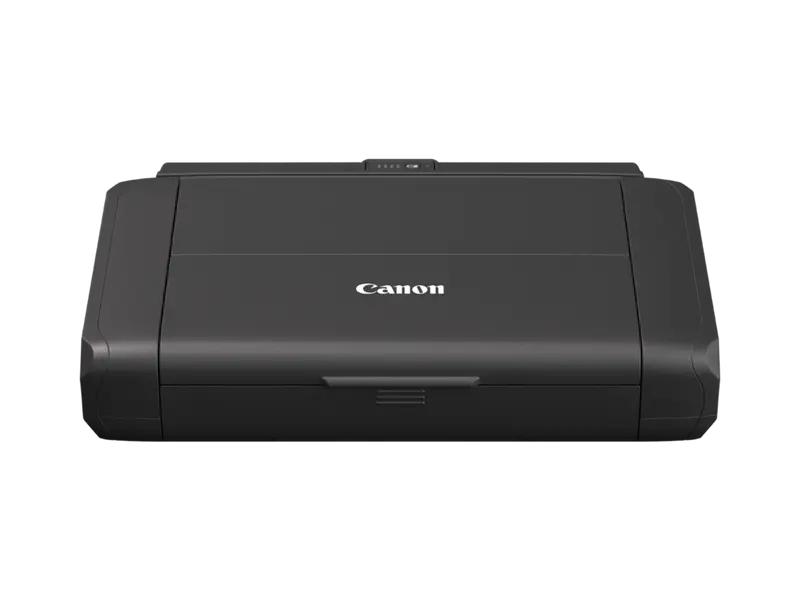
Canon’s exact 7069C026 configuration, with manufacturer-listed printing methods, supported media and connection details. Mode-labelled specifications remain separate; no print-quality, running-cost or stock result is inferred.
Specifications checked 17 Oct 2026.
Amazon links open search results. Check the exact variant, current price and availability with the retailer.
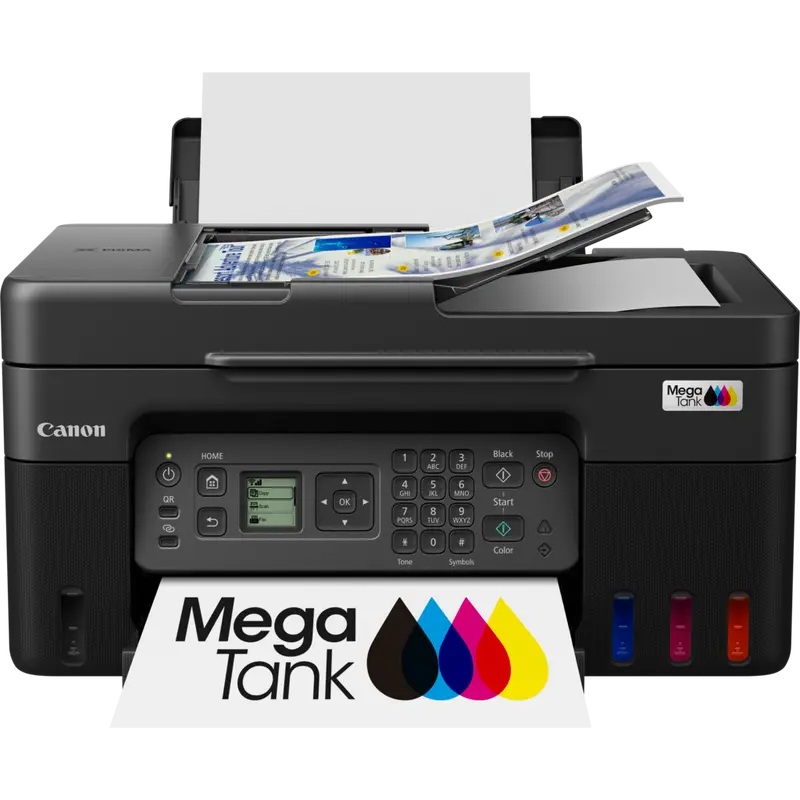
Canon’s exact 5550C008 configuration, with manufacturer-listed printing methods, supported media and connection details. Mode-labelled specifications remain separate; no print-quality, running-cost or stock result is inferred.
Specifications checked 17 Oct 2026.
Amazon links open search results. Check the exact variant, current price and availability with the retailer.
Search links open retailer results, not a matched listing; eBay listings are checked daily. As an Amazon Associate I earn from qualifying purchases. As an eBay Partner, we may be compensated if you make a purchase.
THE DIFFERENCES, MADE VISIBLE
Visual facts
Differences first. Select a topic for its graphic, sources and conditions.
How to read this comparison
Manufacturer facts for the exact models shown. Not a quality rating or a test result.
“Different” means the known values differ, not that one is better.
Missing or conflicting evidence is marked and never counts as a difference. Source chips hold each fact’s sources and conditions.
SPECIFICATIONS SIDE BY SIDE7 topics
SELECTED TOPIC
01 / 07
Printing technology
Check the exact configuration and source conditions for your use.
Canon MAXIFY BX110 with battery2 ink cartridges: Black (Pigment BK) and Colour | (BK, C, M, Y) | Inkjet FINE print head | ChromaLife100 System
Manufacturer specification · Literal manufacturer source rows retain their original mode, units, options and material restrictions. Unlisted conditions remain unknown. Complete literal manufacturer table row. Literal manufacturer source rows retain their original mode, units, options and material restrictions. Unlisted conditions remain unknown. Source zeros/placeholders stay literal and do not establish capability absence. Manufacturer section: Printer Specifications. Source field: Print Technology.
Check the exact configuration. Manufacturer specifications describe the listed variant. Confirm compatibility and the seller’s exact model before buying; no overall winner is inferred from incomplete evidence.
Canon MAXIFY BX110 with batteryUp to 4800 x 1200 dpi
Canon MAXIFY GX5050Up to 600 x 1200 dpi
Sources
Canon MAXIFY BX110 with battery
Manufacturer specification · Literal manufacturer source rows retain their original mode, units, options and material restrictions. Source footnotes: Ink droplets can be placed with a minimum pitch of 1/4800 inch. Unlisted conditions remain unknown. Complete literal manufacturer table row. Literal manufacturer source rows retain their original mode, units, options and material restrictions. Source footnotes: Ink droplets can be placed with a minimum pitch of 1/4800 inch. Unlisted conditions remain unknown. Source zeros/placeholders stay literal and do not establish capability absence. Manufacturer section: Printer Specifications. Source field: Print Resolution.
Manufacturer specification · Literal manufacturer source rows retain their original mode, units, options and material restrictions. Source footnotes: Ink droplets can be placed with a pitch of 1/600 inch at minimum.. Unlisted conditions remain unknown. Complete literal manufacturer table row. Literal manufacturer source rows retain their original mode, units, options and material restrictions. Source footnotes: Ink droplets can be placed with a pitch of 1/600 inch at minimum.. Unlisted conditions remain unknown. Source zeros/placeholders stay literal and do not establish capability absence. Manufacturer section: Printer Specifications. Source field: Print Resolution.
Manufacturer specification · Literal manufacturer source rows retain their original mode, units, options and material restrictions. Source footnotes: Document print speeds are the averages of ESAT (Word, Excel, PDF) in Office Category Test for the default simplex mode, ISO/IEC 24734. Print speed may vary depending on system configuration, interface, software, document complexity, print mode, page coverage, type of paper used etc.; Photo print speed is based on default driver setting using ISO/JIS-SCID N2 standard on Canon Photo Paper Plus Glossy II and does not take into account data processing time on host computer.. Unlisted conditions remain unknown. Complete literal manufacturer table row. Literal manufacturer source rows retain their original mode, units, options and material restrictions. Source footnotes: Document print speeds are the averages of ESAT (Word, Excel, PDF) in Office Category Test for the default simplex mode, ISO/IEC 24734. Print speed may vary depending on system configuration, interface, software, document complexity, print mode, page coverage, type of paper used etc.. Unlisted conditions remain unknown. Source zeros/placeholders stay literal and do not establish capability absence. Manufacturer section: Printer Specifications. Source field: Mono Print Speed. Complete literal manufacturer table row. Literal manufacturer source rows retain their original mode, units, options and material restrictions. Source footnotes: Document print speeds are the averages of ESAT (Word, Excel, PDF) in Office Category Test for the default simplex mode, ISO/IEC 24734. Print speed may vary depending on system configuration, interface, software, document complexity, print mode, page coverage, type of paper used etc.. Unlisted conditions remain unknown. Source zeros/placeholders stay literal and do not establish capability absence. Manufacturer section: Printer Specifications. Source field: Colour Print Speed. Complete literal manufacturer table row. Literal manufacturer source rows retain their original mode, units, options and material restrictions. Source footnotes: Photo print speed is based on default driver setting using ISO/JIS-SCID N2 standard on Canon Photo Paper Plus Glossy II and does not take into account data processing time on host computer.. Unlisted conditions remain unknown. Source zeros/placeholders stay literal and do not establish capability absence. Manufacturer section: Printer Specifications. Source field: Photo Print Speed.
Manufacturer specification · Literal manufacturer source rows retain their original mode, units, options and material restrictions. Source footnotes: A4 document print speed on plain paper is measured based on average of ESAT in Office Category Test of ISO/IEC 24734 standard.. Unlisted conditions remain unknown. Complete literal manufacturer table row. Literal manufacturer source rows retain their original mode, units, options and material restrictions. Source footnotes: A4 document print speed on plain paper is measured based on average of ESAT in Office Category Test of ISO/IEC 24734 standard.. Unlisted conditions remain unknown. Source zeros/placeholders stay literal and do not establish capability absence. Manufacturer section: Printer Specifications. Source field: Mono Print Speed. Complete literal manufacturer table row. Literal manufacturer source rows retain their original mode, units, options and material restrictions. Source footnotes: A4 document print speed on plain paper is measured based on average of ESAT in Office Category Test of ISO/IEC 24734 standard.. Unlisted conditions remain unknown. Source zeros/placeholders stay literal and do not establish capability absence. Manufacturer section: Printer Specifications. Source field: Colour Print Speed.
Manufacturer specification · Literal manufacturer source rows retain their original mode, units, options and material restrictions. Source footnotes: Document print speeds are the averages of ESAT (Word, Excel, PDF) in Office Category Test for the default simplex mode, ISO/IEC 24734. Print speed may vary depending on system configuration, interface, software, document complexity, print mode, page coverage, type of paper used etc.. Unlisted conditions remain unknown.
Manufacturer specification · Literal manufacturer source rows retain their original mode, units, options and material restrictions. Source footnotes: A4 document print speed on plain paper is measured based on average of ESAT in Office Category Test of ISO/IEC 24734 standard.. Unlisted conditions remain unknown.
Manufacturer specification · Literal manufacturer source rows retain their original mode, units, options and material restrictions. Source footnotes: Document print speeds are the averages of ESAT (Word, Excel, PDF) in Office Category Test for the default simplex mode, ISO/IEC 24734. Print speed may vary depending on system configuration, interface, software, document complexity, print mode, page coverage, type of paper used etc.. Unlisted conditions remain unknown.
Manufacturer specification · Literal manufacturer source rows retain their original mode, units, options and material restrictions. Source footnotes: A4 document print speed on plain paper is measured based on average of ESAT in Office Category Test of ISO/IEC 24734 standard.. Unlisted conditions remain unknown.
Canon MAXIFY BX110 with batteryPlain Paper (64 g/m2 - 105 g/m2) | Canon Oce Red Label Paper(WOP111) | Canon Oce Office Colour Paper(SAT213) | Canon High Resolution Paper (HR-101N) | Canon Plus Glossy II (PP-201) | Canon "Everyday Use" (GP-501) | Canon Matte (MP-101) | Canon Double Sided Matte (MP-101D) | Envelopes | Greeting Card (manufactured by Avery and RedRiverPaper) | Removable Photo Stickers (RP-101) | Magnetic Photo Paper (MG-101) (Paper Types); Rear Tray: A4, A5, B5, LTR, LGL, Envelopes (DL, COM10), Square (5"x5", 3.5"x3.5"), Card Size (91 x 55 mm), 4"x6", 5"x7",7"x10", 8"x10" | [Custom size] width 55 mm - 215.9 mm, length 89 mm - 676 mm (Paper Sizes)
Canon MAXIFY GX5050Plain Paper | Red Label Superior 80 g/m2 (WOP111), | Canon Oce Office Colour Paper 80 g/m2 (SAT213) | Photo Paper Pro Luster (LU-101), | Photo Paper Plus Glossy II (PP-201) | Matte Photo Paper (MP-101), | Glossy Photo Paper "Everyday Use" (GP-501) | High Resolution Paper (HR-101N), | Envelope, | Photo Paper Plus Semi-gloss (SG-201), | Restickable Photo Paper (RP-101) | Magnetic Photo Paper (MG-101) | Light Fabric Iron on Transfers (LF-101), | Double sided Matte Paper (MP-101D) (Paper Types); Rear Tray: A4, A5, A6, B5, LTR, LGL, 4"x6" (10 x 15 cm), 5"x7" (13 x 18 cm), 7"x10" (18 x 25 cm), 8"x10" (20 x 25 cm), Square 5"x 5", (127mm x 127mm), Envelopes (DL, COM10), Custom size (width: 89 mm - 216 mm, length: 127 mm - 1,200 mm) | Cassette: A4, LTR, A5, B5 | [Custom size] width 148.0 mm - 216 mm, length 210 mm - 297 mm (Paper Sizes)
Sources
Canon MAXIFY BX110 with battery
Manufacturer specification · Literal manufacturer source rows retain their original mode, units, options and material restrictions. Unlisted conditions remain unknown. Complete literal manufacturer table row. Literal manufacturer source rows retain their original mode, units, options and material restrictions. Unlisted conditions remain unknown. Source zeros/placeholders stay literal and do not establish capability absence. Manufacturer section: Paper Support. Source field: Paper Types. Complete literal manufacturer table row. Literal manufacturer source rows retain their original mode, units, options and material restrictions. Unlisted conditions remain unknown. Source zeros/placeholders stay literal and do not establish capability absence. Manufacturer section: Paper Support. Source field: Paper Sizes.
Manufacturer specification · Literal manufacturer source rows retain their original mode, units, options and material restrictions. Unlisted conditions remain unknown. Complete literal manufacturer table row. Literal manufacturer source rows retain their original mode, units, options and material restrictions. Unlisted conditions remain unknown. Source zeros/placeholders stay literal and do not establish capability absence. Manufacturer section: Paper Support. Source field: Paper Types. Complete literal manufacturer table row. Literal manufacturer source rows retain their original mode, units, options and material restrictions. Unlisted conditions remain unknown. Source zeros/placeholders stay literal and do not establish capability absence. Manufacturer section: Paper Support. Source field: Paper Sizes.
Manufacturer specification · Literal manufacturer source rows retain their original mode, units, options and material restrictions. Source footnotes: Wireless printing requires a working network with wireless 802.11b/g/n/ or a capability, operating at 2.4GHz. Wireless performance may vary based on terrain and distance between the printer and wireless network clients.. Unlisted conditions remain unknown. Complete literal manufacturer table row. Literal manufacturer source rows retain their original mode, units, options and material restrictions. Source footnotes: Wireless printing requires a working network with wireless 802.11b/g/n/ or a capability, operating at 2.4GHz. Wireless performance may vary based on terrain and distance between the printer and wireless network clients.. Unlisted conditions remain unknown. Source zeros/placeholders stay literal and do not establish capability absence. Manufacturer section: Connectivity. Source field: Standard Interface.
Check the exact configuration and source conditions for your use.
Dimensions
Canon MAXIFY BX110 with batteryApprox. 322 x 210 x 66 mm with the trays retracted | Approx. 322 x 307 x 245 mm with the trays extended
Canon MAXIFY GX5050Approx. 399 x 416 x 238 mm with the trays retracted | Approx. 399 x 639 x 332 mm with the trays extended
Sources
Canon MAXIFY BX110 with battery
Manufacturer specification · Literal manufacturer source rows retain their original mode, units, options and material restrictions. Unlisted conditions remain unknown. Complete literal manufacturer table row. Literal manufacturer source rows retain their original mode, units, options and material restrictions. Unlisted conditions remain unknown. Source zeros/placeholders stay literal and do not establish capability absence. Manufacturer section: Physical Features. Source field: Dimensions (W x D x H).
Manufacturer specification · Literal manufacturer source rows retain their original mode, units, options and material restrictions. Unlisted conditions remain unknown. Complete literal manufacturer table row. Literal manufacturer source rows retain their original mode, units, options and material restrictions. Unlisted conditions remain unknown. Source zeros/placeholders stay literal and do not establish capability absence. Manufacturer section: Physical Features. Source field: Dimensions (W x D x H).
A size or weight trade-off; it does not establish the better product.
Weight
Canon MAXIFY BX110 with battery2300 g
Canon MAXIFY GX50509000 g
Sources
Canon MAXIFY BX110 with battery
Manufacturer specification · Source product-mass basis: Physical Features — Weight: Approx. 2.3 kg. Conversion from kg to g changes only the unit; consumable, supplied stand/tray and exclusion wording remains as published. No packaging or accessory mass is substituted.
Manufacturer specification · Source product-mass basis: Physical Features — Weight: approx. 9.0 kg. Conversion from kg to g changes only the unit; consumable, supplied stand/tray and exclusion wording remains as published. No packaging or accessory mass is substituted.
Manufacturer specification · Complete literal manufacturer table row. Literal manufacturer source rows retain their original mode, units, options and material restrictions. Source footnotes: Requires an Internet connection and the Canon PRINT app, available for free on the App Store and at Google Play. Compatible with iOS, iPadOS devices running iOS 16 or later, and Android mobile devices running Android 7 or later. Your device must be connected to the same working network with wireless 802.11 b/g/n/a/ac capability as your printer.; The Easy-PhotoPrint Editor mobile application requires an Internet connection and the Easy-PhotoPrint Editor app v1.9.0, available for free on the App Store and at Google Play. Compatible with iOS and iPadOS devices running iOS 15 or later, and Android mobile devices running Android 7 or later. Certain exceptions may apply.. Unlisted conditions remain unknown. Source zeros/placeholders stay literal and do not establish capability absence.
Manufacturer specification · Complete literal manufacturer table row. Literal manufacturer source rows retain their original mode, units, options and material restrictions. Source footnotes: Requires an Internet connection and the Canon PRINT Inkjet/SELPHY app, available for free on the App Store and at Google Play. Compatible with iPad, iPhone 3GS or later, and iPod touch 3rd generation or later devices running iOS 7.0 or later, and Android mobile devices running Android 2.3.3 or later. Your device must be connected to the same working network with wireless 802.11 b/g/n/a capability as your printer. Requires a compatible social media account and is subject to that social media accounts Terms of Service. Certain exceptions may apply.; The Easy-PhotoPrint Editor software requires an Internet connection and is compatible with the following operating systems; Microsoft Windows 10 (64-bit/32-bit), Microsoft Windows 8.1 (64-bit/32-bit), Microsoft Windows 7 SP1 (64-bit/32-bit), macOS High Sierra v10.13, macOS Sierra v10.12, Mac OS X El Capitan v10.11 and Mac OS X El Capitan v10.10.5. Minimum Windows and macOS/Mac OS X requirements are: 2GB of RAM and a monitor with 1024x768 resolution. The Easy-PhotoPrint Editor mobile application requires an Internet connection and the Easy-PhotoPrint Editor app v1.1.0, available for free on the App Store and at Google Play. Compatible with iPad Air2 (2nd Generation), iPad Mini 4 and iPhone 6s or later devices running iOS 10 or later, and Android mobile devices running Android 5.x or later. Certain exceptions may apply. The following file formats are supported: JPEG, PNG, HEIF (devices running iOS 11 and mac OS v10.13 or later), DLP save data, Poster Artist export data, EasyPhoto+ export data, Easy-PhotoPrint Editor export data.. Unlisted conditions remain unknown. Source zeros/placeholders stay literal and do not establish capability absence.
Check the exact configuration and source conditions for your use.
Connectivity — Printer Features
Canon MAXIFY BX110 with batteryCloud Link (print only) | Apple AirPrint | Canon Print Service Plugin (Android) | Mopria (Android) | Wireless Direct Connection 2.4GHz & 5 GHz
Canon MAXIFY GX5050Easy-PhotoPrint Editor Software | Canon Inkjet Smart Connect (Windows 10 1803 or higher) | Easy-Layout Editor (Windows 7 SP1, Windows 8.1, Windows 10, Windows 11) | PIXMA Cloud Link (print) | Canon Print Service Plugin (Android) | Apple AirPrint | Wireless Direct | Mopria (Android)
Sources
Canon MAXIFY BX110 with battery
Manufacturer specification · Complete literal manufacturer table row. Literal manufacturer source rows retain their original mode, units, options and material restrictions. Source footnotes: Requires an Internet connection and the Canon PRINT app, available for free on the App Store and at Google Play. Compatible with iOS, iPadOS devices running iOS 16 or later, and Android mobile devices running Android 7 or later. Your device must be connected to the same working network with wireless 802.11 b/g/n/a/ac capability as your printer.; Canon Print Service is a print plug-in for Android smart devices, which enables printing from Android 7 onwards devices to many Canon printers via a Wi-Fi network. The plug-in does not work as a standalone app. Available for free at Google Play.; Requires Android mobile device with Android 4.4 operating system or later with the Mopria Print Service pre-loaded with that device and the compatible PIXMA printer on the same wireless network. The Mopria experience is also available on Android 4.4 mobile devices with a download of the Mopria Print Service from Google Play.; In some countries/regions, Wi-Fi 5GHz is not supported either infrastructure nor direct mode.. Unlisted conditions remain unknown. Source zeros/placeholders stay literal and do not establish capability absence.
Manufacturer specification · Complete literal manufacturer table row. Literal manufacturer source rows retain their original mode, units, options and material restrictions. Source footnotes: The Easy-PhotoPrint Editor software requires an Internet connection and is compatible with the following operating systems; Microsoft Windows 10 (64-bit/32-bit), Microsoft Windows 8.1 (64-bit/32-bit), Microsoft Windows 7 SP1 (64-bit/32-bit), macOS High Sierra v10.13, macOS Sierra v10.12, Mac OS X El Capitan v10.11 and Mac OS X El Capitan v10.10.5. Minimum Windows and macOS/Mac OS X requirements are: 2GB of RAM and a monitor with 1024x768 resolution. The Easy-PhotoPrint Editor mobile application requires an Internet connection and the Easy-PhotoPrint Editor app v1.1.0, available for free on the App Store and at Google Play. Compatible with iPad Air2 (2nd Generation), iPad Mini 4 and iPhone 6s or later devices running iOS 10 or later, and Android mobile devices running Android 5.x or later. Certain exceptions may apply. The following file formats are supported: JPEG, PNG, HEIF (devices running iOS 11 and mac OS v10.13 or later), DLP save data, Poster Artist export data, EasyPhoto+ export data, Easy-PhotoPrint Editor export data.; Requires an Internet connection and the Canon PRINT Inkjet/SELPHY app, available for free on the App Store and at Google Play. Compatible with iPad, iPhone 3GS or later, and iPod touch 3rd generation or later devices running iOS 7.0 or later, and Android mobile devices running Android 2.3.3 or later. Your device must be connected to the same working network with wireless 802.11 b/g/n capability as your printer. Requires a compatible social media account and is subject to that social media accounts Terms of Service. Certain exceptions may apply.; Canon Print Service is a print plug-in for Android smart devices, which enables printing from Android v4.4 - v5.0 devices to many Canon printers via a Wi-Fi network. The plug-in does not work as a standalone app. Available for free at Google Play.; AirPrint functionality requires a compatible iPad, iPhone, or iPod Touch device running iOS 7.0 or later, and an AirPrint-enabled printer connected to the same network as your iOS device. A printer connected to the USB port of your Mac, PC, AirPort Base station, or Time Capsule is not supported.; Requires a smart device with the Canon PRINT Inkjet/SELPHY app installed and connected to the desired active wireless network to complete cableless setup.. Unlisted conditions remain unknown. Source zeros/placeholders stay literal and do not establish capability absence.
Check the exact configuration and source conditions for your use.
Connectivity — Smart Assistant & Automation Support
Canon MAXIFY BX110 with batteryAmazon Alexa™
Canon MAXIFY GX5050Amazon Alexa™ | Google Assistant™
Sources
Canon MAXIFY BX110 with battery
Manufacturer specification · Complete literal manufacturer table row. Literal manufacturer source rows retain their original mode, units, options and material restrictions. Source footnotes: Requires an active smart assistant account linked and accompanying app enabled, the smart device and printer to be actively connected with permission to the Canon Inkjet Cloud Printing Center, and the required action(s), skill(s), or applet(s) available/enabled to the compatible printer. Voice commands can not be displayed as text on Amazon smart devices with screens. Only English, French and German supported.. Unlisted conditions remain unknown. Source zeros/placeholders stay literal and do not establish capability absence.
Manufacturer specification · Complete literal manufacturer table row. Literal manufacturer source rows retain their original mode, units, options and material restrictions. Source footnotes: Requires an active smart assistant account linked and accompanying app enabled, the smart device and printer to be actively connected with permission to the Canon Inkjet Cloud Printing Center, and the required action(s), skill(s), or applet(s) available/enabled to the compatible printer. Voice commands can not be displayed as text on Amazon smart devices with screens. Only English, French and German supported.. Unlisted conditions remain unknown. Source zeros/placeholders stay literal and do not establish capability absence.
Check the exact configuration and source conditions for your use.
General Specifications — Model Numbers
Canon MAXIFY BX110 with batteryMAXIFY BX110 with battery
Canon MAXIFY GX5050MAXIFY GX5050
Sources
Canon MAXIFY BX110 with battery
Manufacturer specification · Complete literal manufacturer table row. Literal manufacturer source rows retain their original mode, units, options and material restrictions. Unlisted conditions remain unknown. Source zeros/placeholders stay literal and do not establish capability absence.
Manufacturer specification · Complete literal manufacturer table row. Literal manufacturer source rows retain their original mode, units, options and material restrictions. Unlisted conditions remain unknown. Source zeros/placeholders stay literal and do not establish capability absence.
Manufacturer specification · Complete literal manufacturer table row. Literal manufacturer source rows retain their original mode, units, options and material restrictions. Unlisted conditions remain unknown. Source zeros/placeholders stay literal and do not establish capability absence.
Manufacturer specification · Complete literal manufacturer table row. Literal manufacturer source rows retain their original mode, units, options and material restrictions. Unlisted conditions remain unknown. Source zeros/placeholders stay literal and do not establish capability absence.
Manufacturer specification · Complete literal manufacturer table row. Literal manufacturer source rows retain their original mode, units, options and material restrictions. Unlisted conditions remain unknown. Source zeros/placeholders stay literal and do not establish capability absence.
Manufacturer specification · Complete literal manufacturer table row. Literal manufacturer source rows retain their original mode, units, options and material restrictions. Unlisted conditions remain unknown. Source zeros/placeholders stay literal and do not establish capability absence.
Manufacturer specification · Complete literal manufacturer table row. Literal manufacturer source rows retain their original mode, units, options and material restrictions. Unlisted conditions remain unknown. Source zeros/placeholders stay literal and do not establish capability absence.
Manufacturer specification · Complete literal manufacturer table row. Literal manufacturer source rows retain their original mode, units, options and material restrictions. Unlisted conditions remain unknown. Source zeros/placeholders stay literal and do not establish capability absence.
Check the exact configuration and source conditions for your use.
Paper Support — Paper Sizes
Canon MAXIFY BX110 with batteryRear Tray: A4, A5, B5, LTR, LGL, Envelopes (DL, COM10), Square (5"x5", 3.5"x3.5"), Card Size (91 x 55 mm), 4"x6", 5"x7",7"x10", 8"x10" | [Custom size] width 55 mm - 215.9 mm, length 89 mm - 676 mm
Canon MAXIFY GX5050Rear Tray: A4, A5, A6, B5, LTR, LGL, 4"x6" (10 x 15 cm), 5"x7" (13 x 18 cm), 7"x10" (18 x 25 cm), 8"x10" (20 x 25 cm), Square 5"x 5", (127mm x 127mm), Envelopes (DL, COM10), Custom size (width: 89 mm - 216 mm, length: 127 mm - 1,200 mm) | Cassette: A4, LTR, A5, B5 | [Custom size] width 148.0 mm - 216 mm, length 210 mm - 297 mm
Sources
Canon MAXIFY BX110 with battery
Manufacturer specification · Complete literal manufacturer table row. Literal manufacturer source rows retain their original mode, units, options and material restrictions. Unlisted conditions remain unknown. Source zeros/placeholders stay literal and do not establish capability absence.
Manufacturer specification · Complete literal manufacturer table row. Literal manufacturer source rows retain their original mode, units, options and material restrictions. Unlisted conditions remain unknown. Source zeros/placeholders stay literal and do not establish capability absence.
Check the exact configuration and source conditions for your use.
Paper Support — Paper Types
Canon MAXIFY BX110 with batteryPlain Paper (64 g/m2 - 105 g/m2) | Canon Oce Red Label Paper(WOP111) | Canon Oce Office Colour Paper(SAT213) | Canon High Resolution Paper (HR-101N) | Canon Plus Glossy II (PP-201) | Canon "Everyday Use" (GP-501) | Canon Matte (MP-101) | Canon Double Sided Matte (MP-101D) | Envelopes | Greeting Card (manufactured by Avery and RedRiverPaper) | Removable Photo Stickers (RP-101) | Magnetic Photo Paper (MG-101)
Canon MAXIFY GX5050Plain Paper | Red Label Superior 80 g/m2 (WOP111), | Canon Oce Office Colour Paper 80 g/m2 (SAT213) | Photo Paper Pro Luster (LU-101), | Photo Paper Plus Glossy II (PP-201) | Matte Photo Paper (MP-101), | Glossy Photo Paper "Everyday Use" (GP-501) | High Resolution Paper (HR-101N), | Envelope, | Photo Paper Plus Semi-gloss (SG-201), | Restickable Photo Paper (RP-101) | Magnetic Photo Paper (MG-101) | Light Fabric Iron on Transfers (LF-101), | Double sided Matte Paper (MP-101D)
Sources
Canon MAXIFY BX110 with battery
Manufacturer specification · Complete literal manufacturer table row. Literal manufacturer source rows retain their original mode, units, options and material restrictions. Unlisted conditions remain unknown. Source zeros/placeholders stay literal and do not establish capability absence.
Manufacturer specification · Complete literal manufacturer table row. Literal manufacturer source rows retain their original mode, units, options and material restrictions. Unlisted conditions remain unknown. Source zeros/placeholders stay literal and do not establish capability absence.
Check the exact configuration and source conditions for your use.
Paper Support — Paper Weight
Canon MAXIFY BX110 with batteryRear Tray: Plain paper: 64 - 105 g/m² | Canon specialty paper: max paper weight: approx. 275 g/m2 | (Photo Paper Plus Glossy II PP-201)
Canon MAXIFY GX5050Rear Tray: Plain Paper: 64 g/m2 - 105 g/m2 or supported genuine Canon papers | Canon paper: Max. paper weight Approx. 275 g/m2 | (Photo Paper Plus Glossy II (PP-201) | Cassette: Plain Paper, Canon Red Label Superior (WOP111), Canon Oce Office Colour Paper | (SAT213): 64 g/m2 - 105 g/m2
Sources
Canon MAXIFY BX110 with battery
Manufacturer specification · Complete literal manufacturer table row. Literal manufacturer source rows retain their original mode, units, options and material restrictions. Unlisted conditions remain unknown. Source zeros/placeholders stay literal and do not establish capability absence.
Manufacturer specification · Complete literal manufacturer table row. Literal manufacturer source rows retain their original mode, units, options and material restrictions. Unlisted conditions remain unknown. Source zeros/placeholders stay literal and do not establish capability absence.
Check the exact configuration and source conditions for your use.
Physical Features — Acoustic Noise Levels
Canon MAXIFY BX110 with batteryApprox. 40.5dB(A) (PC Print on Plain Paper)
Canon MAXIFY GX5050Approx. 49.0dB (A)
Sources
Canon MAXIFY BX110 with battery
Manufacturer specification · Complete literal manufacturer table row. Literal manufacturer source rows retain their original mode, units, options and material restrictions. Source footnotes: Acoustic Noise is measured based on ISO7779 standard with default setting.. Unlisted conditions remain unknown. Source zeros/placeholders stay literal and do not establish capability absence.
Manufacturer specification · Complete literal manufacturer table row. Literal manufacturer source rows retain their original mode, units, options and material restrictions. Source footnotes: Plain Paper(A4, B/W). Acoustic Noise is measured based on ISO7779 standard.. Unlisted conditions remain unknown. Source zeros/placeholders stay literal and do not establish capability absence.
Check the exact configuration and source conditions for your use.
Physical Features — Dimensions (W x D x H)
Canon MAXIFY BX110 with batteryApprox. 322 x 210 x 66 mm with the trays retracted | Approx. 322 x 307 x 245 mm with the trays extended
Canon MAXIFY GX5050Approx. 399 x 416 x 238 mm with the trays retracted | Approx. 399 x 639 x 332 mm with the trays extended
Sources
Canon MAXIFY BX110 with battery
Manufacturer specification · Complete literal manufacturer table row. Literal manufacturer source rows retain their original mode, units, options and material restrictions. Unlisted conditions remain unknown. Source zeros/placeholders stay literal and do not establish capability absence.
Manufacturer specification · Complete literal manufacturer table row. Literal manufacturer source rows retain their original mode, units, options and material restrictions. Unlisted conditions remain unknown. Source zeros/placeholders stay literal and do not establish capability absence.
Check the exact configuration and source conditions for your use.
Physical Features — Power Consumption
Canon MAXIFY BX110 with batteryOff: Approx. 0.15W | Printing: Approx. 8W | Standby (USB connection to PC): Approx. 1.1W | Standby (all ports connected): Approx. 1.6W* | Time to enter Standby mode: 3 minutes 7 seconds* | *<EU only - for ErP Lot 26 regulation>
Canon MAXIFY GX5050Off: Approx. 0.2W | Standby (USB connection to PC): Approx. 0.8W | Standby (all ports connected): Approx. 1.4W | Time to enter Standby mode: 5minutes 2sec | Printing: Approx. 20W | *The wait time for standby cannot be changed (Lot26)
Sources
Canon MAXIFY BX110 with battery
Manufacturer specification · Complete literal manufacturer table row. Literal manufacturer source rows retain their original mode, units, options and material restrictions. Source footnotes: Print: When printing ISO/JIS-SCID N2 on A4 size plain paper using default settings. Specifications are subject to change without notice.. Unlisted conditions remain unknown. Source zeros/placeholders stay literal and do not establish capability absence.
Manufacturer specification · Complete literal manufacturer table row. Literal manufacturer source rows retain their original mode, units, options and material restrictions. Source footnotes: Print: When printing ISO/JIS-SCID N2 on A4 size plain paper using default settings.. Unlisted conditions remain unknown. Source zeros/placeholders stay literal and do not establish capability absence.
Check the exact configuration and source conditions for your use.
Physical Features — Recommended Operating Environment
Canon MAXIFY BX110 with batteryTemperature: 5-35°C | Humidity: 10-90%RH (no dew condensation)
Canon MAXIFY GX50505-35°C 10-90%RH (no dew condensation)
Sources
Canon MAXIFY BX110 with battery
Manufacturer specification · Complete literal manufacturer table row. Literal manufacturer source rows retain their original mode, units, options and material restrictions. Unlisted conditions remain unknown. Source zeros/placeholders stay literal and do not establish capability absence.
Manufacturer specification · Complete literal manufacturer table row. Literal manufacturer source rows retain their original mode, units, options and material restrictions. Unlisted conditions remain unknown. Source zeros/placeholders stay literal and do not establish capability absence.
Check the exact configuration and source conditions for your use.
Physical Features — Typical Electricity Consumption
Canon MAXIFY BX110 with battery0.22 kWh
Canon MAXIFY GX50500.12 kWh
Sources
Canon MAXIFY BX110 with battery
Manufacturer specification · Complete literal manufacturer table row. Literal manufacturer source rows retain their original mode, units, options and material restrictions. Source footnotes: Typical Electricity Consumption (TEC) value: TEC value was calculated assuming the unit will be constantly switched among operational mode, sleep mode, and power-off mode for 5 days, and that it will be either in sleep or power-off mode for the remaining 2 days within the same week. The TEC value of this product is calculated by Canon on their own accord using TEC measurement procedure regulated in International ENERGY STAR Program.. Unlisted conditions remain unknown. Source zeros/placeholders stay literal and do not establish capability absence.
Manufacturer specification · Complete literal manufacturer table row. Literal manufacturer source rows retain their original mode, units, options and material restrictions. Source footnotes: Typical Electricity Consumption (TEC) value: TEC value was calculated assuming the unit will be constantly switched among operational mode, sleep mode, and power-off mode for 5 days, and that it will be either in sleep or power-off mode for the remaining 2 days within the same week. The TEC value of this product is calculated by Canon on their own accord using TEC measurement procedure regulated in International ENERGY STAR Program.. Unlisted conditions remain unknown. Source zeros/placeholders stay literal and do not establish capability absence.
Check the exact configuration and source conditions for your use.
Physical Features — Weight
Canon MAXIFY BX110 with batteryApprox. 2.3 kg
Canon MAXIFY GX5050approx. 9.0 kg
Sources
Canon MAXIFY BX110 with battery
Manufacturer specification · Complete literal manufacturer table row. Literal manufacturer source rows retain their original mode, units, options and material restrictions. Unlisted conditions remain unknown. Source zeros/placeholders stay literal and do not establish capability absence.
Manufacturer specification · Complete literal manufacturer table row. Literal manufacturer source rows retain their original mode, units, options and material restrictions. Unlisted conditions remain unknown. Source zeros/placeholders stay literal and do not establish capability absence.
Check the exact configuration and source conditions for your use.
Printer Specifications — Colour Print Speed
Canon MAXIFY BX110 with batteryApprox. 5.5 ipm
Canon MAXIFY GX5050Approx. 15.5 ipm
Sources
Canon MAXIFY BX110 with battery
Manufacturer specification · Complete literal manufacturer table row. Literal manufacturer source rows retain their original mode, units, options and material restrictions. Source footnotes: Document print speeds are the averages of ESAT (Word, Excel, PDF) in Office Category Test for the default simplex mode, ISO/IEC 24734. Print speed may vary depending on system configuration, interface, software, document complexity, print mode, page coverage, type of paper used etc.. Unlisted conditions remain unknown. Source zeros/placeholders stay literal and do not establish capability absence.
Manufacturer specification · Complete literal manufacturer table row. Literal manufacturer source rows retain their original mode, units, options and material restrictions. Source footnotes: A4 document print speed on plain paper is measured based on average of ESAT in Office Category Test of ISO/IEC 24734 standard.. Unlisted conditions remain unknown. Source zeros/placeholders stay literal and do not establish capability absence.
Check the exact configuration and source conditions for your use.
Printer Specifications — Mono Print Speed
Canon MAXIFY BX110 with batteryApprox. 9.0 ipm
Canon MAXIFY GX5050Approx. 24.0 ipm
Sources
Canon MAXIFY BX110 with battery
Manufacturer specification · Complete literal manufacturer table row. Literal manufacturer source rows retain their original mode, units, options and material restrictions. Source footnotes: Document print speeds are the averages of ESAT (Word, Excel, PDF) in Office Category Test for the default simplex mode, ISO/IEC 24734. Print speed may vary depending on system configuration, interface, software, document complexity, print mode, page coverage, type of paper used etc.. Unlisted conditions remain unknown. Source zeros/placeholders stay literal and do not establish capability absence.
Manufacturer specification · Complete literal manufacturer table row. Literal manufacturer source rows retain their original mode, units, options and material restrictions. Source footnotes: A4 document print speed on plain paper is measured based on average of ESAT in Office Category Test of ISO/IEC 24734 standard.. Unlisted conditions remain unknown. Source zeros/placeholders stay literal and do not establish capability absence.
Check the exact configuration and source conditions for your use.
Printer Specifications — Print Resolution
Canon MAXIFY BX110 with batteryUp to 4800 x 1200 dpi
Canon MAXIFY GX5050Up to 600 x 1200 dpi
Sources
Canon MAXIFY BX110 with battery
Manufacturer specification · Complete literal manufacturer table row. Literal manufacturer source rows retain their original mode, units, options and material restrictions. Source footnotes: Ink droplets can be placed with a minimum pitch of 1/4800 inch. Unlisted conditions remain unknown. Source zeros/placeholders stay literal and do not establish capability absence.
Manufacturer specification · Complete literal manufacturer table row. Literal manufacturer source rows retain their original mode, units, options and material restrictions. Source footnotes: Ink droplets can be placed with a pitch of 1/600 inch at minimum.. Unlisted conditions remain unknown. Source zeros/placeholders stay literal and do not establish capability absence.
Check the exact configuration and source conditions for your use.
Printer Specifications — Print Technology
Canon MAXIFY BX110 with battery2 ink cartridges: Black (Pigment BK) and Colour | (BK, C, M, Y) | Inkjet FINE print head | ChromaLife100 System
Canon MAXIFY GX50501 Print Head | Refillable ink tank printer
Sources
Canon MAXIFY BX110 with battery
Manufacturer specification · Complete literal manufacturer table row. Literal manufacturer source rows retain their original mode, units, options and material restrictions. Unlisted conditions remain unknown. Source zeros/placeholders stay literal and do not establish capability absence.
Manufacturer specification · Complete literal manufacturer table row. Literal manufacturer source rows retain their original mode, units, options and material restrictions. Unlisted conditions remain unknown. Source zeros/placeholders stay literal and do not establish capability absence.
Check the exact configuration and source conditions for your use.
Printer Specifications — Two Sided Printing
Canon MAXIFY BX110 with batteryManual operation
Canon MAXIFY GX5050Auto Duplex Print (A4, Letter - Plain Paper, Canon Red Label Superior (WOP111), Canon Oce Office Colour Paper (SAT213))
Sources
Canon MAXIFY BX110 with battery
Manufacturer specification · Complete literal manufacturer table row. Literal manufacturer source rows retain their original mode, units, options and material restrictions. Unlisted conditions remain unknown. Source zeros/placeholders stay literal and do not establish capability absence.
Manufacturer specification · Complete literal manufacturer table row. Literal manufacturer source rows retain their original mode, units, options and material restrictions. Unlisted conditions remain unknown. Source zeros/placeholders stay literal and do not establish capability absence.
Check the exact configuration and source conditions for your use.
Software — Software Included
Canon MAXIFY BX110 with batteryPrinter Driver | IJ Printer Assistant Tool | Easy-PhotoPrint Editor (download) | Easy-Layout Editor (download)
Canon MAXIFY GX5050Printer Driver | IJ Printer Assistant Tool | Easy-PhotoPrint Editor (download) | Wi-Fi Connection Assistant (download) | Quick Utility Toolbox (download) | PosterArtist Lite (Windows only - download)
Sources
Canon MAXIFY BX110 with battery
Manufacturer specification · Complete literal manufacturer table row. Literal manufacturer source rows retain their original mode, units, options and material restrictions. Source footnotes: The Easy-PhotoPrint Editor software requires an Internet connection. The Easy-PhotoPrint Editor software v1.9.0 is compatible with the following operating systems; Microsoft Windows 11 (64-bit), Windows 10 (64-bit/32-bit), macOS High Sierra v10.13 onwards Minimum Windows and macOS/Mac OS X requirements are: 2GB of RAM and a monitor with 1024x768 resolution.. Unlisted conditions remain unknown. Source zeros/placeholders stay literal and do not establish capability absence.
Manufacturer specification · Complete literal manufacturer table row. Literal manufacturer source rows retain their original mode, units, options and material restrictions. Source footnotes: The Easy-PhotoPrint Editor software requires an Internet connection and is compatible with the following operating systems; Microsoft Windows 10 (64-bit/32-bit), Microsoft Windows 8.1 (64-bit/32-bit), Microsoft Windows 7 SP1 (64-bit/32-bit), macOS High Sierra v10.13, macOS Sierra v10.12, Mac OS X El Capitan v10.11 and Mac OS X El Capitan v10.10.5. Minimum Windows and macOS/Mac OS X requirements are: 2GB of RAM and a monitor with 1024x768 resolution. The Easy-PhotoPrint Editor mobile application requires an Internet connection and the Easy-PhotoPrint Editor app v1.1.0, available for free on the App Store and at Google Play. Compatible with iPad Air2 (2nd Generation), iPad Mini 4 and iPhone 6s or later devices running iOS 10 or later, and Android mobile devices running Android 5.x or later. Certain exceptions may apply. The following file formats are supported: JPEG, PNG, HEIF (devices running iOS 11 and mac OS v10.13 or later), DLP save data, Poster Artist export data, EasyPhoto+ export data, Easy-PhotoPrint Editor export data.. Unlisted conditions remain unknown. Source zeros/placeholders stay literal and do not establish capability absence.
Check the exact configuration and source conditions for your use.
Software — Supported Operating Systems
Canon MAXIFY BX110 with batteryWindows 11、Windows 10、Windows 8.1、Windows 7 SP1 | Operation can only be guaranteed on a PC with pre-installed operating system. | Printer Driver and IJ Printer Assistant Tool support the following OS: Windows Server 2008 R2 SP1、Windows Server 2012 R2、Windows Server 2016、Windows Server 2019, Windows Server 2022 and Windows Server 2025. | Display environment: XGA 1024 x 768 or more | Mac: macOS Big Sur 11.7.6 - macOS Sequoia 15 | Mobile Operating Systems: iOS®, iPadOS, Android™, Chrome OS
Canon MAXIFY GX5050Windows 11, Windows 11 ARM, Windows 10, Windows 8.1, Windows 7 SP1 | Operation can only be guaranteed on a PC with pre-installed Windows 7 or later. | Driver and IJ Printer Assistant Tool only: Windows Server 2008 R2 SP1、Windows Server 2012 R2、Windows Server 2016、Windows Server 2019 and Windows Server 2022. | Display environment: XGA 1024 x 768 or more | Mac: OS X 10.13.6 ~ macOS 10.15, macOS 11.x, macOS 12.x | Chrome OS | Mobile Operating Systems: iOS®, iPadOS, Android™
Sources
Canon MAXIFY BX110 with battery
Manufacturer specification · Complete literal manufacturer table row. Literal manufacturer source rows retain their original mode, units, options and material restrictions. Source footnotes: Some functions may not be available with these Operating Systems. Please refer to the manual or website for details.. Unlisted conditions remain unknown. Source zeros/placeholders stay literal and do not establish capability absence.
Manufacturer specification · Complete literal manufacturer table row. Literal manufacturer source rows retain their original mode, units, options and material restrictions. Source footnotes: Some functions may not be available with these Operating Systems. Please refer to the manual or website for details.. Unlisted conditions remain unknown. Source zeros/placeholders stay literal and do not establish capability absence.
Check the exact configuration and source conditions for your use.
Missing or non-comparable evidence (26)
Functions
Canon MAXIFY BX110 with batteryNot verified
Canon MAXIFY GX5050Wi-Fi, Ethernet, Print & Cloud
Sources
Canon MAXIFY BX110 with battery
Not listed unambiguously by the manufacturer for this exact configuration. No missing value establishes absence or zero. · Manufacturer specification · Literal manufacturer source rows retain their original mode, units, options and material restrictions. Unlisted conditions remain unknown.
Manufacturer specification · Literal manufacturer source rows retain their original mode, units, options and material restrictions. Unlisted conditions remain unknown. Complete literal manufacturer table row. Literal manufacturer source rows retain their original mode, units, options and material restrictions. Unlisted conditions remain unknown. Source zeros/placeholders stay literal and do not establish capability absence. Manufacturer section: General Specifications. Source field: Functions.
Evidence is missing or conflicting on at least one side. This is not a verified difference.
Automatic two-sided printing
Canon MAXIFY BX110 with batteryNot verified
Canon MAXIFY GX5050Yes
Sources
Canon MAXIFY BX110 with battery
Not listed unambiguously by the manufacturer for this exact configuration. No missing value establishes absence or zero. · Manufacturer specification · Literal manufacturer source rows retain their original mode, units, options and material restrictions. Unlisted conditions remain unknown. Automatic operation must be explicitly stated; unqualified Yes or a manual/optional accessory stays unknown.
Manufacturer specification · Literal manufacturer source rows retain their original mode, units, options and material restrictions. Unlisted conditions remain unknown. Automatic operation must be explicitly stated; unqualified Yes or a manual/optional accessory stays unknown.
Evidence is missing or conflicting on at least one side. This is not a verified difference.
Scan capability
Canon MAXIFY BX110 with batteryNot verified
Canon MAXIFY GX5050Not verified
Sources
Canon MAXIFY BX110 with battery
Not listed unambiguously by the manufacturer for this exact configuration. No missing value establishes absence or zero. · Manufacturer specification · Literal manufacturer source rows retain their original mode, units, options and material restrictions. Unlisted conditions remain unknown. A technical table heading alone does not establish that a function is supplied.
Not listed unambiguously by the manufacturer for this exact configuration. No missing value establishes absence or zero. · Manufacturer specification · Literal manufacturer source rows retain their original mode, units, options and material restrictions. Unlisted conditions remain unknown. A technical table heading alone does not establish that a function is supplied.
Evidence is missing or conflicting on at least one side. This is not a verified difference.
Copy capability
Canon MAXIFY BX110 with batteryNot verified
Canon MAXIFY GX5050Not verified
Sources
Canon MAXIFY BX110 with battery
Not listed unambiguously by the manufacturer for this exact configuration. No missing value establishes absence or zero. · Manufacturer specification · Literal manufacturer source rows retain their original mode, units, options and material restrictions. Unlisted conditions remain unknown. A technical table heading alone does not establish that a function is supplied.
Not listed unambiguously by the manufacturer for this exact configuration. No missing value establishes absence or zero. · Manufacturer specification · Literal manufacturer source rows retain their original mode, units, options and material restrictions. Unlisted conditions remain unknown. A technical table heading alone does not establish that a function is supplied.
Evidence is missing or conflicting on at least one side. This is not a verified difference.
Fax capability
Canon MAXIFY BX110 with batteryNot verified
Canon MAXIFY GX5050Not verified
Sources
Canon MAXIFY BX110 with battery
Not listed unambiguously by the manufacturer for this exact configuration. No missing value establishes absence or zero. · Manufacturer specification · Literal manufacturer source rows retain their original mode, units, options and material restrictions. Unlisted conditions remain unknown. A technical table heading alone does not establish that a function is supplied.
Not listed unambiguously by the manufacturer for this exact configuration. No missing value establishes absence or zero. · Manufacturer specification · Literal manufacturer source rows retain their original mode, units, options and material restrictions. Unlisted conditions remain unknown. A technical table heading alone does not establish that a function is supplied.
Manufacturer specification · Complete literal manufacturer table row. Literal manufacturer source rows retain their original mode, units, options and material restrictions. Source footnotes: Page Yield is the estimated value based on Canon individual test method using the ISO/IEC 29103 chart and continuous printing simulation with the replacement after initial setup.. Unlisted conditions remain unknown. Source zeros/placeholders stay literal and do not establish capability absence.
Manufacturer specification · Complete literal manufacturer table row. Literal manufacturer source rows retain their original mode, units, options and material restrictions. Source footnotes: Page Yield is the estimated value based on Canon individual test method using the ISO/IEC 24712 chart and continuous printing simulation with the replacement after initial setup.. Unlisted conditions remain unknown. Source zeros/placeholders stay literal and do not establish capability absence.
Evidence is missing or conflicting on at least one side. This is not a verified difference.
Cartridges and Yields — Standard Ink Cartridges
Canon MAXIFY BX110 with batteryPGI-35 Black | CLI-36 Color
Canon MAXIFY GX5050Not verified
Sources
Canon MAXIFY BX110 with battery
Manufacturer specification · Complete literal manufacturer table row. Literal manufacturer source rows retain their original mode, units, options and material restrictions. Unlisted conditions remain unknown. Source zeros/placeholders stay literal and do not establish capability absence.
Evidence is missing or conflicting on at least one side. This is not a verified difference.
Connectivity — Interface
Canon MAXIFY BX110 with batteryHi-Speed USB (USB Type C)
Canon MAXIFY GX5050Not verified
Sources
Canon MAXIFY BX110 with battery
Manufacturer specification · Complete literal manufacturer table row. Literal manufacturer source rows retain their original mode, units, options and material restrictions. Unlisted conditions remain unknown. Source zeros/placeholders stay literal and do not establish capability absence.
Manufacturer specification · Complete literal manufacturer table row. Literal manufacturer source rows retain their original mode, units, options and material restrictions. Source footnotes: Wireless printing requires a working network with wireless 802.11b/g/n/ or a capability, operating at 2.4GHz. Wireless performance may vary based on terrain and distance between the printer and wireless network clients.. Unlisted conditions remain unknown. Source zeros/placeholders stay literal and do not establish capability absence.
Evidence is missing or conflicting on at least one side. This is not a verified difference.
Connectivity — Wireless LAN
Canon MAXIFY BX110 with batteryCommunication Protocol: SNMP/ HTTP/TCP/IP (IPv4/IPv6) TLS 1.3/1.2/1.1/1.0 | Supported Standards: IEEE802.11n / IEEE802.11g / IEEE802.11b / IEEE802.11a / IEEE802.11ac | Frequency Bandwidth: 2.4GHz / 5GHz | Range: Indoor 50 m ※depends on the transmission speed and conditions | Security: WPA-PSK(AES) | WPA2-PSK(AES) | WPA3-SAE(AES) | WPA-EAP(AES)* | WPA2-EAP(AES)* | WPA3-EAP(AES)* | * IEEE802.1X(EAP-TLS/EAP-TTLS/PEAP) available
Canon MAXIFY GX5050Not verified
Sources
Canon MAXIFY BX110 with battery
Manufacturer specification · Complete literal manufacturer table row. Literal manufacturer source rows retain their original mode, units, options and material restrictions. Source footnotes: Wireless printing requires a working network with wireless 802.11b/g/n/a/ac or a capability, operating at 2.4GHz or 5GHz. Wireless performance may vary based on terrain and distance between the printer and wireless network clients. | In some countries/regions, Wi-Fi 5GHz is not supported either infrastructure nor direct mode.. Unlisted conditions remain unknown. Source zeros/placeholders stay literal and do not establish capability absence.
Manufacturer specification · Complete literal manufacturer table row. Literal manufacturer source rows retain their original mode, units, options and material restrictions. Source footnotes: Page Yield is the estimated value based on Canon individual test method using the ISO/IEC 24712 chart and continuous printing simulation with the replacement after initial setup.; The economy mode reduces the ink consumption by lowering the density, 50% more pages than the standard mode can be printed. Unlisted conditions remain unknown. Source zeros/placeholders stay literal and do not establish capability absence.
Evidence is missing or conflicting on at least one side. This is not a verified difference.
Consumables and Yields — Maintenance Cartridge
Canon MAXIFY BX110 with batteryNot verified
Canon MAXIFY GX5050MC-G01 (User Replaceable)
Sources
Canon MAXIFY BX110 with battery
No source recorded for this side.
Canon MAXIFY GX5050
Manufacturer specification · Complete literal manufacturer table row. Literal manufacturer source rows retain their original mode, units, options and material restrictions. Unlisted conditions remain unknown. Source zeros/placeholders stay literal and do not establish capability absence.
Evidence is missing or conflicting on at least one side. This is not a verified difference.
Consumables and Yields — Standard Ink Bottles
Canon MAXIFY BX110 with batteryNot verified
Canon MAXIFY GX5050GI-56 BK | GI-56 C | GI-56 M | GI-56 Y
Sources
Canon MAXIFY BX110 with battery
No source recorded for this side.
Canon MAXIFY GX5050
Manufacturer specification · Complete literal manufacturer table row. Literal manufacturer source rows retain their original mode, units, options and material restrictions. Unlisted conditions remain unknown. Source zeros/placeholders stay literal and do not establish capability absence.
Evidence is missing or conflicting on at least one side. This is not a verified difference.
General Specifications — Functions
Canon MAXIFY BX110 with batteryNot verified
Canon MAXIFY GX5050Wi-Fi, Ethernet, Print & Cloud
Sources
Canon MAXIFY BX110 with battery
No source recorded for this side.
Canon MAXIFY GX5050
Manufacturer specification · Complete literal manufacturer table row. Literal manufacturer source rows retain their original mode, units, options and material restrictions. Unlisted conditions remain unknown. Source zeros/placeholders stay literal and do not establish capability absence.
Evidence is missing or conflicting on at least one side. This is not a verified difference.
Physical Features — Duty Cycle
Canon MAXIFY BX110 with batteryNot verified
Canon MAXIFY GX5050Up to 45,000 pages
Sources
Canon MAXIFY BX110 with battery
No source recorded for this side.
Canon MAXIFY GX5050
Manufacturer specification · Complete literal manufacturer table row. Literal manufacturer source rows retain their original mode, units, options and material restrictions. Unlisted conditions remain unknown. Source zeros/placeholders stay literal and do not establish capability absence.
Evidence is missing or conflicting on at least one side. This is not a verified difference.
Portable Battery — Charging Time (hrs)
Canon MAXIFY BX110 with batteryApprox. 2 hours 20 min (AC adaptor) | Approx. 5hours(USB1.5A)
Canon MAXIFY GX5050Not verified
Sources
Canon MAXIFY BX110 with battery
Manufacturer specification · Complete literal manufacturer table row. Literal manufacturer source rows retain their original mode, units, options and material restrictions. Unlisted conditions remain unknown. Source zeros/placeholders stay literal and do not establish capability absence.
Evidence is missing or conflicting on at least one side. This is not a verified difference.
Portable Battery — Printable Pages
Canon MAXIFY BX110 with batteryapprox. 330 sheets(USB connection to PC)
Canon MAXIFY GX5050Not verified
Sources
Canon MAXIFY BX110 with battery
Manufacturer specification · Complete literal manufacturer table row. Literal manufacturer source rows retain their original mode, units, options and material restrictions. Source footnotes: Conditions: Tested under normal temperature and humidity, using fully-charged new battery, printing ISO/IEC 24712 files (5 patterns) continuously in color on A4 plain paper in Standard mode of printer driver.. Unlisted conditions remain unknown. Source zeros/placeholders stay literal and do not establish capability absence.
Evidence is missing or conflicting on at least one side. This is not a verified difference.
Portable Battery — Remaining Indication
Canon MAXIFY BX110 with batteryLED 4 steps
Canon MAXIFY GX5050Not verified
Sources
Canon MAXIFY BX110 with battery
Manufacturer specification · Complete literal manufacturer table row. Literal manufacturer source rows retain their original mode, units, options and material restrictions. Unlisted conditions remain unknown. Source zeros/placeholders stay literal and do not establish capability absence.
Evidence is missing or conflicting on at least one side. This is not a verified difference.
Portable Battery — Type
Canon MAXIFY BX110 with batteryLithium-ion
Canon MAXIFY GX5050Not verified
Sources
Canon MAXIFY BX110 with battery
Manufacturer specification · Complete literal manufacturer table row. Literal manufacturer source rows retain their original mode, units, options and material restrictions. Unlisted conditions remain unknown. Source zeros/placeholders stay literal and do not establish capability absence.
Evidence is missing or conflicting on at least one side. This is not a verified difference.
Portable Battery — Voltage Level
Canon MAXIFY BX110 with batteryDC10.8V 2170mAh
Canon MAXIFY GX5050Not verified
Sources
Canon MAXIFY BX110 with battery
Manufacturer specification · Complete literal manufacturer table row. Literal manufacturer source rows retain their original mode, units, options and material restrictions. Unlisted conditions remain unknown. Source zeros/placeholders stay literal and do not establish capability absence.
Evidence is missing or conflicting on at least one side. This is not a verified difference.
Printer Specifications — Borderless Printing
Canon MAXIFY BX110 with batteryYes | (A4, LTR, 4"x6",5"x7",7"x10", 8"x10", Card Size (91 x 55mm), Square (5" x 5", 3.5" x 3.5")
Canon MAXIFY GX5050Not verified
Sources
Canon MAXIFY BX110 with battery
Manufacturer specification · Complete literal manufacturer table row. Literal manufacturer source rows retain their original mode, units, options and material restrictions. Source footnotes: Paper types NOT supported for borderless printing are as follows: Envelope, High Resolution Paper, T-Shirt Transfer, Photo Stickers. Unlisted conditions remain unknown. Source zeros/placeholders stay literal and do not establish capability absence.
Manufacturer specification · Complete literal manufacturer table row. Literal manufacturer source rows retain their original mode, units, options and material restrictions. Source footnotes: A4 document print speed on plain paper is measured based on average of ESAT in Office Category Test of ISO/IEC 24734 standard.. Unlisted conditions remain unknown. Source zeros/placeholders stay literal and do not establish capability absence.
Evidence is missing or conflicting on at least one side. This is not a verified difference.
Printer Specifications — Photo Print Speed
Canon MAXIFY BX110 with batteryBorderless 10x15cm: Approx. 53 seconds
Canon MAXIFY GX5050Not verified
Sources
Canon MAXIFY BX110 with battery
Manufacturer specification · Complete literal manufacturer table row. Literal manufacturer source rows retain their original mode, units, options and material restrictions. Source footnotes: Photo print speed is based on default driver setting using ISO/JIS-SCID N2 standard on Canon Photo Paper Plus Glossy II and does not take into account data processing time on host computer.. Unlisted conditions remain unknown. Source zeros/placeholders stay literal and do not establish capability absence.
Evidence is missing or conflicting on at least one side. This is not a verified difference.
Printer Specifications — Print Margins (min.)
Canon MAXIFY BX110 with batteryNot verified
Canon MAXIFY GX5050Top: 3mm, Bottom: 5mm, Left & Right: 3.4mm
Sources
Canon MAXIFY BX110 with battery
No source recorded for this side.
Canon MAXIFY GX5050
Manufacturer specification · Complete literal manufacturer table row. Literal manufacturer source rows retain their original mode, units, options and material restrictions. Unlisted conditions remain unknown. Source zeros/placeholders stay literal and do not establish capability absence.
Evidence is missing or conflicting on at least one side. This is not a verified difference.
Software — Minimum System Requirements
Canon MAXIFY BX110 with batteryNot verified
Canon MAXIFY GX5050Windows: 1.5GB or more | Note: for bundled software installation. The necessary amount of hard disk space required.
Sources
Canon MAXIFY BX110 with battery
No source recorded for this side.
Canon MAXIFY GX5050
Manufacturer specification · Complete literal manufacturer table row. Literal manufacturer source rows retain their original mode, units, options and material restrictions. Unlisted conditions remain unknown. Source zeros/placeholders stay literal and do not establish capability absence.
Manufacturer print rates use their published modes and units. ISO pages, draft pages, photo times and large-format line or area rates are separate claims, not an overall performance score.
Unlisted capabilities and test conditions remain unknown. UK catalogue inclusion and retailer searches do not establish stock or cross-region compatibility.
Manufacturer print rates use their published modes and units. ISO pages, draft pages, photo times and large-format line or area rates are separate claims, not an overall performance score.
Unlisted capabilities and test conditions remain unknown. UK catalogue inclusion and retailer searches do not establish stock or cross-region compatibility.
2 ink cartridges: Black (Pigment BK) and Colour | (BK, C, M, Y) | Inkjet FINE print head | ChromaLife100 System
1 Print Head | Refillable ink tank printer
Print resolutionDifferentSources
Canon MAXIFY BX110 with battery
Manufacturer specification · Literal manufacturer source rows retain their original mode, units, options and material restrictions. Source footnotes: Ink droplets can be placed with a minimum pitch of 1/4800 inch. Unlisted conditions remain unknown. Complete literal manufacturer table row. Literal manufacturer source rows retain their original mode, units, options and material restrictions. Source footnotes: Ink droplets can be placed with a minimum pitch of 1/4800 inch. Unlisted conditions remain unknown. Source zeros/placeholders stay literal and do not establish capability absence. Manufacturer section: Printer Specifications. Source field: Print Resolution.
Manufacturer specification · Literal manufacturer source rows retain their original mode, units, options and material restrictions. Source footnotes: Ink droplets can be placed with a pitch of 1/600 inch at minimum.. Unlisted conditions remain unknown. Complete literal manufacturer table row. Literal manufacturer source rows retain their original mode, units, options and material restrictions. Source footnotes: Ink droplets can be placed with a pitch of 1/600 inch at minimum.. Unlisted conditions remain unknown. Source zeros/placeholders stay literal and do not establish capability absence. Manufacturer section: Printer Specifications. Source field: Print Resolution.
Manufacturer specification · Literal manufacturer source rows retain their original mode, units, options and material restrictions. Source footnotes: Document print speeds are the averages of ESAT (Word, Excel, PDF) in Office Category Test for the default simplex mode, ISO/IEC 24734. Print speed may vary depending on system configuration, interface, software, document complexity, print mode, page coverage, type of paper used etc.; Photo print speed is based on default driver setting using ISO/JIS-SCID N2 standard on Canon Photo Paper Plus Glossy II and does not take into account data processing time on host computer.. Unlisted conditions remain unknown. Complete literal manufacturer table row. Literal manufacturer source rows retain their original mode, units, options and material restrictions. Source footnotes: Document print speeds are the averages of ESAT (Word, Excel, PDF) in Office Category Test for the default simplex mode, ISO/IEC 24734. Print speed may vary depending on system configuration, interface, software, document complexity, print mode, page coverage, type of paper used etc.. Unlisted conditions remain unknown. Source zeros/placeholders stay literal and do not establish capability absence. Manufacturer section: Printer Specifications. Source field: Mono Print Speed. Complete literal manufacturer table row. Literal manufacturer source rows retain their original mode, units, options and material restrictions. Source footnotes: Document print speeds are the averages of ESAT (Word, Excel, PDF) in Office Category Test for the default simplex mode, ISO/IEC 24734. Print speed may vary depending on system configuration, interface, software, document complexity, print mode, page coverage, type of paper used etc.. Unlisted conditions remain unknown. Source zeros/placeholders stay literal and do not establish capability absence. Manufacturer section: Printer Specifications. Source field: Colour Print Speed. Complete literal manufacturer table row. Literal manufacturer source rows retain their original mode, units, options and material restrictions. Source footnotes: Photo print speed is based on default driver setting using ISO/JIS-SCID N2 standard on Canon Photo Paper Plus Glossy II and does not take into account data processing time on host computer.. Unlisted conditions remain unknown. Source zeros/placeholders stay literal and do not establish capability absence. Manufacturer section: Printer Specifications. Source field: Photo Print Speed.
Manufacturer specification · Literal manufacturer source rows retain their original mode, units, options and material restrictions. Source footnotes: A4 document print speed on plain paper is measured based on average of ESAT in Office Category Test of ISO/IEC 24734 standard.. Unlisted conditions remain unknown. Complete literal manufacturer table row. Literal manufacturer source rows retain their original mode, units, options and material restrictions. Source footnotes: A4 document print speed on plain paper is measured based on average of ESAT in Office Category Test of ISO/IEC 24734 standard.. Unlisted conditions remain unknown. Source zeros/placeholders stay literal and do not establish capability absence. Manufacturer section: Printer Specifications. Source field: Mono Print Speed. Complete literal manufacturer table row. Literal manufacturer source rows retain their original mode, units, options and material restrictions. Source footnotes: A4 document print speed on plain paper is measured based on average of ESAT in Office Category Test of ISO/IEC 24734 standard.. Unlisted conditions remain unknown. Source zeros/placeholders stay literal and do not establish capability absence. Manufacturer section: Printer Specifications. Source field: Colour Print Speed.
Manufacturer specification · Literal manufacturer source rows retain their original mode, units, options and material restrictions. Source footnotes: Document print speeds are the averages of ESAT (Word, Excel, PDF) in Office Category Test for the default simplex mode, ISO/IEC 24734. Print speed may vary depending on system configuration, interface, software, document complexity, print mode, page coverage, type of paper used etc.. Unlisted conditions remain unknown.
Manufacturer specification · Literal manufacturer source rows retain their original mode, units, options and material restrictions. Source footnotes: A4 document print speed on plain paper is measured based on average of ESAT in Office Category Test of ISO/IEC 24734 standard.. Unlisted conditions remain unknown.
Manufacturer specification · Literal manufacturer source rows retain their original mode, units, options and material restrictions. Source footnotes: Document print speeds are the averages of ESAT (Word, Excel, PDF) in Office Category Test for the default simplex mode, ISO/IEC 24734. Print speed may vary depending on system configuration, interface, software, document complexity, print mode, page coverage, type of paper used etc.. Unlisted conditions remain unknown.
Manufacturer specification · Literal manufacturer source rows retain their original mode, units, options and material restrictions. Source footnotes: A4 document print speed on plain paper is measured based on average of ESAT in Office Category Test of ISO/IEC 24734 standard.. Unlisted conditions remain unknown.
Manufacturer specification · Complete literal manufacturer table row. Literal manufacturer source rows retain their original mode, units, options and material restrictions. Source footnotes: Ink droplets can be placed with a minimum pitch of 1/4800 inch. Unlisted conditions remain unknown. Source zeros/placeholders stay literal and do not establish capability absence.
Manufacturer specification · Complete literal manufacturer table row. Literal manufacturer source rows retain their original mode, units, options and material restrictions. Source footnotes: Ink droplets can be placed with a pitch of 1/600 inch at minimum.. Unlisted conditions remain unknown. Source zeros/placeholders stay literal and do not establish capability absence.
Manufacturer specification · Complete literal manufacturer table row. Literal manufacturer source rows retain their original mode, units, options and material restrictions. Unlisted conditions remain unknown. Source zeros/placeholders stay literal and do not establish capability absence.
Manufacturer specification · Complete literal manufacturer table row. Literal manufacturer source rows retain their original mode, units, options and material restrictions. Unlisted conditions remain unknown. Source zeros/placeholders stay literal and do not establish capability absence.
Manufacturer specification · Complete literal manufacturer table row. Literal manufacturer source rows retain their original mode, units, options and material restrictions. Source footnotes: Document print speeds are the averages of ESAT (Word, Excel, PDF) in Office Category Test for the default simplex mode, ISO/IEC 24734. Print speed may vary depending on system configuration, interface, software, document complexity, print mode, page coverage, type of paper used etc.. Unlisted conditions remain unknown. Source zeros/placeholders stay literal and do not establish capability absence.
Manufacturer specification · Complete literal manufacturer table row. Literal manufacturer source rows retain their original mode, units, options and material restrictions. Source footnotes: A4 document print speed on plain paper is measured based on average of ESAT in Office Category Test of ISO/IEC 24734 standard.. Unlisted conditions remain unknown. Source zeros/placeholders stay literal and do not establish capability absence.
Manufacturer specification · Complete literal manufacturer table row. Literal manufacturer source rows retain their original mode, units, options and material restrictions. Source footnotes: Document print speeds are the averages of ESAT (Word, Excel, PDF) in Office Category Test for the default simplex mode, ISO/IEC 24734. Print speed may vary depending on system configuration, interface, software, document complexity, print mode, page coverage, type of paper used etc.. Unlisted conditions remain unknown. Source zeros/placeholders stay literal and do not establish capability absence.
Manufacturer specification · Complete literal manufacturer table row. Literal manufacturer source rows retain their original mode, units, options and material restrictions. Source footnotes: A4 document print speed on plain paper is measured based on average of ESAT in Office Category Test of ISO/IEC 24734 standard.. Unlisted conditions remain unknown. Source zeros/placeholders stay literal and do not establish capability absence.
Manufacturer specification · Complete literal manufacturer table row. Literal manufacturer source rows retain their original mode, units, options and material restrictions. Source footnotes: Photo print speed is based on default driver setting using ISO/JIS-SCID N2 standard on Canon Photo Paper Plus Glossy II and does not take into account data processing time on host computer.. Unlisted conditions remain unknown. Source zeros/placeholders stay literal and do not establish capability absence.
Printer Specifications — Two Sided PrintingDifferentSources
Canon MAXIFY BX110 with battery
Manufacturer specification · Complete literal manufacturer table row. Literal manufacturer source rows retain their original mode, units, options and material restrictions. Unlisted conditions remain unknown. Source zeros/placeholders stay literal and do not establish capability absence.
Manufacturer specification · Complete literal manufacturer table row. Literal manufacturer source rows retain their original mode, units, options and material restrictions. Unlisted conditions remain unknown. Source zeros/placeholders stay literal and do not establish capability absence.
Auto Duplex Print (A4, Letter - Plain Paper, Canon Red Label Superior (WOP111), Canon Oce Office Colour Paper (SAT213))
Portable Battery — Printable PagesSources
Canon MAXIFY BX110 with battery
Manufacturer specification · Complete literal manufacturer table row. Literal manufacturer source rows retain their original mode, units, options and material restrictions. Source footnotes: Conditions: Tested under normal temperature and humidity, using fully-charged new battery, printing ISO/IEC 24712 files (5 patterns) continuously in color on A4 plain paper in Standard mode of printer driver.. Unlisted conditions remain unknown. Source zeros/placeholders stay literal and do not establish capability absence.
Manufacturer specification · Complete literal manufacturer table row. Literal manufacturer source rows retain their original mode, units, options and material restrictions. Source footnotes: A4 document print speed on plain paper is measured based on average of ESAT in Office Category Test of ISO/IEC 24734 standard.. Unlisted conditions remain unknown. Source zeros/placeholders stay literal and do not establish capability absence.
Manufacturer specification · Complete literal manufacturer table row. Literal manufacturer source rows retain their original mode, units, options and material restrictions. Unlisted conditions remain unknown. Source zeros/placeholders stay literal and do not establish capability absence.
Not listed unambiguously by the manufacturer for this exact configuration. No missing value establishes absence or zero. · Manufacturer specification · Literal manufacturer source rows retain their original mode, units, options and material restrictions. Unlisted conditions remain unknown.
Manufacturer specification · Literal manufacturer source rows retain their original mode, units, options and material restrictions. Unlisted conditions remain unknown. Complete literal manufacturer table row. Literal manufacturer source rows retain their original mode, units, options and material restrictions. Unlisted conditions remain unknown. Source zeros/placeholders stay literal and do not establish capability absence. Manufacturer section: General Specifications. Source field: Functions.
Manufacturer specification · Complete literal manufacturer table row. Literal manufacturer source rows retain their original mode, units, options and material restrictions. Unlisted conditions remain unknown. Source zeros/placeholders stay literal and do not establish capability absence.
Manufacturer specification · Literal manufacturer source rows retain their original mode, units, options and material restrictions. Unlisted conditions remain unknown. Complete literal manufacturer table row. Literal manufacturer source rows retain their original mode, units, options and material restrictions. Unlisted conditions remain unknown. Source zeros/placeholders stay literal and do not establish capability absence. Manufacturer section: Paper Support. Source field: Paper Types. Complete literal manufacturer table row. Literal manufacturer source rows retain their original mode, units, options and material restrictions. Unlisted conditions remain unknown. Source zeros/placeholders stay literal and do not establish capability absence. Manufacturer section: Paper Support. Source field: Paper Sizes.
Manufacturer specification · Literal manufacturer source rows retain their original mode, units, options and material restrictions. Unlisted conditions remain unknown. Complete literal manufacturer table row. Literal manufacturer source rows retain their original mode, units, options and material restrictions. Unlisted conditions remain unknown. Source zeros/placeholders stay literal and do not establish capability absence. Manufacturer section: Paper Support. Source field: Paper Types. Complete literal manufacturer table row. Literal manufacturer source rows retain their original mode, units, options and material restrictions. Unlisted conditions remain unknown. Source zeros/placeholders stay literal and do not establish capability absence. Manufacturer section: Paper Support. Source field: Paper Sizes.
Plain Paper (64 g/m2 - 105 g/m2) | Canon Oce Red Label Paper(WOP111) | Canon Oce Office Colour Paper(SAT213) | Canon High Resolution Paper (HR-101N) | Canon Plus Glossy II (PP-201) | Canon "Everyday Use" (GP-501) | Canon Matte (MP-101) | Canon Double Sided Matte (MP-101D) | Envelopes | Greeting Card (manufactured by Avery and RedRiverPaper) | Removable Photo Stickers (RP-101) | Magnetic Photo Paper (MG-101) (Paper Types); Rear Tray: A4, A5, B5, LTR, LGL, Envelopes (DL, COM10), Square (5"x5", 3.5"x3.5"), Card Size (91 x 55 mm), 4"x6", 5"x7",7"x10", 8"x10" | [Custom size] width 55 mm - 215.9 mm, length 89 mm - 676 mm (Paper Sizes)
Plain Paper | Red Label Superior 80 g/m2 (WOP111), | Canon Oce Office Colour Paper 80 g/m2 (SAT213) | Photo Paper Pro Luster (LU-101), | Photo Paper Plus Glossy II (PP-201) | Matte Photo Paper (MP-101), | Glossy Photo Paper "Everyday Use" (GP-501) | High Resolution Paper (HR-101N), | Envelope, | Photo Paper Plus Semi-gloss (SG-201), | Restickable Photo Paper (RP-101) | Magnetic Photo Paper (MG-101) | Light Fabric Iron on Transfers (LF-101), | Double sided Matte Paper (MP-101D) (Paper Types); Rear Tray: A4, A5, A6, B5, LTR, LGL, 4"x6" (10 x 15 cm), 5"x7" (13 x 18 cm), 7"x10" (18 x 25 cm), 8"x10" (20 x 25 cm), Square 5"x 5", (127mm x 127mm), Envelopes (DL, COM10), Custom size (width: 89 mm - 216 mm, length: 127 mm - 1,200 mm) | Cassette: A4, LTR, A5, B5 | [Custom size] width 148.0 mm - 216 mm, length 210 mm - 297 mm (Paper Sizes)
Two-sided printingDifferentSources
Canon MAXIFY BX110 with battery
Manufacturer specification · Literal manufacturer source rows retain their original mode, units, options and material restrictions. Unlisted conditions remain unknown. Complete literal manufacturer table row. Literal manufacturer source rows retain their original mode, units, options and material restrictions. Unlisted conditions remain unknown. Source zeros/placeholders stay literal and do not establish capability absence. Manufacturer section: Printer Specifications. Source field: Two Sided Printing.
Auto Duplex Print (A4, Letter - Plain Paper, Canon Red Label Superior (WOP111), Canon Oce Office Colour Paper (SAT213))
Automatic two-sided printingSources
Canon MAXIFY BX110 with battery
Not listed unambiguously by the manufacturer for this exact configuration. No missing value establishes absence or zero. · Manufacturer specification · Literal manufacturer source rows retain their original mode, units, options and material restrictions. Unlisted conditions remain unknown. Automatic operation must be explicitly stated; unqualified Yes or a manual/optional accessory stays unknown.
Manufacturer specification · Literal manufacturer source rows retain their original mode, units, options and material restrictions. Unlisted conditions remain unknown. Automatic operation must be explicitly stated; unqualified Yes or a manual/optional accessory stays unknown.
Manufacturer specification · Complete literal manufacturer table row. Literal manufacturer source rows retain their original mode, units, options and material restrictions. Source footnotes: Paper types NOT supported for borderless printing are as follows: Envelope, High Resolution Paper, T-Shirt Transfer, Photo Stickers. Unlisted conditions remain unknown. Source zeros/placeholders stay literal and do not establish capability absence.
Manufacturer specification · Complete literal manufacturer table row. Literal manufacturer source rows retain their original mode, units, options and material restrictions. Unlisted conditions remain unknown. Source zeros/placeholders stay literal and do not establish capability absence.
Manufacturer specification · Literal manufacturer source rows retain their original mode, units, options and material restrictions. Source footnotes: Wireless printing requires a working network with wireless 802.11b/g/n/ or a capability, operating at 2.4GHz. Wireless performance may vary based on terrain and distance between the printer and wireless network clients.. Unlisted conditions remain unknown. Complete literal manufacturer table row. Literal manufacturer source rows retain their original mode, units, options and material restrictions. Source footnotes: Wireless printing requires a working network with wireless 802.11b/g/n/ or a capability, operating at 2.4GHz. Wireless performance may vary based on terrain and distance between the printer and wireless network clients.. Unlisted conditions remain unknown. Source zeros/placeholders stay literal and do not establish capability absence. Manufacturer section: Connectivity. Source field: Standard Interface.
Manufacturer specification · Complete literal manufacturer table row. Literal manufacturer source rows retain their original mode, units, options and material restrictions. Source footnotes: Wireless printing requires a working network with wireless 802.11b/g/n/a/ac or a capability, operating at 2.4GHz or 5GHz. Wireless performance may vary based on terrain and distance between the printer and wireless network clients. | In some countries/regions, Wi-Fi 5GHz is not supported either infrastructure nor direct mode.. Unlisted conditions remain unknown. Source zeros/placeholders stay literal and do not establish capability absence.
Communication Protocol: SNMP/ HTTP/TCP/IP (IPv4/IPv6) TLS 1.3/1.2/1.1/1.0 | Supported Standards: IEEE802.11n / IEEE802.11g / IEEE802.11b / IEEE802.11a / IEEE802.11ac | Frequency Bandwidth: 2.4GHz / 5GHz | Range: Indoor 50 m ※depends on the transmission speed and conditions | Security: WPA-PSK(AES) | WPA2-PSK(AES) | WPA3-SAE(AES) | WPA-EAP(AES)* | WPA2-EAP(AES)* | WPA3-EAP(AES)* | * IEEE802.1X(EAP-TLS/EAP-TTLS/PEAP) available
Not provided
Connectivity — InterfaceSources
Canon MAXIFY BX110 with battery
Manufacturer specification · Complete literal manufacturer table row. Literal manufacturer source rows retain their original mode, units, options and material restrictions. Unlisted conditions remain unknown. Source zeros/placeholders stay literal and do not establish capability absence.
Manufacturer specification · Complete literal manufacturer table row. Literal manufacturer source rows retain their original mode, units, options and material restrictions. Source footnotes: Requires an Internet connection and the Canon PRINT app, available for free on the App Store and at Google Play. Compatible with iOS, iPadOS devices running iOS 16 or later, and Android mobile devices running Android 7 or later. Your device must be connected to the same working network with wireless 802.11 b/g/n/a/ac capability as your printer.; The Easy-PhotoPrint Editor mobile application requires an Internet connection and the Easy-PhotoPrint Editor app v1.9.0, available for free on the App Store and at Google Play. Compatible with iOS and iPadOS devices running iOS 15 or later, and Android mobile devices running Android 7 or later. Certain exceptions may apply.. Unlisted conditions remain unknown. Source zeros/placeholders stay literal and do not establish capability absence.
Manufacturer specification · Complete literal manufacturer table row. Literal manufacturer source rows retain their original mode, units, options and material restrictions. Source footnotes: Requires an Internet connection and the Canon PRINT Inkjet/SELPHY app, available for free on the App Store and at Google Play. Compatible with iPad, iPhone 3GS or later, and iPod touch 3rd generation or later devices running iOS 7.0 or later, and Android mobile devices running Android 2.3.3 or later. Your device must be connected to the same working network with wireless 802.11 b/g/n/a capability as your printer. Requires a compatible social media account and is subject to that social media accounts Terms of Service. Certain exceptions may apply.; The Easy-PhotoPrint Editor software requires an Internet connection and is compatible with the following operating systems; Microsoft Windows 10 (64-bit/32-bit), Microsoft Windows 8.1 (64-bit/32-bit), Microsoft Windows 7 SP1 (64-bit/32-bit), macOS High Sierra v10.13, macOS Sierra v10.12, Mac OS X El Capitan v10.11 and Mac OS X El Capitan v10.10.5. Minimum Windows and macOS/Mac OS X requirements are: 2GB of RAM and a monitor with 1024x768 resolution. The Easy-PhotoPrint Editor mobile application requires an Internet connection and the Easy-PhotoPrint Editor app v1.1.0, available for free on the App Store and at Google Play. Compatible with iPad Air2 (2nd Generation), iPad Mini 4 and iPhone 6s or later devices running iOS 10 or later, and Android mobile devices running Android 5.x or later. Certain exceptions may apply. The following file formats are supported: JPEG, PNG, HEIF (devices running iOS 11 and mac OS v10.13 or later), DLP save data, Poster Artist export data, EasyPhoto+ export data, Easy-PhotoPrint Editor export data.. Unlisted conditions remain unknown. Source zeros/placeholders stay literal and do not establish capability absence.
Manufacturer specification · Complete literal manufacturer table row. Literal manufacturer source rows retain their original mode, units, options and material restrictions. Source footnotes: Requires an Internet connection and the Canon PRINT app, available for free on the App Store and at Google Play. Compatible with iOS, iPadOS devices running iOS 16 or later, and Android mobile devices running Android 7 or later. Your device must be connected to the same working network with wireless 802.11 b/g/n/a/ac capability as your printer.; Canon Print Service is a print plug-in for Android smart devices, which enables printing from Android 7 onwards devices to many Canon printers via a Wi-Fi network. The plug-in does not work as a standalone app. Available for free at Google Play.; Requires Android mobile device with Android 4.4 operating system or later with the Mopria Print Service pre-loaded with that device and the compatible PIXMA printer on the same wireless network. The Mopria experience is also available on Android 4.4 mobile devices with a download of the Mopria Print Service from Google Play.; In some countries/regions, Wi-Fi 5GHz is not supported either infrastructure nor direct mode.. Unlisted conditions remain unknown. Source zeros/placeholders stay literal and do not establish capability absence.
Manufacturer specification · Complete literal manufacturer table row. Literal manufacturer source rows retain their original mode, units, options and material restrictions. Source footnotes: The Easy-PhotoPrint Editor software requires an Internet connection and is compatible with the following operating systems; Microsoft Windows 10 (64-bit/32-bit), Microsoft Windows 8.1 (64-bit/32-bit), Microsoft Windows 7 SP1 (64-bit/32-bit), macOS High Sierra v10.13, macOS Sierra v10.12, Mac OS X El Capitan v10.11 and Mac OS X El Capitan v10.10.5. Minimum Windows and macOS/Mac OS X requirements are: 2GB of RAM and a monitor with 1024x768 resolution. The Easy-PhotoPrint Editor mobile application requires an Internet connection and the Easy-PhotoPrint Editor app v1.1.0, available for free on the App Store and at Google Play. Compatible with iPad Air2 (2nd Generation), iPad Mini 4 and iPhone 6s or later devices running iOS 10 or later, and Android mobile devices running Android 5.x or later. Certain exceptions may apply. The following file formats are supported: JPEG, PNG, HEIF (devices running iOS 11 and mac OS v10.13 or later), DLP save data, Poster Artist export data, EasyPhoto+ export data, Easy-PhotoPrint Editor export data.; Requires an Internet connection and the Canon PRINT Inkjet/SELPHY app, available for free on the App Store and at Google Play. Compatible with iPad, iPhone 3GS or later, and iPod touch 3rd generation or later devices running iOS 7.0 or later, and Android mobile devices running Android 2.3.3 or later. Your device must be connected to the same working network with wireless 802.11 b/g/n capability as your printer. Requires a compatible social media account and is subject to that social media accounts Terms of Service. Certain exceptions may apply.; Canon Print Service is a print plug-in for Android smart devices, which enables printing from Android v4.4 - v5.0 devices to many Canon printers via a Wi-Fi network. The plug-in does not work as a standalone app. Available for free at Google Play.; AirPrint functionality requires a compatible iPad, iPhone, or iPod Touch device running iOS 7.0 or later, and an AirPrint-enabled printer connected to the same network as your iOS device. A printer connected to the USB port of your Mac, PC, AirPort Base station, or Time Capsule is not supported.; Requires a smart device with the Canon PRINT Inkjet/SELPHY app installed and connected to the desired active wireless network to complete cableless setup.. Unlisted conditions remain unknown. Source zeros/placeholders stay literal and do not establish capability absence.
Cloud Link (print only) | Apple AirPrint | Canon Print Service Plugin (Android) | Mopria (Android) | Wireless Direct Connection 2.4GHz & 5 GHz
Easy-PhotoPrint Editor Software | Canon Inkjet Smart Connect (Windows 10 1803 or higher) | Easy-Layout Editor (Windows 7 SP1, Windows 8.1, Windows 10, Windows 11) | PIXMA Cloud Link (print) | Canon Print Service Plugin (Android) | Apple AirPrint | Wireless Direct | Mopria (Android)
Connectivity — Standard InterfaceSources
Canon MAXIFY BX110 with battery
No source recorded.
Canon MAXIFY GX5050
Manufacturer specification · Complete literal manufacturer table row. Literal manufacturer source rows retain their original mode, units, options and material restrictions. Source footnotes: Wireless printing requires a working network with wireless 802.11b/g/n/ or a capability, operating at 2.4GHz. Wireless performance may vary based on terrain and distance between the printer and wireless network clients.. Unlisted conditions remain unknown. Source zeros/placeholders stay literal and do not establish capability absence.
Manufacturer specification · Complete literal manufacturer table row. Literal manufacturer source rows retain their original mode, units, options and material restrictions. Unlisted conditions remain unknown. Source zeros/placeholders stay literal and do not establish capability absence.
Windows: 1.5GB or more | Note: for bundled software installation. The necessary amount of hard disk space required.
DimensionsDifferentSources
Canon MAXIFY BX110 with battery
Manufacturer specification · Literal manufacturer source rows retain their original mode, units, options and material restrictions. Unlisted conditions remain unknown. Complete literal manufacturer table row. Literal manufacturer source rows retain their original mode, units, options and material restrictions. Unlisted conditions remain unknown. Source zeros/placeholders stay literal and do not establish capability absence. Manufacturer section: Physical Features. Source field: Dimensions (W x D x H).
Manufacturer specification · Literal manufacturer source rows retain their original mode, units, options and material restrictions. Unlisted conditions remain unknown. Complete literal manufacturer table row. Literal manufacturer source rows retain their original mode, units, options and material restrictions. Unlisted conditions remain unknown. Source zeros/placeholders stay literal and do not establish capability absence. Manufacturer section: Physical Features. Source field: Dimensions (W x D x H).
Approx. 322 x 210 x 66 mm with the trays retracted | Approx. 322 x 307 x 245 mm with the trays extended
Approx. 399 x 416 x 238 mm with the trays retracted | Approx. 399 x 639 x 332 mm with the trays extended
WeightDifferentSources
Canon MAXIFY BX110 with battery
Manufacturer specification · Source product-mass basis: Physical Features — Weight: Approx. 2.3 kg. Conversion from kg to g changes only the unit; consumable, supplied stand/tray and exclusion wording remains as published. No packaging or accessory mass is substituted.
Manufacturer specification · Source product-mass basis: Physical Features — Weight: approx. 9.0 kg. Conversion from kg to g changes only the unit; consumable, supplied stand/tray and exclusion wording remains as published. No packaging or accessory mass is substituted.
Manufacturer specification · Complete literal manufacturer table row. Literal manufacturer source rows retain their original mode, units, options and material restrictions. Unlisted conditions remain unknown. Source zeros/placeholders stay literal and do not establish capability absence.
Manufacturer specification · Complete literal manufacturer table row. Literal manufacturer source rows retain their original mode, units, options and material restrictions. Unlisted conditions remain unknown. Source zeros/placeholders stay literal and do not establish capability absence.
Physical Features — Dimensions (W x D x H)DifferentSources
Canon MAXIFY BX110 with battery
Manufacturer specification · Complete literal manufacturer table row. Literal manufacturer source rows retain their original mode, units, options and material restrictions. Unlisted conditions remain unknown. Source zeros/placeholders stay literal and do not establish capability absence.
Manufacturer specification · Complete literal manufacturer table row. Literal manufacturer source rows retain their original mode, units, options and material restrictions. Unlisted conditions remain unknown. Source zeros/placeholders stay literal and do not establish capability absence.
Approx. 322 x 210 x 66 mm with the trays retracted | Approx. 322 x 307 x 245 mm with the trays extended
Approx. 399 x 416 x 238 mm with the trays retracted | Approx. 399 x 639 x 332 mm with the trays extended
Portable Battery — TypeSources
Canon MAXIFY BX110 with battery
Manufacturer specification · Complete literal manufacturer table row. Literal manufacturer source rows retain their original mode, units, options and material restrictions. Unlisted conditions remain unknown. Source zeros/placeholders stay literal and do not establish capability absence.
Manufacturer specification · Complete literal manufacturer table row. Literal manufacturer source rows retain their original mode, units, options and material restrictions. Unlisted conditions remain unknown. Source zeros/placeholders stay literal and do not establish capability absence.
Manufacturer specification · Complete literal manufacturer table row. Literal manufacturer source rows retain their original mode, units, options and material restrictions. Unlisted conditions remain unknown. Source zeros/placeholders stay literal and do not establish capability absence.
Approx. 2 hours 20 min (AC adaptor) | Approx. 5hours(USB1.5A)
Not provided
Portable Battery — Remaining IndicationSources
Canon MAXIFY BX110 with battery
Manufacturer specification · Complete literal manufacturer table row. Literal manufacturer source rows retain their original mode, units, options and material restrictions. Unlisted conditions remain unknown. Source zeros/placeholders stay literal and do not establish capability absence.
Physical Features — Acoustic Noise LevelsDifferentSources
Canon MAXIFY BX110 with battery
Manufacturer specification · Complete literal manufacturer table row. Literal manufacturer source rows retain their original mode, units, options and material restrictions. Source footnotes: Acoustic Noise is measured based on ISO7779 standard with default setting.. Unlisted conditions remain unknown. Source zeros/placeholders stay literal and do not establish capability absence.
Manufacturer specification · Complete literal manufacturer table row. Literal manufacturer source rows retain their original mode, units, options and material restrictions. Source footnotes: Plain Paper(A4, B/W). Acoustic Noise is measured based on ISO7779 standard.. Unlisted conditions remain unknown. Source zeros/placeholders stay literal and do not establish capability absence.
Physical Features — Recommended Operating EnvironmentDifferentSources
Canon MAXIFY BX110 with battery
Manufacturer specification · Complete literal manufacturer table row. Literal manufacturer source rows retain their original mode, units, options and material restrictions. Unlisted conditions remain unknown. Source zeros/placeholders stay literal and do not establish capability absence.
Manufacturer specification · Complete literal manufacturer table row. Literal manufacturer source rows retain their original mode, units, options and material restrictions. Unlisted conditions remain unknown. Source zeros/placeholders stay literal and do not establish capability absence.
Temperature: 5-35°C | Humidity: 10-90%RH (no dew condensation)
5-35°C 10-90%RH (no dew condensation)
Physical Features — Power SourceSources
Canon MAXIFY BX110 with battery
Manufacturer specification · Complete literal manufacturer table row. Literal manufacturer source rows retain their original mode, units, options and material restrictions. Unlisted conditions remain unknown. Source zeros/placeholders stay literal and do not establish capability absence.
Manufacturer specification · Complete literal manufacturer table row. Literal manufacturer source rows retain their original mode, units, options and material restrictions. Unlisted conditions remain unknown. Source zeros/placeholders stay literal and do not establish capability absence.
Physical Features — Power ConsumptionDifferentSources
Canon MAXIFY BX110 with battery
Manufacturer specification · Complete literal manufacturer table row. Literal manufacturer source rows retain their original mode, units, options and material restrictions. Source footnotes: Print: When printing ISO/JIS-SCID N2 on A4 size plain paper using default settings. Specifications are subject to change without notice.. Unlisted conditions remain unknown. Source zeros/placeholders stay literal and do not establish capability absence.
Manufacturer specification · Complete literal manufacturer table row. Literal manufacturer source rows retain their original mode, units, options and material restrictions. Source footnotes: Print: When printing ISO/JIS-SCID N2 on A4 size plain paper using default settings.. Unlisted conditions remain unknown. Source zeros/placeholders stay literal and do not establish capability absence.
Off: Approx. 0.15W | Printing: Approx. 8W | Standby (USB connection to PC): Approx. 1.1W | Standby (all ports connected): Approx. 1.6W* | Time to enter Standby mode: 3 minutes 7 seconds* | *<EU only - for ErP Lot 26 regulation>
Off: Approx. 0.2W | Standby (USB connection to PC): Approx. 0.8W | Standby (all ports connected): Approx. 1.4W | Time to enter Standby mode: 5minutes 2sec | Printing: Approx. 20W | *The wait time for standby cannot be changed (Lot26)
Physical Features — Typical Electricity ConsumptionDifferentSources
Canon MAXIFY BX110 with battery
Manufacturer specification · Complete literal manufacturer table row. Literal manufacturer source rows retain their original mode, units, options and material restrictions. Source footnotes: Typical Electricity Consumption (TEC) value: TEC value was calculated assuming the unit will be constantly switched among operational mode, sleep mode, and power-off mode for 5 days, and that it will be either in sleep or power-off mode for the remaining 2 days within the same week. The TEC value of this product is calculated by Canon on their own accord using TEC measurement procedure regulated in International ENERGY STAR Program.. Unlisted conditions remain unknown. Source zeros/placeholders stay literal and do not establish capability absence.
Manufacturer specification · Complete literal manufacturer table row. Literal manufacturer source rows retain their original mode, units, options and material restrictions. Source footnotes: Typical Electricity Consumption (TEC) value: TEC value was calculated assuming the unit will be constantly switched among operational mode, sleep mode, and power-off mode for 5 days, and that it will be either in sleep or power-off mode for the remaining 2 days within the same week. The TEC value of this product is calculated by Canon on their own accord using TEC measurement procedure regulated in International ENERGY STAR Program.. Unlisted conditions remain unknown. Source zeros/placeholders stay literal and do not establish capability absence.
Cartridges and Yields — Standard Ink CartridgesSources
Canon MAXIFY BX110 with battery
Manufacturer specification · Complete literal manufacturer table row. Literal manufacturer source rows retain their original mode, units, options and material restrictions. Unlisted conditions remain unknown. Source zeros/placeholders stay literal and do not establish capability absence.
Cartridges and Yields — Cartridge Yield (Plain Paper)Sources
Canon MAXIFY BX110 with battery
Manufacturer specification · Complete literal manufacturer table row. Literal manufacturer source rows retain their original mode, units, options and material restrictions. Source footnotes: Page Yield is the estimated value based on Canon individual test method using the ISO/IEC 24712 chart and continuous printing simulation with the replacement after initial setup.. Unlisted conditions remain unknown. Source zeros/placeholders stay literal and do not establish capability absence.
Cartridges and Yields — Cartridge Yield (Photo)Sources
Canon MAXIFY BX110 with battery
Manufacturer specification · Complete literal manufacturer table row. Literal manufacturer source rows retain their original mode, units, options and material restrictions. Source footnotes: Page Yield is the estimated value based on Canon individual test method using the ISO/IEC 29103 chart and continuous printing simulation with the replacement after initial setup.. Unlisted conditions remain unknown. Source zeros/placeholders stay literal and do not establish capability absence.
Manufacturer specification · Complete literal manufacturer table row. Literal manufacturer source rows retain their original mode, units, options and material restrictions. Source footnotes: The Easy-PhotoPrint Editor software requires an Internet connection. The Easy-PhotoPrint Editor software v1.9.0 is compatible with the following operating systems; Microsoft Windows 11 (64-bit), Windows 10 (64-bit/32-bit), macOS High Sierra v10.13 onwards Minimum Windows and macOS/Mac OS X requirements are: 2GB of RAM and a monitor with 1024x768 resolution.. Unlisted conditions remain unknown. Source zeros/placeholders stay literal and do not establish capability absence.
Manufacturer specification · Complete literal manufacturer table row. Literal manufacturer source rows retain their original mode, units, options and material restrictions. Source footnotes: The Easy-PhotoPrint Editor software requires an Internet connection and is compatible with the following operating systems; Microsoft Windows 10 (64-bit/32-bit), Microsoft Windows 8.1 (64-bit/32-bit), Microsoft Windows 7 SP1 (64-bit/32-bit), macOS High Sierra v10.13, macOS Sierra v10.12, Mac OS X El Capitan v10.11 and Mac OS X El Capitan v10.10.5. Minimum Windows and macOS/Mac OS X requirements are: 2GB of RAM and a monitor with 1024x768 resolution. The Easy-PhotoPrint Editor mobile application requires an Internet connection and the Easy-PhotoPrint Editor app v1.1.0, available for free on the App Store and at Google Play. Compatible with iPad Air2 (2nd Generation), iPad Mini 4 and iPhone 6s or later devices running iOS 10 or later, and Android mobile devices running Android 5.x or later. Certain exceptions may apply. The following file formats are supported: JPEG, PNG, HEIF (devices running iOS 11 and mac OS v10.13 or later), DLP save data, Poster Artist export data, EasyPhoto+ export data, Easy-PhotoPrint Editor export data.. Unlisted conditions remain unknown. Source zeros/placeholders stay literal and do not establish capability absence.
Printer Driver | IJ Printer Assistant Tool | Easy-PhotoPrint Editor (download) | Wi-Fi Connection Assistant (download) | Quick Utility Toolbox (download) | PosterArtist Lite (Windows only - download)
Consumables and Yields — Standard Ink BottlesSources
Canon MAXIFY BX110 with battery
No source recorded.
Canon MAXIFY GX5050
Manufacturer specification · Complete literal manufacturer table row. Literal manufacturer source rows retain their original mode, units, options and material restrictions. Unlisted conditions remain unknown. Source zeros/placeholders stay literal and do not establish capability absence.
Consumables and Yields — Maintenance CartridgeSources
Canon MAXIFY BX110 with battery
No source recorded.
Canon MAXIFY GX5050
Manufacturer specification · Complete literal manufacturer table row. Literal manufacturer source rows retain their original mode, units, options and material restrictions. Unlisted conditions remain unknown. Source zeros/placeholders stay literal and do not establish capability absence.
Consumables and Yields — Bottle Yield (Plain Paper)Sources
Canon MAXIFY BX110 with battery
No source recorded.
Canon MAXIFY GX5050
Manufacturer specification · Complete literal manufacturer table row. Literal manufacturer source rows retain their original mode, units, options and material restrictions. Source footnotes: Page Yield is the estimated value based on Canon individual test method using the ISO/IEC 24712 chart and continuous printing simulation with the replacement after initial setup.; The economy mode reduces the ink consumption by lowering the density, 50% more pages than the standard mode can be printed. Unlisted conditions remain unknown. Source zeros/placeholders stay literal and do not establish capability absence.
General Specifications — Model NumbersDifferentSources
Canon MAXIFY BX110 with battery
Manufacturer specification · Complete literal manufacturer table row. Literal manufacturer source rows retain their original mode, units, options and material restrictions. Unlisted conditions remain unknown. Source zeros/placeholders stay literal and do not establish capability absence.
Manufacturer specification · Complete literal manufacturer table row. Literal manufacturer source rows retain their original mode, units, options and material restrictions. Unlisted conditions remain unknown. Source zeros/placeholders stay literal and do not establish capability absence.
Manufacturer specification · Complete literal manufacturer table row. Literal manufacturer source rows retain their original mode, units, options and material restrictions. Unlisted conditions remain unknown. Source zeros/placeholders stay literal and do not establish capability absence.
Manufacturer specification · Complete literal manufacturer table row. Literal manufacturer source rows retain their original mode, units, options and material restrictions. Unlisted conditions remain unknown. Source zeros/placeholders stay literal and do not establish capability absence.
Plain Paper (64 g/m2 - 105 g/m2) | Canon Oce Red Label Paper(WOP111) | Canon Oce Office Colour Paper(SAT213) | Canon High Resolution Paper (HR-101N) | Canon Plus Glossy II (PP-201) | Canon "Everyday Use" (GP-501) | Canon Matte (MP-101) | Canon Double Sided Matte (MP-101D) | Envelopes | Greeting Card (manufactured by Avery and RedRiverPaper) | Removable Photo Stickers (RP-101) | Magnetic Photo Paper (MG-101)
Plain Paper | Red Label Superior 80 g/m2 (WOP111), | Canon Oce Office Colour Paper 80 g/m2 (SAT213) | Photo Paper Pro Luster (LU-101), | Photo Paper Plus Glossy II (PP-201) | Matte Photo Paper (MP-101), | Glossy Photo Paper "Everyday Use" (GP-501) | High Resolution Paper (HR-101N), | Envelope, | Photo Paper Plus Semi-gloss (SG-201), | Restickable Photo Paper (RP-101) | Magnetic Photo Paper (MG-101) | Light Fabric Iron on Transfers (LF-101), | Double sided Matte Paper (MP-101D)
Paper Support — Maximum Paper InputDifferentSources
Canon MAXIFY BX110 with battery
Manufacturer specification · Complete literal manufacturer table row. Literal manufacturer source rows retain their original mode, units, options and material restrictions. Unlisted conditions remain unknown. Source zeros/placeholders stay literal and do not establish capability absence.
Manufacturer specification · Complete literal manufacturer table row. Literal manufacturer source rows retain their original mode, units, options and material restrictions. Unlisted conditions remain unknown. Source zeros/placeholders stay literal and do not establish capability absence.
Manufacturer specification · Complete literal manufacturer table row. Literal manufacturer source rows retain their original mode, units, options and material restrictions. Unlisted conditions remain unknown. Source zeros/placeholders stay literal and do not establish capability absence.
Manufacturer specification · Complete literal manufacturer table row. Literal manufacturer source rows retain their original mode, units, options and material restrictions. Unlisted conditions remain unknown. Source zeros/placeholders stay literal and do not establish capability absence.
Rear Tray: A4, A5, B5, LTR, LGL, Envelopes (DL, COM10), Square (5"x5", 3.5"x3.5"), Card Size (91 x 55 mm), 4"x6", 5"x7",7"x10", 8"x10" | [Custom size] width 55 mm - 215.9 mm, length 89 mm - 676 mm
Rear Tray: A4, A5, A6, B5, LTR, LGL, 4"x6" (10 x 15 cm), 5"x7" (13 x 18 cm), 7"x10" (18 x 25 cm), 8"x10" (20 x 25 cm), Square 5"x 5", (127mm x 127mm), Envelopes (DL, COM10), Custom size (width: 89 mm - 216 mm, length: 127 mm - 1,200 mm) | Cassette: A4, LTR, A5, B5 | [Custom size] width 148.0 mm - 216 mm, length 210 mm - 297 mm
Paper Support — Paper WeightDifferentSources
Canon MAXIFY BX110 with battery
Manufacturer specification · Complete literal manufacturer table row. Literal manufacturer source rows retain their original mode, units, options and material restrictions. Unlisted conditions remain unknown. Source zeros/placeholders stay literal and do not establish capability absence.
Manufacturer specification · Complete literal manufacturer table row. Literal manufacturer source rows retain their original mode, units, options and material restrictions. Unlisted conditions remain unknown. Source zeros/placeholders stay literal and do not establish capability absence.
Manufacturer specification · Complete literal manufacturer table row. Literal manufacturer source rows retain their original mode, units, options and material restrictions. Source footnotes: Requires an active smart assistant account linked and accompanying app enabled, the smart device and printer to be actively connected with permission to the Canon Inkjet Cloud Printing Center, and the required action(s), skill(s), or applet(s) available/enabled to the compatible printer. Voice commands can not be displayed as text on Amazon smart devices with screens. Only English, French and German supported.. Unlisted conditions remain unknown. Source zeros/placeholders stay literal and do not establish capability absence.
Manufacturer specification · Complete literal manufacturer table row. Literal manufacturer source rows retain their original mode, units, options and material restrictions. Source footnotes: Requires an active smart assistant account linked and accompanying app enabled, the smart device and printer to be actively connected with permission to the Canon Inkjet Cloud Printing Center, and the required action(s), skill(s), or applet(s) available/enabled to the compatible printer. Voice commands can not be displayed as text on Amazon smart devices with screens. Only English, French and German supported.. Unlisted conditions remain unknown. Source zeros/placeholders stay literal and do not establish capability absence.
Manufacturer specification · Complete literal manufacturer table row. Literal manufacturer source rows retain their original mode, units, options and material restrictions. Source footnotes: Some functions may not be available with these Operating Systems. Please refer to the manual or website for details.. Unlisted conditions remain unknown. Source zeros/placeholders stay literal and do not establish capability absence.
Manufacturer specification · Complete literal manufacturer table row. Literal manufacturer source rows retain their original mode, units, options and material restrictions. Source footnotes: Some functions may not be available with these Operating Systems. Please refer to the manual or website for details.. Unlisted conditions remain unknown. Source zeros/placeholders stay literal and do not establish capability absence.
Windows 11、Windows 10、Windows 8.1、Windows 7 SP1 | Operation can only be guaranteed on a PC with pre-installed operating system. | Printer Driver and IJ Printer Assistant Tool support the following OS: Windows Server 2008 R2 SP1、Windows Server 2012 R2、Windows Server 2016、Windows Server 2019, Windows Server 2022 and Windows Server 2025. | Display environment: XGA 1024 x 768 or more | Mac: macOS Big Sur 11.7.6 - macOS Sequoia 15 | Mobile Operating Systems: iOS®, iPadOS, Android™, Chrome OS
Windows 11, Windows 11 ARM, Windows 10, Windows 8.1, Windows 7 SP1 | Operation can only be guaranteed on a PC with pre-installed Windows 7 or later. | Driver and IJ Printer Assistant Tool only: Windows Server 2008 R2 SP1、Windows Server 2012 R2、Windows Server 2016、Windows Server 2019 and Windows Server 2022. | Display environment: XGA 1024 x 768 or more | Mac: OS X 10.13.6 ~ macOS 10.15, macOS 11.x, macOS 12.x | Chrome OS | Mobile Operating Systems: iOS®, iPadOS, Android™
Interface — Display LanguagesDifferentSources
Canon MAXIFY BX110 with battery
Manufacturer specification · Complete literal manufacturer table row. Literal manufacturer source rows retain their original mode, units, options and material restrictions. Unlisted conditions remain unknown. Source zeros/placeholders stay literal and do not establish capability absence.
Manufacturer specification · Complete literal manufacturer table row. Literal manufacturer source rows retain their original mode, units, options and material restrictions. Unlisted conditions remain unknown. Source zeros/placeholders stay literal and do not establish capability absence.
Show unverified (3)Not verified, not provided or conflicting for both products. Kept for completeness; never counted as a difference.
Specifications without verified values for either product
Scan capabilitySources
Canon MAXIFY BX110 with battery
Not listed unambiguously by the manufacturer for this exact configuration. No missing value establishes absence or zero. · Manufacturer specification · Literal manufacturer source rows retain their original mode, units, options and material restrictions. Unlisted conditions remain unknown. A technical table heading alone does not establish that a function is supplied.
Not listed unambiguously by the manufacturer for this exact configuration. No missing value establishes absence or zero. · Manufacturer specification · Literal manufacturer source rows retain their original mode, units, options and material restrictions. Unlisted conditions remain unknown. A technical table heading alone does not establish that a function is supplied.
Not listed unambiguously by the manufacturer for this exact configuration. No missing value establishes absence or zero. · Manufacturer specification · Literal manufacturer source rows retain their original mode, units, options and material restrictions. Unlisted conditions remain unknown. A technical table heading alone does not establish that a function is supplied.
Not listed unambiguously by the manufacturer for this exact configuration. No missing value establishes absence or zero. · Manufacturer specification · Literal manufacturer source rows retain their original mode, units, options and material restrictions. Unlisted conditions remain unknown. A technical table heading alone does not establish that a function is supplied.
Not listed unambiguously by the manufacturer for this exact configuration. No missing value establishes absence or zero. · Manufacturer specification · Literal manufacturer source rows retain their original mode, units, options and material restrictions. Unlisted conditions remain unknown. A technical table heading alone does not establish that a function is supplied.
Not listed unambiguously by the manufacturer for this exact configuration. No missing value establishes absence or zero. · Manufacturer specification · Literal manufacturer source rows retain their original mode, units, options and material restrictions. Unlisted conditions remain unknown. A technical table heading alone does not establish that a function is supplied.
Each record represents an explicitly checked model and configuration. Original import: 5 Sept 2026; this is not its verification date. This is not a list of current offers or a popularity ranking.