Skip to comparison
versus.deals
Menu
Browse versus.deals
MONITORS · YOUR NEXT FACE-OFF

ASUS ProArt Display PA279CV vs MSI PRO MP273U

Real specs. Clear sources.Exact models · UK & US buying links

Compared products

YOUR FIRST CHOICE

ASUS ProArt Display PA279CV

UK manufacturer specification · ProArt Display PA279CV
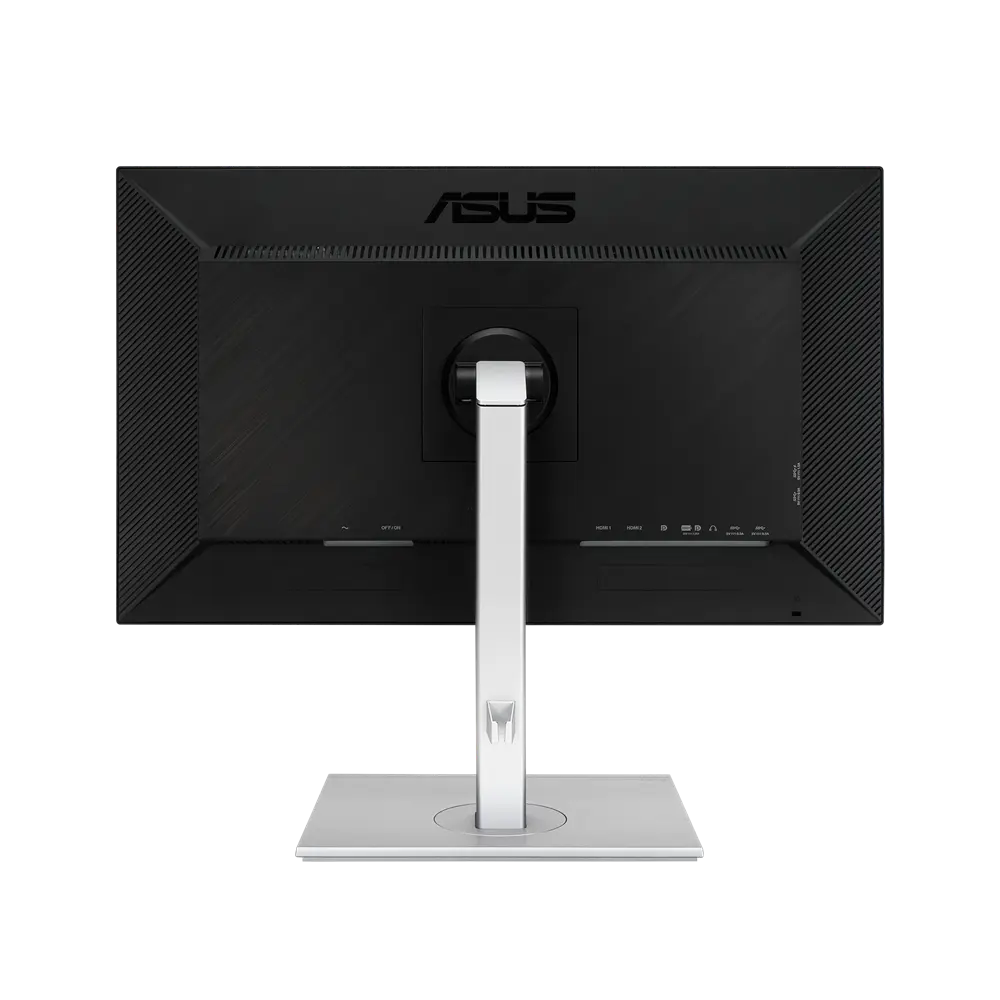
ASUS ProArt Display PA279CV official product image
Exact model & source notes

ProArt Display PA279CV monitor, identified in the ASUS UK catalogue. Specifications below retain the manufacturer’s configuration and interface conditions.

Specifications checked 17 Oct 2026.

Amazon links open search results. Check the exact variant, current price and availability with the retailer.

Manufacturer specifications

WHAT DIFFERS
350 cd/m²Declared typical brightness300 cd/m²
Display colours1073.7M (10 bit)8-bit + FRC
Response-time claim5ms(GTG)4 ms GtG
3 of 7 verified differences, in the order listed below. Not a rating.
See the 7 verified differences
THE CONTENDER

MSI PRO MP273U

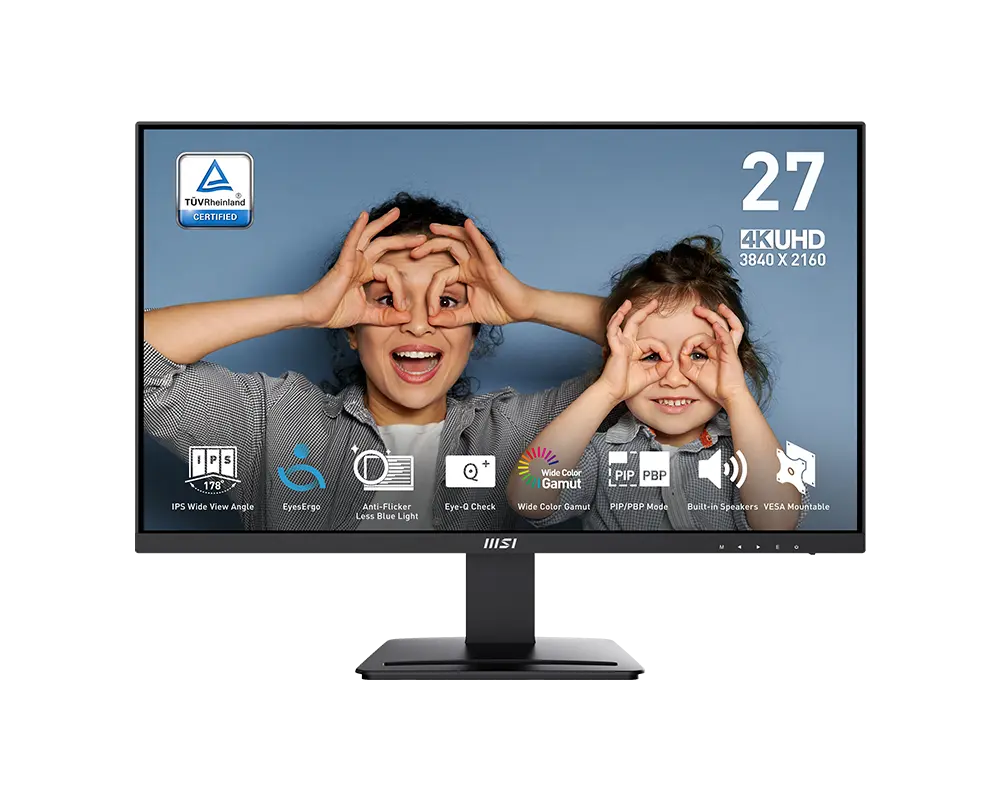
27 in · 3840 × 2160 · 60 Hz · MSI global model with supplied stand

MSI PRO MP273U monitor with its supplied stand, official manufacturer illustration
Exact model & source notes

27-inch 4K IPS monitor with 60 Hz inputs, two 3 W speakers and PIP/PBP for showing two sources. Split-screen mode disables Adaptive-Sync, HDMI CEC and HDR.

Specifications checked 11 Sept 2026.

Amazon links open search results. Check the exact variant, current price and availability with the retailer.

Manufacturer specifications

ASUS ProArt Display PA279CV UK & US retailers

UK & US price history: no verified listing yet

MSI PRO MP273U UK & US retailers

UK & US price history: no verified listing yet

Search links open retailer results, not a matched listing; eBay listings are checked daily. As an Amazon Associate I earn from qualifying purchases. As an eBay Partner, we may be compensated if you make a purchase.

THE DIFFERENCES, MADE VISIBLE

Visual facts

Differences first. Select a topic for its graphic, sources and conditions.

How to read this comparison
  • Manufacturer facts for the exact models shown. Not a quality rating or a test result.
  • “Different” means the known values differ, not that one is better.
  • Missing or conflicting evidence is marked and never counts as a difference. Source chips hold each fact’s sources and conditions.
SPECIFICATIONS SIDE BY SIDE8 topics
SELECTED TOPIC
01 / 08

Inputs and versions

Check the exact configuration and source conditions for your use.

ASUS ProArt Display PA279CVUSB-C x 1 (DP Alt Mode) DisplayPort 1.2 x 1 HDMI(v2.0) x 2 USB Hub: 4x USB 3.2 Gen 1 Type-A Earphone Jack: Yes USB-C Power Delivery: 65W

Manufacturer specification

MSI PRO MP273U2 × HDMI 2.0b; 1 × DisplayPort 1.4a

Manufacturer specification · HDMI and DisplayPort: 3840 × 2160 up to 60 Hz

Explore the full specifications

Match the monitor to the connection. Refresh limits depend on the input, cable and source device. Confirm the exact regional ports, stand adjustment and mount. Manufacturer response-time methods such as MPRT and GtG are different; neither the image nor these figures establish an independent motion or colour-quality test.

WHAT CHANGES BETWEEN THEM?

Key differences

Full specifications ↓

7 verified differences, most decision-relevant first. All are also drawn in Visual facts above. 1 feature is the same under different published names, grouped below. Missing information stays separate.

Inputs and versions

In Visual facts
ASUS ProArt Display PA279CVUSB-C x 1 (DP Alt Mode) DisplayPort 1.2 x 1 HDMI(v2.0) x 2 USB Hub: 4x USB 3.2 Gen 1 Type-A Earphone Jack: Yes USB-C Power Delivery: 65W
MSI PRO MP273U2 × HDMI 2.0b; 1 × DisplayPort 1.4a
Sources
ASUS ProArt Display PA279CV

Manufacturer specification

ASUS ProArt Display PA279CV — official UK technical specifications
MSI PRO MP273U

Manufacturer specification · HDMI and DisplayPort: 3840 × 2160 up to 60 Hz

MSI PRO MP273U global datasheetMSI PRO MP273U exact model user guide

Check the exact configuration and source conditions for your use.

Stand and mounting details

In Visual facts
ASUS ProArt Display PA279CVTilt: Yes (+35° ~ -5°) Swivel: Yes (+45° ~ -45°) Pivot: Yes (+90° ~ -90°) Height Adjustment: 0~150mm VESA Wall Mounting: 100x100mm Kensington Lock: Yes
MSI PRO MP273UTilt −5° to +20°; no height or swivel adjustment
Sources
ASUS ProArt Display PA279CV

Manufacturer specification

ASUS ProArt Display PA279CV — official UK technical specifications
MSI PRO MP273U

The manual mentions pivoting, but its adjustment diagram and specification table only document tilt; portrait rotation is not confirmed. · Manufacturer specification

MSI PRO MP273U exact model user guide

Compare the supplied stand and mounting requirements. These affect positioning and desk fit; they do not establish panel quality. Check any separately stated limits or conflicting dimensions.

Declared typical brightness

In Visual facts
ASUS ProArt Display PA279CV350 cd/m²
MSI PRO MP273U300 cd/m²
Sources
ASUS ProArt Display PA279CV

Manufacturer specification · Manufacturer typical claim; not measured luminance or HDR peak. Original: 350cd/㎡

ASUS ProArt Display PA279CV — official UK technical specifications
MSI PRO MP273U

Manufacturer specification · Typical SDR brightness; not an HDR peak figure.

MSI PRO MP273U exact model user guide

Check the exact configuration and source conditions for your use.

Show 1 more verified difference

Dimensions with supplied configuration

In Visual facts
ASUS ProArt Display PA279CVPhys. Dimension (W x H x D): 61.40 x 52.35 x 22.78 cm (24.17" x 20.61" x 8.97")
MSI PRO MP273U613.5 × 462.6 × 181.1 mm (width × height × depth, with stand)
Sources
ASUS ProArt Display PA279CV

Manufacturer specification · Manufacturer estimated dimensions; original ordering, units and regional qualifications retained. See source for stand configuration.

ASUS ProArt Display PA279CV — official UK technical specifications
MSI PRO MP273U

Manufacturer specification · Assembled dimensions exclude additional cable clearance.

MSI PRO MP273U global datasheetMSI PRO MP273U exact model user guide

A size or weight trade-off; it does not establish the better product.

Same feature, different names (1)

The sources publish different names for the same feature. Both names and their sources are shown; they are not counted as differences.

Missing or non-comparable evidence (61)

Native-resolution input limits

ASUS ProArt Display PA279CVNot verified
MSI PRO MP273UHDMI and DisplayPort: 3840 × 2160 up to 60 Hz
Sources
ASUS ProArt Display PA279CV

No source recorded for this side.

Evidence is missing or conflicting on at least one side. This is not a verified difference.

Maximum HDMI refresh at native resolution

ASUS ProArt Display PA279CVNot verified
MSI PRO MP273U60 Hz
Sources
ASUS ProArt Display PA279CV

No source recorded for this side.

MSI PRO MP273U

Manufacturer specification

MSI PRO MP273U exact model user guide

Evidence is missing or conflicting on at least one side. This is not a verified difference.

HDR declaration

ASUS ProArt Display PA279CVNot verified
MSI PRO MP273UHDR Ready
Sources
ASUS ProArt Display PA279CV

No source recorded for this side.

MSI PRO MP273U

Manufacturer specification

MSI PRO MP273U global datasheet

Evidence is missing or conflicting on at least one side. This is not a verified difference.

HDR support

ASUS ProArt Display PA279CVNot verified
MSI PRO MP273UYes
Sources
ASUS ProArt Display PA279CV

No source recorded for this side.

MSI PRO MP273U

Manufacturer specification · HDR Ready input support; PIP/PBP does not support HDR. HDR input locks Low Blue Light, HDCR, brightness, contrast and colour temperature. No DisplayHDR certification.

MSI PRO MP273U global datasheetMSI PRO MP273U exact model user guide

Evidence is missing or conflicting on at least one side. This is not a verified difference.

Adaptive sync

ASUS ProArt Display PA279CVNot verified
MSI PRO MP273UYes
Sources
ASUS ProArt Display PA279CV

No source recorded for this side.

MSI PRO MP273U

Manufacturer specification · Adaptive-Sync and PIP/PBP cannot be enabled together. Compatible source and mode required.

MSI PRO MP273U exact model user guide

Evidence is missing or conflicting on at least one side. This is not a verified difference.

Named adaptive-sync technology

ASUS ProArt Display PA279CVNot verified
MSI PRO MP273UAdaptive-Sync
Sources
ASUS ProArt Display PA279CV

No source recorded for this side.

MSI PRO MP273U

Manufacturer specification

MSI PRO MP273U exact model user guide

Evidence is missing or conflicting on at least one side. This is not a verified difference.

Motion-blur reduction mode

ASUS ProArt Display PA279CVNot verified
MSI PRO MP273UNot verified
Sources
ASUS ProArt Display PA279CV

No source recorded for this side.

MSI PRO MP273U

The manual mentions MPRT in a list of disabled functions but does not document an available MPRT mode or response claim. · Manufacturer specification

MSI PRO MP273U exact model user guide

Evidence is missing or conflicting on at least one side. This is not a verified difference.

MPRT with Adaptive-Sync

ASUS ProArt Display PA279CVNot verified
MSI PRO MP273UNot verified
Sources
ASUS ProArt Display PA279CV

No source recorded for this side.

MSI PRO MP273U

MSI does not list an MPRT mode for this model. · Manufacturer specification

MSI PRO MP273U exact model user guide

Evidence is missing or conflicting on at least one side. This is not a verified difference.

Height-adjustable stand

ASUS ProArt Display PA279CVNot verified
MSI PRO MP273UNo
Sources
ASUS ProArt Display PA279CV

No source recorded for this side.

MSI PRO MP273U

Manufacturer specification

MSI PRO MP273U exact model user guide

Evidence is missing or conflicting on at least one side. This is not a verified difference.

Swivel-adjustable stand

ASUS ProArt Display PA279CVNot verified
MSI PRO MP273UNo
Sources
ASUS ProArt Display PA279CV

No source recorded for this side.

MSI PRO MP273U

Manufacturer specification

MSI PRO MP273U exact model user guide

Evidence is missing or conflicting on at least one side. This is not a verified difference.

Portrait pivot

ASUS ProArt Display PA279CVNot verified
MSI PRO MP273UNot verified
Sources
ASUS ProArt Display PA279CV

No source recorded for this side.

MSI PRO MP273U

The manual mentions pivoting, but its adjustment diagram and specification table only document tilt. Portrait rotation is not confirmed. · Manufacturer specification

MSI PRO MP273U exact model user guide

Evidence is missing or conflicting on at least one side. This is not a verified difference.

VESA mounting pattern

ASUS ProArt Display PA279CVNot verified
MSI PRO MP273U75 × 75 mm
Sources
ASUS ProArt Display PA279CV

No source recorded for this side.

Evidence is missing or conflicting on at least one side. This is not a verified difference.

sRGB picture mode

ASUS ProArt Display PA279CVNot verified
MSI PRO MP273UYes
Sources
ASUS ProArt Display PA279CV

No source recorded for this side.

MSI PRO MP273U

Manufacturer specification · sRGB locks colour temperature, Low Blue Light and contrast controls.

MSI PRO MP273U exact model user guide

Evidence is missing or conflicting on at least one side. This is not a verified difference.

Hardware low-blue-light filter

ASUS ProArt Display PA279CVNot verified
MSI PRO MP273UNot verified
Sources
ASUS ProArt Display PA279CV

No source recorded for this side.

MSI PRO MP273U

MSI describes built-in blue-light reduction, but does not specify a hardware-filter mechanism. · Manufacturer specification

MSI PRO MP273U exact model user guide

Evidence is missing or conflicting on at least one side. This is not a verified difference.

On-screen controls

ASUS ProArt Display PA279CVNot verified
MSI PRO MP273UFront OSD buttons with custom shortcuts
Sources
ASUS ProArt Display PA279CV

No source recorded for this side.

MSI PRO MP273U

Manufacturer specification

MSI PRO MP273U exact model user guide

Evidence is missing or conflicting on at least one side. This is not a verified difference.

Speaker configuration and rating

ASUS ProArt Display PA279CVNot verified
MSI PRO MP273U2 × 3 W
Sources
ASUS ProArt Display PA279CV

No source recorded for this side.

Evidence is missing or conflicting on at least one side. This is not a verified difference.

Headphone output

ASUS ProArt Display PA279CVNot verified
MSI PRO MP273UYes
Sources
ASUS ProArt Display PA279CV

No source recorded for this side.

MSI PRO MP273U

Manufacturer specification

MSI PRO MP273U exact model user guide

Evidence is missing or conflicting on at least one side. This is not a verified difference.

Picture-in-picture / picture-by-picture

ASUS ProArt Display PA279CVNot verified
MSI PRO MP273UYes
Sources
ASUS ProArt Display PA279CV

No source recorded for this side.

MSI PRO MP273U

Manufacturer specification · PIP/PBP disables Adaptive-Sync and HDMI CEC and locks response-time controls. HDR is unavailable; two inputs are required for source/audio switching.

MSI PRO MP273U global datasheetMSI PRO MP273U exact model user guide

Evidence is missing or conflicting on at least one side. This is not a verified difference.

HDMI VRR

ASUS ProArt Display PA279CVNot verified
MSI PRO MP273UYes
Sources
ASUS ProArt Display PA279CV

No source recorded for this side.

MSI PRO MP273U

Manufacturer specification · Needs a compatible source; the monitor's maximum is 4K 60 Hz.

MSI PRO MP273U exact model user guide

Evidence is missing or conflicting on at least one side. This is not a verified difference.

HDMI CEC

ASUS ProArt Display PA279CVNot verified
MSI PRO MP273UYes
Sources
ASUS ProArt Display PA279CV

No source recorded for this side.

MSI PRO MP273U

Manufacturer specification · Use the CEC-marked HDMI connector (number 4 in the manual). PIP/PBP disables CEC; a compatible source is required.

MSI PRO MP273U exact model user guide

Evidence is missing or conflicting on at least one side. This is not a verified difference.

Stand accessory slot

ASUS ProArt Display PA279CVNot verified
MSI PRO MP273UYes
Sources
ASUS ProArt Display PA279CV

No source recorded for this side.

MSI PRO MP273U

Manufacturer specification

MSI PRO MP273U feature page; extracted text

Evidence is missing or conflicting on at least one side. This is not a verified difference.

Adapter mains input

ASUS ProArt Display PA279CVNot verified
MSI PRO MP273U100–240 V AC, 50–60 Hz, 1.5 A maximum
Sources
ASUS ProArt Display PA279CV

No source recorded for this side.

MSI PRO MP273U

Manufacturer specification

MSI PRO MP273U exact model user guide

Evidence is missing or conflicting on at least one side. This is not a verified difference.

Declared external adapter model

ASUS ProArt Display PA279CVNot verified
MSI PRO MP273UADS-40NP-12-1 12036E
Sources
ASUS ProArt Display PA279CV

No source recorded for this side.

MSI PRO MP273U

Manufacturer specification

MSI PRO MP273U exact model user guide

Evidence is missing or conflicting on at least one side. This is not a verified difference.

Declared Adobe RGB gamut

ASUS ProArt Display PA279CVNot verified
MSI PRO MP273U93% (CIE 1976)
Sources
ASUS ProArt Display PA279CV

No source recorded for this side.

MSI PRO MP273U

Manufacturer specification · MSI's UK sheet lists 93% overlap and 110% area.

MSI PRO MP273U global datasheetMSI PRO MP273U UK regional specification sheet

Evidence is missing or conflicting on at least one side. This is not a verified difference.

Package contents

ASUS ProArt Display PA279CVNot verified
MSI PRO MP273UMonitor, stand/base, external power supply and power cord; HDMI cable depends on regional bundle
Sources
ASUS ProArt Display PA279CV

No source recorded for this side.

MSI PRO MP273U

Manufacturer specification · Contents vary by country; check the retailer's bundle for included cables.

MSI PRO MP273U exact model user guide

Evidence is missing or conflicting on at least one side. This is not a verified difference.

Declared sRGB gamut

ASUS ProArt Display PA279CVNot verified
MSI PRO MP273U130% (CIE 1976)
Sources
ASUS ProArt Display PA279CV

No source recorded for this side.

MSI PRO MP273U

Manufacturer specification · Manufacturer gamut area, not 130% coverage or accuracy. UK 9S6-3PB4CH-210 sheet separately reports 99% sRGB overlap.

MSI PRO MP273U global datasheetMSI PRO MP273U exact model user guideMSI PRO MP273U UK regional specification sheet

Evidence is missing or conflicting on at least one side. This is not a verified difference.

Accepted console/video input modes

ASUS ProArt Display PA279CVNot verified
MSI PRO MP273U2160p at 50/60 Hz; 1080p and 720p
Sources
ASUS ProArt Display PA279CV

No source recorded for this side.

MSI PRO MP273U

Manufacturer specification · Requires compatible source and cable. Listed timing is not a complete console-feature certification.

MSI PRO MP273U exact model user guide

Evidence is missing or conflicting on at least one side. This is not a verified difference.

Declared DCI-P3 gamut

ASUS ProArt Display PA279CVNot verified
MSI PRO MP273U98% (CIE 1976)
Sources
ASUS ProArt Display PA279CV

No source recorded for this side.

MSI PRO MP273U

Manufacturer specification · MSI's UK sheet lists 98% overlap and 103% area.

MSI PRO MP273U exact model user guide

Evidence is missing or conflicting on at least one side. This is not a verified difference.

Displayable colours

ASUS ProArt Display PA279CVNot verified
MSI PRO MP273U1.07 billion
Sources
ASUS ProArt Display PA279CV

No source recorded for this side.

Evidence is missing or conflicting on at least one side. This is not a verified difference.

MSI Display Kit support

ASUS ProArt Display PA279CVNot verified
MSI PRO MP273UYes
Sources
ASUS ProArt Display PA279CV

No source recorded for this side.

MSI PRO MP273U

Manufacturer specification · Separate PC software; check OS and feature compatibility. No built-in wireless receiver or USB hub is implied.

MSI PRO MP273U feature page; extracted text

Evidence is missing or conflicting on at least one side. This is not a verified difference.

Eye-Q Check

ASUS ProArt Display PA279CVNot verified
MSI PRO MP273UYes
Sources
ASUS ProArt Display PA279CV

No source recorded for this side.

MSI PRO MP273U

Manufacturer specification · Visual reference tools, not medical diagnosis. Activating Eye-Q Check switches Info On Screen off.

MSI PRO MP273U exact model user guide

Evidence is missing or conflicting on at least one side. This is not a verified difference.

Eye-Q on-screen tools

ASUS ProArt Display PA279CVNot verified
MSI PRO MP273UAmsler Grid, Astigmatism and Posture Correction
Sources
ASUS ProArt Display PA279CV

No source recorded for this side.

MSI PRO MP273U

Manufacturer specification

MSI PRO MP273U exact model user guide

Evidence is missing or conflicting on at least one side. This is not a verified difference.

Manufacturer Flicker Free declaration

ASUS ProArt Display PA279CVNot verified
MSI PRO MP273UYes
Sources
ASUS ProArt Display PA279CV

No source recorded for this side.

MSI PRO MP273U

Manufacturer specification · Manufacturer declaration; enabled Anti Motion Blur/MPRT is excluded where available. No separate lab report is included.

MSI PRO MP273U exact model user guide

Evidence is missing or conflicting on at least one side. This is not a verified difference.

Gross shipping weight

ASUS ProArt Display PA279CVNot verified
MSI PRO MP273U6.2 kg
Sources
ASUS ProArt Display PA279CV

No source recorded for this side.

MSI PRO MP273U

Manufacturer specification · Manual and UK sheet corroborate 6.2 kg. The global sheet’s parenthetical 13.37 lb is inconsistent and is not used as a conversion.

MSI PRO MP273U global datasheetMSI PRO MP273U exact model user guideMSI PRO MP273U UK regional specification sheet

Evidence is missing or conflicting on at least one side. This is not a verified difference.

Kensington lock slot

ASUS ProArt Display PA279CVNot verified
MSI PRO MP273UYes
Sources
ASUS ProArt Display PA279CV

No source recorded for this side.

Evidence is missing or conflicting on at least one side. This is not a verified difference.

Analogue audio line input

ASUS ProArt Display PA279CVNot verified
MSI PRO MP273UNo
Sources
ASUS ProArt Display PA279CV

No source recorded for this side.

MSI PRO MP273U

Manufacturer specification

MSI PRO MP273U exact model user guide

Evidence is missing or conflicting on at least one side. This is not a verified difference.

Low Blue Light mode

ASUS ProArt Display PA279CVNot verified
MSI PRO MP273UYes
Sources
ASUS ProArt Display PA279CV

No source recorded for this side.

MSI PRO MP273U

Manufacturer specification · Enabling the mode shifts colour temperature toward a warmer image.

MSI PRO MP273U exact model user guide

Evidence is missing or conflicting on at least one side. This is not a verified difference.

Split-screen input limits

ASUS ProArt Display PA279CVNot verified
MSI PRO MP273UPIP: up to 3840 × 2160 at 60 Hz; PBP: 1920 × 1080 at 60 Hz per input
Sources
ASUS ProArt Display PA279CV

No source recorded for this side.

MSI PRO MP273U

Manufacturer specification · No HDR in either mode. PIP/PBP turns off Adaptive-Sync and HDMI CEC.

MSI PRO MP273U exact model user guide

Evidence is missing or conflicting on at least one side. This is not a verified difference.

Picture modes

ASUS ProArt Display PA279CVNot verified
MSI PRO MP273UEco, User, sRGB, Anti-Blue, Movie, Office, Black-White
Sources
ASUS ProArt Display PA279CV

No source recorded for this side.

MSI PRO MP273U

Manufacturer specification

MSI PRO MP273U exact model user guide

Evidence is missing or conflicting on at least one side. This is not a verified difference.

Pixel pitch

ASUS ProArt Display PA279CVNot verified
MSI PRO MP273U0.1554 × 0.1554 mm (horizontal × vertical)
Sources
ASUS ProArt Display PA279CV

No source recorded for this side.

MSI PRO MP273U

Manufacturer specification

MSI PRO MP273U global datasheet

Evidence is missing or conflicting on at least one side. This is not a verified difference.

Measured operating power consumption

ASUS ProArt Display PA279CVNot verified
MSI PRO MP273UNot verified
Sources
ASUS ProArt Display PA279CV

No source recorded for this side.

MSI PRO MP273U

The 12 V 4 A adapter rating is its capacity, not the monitor's running power. · Manufacturer specification

MSI PRO MP273U exact model user guide

Evidence is missing or conflicting on at least one side. This is not a verified difference.

MSI Power Link

ASUS ProArt Display PA279CVNot verified
MSI PRO MP273UYes
Sources
ASUS ProArt Display PA279CV

No source recorded for this side.

MSI PRO MP273U

Manufacturer specification · Manufacturer lists Cubi NUC and PRO DP21 14MQ series via HDMI CEC. PIP/PBP disables CEC.

MSI PRO MP273U feature page; extracted text

Evidence is missing or conflicting on at least one side. This is not a verified difference.

Power supply

ASUS ProArt Display PA279CVNot verified
MSI PRO MP273UExternal adapter, 12 V 4 A
Sources
ASUS ProArt Display PA279CV

No source recorded for this side.

Evidence is missing or conflicting on at least one side. This is not a verified difference.

Default native refresh rate

ASUS ProArt Display PA279CVNot verified
MSI PRO MP273UNot verified
Sources
ASUS ProArt Display PA279CV

No source recorded for this side.

MSI PRO MP273U

The maximum refresh rate is documented; a factory default refresh rate is not specified. · Manufacturer specification

MSI PRO MP273U exact model user guide

Evidence is missing or conflicting on at least one side. This is not a verified difference.

Declared GtG response

ASUS ProArt Display PA279CVNot verified
MSI PRO MP273U4 ms
Sources
ASUS ProArt Display PA279CV

No source recorded for this side.

MSI PRO MP273U

Manufacturer specification · Grey-to-grey response; not input lag.

MSI PRO MP273U global datasheetMSI PRO MP273U exact model user guide

Evidence is missing or conflicting on at least one side. This is not a verified difference.

Screen shape

ASUS ProArt Display PA279CVNot verified
MSI PRO MP273UFlat
Sources
ASUS ProArt Display PA279CV

No source recorded for this side.

MSI PRO MP273U

Manufacturer specification

MSI PRO MP273U exact model user guide

Evidence is missing or conflicting on at least one side. This is not a verified difference.

Input-specific signal modes

ASUS ProArt Display PA279CVDigital Signal Frequency: 29~160 KHz (H) / 40~60 Hz (V)
MSI PRO MP273UNot verified
Sources
ASUS ProArt Display PA279CV

Manufacturer specification

ASUS ProArt Display PA279CV — official UK technical specifications
MSI PRO MP273U

No source recorded for this side.

Evidence is missing or conflicting on at least one side. This is not a verified difference.

Stand assembly

ASUS ProArt Display PA279CVNot verified
MSI PRO MP273UPush-lock stand bracket and base
Sources
ASUS ProArt Display PA279CV

No source recorded for this side.

MSI PRO MP273U

Manufacturer specification

MSI PRO MP273U exact model user guide

Evidence is missing or conflicting on at least one side. This is not a verified difference.

Desk depth with stand

ASUS ProArt Display PA279CVNot verified
MSI PRO MP273U181.1 mm
Sources
ASUS ProArt Display PA279CV

No source recorded for this side.

MSI PRO MP273U

Manufacturer specification · Assembled desk depth; allow additional cable clearance.

MSI PRO MP273U global datasheetMSI PRO MP273U exact model user guide

Evidence is missing or conflicting on at least one side. This is not a verified difference.

Stand tilt

ASUS ProArt Display PA279CVNot verified
MSI PRO MP273U−5° to 20°
Sources
ASUS ProArt Display PA279CV

No source recorded for this side.

Evidence is missing or conflicting on at least one side. This is not a verified difference.

UK declared Adaptive-Sync range

ASUS ProArt Display PA279CVNot verified
MSI PRO MP273U50–60 Hz
Sources
ASUS ProArt Display PA279CV

No source recorded for this side.

MSI PRO MP273U

Manufacturer specification · UK 9S6-3PB4CH-210 sheet; compatible source and mode required.

MSI PRO MP273U UK regional specification sheet

Evidence is missing or conflicting on at least one side. This is not a verified difference.

UK declared energy consumption

ASUS ProArt Display PA279CVNot verified
MSI PRO MP273U26 kWh/1000 h on-mode; 0.5 W standby; 0.3 W off
Sources
ASUS ProArt Display PA279CV

No source recorded for this side.

MSI PRO MP273U

Manufacturer specification · From MSI's UK sheet for part 9S6-3PB4CH-210 (energy-label declaration).

MSI PRO MP273U UK regional specification sheet

Evidence is missing or conflicting on at least one side. This is not a verified difference.

USB data connections

ASUS ProArt Display PA279CVNot verified
MSI PRO MP273UNo USB data ports
Sources
ASUS ProArt Display PA279CV

No source recorded for this side.

MSI PRO MP273U

Manufacturer specification

MSI PRO MP273U exact model user guide

Evidence is missing or conflicting on at least one side. This is not a verified difference.

VESA screw specification

ASUS ProArt Display PA279CVNot verified
MSI PRO MP273UM4 × 10 mm; 0.7 mm thread pitch
Sources
ASUS ProArt Display PA279CV

No source recorded for this side.

MSI PRO MP273U

Manufacturer specification

MSI PRO MP273U exact model user guide

Evidence is missing or conflicting on at least one side. This is not a verified difference.

Declared viewing angles

ASUS ProArt Display PA279CVNot verified
MSI PRO MP273U178° horizontal / 178° vertical
Sources
ASUS ProArt Display PA279CV

No source recorded for this side.

Evidence is missing or conflicting on at least one side. This is not a verified difference.

Active display area

ASUS ProArt Display PA279CVNot verified
MSI PRO MP273U596.736 × 335.664 mm (horizontal × vertical)
Sources
ASUS ProArt Display PA279CV

No source recorded for this side.

MSI PRO MP273U

Manufacturer specification

MSI PRO MP273U global datasheet

Evidence is missing or conflicting on at least one side. This is not a verified difference.

Net weight

ASUS ProArt Display PA279CVNot verified
MSI PRO MP273UConflicting evidence
Sources
ASUS ProArt Display PA279CV

No source recorded for this side.

MSI PRO MP273U

MSI’s global and UK sheets give 3.95 kg net; its user guide gives 3.9 kg. No stated rounding rule or configuration difference resolves this. · Manufacturer specification

MSI PRO MP273U global datasheetMSI PRO MP273U exact model user guideMSI PRO MP273U UK regional specification sheet

Evidence is missing or conflicting on at least one side. This is not a verified difference.

6 shared fields have the same recorded value.

WHAT EACH CHOICE ASKS OF YOU

What it brings and what to check

ASUS ProArt Display PA279CV

What it brings

  • Published monitor interfaces and configuration are available from the exact-model ASUS specification source.

What to check

  • Compatibility and maximum operating modes depend on the source’s stated hardware, firmware and connection requirements; manufacturer figures are not independent measurements.

MSI PRO MP273U

What it brings

What to check

COMPARE THE DETAILS

Full specifications

How we verify
75 of 75 specifications Sources in each row
Source-backed specifications for ASUS ProArt Display PA279CV and MSI PRO MP273U
SpecificationASUS ProArt Display PA279CVMSI PRO MP273U
Screen diagonal
Sources
ASUS ProArt Display PA279CV

Manufacturer specification

ASUS ProArt Display PA279CV — official UK technical specifications
27 in27 in
Native resolution
Sources
ASUS ProArt Display PA279CV

Manufacturer specification

ASUS ProArt Display PA279CV — official UK technical specifications
3840x21603840 × 2160
Panel technology
Sources
ASUS ProArt Display PA279CV

Manufacturer specification

ASUS ProArt Display PA279CV — official UK technical specifications
IPSIPS LCD
Aspect ratio
Sources
ASUS ProArt Display PA279CV

Manufacturer specification

ASUS ProArt Display PA279CV — official UK technical specifications
16:916:9
Panel coating
Sources
ASUS ProArt Display PA279CV

Manufacturer specification

ASUS ProArt Display PA279CV — official UK technical specifications
Anti-GlareAnti-glare
Contrast-ratio claim
Sources
ASUS ProArt Display PA279CV

Manufacturer specification

ASUS ProArt Display PA279CV — official UK technical specifications
1000:11000:1
Display coloursDifferent
Sources
ASUS ProArt Display PA279CV

Manufacturer specification

ASUS ProArt Display PA279CV — official UK technical specifications
MSI PRO MP273U

Manufacturer specification

MSI PRO MP273U global datasheet
1073.7M (10 bit)8-bit + FRC
Declared typical brightnessDifferent
Sources
ASUS ProArt Display PA279CV

Manufacturer specification · Manufacturer typical claim; not measured luminance or HDR peak. Original: 350cd/㎡

ASUS ProArt Display PA279CV — official UK technical specifications
MSI PRO MP273U

Manufacturer specification · Typical SDR brightness; not an HDR peak figure.

MSI PRO MP273U exact model user guide
350 cd/m²300 cd/m²
Screen shape
Sources
ASUS ProArt Display PA279CV

No source recorded.

MSI PRO MP273U

Manufacturer specification

MSI PRO MP273U exact model user guide
Not providedFlat
Displayable colours
Sources
ASUS ProArt Display PA279CV

No source recorded.

Not provided1.07 billion
Active display area
Sources
ASUS ProArt Display PA279CV

No source recorded.

MSI PRO MP273U

Manufacturer specification

MSI PRO MP273U global datasheet
Not provided596.736 × 335.664 mm (horizontal × vertical)
Pixel pitch
Sources
ASUS ProArt Display PA279CV

No source recorded.

MSI PRO MP273U

Manufacturer specification

MSI PRO MP273U global datasheet
Not provided0.1554 × 0.1554 mm (horizontal × vertical)
Declared viewing angles
Sources
ASUS ProArt Display PA279CV

No source recorded.

Not provided178° horizontal / 178° vertical
Declared sRGB gamut
Sources
ASUS ProArt Display PA279CV

No source recorded.

MSI PRO MP273U

Manufacturer specification · Manufacturer gamut area, not 130% coverage or accuracy. UK 9S6-3PB4CH-210 sheet separately reports 99% sRGB overlap.

MSI PRO MP273U global datasheetMSI PRO MP273U exact model user guideMSI PRO MP273U UK regional specification sheet
Not provided130% (CIE 1976)
Declared DCI-P3 gamut
Sources
ASUS ProArt Display PA279CV

No source recorded.

MSI PRO MP273U

Manufacturer specification · MSI's UK sheet lists 98% overlap and 103% area.

MSI PRO MP273U exact model user guide
Not provided98% (CIE 1976)
Declared Adobe RGB gamut
Sources
ASUS ProArt Display PA279CV

No source recorded.

MSI PRO MP273U

Manufacturer specification · MSI's UK sheet lists 93% overlap and 110% area.

MSI PRO MP273U global datasheetMSI PRO MP273U UK regional specification sheet
Not provided93% (CIE 1976)
Picture modes
Sources
ASUS ProArt Display PA279CV

No source recorded.

MSI PRO MP273U

Manufacturer specification

MSI PRO MP273U exact model user guide
Not providedEco, User, sRGB, Anti-Blue, Movie, Office, Black-White
sRGB picture mode
Sources
ASUS ProArt Display PA279CV

No source recorded.

MSI PRO MP273U

Manufacturer specification · sRGB locks colour temperature, Low Blue Light and contrast controls.

MSI PRO MP273U exact model user guide
Not providedYes
HDR declaration
Sources
ASUS ProArt Display PA279CV

No source recorded.

MSI PRO MP273U

Manufacturer specification

MSI PRO MP273U global datasheet
Not providedHDR Ready
HDR support
Sources
ASUS ProArt Display PA279CV

No source recorded.

MSI PRO MP273U

Manufacturer specification · HDR Ready input support; PIP/PBP does not support HDR. HDR input locks Low Blue Light, HDCR, brightness, contrast and colour temperature. No DisplayHDR certification.

MSI PRO MP273U global datasheetMSI PRO MP273U exact model user guide
Not providedYes
Maximum refresh rate
Sources
ASUS ProArt Display PA279CV

Manufacturer specification · Manufacturer-listed maximum; input-specific signal-frequency restrictions, overclocking and source/cable requirements remain as shown in the specifications. Digital Signal Frequency : 29~160 KHz (H) / 40~60 Hz (V)

ASUS ProArt Display PA279CV — official UK technical specifications
MSI PRO MP273U

Manufacturer specification · HDMI and DisplayPort: 3840 × 2160 up to 60 Hz. Compatible source, cable and timing selection required.

MSI PRO MP273U global datasheetMSI PRO MP273U exact model user guide
60 Hz60 Hz
Response-time claimDifferent
Sources
ASUS ProArt Display PA279CV

Manufacturer specification

ASUS ProArt Display PA279CV — official UK technical specifications
MSI PRO MP273U

Manufacturer specification · Grey-to-grey response; not input lag.

MSI PRO MP273U global datasheetMSI PRO MP273U exact model user guide
5ms(GTG)4 ms GtG
Input-specific signal modes
Sources
ASUS ProArt Display PA279CV

Manufacturer specification

ASUS ProArt Display PA279CV — official UK technical specifications
MSI PRO MP273U

No source recorded.

Digital Signal Frequency: 29~160 KHz (H) / 40~60 Hz (V)Not provided
Native-resolution input limits
Sources
ASUS ProArt Display PA279CV

No source recorded.

Not providedHDMI and DisplayPort: 3840 × 2160 up to 60 Hz
Maximum HDMI refresh at native resolution
Sources
ASUS ProArt Display PA279CV

No source recorded.

MSI PRO MP273U

Manufacturer specification

MSI PRO MP273U exact model user guide
Not provided60 Hz
Declared GtG response
Sources
ASUS ProArt Display PA279CV

No source recorded.

MSI PRO MP273U

Manufacturer specification · Grey-to-grey response; not input lag.

MSI PRO MP273U global datasheetMSI PRO MP273U exact model user guide
Not provided4 ms
Adaptive sync
Sources
ASUS ProArt Display PA279CV

No source recorded.

MSI PRO MP273U

Manufacturer specification · Adaptive-Sync and PIP/PBP cannot be enabled together. Compatible source and mode required.

MSI PRO MP273U exact model user guide
Not providedYes
Named adaptive-sync technology
Sources
ASUS ProArt Display PA279CV

No source recorded.

MSI PRO MP273U

Manufacturer specification

MSI PRO MP273U exact model user guide
Not providedAdaptive-Sync
UK declared Adaptive-Sync range
Sources
ASUS ProArt Display PA279CV

No source recorded.

MSI PRO MP273U

Manufacturer specification · UK 9S6-3PB4CH-210 sheet; compatible source and mode required.

MSI PRO MP273U UK regional specification sheet
Not provided50–60 Hz
HDMI VRR
Sources
ASUS ProArt Display PA279CV

No source recorded.

MSI PRO MP273U

Manufacturer specification · Needs a compatible source; the monitor's maximum is 4K 60 Hz.

MSI PRO MP273U exact model user guide
Not providedYes
Inputs and versionsDifferent
Sources
ASUS ProArt Display PA279CV

Manufacturer specification

ASUS ProArt Display PA279CV — official UK technical specifications
MSI PRO MP273U

Manufacturer specification · HDMI and DisplayPort: 3840 × 2160 up to 60 Hz

MSI PRO MP273U global datasheetMSI PRO MP273U exact model user guide
USB-C x 1 (DP Alt Mode) DisplayPort 1.2 x 1 HDMI(v2.0) x 2 USB Hub: 4x USB 3.2 Gen 1 Type-A Earphone Jack: Yes USB-C Power Delivery: 65W2 × HDMI 2.0b; 1 × DisplayPort 1.4a
Audio and speaker specificationDifferent
Sources
ASUS ProArt Display PA279CV

Manufacturer specification

ASUS ProArt Display PA279CV — official UK technical specifications
Speaker: Yes(2Wx2)Headphone output; no line input
VGA input
Sources
ASUS ProArt Display PA279CV

No source recorded.

Not providedNo
USB-C connection
Sources
ASUS ProArt Display PA279CV

No source recorded.

Not providedNo
USB data hub
Sources
ASUS ProArt Display PA279CV

No source recorded.

Not providedNo
USB data connections
Sources
ASUS ProArt Display PA279CV

No source recorded.

MSI PRO MP273U

Manufacturer specification

MSI PRO MP273U exact model user guide
Not providedNo USB data ports
Built-in speakers
Sources
ASUS ProArt Display PA279CV

No source recorded.

Not providedYes
Speaker configuration and rating
Sources
ASUS ProArt Display PA279CV

No source recorded.

Not provided2 × 3 W
Headphone output
Sources
ASUS ProArt Display PA279CV

No source recorded.

MSI PRO MP273U

Manufacturer specification

MSI PRO MP273U exact model user guide
Not providedYes
Analogue audio line input
Sources
ASUS ProArt Display PA279CV

No source recorded.

MSI PRO MP273U

Manufacturer specification

MSI PRO MP273U exact model user guide
Not providedNo
HDMI CEC
Sources
ASUS ProArt Display PA279CV

No source recorded.

MSI PRO MP273U

Manufacturer specification · Use the CEC-marked HDMI connector (number 4 in the manual). PIP/PBP disables CEC; a compatible source is required.

MSI PRO MP273U exact model user guide
Not providedYes
Picture-in-picture / picture-by-picture
Sources
ASUS ProArt Display PA279CV

No source recorded.

MSI PRO MP273U

Manufacturer specification · PIP/PBP disables Adaptive-Sync and HDMI CEC and locks response-time controls. HDR is unavailable; two inputs are required for source/audio switching.

MSI PRO MP273U global datasheetMSI PRO MP273U exact model user guide
Not providedYes
Split-screen input limits
Sources
ASUS ProArt Display PA279CV

No source recorded.

MSI PRO MP273U

Manufacturer specification · No HDR in either mode. PIP/PBP turns off Adaptive-Sync and HDMI CEC.

MSI PRO MP273U exact model user guide
Not providedPIP: up to 3840 × 2160 at 60 Hz; PBP: 1920 × 1080 at 60 Hz per input
Accepted console/video input modes
Sources
ASUS ProArt Display PA279CV

No source recorded.

MSI PRO MP273U

Manufacturer specification · Requires compatible source and cable. Listed timing is not a complete console-feature certification.

MSI PRO MP273U exact model user guide
Not provided2160p at 50/60 Hz; 1080p and 720p
Dimensions with supplied configurationDifferent
Sources
ASUS ProArt Display PA279CV

Manufacturer specification · Manufacturer estimated dimensions; original ordering, units and regional qualifications retained. See source for stand configuration.

ASUS ProArt Display PA279CV — official UK technical specifications
MSI PRO MP273U

Manufacturer specification · Assembled dimensions exclude additional cable clearance.

MSI PRO MP273U global datasheetMSI PRO MP273U exact model user guide
Phys. Dimension (W x H x D): 61.40 x 52.35 x 22.78 cm (24.17" x 20.61" x 8.97")613.5 × 462.6 × 181.1 mm (width × height × depth, with stand)
Stand and mounting detailsDifferent
Sources
ASUS ProArt Display PA279CV

Manufacturer specification

ASUS ProArt Display PA279CV — official UK technical specifications
MSI PRO MP273U

The manual mentions pivoting, but its adjustment diagram and specification table only document tilt; portrait rotation is not confirmed. · Manufacturer specification

MSI PRO MP273U exact model user guide
Tilt: Yes (+35° ~ -5°) Swivel: Yes (+45° ~ -45°) Pivot: Yes (+90° ~ -90°) Height Adjustment: 0~150mm VESA Wall Mounting: 100x100mm Kensington Lock: YesTilt −5° to +20°; no height or swivel adjustment
Height-adjustable stand
Sources
ASUS ProArt Display PA279CV

No source recorded.

MSI PRO MP273U

Manufacturer specification

MSI PRO MP273U exact model user guide
Not providedNo
Swivel-adjustable stand
Sources
ASUS ProArt Display PA279CV

No source recorded.

MSI PRO MP273U

Manufacturer specification

MSI PRO MP273U exact model user guide
Not providedNo
Stand tilt
Sources
ASUS ProArt Display PA279CV

No source recorded.

Not provided−5° to 20°
VESA mounting pattern
Sources
ASUS ProArt Display PA279CV

No source recorded.

Not provided75 × 75 mm
VESA screw specification
Sources
ASUS ProArt Display PA279CV

No source recorded.

MSI PRO MP273U

Manufacturer specification

MSI PRO MP273U exact model user guide
Not providedM4 × 10 mm; 0.7 mm thread pitch
Desk depth with stand
Sources
ASUS ProArt Display PA279CV

No source recorded.

MSI PRO MP273U

Manufacturer specification · Assembled desk depth; allow additional cable clearance.

MSI PRO MP273U global datasheetMSI PRO MP273U exact model user guide
Not provided181.1 mm
Gross shipping weight
Sources
ASUS ProArt Display PA279CV

No source recorded.

MSI PRO MP273U

Manufacturer specification · Manual and UK sheet corroborate 6.2 kg. The global sheet’s parenthetical 13.37 lb is inconsistent and is not used as a conversion.

MSI PRO MP273U global datasheetMSI PRO MP273U exact model user guideMSI PRO MP273U UK regional specification sheet
Not provided6.2 kg
Stand accessory slot
Sources
ASUS ProArt Display PA279CV

No source recorded.

MSI PRO MP273U

Manufacturer specification

MSI PRO MP273U feature page; extracted text
Not providedYes
Kensington lock slot
Sources
ASUS ProArt Display PA279CV

No source recorded.

Not providedYes
MSI Display Kit support
Sources
ASUS ProArt Display PA279CV

No source recorded.

MSI PRO MP273U

Manufacturer specification · Separate PC software; check OS and feature compatibility. No built-in wireless receiver or USB hub is implied.

MSI PRO MP273U feature page; extracted text
Not providedYes
Stand assembly
Sources
ASUS ProArt Display PA279CV

No source recorded.

MSI PRO MP273U

Manufacturer specification

MSI PRO MP273U exact model user guide
Not providedPush-lock stand bracket and base
Package contents
Sources
ASUS ProArt Display PA279CV

No source recorded.

MSI PRO MP273U

Manufacturer specification · Contents vary by country; check the retailer's bundle for included cables.

MSI PRO MP273U exact model user guide
Not providedMonitor, stand/base, external power supply and power cord; HDMI cable depends on regional bundle
Power supply
Sources
ASUS ProArt Display PA279CV

No source recorded.

Not providedExternal adapter, 12 V 4 A
Declared external adapter model
Sources
ASUS ProArt Display PA279CV

No source recorded.

MSI PRO MP273U

Manufacturer specification

MSI PRO MP273U exact model user guide
Not providedADS-40NP-12-1 12036E
Adapter mains input
Sources
ASUS ProArt Display PA279CV

No source recorded.

MSI PRO MP273U

Manufacturer specification

MSI PRO MP273U exact model user guide
Not provided100–240 V AC, 50–60 Hz, 1.5 A maximum
UK declared energy consumption
Sources
ASUS ProArt Display PA279CV

No source recorded.

MSI PRO MP273U

Manufacturer specification · From MSI's UK sheet for part 9S6-3PB4CH-210 (energy-label declaration).

MSI PRO MP273U UK regional specification sheet
Not provided26 kWh/1000 h on-mode; 0.5 W standby; 0.3 W off
MSI Power Link
Sources
ASUS ProArt Display PA279CV

No source recorded.

MSI PRO MP273U

Manufacturer specification · Manufacturer lists Cubi NUC and PRO DP21 14MQ series via HDMI CEC. PIP/PBP disables CEC.

MSI PRO MP273U feature page; extracted text
Not providedYes
On-screen controls
Sources
ASUS ProArt Display PA279CV

No source recorded.

MSI PRO MP273U

Manufacturer specification

MSI PRO MP273U exact model user guide
Not providedFront OSD buttons with custom shortcuts
Eye-Q Check
Sources
ASUS ProArt Display PA279CV

No source recorded.

MSI PRO MP273U

Manufacturer specification · Visual reference tools, not medical diagnosis. Activating Eye-Q Check switches Info On Screen off.

MSI PRO MP273U exact model user guide
Not providedYes
Eye-Q on-screen tools
Sources
ASUS ProArt Display PA279CV

No source recorded.

MSI PRO MP273U

Manufacturer specification

MSI PRO MP273U exact model user guide
Not providedAmsler Grid, Astigmatism and Posture Correction
Low Blue Light mode
Sources
ASUS ProArt Display PA279CV

No source recorded.

MSI PRO MP273U

Manufacturer specification · Enabling the mode shifts colour temperature toward a warmer image.

MSI PRO MP273U exact model user guide
Not providedYes
Manufacturer Flicker Free declaration
Sources
ASUS ProArt Display PA279CV

No source recorded.

MSI PRO MP273U

Manufacturer specification · Manufacturer declaration; enabled Anti Motion Blur/MPRT is excluded where available. No separate lab report is included.

MSI PRO MP273U exact model user guide
Not providedYes
Show unverified (7)Not verified, not provided or conflicting for both products. Kept for completeness; never counted as a difference.
Specifications without verified values for either product
Default native refresh rate
Sources
ASUS ProArt Display PA279CV

No source recorded.

MSI PRO MP273U

The maximum refresh rate is documented; a factory default refresh rate is not specified. · Manufacturer specification

MSI PRO MP273U exact model user guide
Not providedNot listed by the manufacturer
Portrait pivot
Sources
ASUS ProArt Display PA279CV

No source recorded.

MSI PRO MP273U

The manual mentions pivoting, but its adjustment diagram and specification table only document tilt. Portrait rotation is not confirmed. · Manufacturer specification

MSI PRO MP273U exact model user guide
Not providedNot listed by the manufacturer
Net weight
Sources
ASUS ProArt Display PA279CV

No source recorded.

MSI PRO MP273U

MSI’s global and UK sheets give 3.95 kg net; its user guide gives 3.9 kg. No stated rounding rule or configuration difference resolves this. · Manufacturer specification

MSI PRO MP273U global datasheetMSI PRO MP273U exact model user guideMSI PRO MP273U UK regional specification sheet
Not providedConflicting sources
Measured operating power consumption
Sources
ASUS ProArt Display PA279CV

No source recorded.

MSI PRO MP273U

The 12 V 4 A adapter rating is its capacity, not the monitor's running power. · Manufacturer specification

MSI PRO MP273U exact model user guide
Not providedNot listed by the manufacturer
Motion-blur reduction mode
Sources
ASUS ProArt Display PA279CV

No source recorded.

MSI PRO MP273U

The manual mentions MPRT in a list of disabled functions but does not document an available MPRT mode or response claim. · Manufacturer specification

MSI PRO MP273U exact model user guide
Not providedNot listed by the manufacturer
MPRT with Adaptive-Sync
Sources
ASUS ProArt Display PA279CV

No source recorded.

MSI PRO MP273U

MSI does not list an MPRT mode for this model. · Manufacturer specification

MSI PRO MP273U exact model user guide
Not providedNot listed by the manufacturer
Hardware low-blue-light filter
Sources
ASUS ProArt Display PA279CV

No source recorded.

MSI PRO MP273U

MSI describes built-in blue-light reduction, but does not specify a hardware-filter mechanism. · Manufacturer specification

MSI PRO MP273U exact model user guide
Not providedNot listed by the manufacturer
FIND YOUR CONTENDERS

More products

Closest monitors to this pair by shared key specifications. Not a popularity ranking.

See all 1749 monitors
front Black

Samsung 65 Inch Interactive Display WAF

Native resolution
3,840 x 2,160
Manufacturer display technology
IPS
Display — Diagonal Size
65"
Prices & product profile
front Black

Samsung 75 Inch Interactive Display WAF

Native resolution
3,840 x 2,160
Manufacturer display technology
IPS
Display — Diagonal Size
75"
Prices & product profile
front Black

Samsung 86 Inch Interactive Display WAF

Native resolution
3,840 x 2,160
Manufacturer display technology
IPS
Display — Diagonal Size
86"
Prices & product profile
front Black

Samsung 86 Inch Interactive E-board (Android) WAD

Native resolution
3,840 x 2,160
Manufacturer display technology
IPS
Display — Diagonal Size
86"
Prices & product profile

Each record represents an explicitly checked model and configuration. Original import: 5 Sept 2026; this is not its verification date. This is not a list of current offers or a popularity ranking.