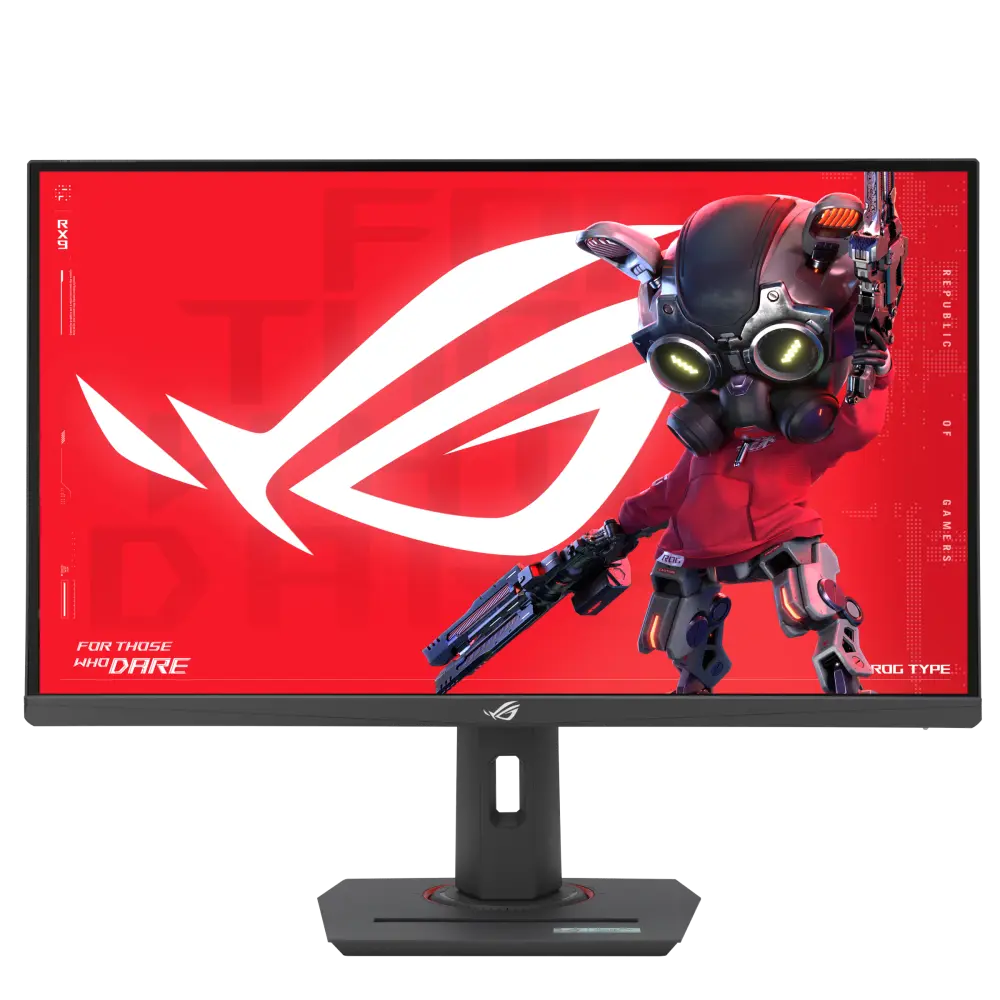
ROG Strix XG27ACMS monitor, identified in the ASUS UK catalogue. Specifications below retain the manufacturer’s configuration and interface conditions.
Specifications checked 17 Oct 2026.
Amazon links open search results. Check the exact variant, current price and availability with the retailer.
Search links open retailer results, not a matched listing; eBay listings are checked daily. As an Amazon Associate I earn from qualifying purchases. As an eBay Partner, we may be compensated if you make a purchase.
THE DIFFERENCES, MADE VISIBLE
Visual facts
Differences first. Select a topic for its graphic, sources and conditions.
How to read this comparison
Manufacturer facts for the exact models shown. Not a quality rating or a test result.
“Different” means the known values differ, not that one is better.
Missing or conflicting evidence is marked and never counts as a difference. Source chips hold each fact’s sources and conditions.
SPECIFICATIONS SIDE BY SIDE3 topics
SELECTED TOPIC
01 / 03
Inputs, connections and versions
Check the exact configuration and source conditions for your use.
AOC Q27G4SRUHDMI: HDMI 2.1 x 2; DisplayPort: DisplayPort 1.4 x 1; USB Type upstream: 1 x USB-B; USB type downstream: 4 x USB-A; Audio Output: 1x Audio out
Manufacturer specification · Manufacturer port counts and versions. Confirm source-device support, cable bandwidth and the exact mode; a connector name alone does not guarantee every advertised configuration.
Match the monitor to the connection. Refresh limits depend on the input, cable and source device. Confirm the exact regional ports, stand adjustment and mount. Manufacturer response-time methods such as MPRT and GtG are different; neither the image nor these figures establish an independent motion or colour-quality test.
AOC Q27G4SRUHDMI: HDMI 2.1 x 2; DisplayPort: DisplayPort 1.4 x 1; USB Type upstream: 1 x USB-B; USB type downstream: 4 x USB-A; Audio Output: 1x Audio out
ASUS ROG Strix XG27ACMSDisplayPort 1.4x 1 HDMI (v2.1)x 1 (FRL) USB-Cx 1 (DP Alt Mode) Earphone jack: Yes USB-C Power Delivery: 15W
Sources
AOC Q27G4SRU
Manufacturer specification · Manufacturer port counts and versions. Confirm source-device support, cable bandwidth and the exact mode; a connector name alone does not guarantee every advertised configuration.
AOC Q27G4SRU613.9 × 386-516 × 227.6 mm (width × height × depth, with stand)
ASUS ROG Strix XG27ACMSPhys. Dimension with stand (W x H x D): 61.48 x 51.29 x 21.88 cm (24.20" x 20.19" x 8.61")
Sources
AOC Q27G4SRU
Manufacturer specification · Manufacturer dimensions in the stated orientation; allow additional room for cables and movement. A listed height range is retained without inferring an adjustment travel.
Manufacturer specification · Manufacturer estimated dimensions; original ordering, units and regional qualifications retained. See source for stand configuration.
A size or weight trade-off; it does not establish the better product.
Missing or non-comparable evidence (54)
Listed refresh modes and input limits
AOC Q27G4SRU320 Hz
ASUS ROG Strix XG27ACMSNot verified
Sources
AOC Q27G4SRU
Manufacturer specification · The exact-model manual lists 2560 × 1440 at 320 Hz, agreeing with the product-page maximum. Available modes depend on input, cable and source. The separate vertical-frequency field is conflicting; see its source note.
Evidence is missing or conflicting on at least one side. This is not a verified difference.
USB-C connection
AOC Q27G4SRUNot verified
ASUS ROG Strix XG27ACMSNot verified
Sources
AOC Q27G4SRU
The inspected exact-model specification does not establish this feature. It has not been inferred from another model or from an omitted field. · Manufacturer specification
Evidence is missing or conflicting on at least one side. This is not a verified difference.
HDR formats / certification
AOC Q27G4SRUVESA Certified DisplayHDR 400
ASUS ROG Strix XG27ACMSNot verified
Sources
AOC Q27G4SRU
Manufacturer specification · Manufacturer-listed HDR formats or certification. This alone does not establish real-scene HDR quality, local dimming or measured peak brightness.
Evidence is missing or conflicting on at least one side. This is not a verified difference.
VESA mounting pattern
AOC Q27G4SRU100 × 100 mm
ASUS ROG Strix XG27ACMSNot verified
Sources
AOC Q27G4SRU
Manufacturer specification · From the exact-model manual's Wall Mounting illustration (100 mm × 100 mm, M4 screws of 10 mm plus the bracket thickness) for a separately purchased wall-mounting arm. The manual adds a general note that VESA holes are not available for all models, and the UK product page lists no VESA row; confirm with the seller before buying a mount.
Evidence is missing or conflicting on at least one side. This is not a verified difference.
Typical brightness
AOC Q27G4SRUNot verified
ASUS ROG Strix XG27ACMS350 cd/m²
Sources
AOC Q27G4SRU
The model page lists 450 cd/m² under Brightness in nits, without identifying typical sustained output, peak window size or a measurement mode. The previous typical-brightness wording was unsupported. · Manufacturer specification
Evidence is missing or conflicting on at least one side. This is not a verified difference.
Display colour depth
AOC Q27G4SRU1.07 billion (10-bit HDMI/DP @240Hz)
ASUS ROG Strix XG27ACMSNot verified
Sources
AOC Q27G4SRU
Manufacturer specification · Manufacturer colour specification under its stated colour space and measurement basis. Coverage and gamut volume are not interchangeable, and this is not an independent colour-accuracy measurement.
Manufacturer specification · Complete Game Setting menu of the exact-model manual. MBR is adjustable only with Adaptive-Sync off and at 75 Hz or above; MBR Sync only with Adaptive-Sync on and at 75 Hz or above; the Extreme overdrive level only with Adaptive-Sync off and at 75 Hz or above. Screen brightness decreases as the MBR value increases and when Extreme is on. Frame Counter displays the vertical frequency in the selected corner. With HDR enabled, Gaming Mode, Game Color, MBR and MBR Sync cannot be adjusted and Extreme is unavailable. Low Input Lag, Adaptive-Sync and PIP/PBP are recorded in their own fields; these are on-screen functions, not proof of better game performance.
Evidence is missing or conflicting on at least one side. This is not a verified difference.
Colour space (Adobe RGB) CIE 1976 %
AOC Q27G4SRU92.5
ASUS ROG Strix XG27ACMSNot verified
Sources
AOC Q27G4SRU
Manufacturer specification · Manufacturer colour specification under its stated colour space and measurement basis. Coverage and gamut volume are not interchangeable, and this is not an independent colour-accuracy measurement.
Evidence is missing or conflicting on at least one side. This is not a verified difference.
Colour space (DCI-P3) CIE 1976 %
AOC Q27G4SRU96.2
ASUS ROG Strix XG27ACMSNot verified
Sources
AOC Q27G4SRU
Manufacturer specification · Manufacturer colour specification under its stated colour space and measurement basis. Coverage and gamut volume are not interchangeable, and this is not an independent colour-accuracy measurement.
Evidence is missing or conflicting on at least one side. This is not a verified difference.
Colour space (sRGB) CIE 1931 %
AOC Q27G4SRU124.2
ASUS ROG Strix XG27ACMSNot verified
Sources
AOC Q27G4SRU
Manufacturer specification · Manufacturer colour specification under its stated colour space and measurement basis. Coverage and gamut volume are not interchangeable, and this is not an independent colour-accuracy measurement.
Evidence is missing or conflicting on at least one side. This is not a verified difference.
Vertical input-frequency range
AOC Q27G4SRUConflicting evidence
ASUS ROG Strix XG27ACMSNot verified
Sources
AOC Q27G4SRU
The manual lists 48–320 Hz, while the product-page vertical-frequency field lists 48–300 Hz. This source conflict remains unresolved; no common operating range is inferred. · Manufacturer specification
Evidence is missing or conflicting on at least one side. This is not a verified difference.
Low-input-lag mode
AOC Q27G4SRUYes
ASUS ROG Strix XG27ACMSNot verified
Sources
AOC Q27G4SRU
Manufacturer specification · The manual's Game Setting menu has an Off / On Low Input Lag setting that turns off the frame buffer to decrease input lag; no latency figure is published.
Evidence is missing or conflicting on at least one side. This is not a verified difference.
Typical / normal operating power
AOC Q27G4SRU26 W
ASUS ROG Strix XG27ACMSNot verified
Sources
AOC Q27G4SRU
Manufacturer specification · Manufacturer power figure under the stated operating mode; real use, brightness, connected USB devices and charging load can differ. Source mode: typical.
Evidence is missing or conflicting on at least one side. This is not a verified difference.
Specification market
AOC Q27G4SRUAOC UK documentation
ASUS ROG Strix XG27ACMSNot verified
Sources
AOC Q27G4SRU
Manufacturer specification · UK and US retailer searches are provided separately. A UK specification does not prove identical US variants, included plugs, stock or cross-border warranty.
Evidence is missing or conflicting on at least one side. This is not a verified difference.
MPRT response-time claim
AOC Q27G4SRU0.3 ms
ASUS ROG Strix XG27ACMSNot verified
Sources
AOC Q27G4SRU
Manufacturer specification · Manufacturer response-time claim; settings and transition method matter. GtG and MPRT values are different measures and are not independent motion-clarity results.
Evidence is missing or conflicting on at least one side. This is not a verified difference.
GtG response-time claim
AOC Q27G4SRU1 ms
ASUS ROG Strix XG27ACMS1ms(GTG), 0.3ms(min.)
Sources
AOC Q27G4SRU
Manufacturer specification · Manufacturer response-time claim; settings and transition method matter. GtG and MPRT values are different measures and are not independent motion-clarity results.
One source states less detail or a rounded figure. This is not a verified difference; check the exact configuration.
Input-specific signal modes
AOC Q27G4SRUNot verified
ASUS ROG Strix XG27ACMSDigital Signal Frequency: USB-C, DisplayPort: 490KHz to 490 KHz (H) / 48Hz to 320Hz (V) HDMI: 30KHz to 490KHz (H) / 48Hz to 320Hz (V)
Evidence is missing or conflicting on at least one side. This is not a verified difference.
Standby power (W)
AOC Q27G4SRU0.5
ASUS ROG Strix XG27ACMSNot verified
Sources
AOC Q27G4SRU
Manufacturer specification · Manufacturer power figure under the stated operating mode; real use, brightness, connected USB devices and charging load can differ.
Evidence is missing or conflicting on at least one side. This is not a verified difference.
Listed warranty period
AOC Q27G4SRU3 years
ASUS ROG Strix XG27ACMSNot verified
Sources
AOC Q27G4SRU
Manufacturer specification · Check the exact model, purchase market, proof-of-purchase requirements and full manufacturer terms; this is not a cross-border warranty guarantee.
Evidence is missing or conflicting on at least one side. This is not a verified difference.
Dimensions without stand (W × H × D, mm)
AOC Q27G4SRU613.9 × 366.3 x 52.6
ASUS ROG Strix XG27ACMSNot verified
Sources
AOC Q27G4SRU
Manufacturer specification · Manufacturer dimensions in the stated orientation; allow additional room for cables and movement. A listed height range is retained without inferring an adjustment travel.
AOC describes an E-sports monitor stand whose base is designed to reduce the monitor's footprint on the desk and lets a keyboard sit on top; the stand includes cable management.
Response time, HDR support and colour figures are manufacturer claims with different conditions; they do not establish independent motion or image-quality results.
AOC’s vertical-frequency field conflicts with its manual (48–300 Hz versus 48–320 Hz). The 320 Hz maximum is supported by both the headline specification and manual; the complete operating range is left unconfirmed.
Compatibility and maximum operating modes depend on the source’s stated hardware, firmware and connection requirements; manufacturer figures are not independent measurements.
Manufacturer specification · Manufacturer resolution notation: 2560x1440. See the separate refresh-mode conditions for any lower-resolution configurations.
The model page lists 450 cd/m² under Brightness in nits, without identifying typical sustained output, peak window size or a measurement mode. The previous typical-brightness wording was unsupported. · Manufacturer specification
Manufacturer specification · Manufacturer colour specification under its stated colour space and measurement basis. Coverage and gamut volume are not interchangeable, and this is not an independent colour-accuracy measurement.
Manufacturer specification · Manufacturer-listed HDR formats or certification. This alone does not establish real-scene HDR quality, local dimming or measured peak brightness.
Manufacturer specification · Manufacturer colour specification under its stated colour space and measurement basis. Coverage and gamut volume are not interchangeable, and this is not an independent colour-accuracy measurement.
Manufacturer specification · Manufacturer colour specification under its stated colour space and measurement basis. Coverage and gamut volume are not interchangeable, and this is not an independent colour-accuracy measurement.
Manufacturer specification · Manufacturer colour specification under its stated colour space and measurement basis. Coverage and gamut volume are not interchangeable, and this is not an independent colour-accuracy measurement.
Manufacturer specification · The exact-model manual lists 2560 × 1440 at 320 Hz, agreeing with the product-page maximum. Available modes depend on input, cable and source. The separate vertical-frequency field is conflicting; see its source note.
Manufacturer specification · Manufacturer-listed maximum; input-specific signal-frequency restrictions, overclocking and source/cable requirements remain as shown in the specifications. Digital Signal Frequency : USB-C, DisplayPort : 490KHz to 490 KHz (H) / 48Hz to 320Hz (V) HDMI : 30KHz to 490KHz (H) / 48Hz to 320Hz (V)
Manufacturer specification · The exact-model manual lists 2560 × 1440 at 320 Hz, agreeing with the product-page maximum. Available modes depend on input, cable and source. The separate vertical-frequency field is conflicting; see its source note.
Manufacturer specification · Manufacturer response-time claim; settings and transition method matter. GtG and MPRT values are different measures and are not independent motion-clarity results.
Manufacturer specification · Manufacturer response-time claim; settings and transition method matter. GtG and MPRT values are different measures and are not independent motion-clarity results.
Manufacturer specification · The manual's Game Setting menu has an Off / On Low Input Lag setting that turns off the frame buffer to decrease input lag; no latency figure is published.
Digital Signal Frequency: USB-C, DisplayPort: 490KHz to 490 KHz (H) / 48Hz to 320Hz (V) HDMI: 30KHz to 490KHz (H) / 48Hz to 320Hz (V)
Inputs, connections and versionsDifferentSources
AOC Q27G4SRU
Manufacturer specification · Manufacturer port counts and versions. Confirm source-device support, cable bandwidth and the exact mode; a connector name alone does not guarantee every advertised configuration.
Manufacturer specification · Manufacturer dimensions in the stated orientation; allow additional room for cables and movement. A listed height range is retained without inferring an adjustment travel.
Manufacturer specification · Manufacturer estimated dimensions; original ordering, units and regional qualifications retained. See source for stand configuration.
Manufacturer specification · From the exact-model manual's Wall Mounting illustration (100 mm × 100 mm, M4 screws of 10 mm plus the bracket thickness) for a separately purchased wall-mounting arm. The manual adds a general note that VESA holes are not available for all models, and the UK product page lists no VESA row; confirm with the seller before buying a mount.
Manufacturer specification · Manufacturer dimensions in the stated orientation; allow additional room for cables and movement. A listed height range is retained without inferring an adjustment travel.
Manufacturer specification · Manufacturer power figure under the stated operating mode; real use, brightness, connected USB devices and charging load can differ. Source mode: typical.
Manufacturer specification · Manufacturer power figure under the stated operating mode; real use, brightness, connected USB devices and charging load can differ.
Manufacturer specification · Complete Game Setting menu of the exact-model manual. MBR is adjustable only with Adaptive-Sync off and at 75 Hz or above; MBR Sync only with Adaptive-Sync on and at 75 Hz or above; the Extreme overdrive level only with Adaptive-Sync off and at 75 Hz or above. Screen brightness decreases as the MBR value increases and when Extreme is on. Frame Counter displays the vertical frequency in the selected corner. With HDR enabled, Gaming Mode, Game Color, MBR and MBR Sync cannot be adjusted and Extreme is unavailable. Low Input Lag, Adaptive-Sync and PIP/PBP are recorded in their own fields; these are on-screen functions, not proof of better game performance.
Manufacturer specification · Check the exact model, purchase market, proof-of-purchase requirements and full manufacturer terms; this is not a cross-border warranty guarantee.
Manufacturer specification · UK and US retailer searches are provided separately. A UK specification does not prove identical US variants, included plugs, stock or cross-border warranty.
Show unverified (3)Not verified, not provided or conflicting for both products. Kept for completeness; never counted as a difference.
Specifications without verified values for either product
USB-C connectionSources
AOC Q27G4SRU
The inspected exact-model specification does not establish this feature. It has not been inferred from another model or from an omitted field. · Manufacturer specification
The manual lists 48–320 Hz, while the product-page vertical-frequency field lists 48–300 Hz. This source conflict remains unresolved; no common operating range is inferred. · Manufacturer specification
Each record represents an explicitly checked model and configuration. Original import: 5 Sept 2026; this is not its verification date. This is not a list of current offers or a popularity ranking.